
Community listing page, reviews may not be monitored by the author.
ScreenshotUtility


No reviews yet
A client-side Fabric mod that adds an in-game gallery, 4K high-res capture, and automatic metadata embedding to screenshots.

Community voices
Reviews
No reviews yet. Be the first to review this project!
Get it on
Available Platforms
Compatibility
Supported Environments
Runs entirely on the client. Works on vanilla servers.
About
Project Details
For authors
Embed Badge
If you're the author of this project, you can embed a live badge anywhere that supports HTML or Markdown. It updates automatically whenever ratings change.
Use HTML for any page that supports it, or Markdown for README files and Markdown-based descriptions.
Identifiers
Platform IDs
About
Description
ScreenshotUtility
A client-side Fabric mod that adds an in-game screenshot gallery, 4K high-resolution capture, and automatic metadata embedding.
Features
- In-game screenshot gallery
- 4K high-resolution capture
- Automatic coordinate and metadata embedding
- Client-side operation
- Easy screenshot organization and review
ScreenshotUtility
ScreenshotUtility is a client-side Fabric mod that enhances the capturing and management of screenshots in Minecraft.
Key Features
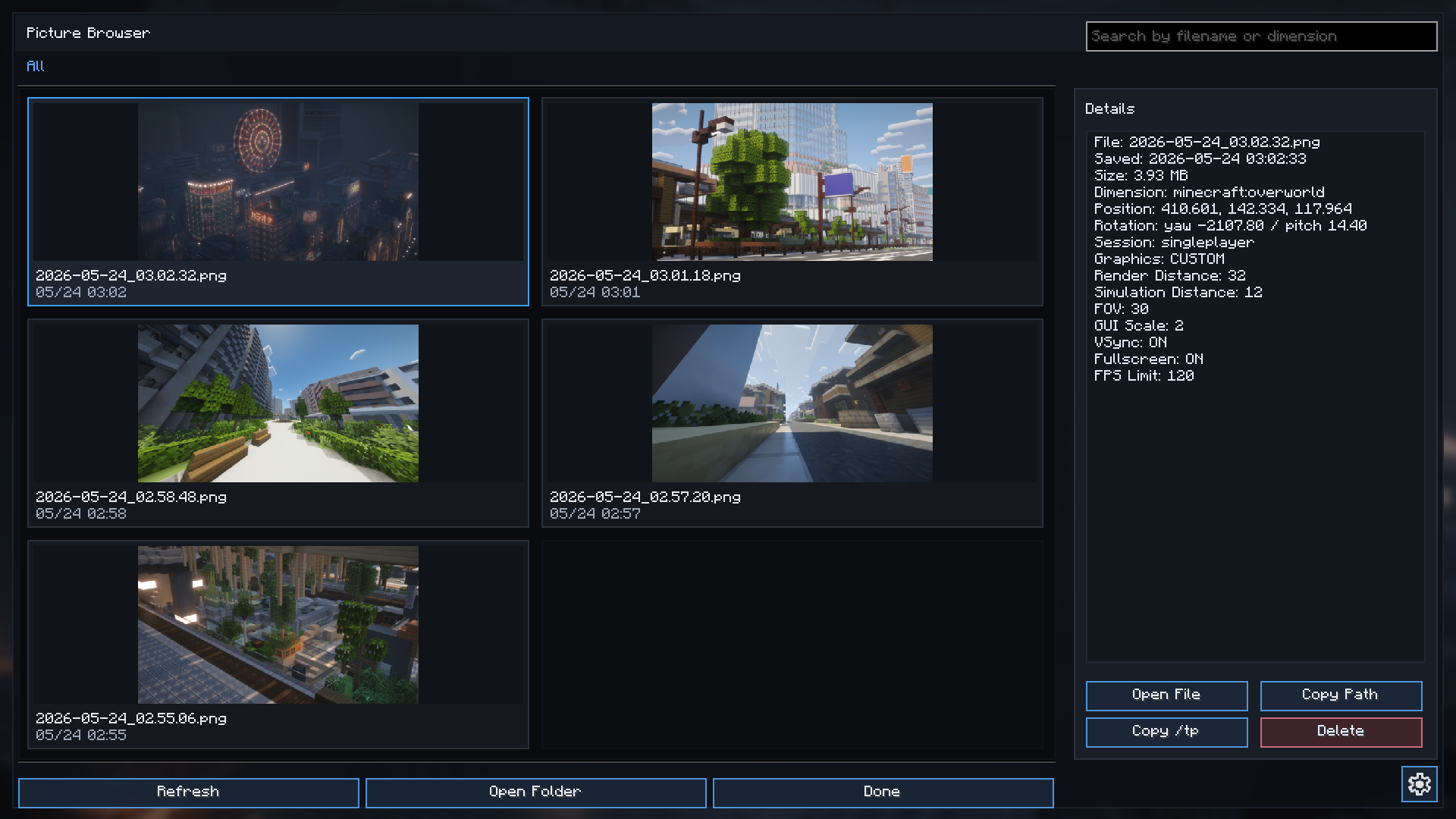
1. In-Game Gallery (Picture Browser)
Adds an in-game gallery screen that allows you to browse and manage your screenshots.
- How to open: Press the
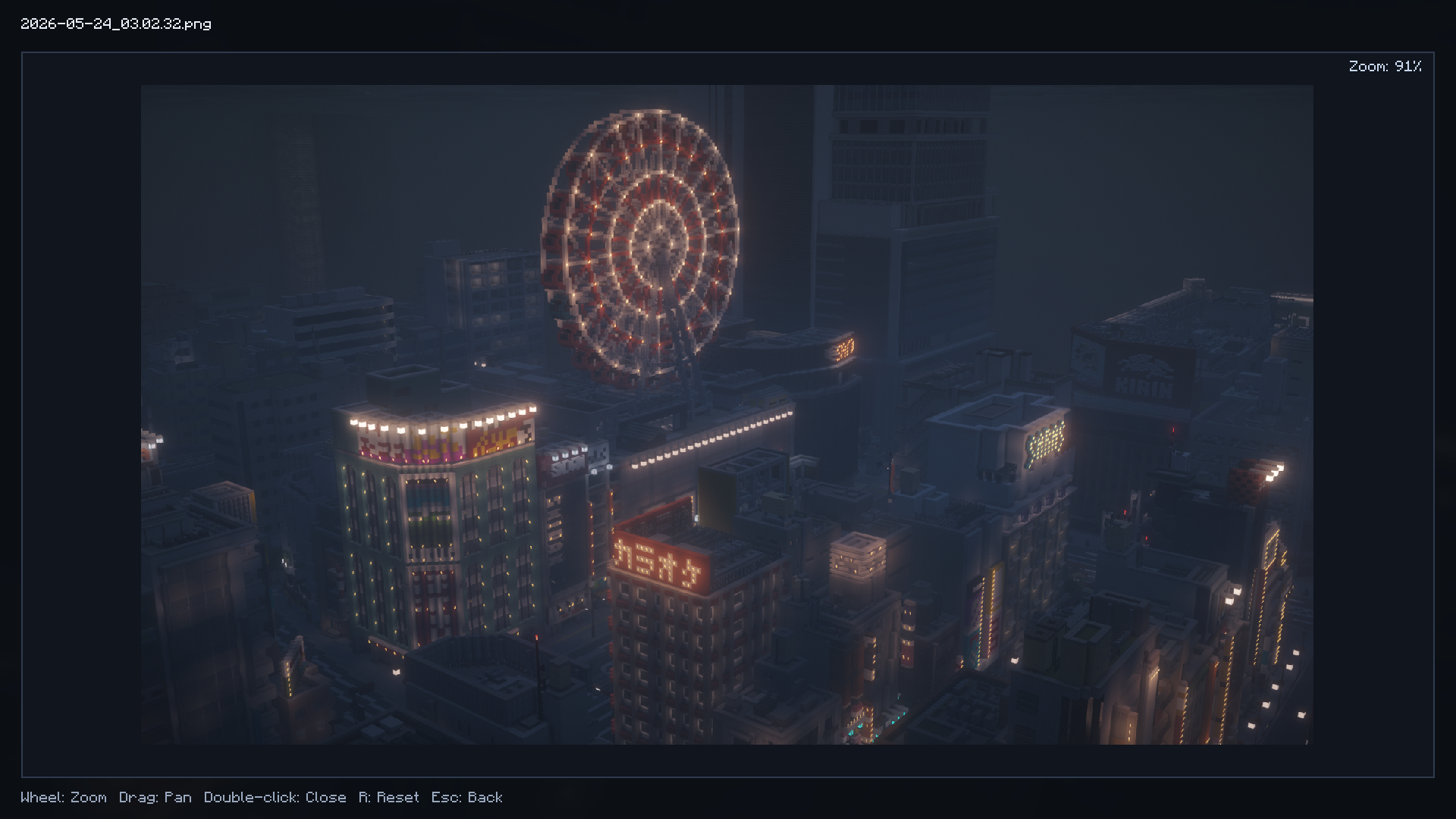
F8key (by default) to open the gallery. - Viewer controls: Scroll the mouse wheel to zoom, drag to pan the image, press
Rto reset the view, and double-click or pressEscto close the viewer. - Search & Filter: Search for specific screenshots by file name or the name of the dimension they were taken in.
- File operations: Perform actions directly from the gallery screen, such as "Open folder", "Open image", "Copy path", and "Delete".
2. Automatic Metadata Embedding
When you take a screenshot, detailed in-game environment data is automatically embedded and saved within custom chunks of the image file (PNG). You can view this data at any time from the "Details" section in the gallery.
- Recorded information includes:
- Coordinates (X, Y, Z) and player rotation (Yaw, Pitch)
- Dimension name
- Session info (Singleplayer/Multiplayer, server address)
- Save date, time, and file size
- Game settings at the time of capture (Render distance, Simulation distance, FOV, GUI scale, Graphics preset, VSync, Framerate limit, etc.)
3. Copy /tp Command
Using the coordinate data saved in the screenshot's metadata, you can copy a /tp command directly to your clipboard from the gallery menu. This allows you to easily return to the exact location where the picture was taken.
4. 4K Screenshot Capture
Even if you are playing at a standard resolution (like 1080p), this feature temporarily scales the rendering resolution up to 4K (3840×2160) just for the screenshot capture.
- Note: If the 4K capture process fails for any reason, the mod will automatically fall back to taking the screenshot at your normal resolution.
5. Auto-Copy to Clipboard
When enabled in the settings, screenshots will automatically be copied to your system clipboard immediately after they are taken.
Settings
- Press the
F7key (by default) to open the ScreenshotUtility settings screen. - From the settings menu, you can toggle "Enable 4K Capture" and "Auto-Copy to Clipboard".
Requirements & Environment
- Fabric Client environment (This is a client-side only mod).
- Note: The mod internally relies on
SimpleGuiAPI(for features like keybinding registration).
Screenshots
Gallery
Versions
Files
Relations
Project Relations
More like this
Similar Mods
Suggestions use data such as tags, dependencies, dependents, descriptions, titles, and more to rank how much they overlap with this mod.
On ModDex
Community snapshot
By the numbers
Statistics

Get it on
Available Platforms
On ModDex
Community snapshot
By the numbers