
Community listing page, reviews here may not be monitored by the author.
ScreenTime


No reviews yet
Set limits on game play time, protected with a password

Community voices
Reviews
No reviews yet. Be the first to review this project!
Get it on
Available Platforms
Compatibility
Supported Environments
Runs entirely on the client. Works on vanilla servers.
About
Project Details
For authors
Embed Badge
If you're the author of this project, you can embed a live badge anywhere that supports HTML or Markdown. It updates automatically whenever ratings change.
Use HTML for any page that supports it, or Markdown for README files and Markdown-based descriptions.
Identifiers
Platform IDs
About
Description
Easily set up a playtime limit for an entire Minecraft instance. Once a limit and password is set the mod will start keeping track of your playtime. Once the limit expires, you will be locked out of the game (worlds will be saved don't worry!) unless you enter the password to bypass the limit.
Why?
I've been trying to use macOS' built in screentime features to accomplish the same thing, but they are rather finnicky around Minecraft Java Edition. Sometimes the limit works, other times it lets you sail right past it without a peep. Even when the limit does work, the "Limit Reached" popup doesn't actually pause the game so your mouse remains captured making it basically impossible to interact with.
How?
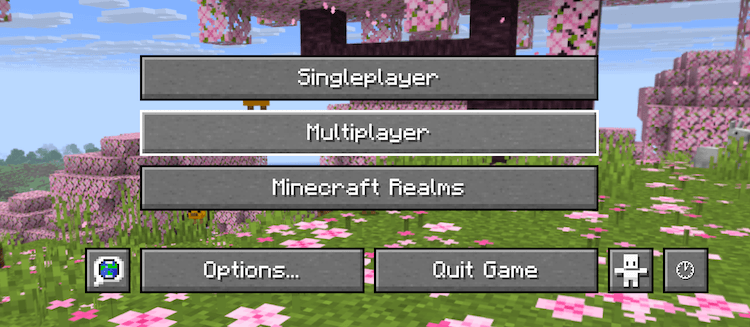
A new button has been added to the homescreen to allow you to configure settings. You can also press the ';' key by default to access the same page in game.
Recovery
If you don't remember your password, or something else goes wrong, settings are stored in a simple JSON file in your config directory which can easily be deleted to reset everything. This does also mean that bypass is... very possible without the password so don't rely on this for everything.
Hopefully you find this helpful!
Easily set up a playtime limit for an entire Minecraft instance. Once a limit and password is set the mod will start keeping track of your playtime. Once the limit expires, you will be locked out of the game (worlds will be saved don't worry!) unless you enter the password to bypass the limit.
Why?
I've been trying to use macOS' built in screentime features to accomplish the same thing, but they are rather finnicky around Minecraft Java Edition. Sometimes the limit works, other times it lets you sail right past it without a peep. Even when the limit does work, the "Limit Reached" popup doesn't actually pause the game so your mouse remains captured making it basically impossible to interact with.
How?
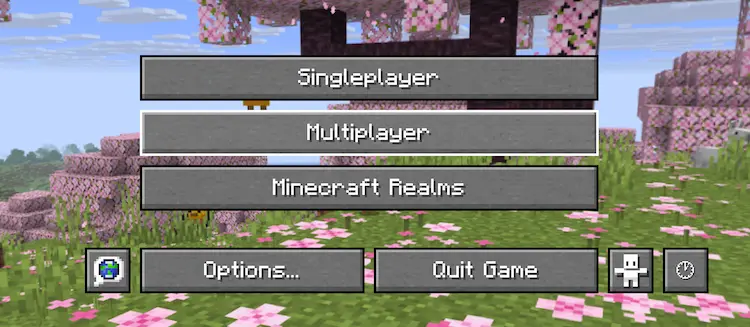
A new button has been added to the homescreen to allow you to configure settings. You can also press the ';' key by default to access the same page in game.
Recovery
If you don't remember your password, or something else goes wrong, settings are stored in a simple JSON file in your config directory which can easily be deleted to reset everything. This does also mean that bypass is... very possible without the password so don't rely on this for everything.
Hopefully you find this helpful!
Screenshots
Gallery
-
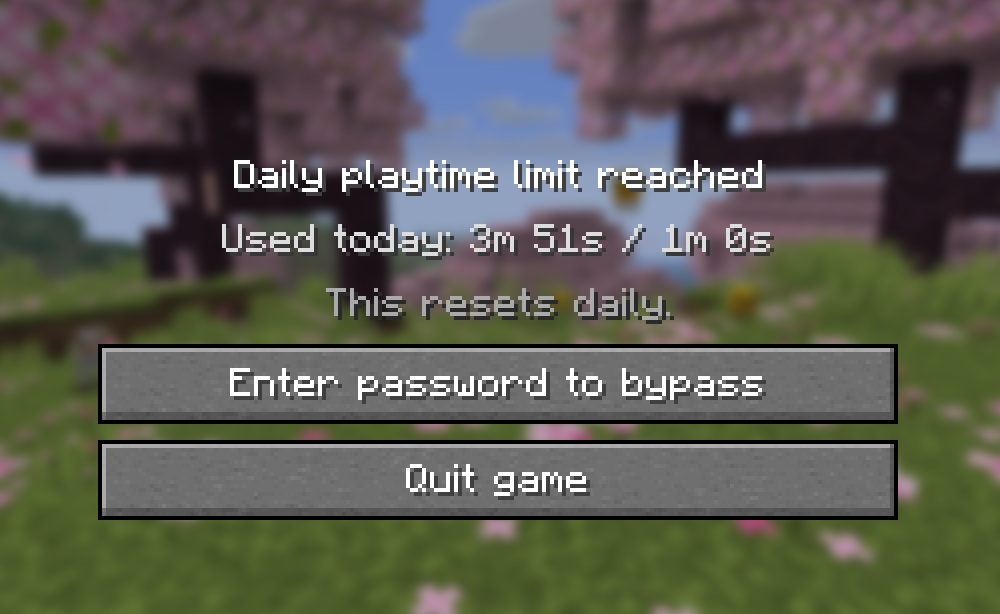 You've reached your limit! The screen shown when the playtime limit has been reached. Shows the amount of time you have played today, plus two buttons. One to enter a password to bypass the limit and another to quit the game.
 -
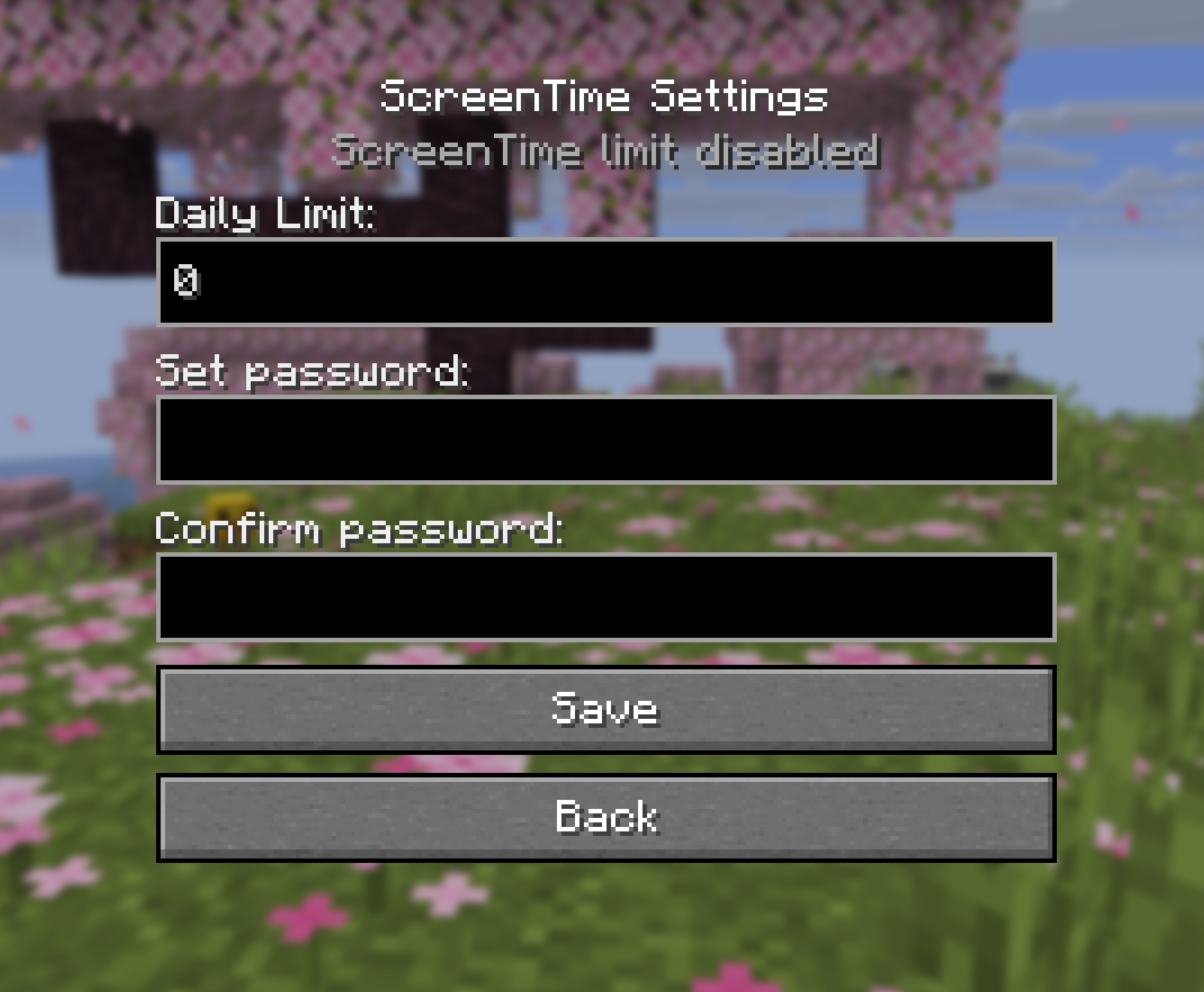 Settings The settings screen for ScreenTime. When first starting the mod, you have to set a daily limit (in minutes) and a password to bypass the limit.
Versions
Files
Relations
Project Relations
More like this
Similar Mods
Suggestions use data such as tags, dependencies, dependents, descriptions, titles, and more to rank how much they overlap with this mod.
On ModDex
Community snapshot
By the numbers
Statistics
 (opens in a new tab)
Get it on
Available Platforms
On ModDex
Community snapshot
By the numbers