
Community listing page, reviews here may not be monitored by the author.
Selvax


No reviews yet
Selvax – Visual Enhancement Mod⭐ A high-performance, visuals-only Fabric client mod for Minecraft 1.21.4 and more coming soon...
Community voices
Reviews
No reviews yet. Be the first to review this project!
Get it on
Available Platforms
Compatibility
Supported Environments
Runs entirely on the client. Works on vanilla servers.
About
Project Details
For authors
Embed Badge
If you're the author of this project, you can embed a live badge anywhere that supports HTML or Markdown. It updates automatically whenever ratings change.
Use HTML for any page that supports it, or Markdown for README files and Markdown-based descriptions.
Identifiers
Platform IDs
Resources
External Links
About
Description



Selvax Client 🔥
A high-performance, visuals-only Fabric client mod for Minecraft 1.21.4.

Features
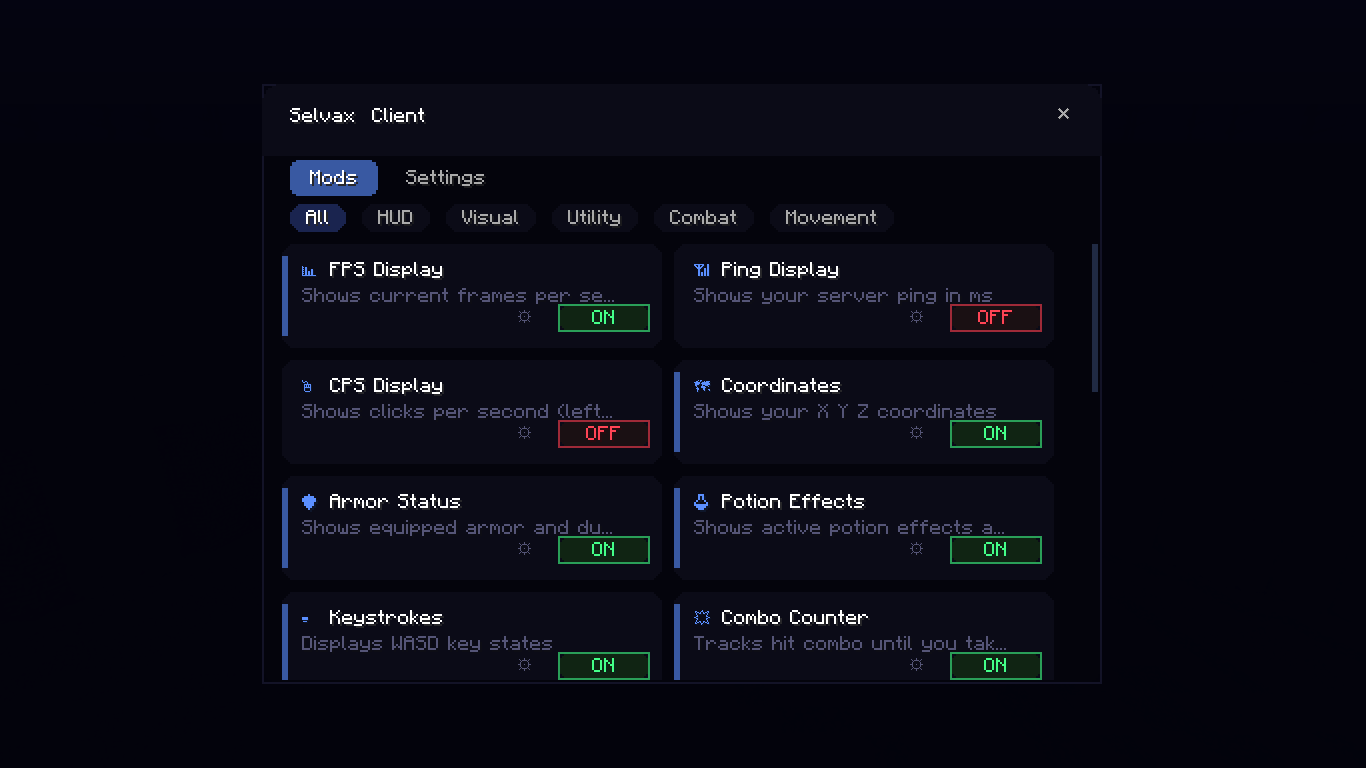
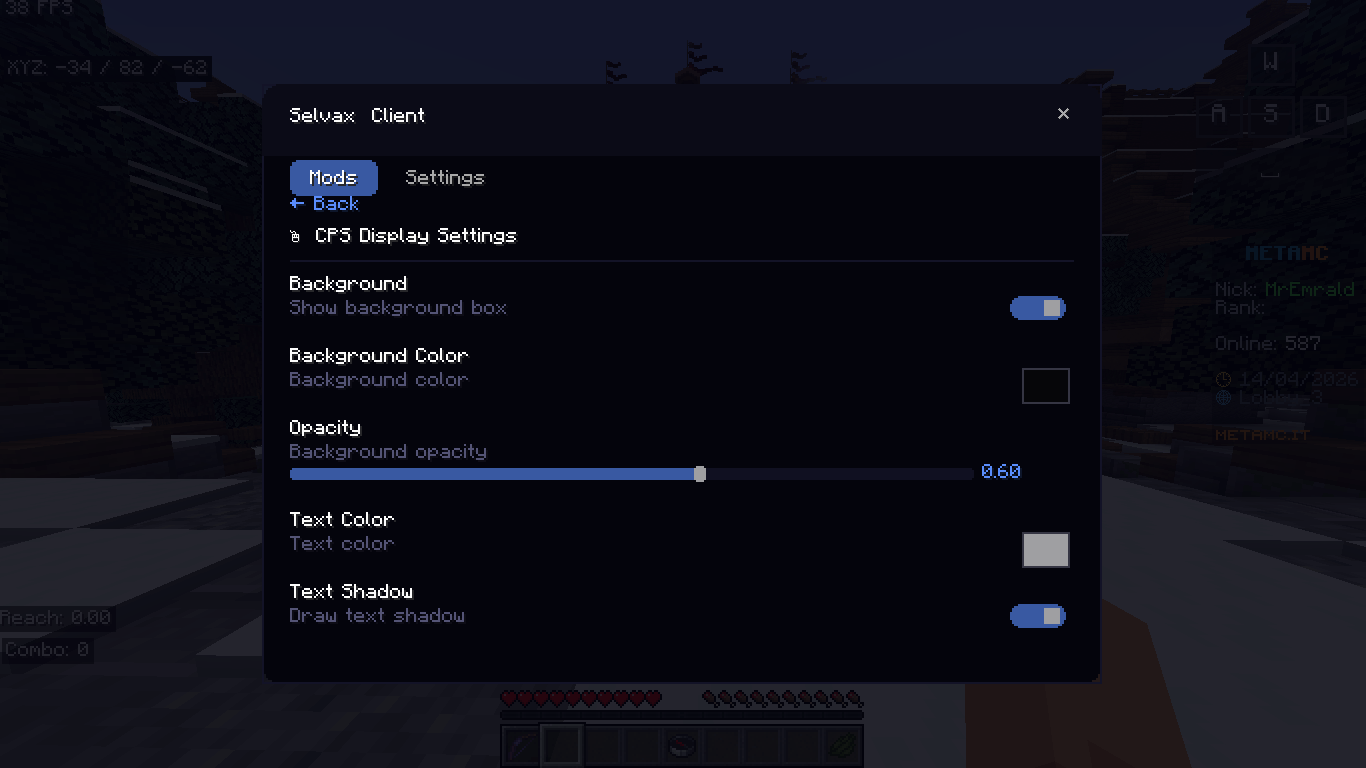
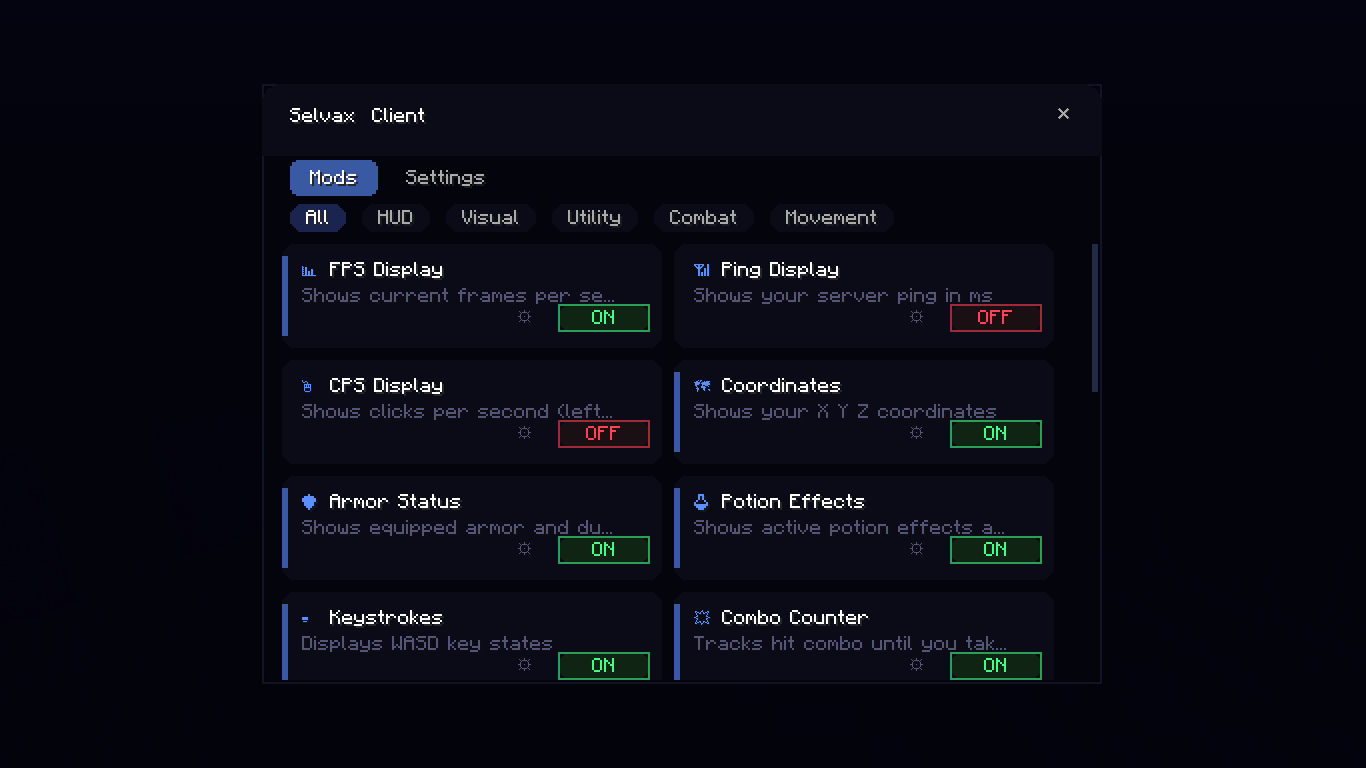
- 21 HUD Mods: FPS, Ping, CPS display, Reach visual, Coordinates, Armor, Potions, Keystrokes, Combo, Zoom, Fullbright, Nametags, Crosshair, Block Outline, Hitbox visual outline only, HurtCam, Toggle Sneak/Sprint, Time, Speed, Direction
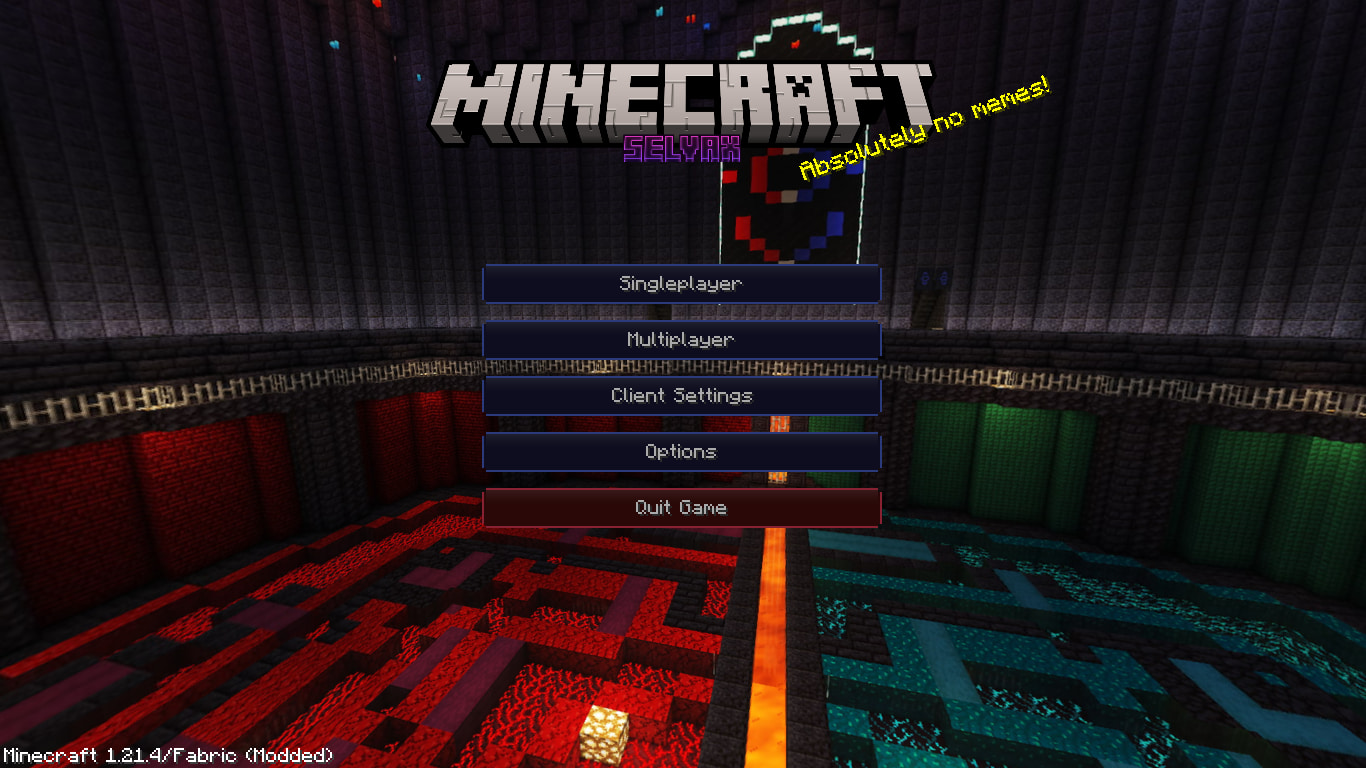
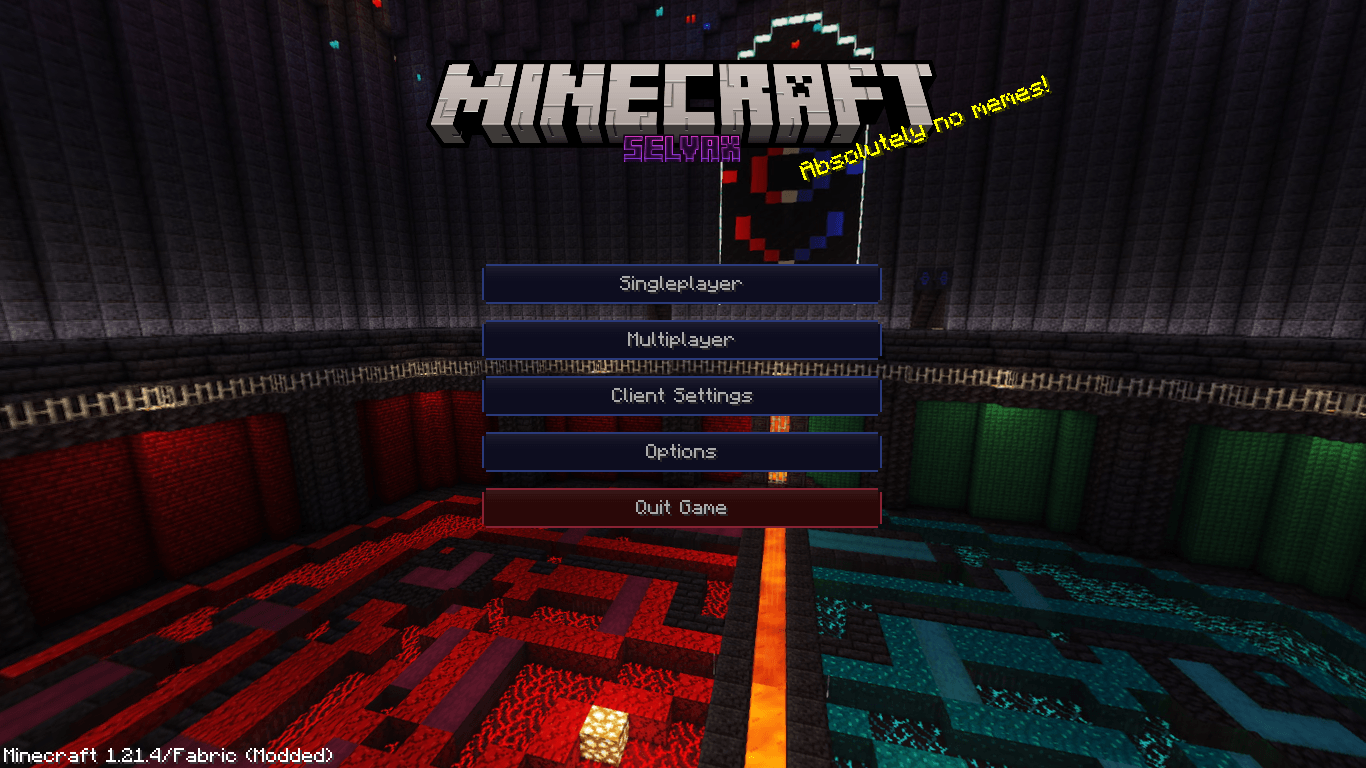
- Custom Title Screen — Lunar-inspired animated design
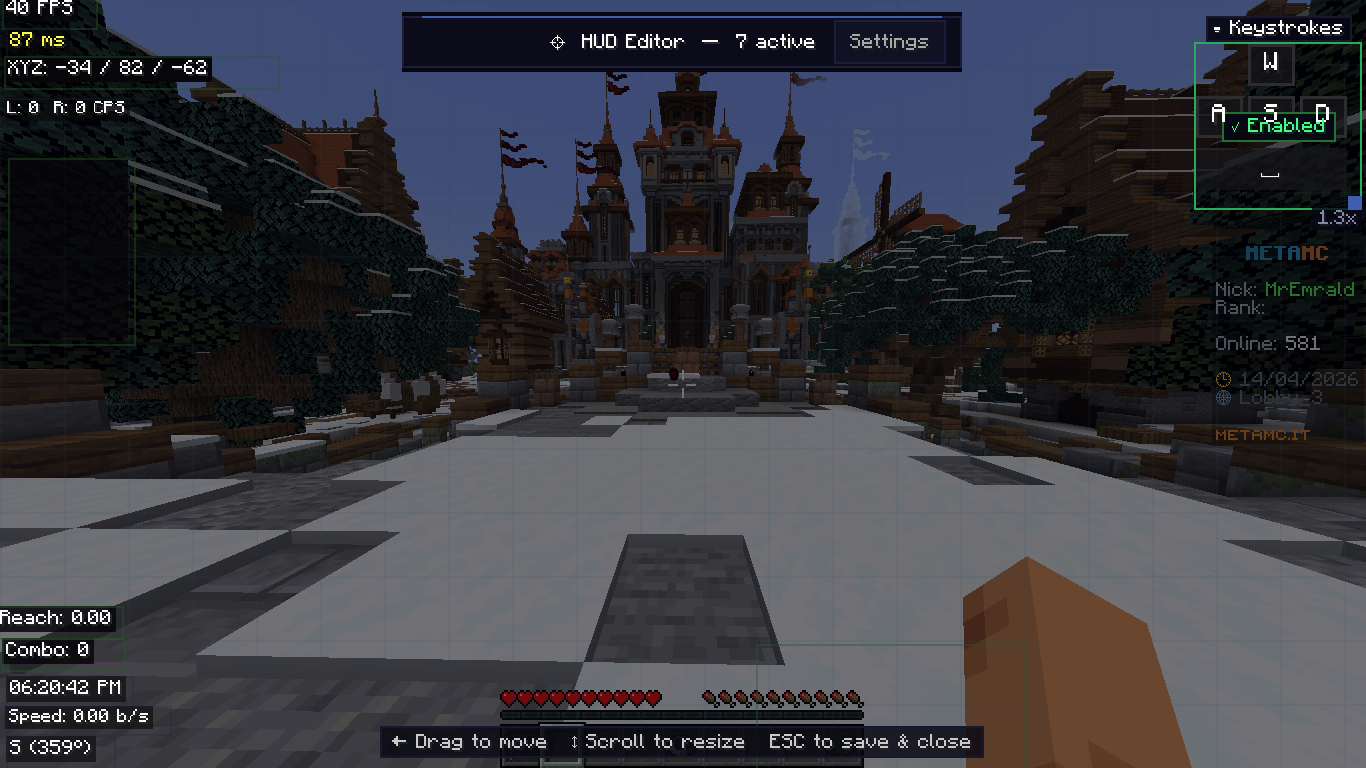
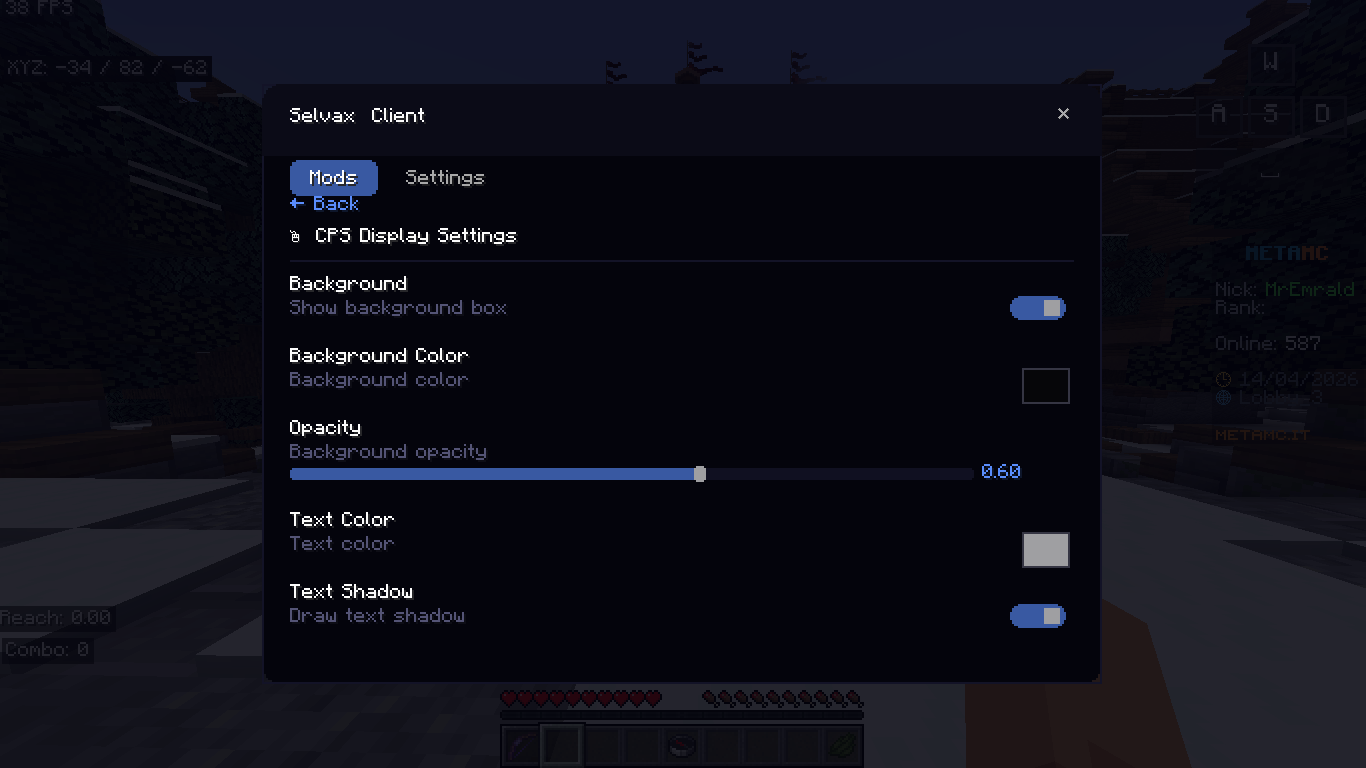
- HUD Editor — Right Shift in-game, drag & drop mods, scroll to resize
- Client Settings — Raw Mouse, Borderless, Hotbar Scroll, Cape, Fog, Particles
- Performance Presets — Balanced / Performance / Max FPS slider
- Custom Cape — Visible in F5 mode, toggleable
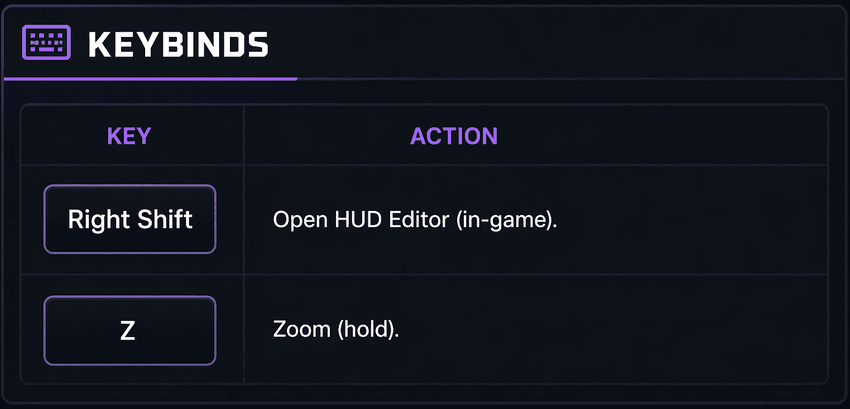
Keybinds :
❓ FAQ — Selvax
What is Selvax?
Selvax is a visual mod that improves the HUD and overall look of the game while keeping gameplay the same.
Is it safe?
Yes, it doesn’t include any cheats or unfair features.
Can I use it on servers?
Yes, since it’s visual only. Just respect server rules.
Does it increase FPS?
In most cases, yes. There are settings to help improve performance.
What loader does it use?
Fabric.
Which versions work?
Mainly 1.21.4 for now.
How do I open the HUD Editor?
Press Right Shift in-game.
How does zoom work?
Hold Z.
Can I move HUD elements?
Yes, you can drag and resize everything easily.
Is there a cape?
Yes, and you can turn it on or off.
Will it work with other mods?
Usually yes, but mods that change the HUD might conflict.
Does it change gameplay?
No, everything is visual.
Can I use it in videos?
Yes.
Will it get updates?
Yes, more features will be added over time.
Where do I get help?
Discord:
For support join official discord server ⛔
Discord
Selvax Client 🔥
A high-performance, visuals-only Fabric client mod for Minecraft 1.21.4.
Features
- 21 HUD Mods: FPS, Ping, CPS display, Reach visual, Coordinates, Armor, Potions, Keystrokes, Combo, Zoom, Fullbright, Nametags, Crosshair, Block Outline, Hitbox visual outline only, HurtCam, Toggle Sneak/Sprint, Time, Speed, Direction
- Custom Title Screen — Lunar-inspired animated design
- HUD Editor — Right Shift in-game, drag & drop mods, scroll to resize
- Client Settings — Raw Mouse, Borderless, Hotbar Scroll, Cape, Fog, Particles
- Performance Presets — Balanced / Performance / Max FPS slider
- Custom Cape — Visible in F5 mode, toggleable
Keybinds
| Key | Action |
|---|---|
| Right Shift | Open HUD Editor (in-game) |
| Z | Zoom (hold) |
Screenshot ✨
For support join official discord server ⛔ Discord
Screenshots
Gallery
-
 Screenshot4.png Screenshot4.png
 -
 Screenshot2.png Screenshot2.png
 -
 Screenshot1.png Screenshot1.png
 -
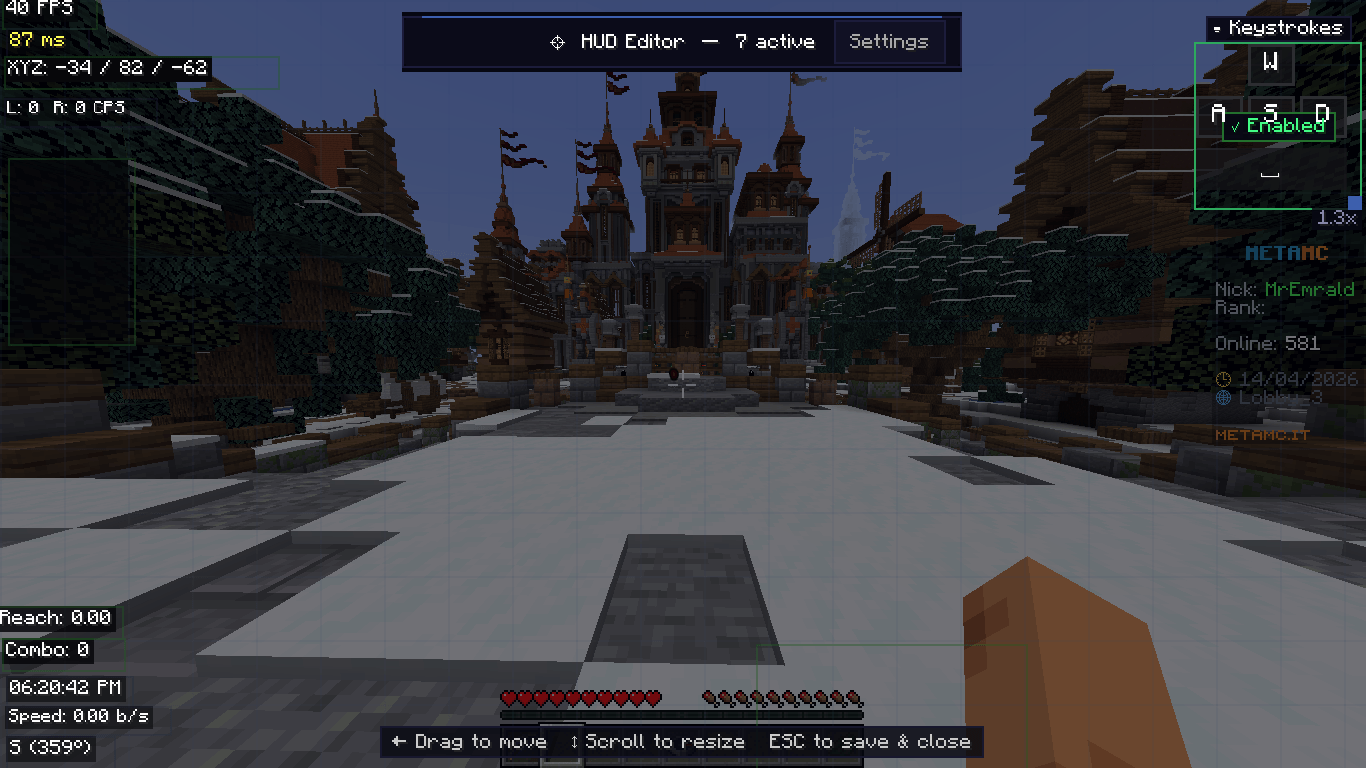 Screensho33.png Screensho33.png
-
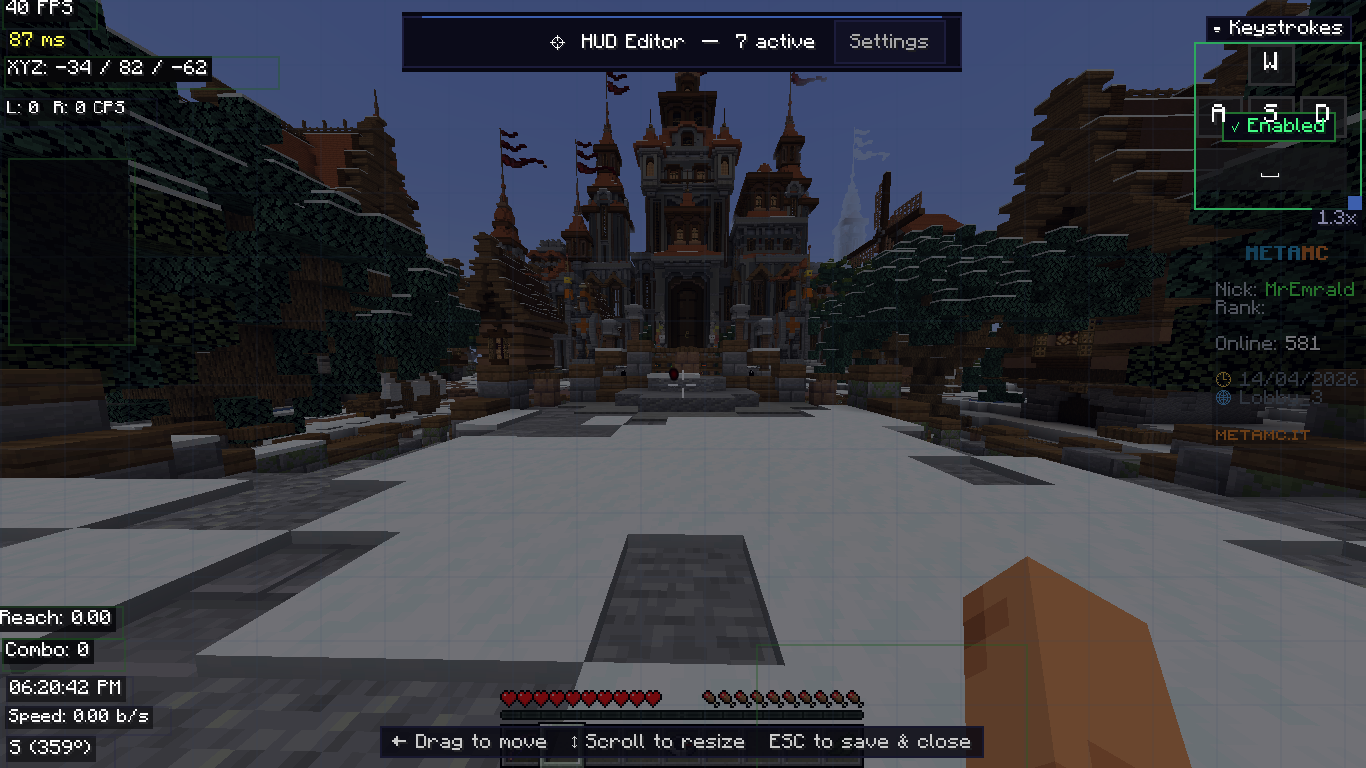 Right shift config Screen
 -
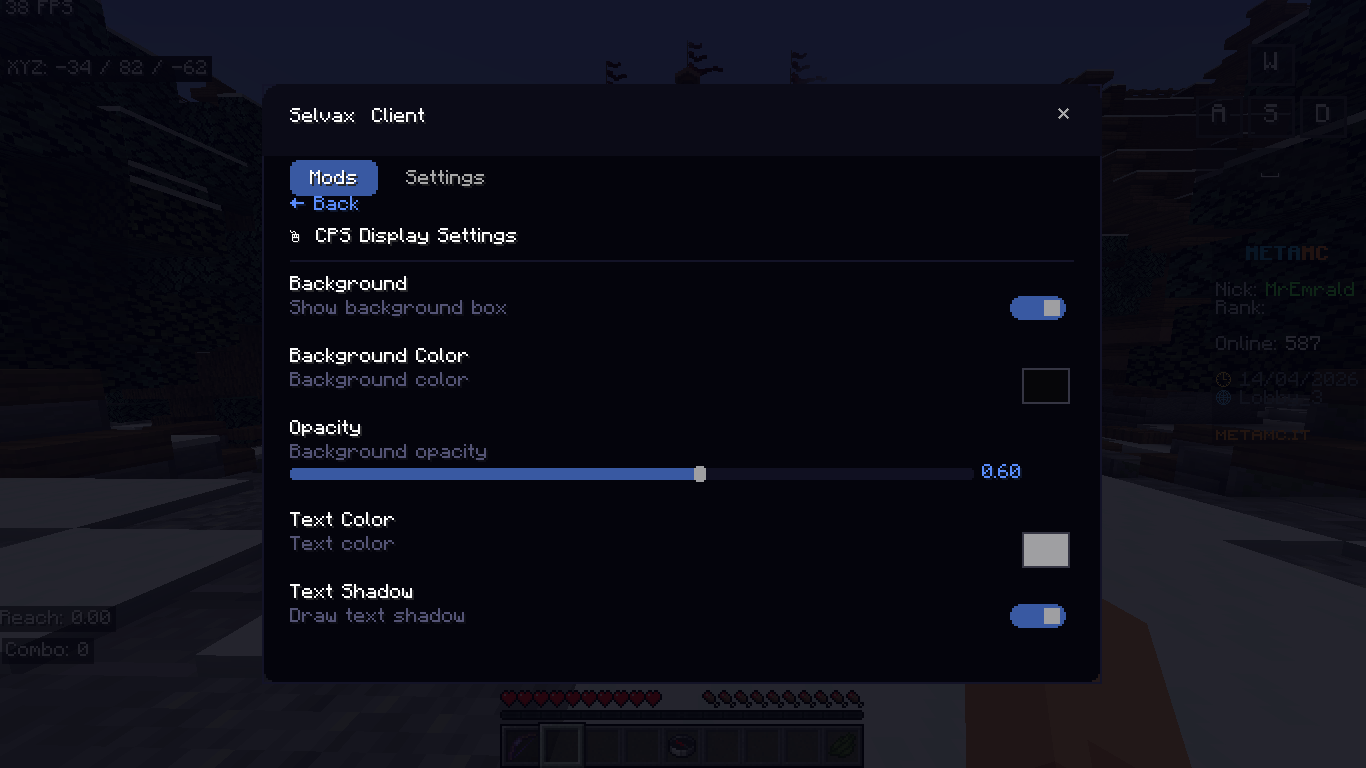 mod configuration Screen
 -
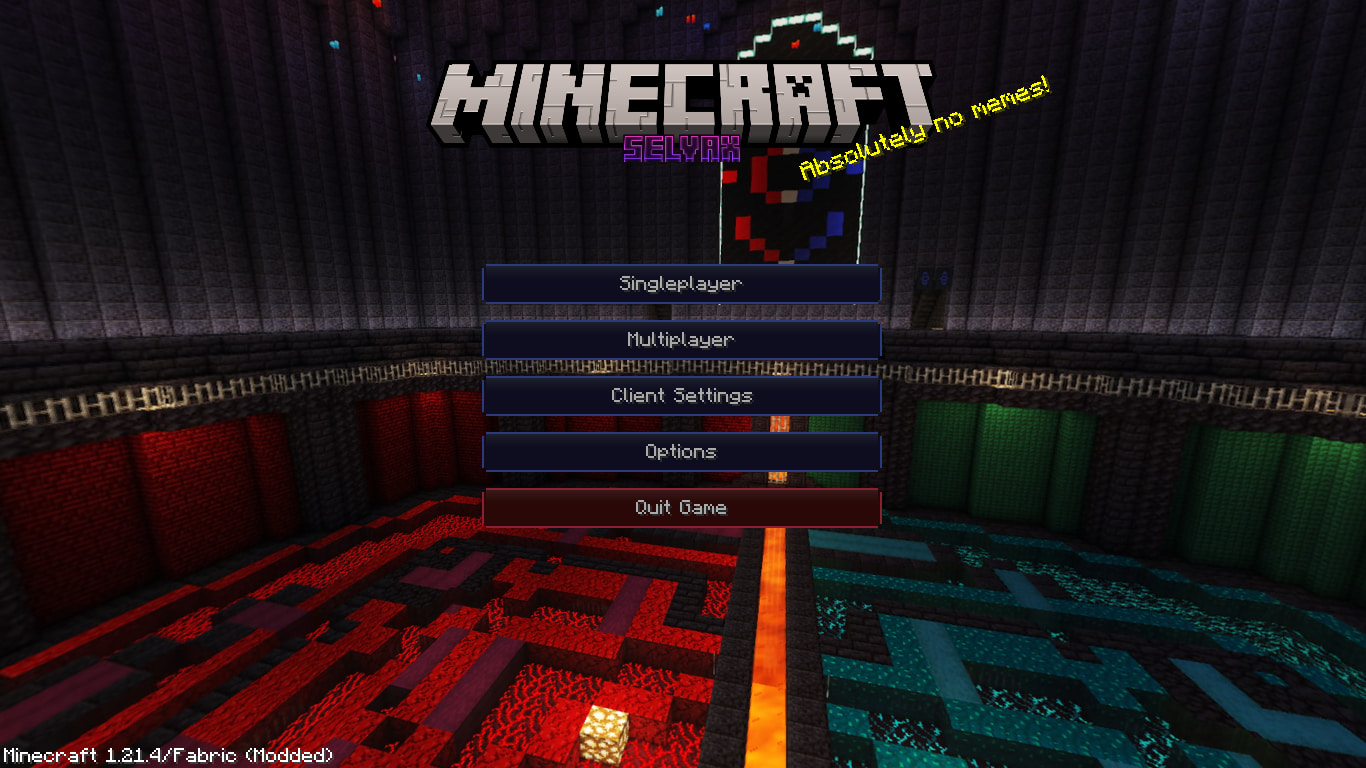 Menu Screen
 -
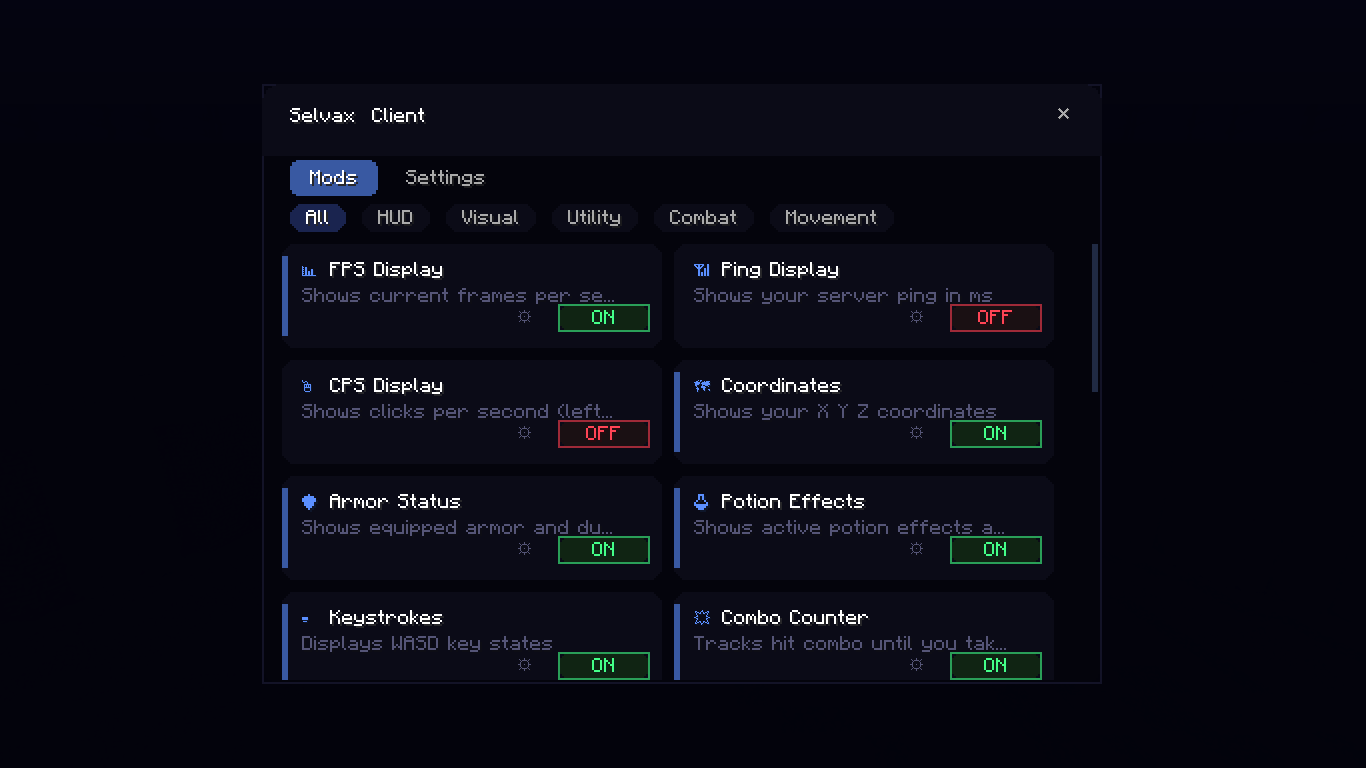 Client settings screen
Versions
Files
Relations
Project Relations
More like this
Similar Mods
Suggestions use data such as tags, dependencies, dependents, descriptions, titles, and more to rank how much they overlap with this mod.
On ModDex
Community snapshot
By the numbers
Statistics
Want to reach Minecraft players?
We're looking for a server hosting partner to feature here and other parts of the site. Interested? Send us a message!
Get in touchGet it on
Available Platforms
On ModDex
Community snapshot
By the numbers
Statistics
Resources