Community listing page, reviews may not be monitored by the author.
Serrated

No reviews yet
Adds a Stonecutter and Saw for modpacks with extra features and compat

Community voices
Reviews
No reviews yet. Be the first to review this project!
Get it on
Available Platforms
About
Project Details
For authors
Embed Badge
If you're the author of this project, you can embed a live badge anywhere that supports HTML or Markdown. It updates automatically whenever ratings change.
Use HTML for any page that supports it, or Markdown for README files and Markdown-based descriptions.
Identifiers
Platform IDs
Resources
External Links
About
Description
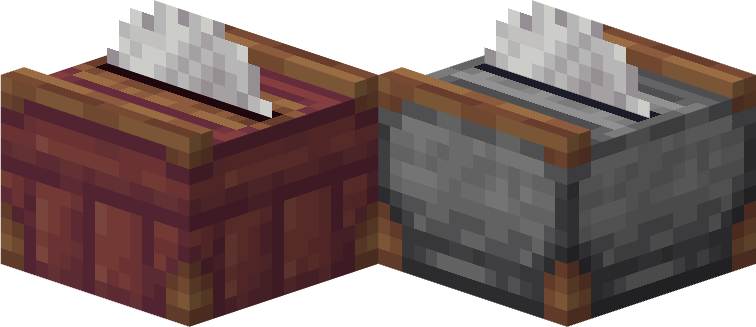
Serrated adds only two blocks to the game, the Stonecutter and the Saw. By default, they behave pretty much exactly like the vanilla 1.14 stonecutter, but can be placed facing any direction.
There are no default recipes, they are all up to the user/modpack. More than 1 output per input is allowed, using CraftTweaker to configure them.
An important feature of the cutters in this mod is the "immersive" toggle in the configuration, which completely changes how players interact with the cutters. Instead of processing items in the GUI, it can only be used to select the output with a ghost representation of the input, allowing you to physically place inputs on the sawblade in-world to process them manually. The cutters can also catch items thrown on the saw face, allowing easy automation with dispensers/droppers.
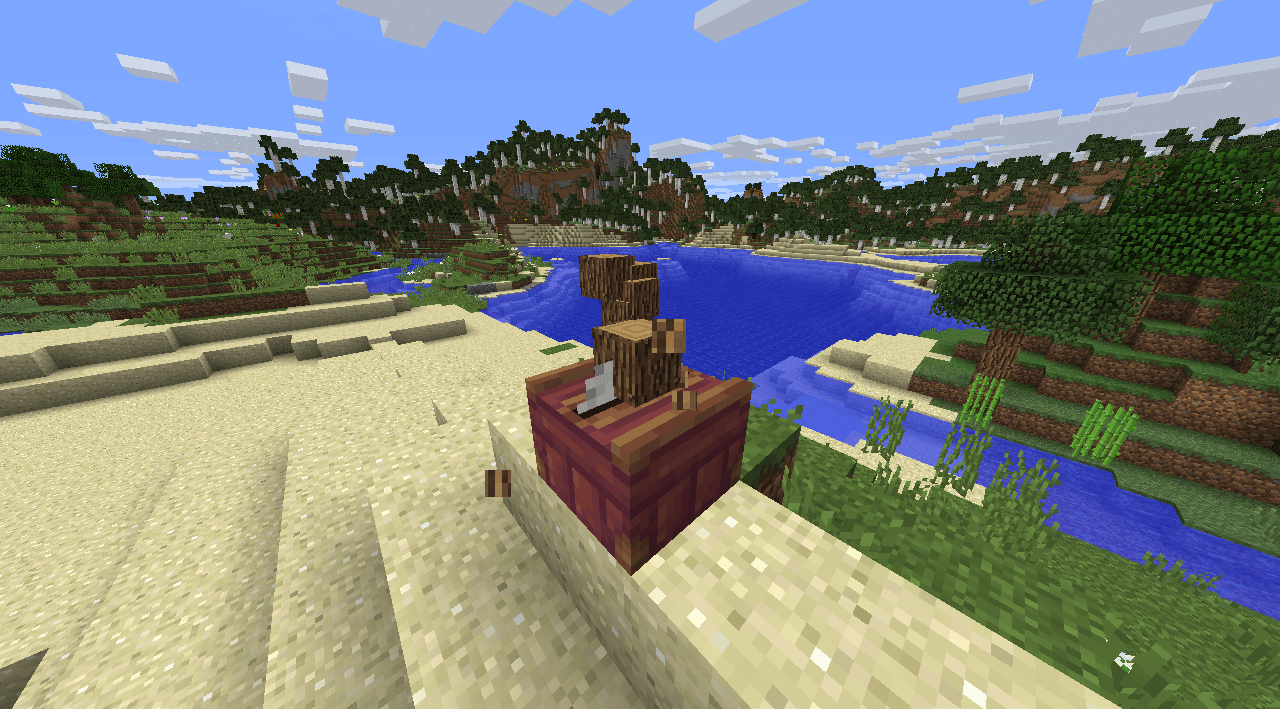
Recipes in immersive mode can be defined to work as dropped items only or, if you prefer, as placed blocks. This is useful if you want to make all block recipes require the blocks to be physically placed in-world, like how it works in BWM, for example.
You can additionally enable BWM power compatibility, which makes the cutters require a rotating axle from either their front, back, or bottom faces in order to process recipes.
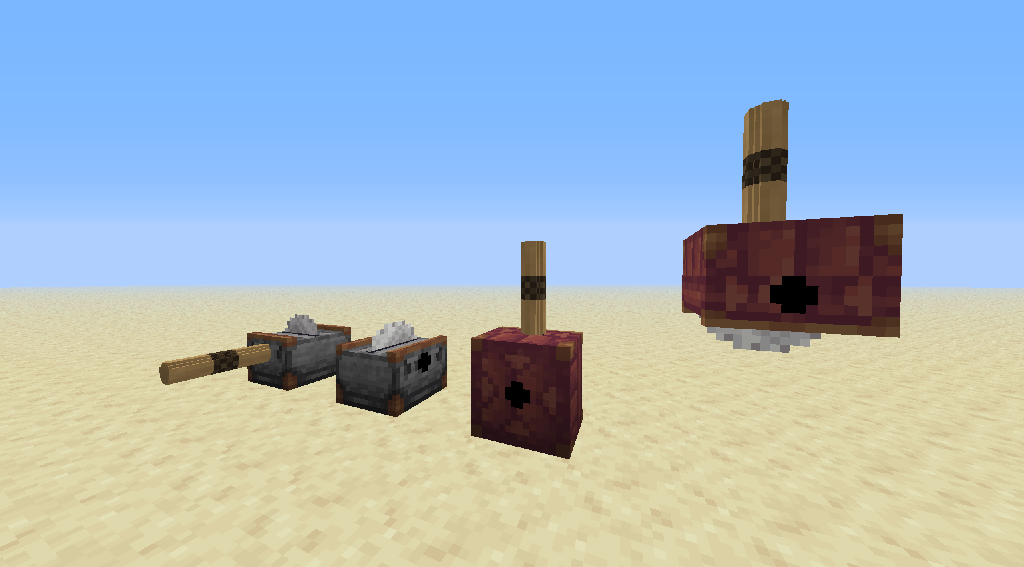
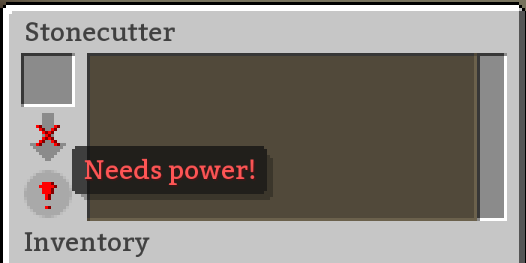
When both options are enabled, the cutters effectively behave like an improved version of the BWM saw block, allowing to place blocks in front of them to get variout outputs.
CraftTweaker:
For this same information, but better formatted, check the Github wiki
For the full API, go here
Start by importing the mod into your script:import mods.serrated.CuttingSawRecipeBuilder;import mods.serrated.CuttingSawOutputBuilder;
Serrated has a recipe builder and an output builder:
Open the recipe builder with newRecipe()
- inputItem: item slot input used for crafting and GUI display.
- inputBlock: physical world block state target required for the saw. Defaults to nothing if omitted.
- blockOnly: If true, the recipe ignores the item form and only triggers via the physical blockCuttingSawRecipeBuilder.newRecipe(IIngredient inputItem, @Optional @Nullable IBlockStateMatcher inputBlock, @Optional(valueBoolean = false) boolean blockOnly);
Follow with with the output builder with `addOutput()`. You can add as many output entries per newRecipe as you want. These are the entries in the GUI when placing an input item.
- outputItem: Primary item stack output.
- duration: Optional. Crafting processing time in immersive mode. Defaults to 0 ticks if omitted.
- outputBlock: Optional. The block placed in the world when crafted in immersive mode. Defaults to null if omitted, causing the item to drop as a regular entity instead..addOutput(IItemStack outputItem, @Optional(valueLong = 0) int duration, @Optional @Nullable IBlockState outputBlock);
You can addExtra() outputs to any output. These will be rendered in JEI and when hovering the primary output item in the `addOutput` method..addExtra(IItemStack stack);
Finalize your recipe with either addToSaw() or addToStonecutter():.addToSaw(String id);.addToStonecutter(String id);
Examples
Simple recipe for the default configuration, allows to craft stone bricks into 1 stairs, 2 slabs, or 1 chiseled stone bricks.import mods.serrated.CuttingSawOutputBuilder;import mods.serrated.CuttingSawRecipeBuilder;
CuttingSawRecipeBuilder.newRecipe(<minecraft:stonebrick:0>) .addOutput(<minecraft:stone_brick_stairs> * 1) .addOutput(<minecraft:stone_slab:5> * 2) .addOutput(<minecraft:stonebrick:3> * 1) .addToStonecutter("stone_brick_variants");
Full recipe for immersirve mode, with two possible outputs and extra items.
All the rotations of the log blockstate are accounted for in the first variable.
It **requires** (note the boolean in .newRecipe) that an oak log is **placed**. First output (and default, unless changed) takes 20 ticks and outputs 4 oak planks, 1 oak bark and 2 sawdust; second output takes 30 ticks and drops 8 sticks.import crafttweaker.block.IBlockStateMatcher;import mods.serrated.CuttingSawOutputBuilder;import mods.serrated.CuttingSawRecipeBuilder;
var oakLog as IBlockStateMatcher = <blockstate:minecraft:log:variant=oak,axis=x> | <blockstate:minecraft:log:variant=oak,axis=y> | <blockstate:minecraft:log:variant=oak,axis=z>;
CuttingSawRecipeBuilder.newRecipe(<minecraft:log:0>, oakLog, true) .addOutput(CuttingSawOutputBuilder.newOutput(<minecraft:planks:0> * 4, 20) .addExtra(<betterwithmods:bark:0>) .addExtra(<betterwithmods:material:22> * 2)) .addOutput(<minecraft:stick> * 8, 30) .addToSaw("log_oak");
Thanks to Phantamanta for taking on the commission to program this mod
Assets and idea by Foreck
FX credits
machine hum1.wav by kiefspoon -- https://freesound.org/s/111626/ -- License: Creative Commons 0
Body_impact_wood.aiff by MaxDemianAGL -- https://freesound.org/s/183602/ -- License: Attribution 3.0
saw wood 2.wav by Pagey1969 -- https://freesound.org/s/566050/ -- License: Creative Commons 0
Dropping Rocks by iwanPlays -- https://freesound.org/s/567250/ -- License: Creative Commons 0
:3
Screenshots
Gallery
-
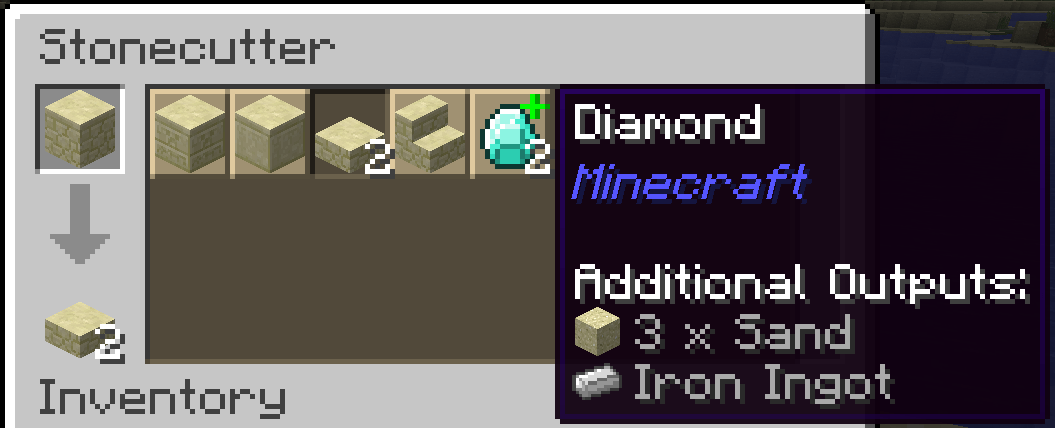 stonecutter Showcasing the ability to define multiple outputs per recipe. They get a + icon and their tooltip shows all extra outputs.
 -
Immersive Mode (saw) When Immersive Mode is enabled in the configuration file, you can only SELECT recipes in the GUI, but items/blocks must be processed IN-WORLD by throwing them on top or placing the block.
-
Optional BWM power requirement. When enabled in the config file, both cutters will gain input slots for BWM/BWA's rotatory power in their front, back, and bottom sides, forcing them to be powered in order to process recipes.
Versions
Files
Relations
Project Relations
More like this
Similar Mods
Suggestions use data such as tags, dependencies, dependents, descriptions, titles, and more to rank how much they overlap with this mod.
On ModDex
Community snapshot
By the numbers
Statistics

Get it on
Available Platforms
On ModDex
Community snapshot
By the numbers
Statistics
Resources