
Community listing page, reviews here may not be monitored by the author.
Server Discord Bot


No reviews yet
A Minecraft mod that links your server with a Discord bot.

Community voices
Reviews
No reviews yet. Be the first to review this project!
Get it on
Available Platforms
Compatibility
Supported Environments
Runs on a dedicated server only; does not work in singleplayer.
About
Project Details
For authors
Embed Badge
If you're the author of this project, you can embed a live badge anywhere that supports HTML or Markdown. It updates automatically whenever ratings change.
Use HTML for any page that supports it, or Markdown for README files and Markdown-based descriptions.
Identifiers
Platform IDs
About
Description
Server Discord Bot
A Minecraft mod that links your server with a Discord bot.
Features
- Whitelisting
- Join/leave messages
- Stats and leaderboards
- Player milestones
- Server status and info
Guide: Setup the bot
Creating a Discord bot
- Go to the Discord Developer Portal
- Create a new application
- Customize the name, description, and icon
- Click on the
Bottab and save your bot token somewhere - Click on the
OAuth2tab and add thebotscope andadministratorpermission - Choose
Guild Installand open the generated url in your browser - Complete the invitation process to your Discord server
- In Discord, right-click on the text channel you want to use, select
Copy Channel ID, and save it somewhere
Running the bot
- Download Server Discord Bot and its dependencies
- Install the file/s in the mods directory of your server
- Start the server once and stop it once it's running
- In your server directory, go to
config/server-discord-bot/config.jsonand add your bot token and channel ID - Done! Start the server again and the bot should come online
Server Discord Bot
A Minecraft mod that links your server with a Discord bot.
Features
- Whitelisting
- Join/leave messages
- Stats and leaderboards
- Player milestones
- Server status and info
Guide: Setup the bot
Creating a Discord bot
- Go to the Discord Developer Portal
- Create a new application
- Customize the name, description, and icon
- Click on the
Bottab and save your bot token somewhere - Click on the
OAuth2tab and add thebotscope andadministratorpermission - Choose
Guild Installand open the generated url in your browser - Complete the invitation process to your Discord server
- In Discord, right-click on the text channel you want to use, select
Copy Channel ID, and save it somewhere
Running the bot
- Download Server Discord Bot and its dependencies
- Install the file/s in the mods directory of your server
- Start the server once and stop it once it's running
- In your server directory, go to
config/server-discord-bot/config.jsonand add your bot token and channel ID - Done! Start the server again and the bot should come online
Screenshots
Gallery
-
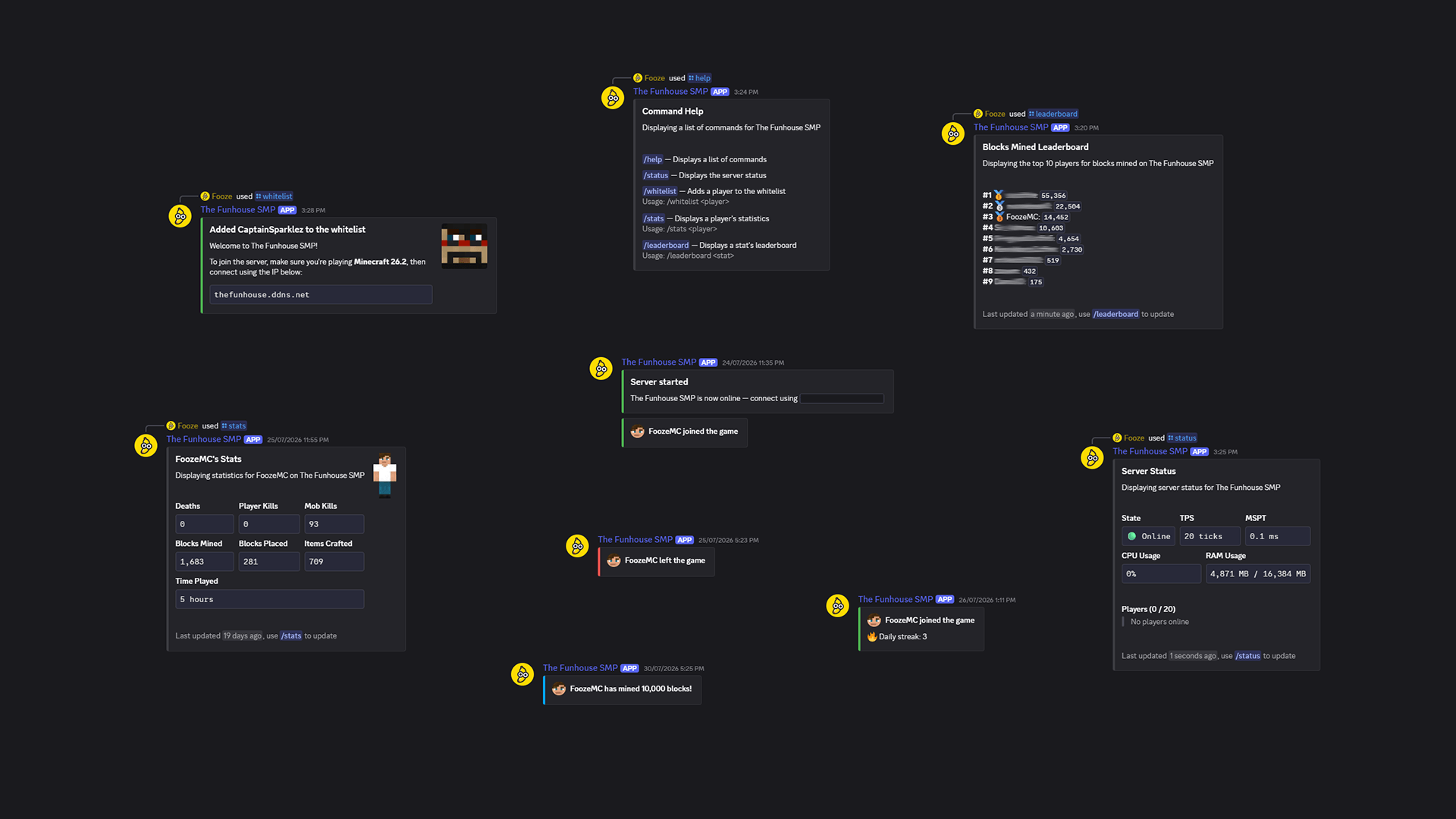 Banner Beautifully designed embeds!
-
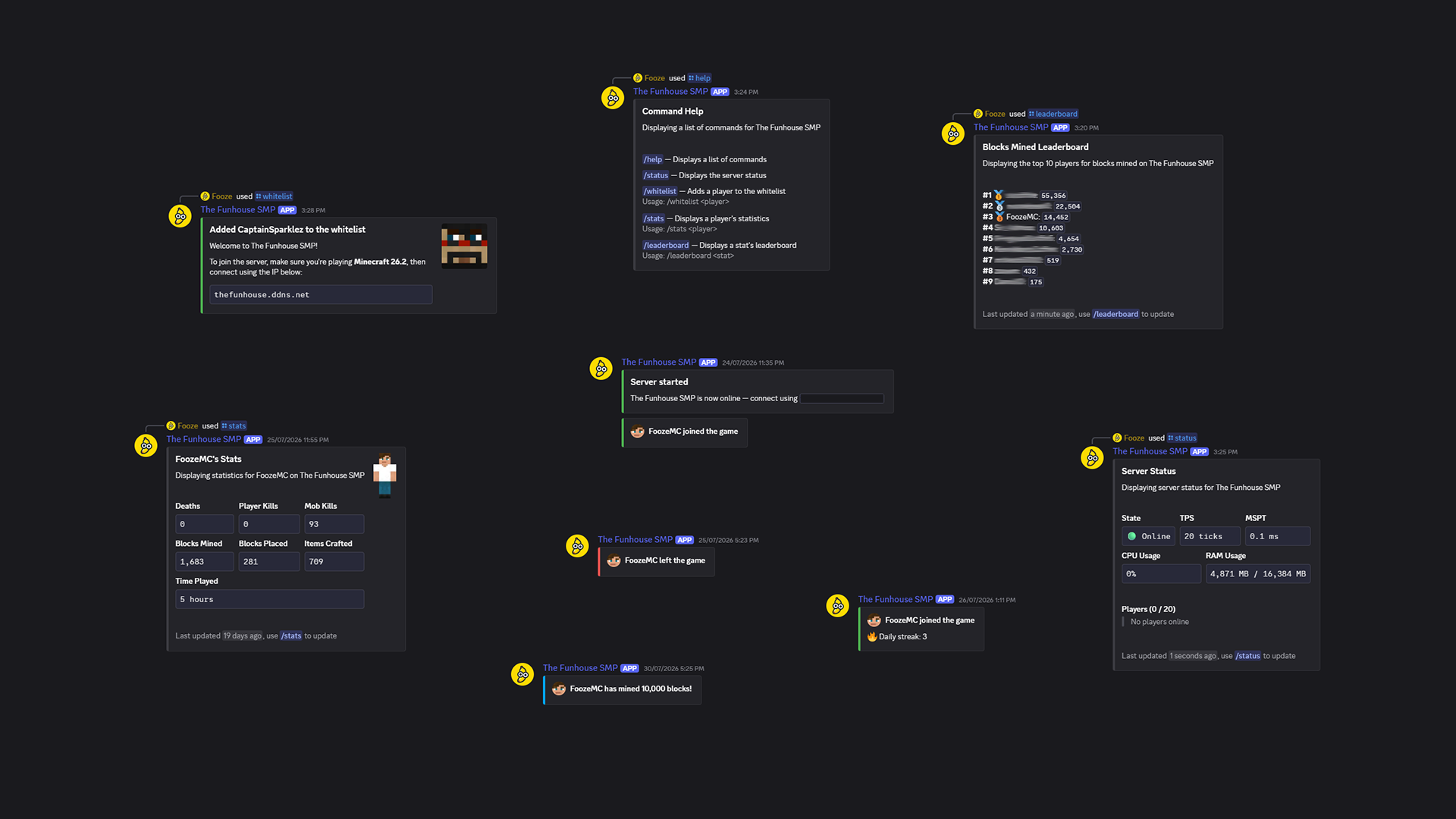 Banner Beautifully designed embeds!
Versions
Files
Relations
Project Relations
More like this
Similar Mods
Suggestions use data such as tags, dependencies, dependents, descriptions, titles, and more to rank how much they overlap with this mod.
On ModDex
Community snapshot
By the numbers
Statistics
 (opens in a new tab)
Get it on
Available Platforms
On ModDex
Community snapshot
By the numbers