
Community listing page, reviews here may not be monitored by the author.
Server Notify


No reviews yet
Show notifications (images & more) to players that join your server!

Community voices
Reviews
No reviews yet. Be the first to review this project!
Get it on
Available Platforms
Compatibility
Supported Environments
Must be installed on both the client and the server.
About
Project Details
For authors
Embed Badge
If you're the author of this project, you can embed a live badge anywhere that supports HTML or Markdown. It updates automatically whenever ratings change.
Use HTML for any page that supports it, or Markdown for README files and Markdown-based descriptions.
Identifiers
Platform IDs
About
Description
Server Notify
Server Notify is a Minecraft mod that lets you display notifications to players joining your Minecraft server. Easily set up notifications using commands, with options for texture, text, or URL-based notifications.
Required on Client and Server!
Notification Types
- Texture Notifications: Display textures from any loaded resource pack.
- Text-only Notifications: Display simple messages.
- Image from URL: Display images from a specified URL.
Getting Started
- Command-based: All features are accessed via commands in-game.
- Commands: Type
/server-notifyto view available options.
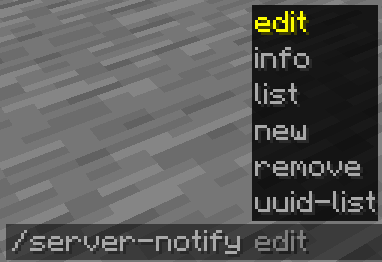
Command Options:
- Edit: Modify a notification's properties.
- Info: View details of a specific notification.
- List: Display all notifications.
- New: Create a new notification.
- Remove: Delete a notification.
- UUID-List: Show all notifications with their UUIDs.
Creating Notifications
Use the command /server-notify new type "Notification Name" to create a notification, replacing "Notification Name" with your preferred name and type with texture, text, or url.
Notification Types and Commands
Text-only Notification
A text notification lets you display any message as a notification.
An example command would be:
/server-notify new text "Notification Name" <sound_namespace> <sound_path> <message> <dismissButton> <dismissMessage> <alwaysShow>"Notification Name" can be anything, however it must be in quotation marks. It is for you to identify the notification later on.
<sound_namespace> is the namespace of the sound you'd like to play when the notification is shown.
<sound_path> is the path of the sound you'd like to play when the notification is shown.
<message> is your message in quotation marks.
<dismissButton> displays a "Dismiss" button on the screen.
<dismissMessage> displays a "Press ESC to dismiss" text at the bottom of the screen.
<alwaysShow> shows the notification to a player when they join even if they have already seen it.
Another Text Notification example would be:
/server-notify new text "Notification Test" minecraft "ambient.cave" "hey, testing" false true trueImage from URL Notification
An image notification lets you display any image from a URL.
An example command would be:
/server-notify new url "Notification Name" <sound_namespace> <sound_path> <url> <width> <height> <dismissMessage> <alwaysShow>"Notification Name" can be anything, however it must be in quotation marks. It is for you to identify the notification later on.
<sound_namespace> is the namespace of the sound you'd like to play when the notification is shown.
<sound_path> is the path of the sound you'd like to play when the notification is shown.
<url> is your image URL in quotation marks.
<width> is the width of your image (you might have to use a scaled down resolution to accomodate for Minecraft's GUI scale, for example for an image that's 1920x1080, scaled down while also keeping the aspect ratio would be 480 by 270).
<height> is the height of your image (you might have to use a scaled down resolution to accomodate for Minecraft's GUI scale, for example for an image that's 1920x1080, scaled down while also keeping the aspect ratio would be 480 by 270).
<dismissMessage> displays a "Press ESC to dismiss" text at the bottom of the screen.
<alwaysShow> shows the notification to a player when they join even if they have already seen it.
Another Image Notification example would be:
/server-notify new url "Image Test" minecraft "ambient.cave" "https://some_direct_image_url" 480 270 true trueServer Notify
Server Notify is a Minecraft mod that lets you display notifications to players joining your Minecraft server. Easily set up notifications using commands, with options for texture, text, or URL-based notifications.
Required on Client and Server!
Notification Types
- Texture Notifications: Display textures from any loaded resource pack.
- Text-only Notifications: Display simple messages.
- Image from URL: Display images from a specified URL.
Getting Started
- Command-based: All features are accessed via commands in-game.
- Commands: Type
/server-notifyto view available options.
Command Options:
- Edit: Modify a notification's properties.
- Info: View details of a specific notification.
- List: Display all notifications.
- New: Create a new notification.
- Remove: Delete a notification.
- UUID-List: Show all notifications with their UUIDs.
Creating Notifications
Use the command /server-notify new type "Notification Name" to create a notification, replacing "Notification Name" with your preferred name and type with texture, text, or url.
Notification Types and Commands
Text-only Notification
A text notification lets you display any message as a notification.An example command would be:
/server-notify new text "Notification Name" <sound_namespace> <sound_path> <message> <dismissButton> <dismissMessage> <alwaysShow>
"Notification Name" can be anything, however it must be in quotation marks. It is for you to identify the notification later on.
<sound_namespace> is the namespace of the sound you'd like to play when the notification is shown.
<sound_path> is the path of the sound you'd like to play when the notification is shown.
is your message in quotation marks.
displays a "Dismiss" button on the screen.
displays a "Press ESC to dismiss" text at the bottom of the screen.
shows the notification to a player when they join even if they have already seen it.
Another Text Notification example would be:
/server-notify new text "Notification Test" minecraft "ambient.cave" "hey, testing" false true true
Image from URL Notification
An image notification lets you display any image from a URL.An example command would be:
/server-notify new url "Notification Name" <sound_namespace> <sound_path> <url> <width> <height> <dismissMessage> <alwaysShow>
"Notification Name" can be anything, however it must be in quotation marks. It is for you to identify the notification later on.
<sound_namespace> is the namespace of the sound you'd like to play when the notification is shown.
<sound_path> is the path of the sound you'd like to play when the notification is shown.
is your image URL in quotation marks.
is the width of your image (you might have to use a scaled down resolution to accomodate for Minecraft's GUI scale, for example for an image that's 1920x1080, scaled down while also keeping the aspect ratio would be 480 by 270).
is the height of your image (you might have to use a scaled down resolution to accomodate for Minecraft's GUI scale, for example for an image that's 1920x1080, scaled down while also keeping the aspect ratio would be 480 by 270).
displays a "Press ESC to dismiss" text at the bottom of the screen.
shows the notification to a player when they join even if they have already seen it.
Another Image Notification example would be:
/server-notify new url "Image Test" minecraft "ambient.cave" "https://some_direct_image_url" 480 270 true true
Screenshots
Gallery
-
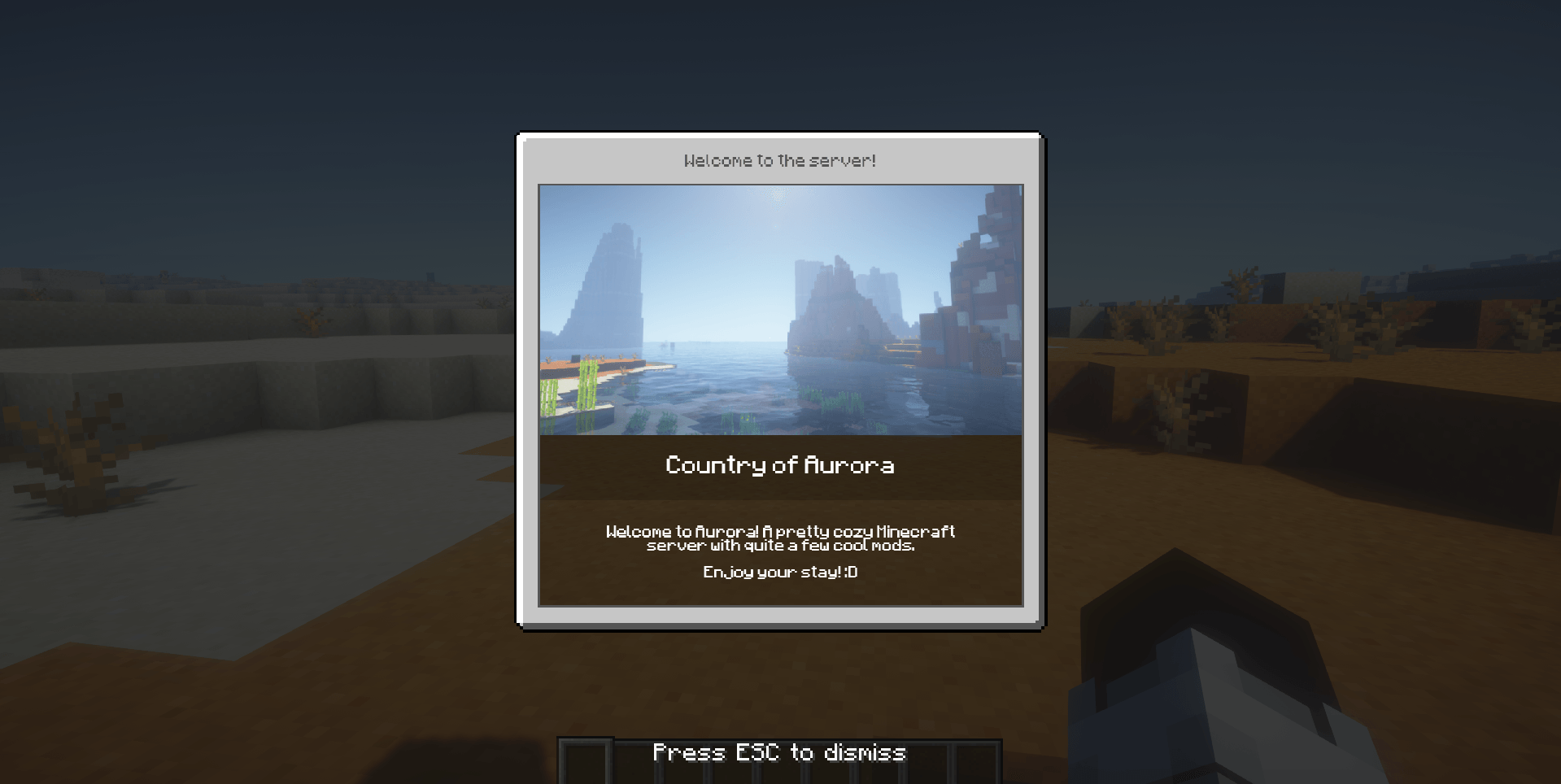 Texture Notification
 -
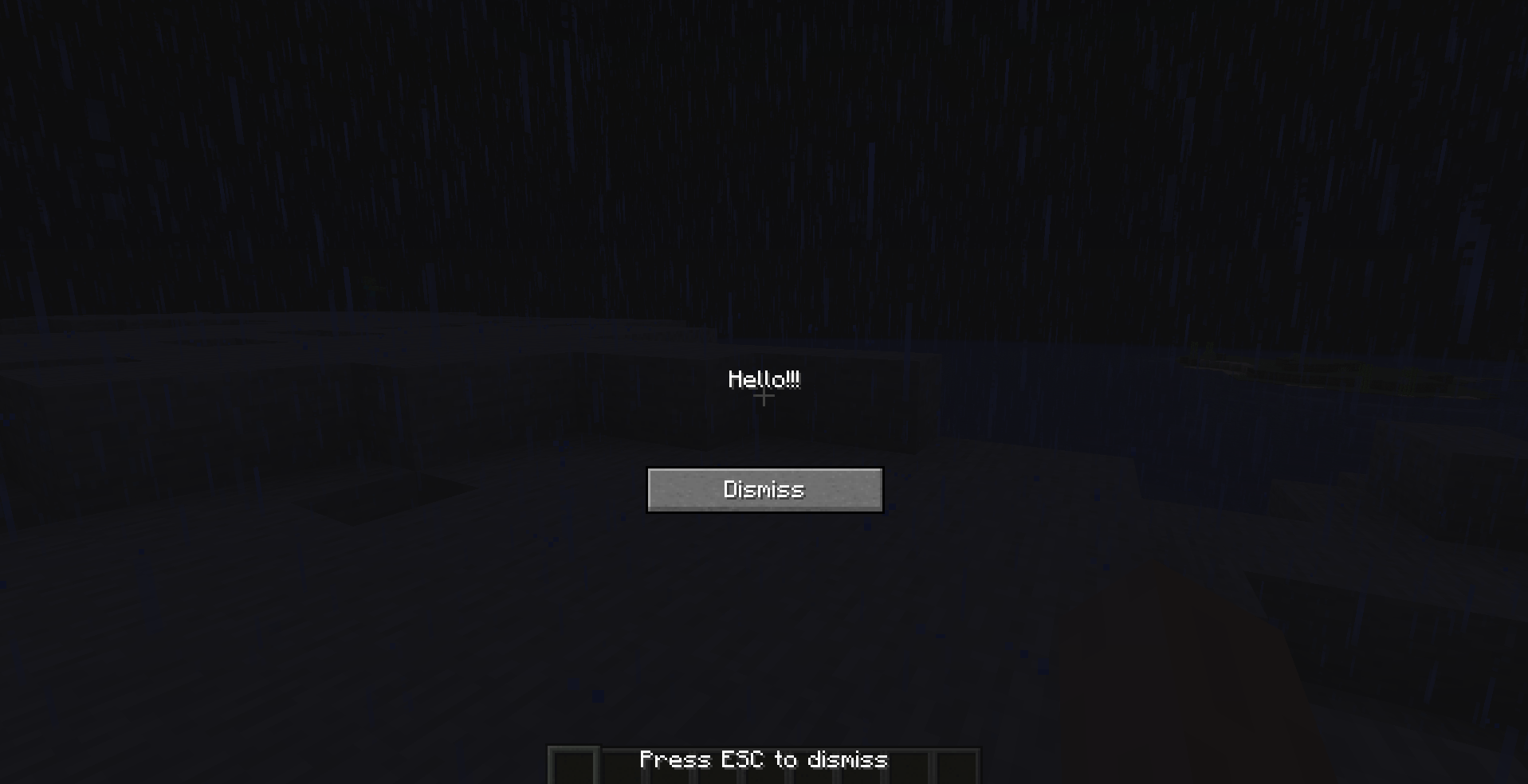 Text Notification dismissButton & dismissMessage are true
-
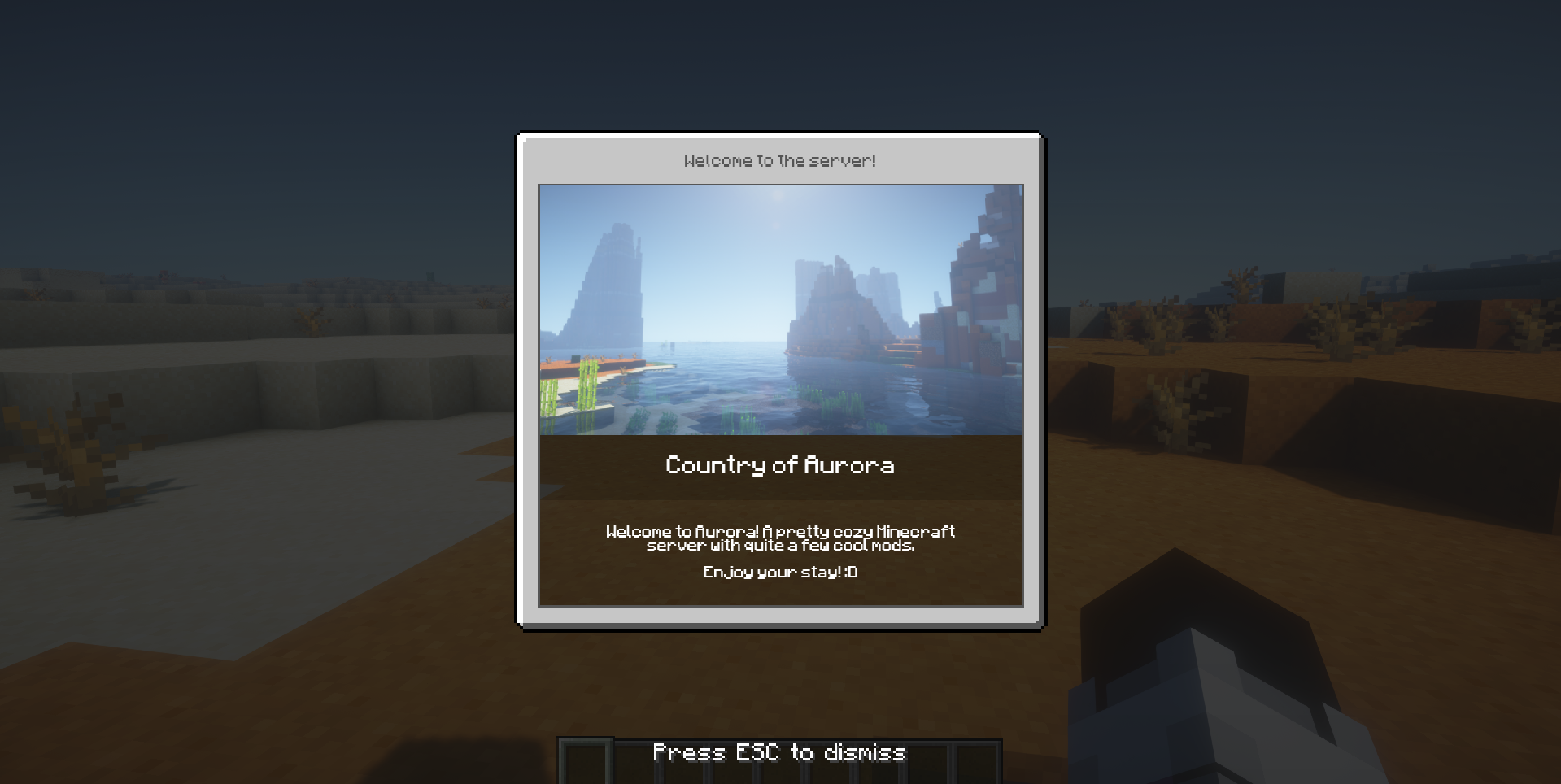 Texture Notification
 -
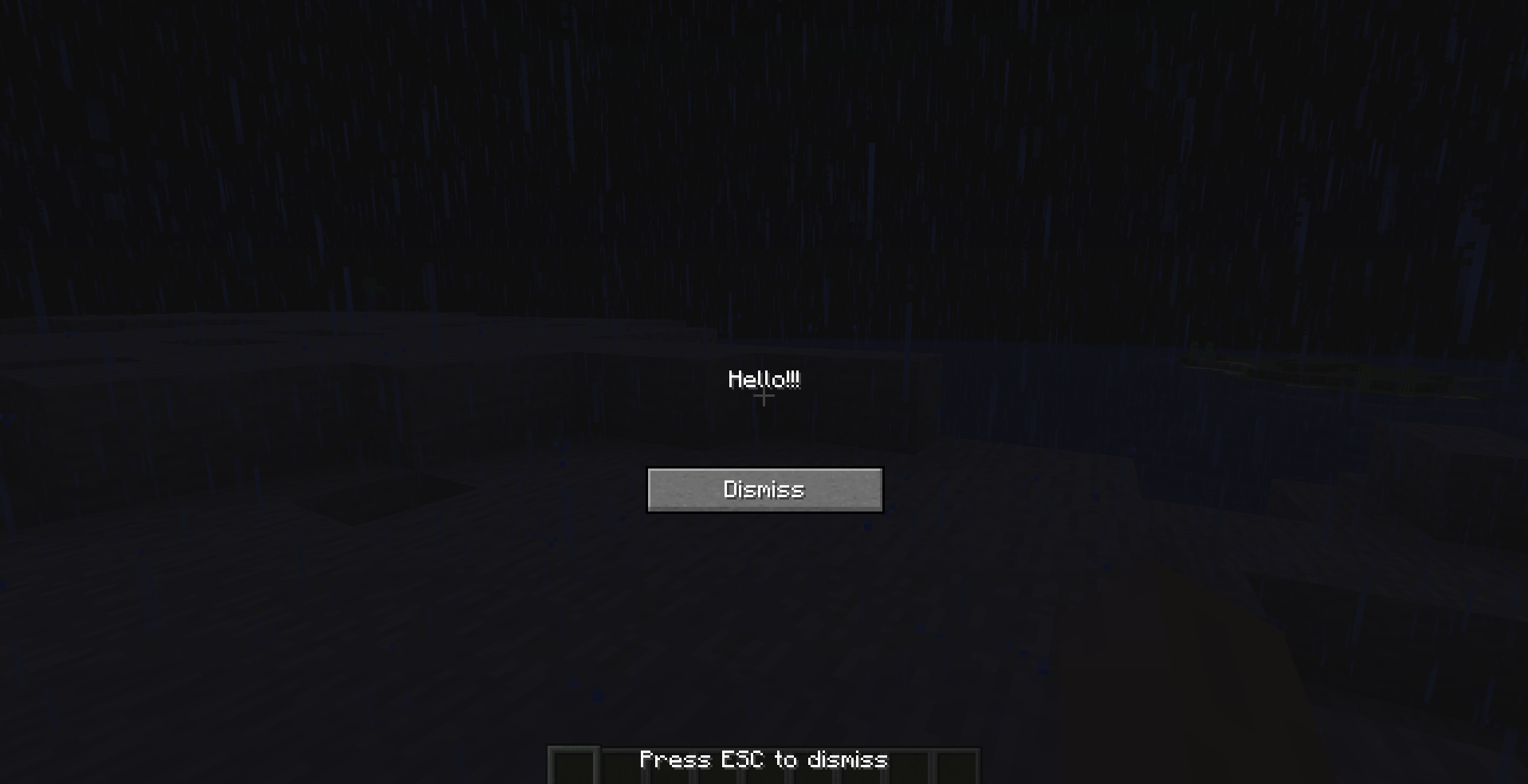 Text Notification dismissButton & dismissMessage are true
Versions
Files
Relations
Project Relations
More like this
Similar Mods
Suggestions use data such as tags, dependencies, dependents, descriptions, titles, and more to rank how much they overlap with this mod.
On ModDex
Community snapshot
By the numbers
Statistics
 (opens in a new tab)
Get it on
Available Platforms
On ModDex
Community snapshot
By the numbers