
Community listing page, reviews may not be monitored by the author.
Server Presence

No reviews yet
Shows the server you're playing on in your Discord status (name, IP, logo), and hides it automatically while you're vanished.

Community voices
Reviews
No reviews yet. Be the first to review this project!
Get it on
Available Platforms
About
Project Details
For authors
Embed Badge
If you're the author of this project, you can embed a live badge anywhere that supports HTML or Markdown. It updates automatically whenever ratings change.
Use HTML for any page that supports it, or Markdown for README files and Markdown-based descriptions.
Identifiers
Platform IDs
Resources
External Links
About
Description
Server Presence
Show the Minecraft server you're playing on in your Discord status — automatically.
Join a server and your Discord profile shows "Playing <server name>" with its address, its logo, your skin's head and a session timer. Go back to the menus and it switches to "In the menus".
Features
- Automatic: every server you join is added on its own, with its name from your Multiplayer list and its real server icon. No setup needed.
- One-click toggle in the Multiplayer list: a small Discord icon under each server's ping bars. Blue = shown on Discord, grey = hidden. Click to switch.
- Vanish detection for staff: when you are vanished, your server disappears from Discord (or shows a generic "Multiplayer" status). Works with the usual vanish plugins (SuperVanish, PremiumVanish, EssentialsX, CMI…) by reading the server's own messages, the scoreboard, the tab list, boss bars and the action bar. Patterns can be customized per server.
- Discreet mode: hide the current server by hand with
/presence discretor a key bind. - Fully customizable per server: "Playing" name, two text lines, logo, a clickable button (website, Discord…), timer, addresses. Placeholders:
{server}{ip}{players}{player}{dimension}{version}. - Privacy options: choose what happens on unlisted servers, in singleplayer and in menus (generic or nothing at all).
Settings
- Options → Discord Presence… (works from the title screen)
- F7 in game (rebindable in Controls)
- /presence command
Requirements
- Fabric Loader 0.19.5+ and Fabric API
- Minecraft 26.3, Java 25
- The Discord desktop app running (Windows, Linux, macOS)
Good to know
- Client-side only: works on any server, nothing to install server-side.
- No account, no data collected by the mod. Server logos come from api.mcsrvstat.us and player heads from mc-heads.net; Discord loads these images itself.
- Compatible with Server Groups.
Screenshots
Gallery
-
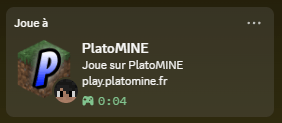 Your server in your Discord status "Playing PlatoMINE" with the server logo, its address, your skin's head and a session timer, updated automatically when you join.
-
 One click in the Multiplayer list A small Discord icon under each server's ping bars: blue = shown on Discord, grey = hidden. Click it to turn the presence on or off for that server.
-
 Vanish detection for staff Vanished on a server? It disappears from your Discord status automatically (or shows a generic "Multiplayer"). Works with SuperVanish, PremiumVanish, EssentialsX, CMI and more.
-
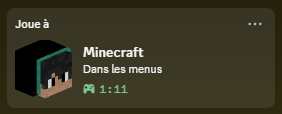 In the menus Outside of servers the status switches to "Minecraft – In the menus" (or singleplayer), with your 3D skin head.
-
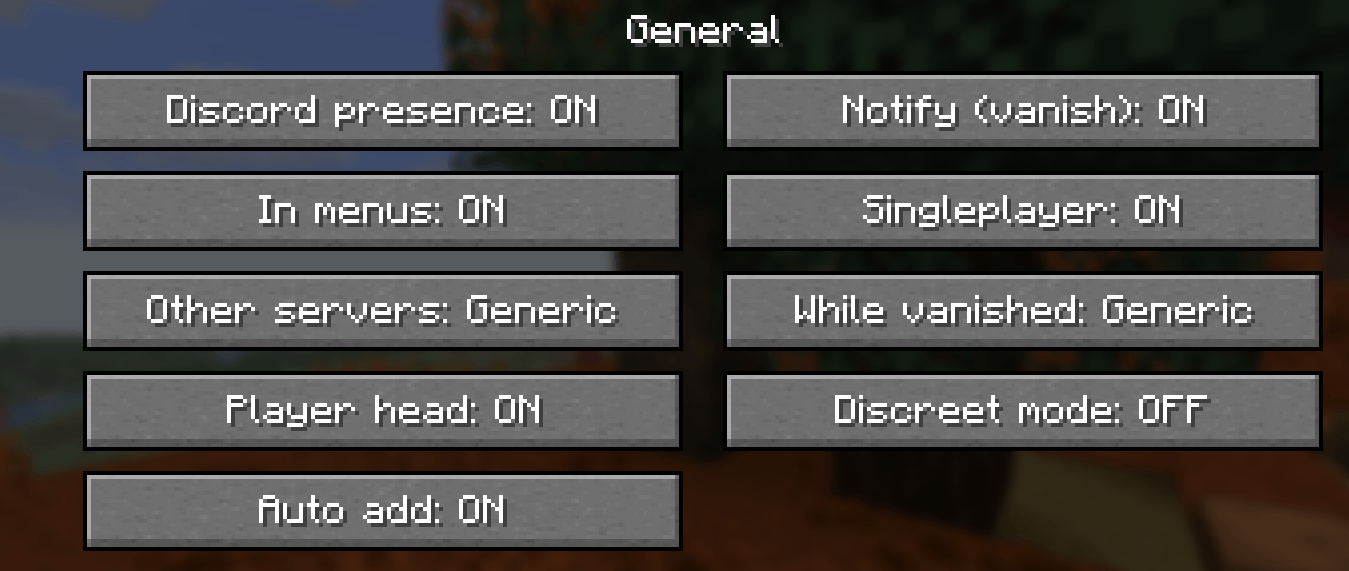 General settings Turn the presence on or off, choose what is shown in menus, singleplayer, on unlisted servers and while vanished, and enable auto add or discreet mode.
-
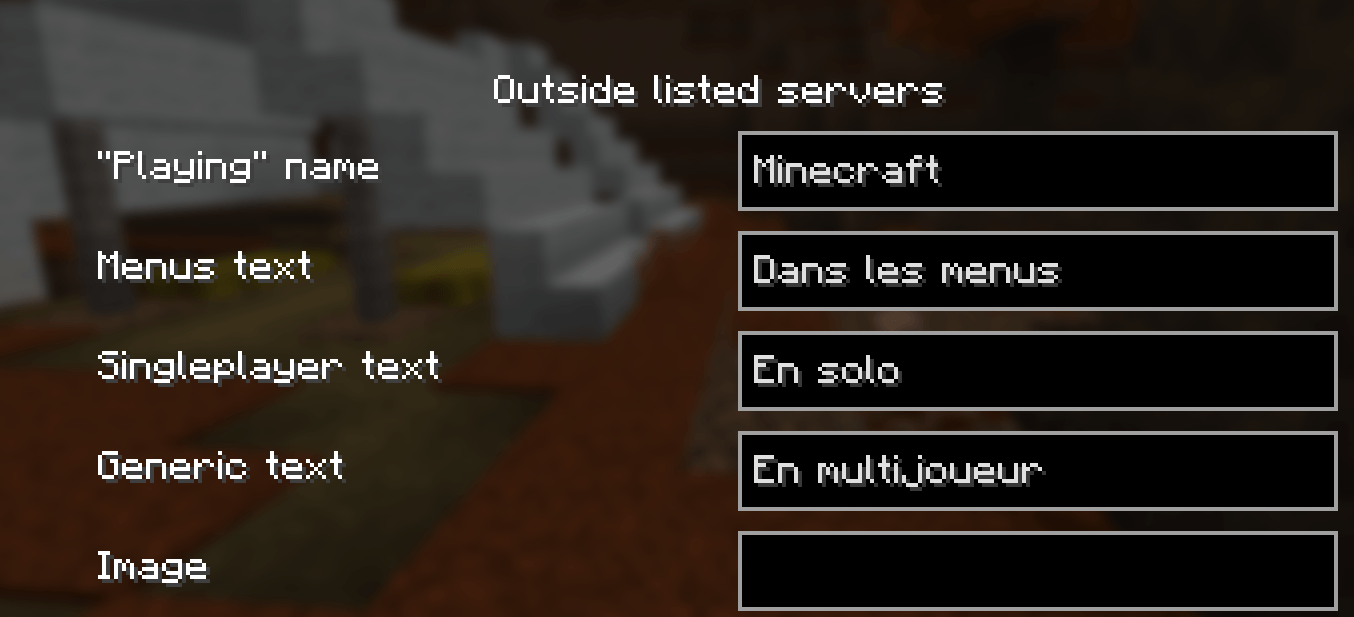 Custom texts Customize the "Playing" name and the texts shown in the menus, in singleplayer and on other servers.
-
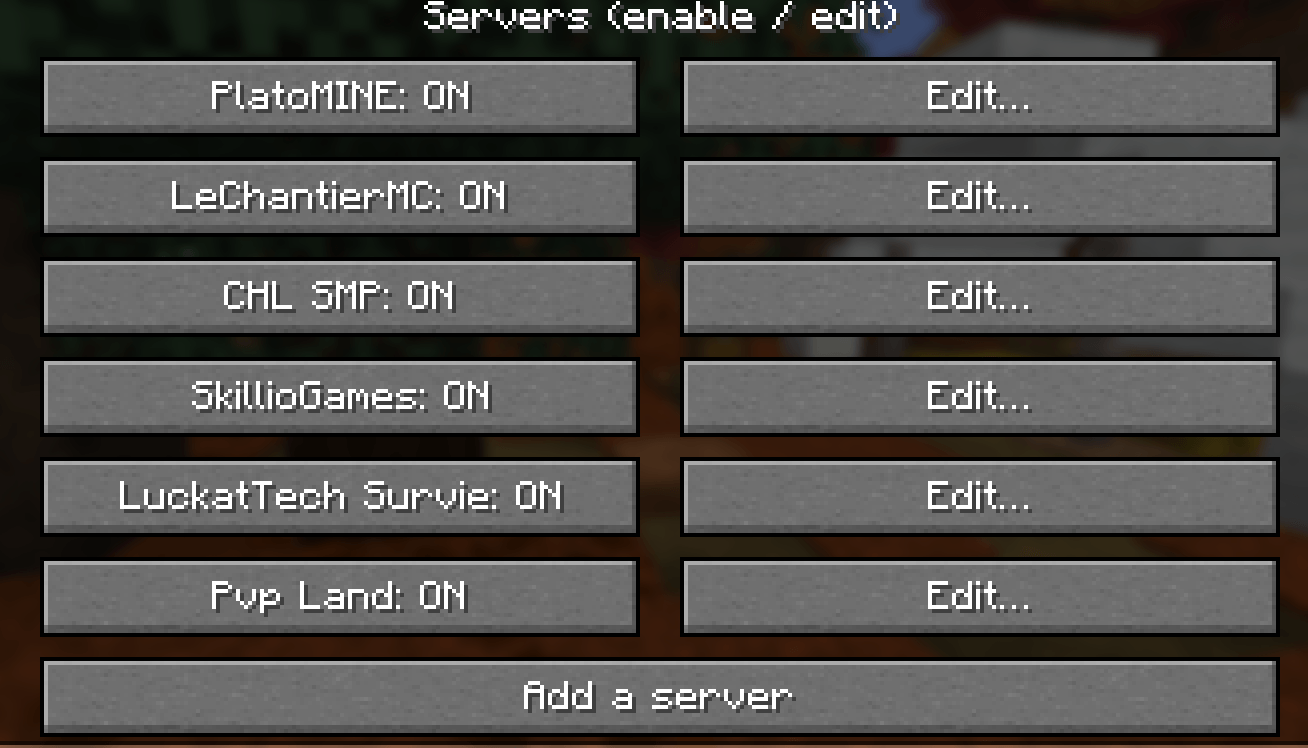 Capture d'écran 2026-10-26 040646.png Capture d'écran 2026-10-26 040646.png
-
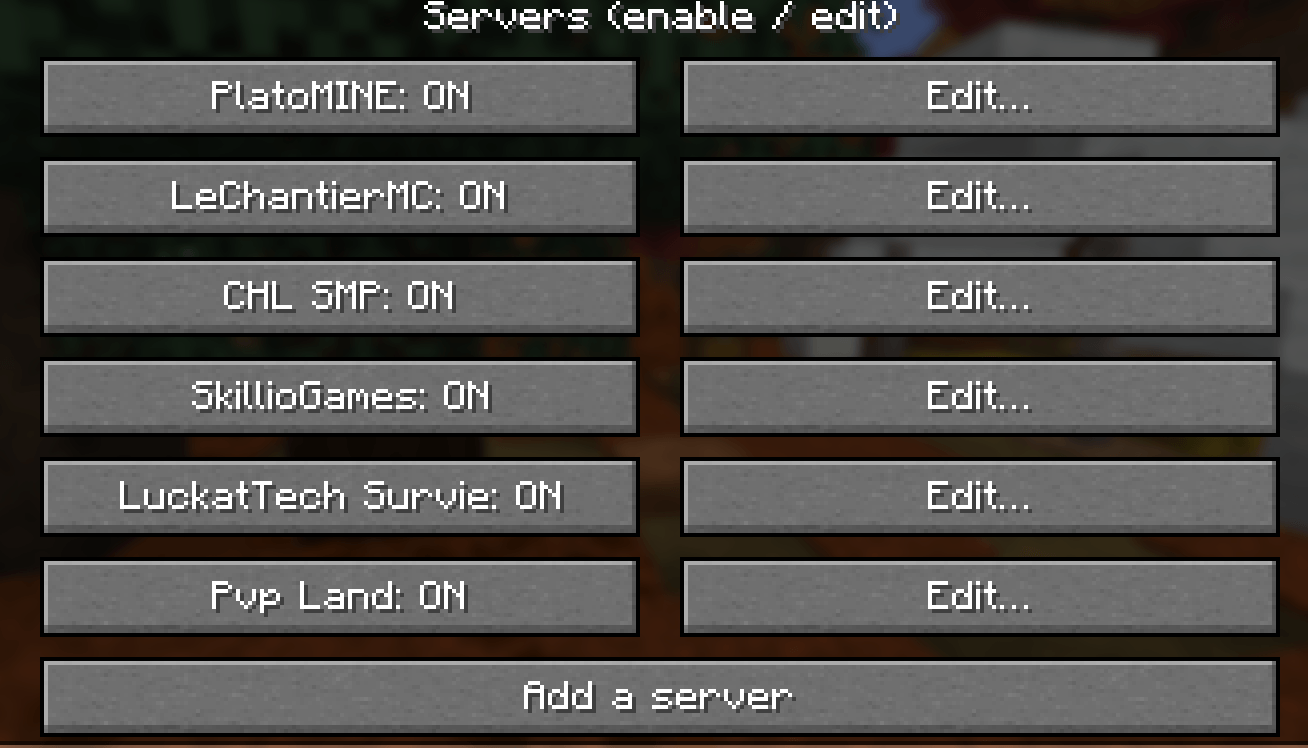 Per-server control Every server can be enabled, disabled or edited: "Playing" name, text lines, logo, button and vanish detection. New servers are added automatically.
Versions
Files
Relations
Project Relations
More like this
Similar Mods
Suggestions use data such as tags, dependencies, dependents, descriptions, titles, and more to rank how much they overlap with this mod.
On ModDex
Community snapshot
By the numbers
Statistics

Get it on
Available Platforms
On ModDex
Community snapshot
By the numbers
Statistics
Resources