
Community listing page, reviews here may not be monitored by the author.
ServerPoints

No reviews yet
Entirely server side and sharable waypoints!
Community voices
Reviews
No reviews yet. Be the first to review this project!
Get it on
Available Platforms
Compatibility
Supported Environments
Runs entirely on the server. Also works in singleplayer.
About
Project Details
For authors
Embed Badge
If you're the author of this project, you can embed a live badge anywhere that supports HTML or Markdown. It updates automatically whenever ratings change.
Use HTML for any page that supports it, or Markdown for README files and Markdown-based descriptions.
Identifiers
Platform IDs
Resources
External Links
About
Description
Overview
- server side only, that means only the server/host needs the mod. You can create, share and navigate to waypoints.
- Every player/everyone on the server can see the same waypoint if you share it
- Cross Dimension navigation, Automatically translates between nether and overworld
- Collaborative Features, Share waypoints and locations with other players via clickable chat messages
Guide:
The main command you need is /waypoint list or /wpl. This will guide you with creating waypoints and provides a UI for most interaction.
By default you can have 5 waypoints shown at once (20 stored), this is configurable.
Purple text for Overworld waypoints (when in Nether) Purple text for Nether waypoints (when in Overworld)
Shows real-time distance to waypoint
Commands
| Command | Shorthand | Description |
|---|---|---|
/waypoint <name> |
/wp <name> |
Create waypoint |
/waypoint navigate <name> |
/wpn <name> |
Navigate to waypoint |
/waypoint list |
/wpl |
List all waypoints |
/waypoint color <name> <color> |
/wpc <name> <color> |
Color waypoint |
/waypoint delete <name> |
/wpd <name> |
Delete waypoint |
/waypoint share <name> |
/wps <name> |
Share waypoint |
/waypoint cancel <name> |
/wpcancel <name> |
Stop navigation |
/wps |
- | Share current location |
/waypoint scale <1-10> |
Set waypoint display size(per client) | |
/waypoint admin |
Change server settings | |
/waypoint help |
/wph |
Show help |
Creating Waypoints
/waypoint <name>
/wp <name>
Creates a waypoint at your current location with the specified name.
Example: /wp home or /waypoint mining_area
Navigating to Waypoints
/waypoint navigate <name>
/wpn <name>
Starts navigation to the specified waypoint. A boss bar will appear showing direction and distance.
Example: /wpn home or /waypoint navigate mining_area
Listing Waypoints
/waypoint list
/wpl
Displays all your waypoints with clickable buttons to navigate or delete them.
Sharing Waypoints
/waypoint share <name>
/wps <name>
Shares a waypoint in chat with all players. Others can click to navigate to it or copy it to their own waypoints.
Example: /wps village or /waypoint share treasure_location
Sharing Current Location
/waypoint share
/wps
Shares your current coordinates in chat with a clickable navigate button (no waypoint name required).
Help Command
/waypoint help
/wph
Displays a summary of all available commands.
Screenshots
Gallery
-
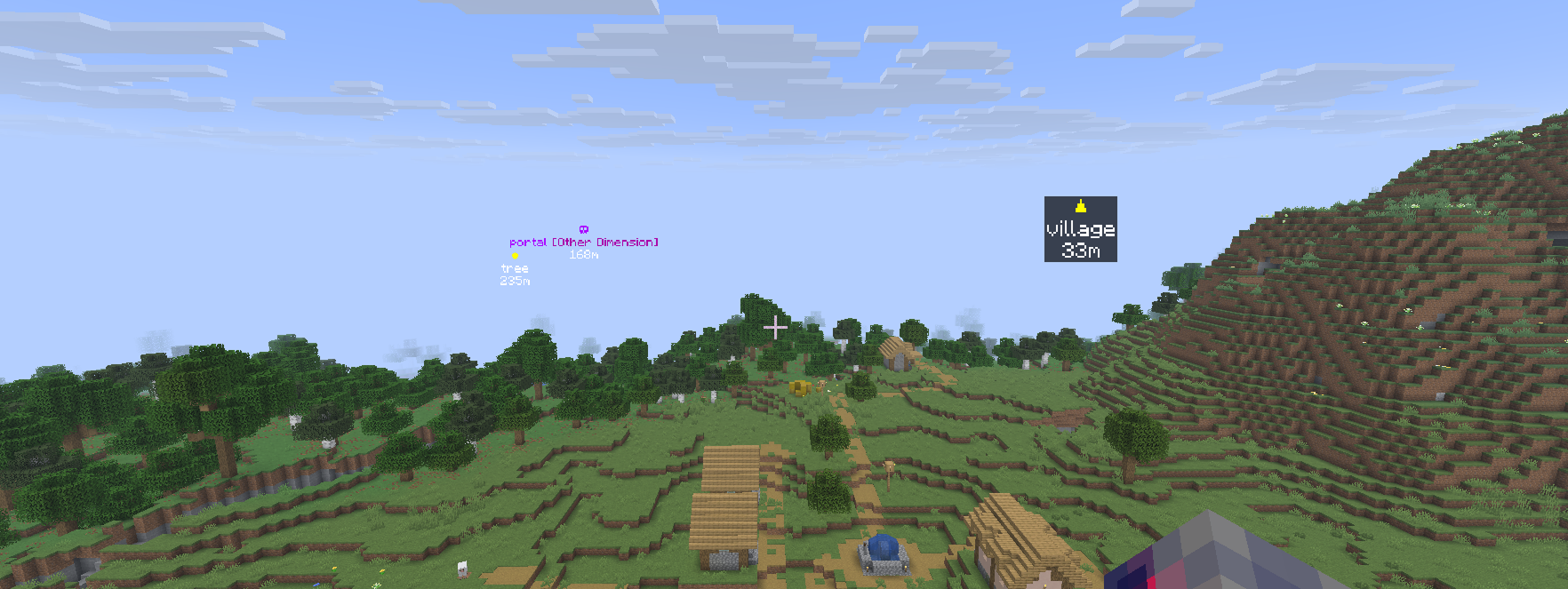 Various waypoint styles Various waypoint styles
 -
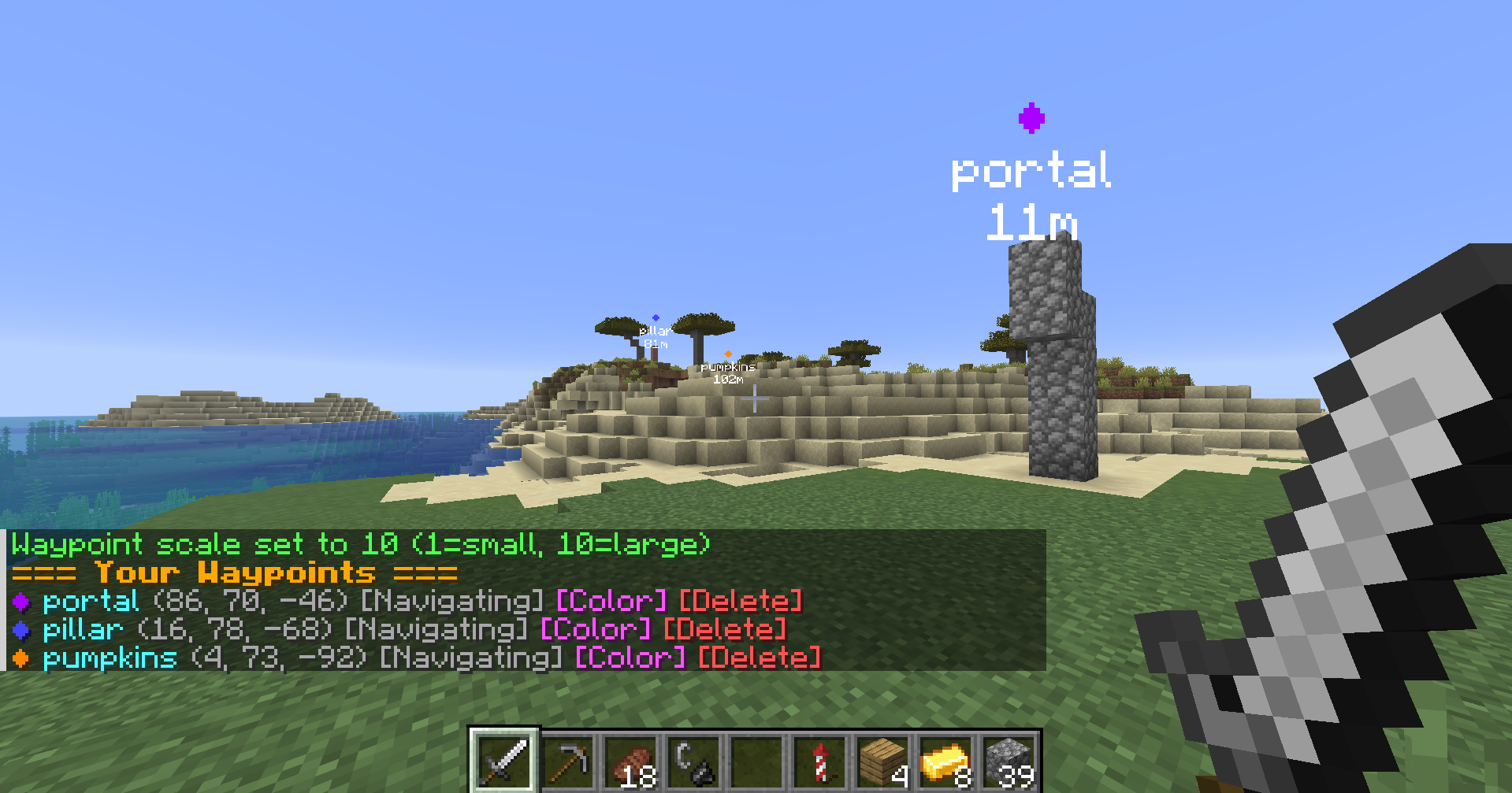 Waypoints example A player with three visible waypoints
Versions
Files
Relations
Project Relations
More like this
Similar Mods
Suggestions use data such as tags, dependencies, dependents, descriptions, titles, and more to rank how much they overlap with this mod.
On ModDex
Community snapshot
By the numbers
Statistics

Want to reach Minecraft players?
We're looking for a server hosting partner to feature here and other parts of the site. Interested? Send us a message!
Get in touchGet it on
Available Platforms
On ModDex
Community snapshot
By the numbers
Statistics
Resources