
Community listing page, reviews here may not be monitored by the author.

Community voices
Reviews
No reviews yet. Be the first to review this project!
Get it on
Available Platforms
Compatibility
Supported Environments
Runs entirely on the client. Works on vanilla servers.
About
Project Details
For authors
Embed Badge
If you're the author of this project, you can embed a live badge anywhere that supports HTML or Markdown. It updates automatically whenever ratings change.
Use HTML for any page that supports it, or Markdown for README files and Markdown-based descriptions.
Identifiers
Platform IDs
Resources
External Links
About
Description
🎚️ Setting
For any suggestions or Bug Reports, Please DM @SupRani on Discord.
Save every game setting as a preset and switch between them in seconds — all from a clean in-game menu. No configs to edit, no restarts, no external tools.
📸 Full Snapshot
One preset captures your entire client at once — video, controls, accessibility, sound, skin, chat, and even your enabled resource packs and their exact load order. Select a preset and it writes everything straight back into the game, live.
🎛️ Category Toggles
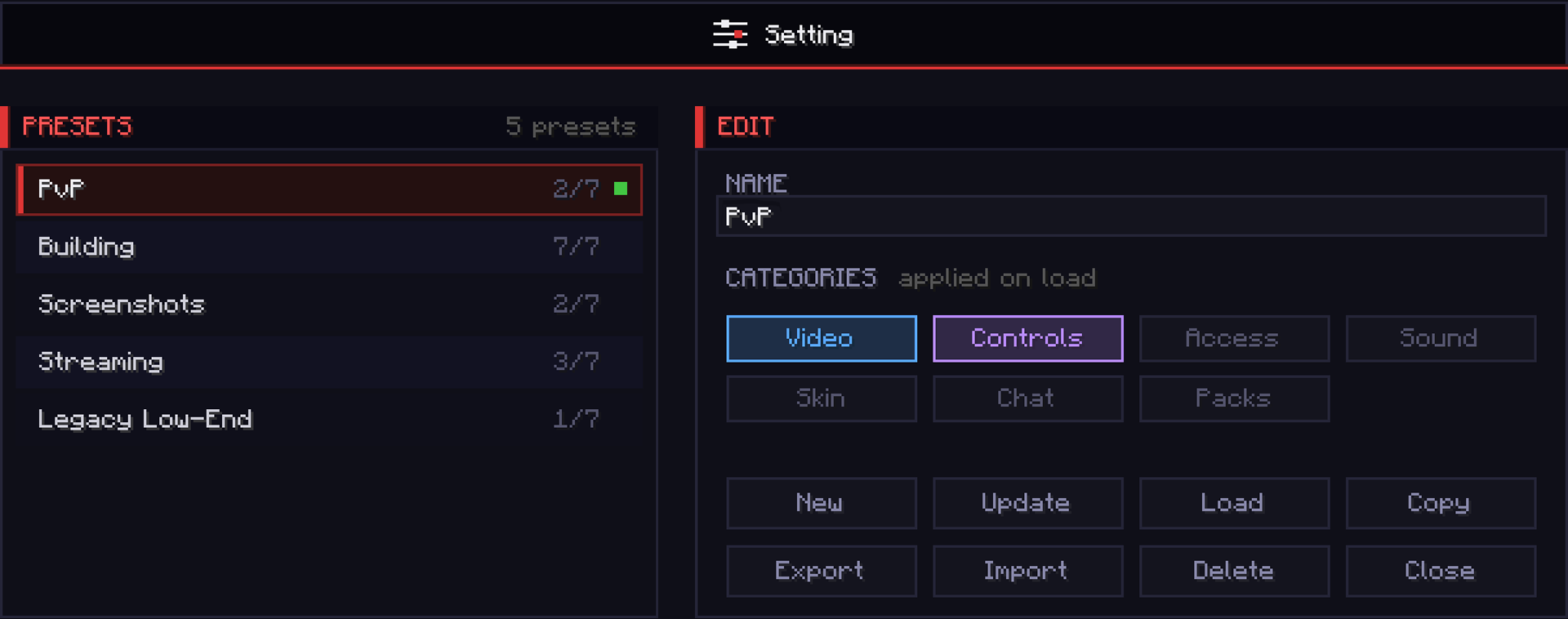
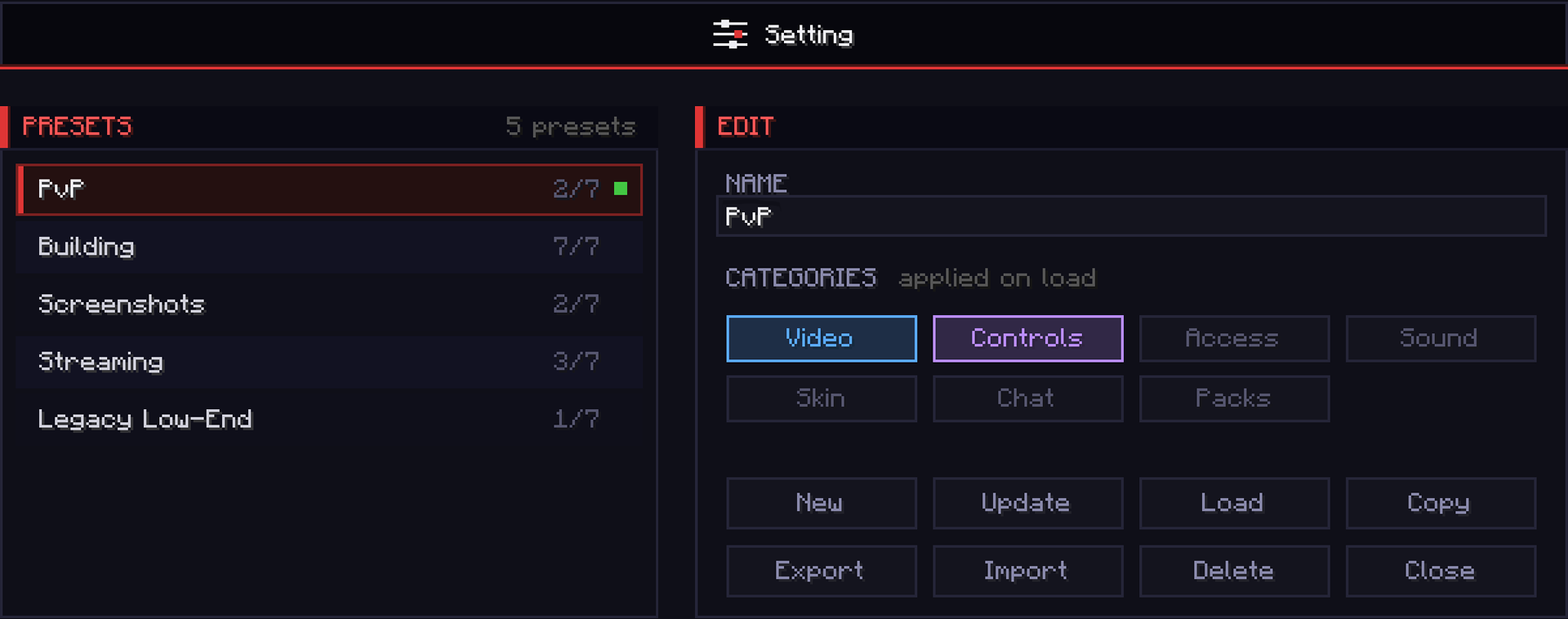
Every preset has 7 toggles, and only the ones you turn on are applied when you load it — so each preset controls exactly what you want and leaves everything else untouched.
- Video — render distance, FOV, GUI scale, max FPS, graphics
- Controls — mouse sensitivity and every keybind
- Accessibility — text background, narrator, screen effects
- Sound — every volume slider
- Skin — cape, body layers, and main hand
- Chat — opacity, width, colors, and delay
- Packs — enabled resource packs and load order
⚡ Instant Switching
Swap your whole setup mid-game with a single click. Jump between PvP, building, screenshots, and recording in a second — no digging through the vanilla options menus.
💾 Preset Manager
Save, rename, update, duplicate, and delete unlimited presets. A green dot marks the preset you're currently running, and an amber dot warns you the moment your live settings drift from it — so you always know when to re-save.
🔗 Share Codes
Export any preset to a single-line code and drop it into Discord. Import a friend's code to load their exact setup instantly — copy a pro's entire config in seconds.
🖥️ The GUI
This is not your average Minecraft settings screen. Setting features a fully custom-built dark UI — a scrollable preset list, colour-coded category chips, a clean button grid, and live active/drift indicators — built as a centered card that looks pixel-identical at every GUI scale. All inside the game, no external tools, no config file hunting.
Fabric 1.21.11
Screenshots
Gallery
-
 GUI
GUI
Versions
Files
Relations
Project Relations
More like this
Similar Mods
Suggestions use data such as tags, dependencies, dependents, descriptions, titles, and more to rank how much they overlap with this mod.
On ModDex
Community snapshot
By the numbers
Statistics

Want to reach Minecraft players?
We're looking for a server hosting partner to feature here and other parts of the site. Interested? Send us a message!
Get in touchGet it on
Available Platforms
On ModDex
Community snapshot
By the numbers
Statistics
Resources