
Community listing page, reviews here may not be monitored by the author.
ZoomW (WAIZA)

No reviews yet
The Enhanced ZoomWMod allows players to fine-tune their zoom settings in Minecraft, providing a more immersive and customizable experience. Easily adjust zoom speed, default zoom levels, and enjoy a smooth, responsive zoom functionality with this mod.
Community voices
Reviews
No reviews yet. Be the first to review this project!
Get it on
Available Platforms
Compatibility
Supported Environments
Runs entirely on the client. Works on vanilla servers.
About
Project Details
For authors
Embed Badge
If you're the author of this project, you can embed a live badge anywhere that supports HTML or Markdown. It updates automatically whenever ratings change.
Use HTML for any page that supports it, or Markdown for README files and Markdown-based descriptions.
Identifiers
Platform IDs
About
Description




Overview
The Enhanced WAIZA Mod (What Am I Zooming At?) provides Minecraft players with a fully customizable zooming experience, allowing for more precise control over how you view the world. Whether you need to zoom in for a closer look at distant landscapes, or quickly zoom out for a broader view, this mod offers a range of settings that can be fine-tuned to match your preferences. Perfect for adventurers, builders, and anyone who enjoys a more tailored visual experience in Minecraft.

Dependencies
From now on you will need 2 new dependencies to run this mod.
- Mod Menu: This handles the config button.
- YACL: This handles the configuration screen and is a very reliable and thrustworthy mod.
You can find YACL here and Mod Menu here.
Mod Menu Integration
Upon first launch, the mod will generate a configuration file inside Mod Menu. You can access it through the Menu of Mod Menu. Here’s what each setting controls:
-
zoom_increment: Determines how much the zoom level changes with each scroll or key press. (Default: 0.05)
Description: A lower value allows for finer adjustments, while a higher value makes zooming faster but less precise.
-
max_zoom: Sets the maximum zoom level you can achieve. (Default: 0.83)
Description: This limits how far in you can zoom. Useful to prevent excessive zooming that might distort the view.
-
min_zoom: Sets the minimum zoom level you can achieve. (Default: 0.03)
Description: This controls how far out you can zoom, allowing for a wide-angle view of your surroundings.
-
zoom_smoothing: Controls the smoothness of the zoom transition. (Default: 0.05)
Description: A lower value results in a quicker, more immediate zoom, while a higher value makes zooming feel more gradual.
-
instant_zoom_increment: Defines the increment for instant zoom adjustments. (Default: 0.1)
Description: Use this setting for faster zoom changes when you need to quickly get closer or further away.
-
default_zoom_level: Sets the default zoom level that the mod reverts to when you release the zoom key. (Default: 0.23)
Description: This is your “starting point” for zooming, ensuring a consistent and comfortable level of zoom when not actively zooming in or out.

Installation
-
Install Minecraft Fabric Loader:
Ensure you have the Fabric Loader installed for your version of Minecraft.
-
Download and Place the Mod:
-
Download the Enhanced waiza .jar file and place it in your .minecraft/mods folder.
-
Run Minecraft
The mod will automatically create the configuration file on first run. Tweak the settings to your liking through the in-game Mod Menu.
Languages supported
WAIZA supports the following languages:
- English
- Spanish
- Italian
- French
- German
- More to come...
Screenshots
Gallery
-
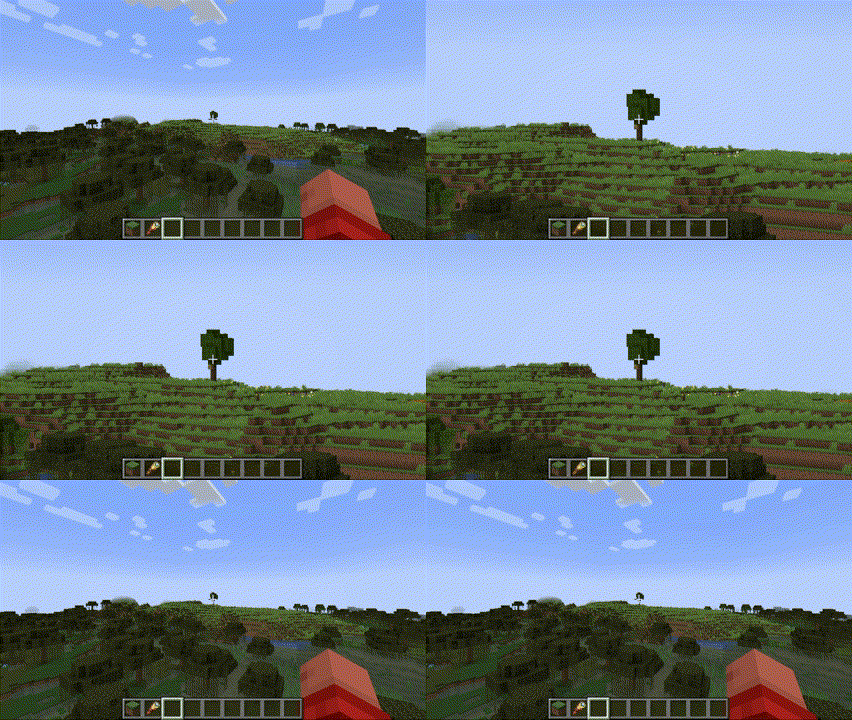 ZOOM! The default zoom
 -
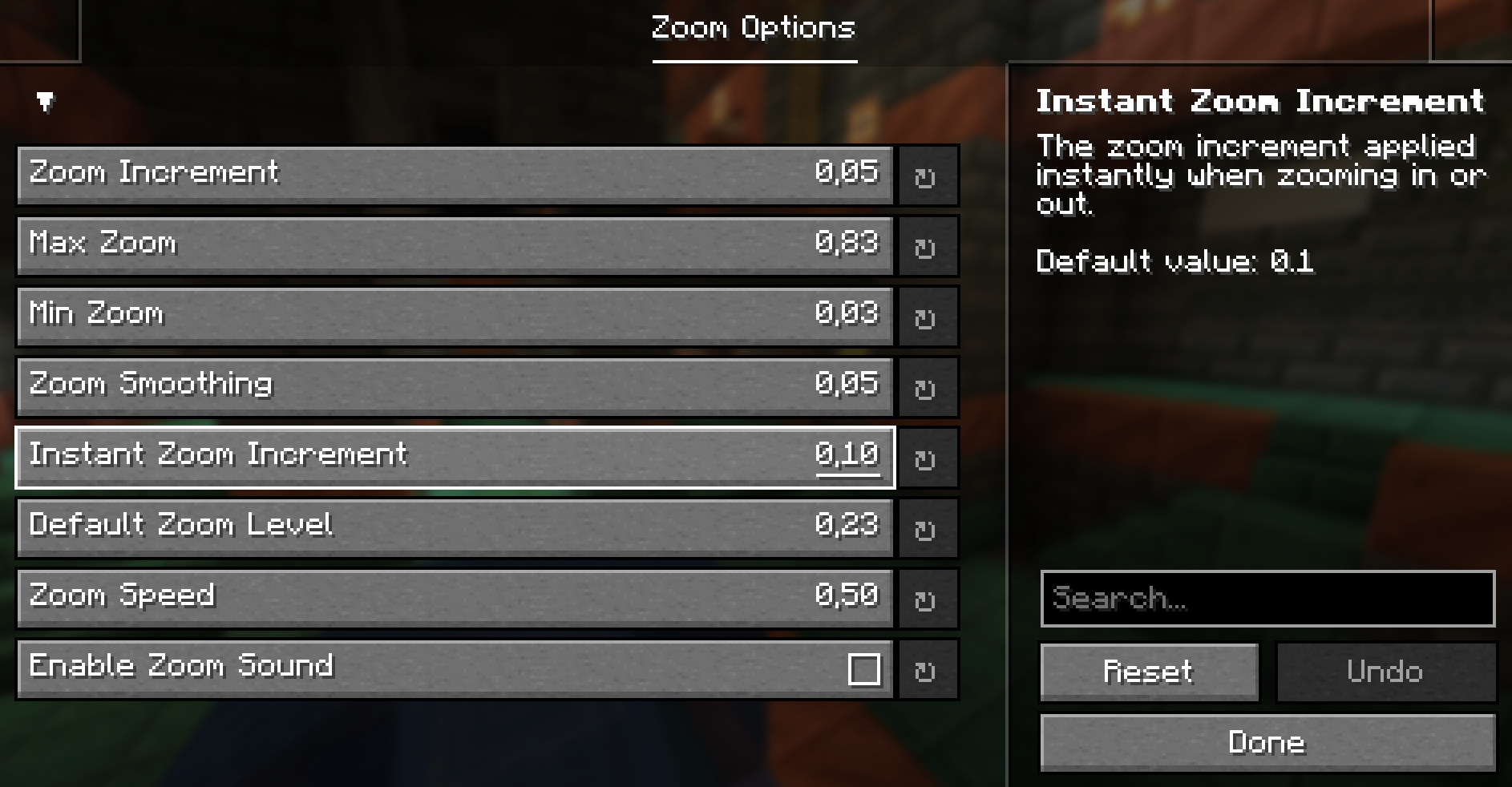 Mod Menu Settings
Versions
Files
Relations
Project Relations
More like this
Similar Mods
Suggestions use data such as tags, dependencies, dependents, descriptions, titles, and more to rank how much they overlap with this mod.
On ModDex
Community snapshot
By the numbers
Statistics

Want to reach Minecraft players?
We're looking for a server hosting partner to feature here and other parts of the site. Interested? Send us a message!
Get in touchGet it on
Available Platforms
On ModDex
Community snapshot
By the numbers