
Community listing page, reviews may not be monitored by the author.
Shadeless

No reviews yet
Removes the fixed directional shading from block faces for a flat look, with optional full bright for blocks and mobs.

Community voices
Reviews
No reviews yet. Be the first to review this project!
Get it on
Available Platforms
About
Project Details
For authors
Embed Badge
If you're the author of this project, you can embed a live badge anywhere that supports HTML or Markdown. It updates automatically whenever ratings change.
Use HTML for any page that supports it, or Markdown for README files and Markdown-based descriptions.
Identifiers
Platform IDs
Resources
External Links
About
Description
Shadeless
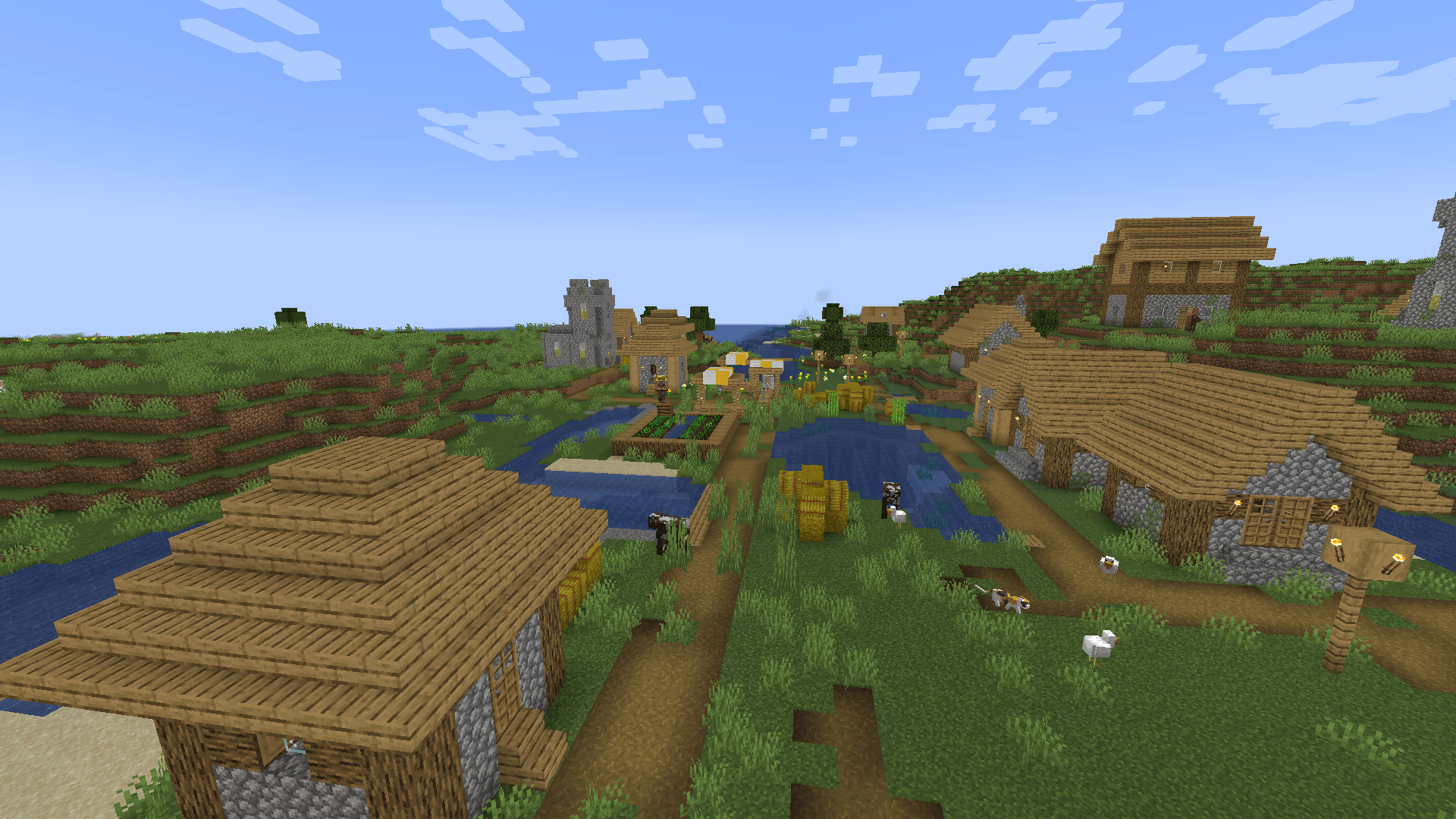
Flat, unshaded lighting for blocks. Minecraft darkens the sides and undersides of blocks by a fixed amount for the direction they point, before any light source counts. Shadeless takes that shading out, so all faces of a block are equally bright and the world looks flat. Two full bright switches, for blocks and for mobs, are off by default. Client side only.
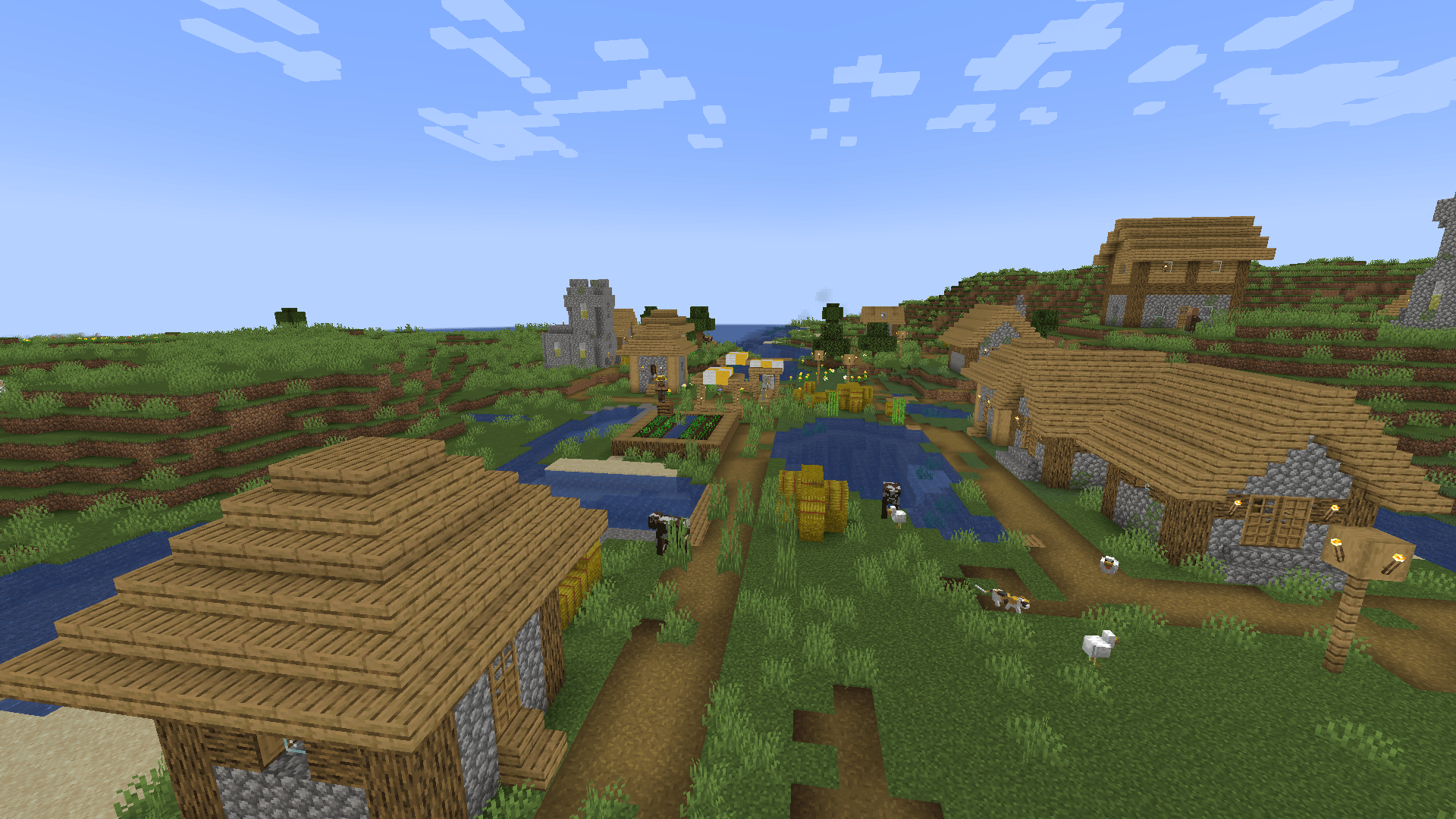
Block shading
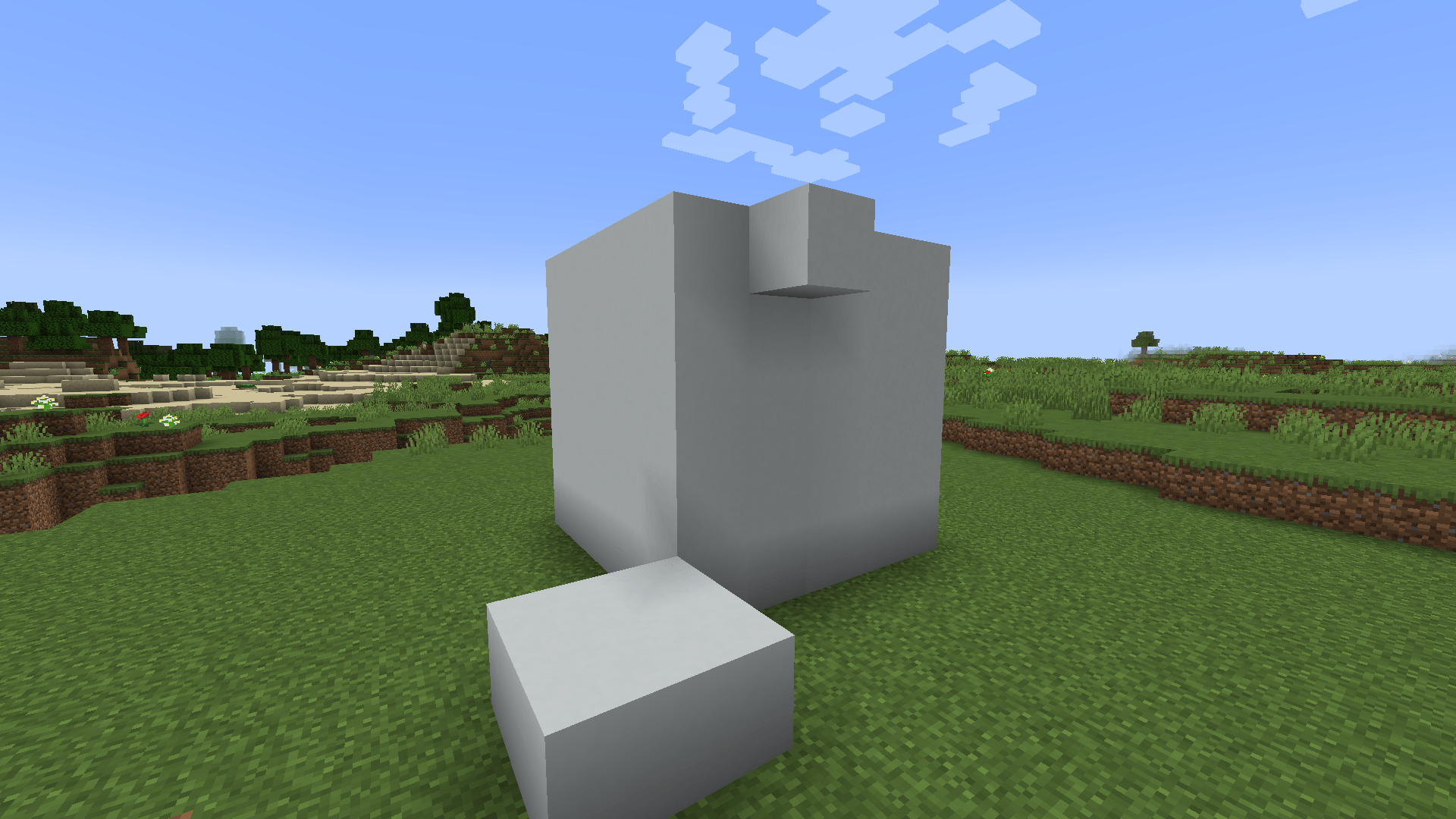
- The game multiplies a face's brightness by a fixed value: top 1.0, north and south 0.8, east and west 0.6, underside 0.5. Shadeless pulls all of them to one value.
shadingStrengthsets how much of the shading is removed: 100 percent by default, 0 leaves the game as it was, and a value in between keeps part of the relief.- Water and models with slanted faces are flattened as well. Models that opt out of shading stay as they are.
- Light level still applies, so caves and nights stay dark.
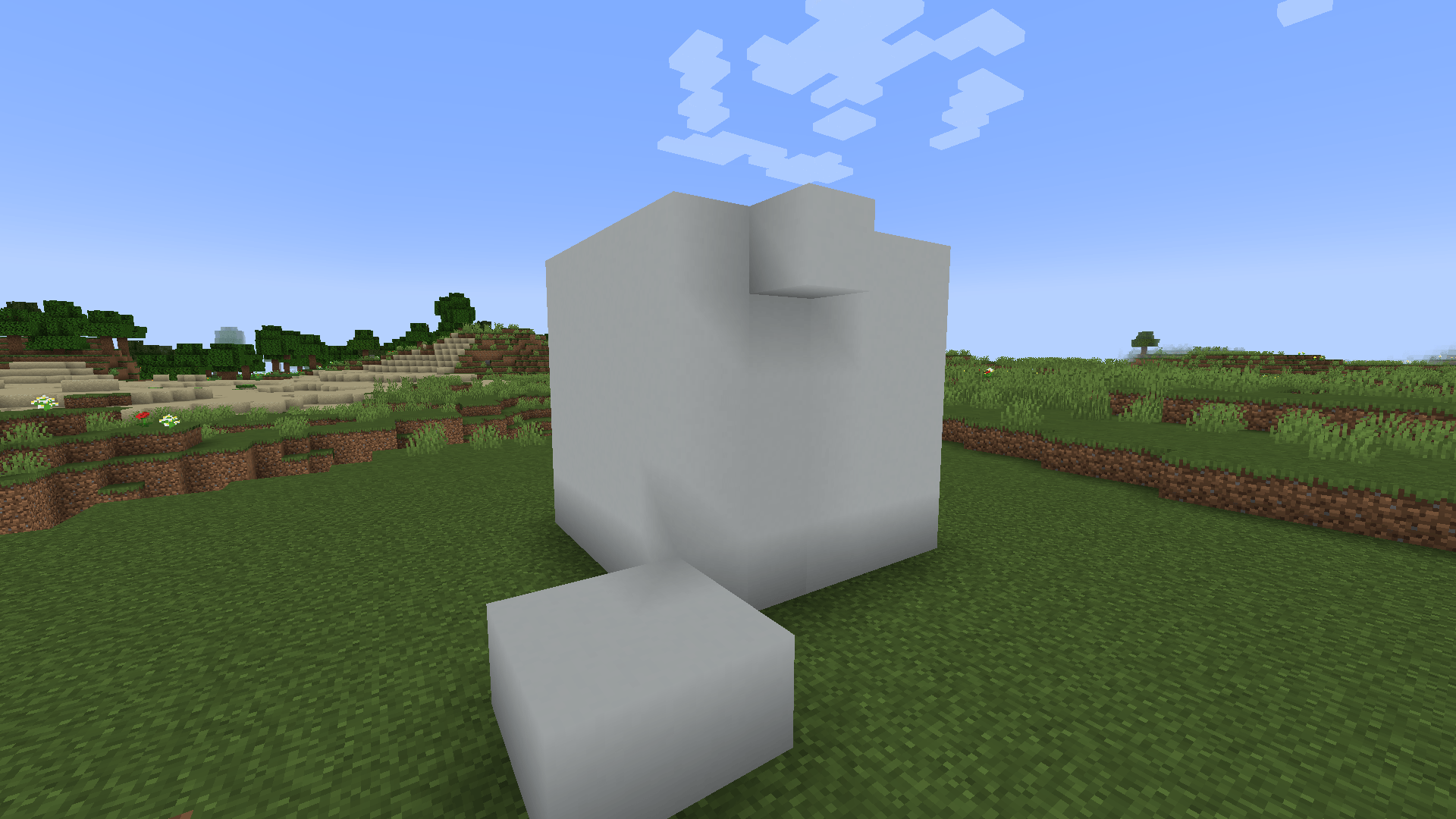
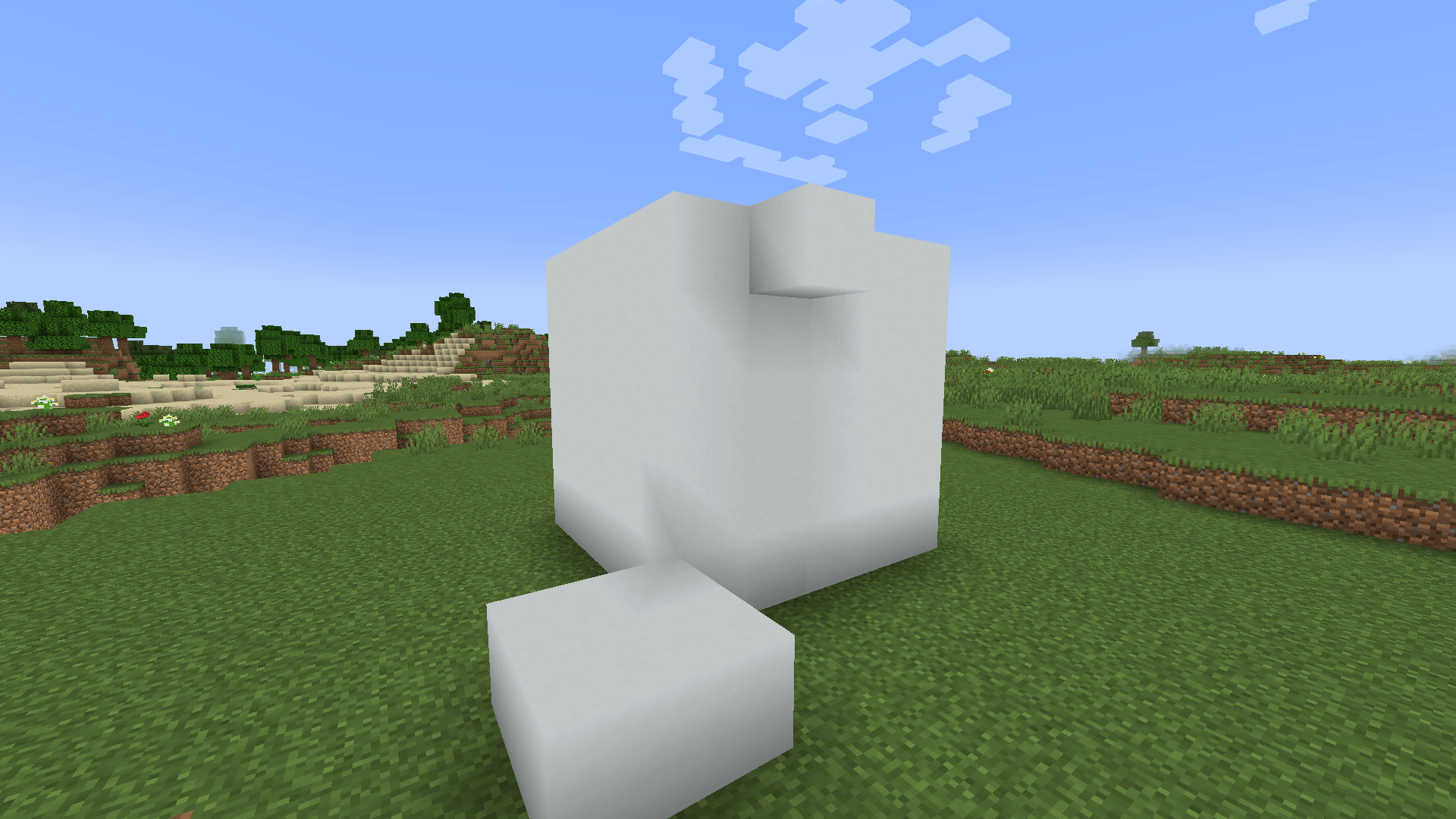
Flat level
flatLevelis the brightness every face settles on: 80 percent by default, 30 to 100.- 80 is what the game already uses for north and south faces, so the world gets flatter without getting brighter.
- At 100 every side is lifted to the brightness of a top face and undersides double, which looks like full bright.
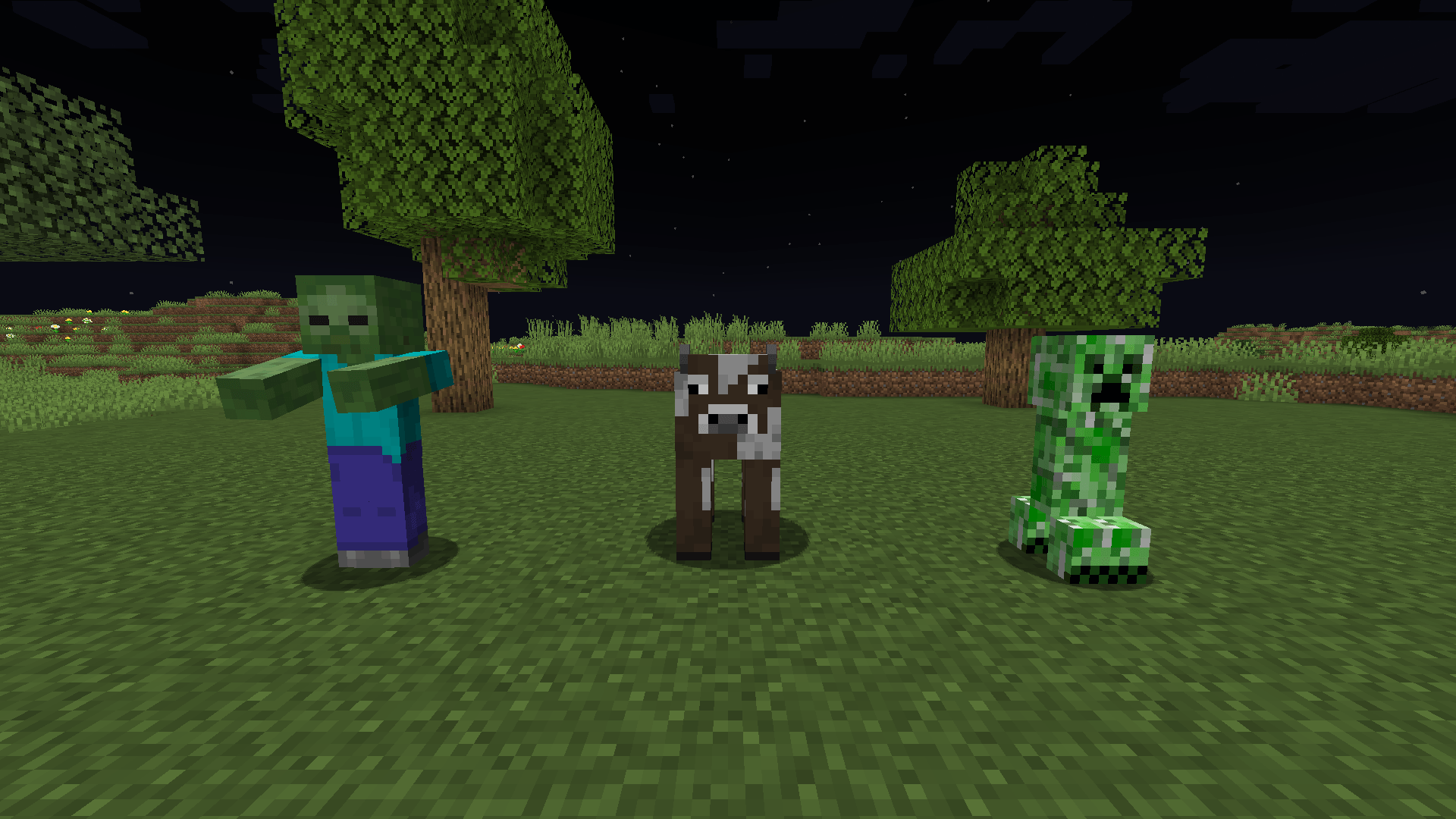
Full bright
fullBrightunder[blocks]draws terrain and block entities fully lit, whatever the light level. Off by default.fullBrightunder[entities]draws mobs, players and dropped items fully lit wherever they are, so a mob in an unlit room is no longer black. Off by default.- The soft shading across a mob's model stays: it comes from the game's entity shader. With the entity switch off, Shadeless changes blocks only.
Requirements
Minecraft 1.21.1, Java 21, NeoForge 21.1. Client only, nothing to install on the server. Terrain drawn by Sodium is covered as well; Sodium is optional. The settings are in config/shadeless-client.toml; there is no settings screen. The file is read again while the game runs, and block settings show after a chunk reload (F3+A).
Related mods
NeoForge 1.21.1, client side. Free to use in modpacks.
Screenshots
Gallery
-
 Shadeless Shadeless
 -
 Shading vanilla Shading vanilla
 -
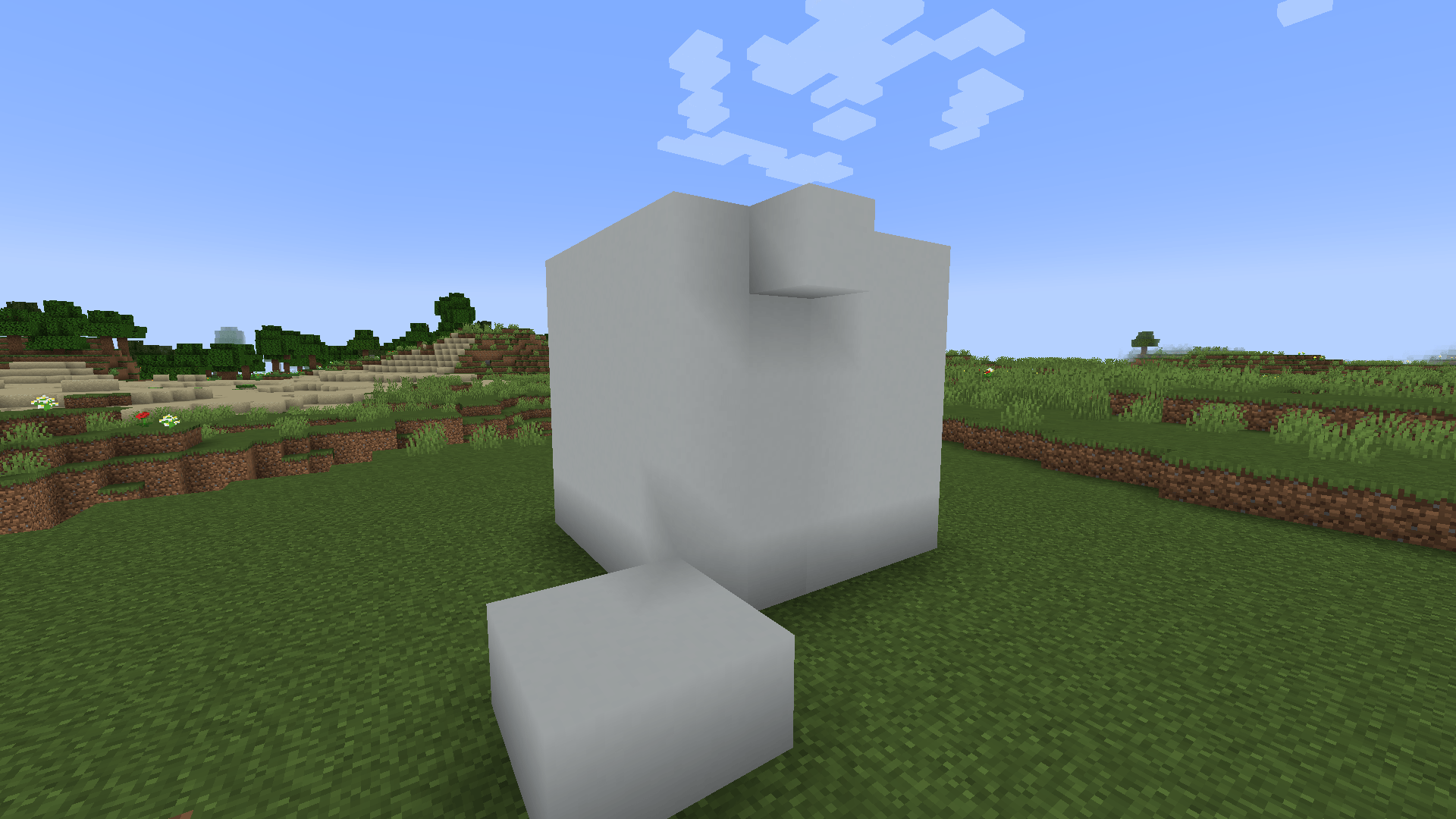 Shading flat Shading flat
 -
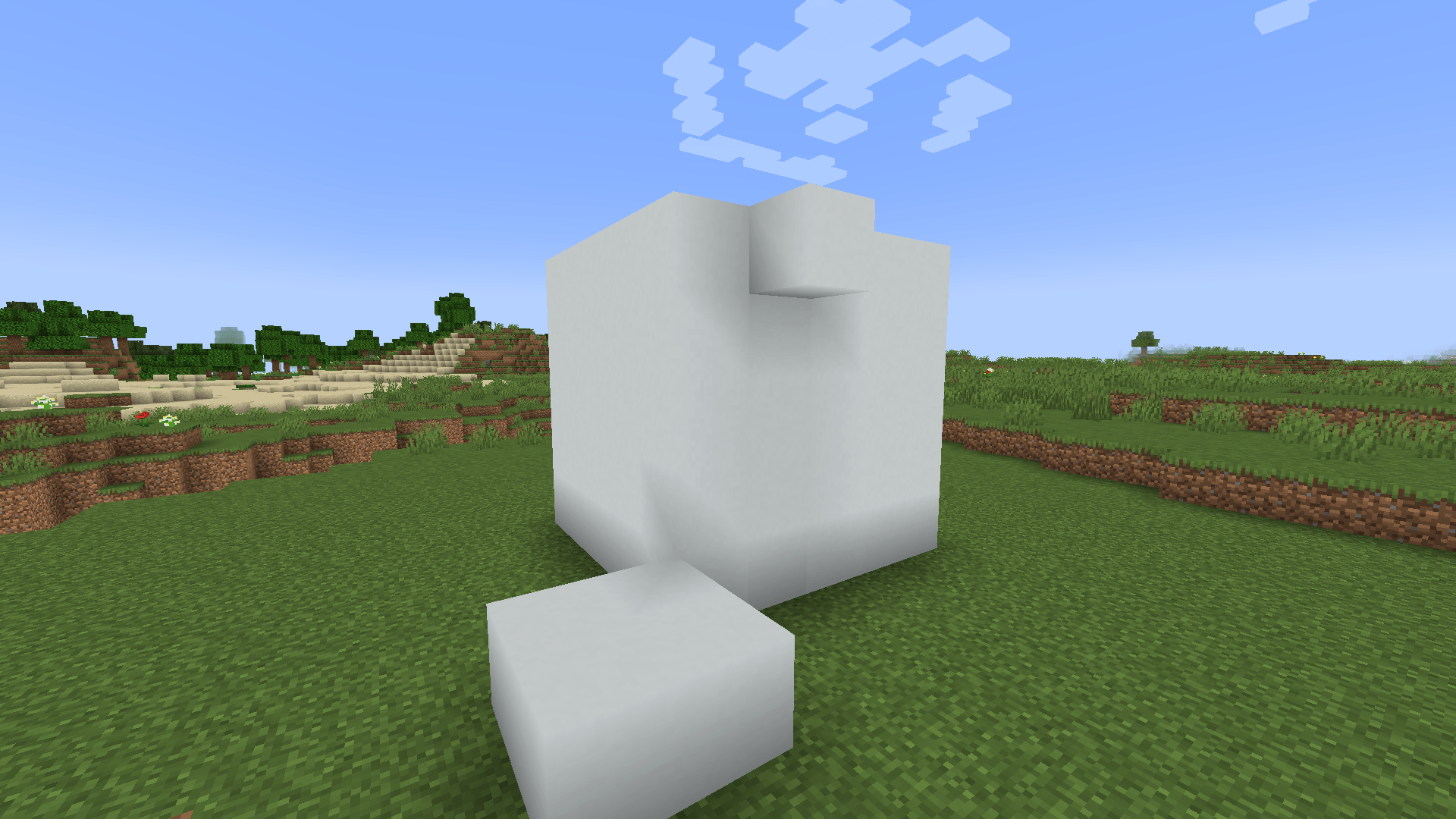 Flat level 100 Flat level 100
 -
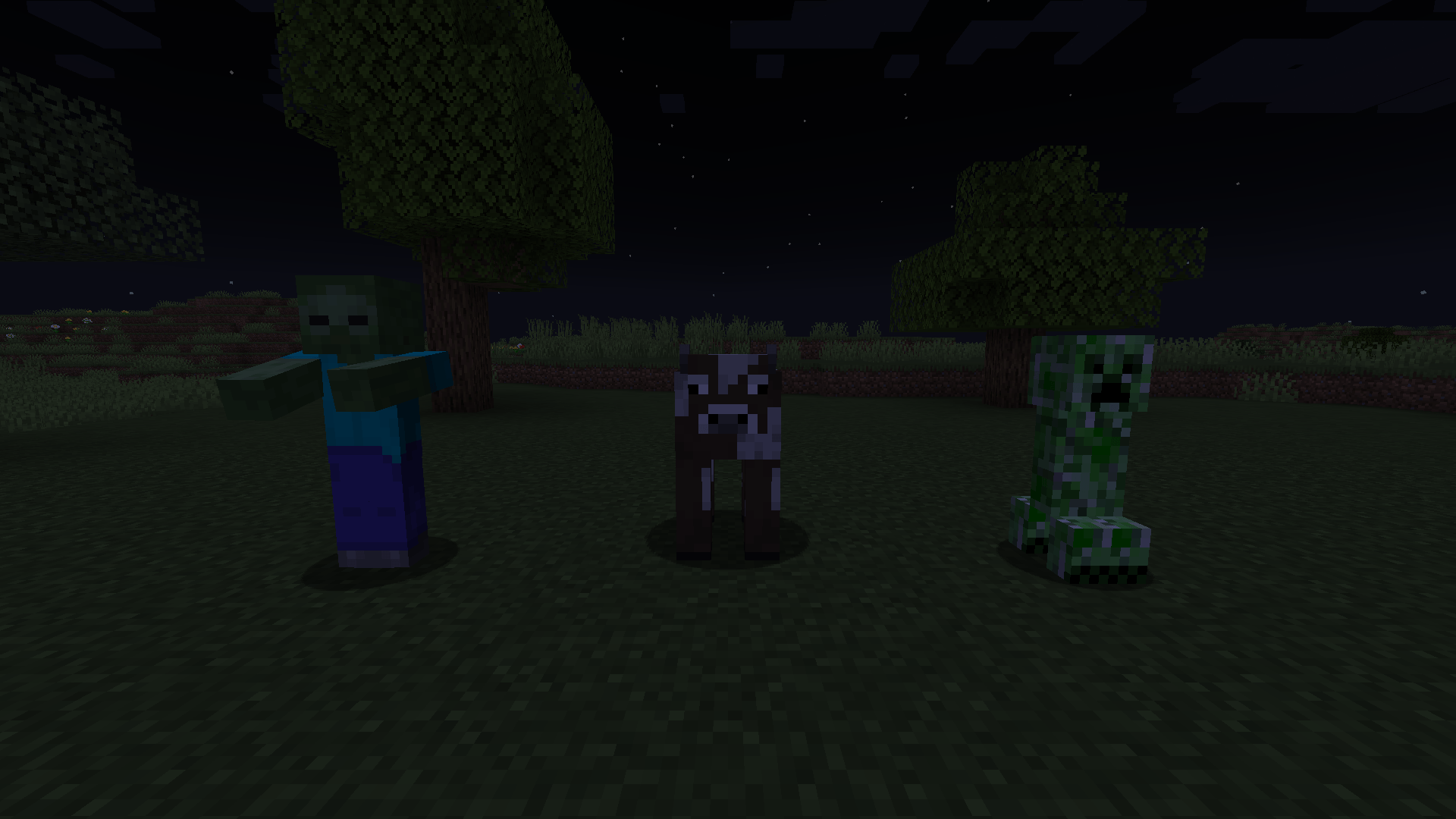 Fullbright off Fullbright off
 -
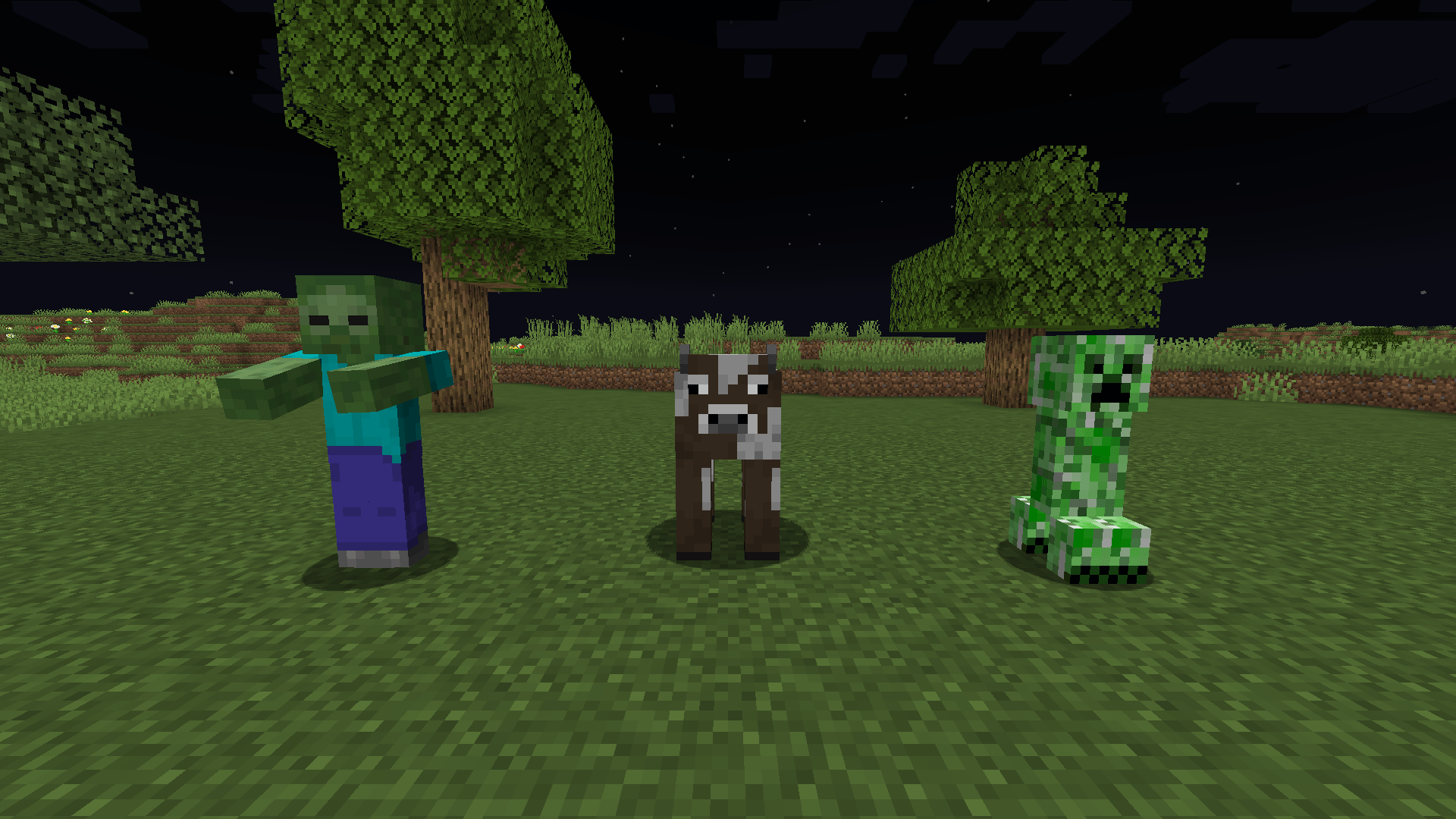 Fullbright on Fullbright on
Versions
Files
Relations
Project Relations
More like this
Similar Mods
Suggestions use data such as tags, dependencies, dependents, descriptions, titles, and more to rank how much they overlap with this mod.
On ModDex
Community snapshot
By the numbers
Statistics

Get it on
Available Platforms
On ModDex
Community snapshot
By the numbers
Statistics
Resources