
Community listing page, reviews may not be monitored by the author.
ShaderLab - Live Shader Editor

No reviews yet
Edit every shader option live in-game: sliders, instant preview, shareable presets, A/B FPS comparison and an FPS benchmark per effect. Works with Iris.

Community voices
Reviews
No reviews yet. Be the first to review this project!
Get it on
Available Platforms
About
Project Details
For authors
Embed Badge
If you're the author of this project, you can embed a live badge anywhere that supports HTML or Markdown. It updates automatically whenever ratings change.
Use HTML for any page that supports it, or Markdown for README files and Markdown-based descriptions.
Identifiers
Platform IDs
Resources
External Links
About
Description
ShaderLab - Live Shader Editor
Tired of digging through endless shader menus and reloading again and again? ShaderLab turns Iris into a live shader studio.
Features
- Live editor (key J): every option of your shader pack as a switch or slider in a side panel, with the world visible next to it
- Instant preview: changes are applied automatically a moment after you let go of the slider
- Search: find "bloom", "fog" or "water" in a second instead of clicking through sub-menus
- Presets: save your favourite looks and switch between them with one click
- Share codes: copy your setup as a short code and paste it in Discord. Friends load it with one click
- A/B comparison (key N): turns shaders off and on and shows exactly how many FPS they cost
- FPS benchmark per effect: ShaderLab measures what every on/off option costs, e.g. "Colored Candle Light: -17 FPS"
- Uses the pack's own option names, value labels and tooltips (German language files supported)
- Works with any OptiFine/Iris shader pack (Complementary, BSL, Photon, Bliss, ...)
Requirements
- Fabric Loader
- Iris Shaders
- Optional: Mod Menu (settings)
- No Fabric API needed
Supported versions
1.20, 1.20.1, 1.20.2 - 1.20.6, 1.21 - 1.21.11 and 26.1 (pick the file for your version).
More by MinePro641
Check out my shaders and my other mods SmartFPS (adaptive graphics) and Chronicle (build timelapses)!
Made by MinePro641
Screenshots
Gallery
-
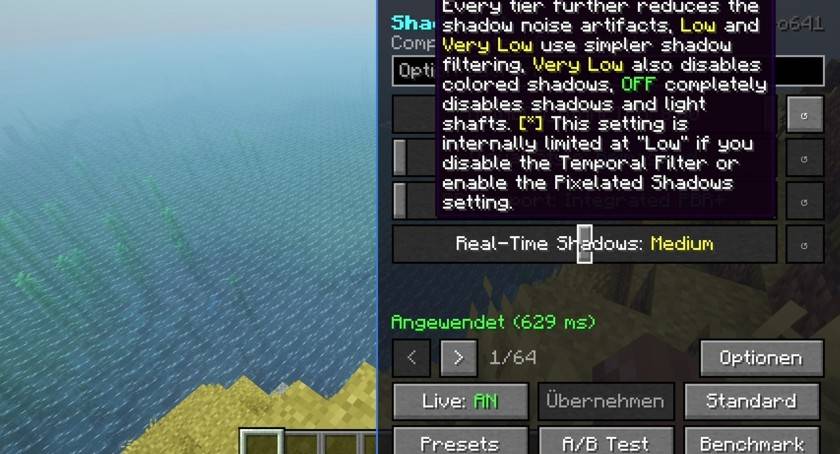 Live editor Every shader option as slider or switch, with the pack's own tooltips - changes apply instantly
 -
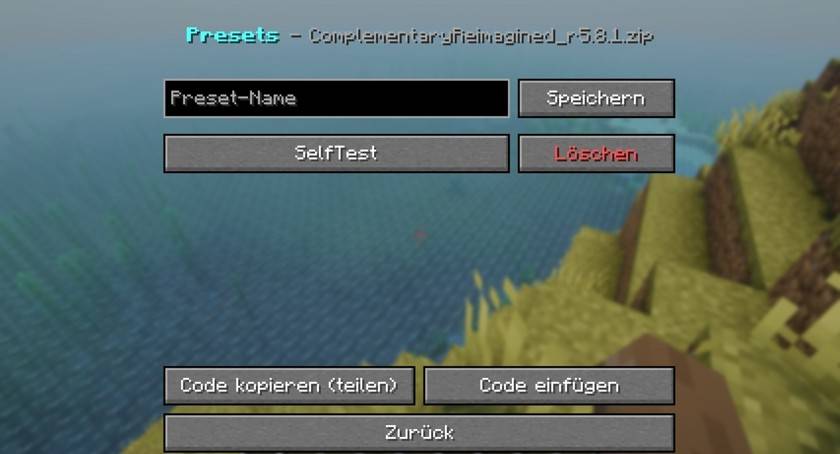 Presets & share codes Save looks and share them as a short code
 -
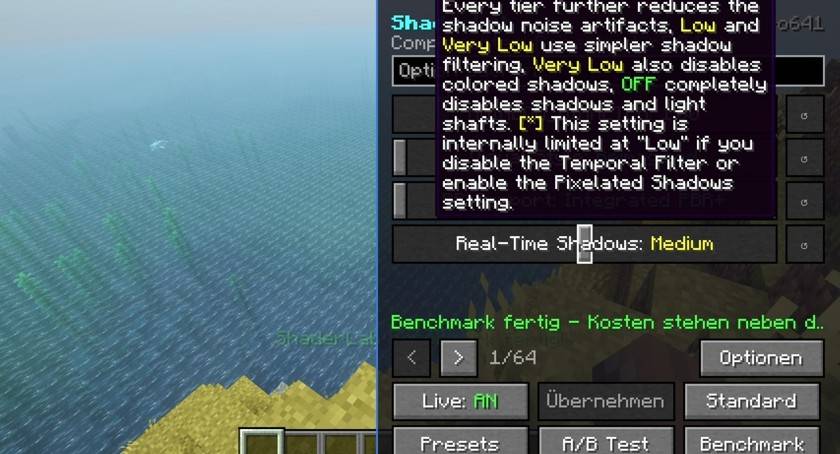 FPS benchmark Measures how many FPS each effect costs
 -
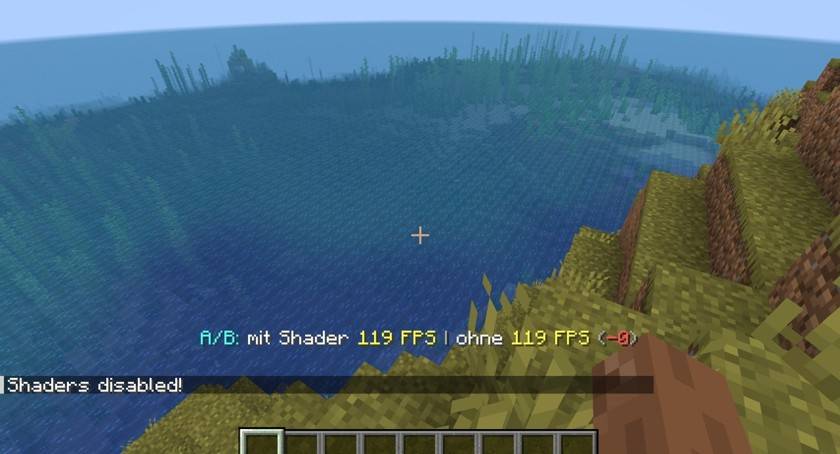 A/B comparison Shaders off/on with FPS difference
Versions
Files
Relations
Project Relations
More like this
Similar Mods
Suggestions use data such as tags, dependencies, dependents, descriptions, titles, and more to rank how much they overlap with this mod.
On ModDex
Community snapshot
By the numbers
Statistics

Get it on
Available Platforms
On ModDex
Community snapshot
By the numbers
Statistics
Resources