
Community listing page, reviews here may not be monitored by the author.
Shared Pets


No reviews yet
Share ownership of tamed wolves and cats with other players via in-game GUI — co-owners, follow modes, ownership transfer, multiplayer-ready.
Community voices
Reviews
No reviews yet. Be the first to review this project!
Get it on
Available Platforms
Compatibility
Supported Environments
Must be installed on both the client and the server.
About
Project Details
For authors
Embed Badge
If you're the author of this project, you can embed a live badge anywhere that supports HTML or Markdown. It updates automatically whenever ratings change.
Use HTML for any page that supports it, or Markdown for README files and Markdown-based descriptions.
Identifiers
Platform IDs
Resources
External Links
About
Description
Shared Pets
Share your tamed wolves and cats with other players!
Shared Pets lets multiple players co-own tamed animals on a server. Assign co-owners, configure follow modes, and transfer full ownership — all through an in-game GUI, without any commands.
✨ Features
👥 Co-ownership
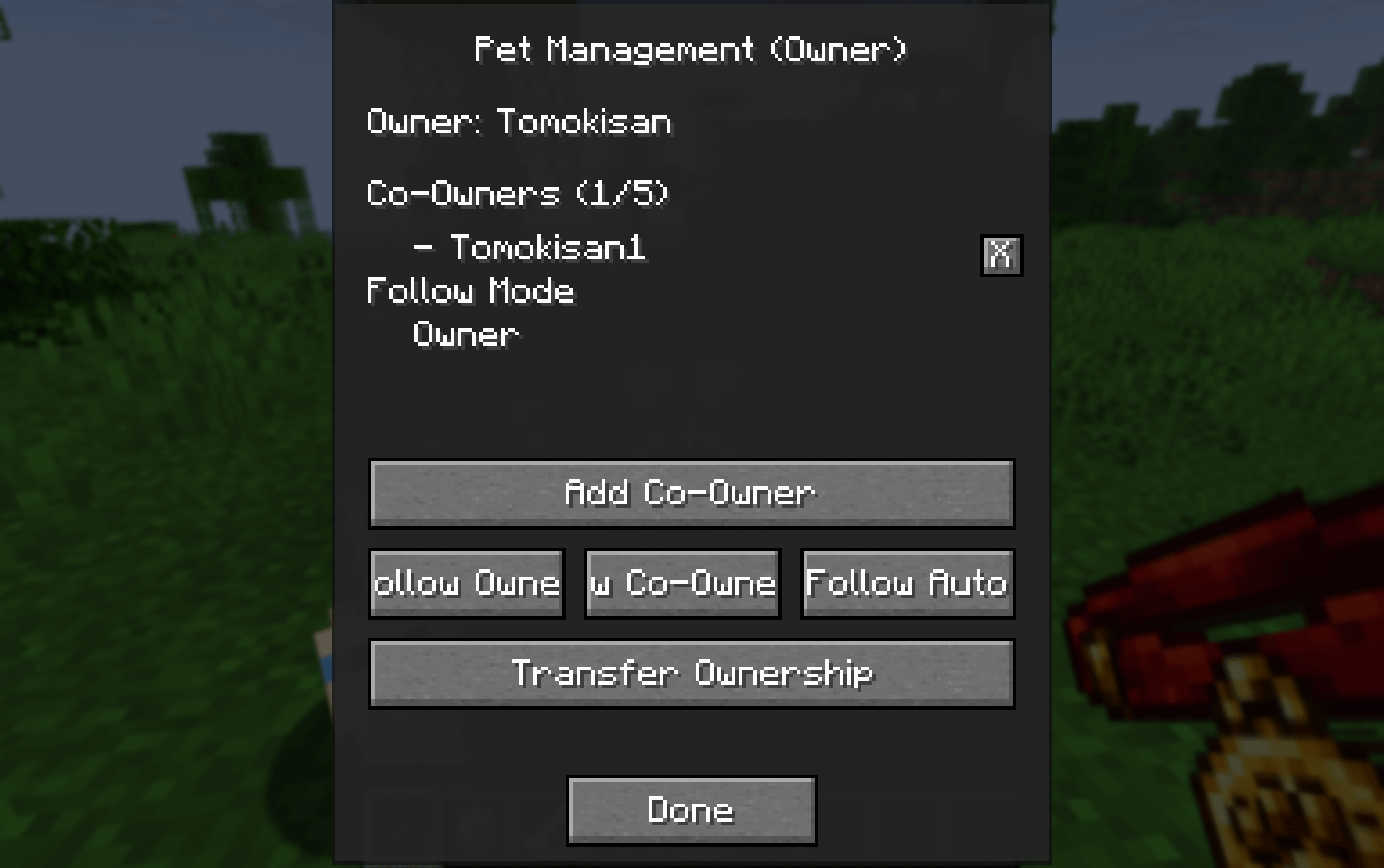
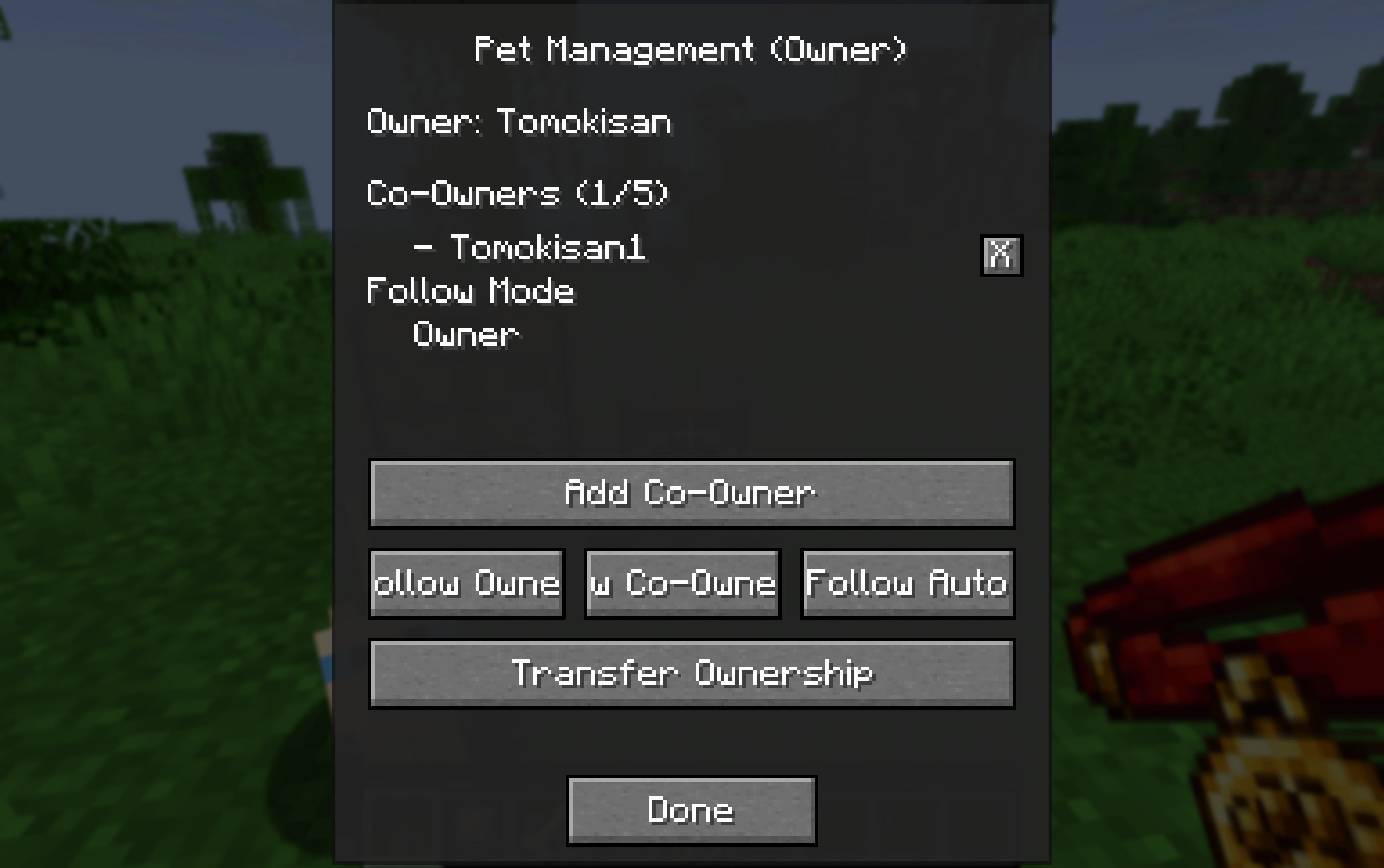
Craft a Shared Collar and right-click your tamed wolf or cat to open the management GUI
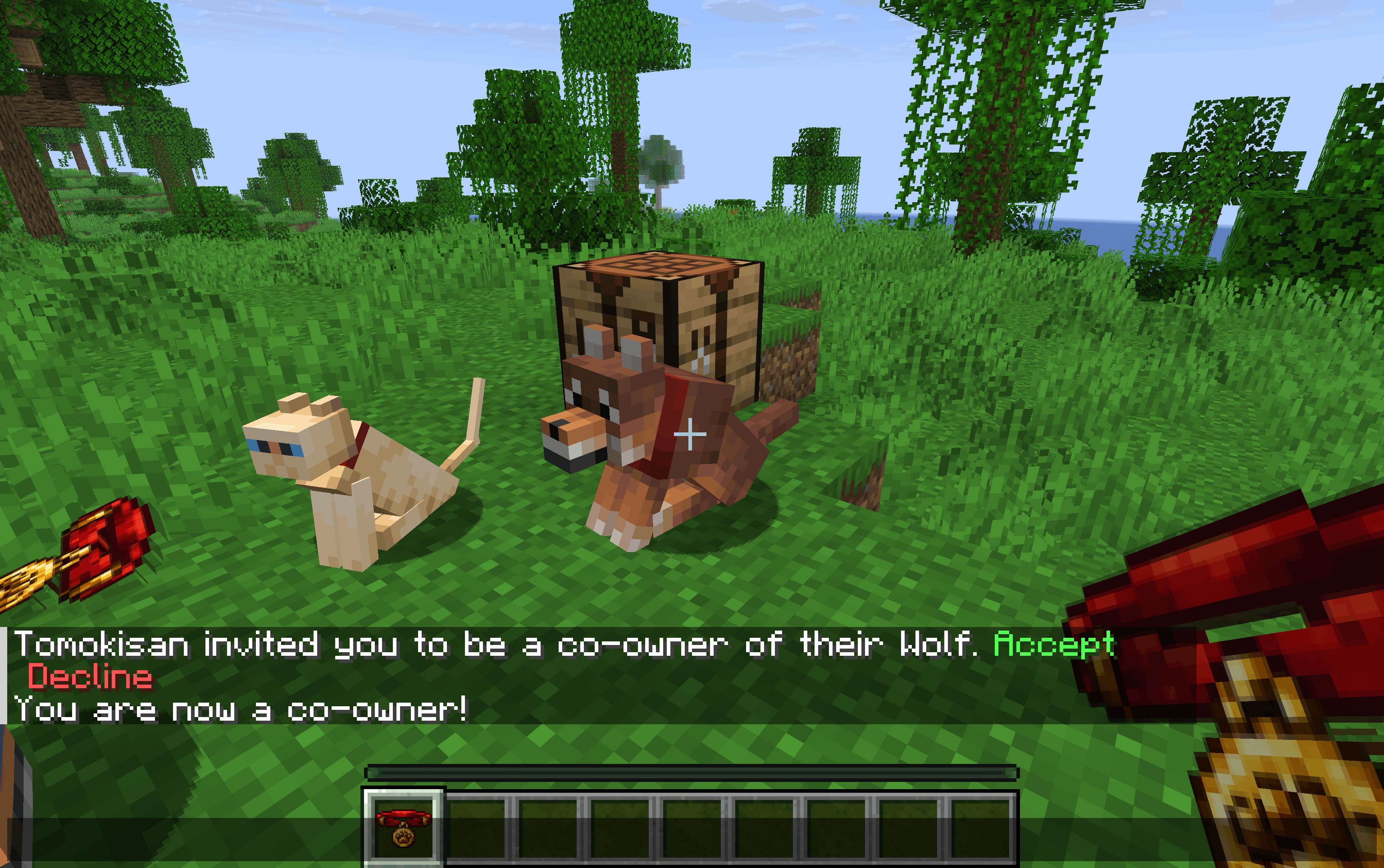
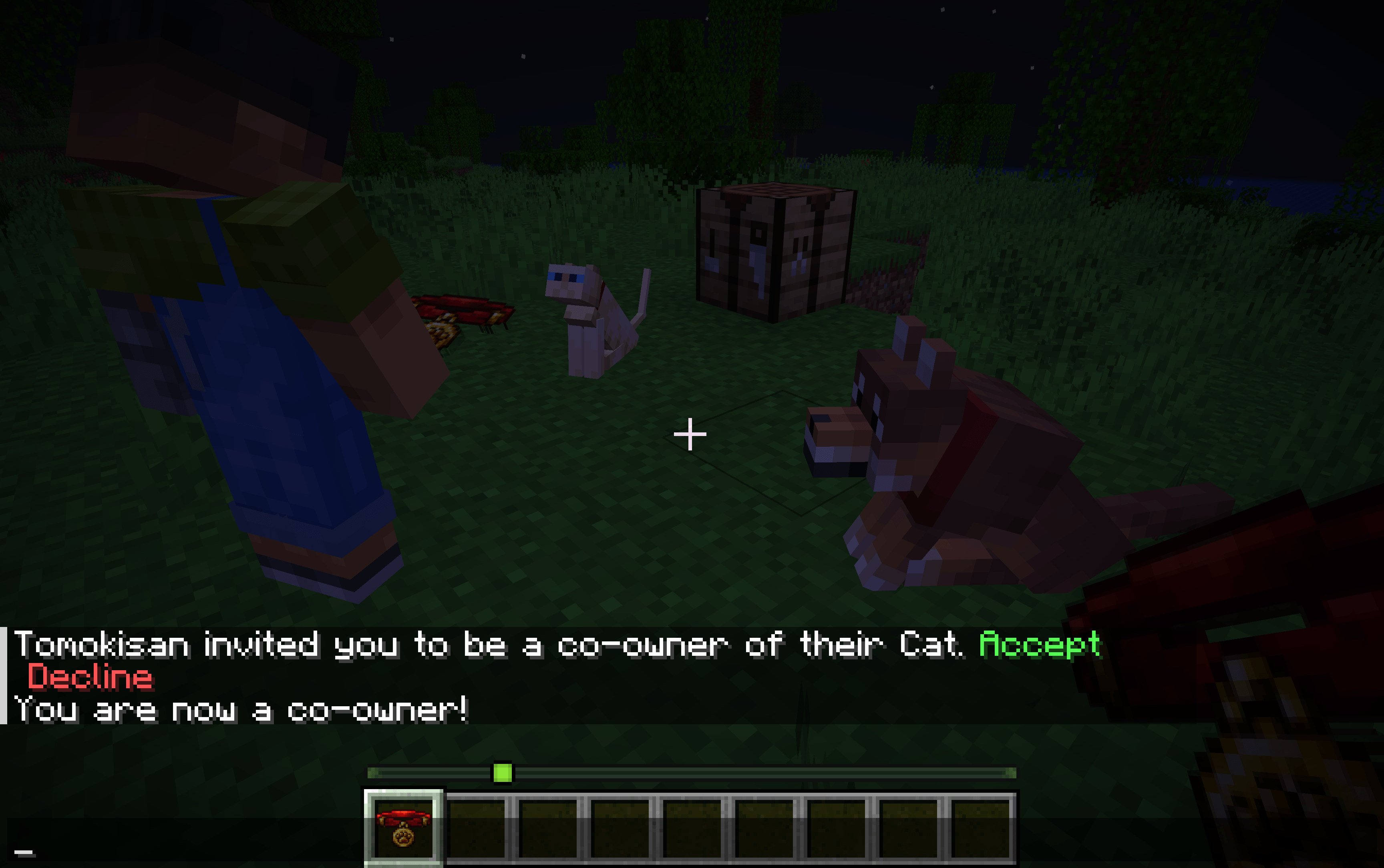
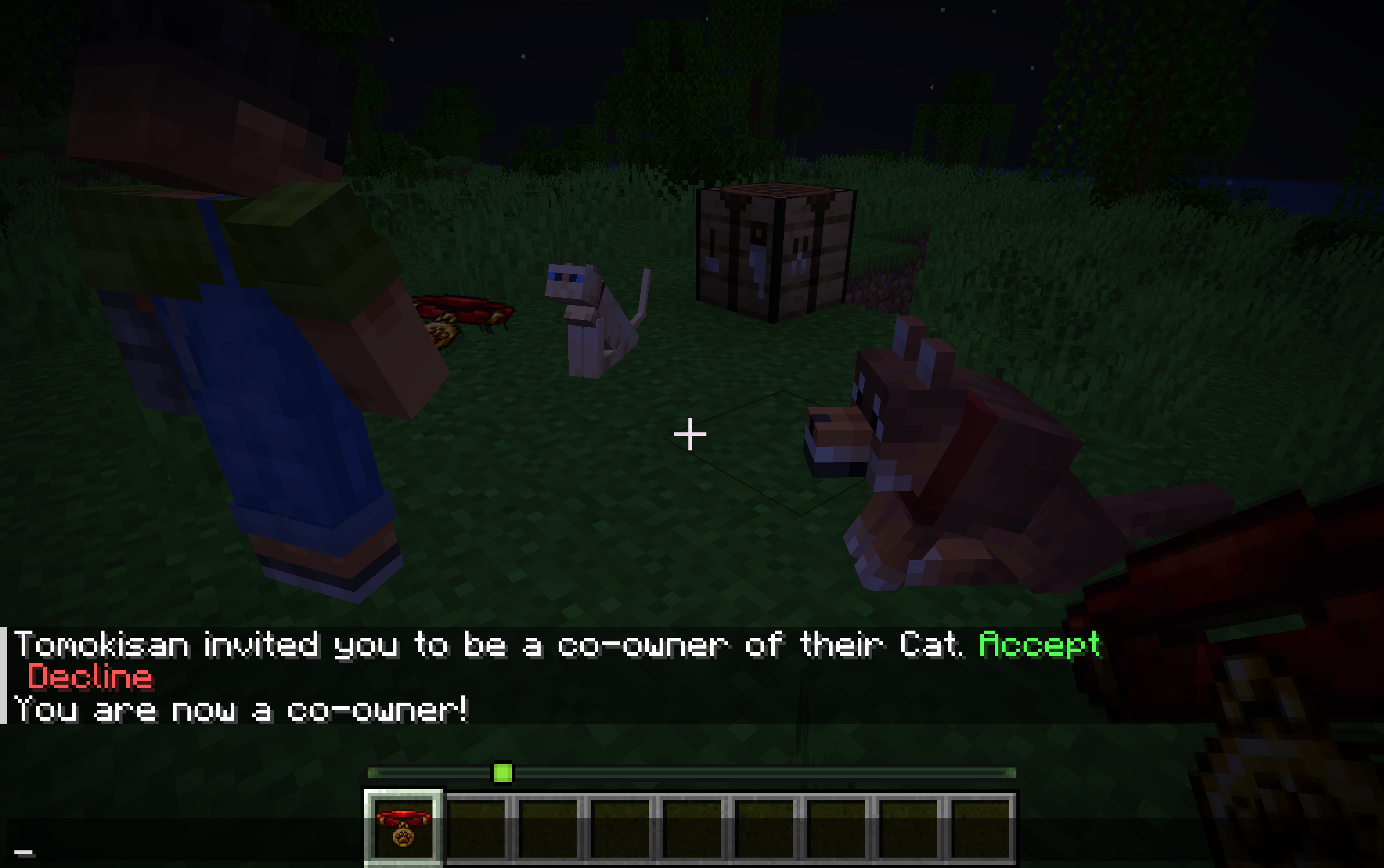
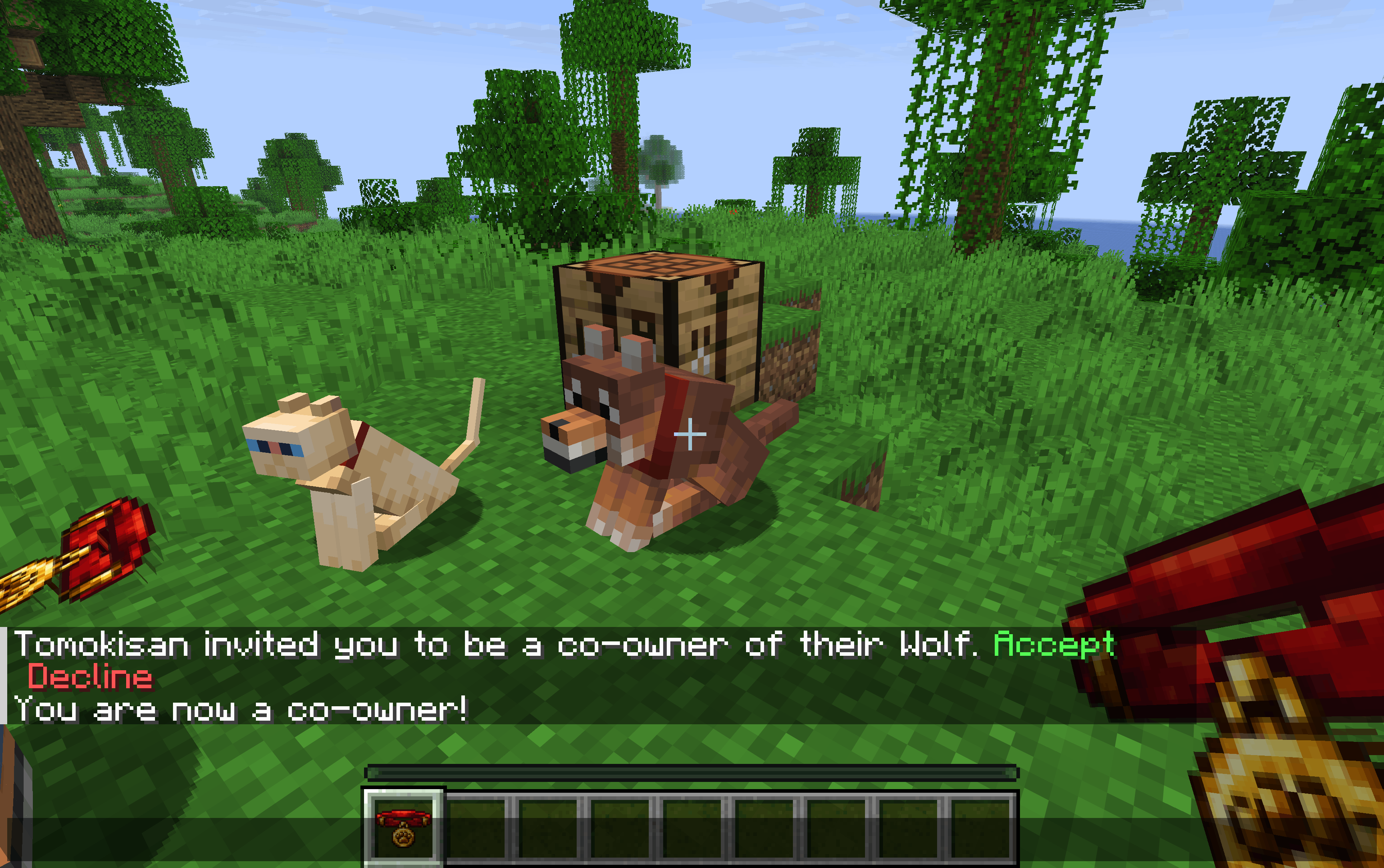
Invite up to 5 co-owners per pet — they receive a clickable chat message to [Accept] or [Decline]
Co-owners can sit / stand the pet just like the owner
Invitations expire automatically after 60 seconds
🔁 Ownership Transfer
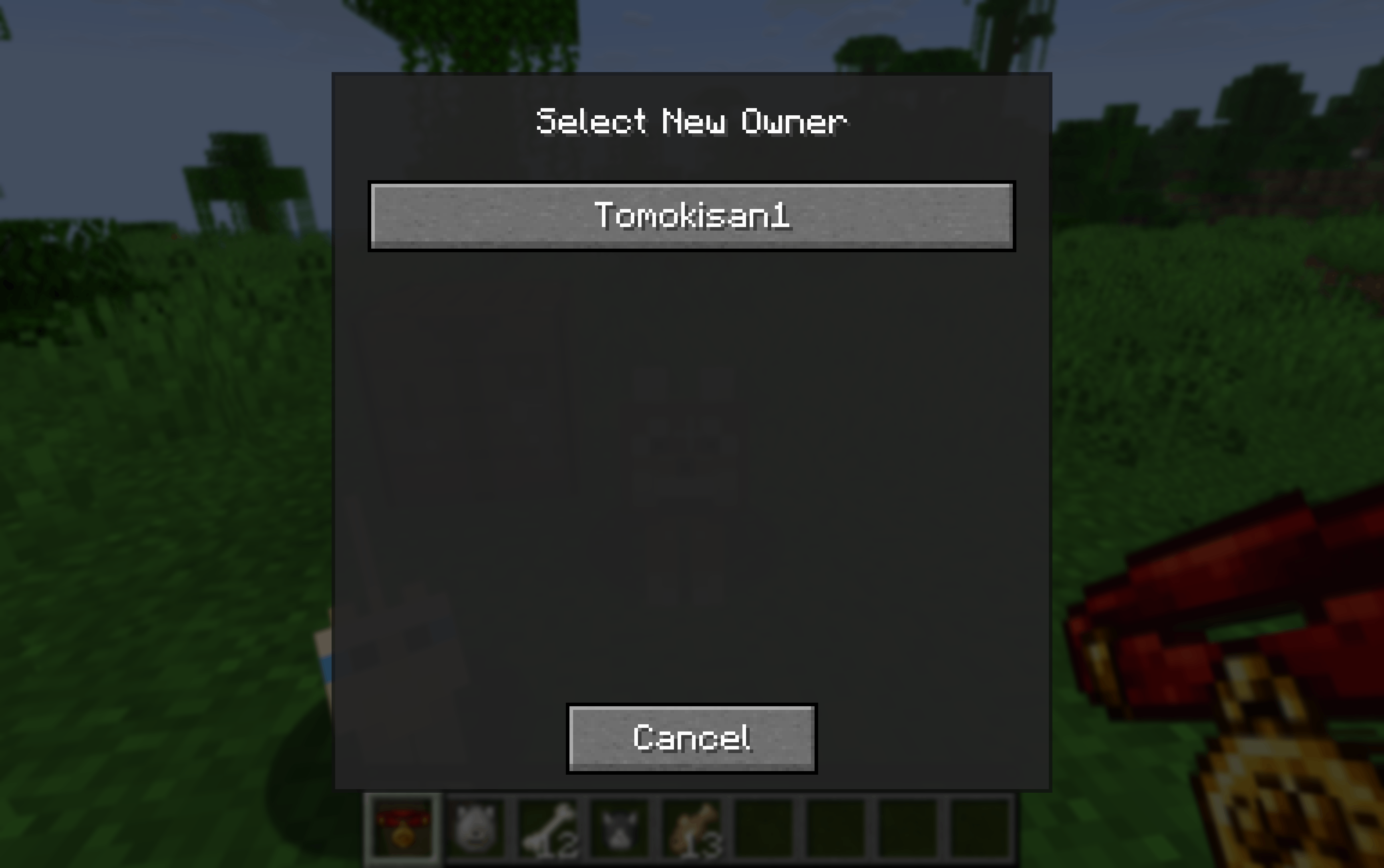
Transfer full ownership to another online player
The target must [Accept] or [Decline] via chat
On acceptance: the new owner takes over and the co-owner list is reset
🐺 Wolf Follow Modes (configurable per wolf)
Mode Behaviour Owner Follows the main owner (falls back to a co-owner if owner is offline) Co-Owner Follows a specific co-owner you select Auto Follows the nearest owner or co-owner Wolves also defend all owners and co-owners and assist when any of them attacks — owners and co-owners can never be targeted by their own wolf.
🐱 Cat Support
Co-owners can sit / stand cats
Cats follow co-owners when the main owner is offline
🌐 Multiplayer-friendly
Everything works when the main owner is offline
Data is saved via NBT directly on the entity — no extra files needed
Fully synced between server and clients
📖 How to Use
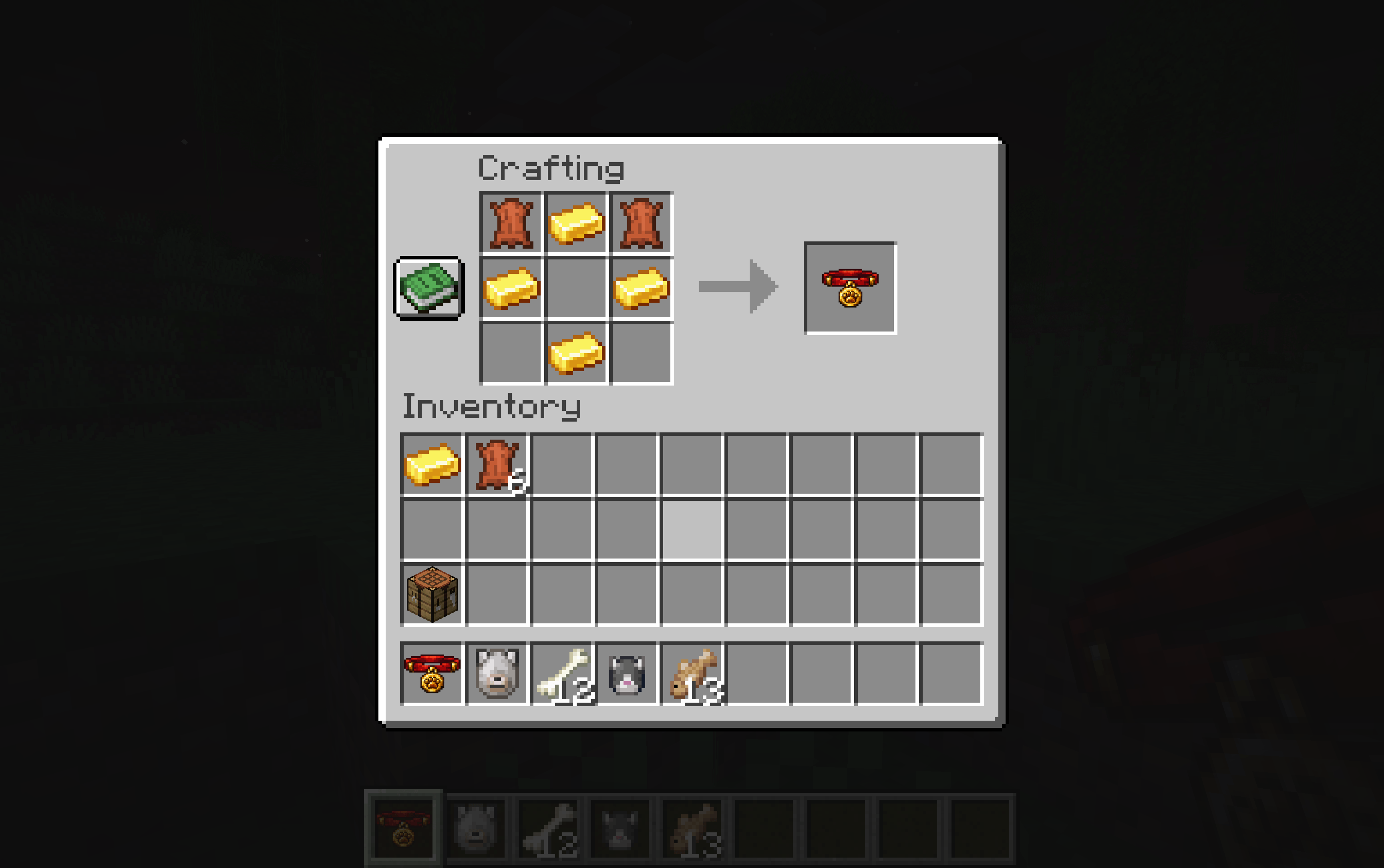
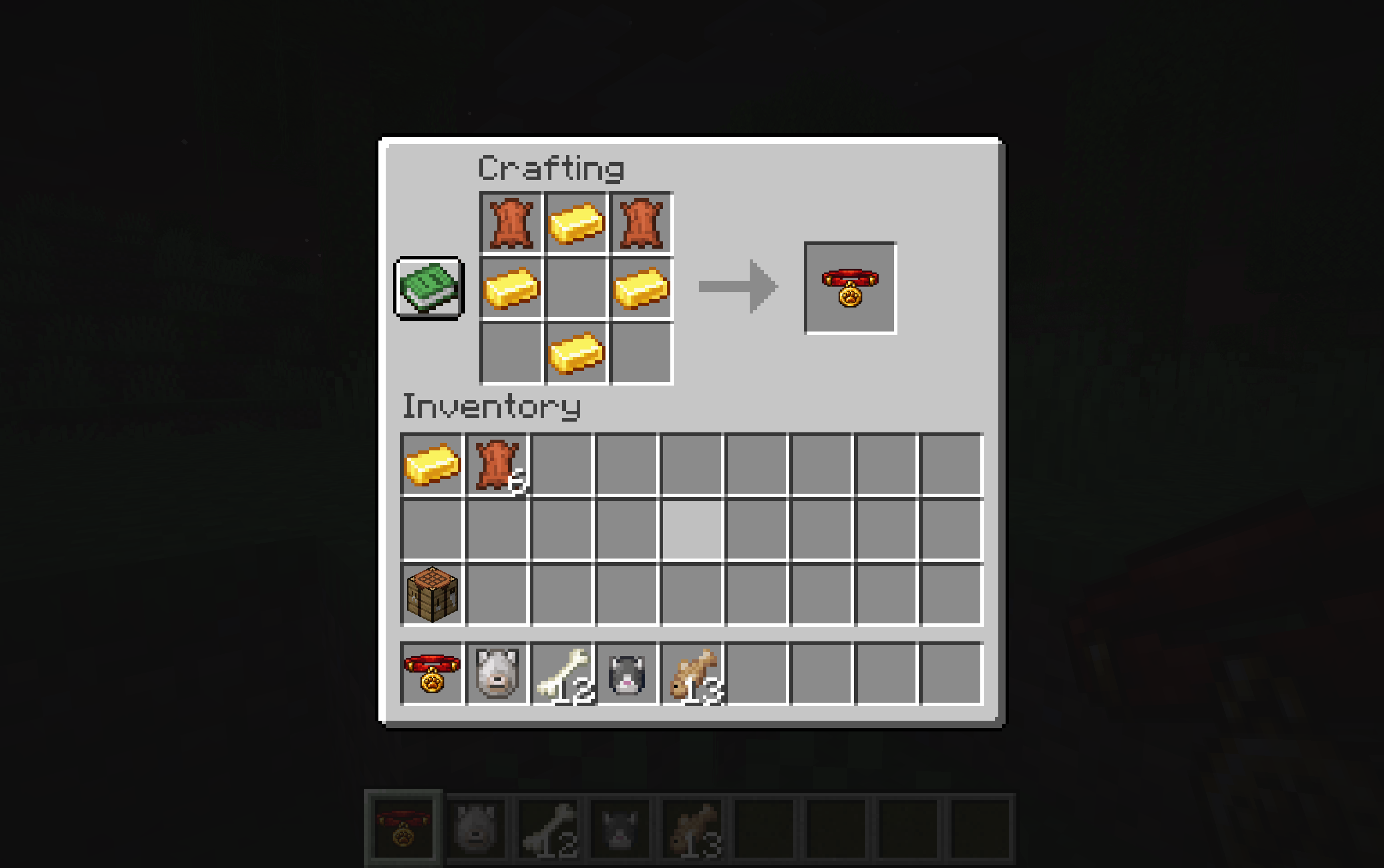
- Craft a Shared Collar (2 Leather + 4 Gold Ingots)
- Right-click your tamed wolf or cat while holding the collar
- Use the GUI to:
- Invite co-owners (they get a clickable chat notification)
- Configure wolf follow mode
- Transfer ownership
🌍 Translations
English · Français · Español · Deutsch · Italiano · Português (BR)
🔧 Compatibility
| Minecraft | Fabric | Forge | NeoForge |
|---|---|---|---|
| 1.20.1 – 1.20.4 | ✅ | ✅ | — |
| 1.20.5 – 1.20.6 | ✅ | — | ✅ |
| 1.21.1 | ✅ | — | ✅ |
| 1.21.11 | ✅ | — | ✅ |
| 26.1 – 26.1.2 | ✅ | — | ✅ |
Required on both client and server. The GUI screens (owner management, co-owner selection, ownership transfer) run client-side.
Shared Pets
Share your tamed wolves and cats with other players!
Shared Pets lets multiple players co-own tamed animals on a server. Assign co-owners, configure follow modes, and transfer full ownership — all through an in-game GUI, without any commands.
✨ Features
👥 Co-ownership
- Craft a Shared Collar and right-click your tamed wolf or cat to open the management GUI
- Invite up to 5 co-owners per pet — they receive a clickable chat message to [Accept] or [Decline]
- Co-owners can sit / stand the pet just like the owner
- Invitations expire automatically after 60 seconds
🔁 Ownership Transfer
- Transfer full ownership to another online player
- The target must [Accept] or [Decline] via chat
- On acceptance: the new owner takes over and the co-owner list is reset
🐺 Wolf Follow Modes (configurable per wolf)
| Mode | Behaviour |
|---|---|
| Owner | Follows the main owner (falls back to a co-owner if owner is offline) |
| Co-Owner | Follows a specific co-owner you select |
| Auto | Follows the nearest owner or co-owner |
Wolves also defend all owners and co-owners and assist when any of them attacks — owners and co-owners can never be targeted by their own wolf.
🐱 Cat Support
- Co-owners can sit / stand cats
- Cats follow co-owners when the main owner is offline
🌐 Multiplayer-friendly
- Everything works when the main owner is offline
- Data is saved via NBT directly on the entity — no extra files needed
- Fully synced between server and clients
📖 How to Use
- Craft a Shared Collar (2 Leather + 4 Gold Ingots)
- Right-click your tamed wolf or cat while holding the collar
- Use the GUI to:
- Invite co-owners (they get a clickable chat notification)
- Configure wolf follow mode
- Transfer ownership
🌍 Translations
English · Français · Español · Deutsch · Italiano · Português (BR)
🔧 Compatibility
| Minecraft | Fabric | Forge | NeoForge |
|---|---|---|---|
| 1.20.1 – 1.20.4 | ✅ | ✅ | — |
| 1.20.5 – 1.20.6 | ✅ | — | ✅ |
| 1.21.1 | ✅ | — | ✅ |
| 1.21.11 | ✅ | — | ✅ |
Required on both client and server. The GUI screens (owner management, co-owner selection, ownership transfer) run client-side.
Screenshots
Gallery
-
 2026-02-20_10.12.07.png 2026-02-20_10.12.07.png
 -
 2026-02-19_21.00.09.png 2026-02-19_21.00.09.png
 -
 2026-02-19_21.01.14.png 2026-02-19_21.01.14.png
 -
 2026-02-19_21.22.18.png 2026-02-19_21.22.18.png
 -
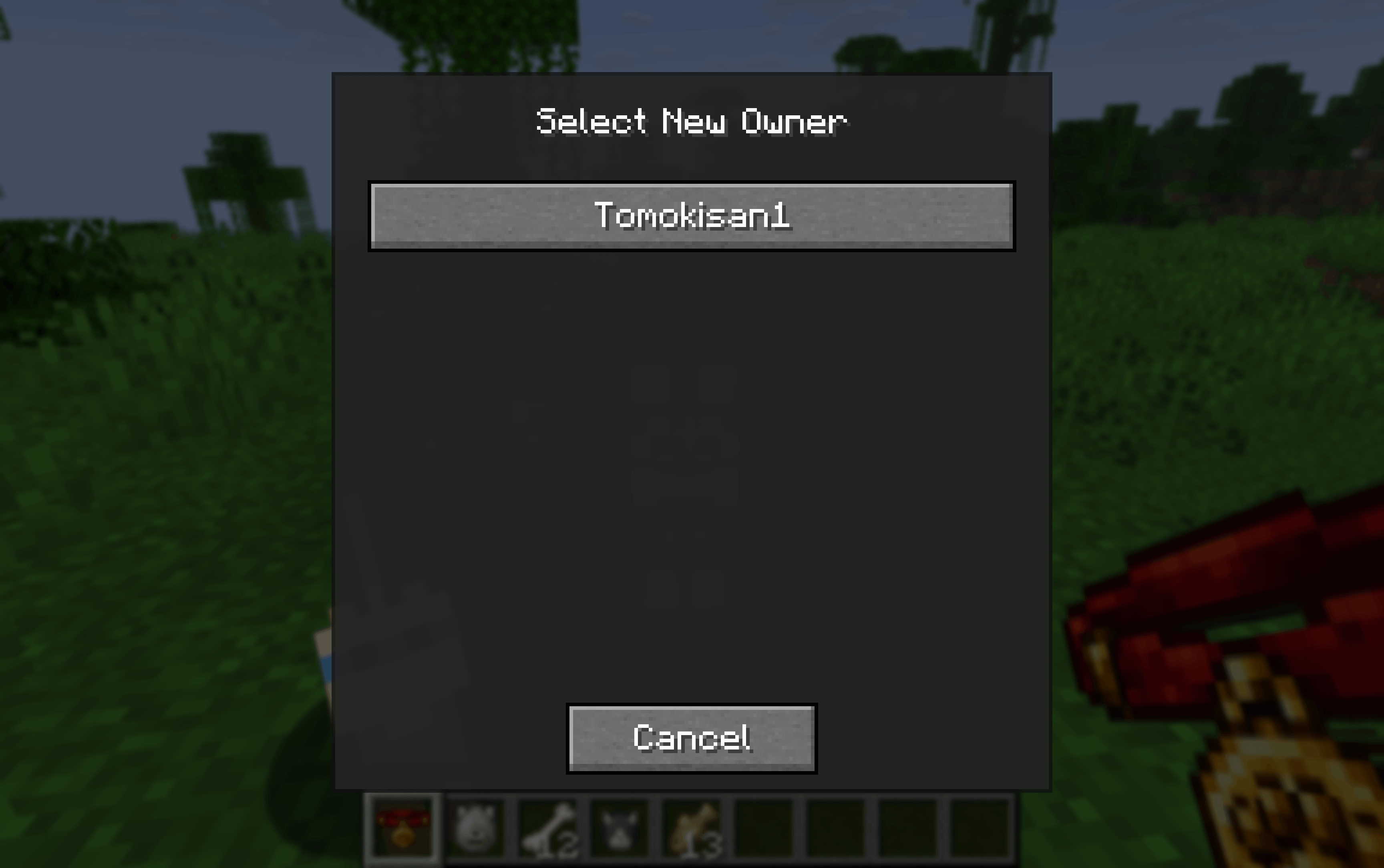 2026-02-19_21.00.25.png 2026-02-19_21.00.25.png
 -
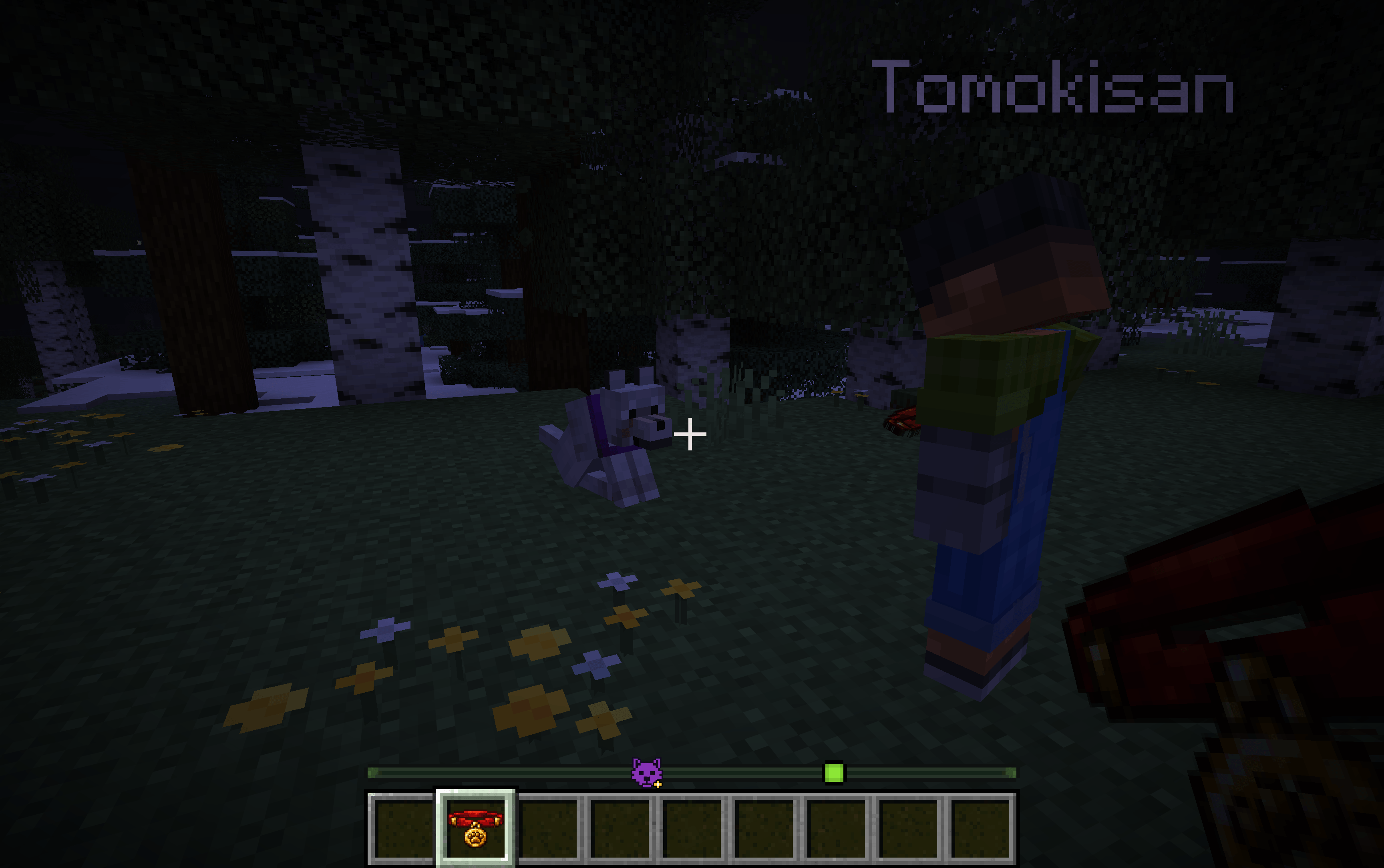 2026-02-22_14.31.46 (1).png Compatibility with Pets locator mod (custom icon for pets which you are a co owner)
Versions
Files
Relations
Project Relations
More like this
Similar Mods
Suggestions use data such as tags, dependencies, dependents, descriptions, titles, and more to rank how much they overlap with this mod.
On ModDex
Community snapshot
By the numbers
Statistics
Want to reach Minecraft players?
We're looking for a server hosting partner to feature here and other parts of the site. Interested? Send us a message!
Get in touchGet it on
Available Platforms
On ModDex
Community snapshot
By the numbers
Statistics
Resources