Community listing page, reviews here may not be monitored by the author.
Shield Statuses

No reviews yet
Shows shield states, represented by color. This mod was ported forward and improved on by Walksy.

Community voices
Reviews
No reviews yet. Be the first to review this project!
Get it on
Available Platforms
 Modrinth
Compatibility
Supported Environments
Runs entirely on the client. Works on vanilla servers.
About
Project Details
For authors
Embed Badge
If you're the author of this project, you can embed a live badge anywhere that supports HTML or Markdown. It updates automatically whenever ratings change.
Use HTML for any page that supports it, or Markdown for README files and Markdown-based descriptions.
Identifiers
Platform IDs
About
Description
Shield Statuses!
This mod renders color overlays on player's shields to determine whether that shield is disabled or not.
Information:
Colors
This mod allows you to customize and choose the shield's disabled and enabled color via the mod's config screen. You must have mod menu to access this.
Config

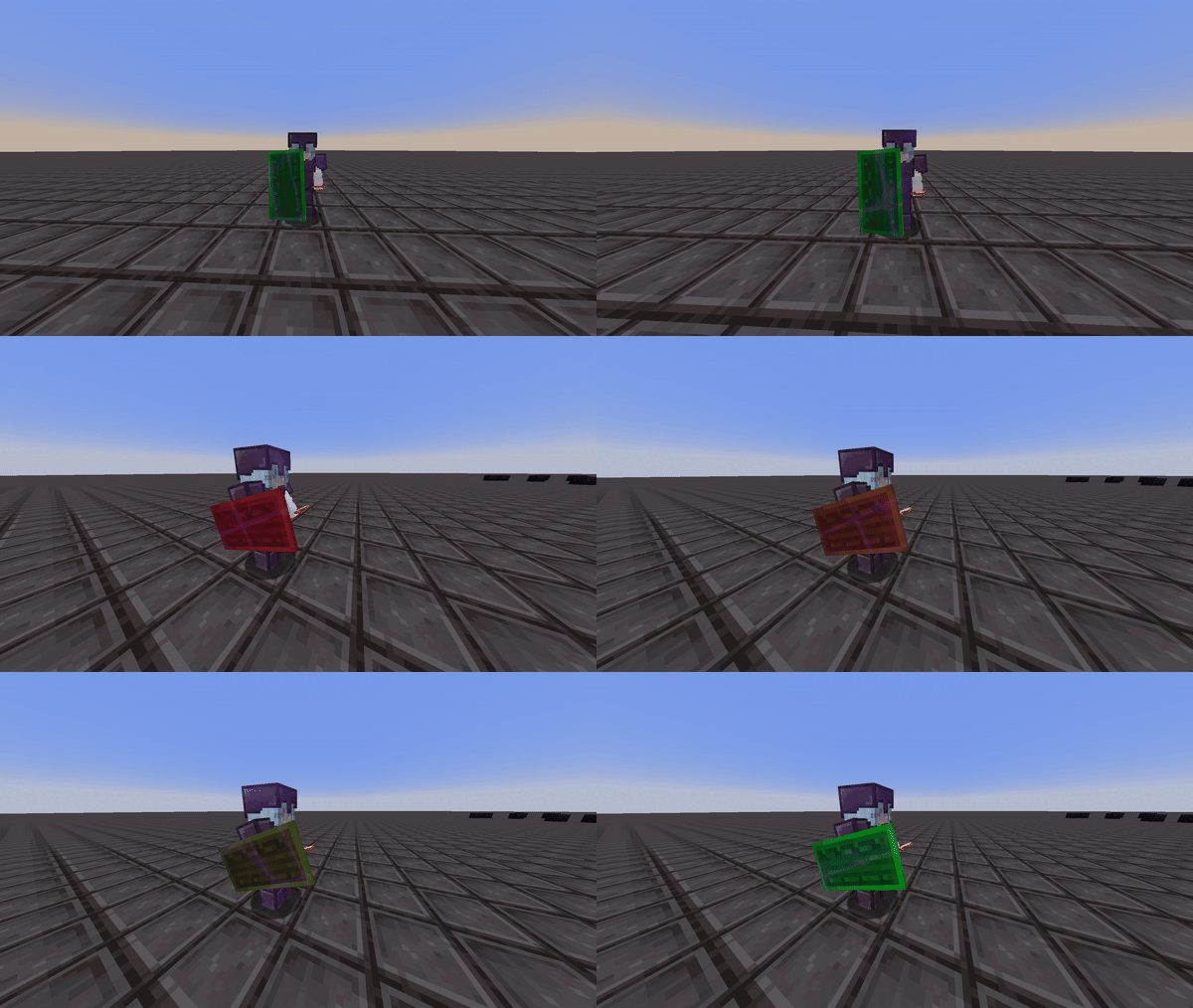
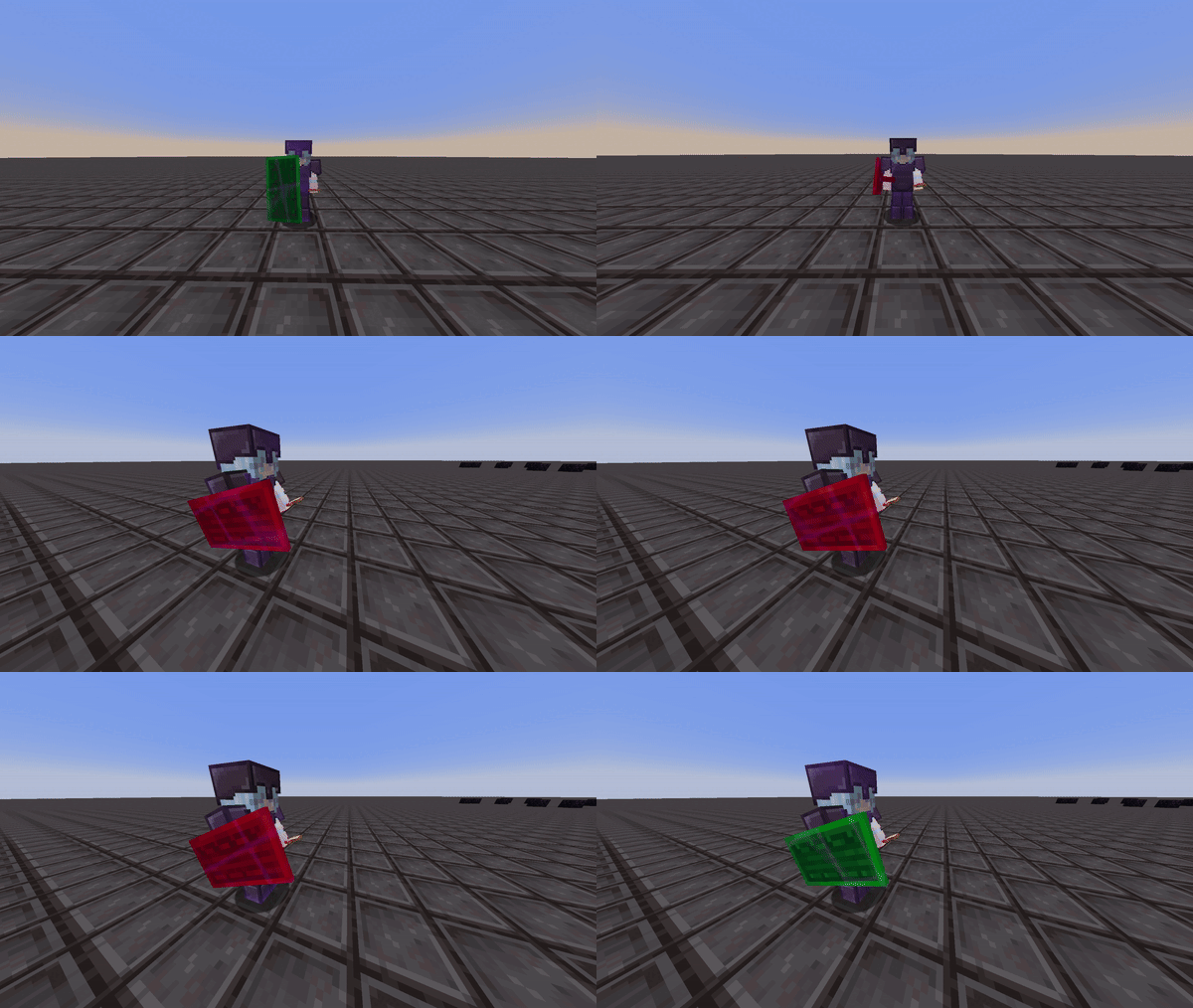
The interpolation option gives you the choice to set the shield to either display two static colors or to have the disabled color gradually transition to the enabled color. This way, you can estimate when the shield will be reactivated. This can be seen in the two videos below:
Interpolation Enabled:
Interpolation Disabled:
Compatibility & Improvements
With this version of shield statuses, it ensures to not mess with the actual minecraft textures of the shield itself, but instead renders the colors as an overlay in game to ensure the mod doesn't override custom shield textues from different resource packs.
This version of shield statuses fixes a bug from the original mod, where the shield would incorrectly display as disabled (orange state) even after it had been re-enabled.
Credits
- Mod: Walksy
- Icon: SakuraFX
Shield Statuses!
This mod renders color overlays on player's shields to determine whether that shield is disabled or not.
Information:
Colors
This mod allows you to customize and choose the shield's disabled and enabled color via the mod's config screen. You must have mod menu to access this.
The interpolation option gives you the choice to set the shield to either display two static colors or to have the disabled color gradually transition to the enabled color. This way, you can estimate when the shield will be reactivated. This can be seen in the two videos below:
Interpolation Enabled:
Interpolation Disabled:
Banner Texture

Put any image (PNG, JPG or animated GIF) on the banner area of every shield. The rim, handle and back of the shield still show the status colors.
Server Opt-Out
If you don't want your players seeing the shield status of other players, you can switch that part of the mod off. Players will still see the status of their own shield.
Shield Status uses WalksyLib's server opt-out, so install the WalksyLibControl plugin (Spigot, Paper and Folia, 1.20.5+) and run:
/wlcontrol disable shieldstatus other-player-shields
or
/wlcontrol disablewithreason shieldstatus other-player-shields "Seeing other players' shield status is not allowed on this server"
Only the other-player-shields feature can be switched off; disabling shieldstatus as a whole has no effect.
Credits
- Mod: Walksy
- Icon: SakuraFX
Screenshots
Gallery
-
No Interpolation
-
Interpolation
Versions
Files
Relations
Project Relations
More like this
Similar Mods
Suggestions use data such as tags, dependencies, dependents, descriptions, titles, and more to rank how much they overlap with this mod.
On ModDex
Community snapshot
By the numbers
Statistics
 (opens in a new tab)
Get it on
Available Platforms
Modrinth
On ModDex
Community snapshot
By the numbers