Community listing page, reviews here may not be monitored by the author.
Show Me ID

No reviews yet
Instant ID reference in chat, hotbar HUD badges, and clipboard block state copying.
Community voices
Reviews
No reviews yet. Be the first to review this project!
Get it on
Available Platforms
About
Project Details
For authors
Embed Badge
If you're the author of this project, you can embed a live badge anywhere that supports HTML or Markdown. It updates automatically whenever ratings change.
Use HTML for any page that supports it, or Markdown for README files and Markdown-based descriptions.
Identifiers
Platform IDs
Resources
External Links
About
Description
ShowMeID
Legacy numeric IDs, IDs names, and Copy block state for Minecraft Fabric.
Instant ID reference in chat, hotbar HUD badges, and clipboard block state copying.


Overview
ShowMeID is a client-side Fabric mod that brings legacy numeric item IDs alongside identifier names. It integrates into the chat screen with an search overlay, displays ID badges above your hotbar slots, and lets you copy looking-at block states directly to your clipboard (Useful for WorldEdit).
Works in both Creative and Survival modes, as well as on multiplayer servers.
Features
- Catalog: The item list by ID.
- Dual-ID: View both legacy numeric IDs and name identifiers at a glance.
- Customizable UI: Adjust interface scale, badge vertical offset, opacity, and colors in the built-in Config panel.
Chat Overlay & Quick Insertion
- Chat Screen: Opens seamlessly whenever you open the chat screen.
- Click Insertion: Click any item from the catalog or hotbar row to insert its ID into your chat input.
- Dual-Action Clicking: Left-click inserts ID numeric format. Right-click inserts the name ID.
- Insertion Toggle: Easily switch the default left-click insertion mode between numeric ID and modern name in Config.
Block State Inspector & Clipboard Copy
- Target Block Detection: Look at any block in the world and press
Numpad 0(configurable) to copy the block identifier and block state properties (e.g.,oak_slab[type=bottom,waterlogged=false]) to your clipboard.
Essential Controls
| Shortcut / Action | Action |
|---|---|
T |
Open Chat & ShowMeID Overlay |
Left Click |
Insert configured ID numeric into chat |
Right Click |
Insert name ID into chat |
Ctrl + 1 - Ctrl + 9 |
Quick-insert hotbar slot 1–9 ID into chat |
Numpad 0 |
Copy targeted block name and block state to clipboard |
Drag Header |
Move overlay window to any screen position |
📥 Installation
- Install Fabric Loader for Minecraft 26.2.
- Put Fabric API in your
.minecraft/modsfolder. - Drop the ShowMeID
.jarinto.minecraft/mods. - Open chat in-game to access the overlay, or aim at a block and press
Numpad 0.
Client-side only — works on multiplayer servers without server installation.
Screenshots
Gallery
-
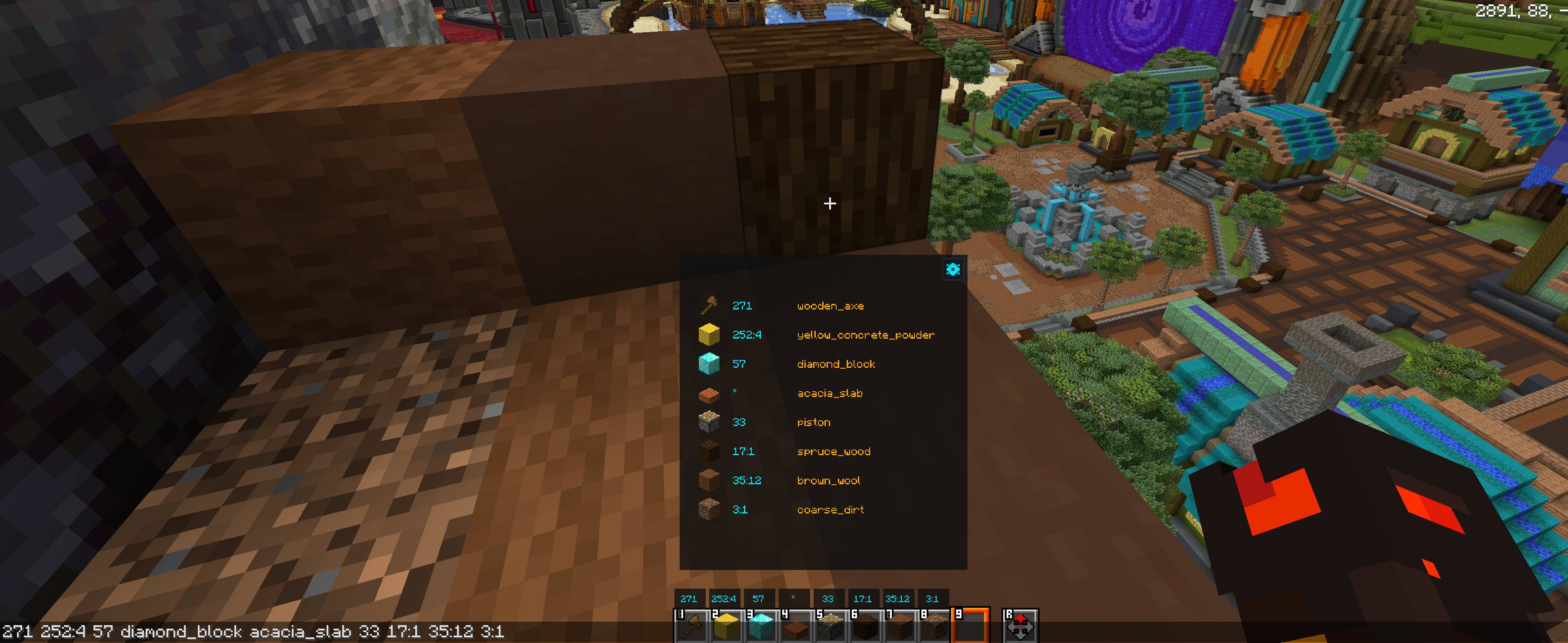 Interface
 -
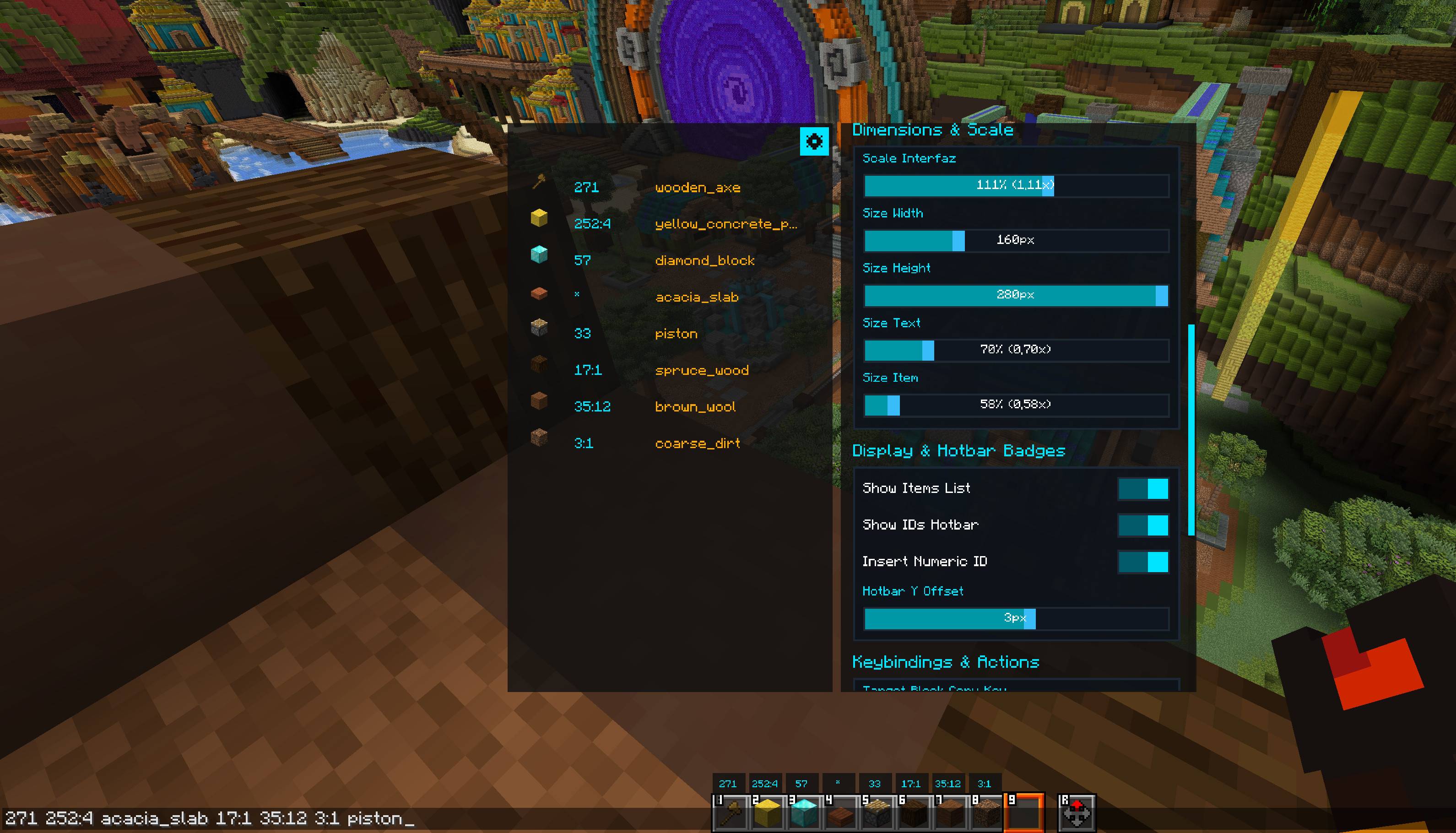 Configuration
 -
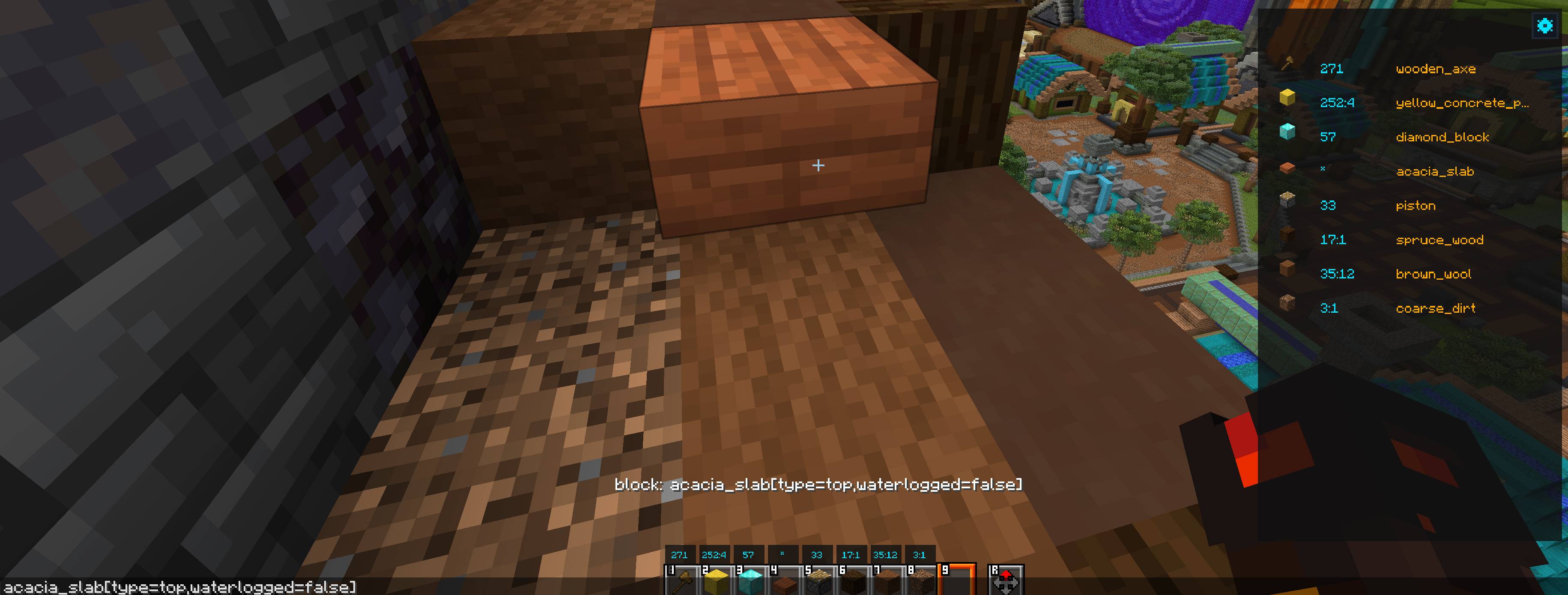 Copy block id and state
Versions
Files
Relations
Project Relations
More like this
Similar Mods
Suggestions use data such as tags, dependencies, dependents, descriptions, titles, and more to rank how much they overlap with this mod.
On ModDex
Community snapshot
By the numbers
Statistics
Want to reach Minecraft players?
We're looking for a server hosting partner to feature here and other parts of the site. Interested? Send us a message!
Get in touchGet it on
Available Platforms
On ModDex
Community snapshot
By the numbers
Statistics
Resources