
Community listing page, reviews here may not be monitored by the author.
Shulker Box Labels


No reviews yet
Give your shulker boxes an item label!
Community voices
Reviews
No reviews yet. Be the first to review this project!
Get it on
Available Platforms
Compatibility
Supported Environments
Must be installed on both the client and the server.
About
Project Details
For authors
Embed Badge
If you're the author of this project, you can embed a live badge anywhere that supports HTML or Markdown. It updates automatically whenever ratings change.
Use HTML for any page that supports it, or Markdown for README files and Markdown-based descriptions.
Identifiers
Platform IDs
About
Description



Description
This mod allows you to add item labels to your shulker boxes, making your storage more organized and inventory management much easier.
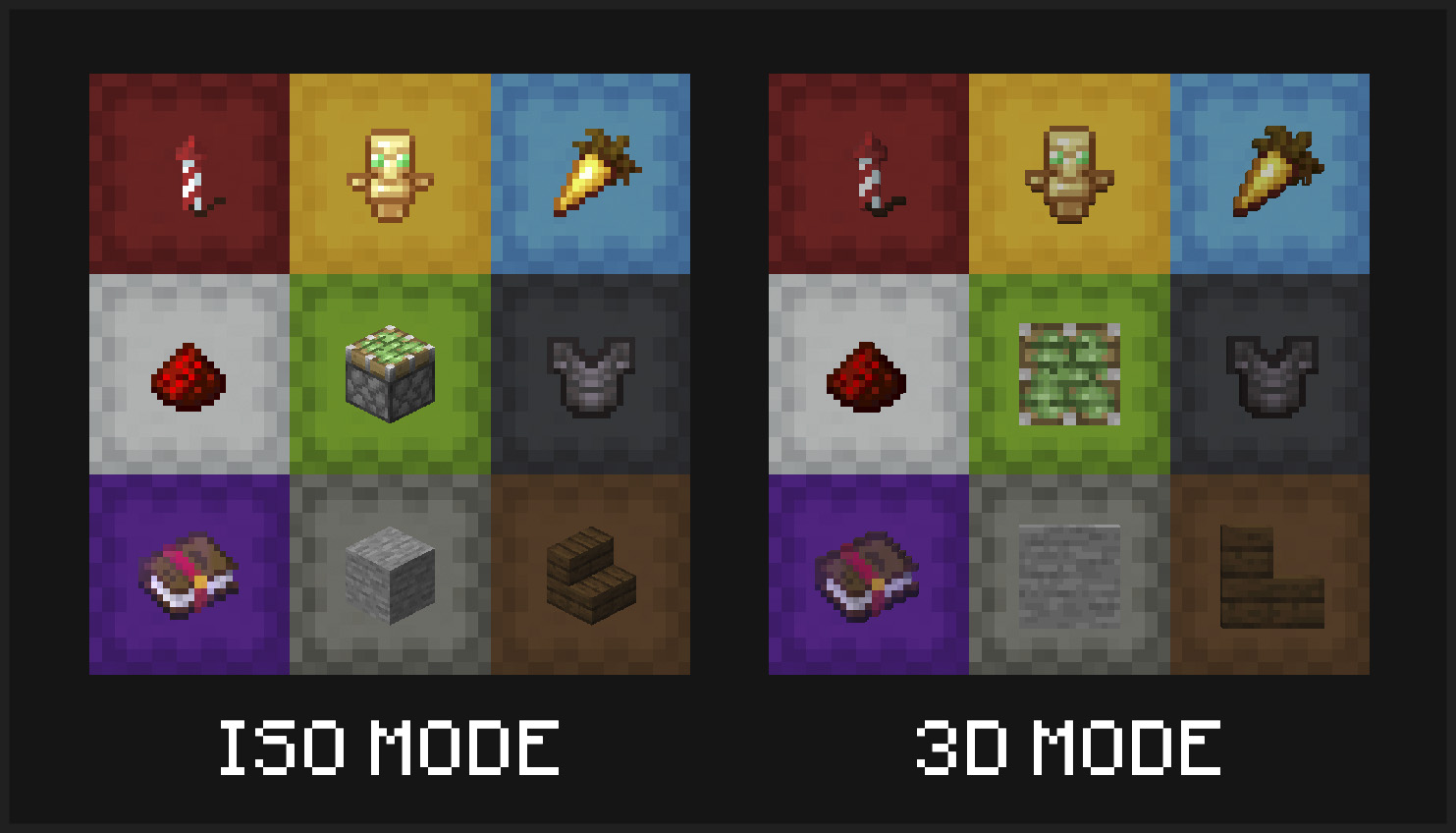
Multiple display modes are supported - you can have your shulker boxes displayed in flat mode, and choose to display labels in either 3D or isometric mode.
Display your labeled shulker boxes in the GUI in any mode. Labels can be shown in 3D or isometric mode, and shulker boxes can appear in regular or flat (large/small) mode
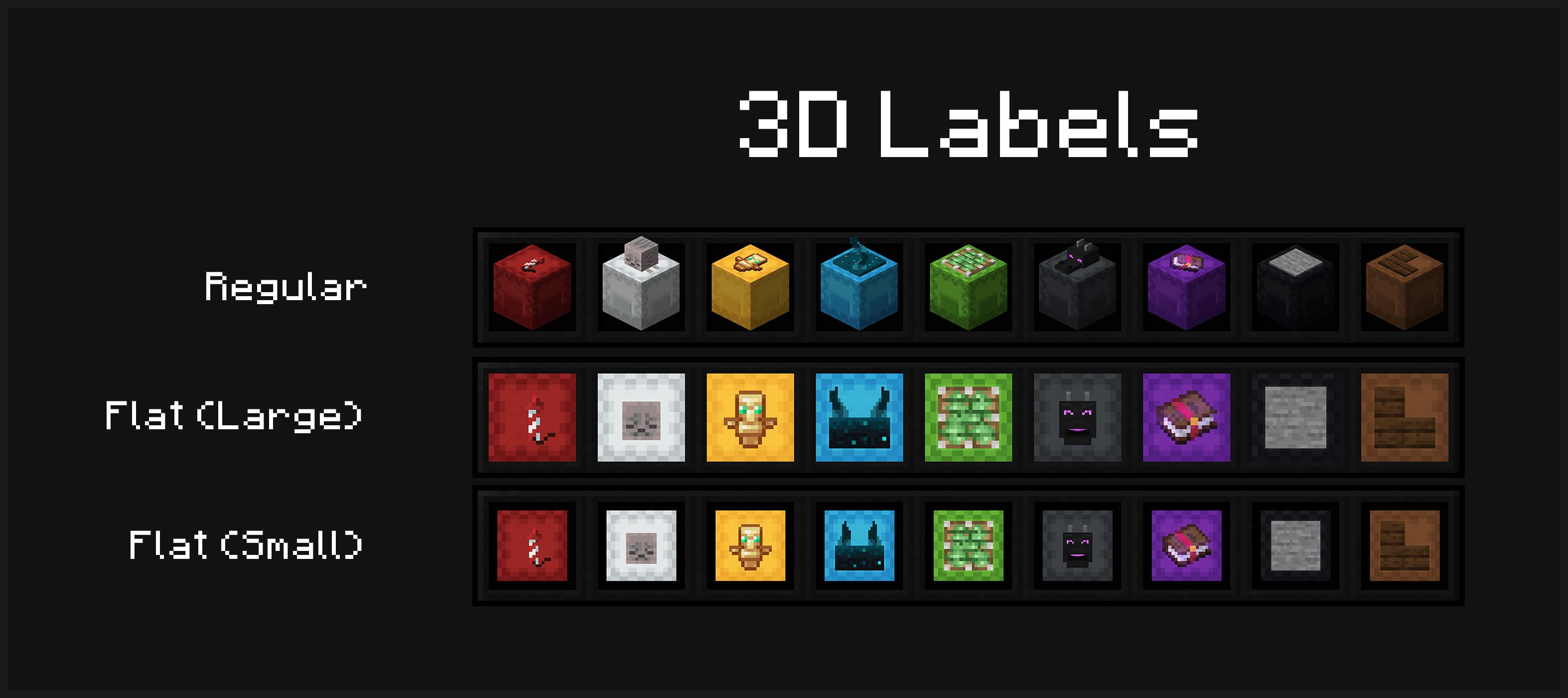
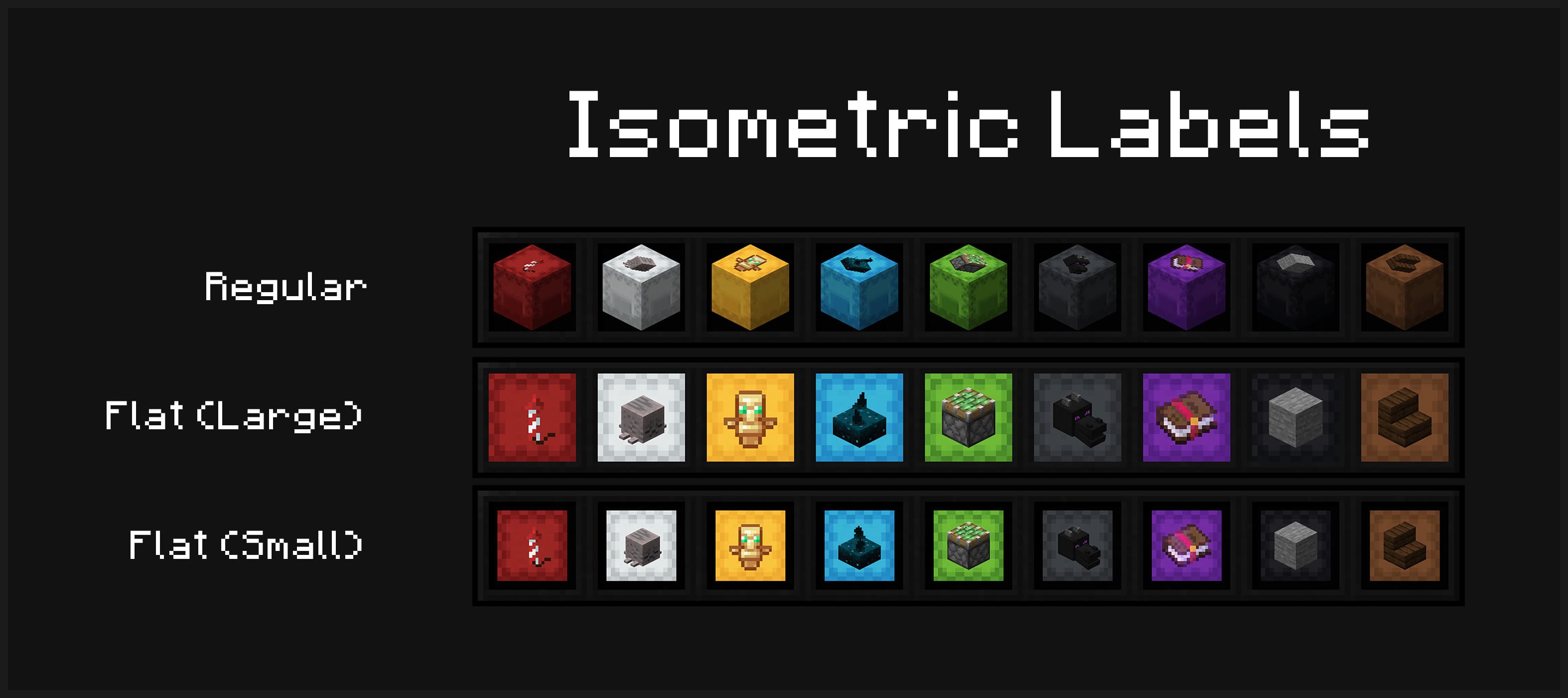
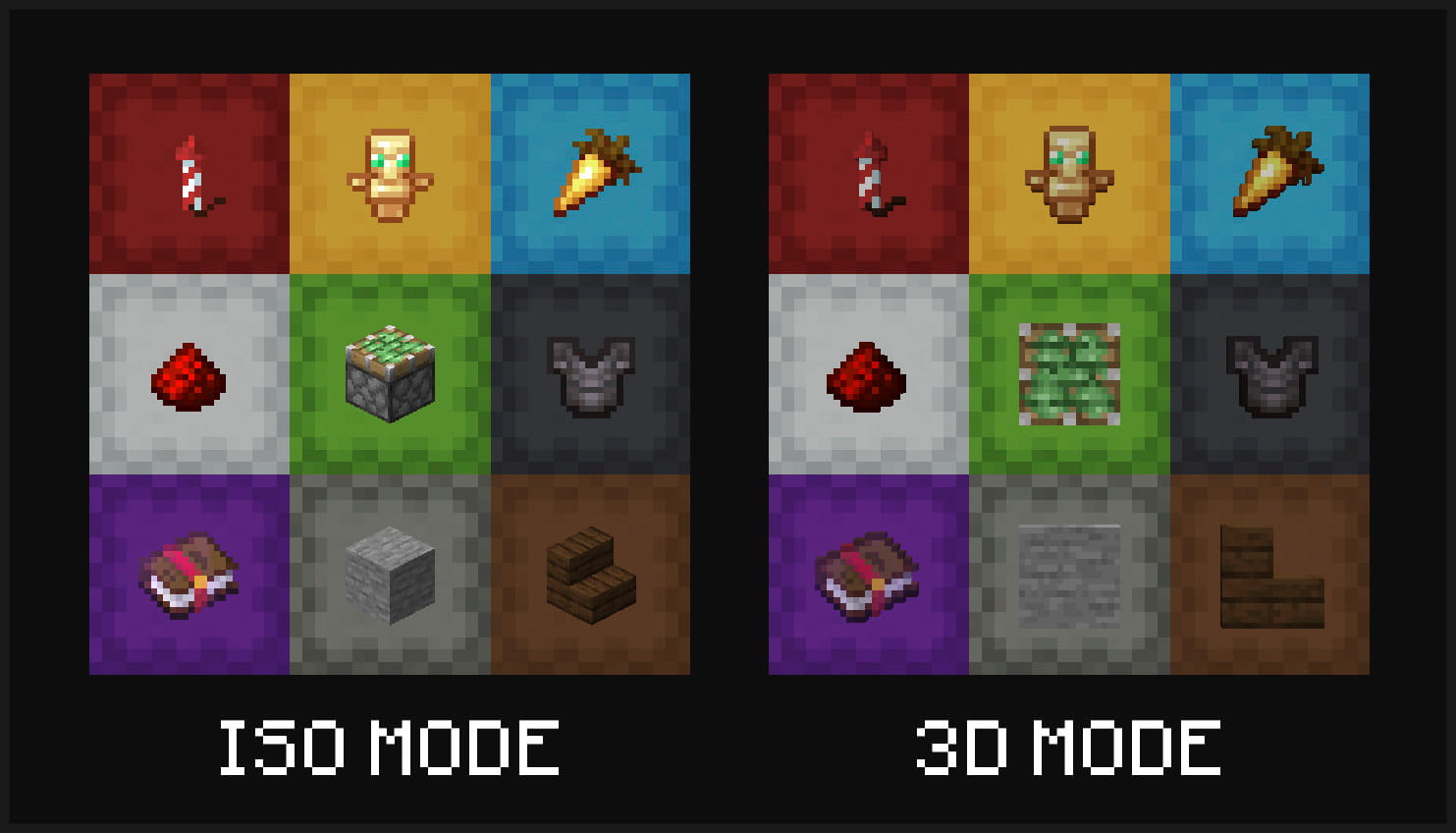
Item labels on placed shulker boxes can also either display in isometric or 3D mode
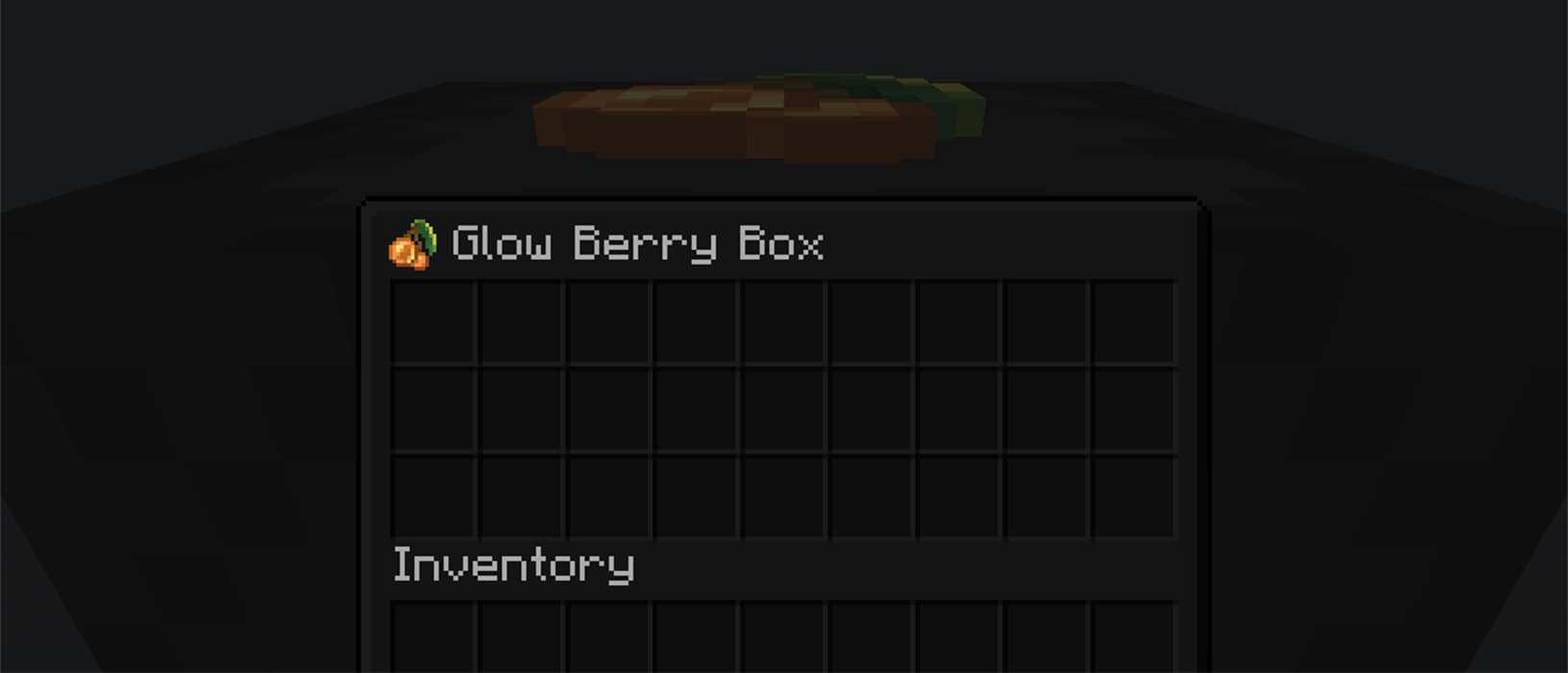
Optionally view your label from inside your shulker box
Installation & Configuration
- Download the mod for your Minecraft version and place it into your .minecraft's
modsfolder - In order to use this mod in multiplayer, it must also be installed server-side
- To configure the mod to your liking, you can use the command
/shulker-box-labels configto open the config screen in-game- If you are playing on Fabric, you can alternatively install Mod Menu and open it from there
- NeoForge users can also open it from the integrated mod menu
Usage
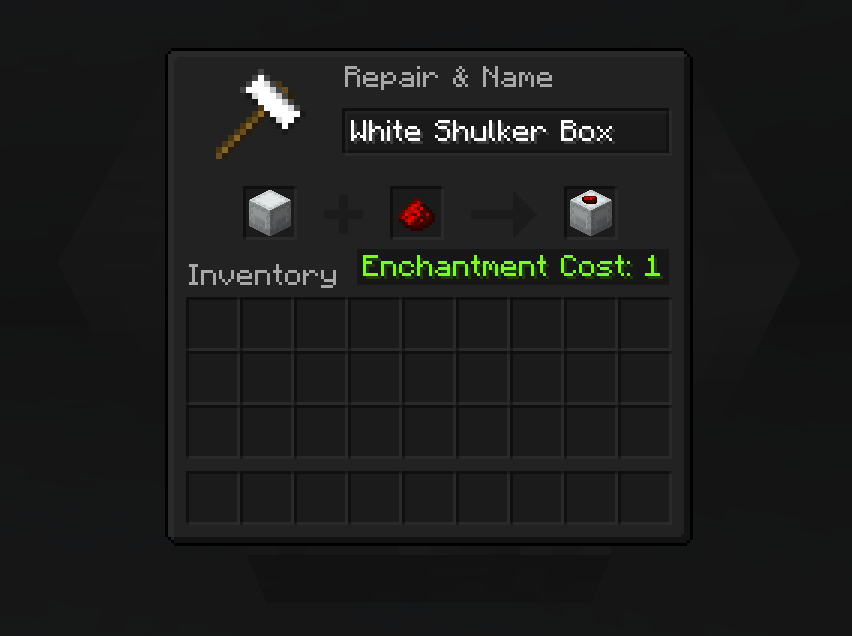
To apply a label, simply place your shulker box in the first anvil slot and the label item in the second slot. This costs one experience level. You can also modify the name of your shulker box at the same time.
Anvil Preview
Description
This mod allows you to add item labels to your shulker boxes, making your storage more organized and inventory management much easier.
Multiple display modes are supported - you can have your shulker boxes displayed in flat mode, and choose to display labels in either 3D or isometric mode.
Display your labeled shulker boxes in the GUI in any mode. Labels can be shown in 3D or isometric mode, and shulker boxes can appear in regular or flat (large/small) mode
Item labels on placed shulker boxes can also either display in isometric or 3D mode
Optionally view your label from inside your shulker box
Installation & Configuration
- Download the mod for your Minecraft version and place it into your .minecraft's
modsfolder - In order to use this mod in multiplayer, it must also be installed server-side
- To configure the mod to your liking, you can use the command
/shulker-box-labels configto open the config screen in-game- If you are playing on Fabric, you can alternatively install Mod Menu and open it from there
- NeoForge users can also open it from the integrated mod menu
Usage
To apply a label, simply place your shulker box in the first anvil slot and the label item in the second slot. This costs one experience level. You can also modify the name of your shulker box at the same time.
Anvil Preview
Incompatible Mods
-
Better Block Entities
- You need to disable the optimization of shulker boxes in your config
-
Peek
- This mods add similar label functionality, so it is recommended to fully remove this mod
Screenshots
Gallery
-
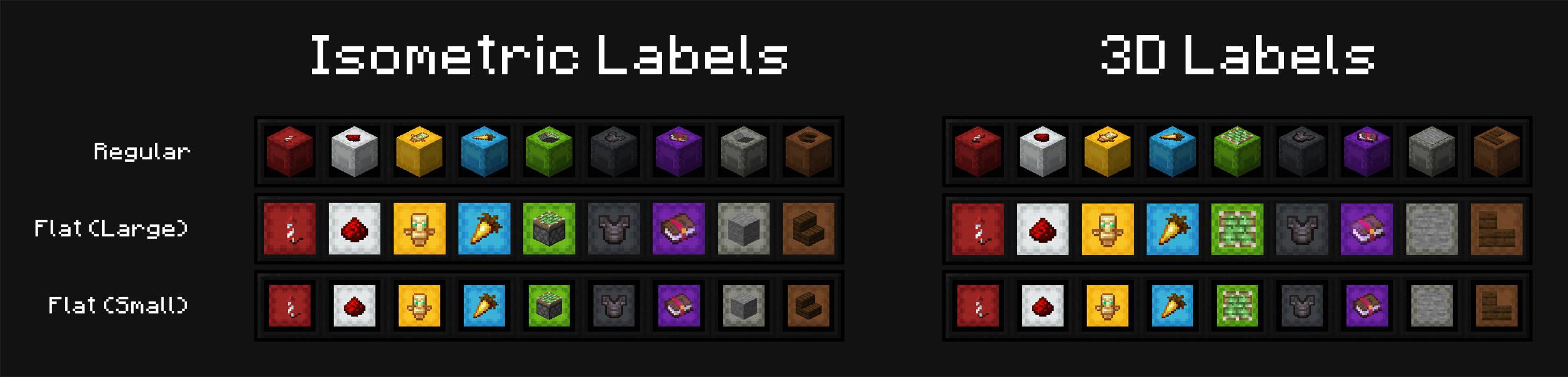 Multiple display possibilities Choose to show your shulker box in either regular or flat (large/small) mode and your label in isometric or 3D mode
 -
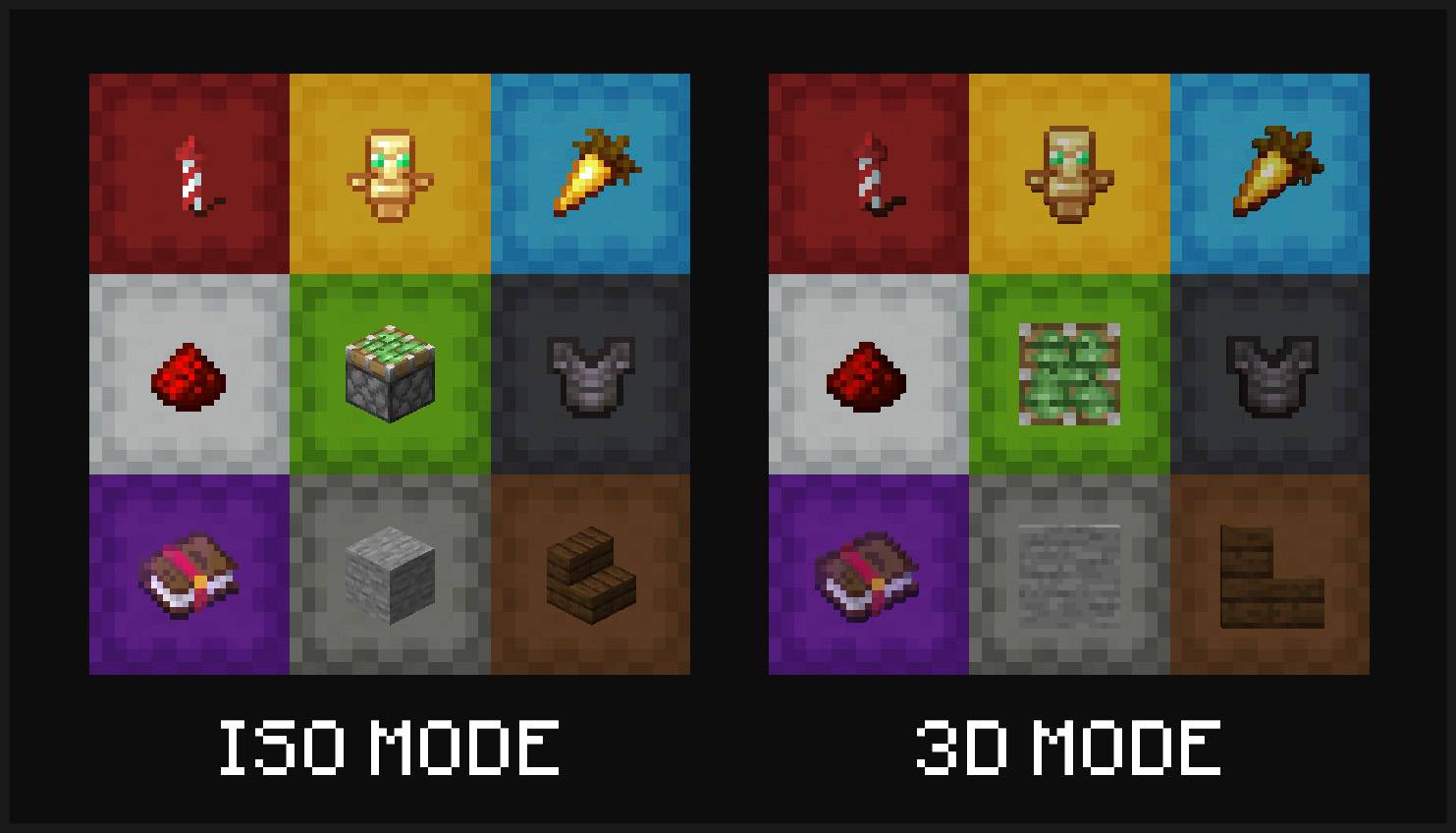 Placed shulker boxes Labeled of placed shulker boxes can also display in either isometric or 3D mode
 -
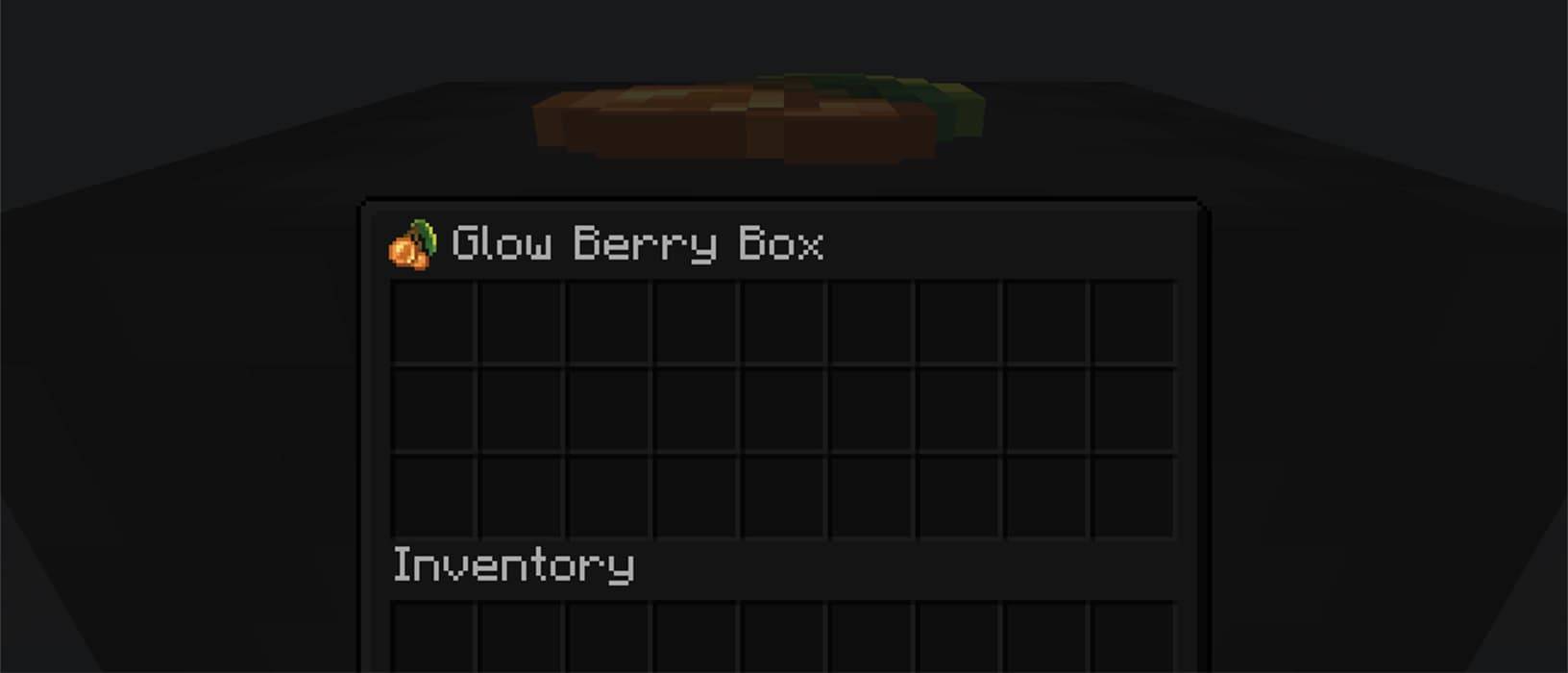 Container Icon Optionally view the label from inside your shulker box
 -
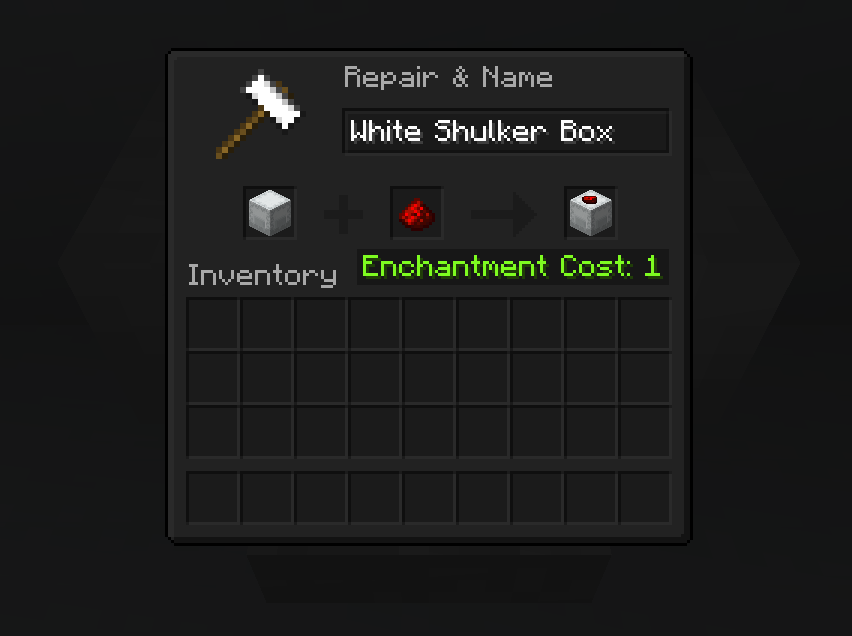 Anvil Labels are applied in the anvil and cost one level
-
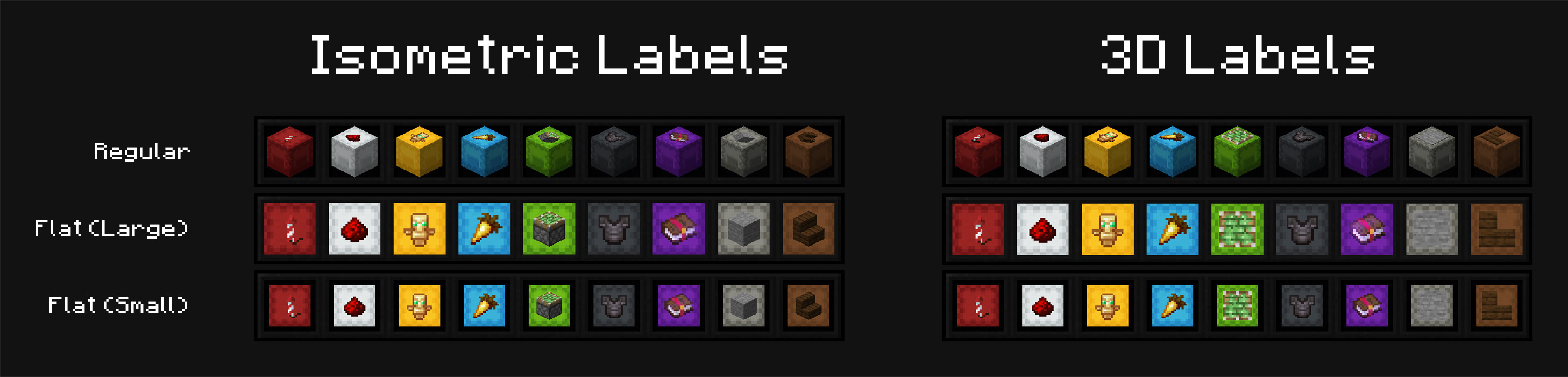 Multiple display possibilities Choose to show your shulker box in either regular or flat (large/small) mode and your label in isometric or 3D mode
 -
 Placed shulker boxes Labeled of placed shulker boxes can also display in either isometric or 3D mode
 -
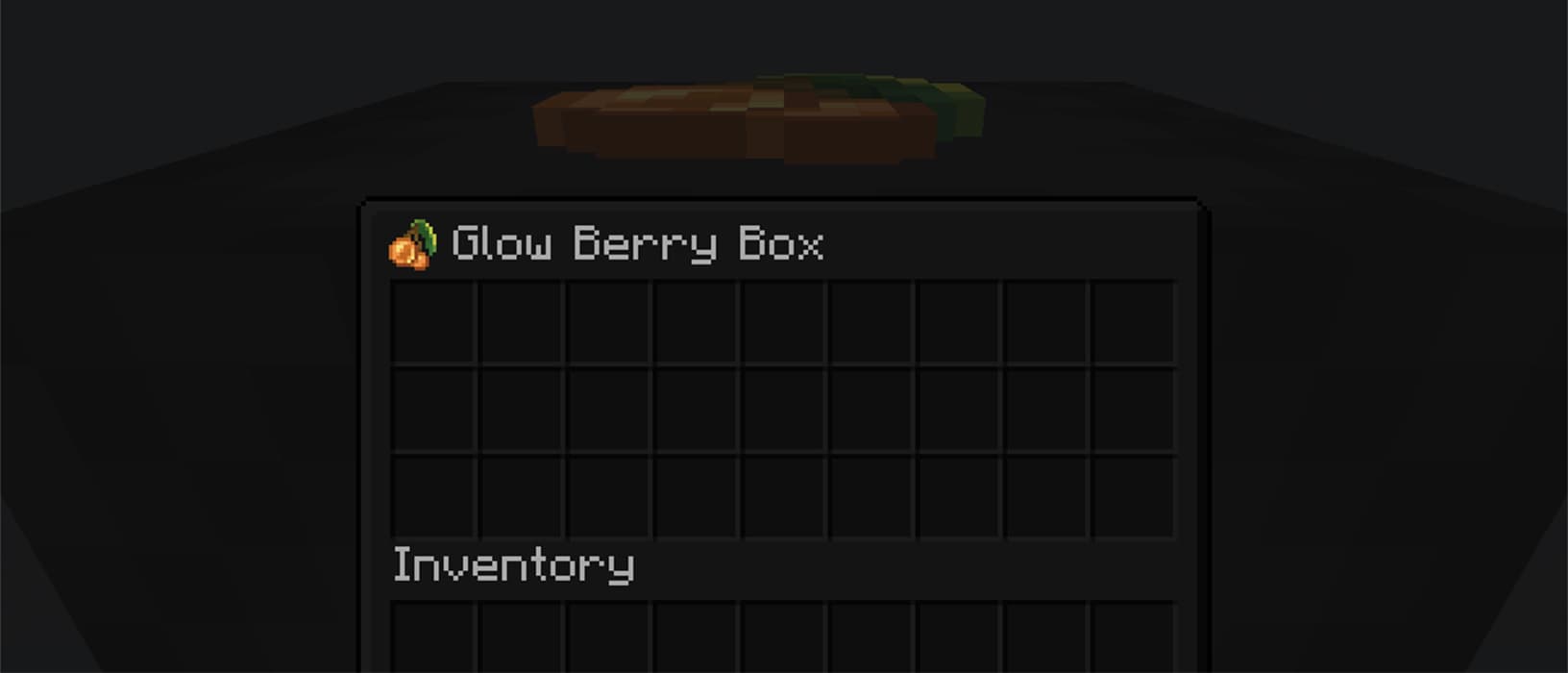 Container Icon Optionally view the label from inside your shulker box
 -
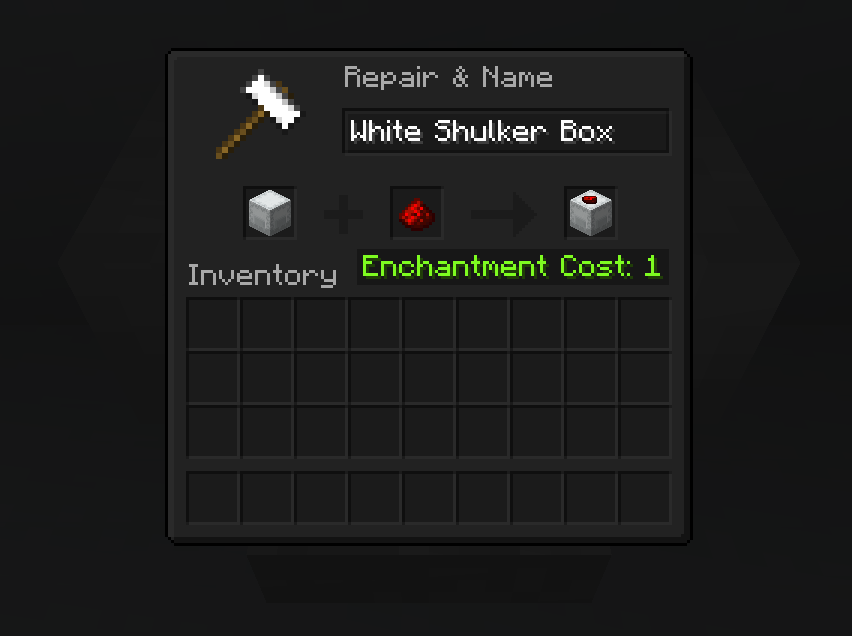 Anvil Labels are applied in the anvil and cost one level
Versions
Files
Relations
Project Relations
More like this
Similar Mods
Suggestions use data such as tags, dependencies, dependents, descriptions, titles, and more to rank how much they overlap with this mod.
On ModDex
Community snapshot
By the numbers
Statistics
Want to reach Minecraft players?
We're looking for a server hosting partner to feature here and other parts of the site. Interested? Send us a message!
Get in touchGet it on
Available Platforms
On ModDex
Community snapshot
By the numbers