Community listing page, reviews here may not be monitored by the author.
Shulkie

No reviews yet
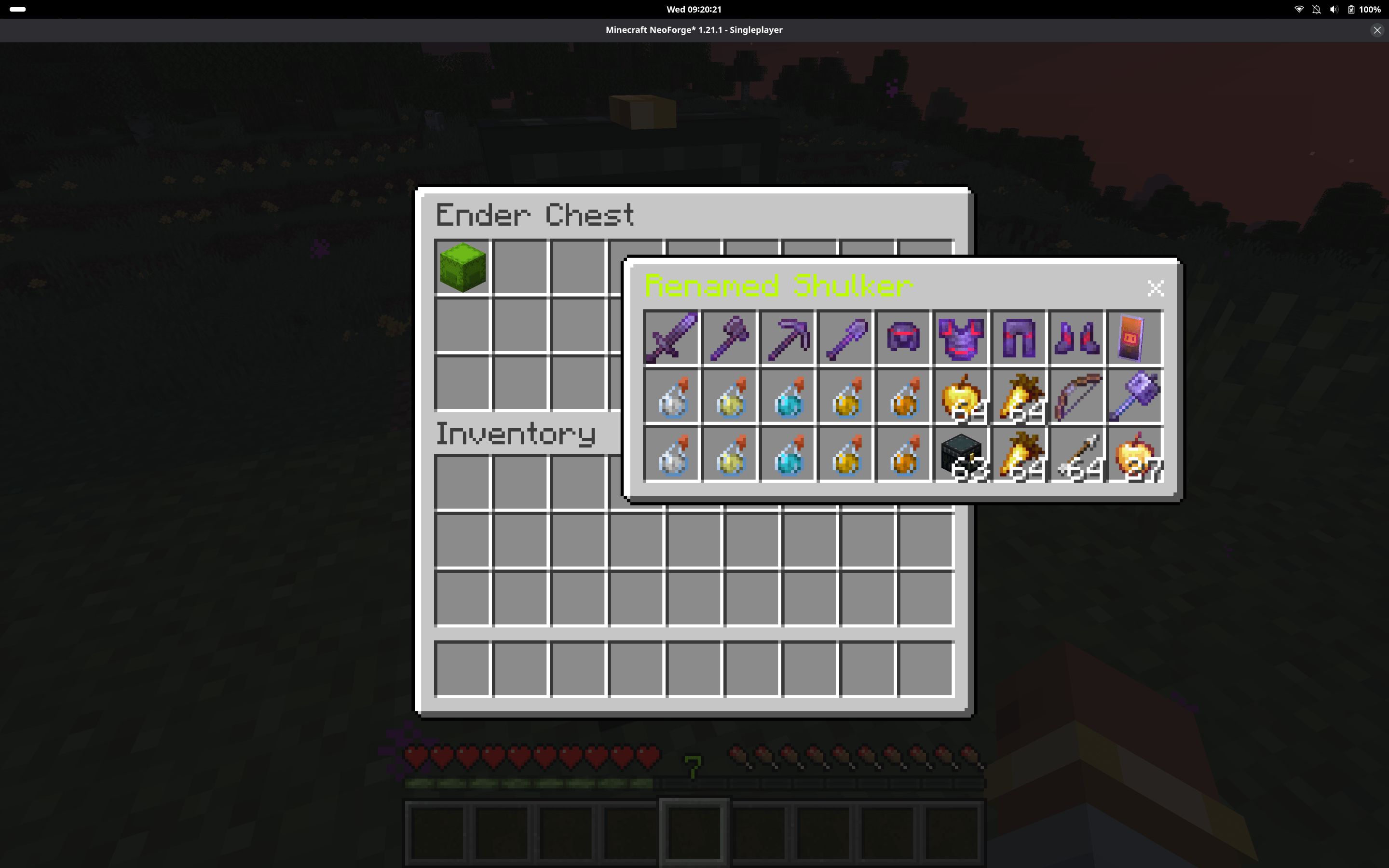
Allows viewing skulker content through a chest like movable and floating interface while in inventory.
Community voices
Reviews
No reviews yet. Be the first to review this project!
Get it on
Available Platforms
About
Project Details
For authors
Embed Badge
If you're the author of this project, you can embed a live badge anywhere that supports HTML or Markdown. It updates automatically whenever ratings change.
Use HTML for any page that supports it, or Markdown for README files and Markdown-based descriptions.
Identifiers
Platform IDs
Resources
External Links
About
Description
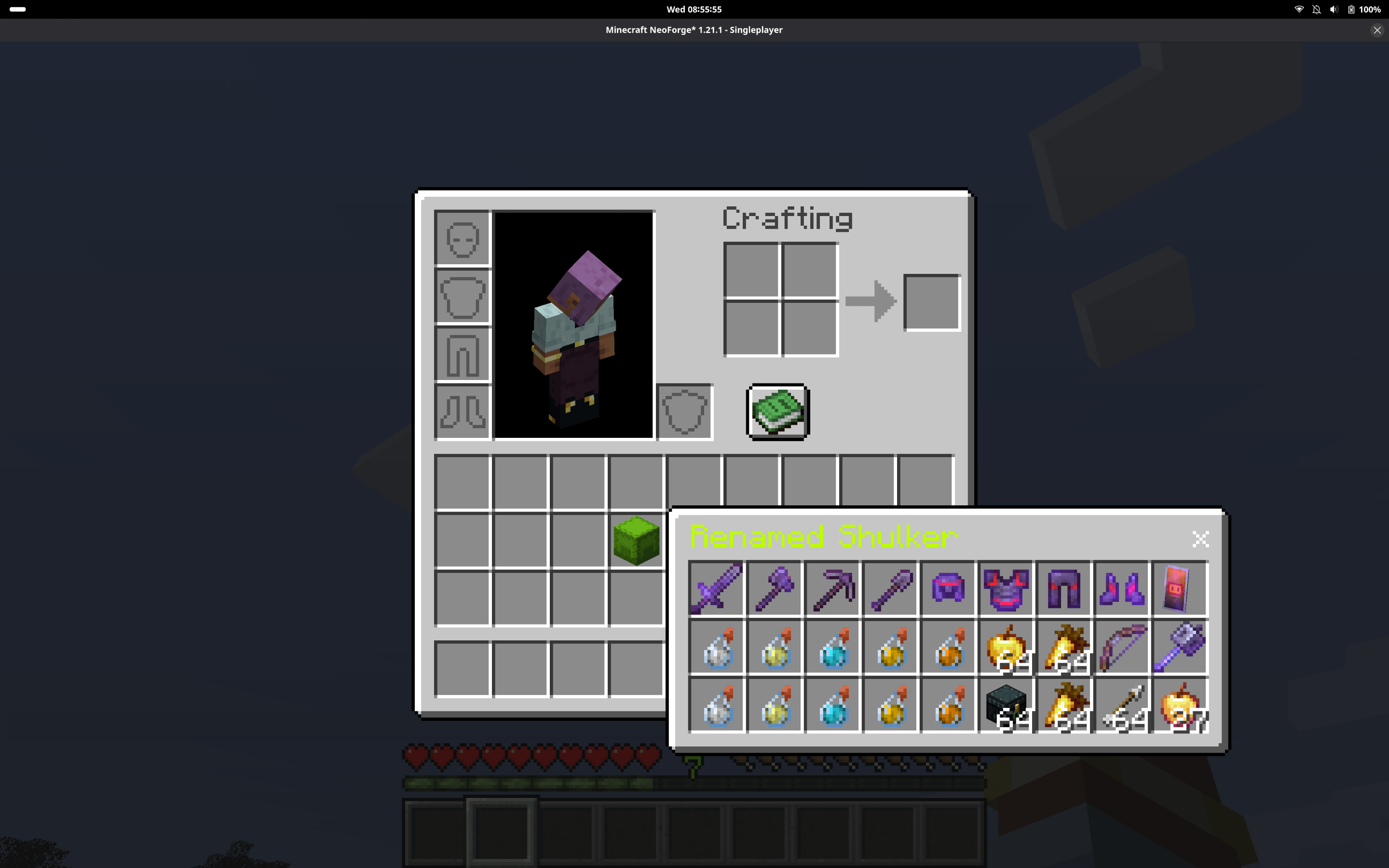
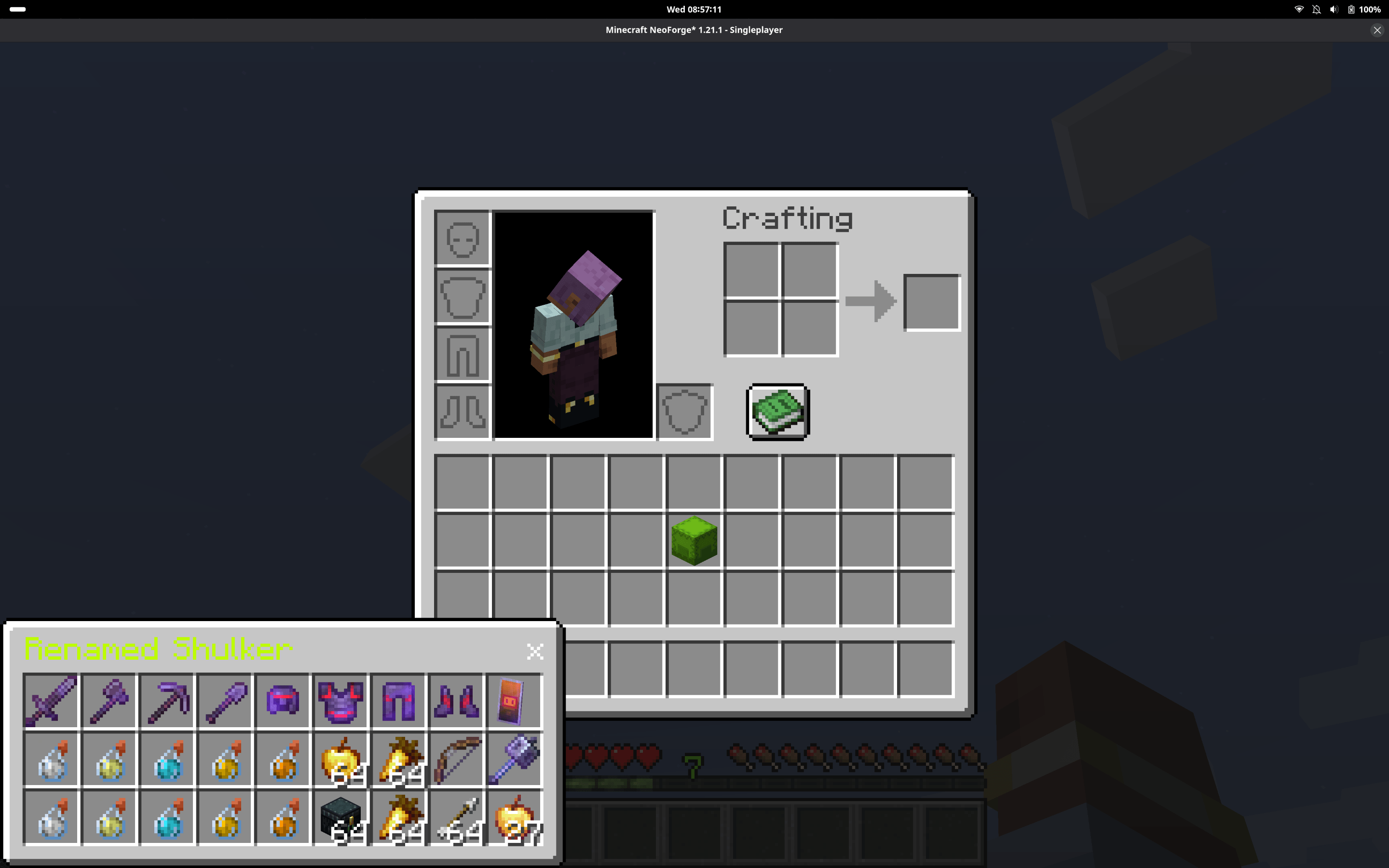
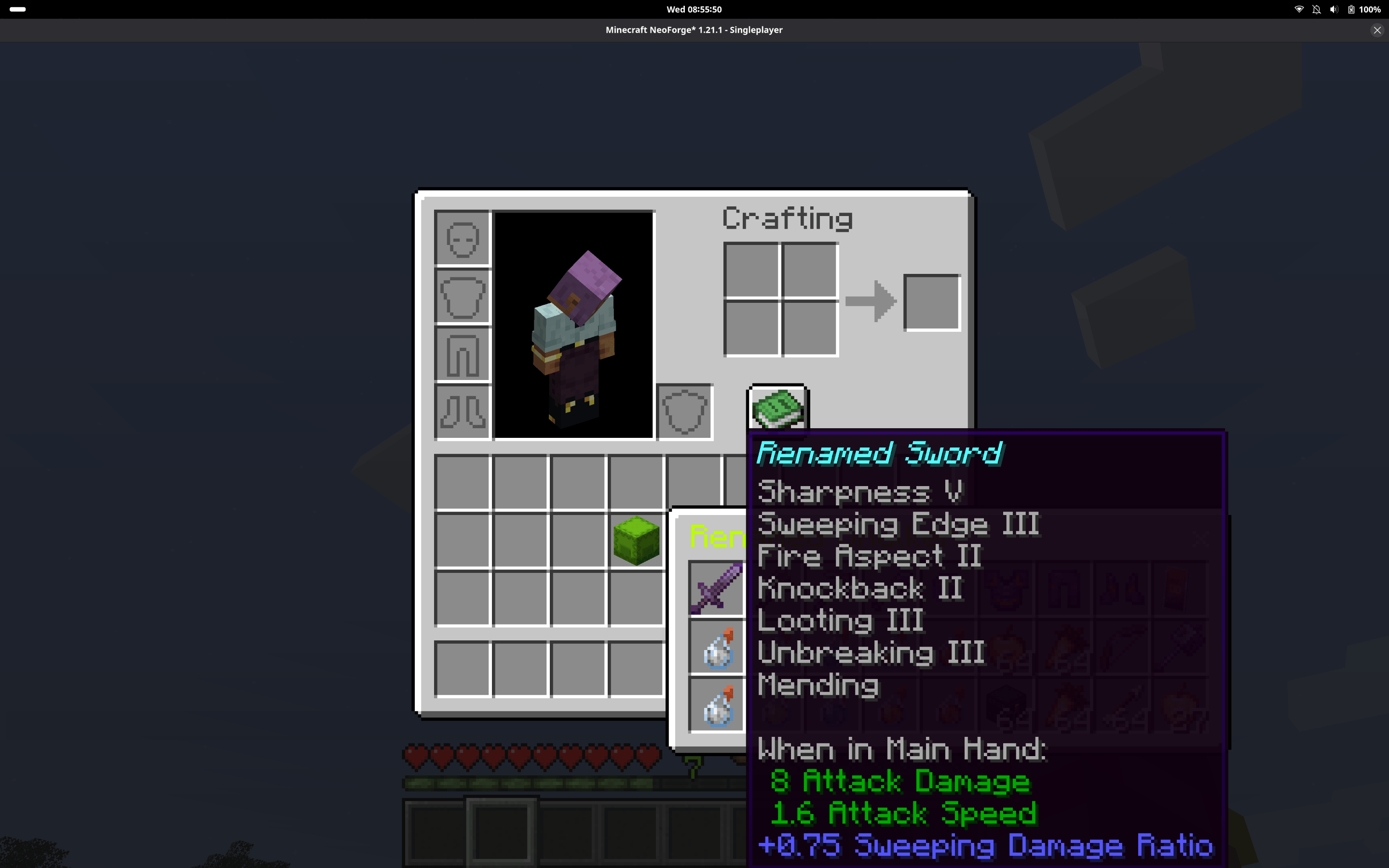
Shulkie lets you preview the contents of Shulker Boxes in a clean, chest-like window without opening or placing them.
Simply hold Left Shift and Right Click a Shulker Box in your inventory, chest, ender chest, or most modded containers to view its contents in a floating, draggable window.
Features
- View Shulker Box contents client-side in a chest-like interface
- Works in player inventory, chests, ender chests, and most modded containers
- Floating window that can be moved by dragging the title bar
- Close button (X) and keyboard shortcuts to close windows
- Does not interfere with normal inventory usage outside the window
- Prevents vanilla shift-click behavior while peeking
- Keybind is configurable (supports left or right click with modifier)
- Supports opening multiple Shulkers (with duplicate prevention)
- Shulker name is colored to match the Shulker Box’s dye color
Controls
- Hold Shift + Right Click (default) to peek a Shulker Box
- Keybind can be changed in Controls
- Esc or Inventory key closes the window
- Shift + Esc or Shift + Inventory key closes all windows and inventories
Notes
- This mod is client-side only
- The preview is view-only (you cannot move items in or out of the Shulker through the window)
Screenshots
Gallery
-
 Screenshot From 2026-02-18 08-55-57.png Screenshot From 2026-02-18 08-55-57.png
 -
 Screenshot From 2026-02-18 08-57-14.png Screenshot From 2026-02-18 08-57-14.png
 -
 Screenshot From 2026-02-18 08-55-53.png Screenshot From 2026-02-18 08-55-53.png
 -
 Screenshot From 2026-02-18 09-20-22.png Screenshot From 2026-02-18 09-20-22.png
Versions
Files
Relations
Project Relations
More like this
Similar Mods
Suggestions use data such as tags, dependencies, dependents, descriptions, titles, and more to rank how much they overlap with this mod.
On ModDex
Community snapshot
By the numbers
Statistics
Want to reach Minecraft players?
We're looking for a server hosting partner to feature here and other parts of the site. Interested? Send us a message!
Get in touchGet it on
Available Platforms
On ModDex
Community snapshot
By the numbers
Statistics
Resources