
Community listing page, reviews here may not be monitored by the author.
Sidebar Potion display

No reviews yet
Server‑side mod that displays players' active status effects in a sidebar.
Community voices
Reviews
No reviews yet. Be the first to review this project!
Get it on
Available Platforms
Compatibility
Supported Environments
Runs entirely on the server. Also works in singleplayer.
About
Project Details
For authors
Embed Badge
If you're the author of this project, you can embed a live badge anywhere that supports HTML or Markdown. It updates automatically whenever ratings change.
Use HTML for any page that supports it, or Markdown for README files and Markdown-based descriptions.
Identifiers
Platform IDs
About
Description




Sidebar Potion
Lightweight server‑side mod that displays players' active status effects in a clean sidebar. The sidebar auto‑updates and hides itself when you have no effects.
- Server‑only: install on a dedicated server or single‑player integrated server. Clients do not need the mod.
- Configurable: names, colors, potency, icons, and duration format.
- Optional Polymer support: show effect icons using resourcepack.
- Supports vanilla and modded effects (e.g. from Enderscapes - works with polymer port)
Installation
- Put the mod on the server (or your single‑player instance). Clients can stay vanilla.
- Optional: install Polymer on the server to enable effect icons for vanilla clients (see below).
Optional dependency: Polymer
If Polymer is installed on the server:
- Effect icons can be shown to vanilla clients without a client resource pack.
- Set
showIcontotruein the config to display icons. - Set
forceCompatIconstofalseto use Polymer icons instead of potion icons.
Without Polymer:
- Effect icons will be replaced with colored potion icons.
Configuration

Examples of different configurations
A JSON file is created on first run at:
./config/sidebar-potion.json
Edit the file and run /reload to apply changes.
Available options (with defaults):
showEffectName(boolean, default:true): show the effect name.colorizeText(boolean, default:true): colorize lines by effect type.hideDefaultGui(boolean, default:true): hide the vanilla potion effect HUD.showPotency(boolean, default:true): show effect amplifier (e.g. II, III).showIcon(boolean, default:true): show effect icon.durationFormat(string, default:"mm:ss"): how effect durations are rendered (see below).title(string, default:""): sidebar title text.forceCompatIcons(boolean, default:false): force potion icons even if Polymer is installed.
Duration formats
Use one of the following values:
""— no duration"t"— ticks"s"— seconds"s."— seconds.milliseconds"mm:ss"— minutes:seconds"mm:ss."— minutes:seconds.milliseconds
Behavior:
- The sidebar is removed for a player when they have no active effects.
- The title is taken from
titleand can be empty.
Screenshots
Gallery
-
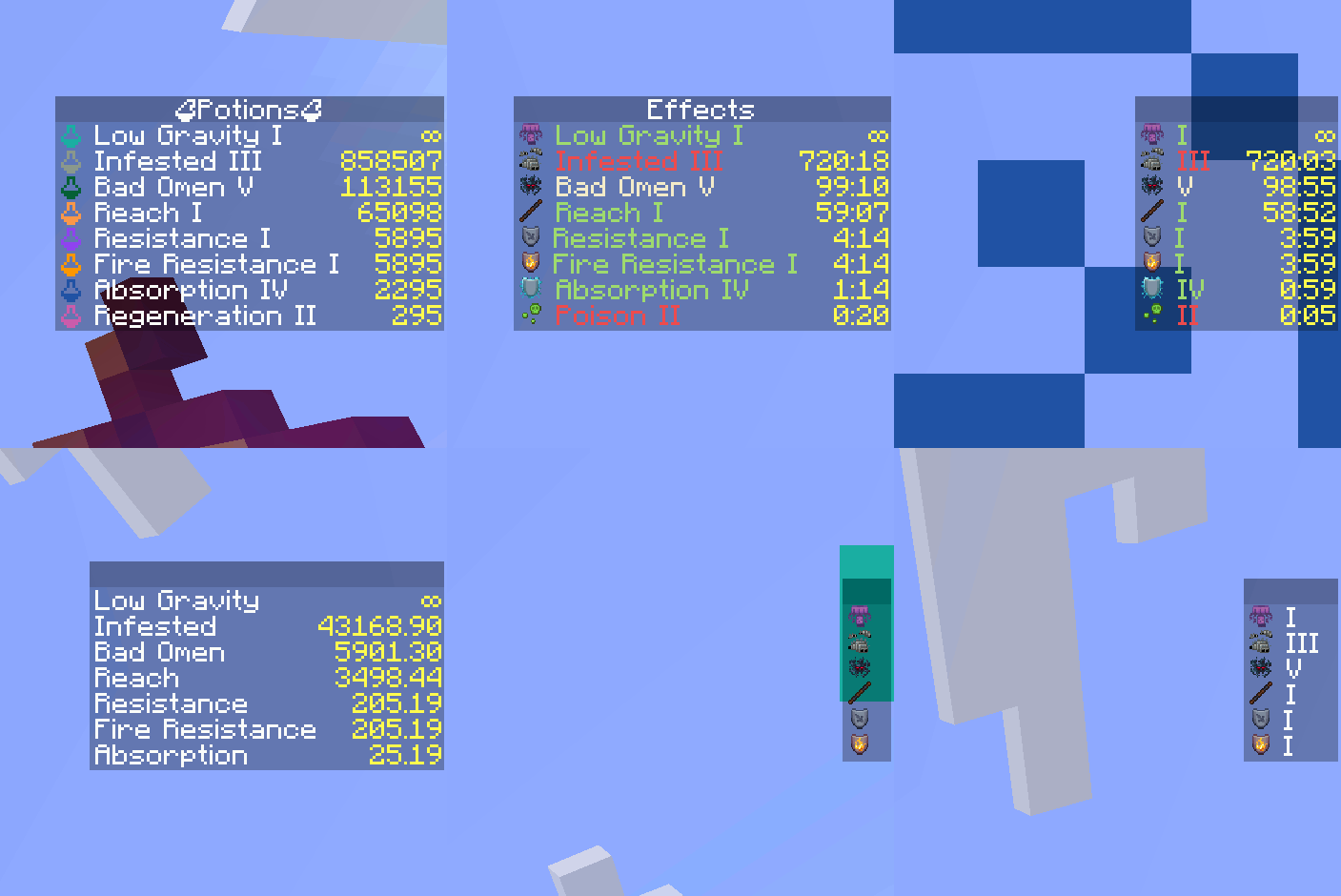 Example of different configurations
 -
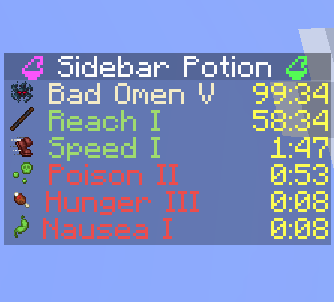 Icon Mod icon and example configuration
Versions
Files
Relations
Project Relations
More like this
Similar Mods
Suggestions use data such as tags, dependencies, dependents, descriptions, titles, and more to rank how much they overlap with this mod.
On ModDex
Community snapshot
By the numbers
Statistics

Want to reach Minecraft players?
We're looking for a server hosting partner to feature here and other parts of the site. Interested? Send us a message!
Get in touchGet it on
Available Platforms
On ModDex
Community snapshot
By the numbers