Community listing page, reviews here may not be monitored by the author.
Sign Edit Lite


No reviews yet
Add color and formatting options to signs.
Community voices
Reviews
No reviews yet. Be the first to review this project!
Get it on
Available Platforms
Compatibility
Supported Environments
Must be installed on both the client and the server.
About
Project Details
For authors
Embed Badge
If you're the author of this project, you can embed a live badge anywhere that supports HTML or Markdown. It updates automatically whenever ratings change.
Use HTML for any page that supports it, or Markdown for README files and Markdown-based descriptions.
Identifiers
Platform IDs
Resources
External Links
About
Description
Sign Edit Lite (Fabric and NeoForge)
Add color and formatting options to signs.

The mod comes with usual Mod Menu integration.

An additional extra for nerds, who prefer typing raw formatting codes, is the option to enable the insertion of the formatting character '§' by pressing Ctrl+[.
Requires (Fabric)
- Fabric API
- Cloth Config API
- Optional, but recommended Mod Menu
License
Standard MIT license. Feel free to learn from it and incorporate it in your own projects.
Some parts of the code are based on the source code of Text Utilities, which is LGPL-3 licensed.
Source code
Available on GitLab or on GitHub.
The source code has lots of comments to help learning Minecraft modding.
Related projects
- Text Utilities adds color and formatting options to signs, book and anvils, but unfortunately it has not been updated to Minecraft 1.21.5 version at the time of writing, and it is a Fabric only mod.
- Iron Signs adds vibrant, high contrast, painted signs, which can be colored and formatted similarily. It also enables coloring and formatting Vanilla wooden signs exactly the same way as this mod. I wonder who wrote that mod.
Thanks
Thanks to Chaws for making available the source code of Text Utilities.
See also
My other mods on Modrinth and on CurseForge.
Sign Edit Lite (Fabric and NeoForge)
Add color and formatting options to signs.

The mod comes with usual Mod Menu integration.

An additional extra for nerds, who prefer typing raw formatting codes, is the option to enable the insertion of the formatting character '§' by pressing Ctrl+[.
Requires (Fabric)
- Fabric API
- Cloth Config API
- Optional, but recommended Mod Menu
License
Standard MIT license. Feel free to learn from it and incorporate it in your own projects.
Some parts of the code are based on the source code of Text Utilities, which is LGPL-3 licensed.
Source code
Available on GitLab or on GitHub.
The source code has lots of comments to help learning Minecraft modding.
Related projects
- Text Utilities adds color and formatting options to signs, book and anvils, but unfortunately it has not been updated to Minecraft 1.21.5 version at the time of writing, and it is a Fabric only mod.
- Iron Signs adds vibrant, high contrast, painted signs, which can be colored and formatted similarily. It also enables coloring and formatting Vanilla wooden signs exactly tha same way as this mod. I wonder who wrote that mod.
Thanks
Thanks to Chaws for making available the source code of Text Utilities.
See also
My other mods on Modrinth and on CurseForge.
Screenshots
Gallery
-
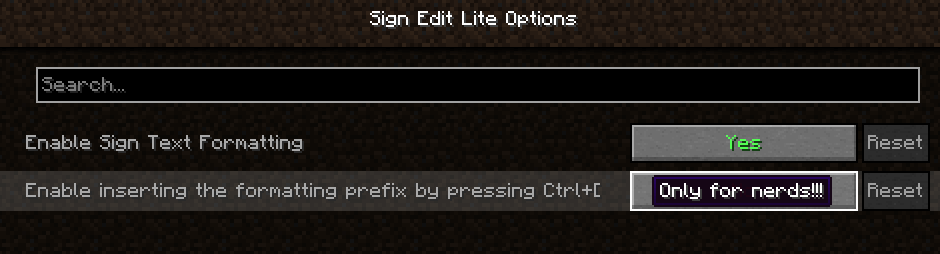 Mod Menu integration Screenshot
 -
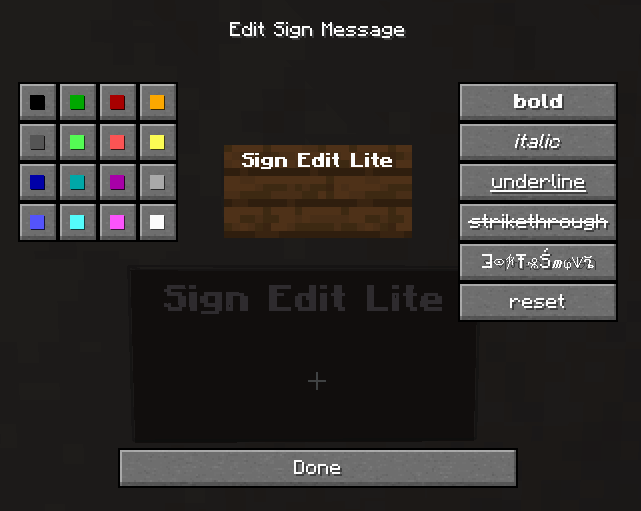 Sign edit Screenshot
-
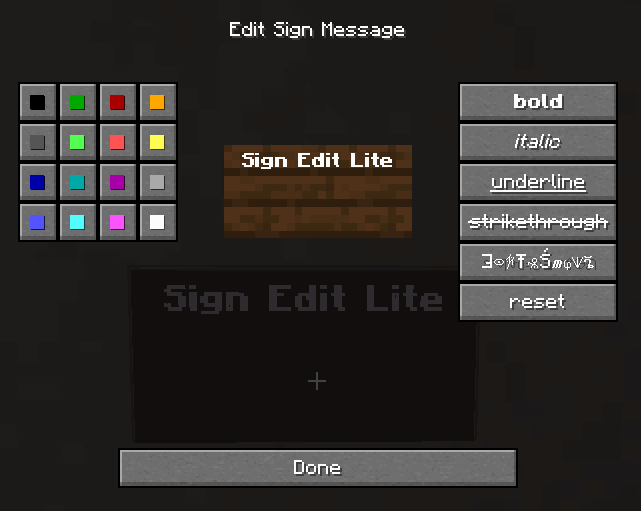 Edit a sign Screenshot
 -
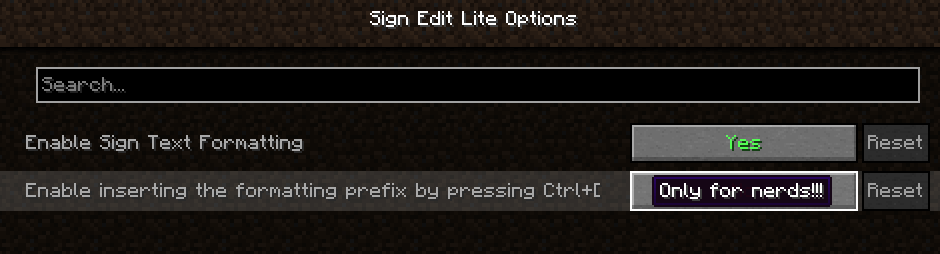 Mod Menu integration Screenshot
Versions
Files
Relations
Project Relations
More like this
Similar Mods
Suggestions use data such as tags, dependencies, dependents, descriptions, titles, and more to rank how much they overlap with this mod.
On ModDex
Community snapshot
By the numbers
Statistics
Want to reach Minecraft players?
We're looking for a server hosting partner to feature here and other parts of the site. Interested? Send us a message!
Get in touchGet it on
Available Platforms
On ModDex
Community snapshot
By the numbers
Statistics
Resources