Community listing page, reviews may not be monitored by the author.


Community voices
Reviews
No reviews yet. Be the first to review this project!
Get it on
Available Platforms
About
Project Details
For authors
Embed Badge
If you're the author of this project, you can embed a live badge anywhere that supports HTML or Markdown. It updates automatically whenever ratings change.
Use HTML for any page that supports it, or Markdown for README files and Markdown-based descriptions.
Identifiers
Platform IDs
Resources
External Links
About
Description
Simple Helicopter
Can you master it?
Adds a simple helicopter with realistic flight physics.
With two seats, it's built for exploration and transport in survival mode. Control it with a keyboard and mouse or a gamepad.
Start the engine, use leads to carry a boat beneath your helicopter, and take to the skies!
Features
- Pilot and passenger seats. Switch seats whenever the other seat is empty.
- First-person and external views with free look.
- Six working cockpit instruments: airspeed, rotor speed, attitude, heading, altitude, and fuel.
- Refuel with lava buckets: two buckets fill an empty tank. Fuel is preserved when you pick up the helicopter as an item.
- Transport animals and boats using leads, and release attached cargo in flight.
- Multiplayer support and an optional HUD showing the time, coordinates, and biome.
Cockpit and instruments
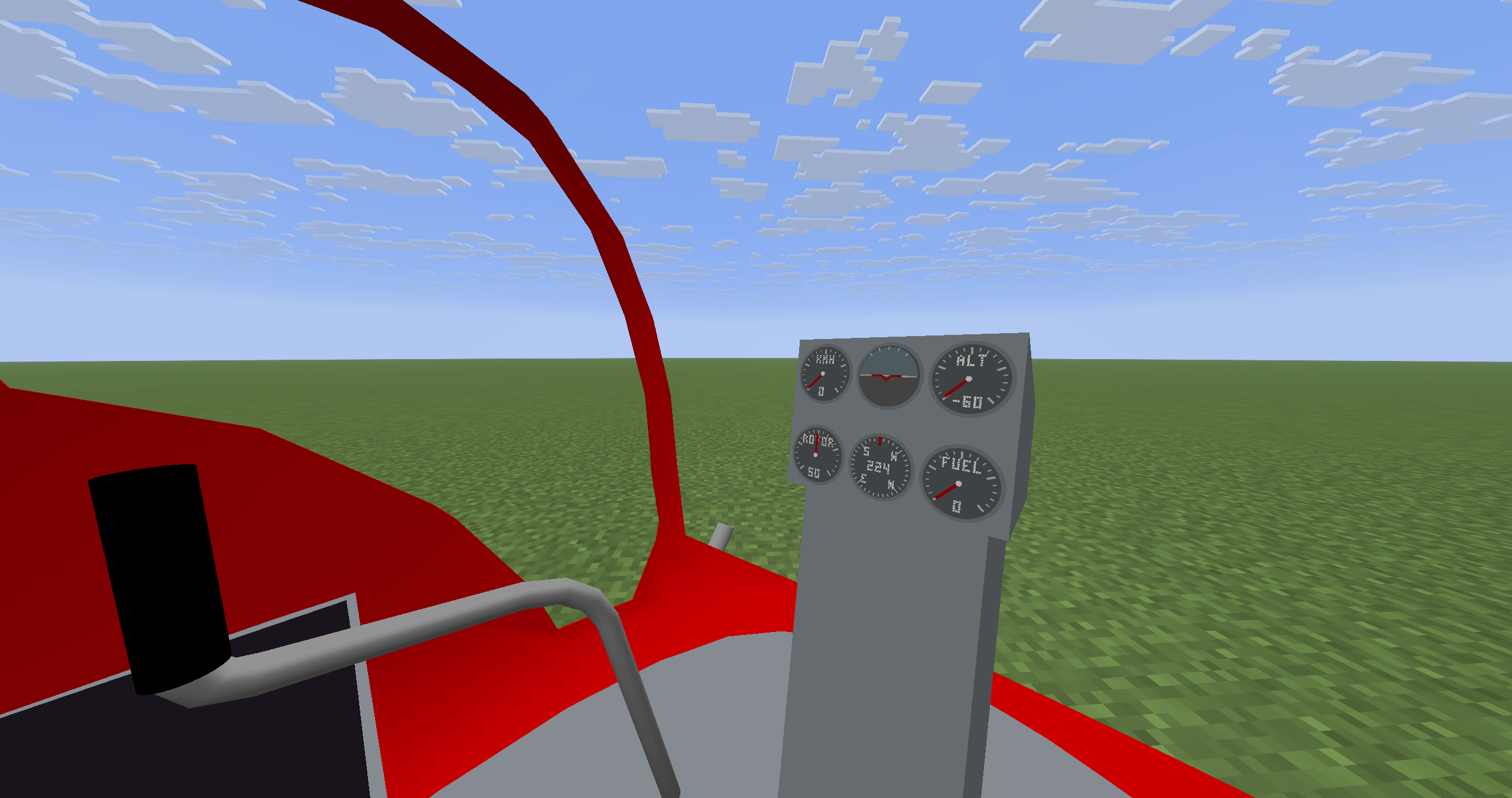
Keep track of your airspeed, rotor speed, attitude, heading, altitude, and fuel with six working cockpit instruments.
Refuelling
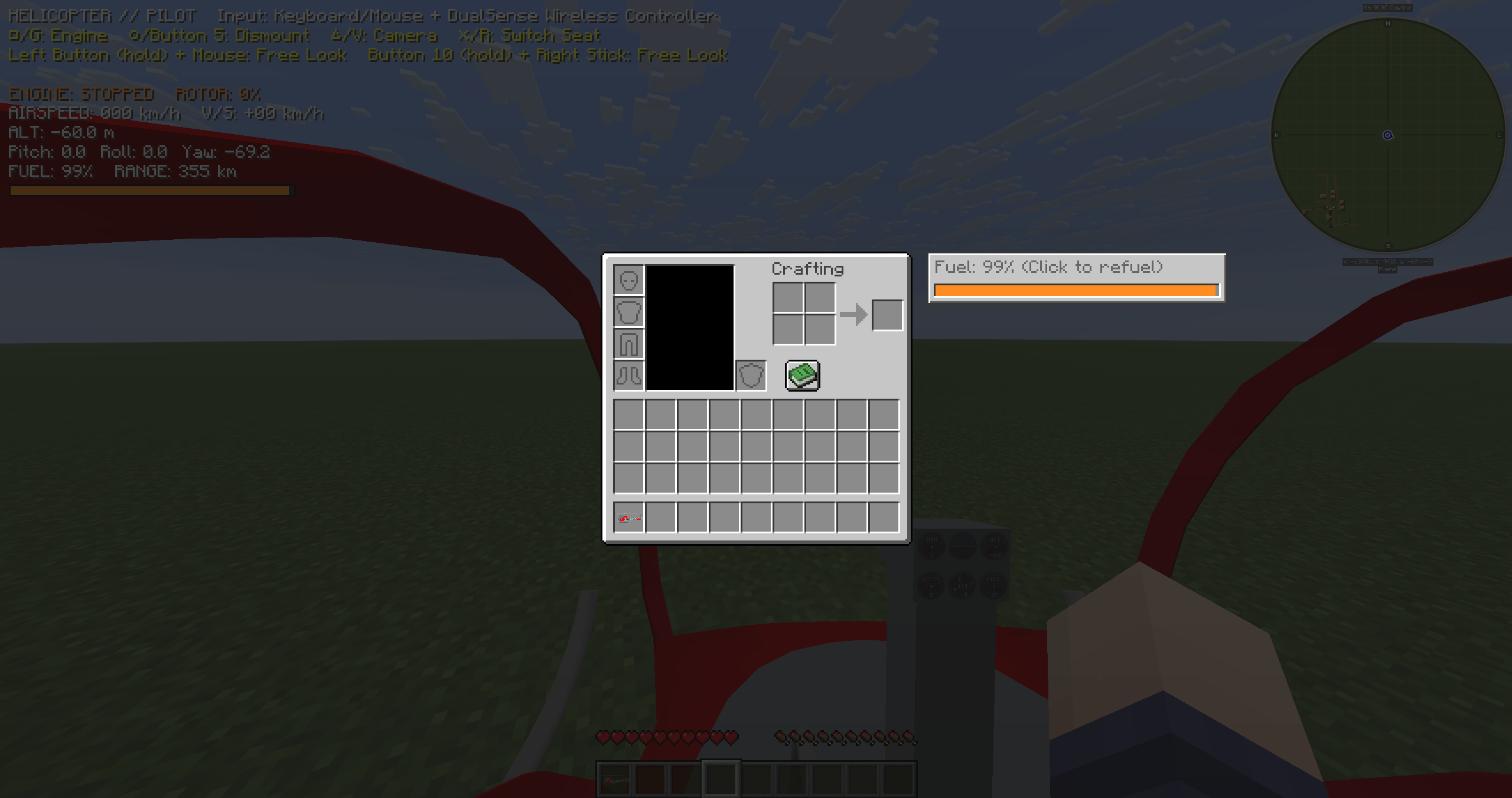
While aboard, open your inventory and click the fuel gauge to refuel with lava buckets. Two buckets fill an empty tank. You can also refuel from outside by using a lava bucket on the helicopter.
Sling-load transport
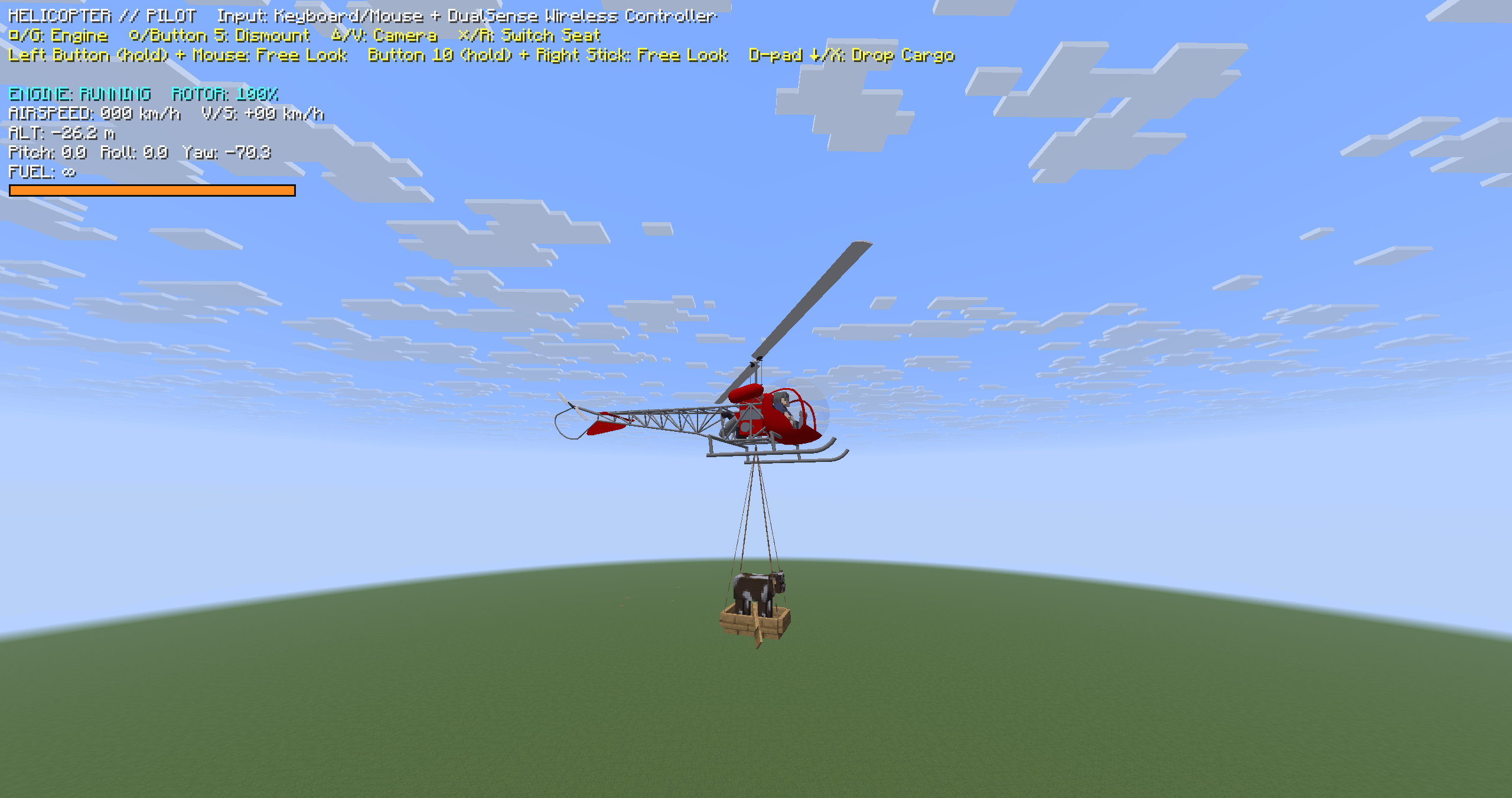
Use leads to carry a boat and its passengers beneath your helicopter. Press X or D-pad down to release attached cargo. The leads return to your inventory; any that won't fit are dropped.
Crafting
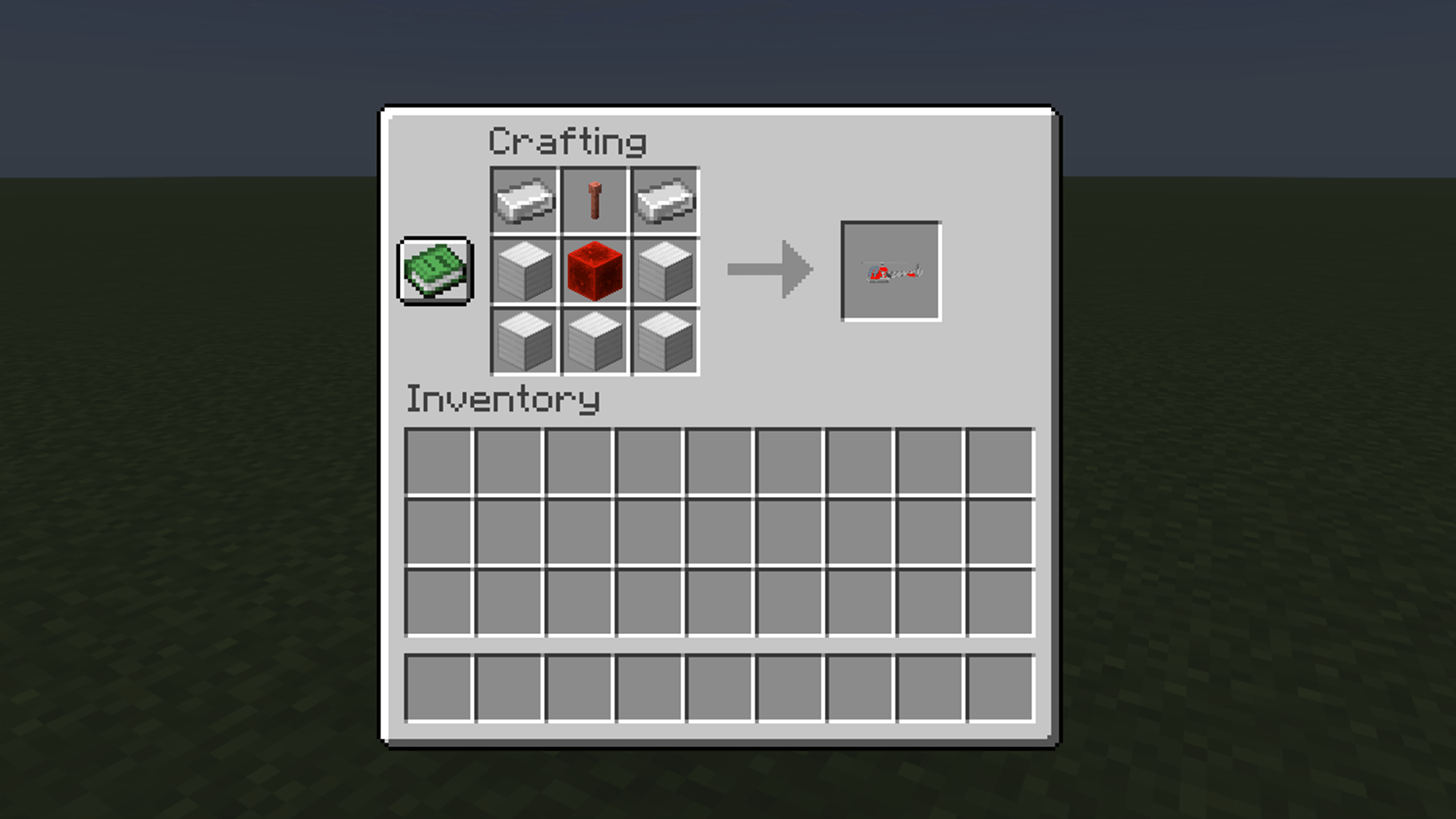
Craft a helicopter using 2 iron ingots, 1 regular lightning rod, 5 iron blocks, and 1 redstone block, arranged as shown below. The lightning rod must be unwaxed and unoxidized; waxed or oxidized variants won't work.
Getting started
Place the helicopter item on the ground, then right-click the helicopter to enter the pilot seat. Press R while near the helicopter to enter the passenger seat. While aboard, press R to switch to the other seat if it's empty. Use your crouch key to dismount.
New helicopters start with an empty fuel tank in survival mode, so refuel before starting the engine.
Default keyboard and mouse controls
- Move the mouse to control pitch and roll.
- W / S: climb / descend. A / D: yaw left / right.
- G: toggle the engine. V: change the camera view. R: enter the passenger seat / switch seats.
- From the pilot seat, hold the attack key (left mouse button by default) and move the mouse to look around.
- X: release attached cargo. H: toggle the world information HUD.
You can change key bindings in Minecraft's settings.
Controller support
Tested controllers (USB connection only):
- Sony DualSense Wireless Controller (PS5).
- Xbox Wireless Controller.
Wireless connections have not been tested. Connected controllers are detected automatically, and you can use a controller alongside your keyboard and mouse. Other controller models have not been tested and are not guaranteed to work.
| Action | DualSense | Xbox |
|---|---|---|
| Climb / descend | Left stick up / down | Left stick up / down |
| Yaw left / right | Left stick left / right | Left stick left / right |
| Pitch / roll | Right stick | Right stick |
| Toggle the engine (pilot only) | Square (□) | X |
| Dismount | Circle (○) | B |
| Enter a nearby helicopter's passenger seat / switch to an empty seat | Cross (×) | A |
| Change the camera view | Triangle (△) | Y |
| Free look | Hold R1 and move the right stick | Hold RB and move the right stick |
| Release attached cargo (either seat) | D-pad down | D-pad down |
Release R1 / RB to return to the default view. The cargo-release controls are available when cargo is attached.
Requirements
Minecraft Java Edition 26.3 and Java 25.
- Forge files: Forge 66.0.0.
- NeoForge files: NeoForge for Minecraft 26.3. See the tested versions and combinations below.
For multiplayer, install the same version of the mod on the server and on every player's client. Do not install multiple versions of this mod at the same time. Back up your world before updating.
NeoForge edition
The NeoForge edition follows the gameplay and features of Forge version 0.22.43, with additional shader compatibility work and an in-game shader troubleshooting guide.
Tested environment
- Client-only startup checks: NeoForge 26.3.0.1-beta and 26.3.0.76.
- Tested with other mods: NeoForge 26.3.0.1-beta + Iris 1.11.7+mc26.3 + Sodium 0.9.2+mc26.3.
- Server/client startup check: NeoForge 26.3.0.76 on both the server and client.
Only the environments and combinations listed above have been checked. Other versions and combinations have not been verified. Iris and Sodium are optional.
For multiplayer, use the same NeoForge version and the same Simple Helicopter version on the server and clients. A connection attempt from a NeoForge 26.3.0.1-beta client to a 26.3.0.76 server failed during testing; the cause is still under investigation.
Multiplayer reports awaiting investigation in the NeoForge edition include mounted-player nameplate orientation and a crash when one player changes game mode.
Shader-related issues
Shader packs may cause visual issues, including ghosting on the helicopter, rotors or instruments during flight, unusually dark lighting, or uneven shading on curved surfaces. Results depend on the shader pack and its settings.
Use /heliguide to open the in-game guide. It explains ghosting reduction with BSL as an example and includes a link for reporting other issues. A clickable chat hint also appears when shaders are enabled or switched.
If the guide does not help, or you find another issue, please leave a comment on the distribution page. Include the mod and shader names/versions, when the issue happens, and an image or short video if possible.
Screenshots
Gallery
-
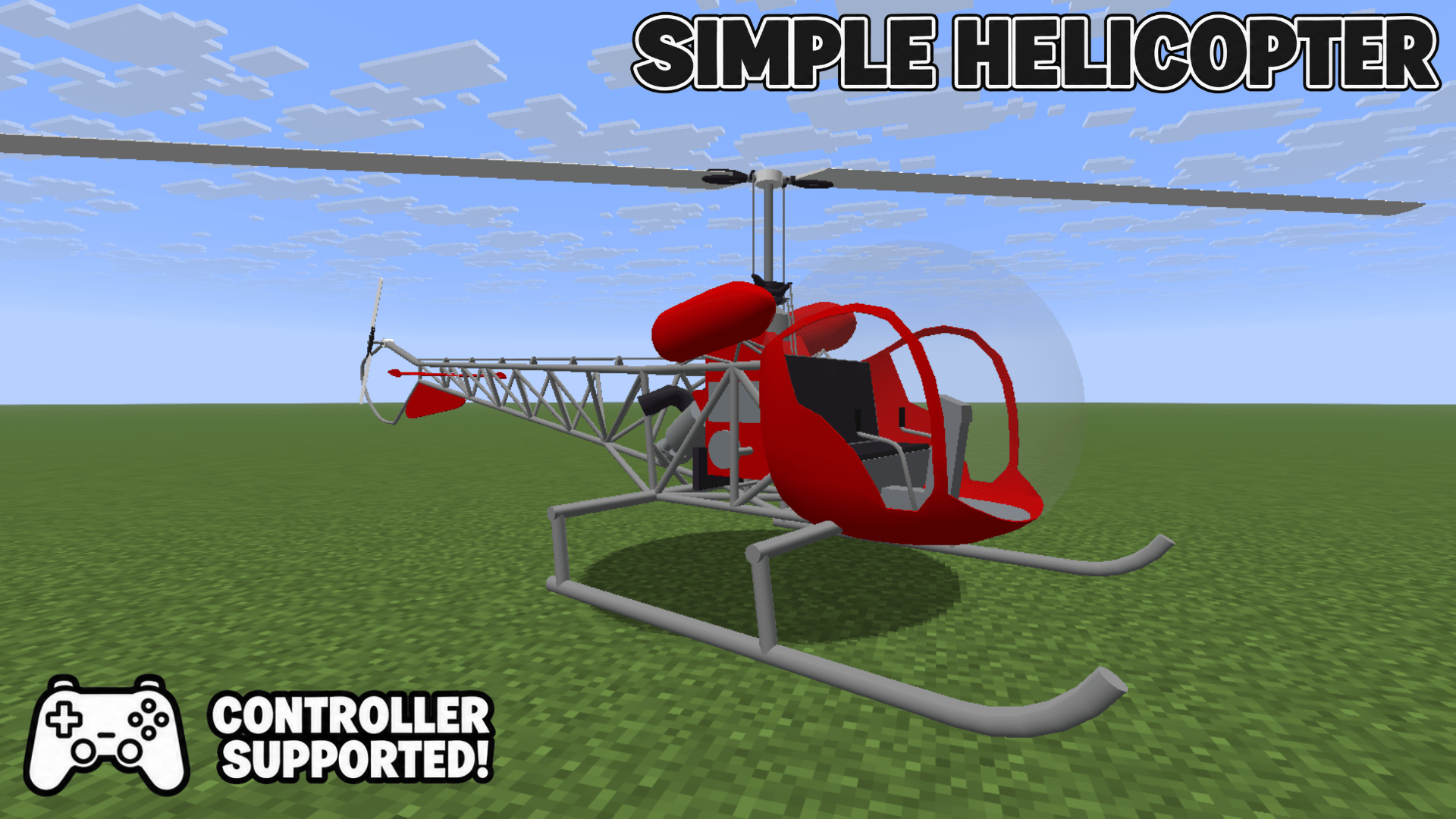 Simple Helicopter Adds one helicopter with keyboard, mouse and controller support.
 -
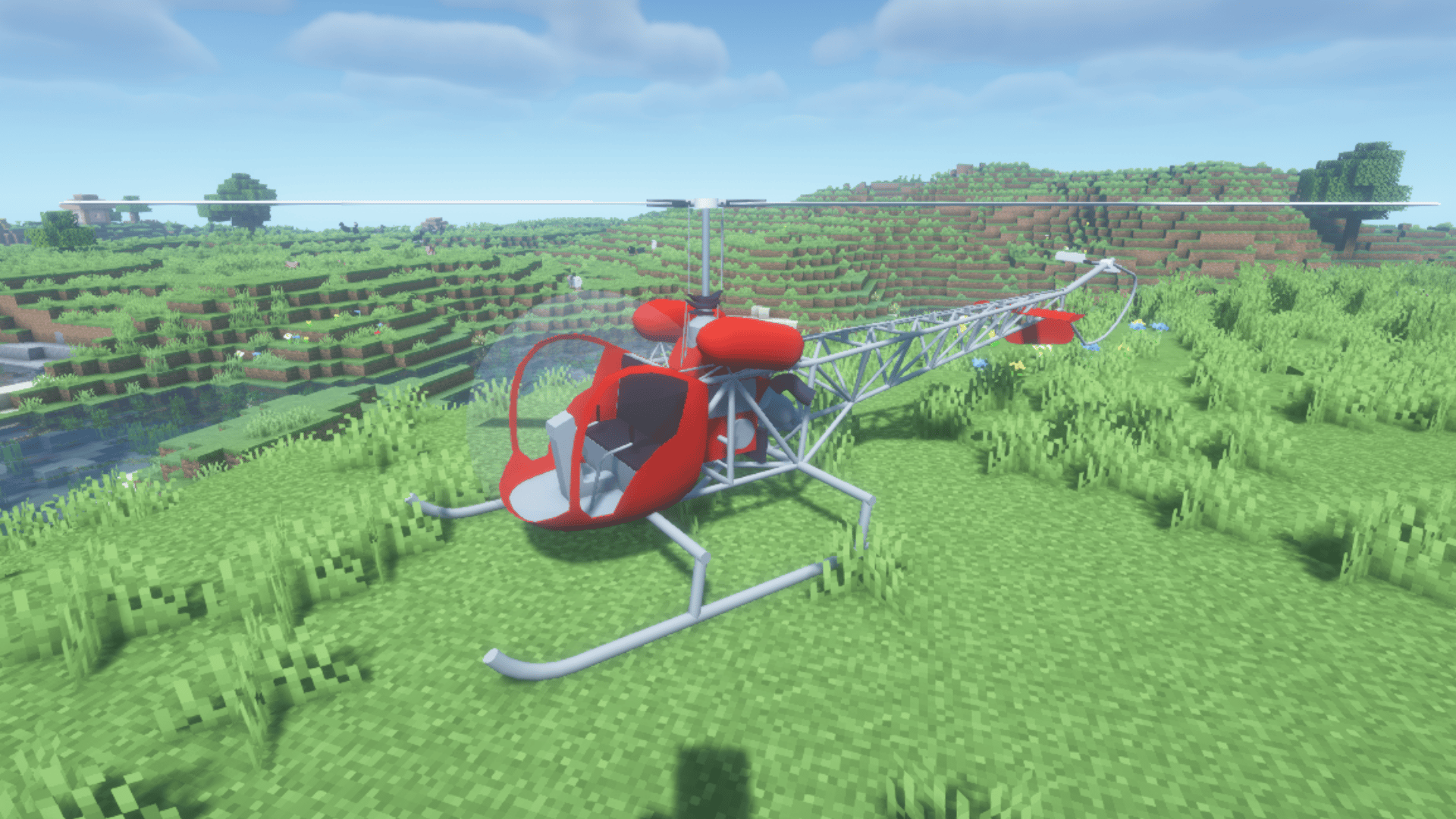 Helicopter Exterior — BSL Shaders A two-seat helicopter for survival exploration and transport. Screenshot taken with BSL shaders.
 -
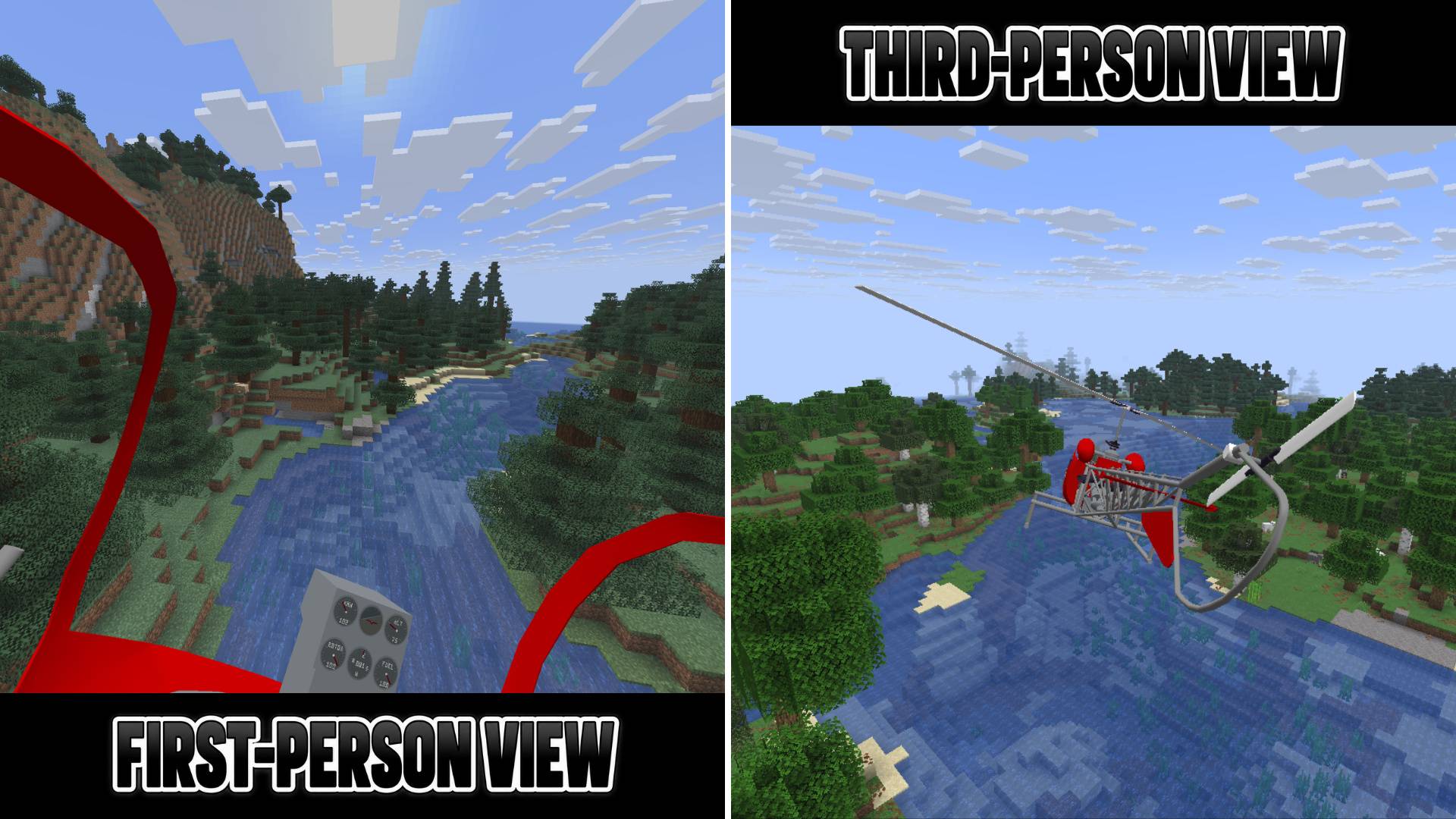 First-Person and Third-Person Views Switch between first-person and third-person views and explore the world freely.
 -
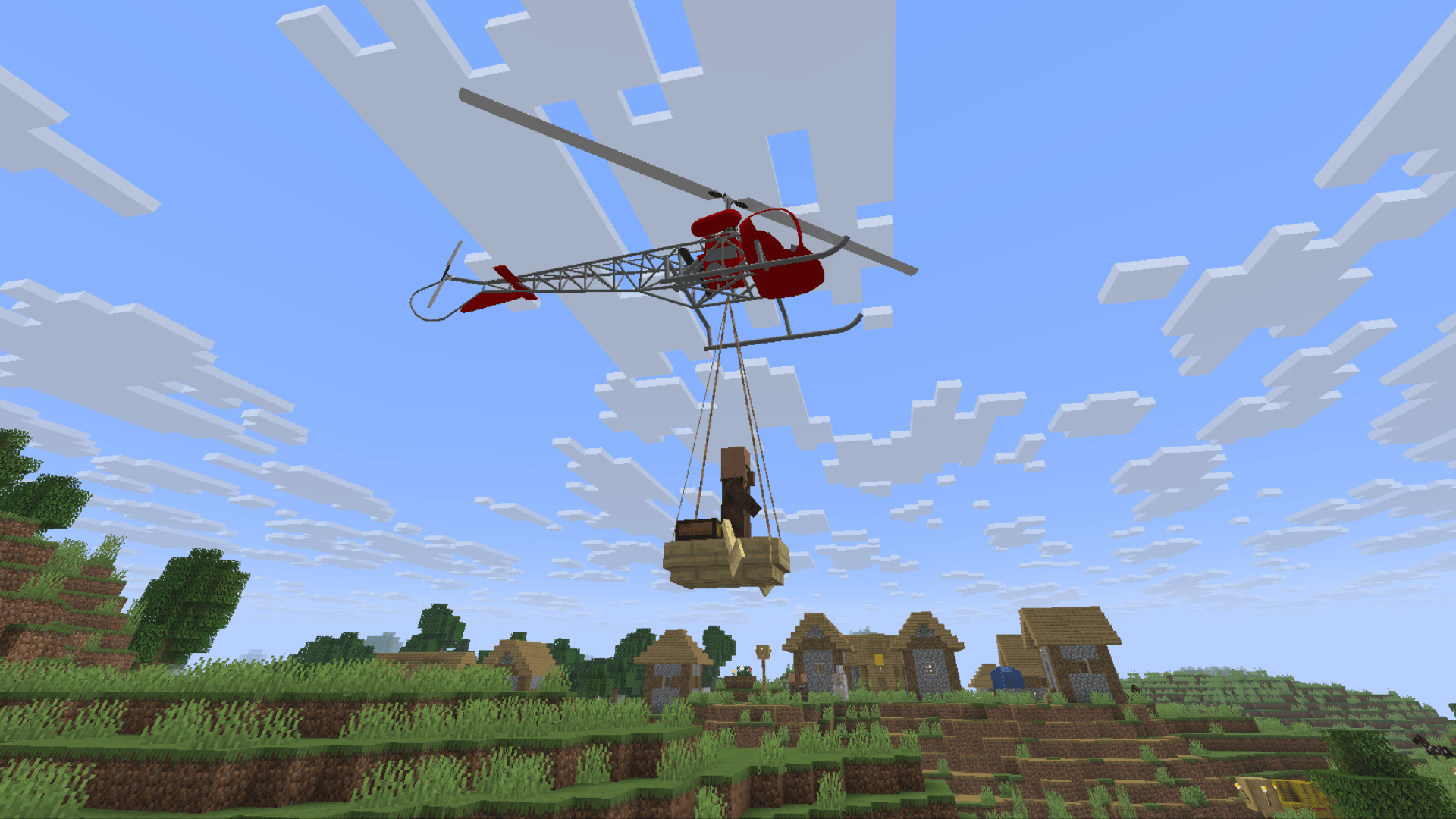 Villager Transport Carry a boat and its passengers using a sling load.
 -
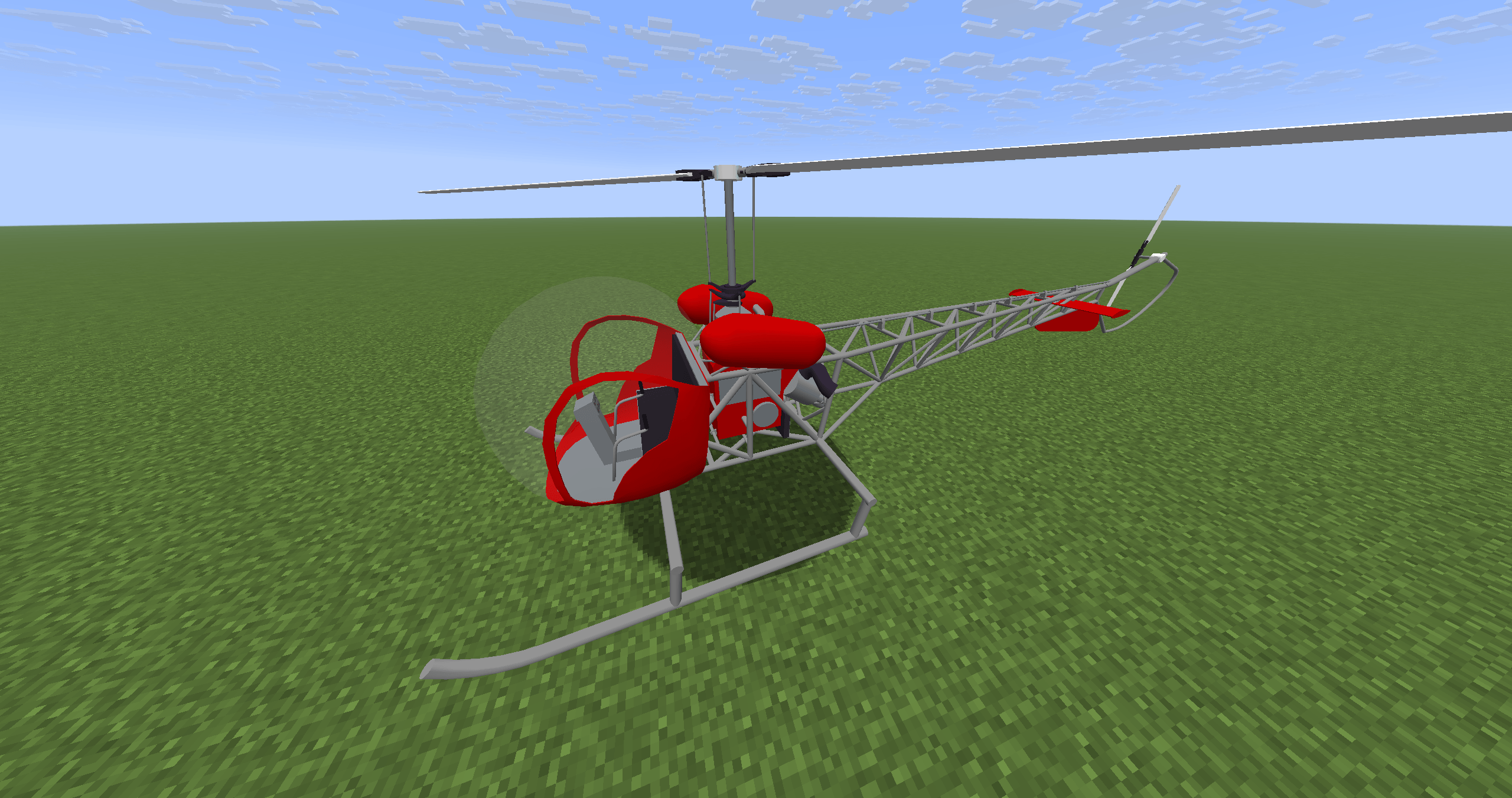 Helicopter Exterior — Two Seats A two-seat helicopter for survival exploration and transport.
 -
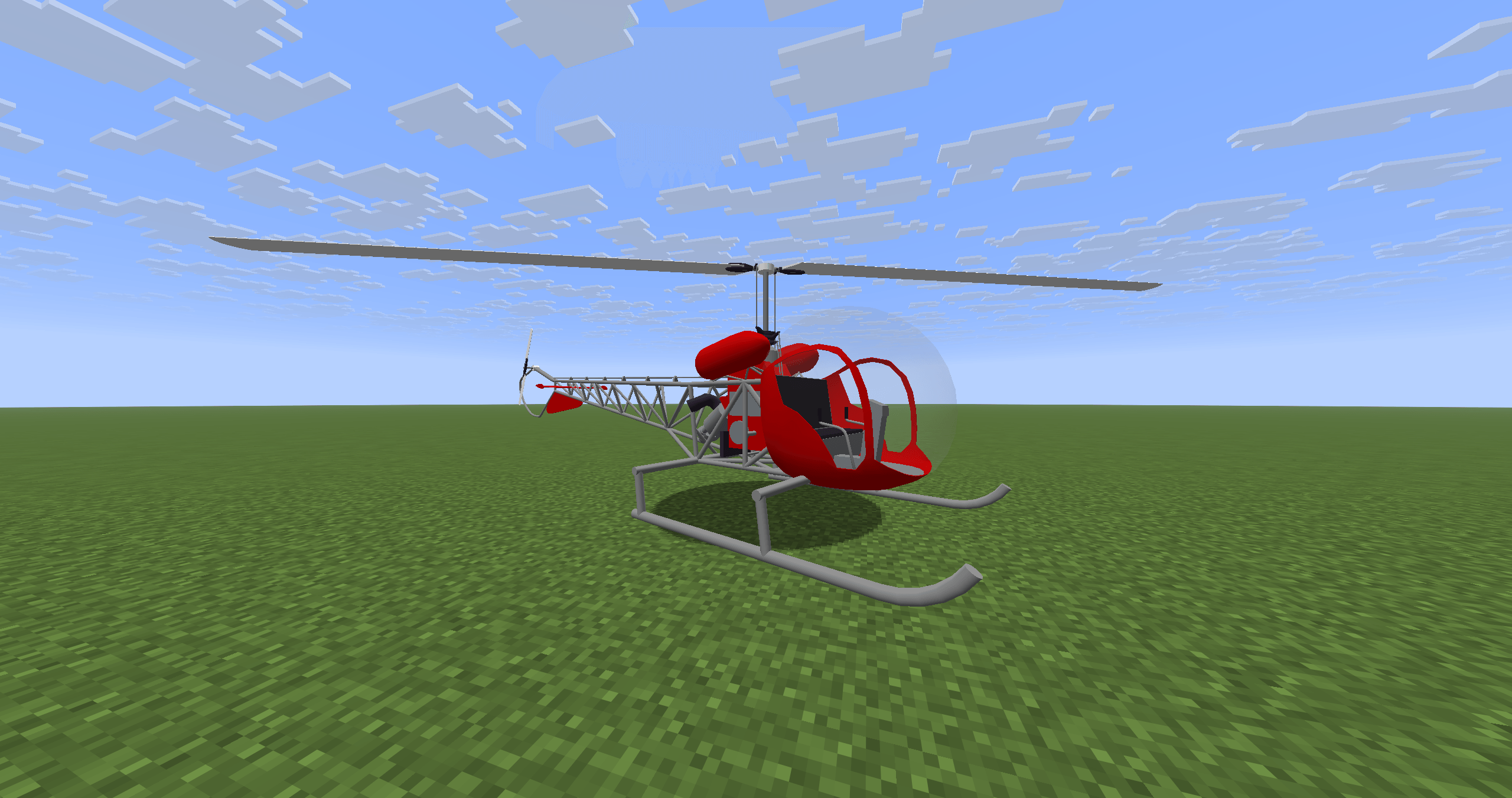 Helicopter Exterior A two-seat helicopter for survival exploration and transport.
 -
Inventory Refuelling Click the fuel gauge in your inventory to refuel with lava buckets. Two buckets fill an empty tank.
-
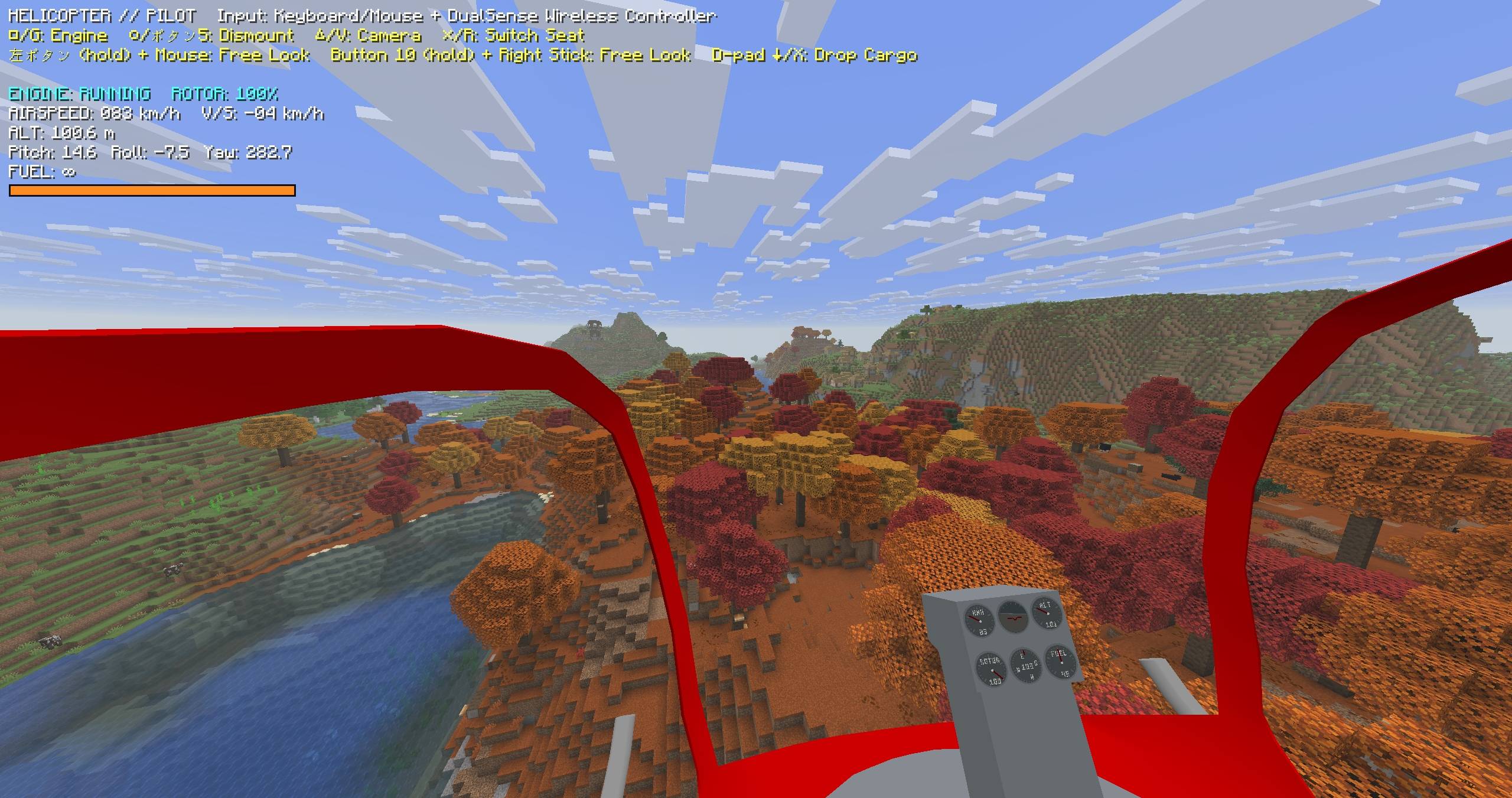 Flight over the landscape Explore the world from the first-person cockpit.
 -
Sling-load Transport Transport a boat and its passengers using leads. Release attached cargo with X or D-pad down.
-
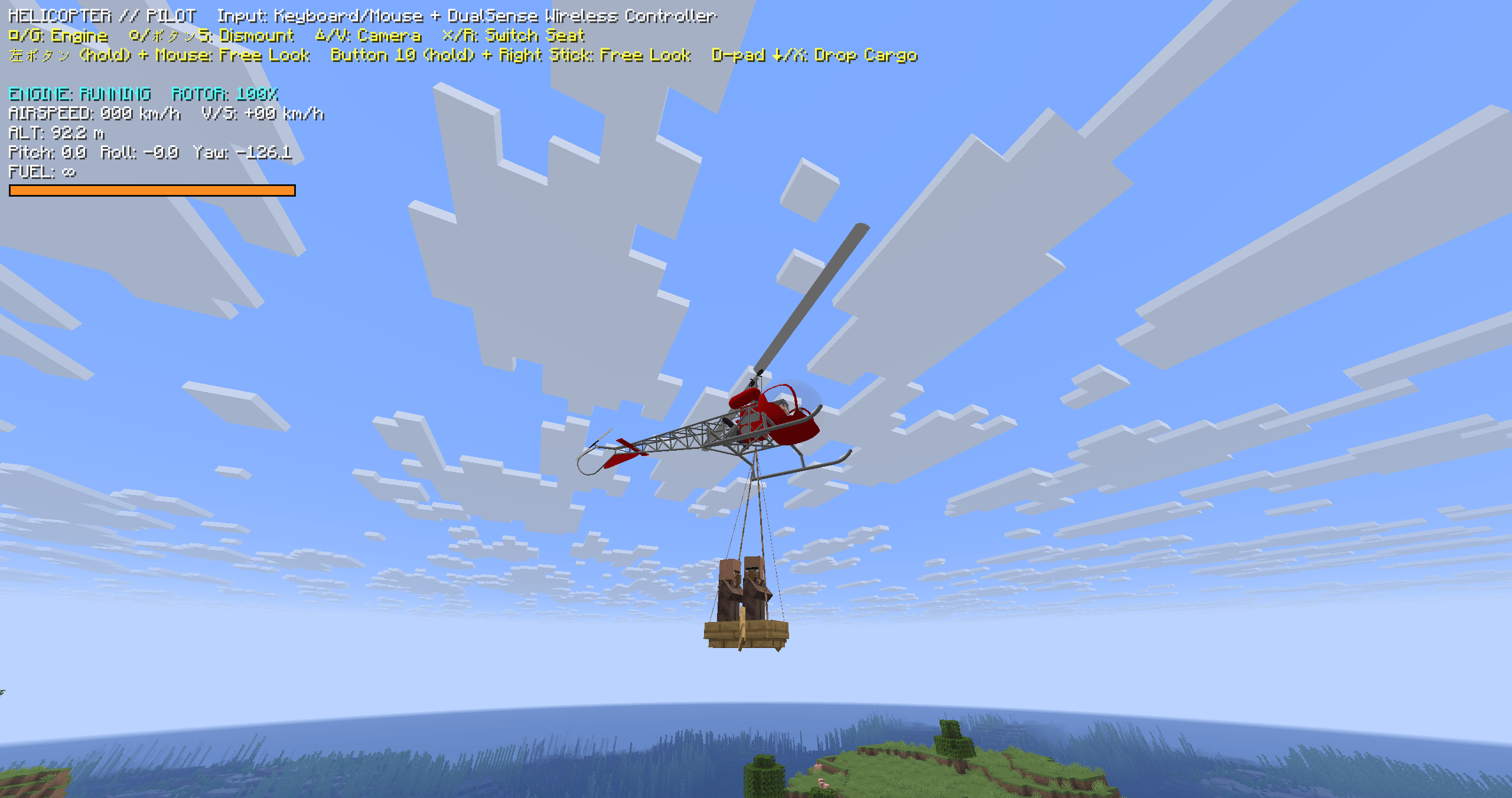 Transporting villagers Carry a boat and its passengers using a sling load.
 -
Crafting Recipe Craft one helicopter with 2 iron ingots, 1 regular lightning rod, 5 iron blocks and 1 redstone block. Use an unwaxed, unoxidized lightning rod.
-
Cockpit and Instruments First-person cockpit with six working instruments: airspeed, rotor speed, attitude, heading, altitude and fuel.
Versions
Files
Relations
Project Relations
More like this
Similar Mods
Suggestions use data such as tags, dependencies, dependents, descriptions, titles, and more to rank how much they overlap with this mod.
On ModDex
Community snapshot
By the numbers
Statistics

Get it on
Available Platforms
On ModDex
Community snapshot
By the numbers
Statistics
Resources