
Community listing page, reviews may not be monitored by the author.
Simple HUD

No reviews yet
A simple, informational display for Minecraft

Community voices
Reviews
No reviews yet. Be the first to review this project!
Get it on
Available Platforms
About
Project Details
For authors
Embed Badge
If you're the author of this project, you can embed a live badge anywhere that supports HTML or Markdown. It updates automatically whenever ratings change.
Use HTML for any page that supports it, or Markdown for README files and Markdown-based descriptions.
Identifiers
Platform IDs
About
Description
SimpleHUD
SimpleHUD is a mod for 1.17-1.19 that adds a minimal, informational display to Minecraft's in game HUD, as a supplement to the F3 Menu. It eliminates the need to have it open to check coordinates and fps, and displays other useful information.
The HUD


Displays:
- Average FPS/Minimum FPS (over last second)
- Server ping (1.19.3 only as of now)
- Coordinates
- A clock
All at the top left of the screen.
SimpleHUD uses color as an indicator; yellow indicates fps below 60, and red indicates fps below 30. Similarly, yellow indicates ping above 100 ms, and red above 400 ms.
A green clock means that either it's nighttime or it's thundering and the player can sleep.
I will use similar color coding if/when I add new displays to the mod's HUD.
SimpleHUD also lets you choose whether you want to respect a server's decision to enforce reduced debug info, and will hide information that isn't visible in the reduced F3 menu if the server has the gamerule toggled and you consent.
The color coding, coordinate decimal places, and time format can all be changed in the config within ModMenu.
Compatibility:
This mod only adds a render call to Minecraft's code, so it is highly unlikely to break the game or another mod. Most notably, it works with mods like Sodium, Iris, and BetterF3, which change/add to the game's rendering.
However, this mod's HUD may end up covering or being covered by another mod's HUD. If this happens, report it on the issue tracker, and I'll make a list of broken mods.
Goals for the Future:
Because this mod is so simple, it's feasible to make it backwards compatible fairly easily, and I want to do so at some point, with support for Fabric 1.14-1.16.
As well, I'd like to keep at least mostly supporting 1.17-1.18 by porting changes made to the newer versions.
I also want to fix the HUD overlap issue mentioned above at some point by allowing the user to move the HUD around to their liking.
The ModMenu dependancy isn't strictly necessary, but inbuilt into the code and I'd like to fix this. Fixed!
For now, I won't consider making a Forge port but may do so in the future if I have the time.
Screenshots
Gallery
-
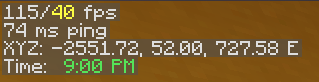 Closeup v2 A closeup displaying the HUD once again, on a server to show the ping indicator
 -
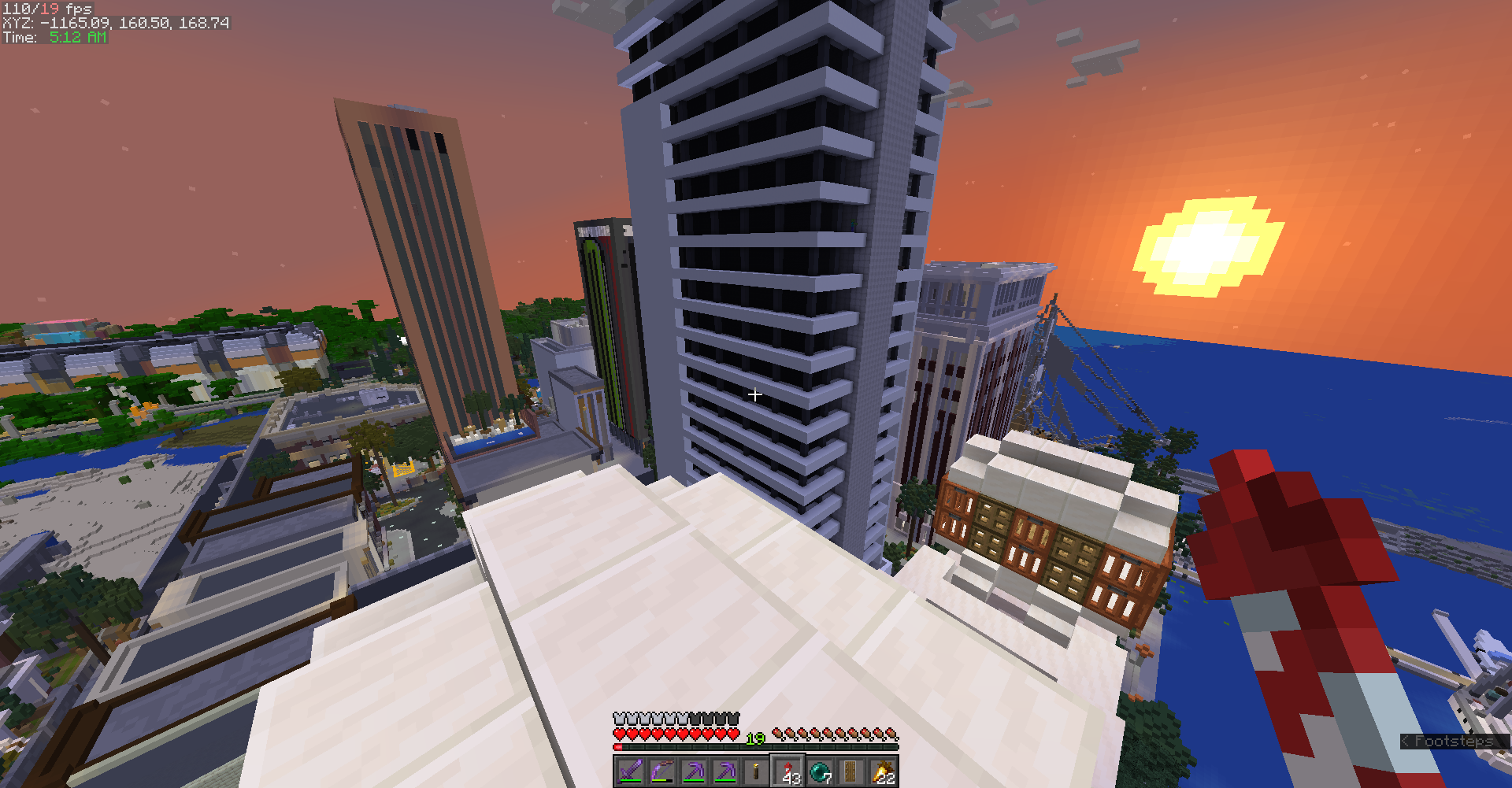 Screenshot Zoomed out screenshot of the HUD during gameplay (Map is HermitCraft 7)
 -
Closeup A closeup displaying the mod's HUD, showing off the highlight colors as well
Versions
Files
Relations
Project Relations
More like this
Similar Mods
Suggestions use data such as tags, dependencies, dependents, descriptions, titles, and more to rank how much they overlap with this mod.
On ModDex
Community snapshot
By the numbers
Statistics

Get it on
Available Platforms
On ModDex
Community snapshot
By the numbers