
Community listing page, reviews here may not be monitored by the author.
Simple Voice Radio 📻

No reviews yet
Plugin that adds a radio block that lets players communicate over distances
Community voices
Reviews
No reviews yet. Be the first to review this project!
Get it on
Available Platforms
About
Project Details
For authors
Embed Badge
If you're the author of this project, you can embed a live badge anywhere that supports HTML or Markdown. It updates automatically whenever ratings change.
Use HTML for any page that supports it, or Markdown for README files and Markdown-based descriptions.
Identifiers
Platform IDs
About
Description
Simple Voice Radio
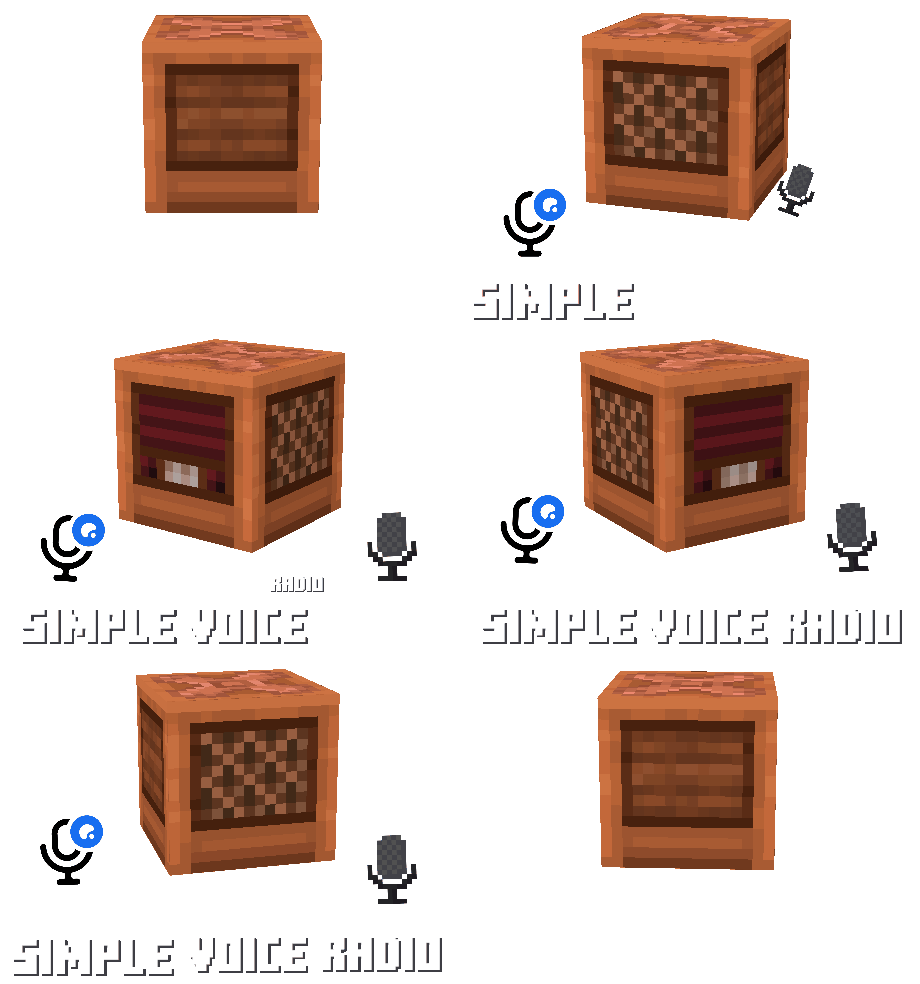
Adds radio blocks with a frequency-based broadcasting system - talk with teammates, stream music, run a news station, or build anything else you can imagine, all across large distances. Needs PlasmoVoice or SimpleVoiceChat, also works with: CustomDiscsSVC and pv-addon-discs
Radio modes
Output - The default mode. Plays everything sent on its frequency, audible within
15 blocks.
Input - Toggled with a
right-click. Picks up the voices of players within15 blocksand sends them to every Output radio on its frequency.
Broadcast - Started with the
play_audiosubcommand. All specified Output radios play audio from a file or URL.
Listen - Activates when a jukebox under the radio plays a disc from CustomDiscsSVC or pv-addon-discs. Transmits the music on its frequency (works like
Input).
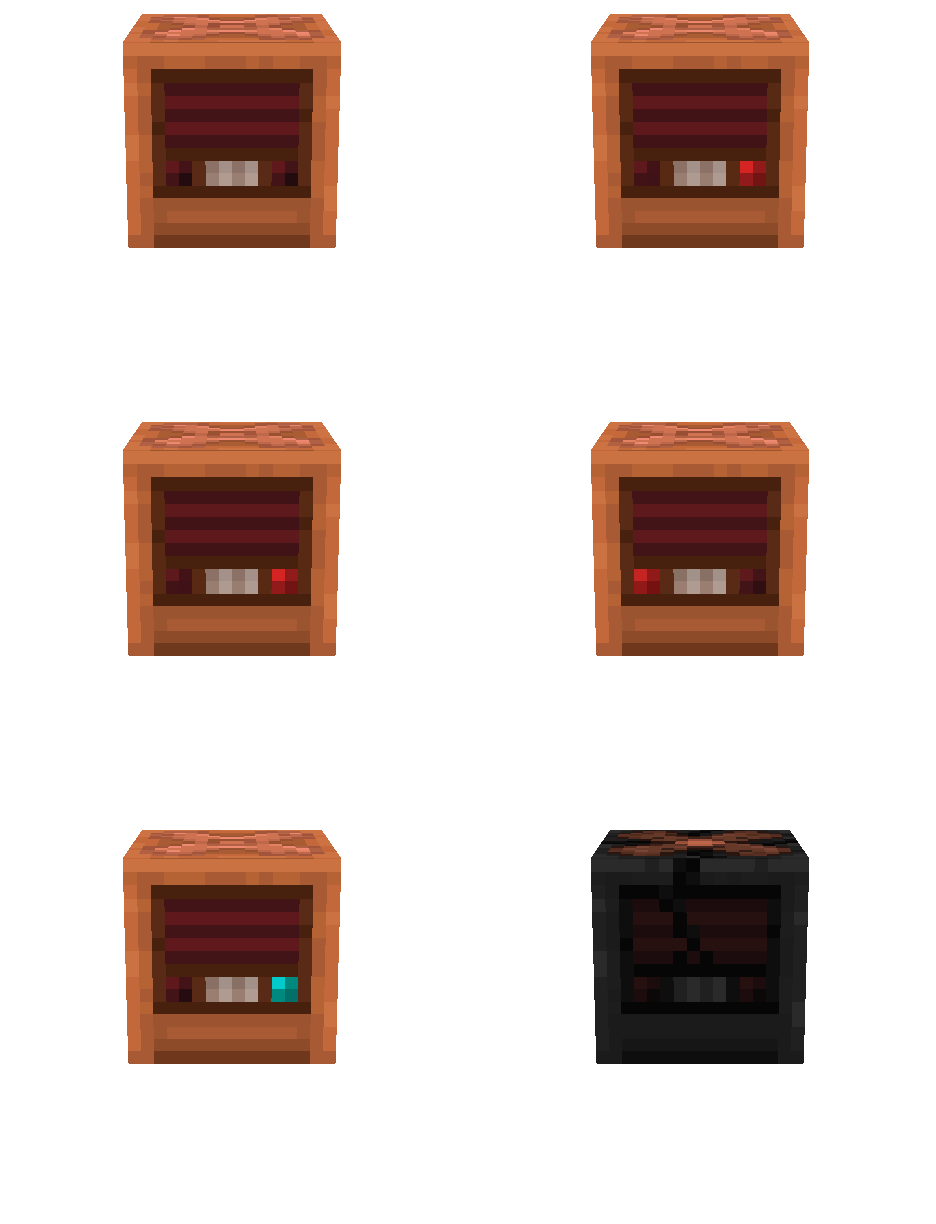
Destroyed - The radio was burned out by lightning. It no longer works and doesn't drop anything.
Radio skins

The radio doesn't need a resource pack. It uses Display Entities, specifically player heads. To use your own textures, edit the texture files and add your MineSkin api key to
config.yml: after the next restart, the plugin will update the textures in game.
Signal Output System

With
signal_output_system: trueinconfig.yml, the radio emits a redstone signal while it plays sound. The closer the speaker is to the Input radio, the stronger the signal:15right next to it,1at the edge of the 15-block radius, and discs and broadcasts always give 15. Only radios in Output and Broadcast modes emit a signal, and it stops when the sound does. The setting applies after a restart and doesn't work together withredstone_frequency.
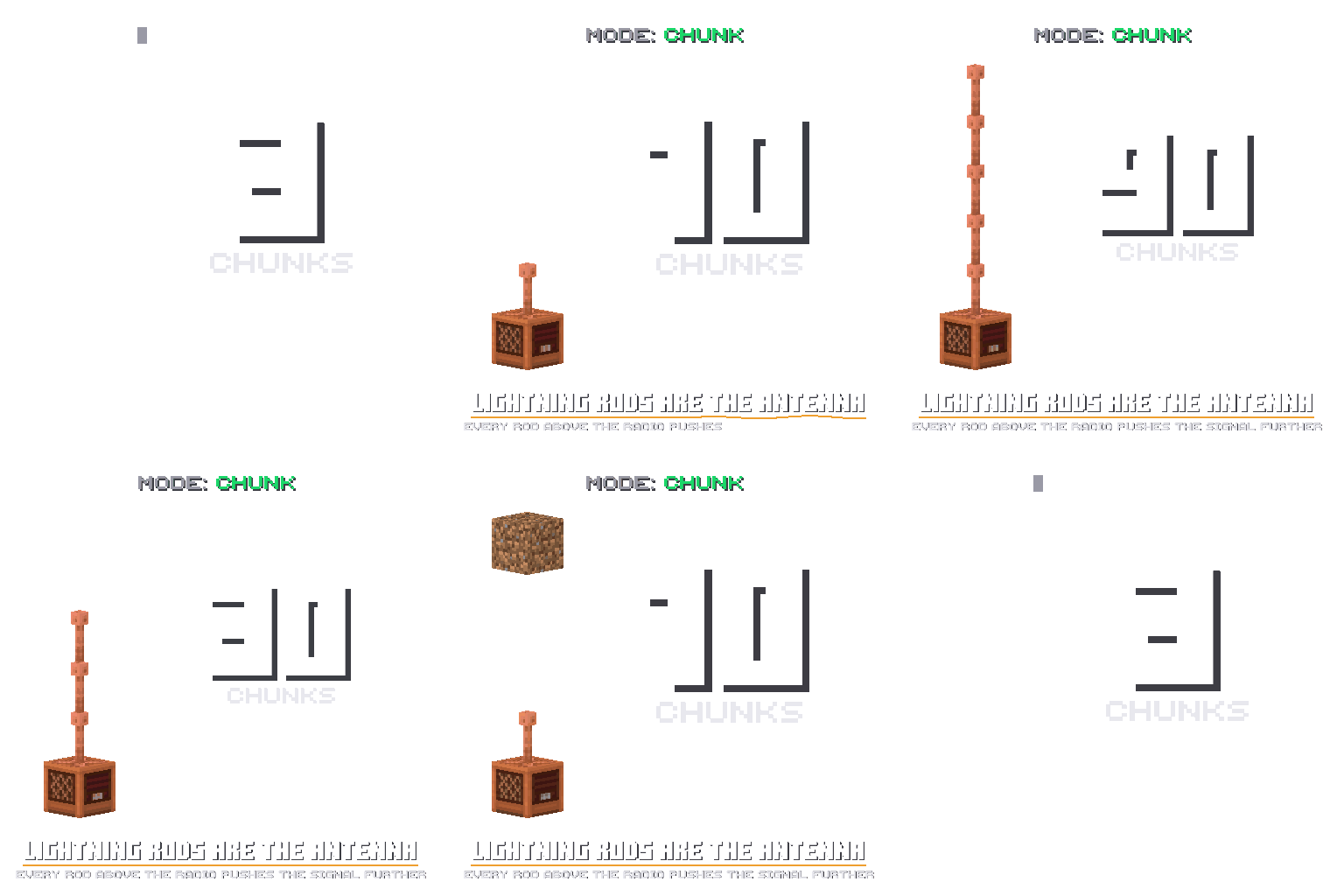
The antenna only works with
mode: chunkinconfig.yml. Lightning rods are stacked on top of the radio, and their number sets how many chunks in each direction the transmission reaches: 3 without rods,10with one, then30,50,70...
The range is set by the transmitter, but both it and the receiver need
3(by default) free blocks above the antenna (glass, torches and other non-solid blocks don't get in the way).
A lightning strike on a rod on top of the radio burns it out for good, in any mode, as long as
lightning_destroys_radiois enabled.

The radio can broadcast discs from CustomDiscsSVC and pv-addon-discs. Place a jukebox directly under the radio and play a disc in it: the radio switches to
Listenmode and transmits the music on its frequency, the same wayInputtransmits voice.
Frequency System
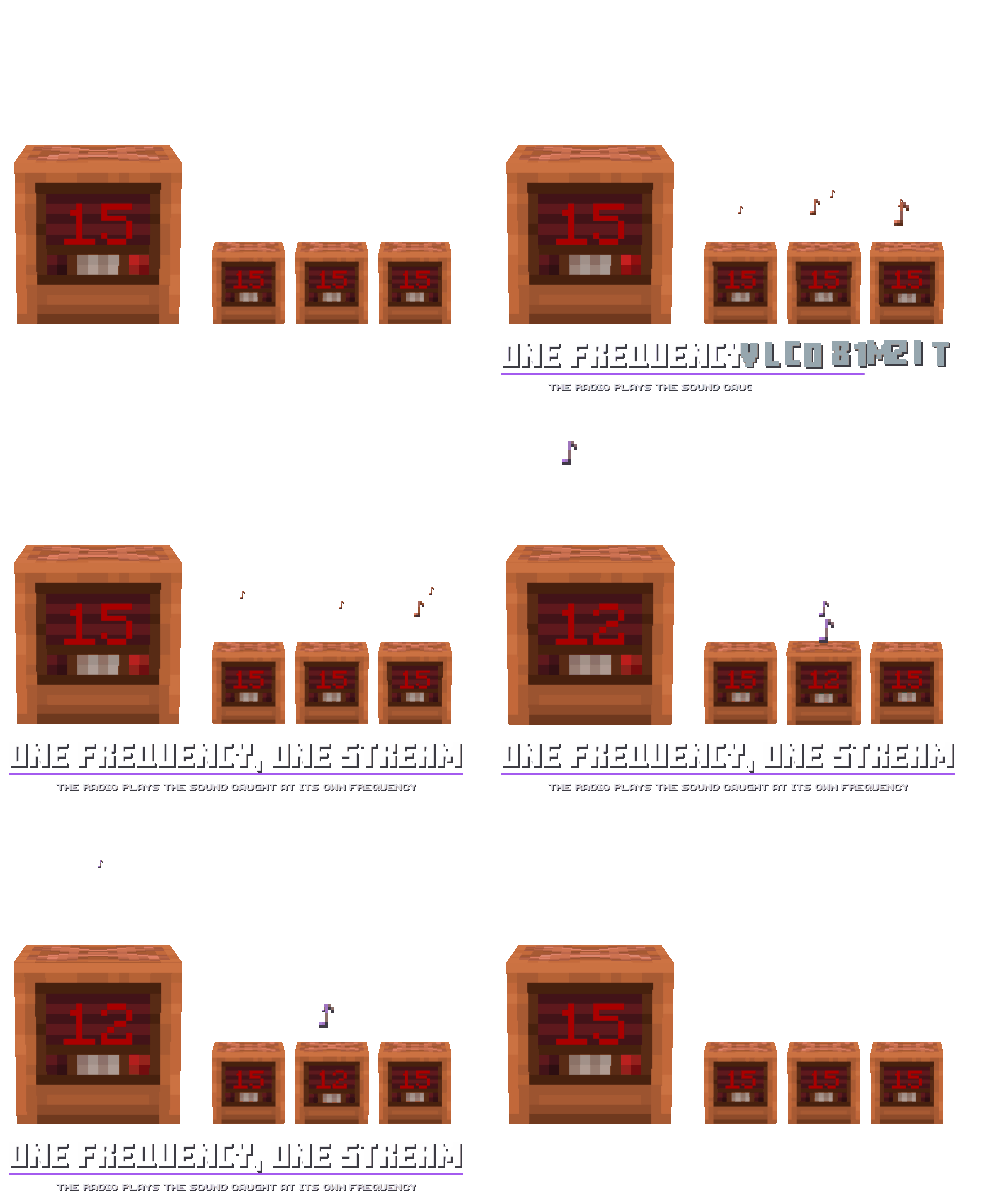
Each radio has a frequency from
1to15(by default). Sound is only transmitted between radios on the same frequency. If several players speak intoInputradios on the same frequency, their voices are heard together.
Redstone Frequency
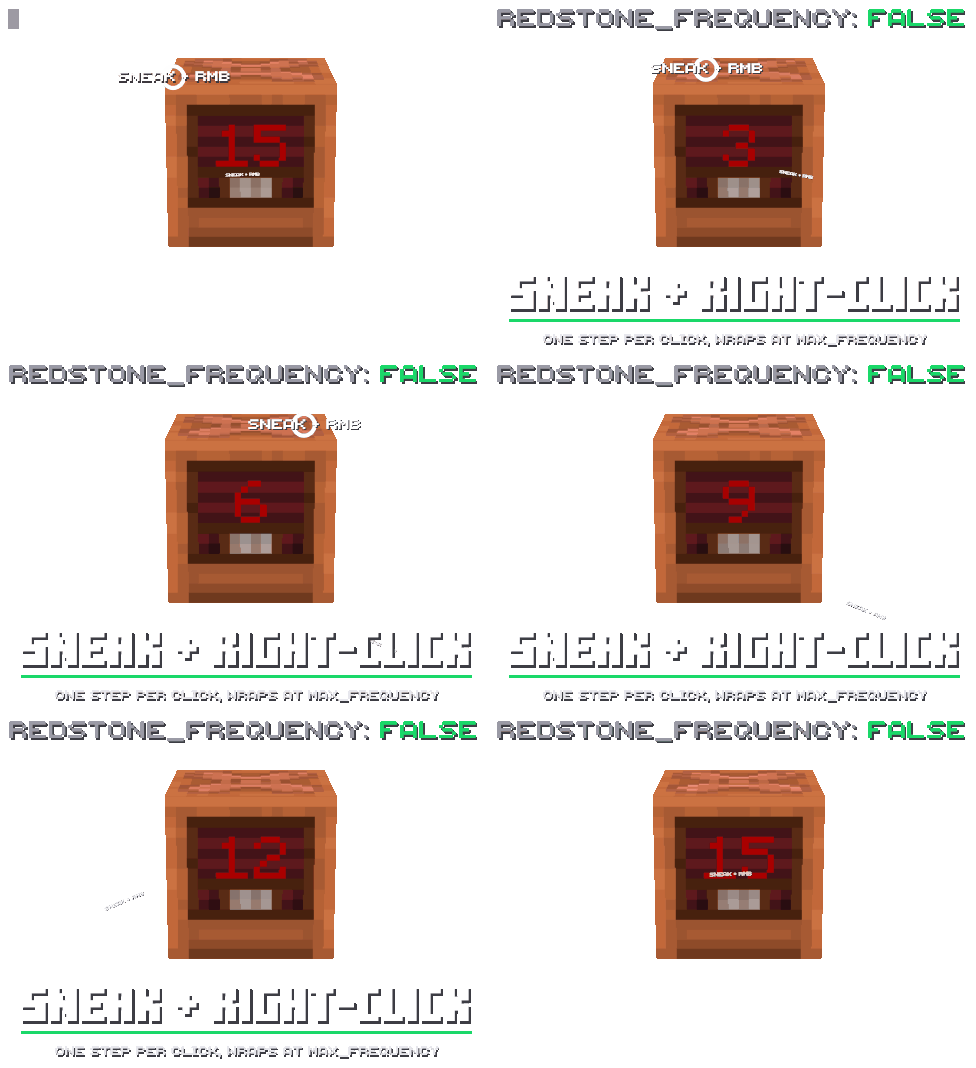
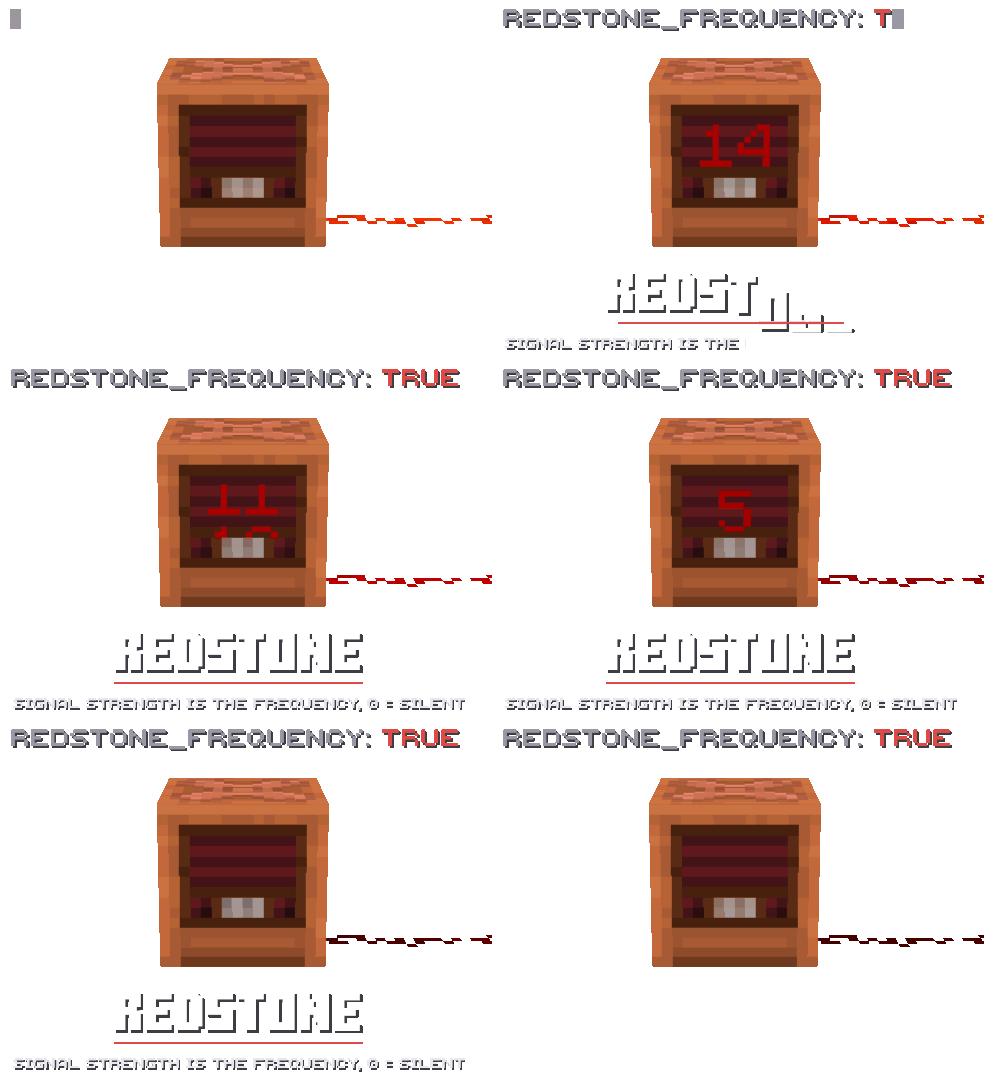
The
redstone_frequencyoption inconfig.ymldecides where the radio gets its frequency from. Withfalse(default), players change the frequency: sneak + right-click raises it by one.
With
true, the frequency becomes the strength of the redstone signal powering the block, from 0 to 15. It changes along with the signal. In this mode you can only switch between Input and Output while the radio is receiving a signal.
Commands

play_audio file
<file>[frequency|all][loop]- broadcasts an MP3/OGG/WAV file from theplugins/SimpleVoiceRadio/audio/folder.
play_audio url
<url>[frequency|all][loop]- broadcasts audio from a URL.
play_audio stop - stops the broadcast.
With a frequency number, only radios on that frequency will hear it. With
allor no value, every radio will.looprepeats the recording, and only one broadcast can run at a time.

give
<player>- gives a radio. You can use a selector, for example@a.

reload - reloads
config.yml,texture.ymland the crafting recipe. Some settings still only apply after a restart.

view_craft - shows the radio crafting recipe.
Screenshots
Gallery
-
 logo
logo -
 Banner
 -
Simple Voice Radio
-
Different States
-
Custom Discs Work
-
mode: chunk
-
Skins
-
Frequencies
-
redstone_frequency: false
-
Signal Output
-
redstone_frequency: true
-
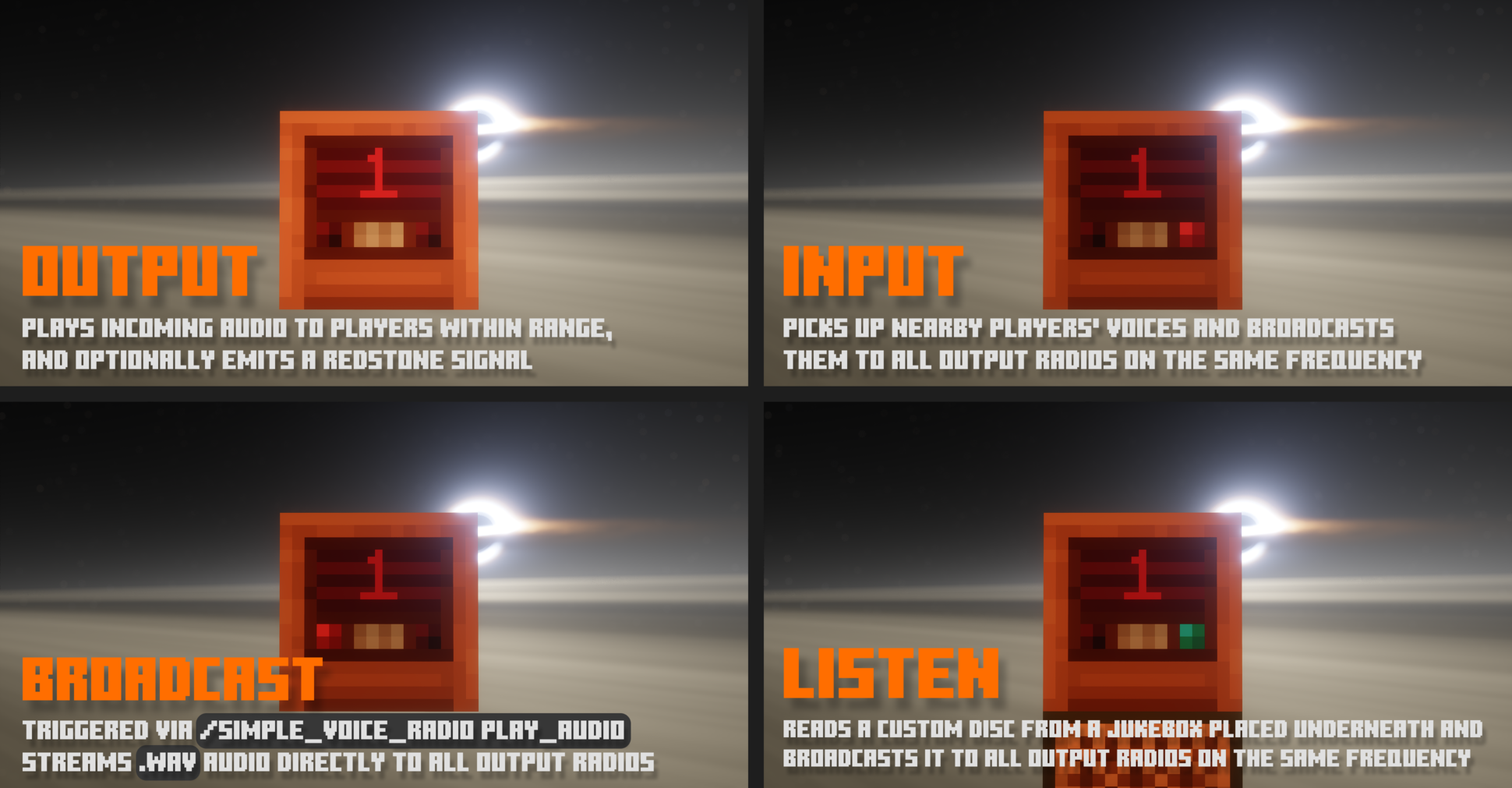 Different modes
 -
 Input/Output mode
 -
 Manual Frequency switching
 -
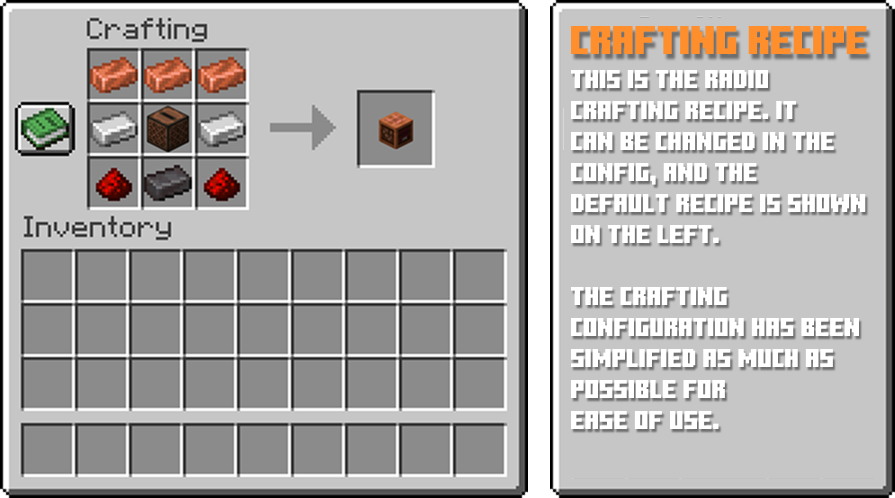 Crafing recipe
 -
play_audio
-
view_craft
-
give
-
reload
Versions
Files
Relations
Project Relations
More like this
Similar Mods
Suggestions use data such as tags, dependencies, dependents, descriptions, titles, and more to rank how much they overlap with this mod.
On ModDex
Community snapshot
By the numbers
Statistics

Want to reach Minecraft players?
We're looking for a server hosting partner to feature here and other parts of the site. Interested? Send us a message!
Get in touchGet it on
Available Platforms
On ModDex
Community snapshot
By the numbers