Community listing page, reviews here may not be monitored by the author.
SimpleFPSOverlay


No reviews yet
Clean FPS overlay, drag it anywhere, tweak it your way—no clutter, just vibes.
Community voices
Reviews
No reviews yet. Be the first to review this project!
Get it on
Available Platforms
Compatibility
Supported Environments
Runs entirely on the client. Works on vanilla servers.
About
Project Details
For authors
Embed Badge
If you're the author of this project, you can embed a live badge anywhere that supports HTML or Markdown. It updates automatically whenever ratings change.
Use HTML for any page that supports it, or Markdown for README files and Markdown-based descriptions.
Identifiers
Platform IDs
About
Description
✨ Simple FPS Overlay ✨
Minimalist • Customizable • Lightweight
A clean and elegant FPS display mod for Minecraft 1.21 (Fabric). Designed for players who want to keep track of their performance without cluttering their screen.
🚀 Key Features
🖱️ Interactive Position Editor
Forget manual coordinates. Press 'U', click Edit Position, and simply drag and drop the overlay anywhere on your screen. It features smart-snapping to corners for a perfect fit!
🎨 Total Visual Control
- Dual Color System: Choose from high-visibility Presets (Red, Green, Blue, etc.) or type any Hex Code for infinite color possibilities.
- Dynamic FPS Color: Let the mod speak to you. Text color shifts automatically from Green (60+) to Yellow (30+) to Red (<30) based on your performance.
- Background Styling: Toggle a sleek background box with a dedicated Opacity Slider (0-100%) to match your HUD's aesthetic.
📐 Flexible Layouts
- Display Styles: Switch between a clean Normal look or a professional Brackets style
[ FPS: 144 ]. - Text Scaling: A smooth slider allows you to scale the text from 50% to 500% of its original size.
- Advanced Stats: Optional toggle to show your Min/Avg/Max FPS alongside the current counter.
🎮 Controls
| Keybind | Action |
|---|---|
U |
Open Settings Menu |
Mouse Drag |
Move Overlay (in Editor Mode) |
ESC |
Save & Close |
🛠️ Technical Details
- Platform: Fabric
- Minecraft Version: 1.21
- Requirements:
- Fabric API
- Cloth Config API
- Java Version: 21
📦 MINEBOOST
Crafted with ❤️ for a cleaner Minecraft experience.
✨ Simple FPS Overlay ✨
Minimalist • Customizable • Lightweight
A clean and elegant FPS display mod for Minecraft 1.21 (Fabric). Designed for players who want to keep track of their performance without cluttering their screen.
🚀 Key Features
🖱️ Interactive Position Editor
Forget manual coordinates. Press 'U', click Edit Position, and simply drag and drop the overlay anywhere on your screen. It features smart-snapping to corners for a perfect fit!
🎨 Total Visual Control
- Dual Color System: Choose from high-visibility Presets (Red, Green, Blue, etc.) or type any Hex Code for infinite color possibilities.
- Dynamic FPS Color: Let the mod speak to you. Text color shifts automatically from Green (60+) to Yellow (30+) to Red (<30) based on your performance.
- Background Styling: Toggle a sleek background box with a dedicated Opacity Slider (0-100%) to match your HUD's aesthetic.
📐 Flexible Layouts
- Display Styles: Switch between a clean Normal look or a professional Brackets style
[ FPS: 144 ]. - Text Scaling: A smooth slider allows you to scale the text from 50% to 500% of its original size.
- Advanced Stats: Optional toggle to show your Min/Avg/Max FPS alongside the current counter.
🎮 Controls
| Keybind | Action |
|---|---|
U |
Open Settings Menu |
Mouse Drag |
Move Overlay (in Editor Mode) |
ESC |
Save & Close |
🛠️ Technical Details
- Platform: Fabric
- Minecraft Version: 1.21
- Requirements:
- Fabric API
- Cloth Config API
- Java Version: 21
Crafted with ❤️ for a cleaner Minecraft experience.
Screenshots
Gallery
-
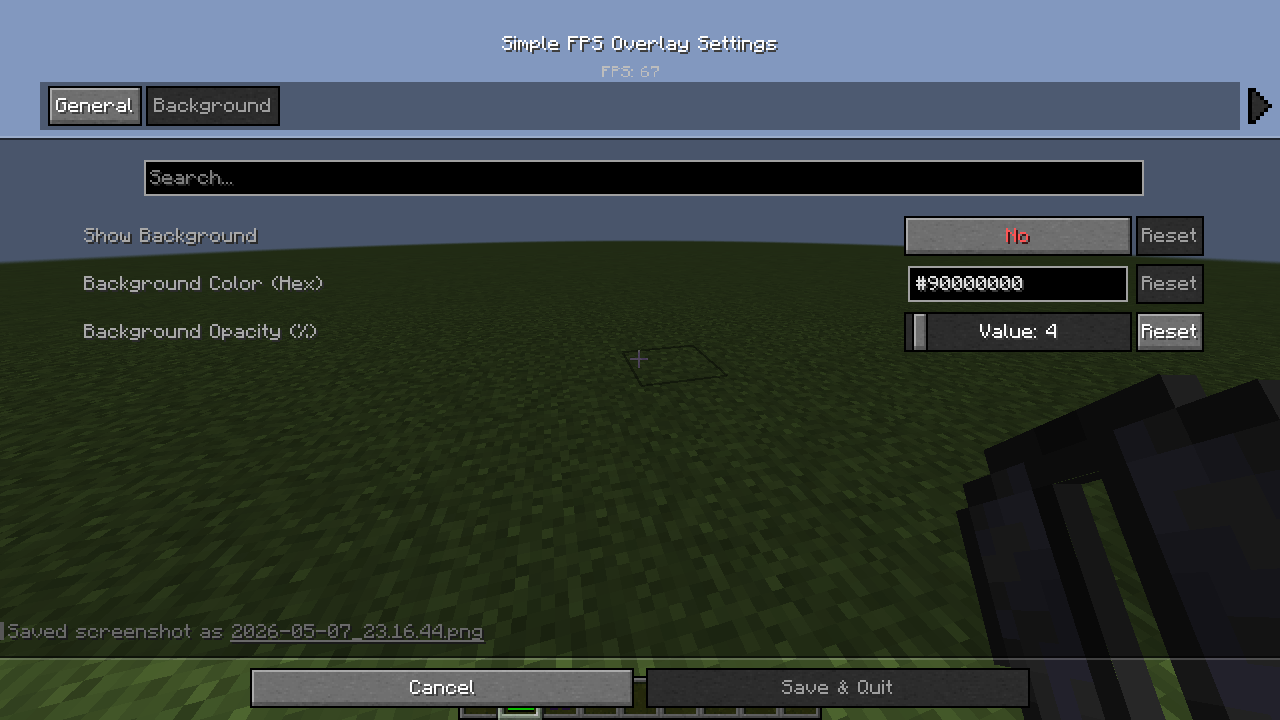 2026-05-07_23.16.57.png 2026-05-07_23.16.57.png
 -
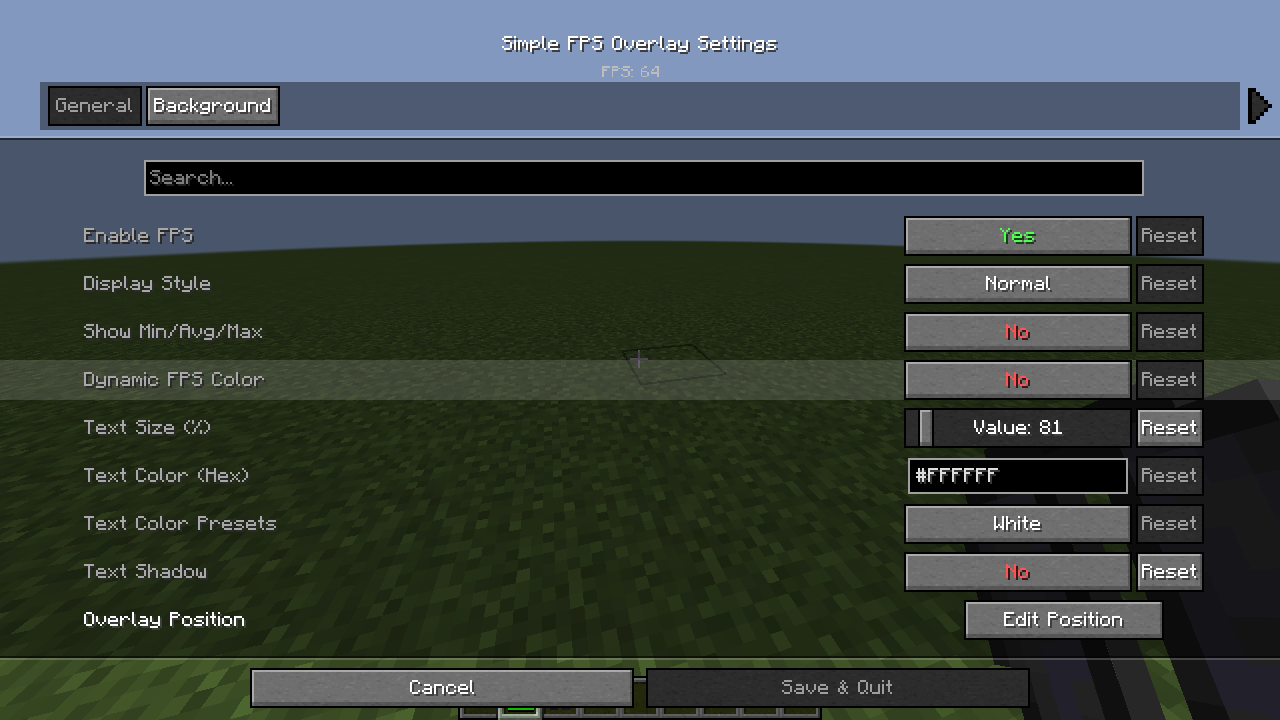 2026-05-07_23.16.44.png 2026-05-07_23.16.44.png
-
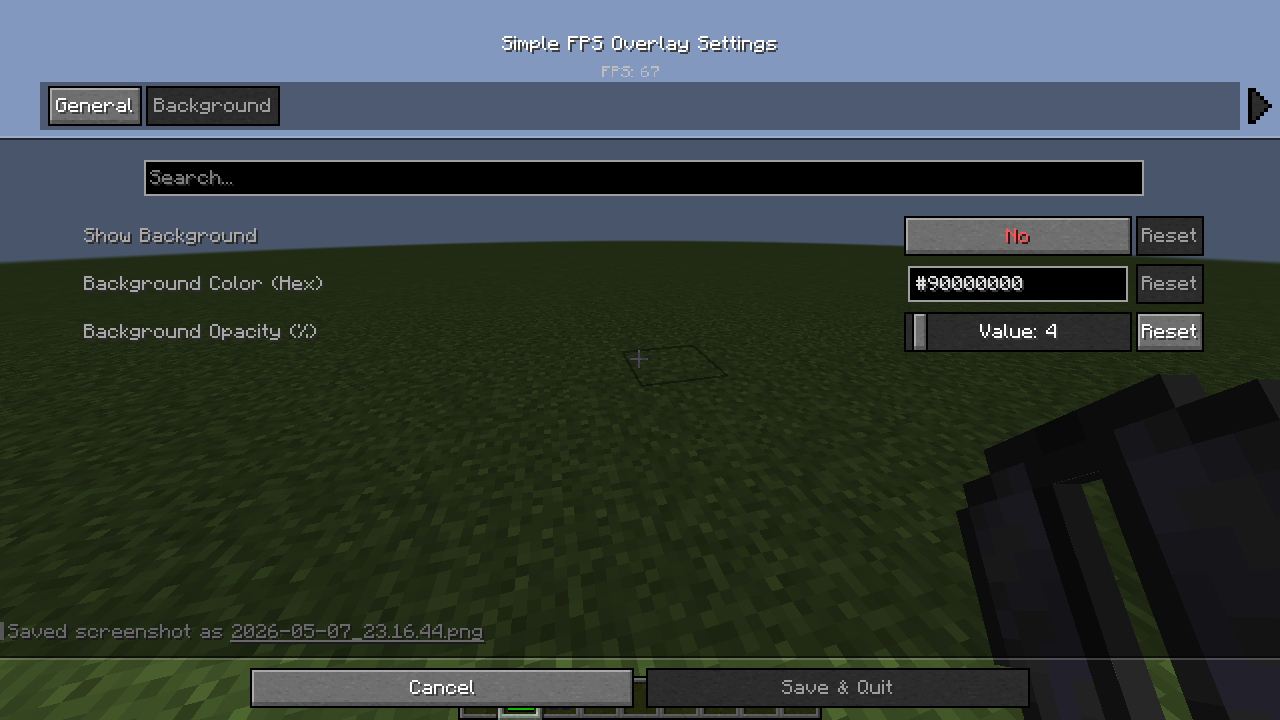 BackGround setting
 -
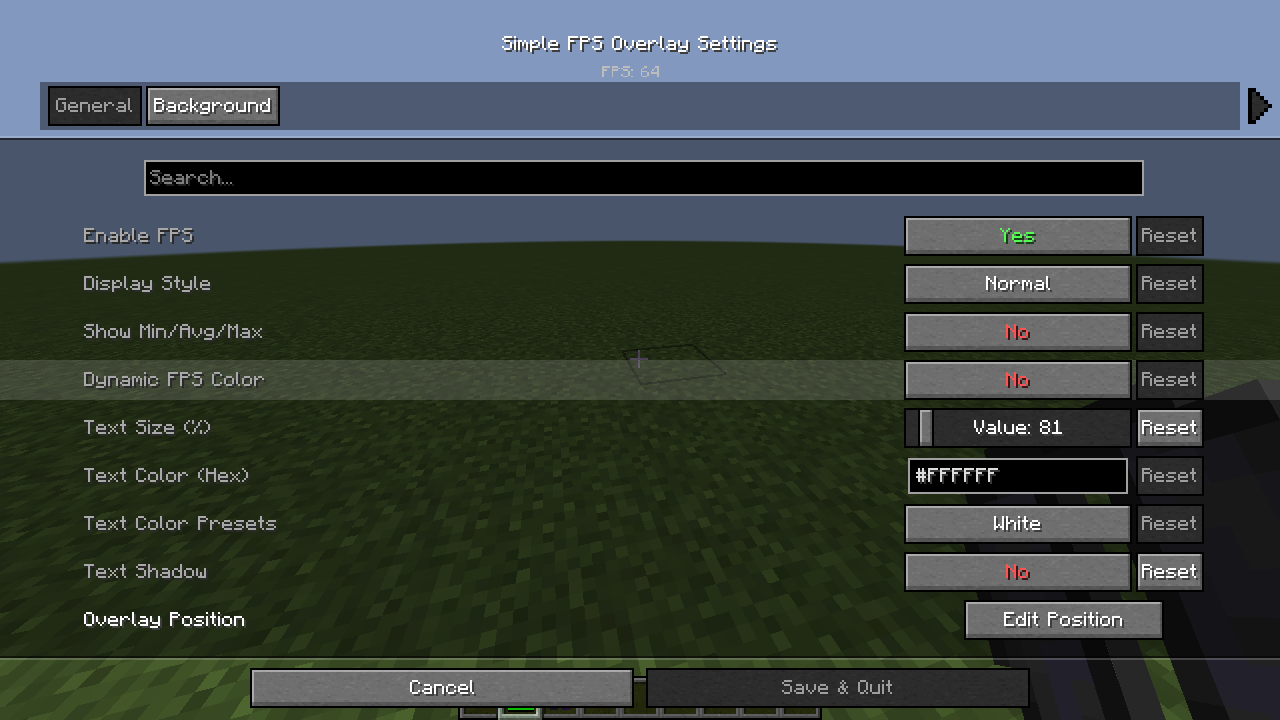 Setting GUI
Versions
Files
Relations
Project Relations
More like this
Similar Mods
Suggestions use data such as tags, dependencies, dependents, descriptions, titles, and more to rank how much they overlap with this mod.
On ModDex
Community snapshot
By the numbers
Statistics
Want to reach Minecraft players?
We're looking for a server hosting partner to feature here and other parts of the site. Interested? Send us a message!
Get in touchGet it on
Available Platforms
On ModDex
Community snapshot
By the numbers