Community listing page, reviews here may not be monitored by the author.
SimpleMusic


No reviews yet
A simple music player for Minecraft
Community voices
Reviews
No reviews yet. Be the first to review this project!
Get it on
Available Platforms
Compatibility
Supported Environments
Runs entirely on the client. Works on vanilla servers.
About
Project Details
For authors
Embed Badge
If you're the author of this project, you can embed a live badge anywhere that supports HTML or Markdown. It updates automatically whenever ratings change.
Use HTML for any page that supports it, or Markdown for README files and Markdown-based descriptions.
Identifiers
Platform IDs
About
Description
simplemusic
This is a so~ simple music play mod that supports mp3 and midi, as well as displaying lyrics.
How to use
Remember to install the depends mod Fabric Language Kotlin or Kotlin for Forge before use
Open the music folder in the game directory, and then you will find the midi and mp3 folders. Just put your midi files or mp3 files into the corresponding folders.
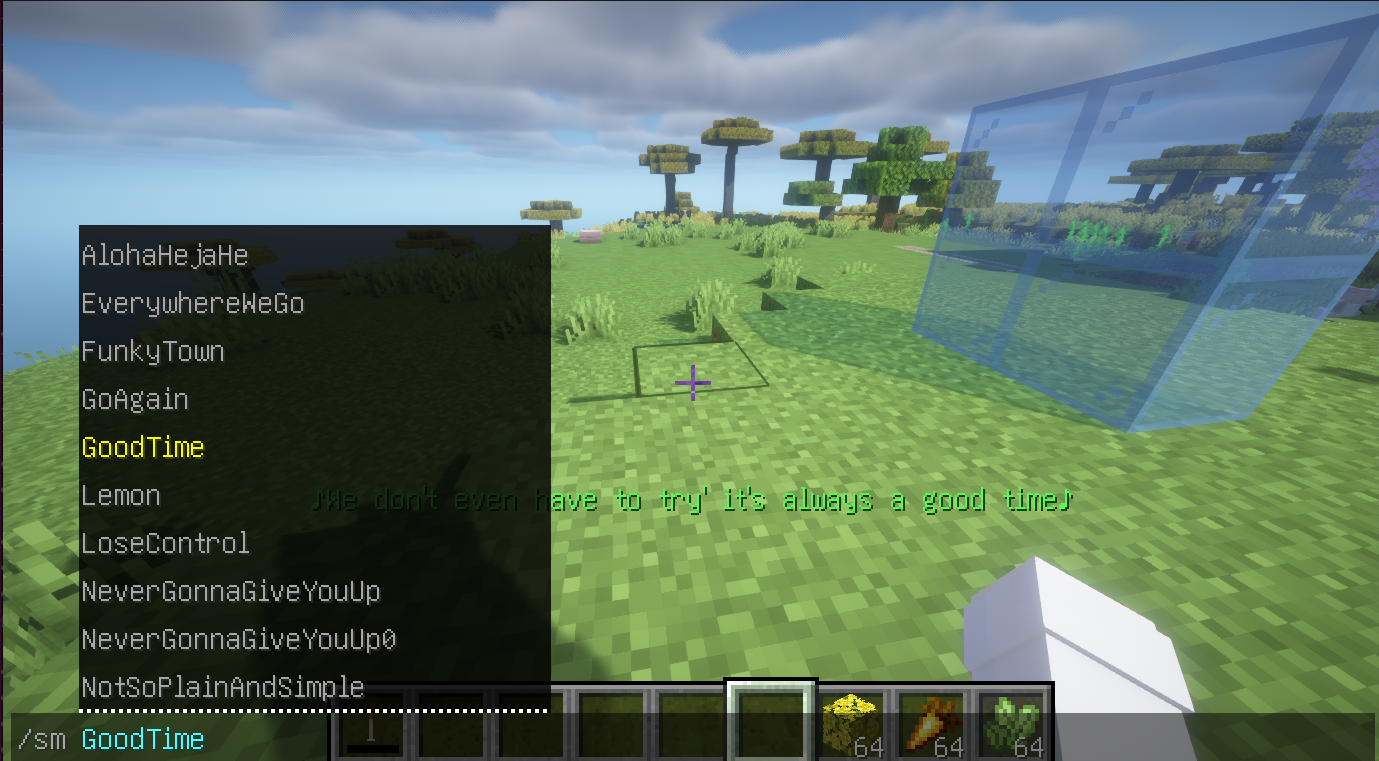
After entering the game, enter the /simplemusic or sm command + the music name to play it.
If you want to stop playing music, enter /simplemusic stop or /sm stop
If there is a problem with the lyrics display, just stop playing.
Lyrics display
Just put the .lrc file and the music together (the file names must be the same). If lyrics are found when playing music, they will be displayed at the bottom of the screen. The file format is roughly as follows:
[00:00.000] 作词 : 米津玄師
[00:01.03] 作曲 : 米津玄師
[00:19]あの日見渡した渚を
[00:24]今も思い出すんだ
simplemusic
This is a so~~~~~ simple music play mod that supports mp3 and midi, as well as displaying lyrics.
How to use
Remember to install the depends mod Fabric Language Kotlin or Kotlin for Forge
Open the music folder in the game directory, and then you will find the midi and mp3 folders. Just put your midi files or mp3 files into the corresponding folders.
After entering the game, enter the /simplemusic or sm command + the music name to play it.
If you want to stop playing music, enter /simplemusic stop or /sm stop
If there is a problem with the lyrics display, just stop playing.
Settings
This mod have no config file or pages. It's just some simple commands or shortcuts. You can use 3 shortcuts to plus or minus volume,and switch lyrics' color.
The shortcuts are equal to /simplemusicsettings or /sms command!
Lyrics display
Just put the .lrc file and the music together (the file names must be the same). If lyrics are found when playing music, they will be displayed at the bottom of the screen. The file format is roughly as follows (just like most of .lrc files you found in Internet.):
[00:00.000] 作词 : 米津玄師
[00:01.03] 作曲 : 米津玄師
[00:19]あの日見渡した渚を
[00:24]今も思い出すんだ
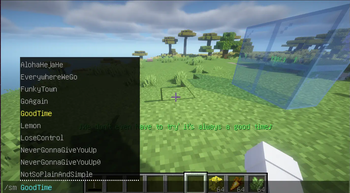
It looks like:
Screenshots
Gallery
-
 be like
Versions
Files
Relations
Project Relations
More like this
Similar Mods
Suggestions use data such as tags, dependencies, dependents, descriptions, titles, and more to rank how much they overlap with this mod.
On ModDex
Community snapshot
By the numbers
Statistics
Want to reach Minecraft players?
We're looking for a server hosting partner to feature here and other parts of the site. Interested? Send us a message!
Get in touchGet it on
Available Platforms
On ModDex
Community snapshot
By the numbers