Community listing page, reviews here may not be monitored by the author.
Simply Tents


No reviews yet
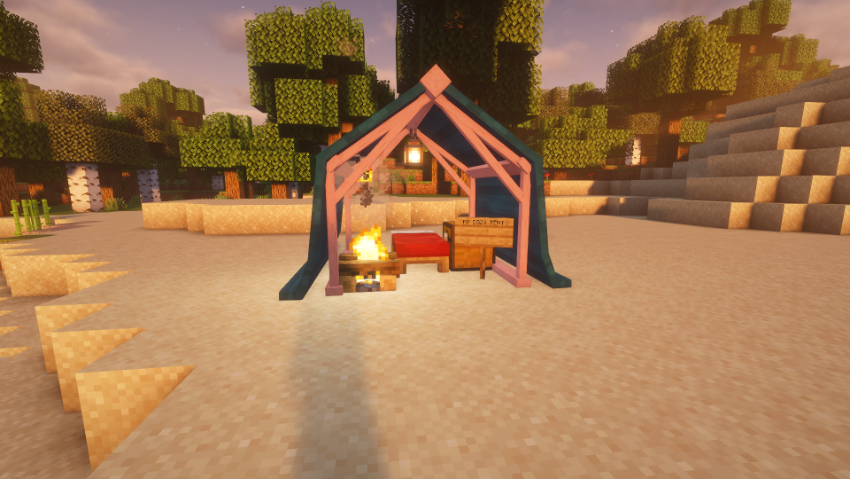
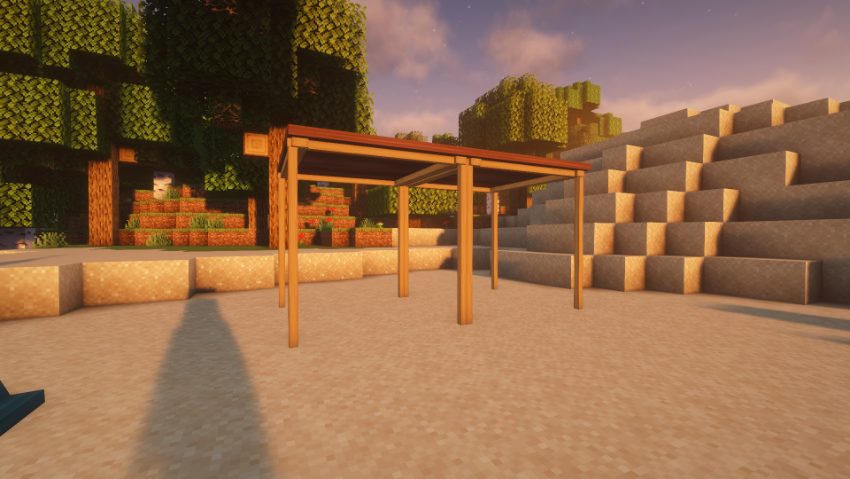
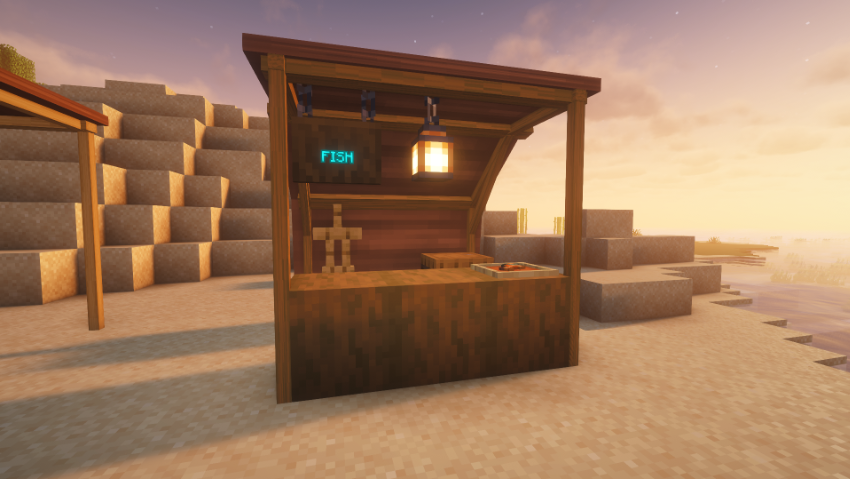
Simply tents adds tents that you can use.
Community voices
Reviews
No reviews yet. Be the first to review this project!
Get it on
Available Platforms
Compatibility
Supported Environments
Must be installed on both the client and the server.
About
Project Details
For authors
Embed Badge
If you're the author of this project, you can embed a live badge anywhere that supports HTML or Markdown. It updates automatically whenever ratings change.
Use HTML for any page that supports it, or Markdown for README files and Markdown-based descriptions.
Identifiers
Platform IDs
Resources
External Links
About
Description
SimplyTents
This update adds tent security, campsite management, and stealth mechanics: lock your tent and trust specific players, cap how many containers can go inside, control what mobs and entities interact with your camp, and manage the weight of carrying packed tents around.
⛺ Tent Types (All tents feature multiple size variants to fit your survival needs!)
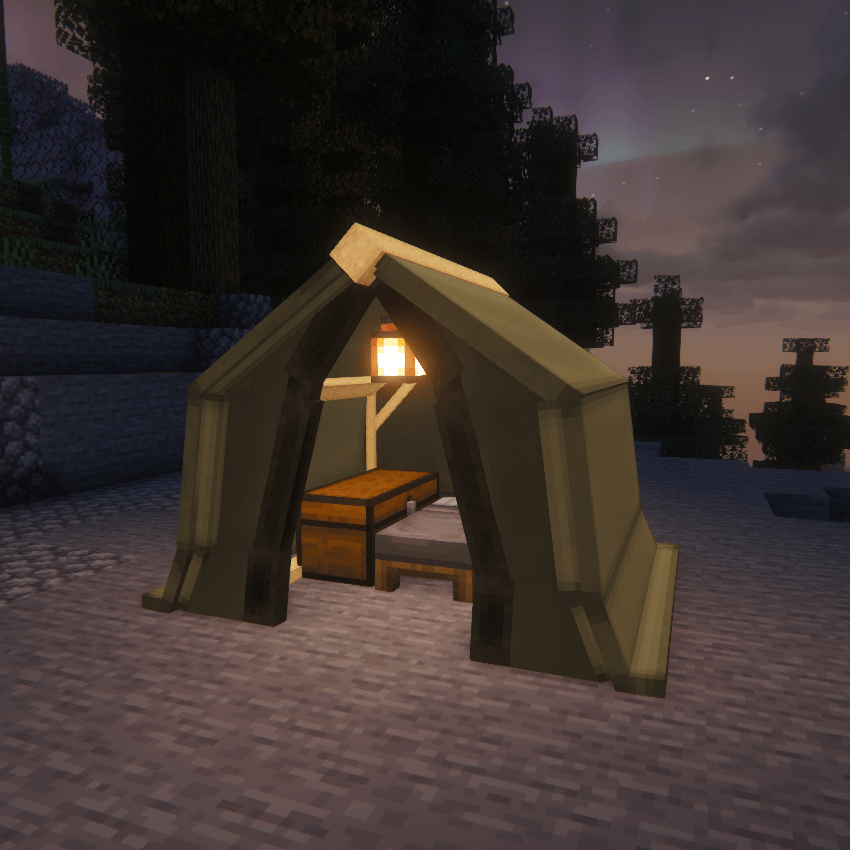
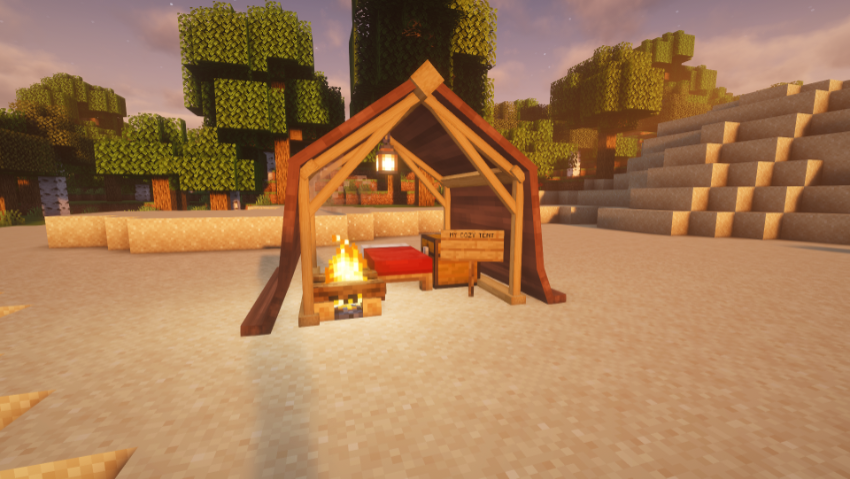
- Solo Tent: A classic A-frame tent.
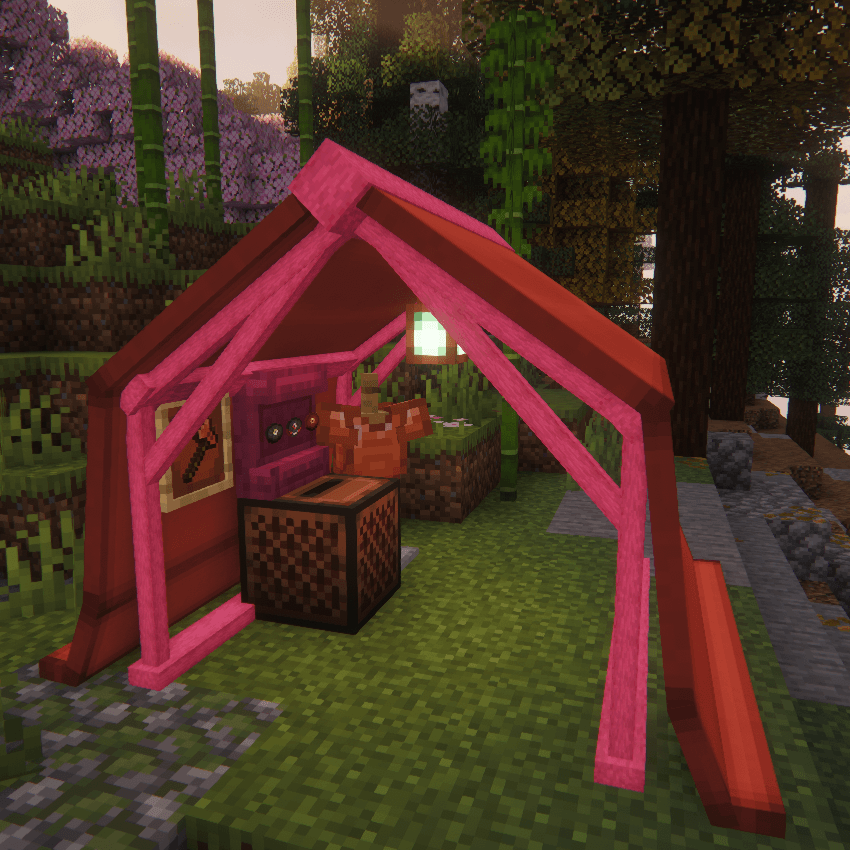
- Wall Tent: A 3-sided tent with an open front.
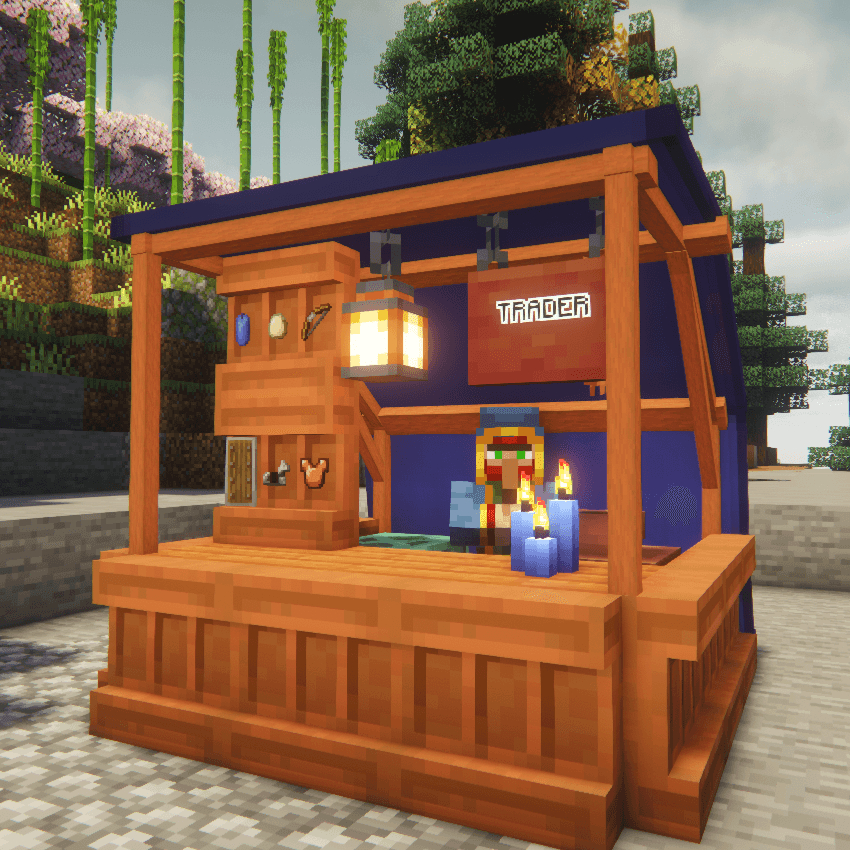
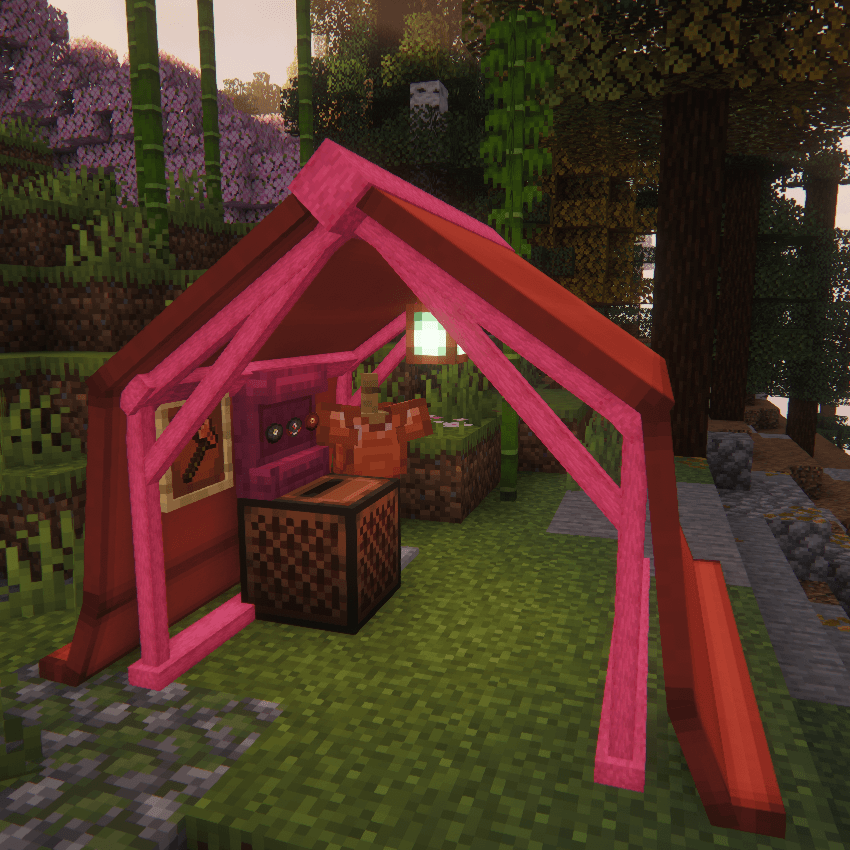
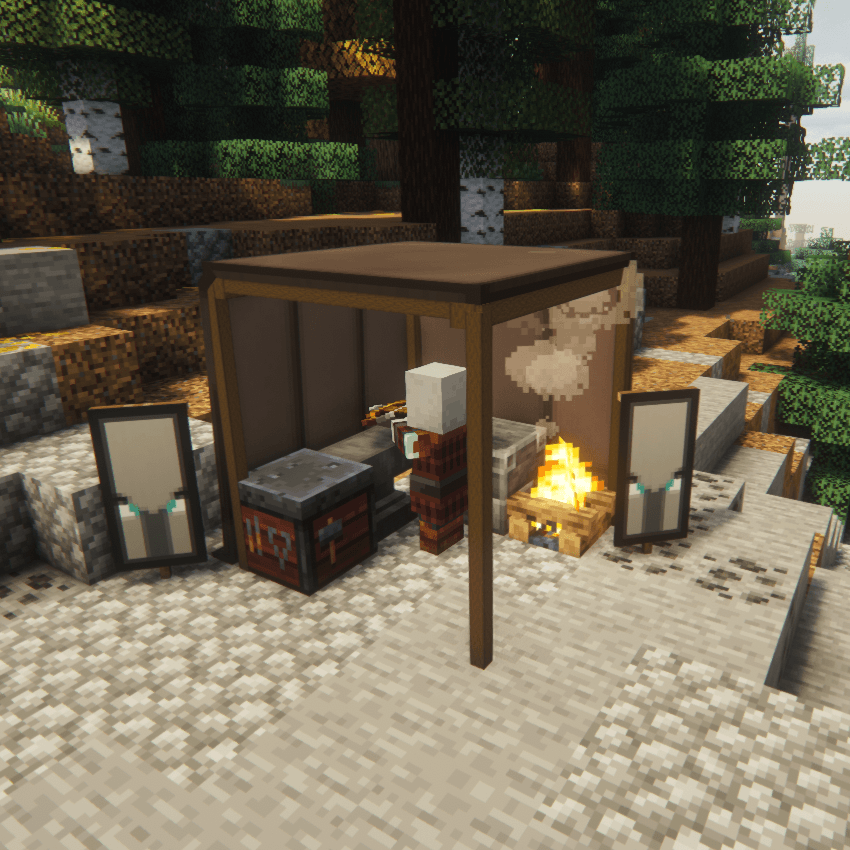
- Canopy: An open-air roof with no walls.
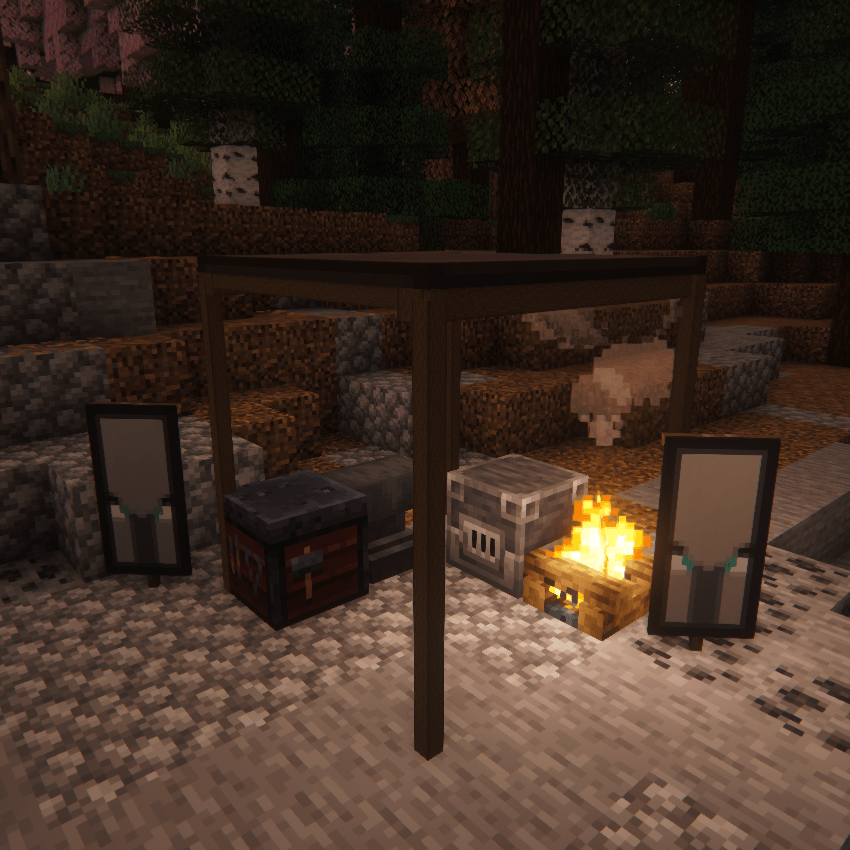
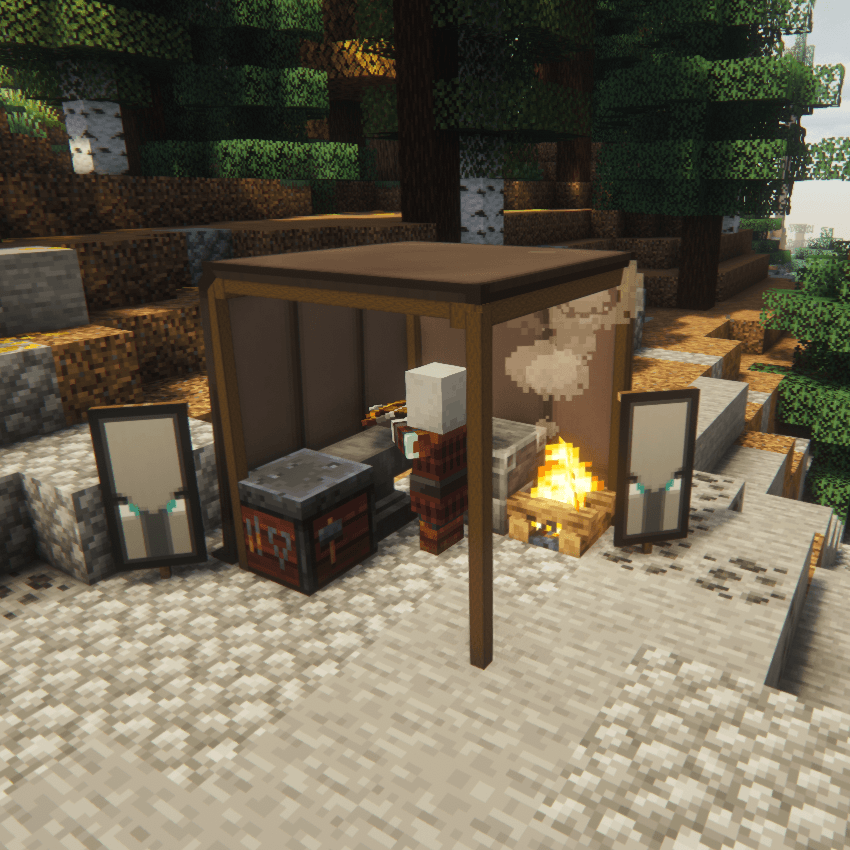
- Canvas Walls: Can be added as walls to your Canopy Tent.
- Toggleable Canvas Doors: Features realistic toggleable canvas doors that physically open and close!
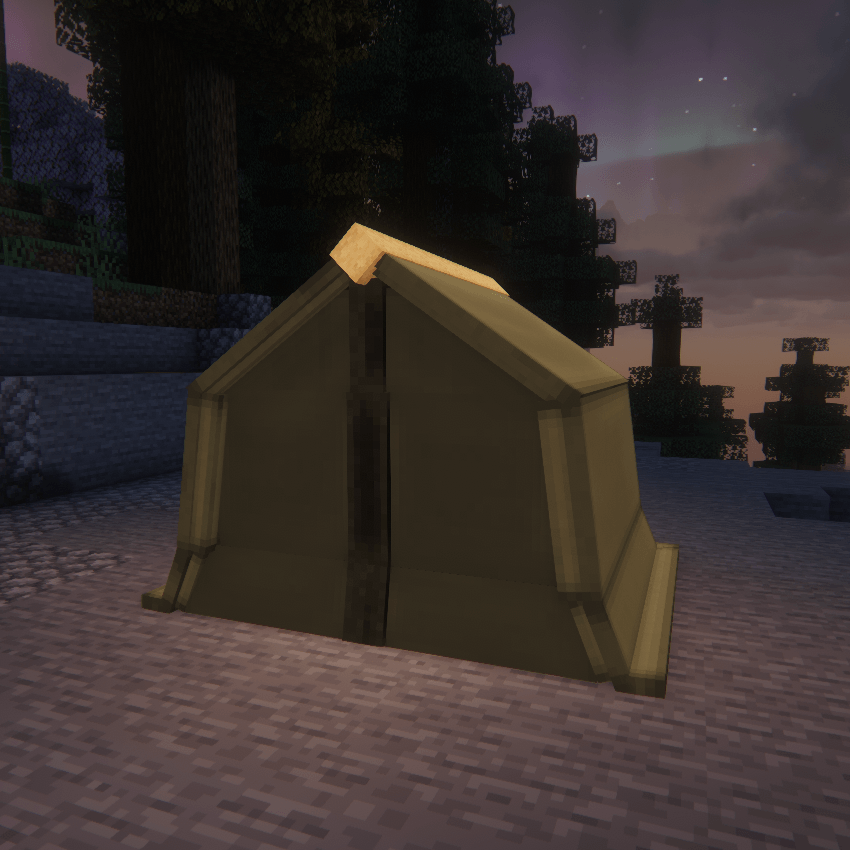
- Zip Tent: A fully enclosed tent with a toggleable door.
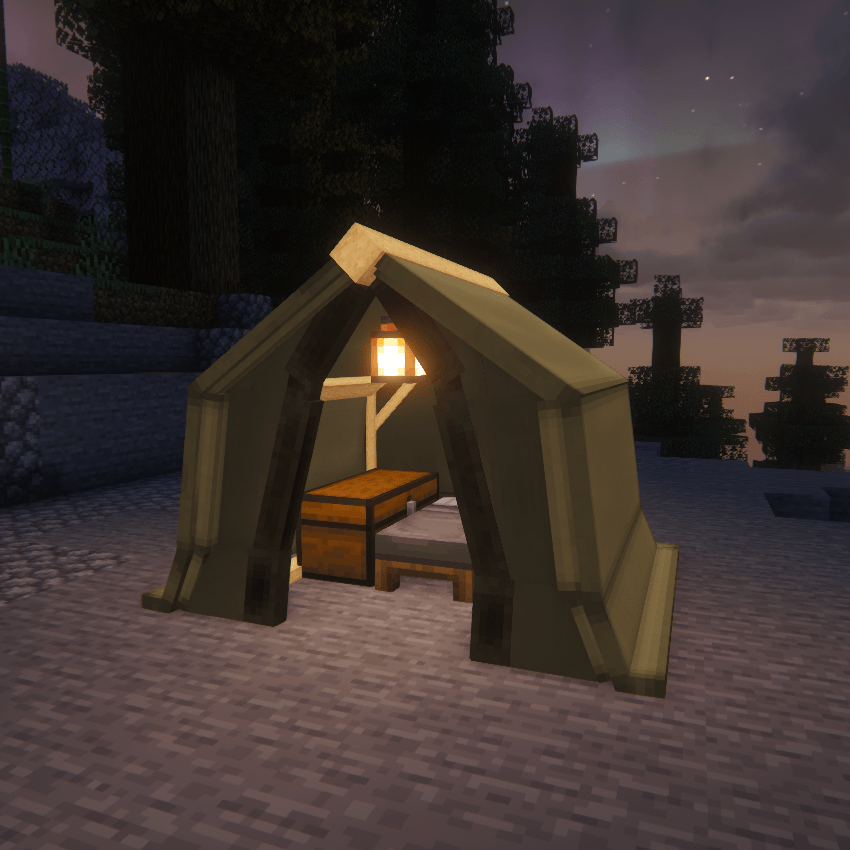
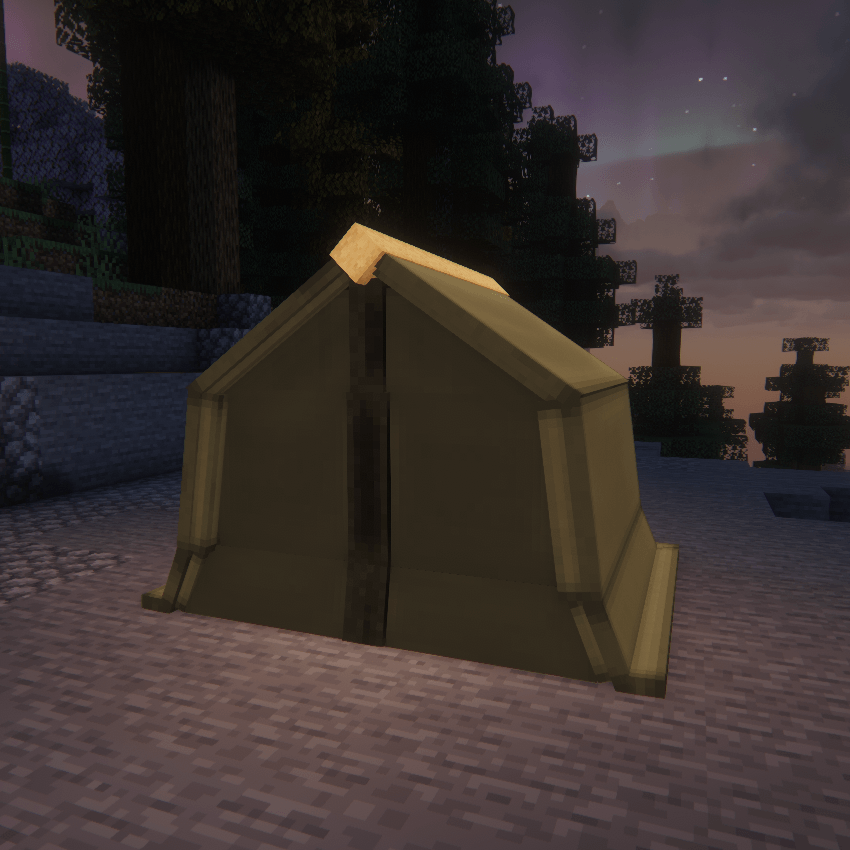
- Tipi: A cone-shaped tent variant with a tall, cozy interior.
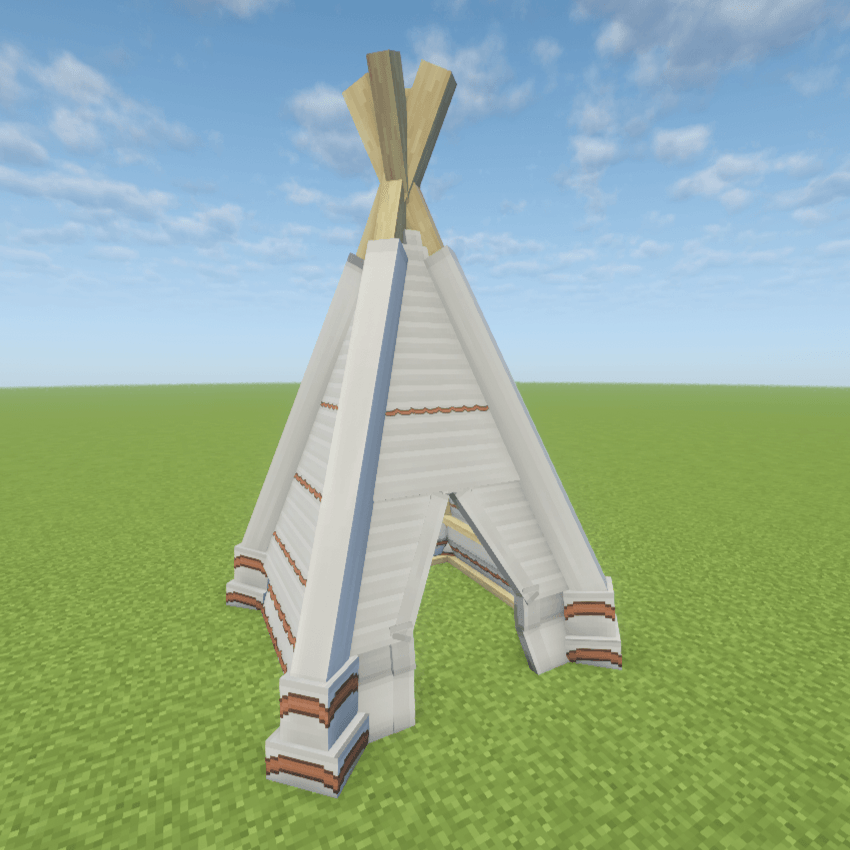
- The Yurt: A massive, circular lattice-framed tent variant perfect for a permanent base or large campsite setup.
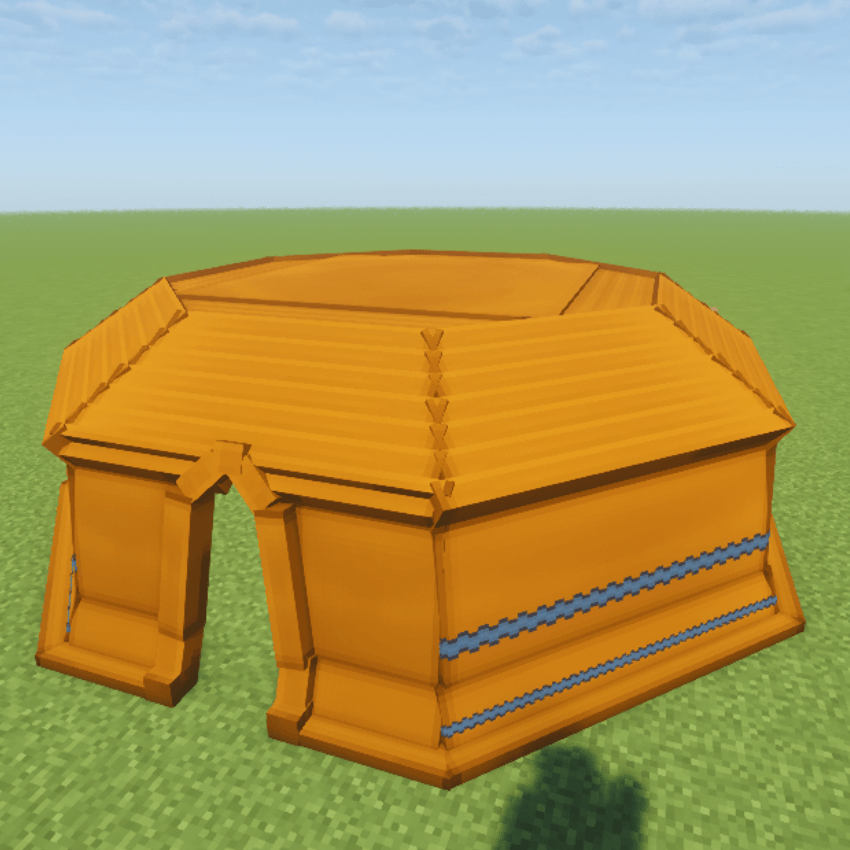
📐 Expanded Size Variants
Every tent model includes two larger size variants alongside its standard compact version, providing significantly more physical layout options and interior space for all your gear!
Models and textures are resourcepack compatible and can be edited with a resource pack! 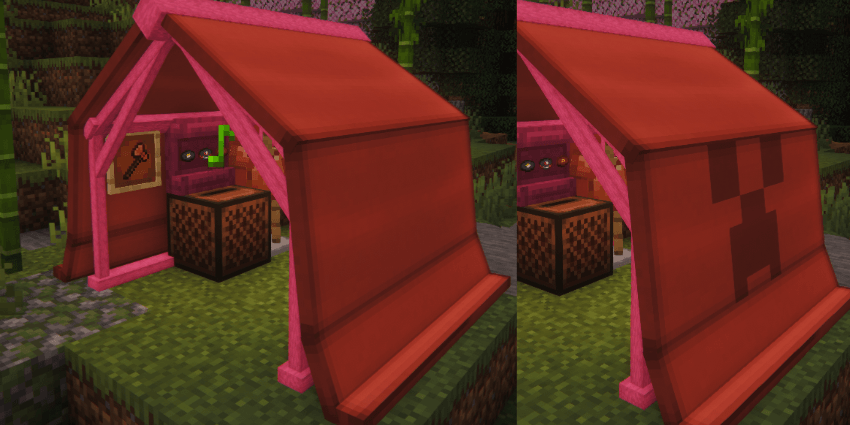
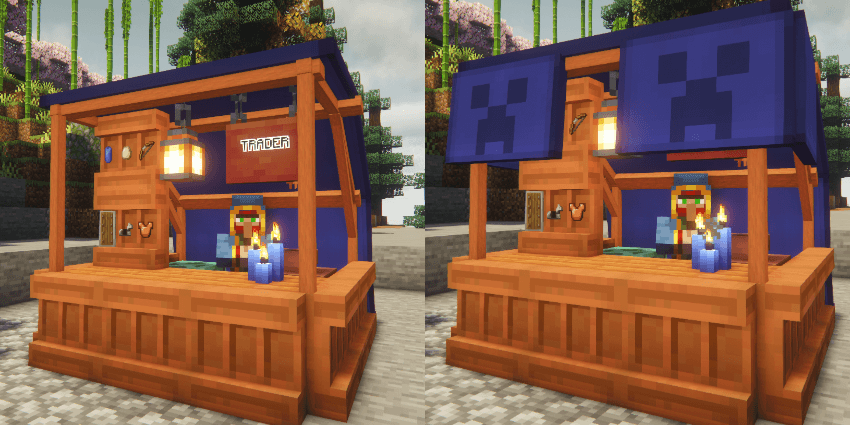
✨ Features & Customization
- Pack Up & Save Interior: Sneak + Right-click with an empty hand. Packs the tent into an item, saving all interior blocks (beds, chests, furnaces) and entities exactly as placed.
- Choose What Gets Packed: Configure whether packing a tent captures decorations only, decorations plus friendly mobs, or everything inside — players (and any mob a player is riding) are never packed.
- Smart Spawn Management: No more lost homes! If you sleep in a tent and later pack it up, you can configure the game to automatically restore your spawn point to your last permanent "Home," lock it to your current "Campsite," or default to Vanilla behavior.
- Tent Ownership Security: Prevent campsite thieves! A configurable setting ensures that only the player who originally pitched the tent is allowed to pack it up.
- 🔒 Tent Lock & Trust System: Right-click a tent with a Tent Lock to secure it, then use
/simplytents trust <player>to let specific players in and out. Untrust players or check who's trusted at any time — locked tents can't be packed or broken by anyone but the owner and their trusted guests. - Container Limits: Set a maximum number of chests, barrels, and other containers allowed inside a single tent, or block containers entirely — handy for keeping campsite storage balanced on servers.
- Nested Tent Control: Choose whether tents can be stored inside bundles or shulker boxes, and what happens to any tents nested inside a container when the outer tent gets packed up.
- Stealth Camping: Hostile mobs can be configured to ignore players sheltering inside a tent entirely — a mob you've already aggroed will still hunt you, so a tent is cover, not invincibility.
- Shelter Compatibility: Toggle whether tents count as "transparent" blocks so shelter-detecting mods (e.g. Vampirism's sun-damage checks) recognize the tent interior as indoors.
- Heavy Gear Simulation: Carrying more than a configurable number of packed tents applies Slowness, imitating the weight of hauling a stack of camping gear. Can be disabled entirely.
- Pitch Tent: Place the item; it automatically faces you and checks if there is enough space before deploying.
- Dye Fabric: Right-click the fabric with any dye. Mix dyes together for infinite custom shades.
- 🎨 Armor Trim Customization: Want a completely personalized look? Put your tent fabric into a Smithing Table along with an Armor Trim to add unique, stylized patterns across the canvas!
- 🌟 Glow-in-the-Dark Patterns: Apply a Glow Ink Sac directly onto your trimmed tent to make its custom patterns vividly glow throughout the night!
- Change Frame: Right-click the poles with any vanilla log, stripped log, or plank to change the wood type.
- Weatherproof: Roofs physically block rain and weather mechanics, keeping your campfire lit and your bed dry.
- Dynamic Icons: Inventory items dynamically render their current fabric color, wood frame type, trim, and display their contents in the tooltip.
- In-Game Config Commands: Server admins can tweak interior pickup rules, ownership restrictions, spawn logic, container limits, mob behavior, and more using the
/simplytentscommand—no server restart required!
🛠️ In-Game Commands
Server admins can tweak the mod's mechanics on the fly without ever touching a config file or restarting the server. All changes take effect immediately!
/simplytents interiorPickup <true|false>
- What it does: Toggles whether sneaking and clicking a tent packs up the interior blocks and entities. If set to
false, tents will drop as items but leave the interior blocks behind in the world.
/simplytents restrictPickup <true|false>
- What it does: Toggles campsite security. If
true, only the player who originally pitched the tent is allowed to pack it up. Iffalse, anyone can pack it up.
/simplytents spawnLogic <VANILLA | CAMP | HOME>
- What it does: Dictates what happens to a player's spawn point when a tent they slept in is packed up.
HOME(Default): Restores their spawn point to the last permanent (non-tent) bed they slept in.CAMP: Locks their spawn point to the exact coordinates where the packed-up tent was located.VANILLA: Standard Minecraft behavior. The bed is considered broken, and the spawn point is cleared.
/simplytents trust <player>
- What it does: Grants a player access to a tent you've locked with a Tent Lock, letting them use, pack, or enter it. Must be run while looking at a tent you own.
/simplytents untrust <player>
- What it does: Revokes a previously trusted player's access to a locked tent.
Trust list lookup
- What it does: Lists which players are currently trusted on the tent you're looking at, or reports that none are trusted.
🤝 Compatibility & Modpacks
- Partial support for Cold Sweat temperature mechanics (optional dependency).
- Toggle-able transparency setting for compatibility with shelter-detecting mods like Vampirism.
- Available for Fabric/NeoForge (1.21.1, 1.21.11 and 26.1.2), Fabric and Forge (1.20.1) and Forge (1.18.2).
Fully allowed in all modpacks and public servers.
⚠️ LEGACY VERSION NOTE: THE LEGACY VERSION IS NOT GETTING UPDATES DUE TO IT BEING POORLY CODED AND THE LOSS OF PROJECT FILES.
⚠️ Dependencies & Upgrading
- Required Dependencies: GeckoLib (All Versions) and Cloth Config API (for some versions)
- Auto-Conversion: Old legacy tents automatically convert to new models on world load.
- Space Requirements: New models have strict physical boundaries. If the area is blocked, conversion will fail and the tent blocks will be deleted. Back up your world and empty old tents before updating.
SimplyTents
Newest Update Includes: Applying dye and wood type now can be also done in a Crafting Table. New Tipi tent with 2 size variations and a new Yurt tent Also for all existing tents 2 new size variations. You can now also apply armor trims to your tent to give them a unique look. Larger Variants are crafted like so: 2x(tent type) on crafting grid for duo tent and 4x(tent type) for the large variants. Yurt acts as the Large variant for Tipi tents for now.
⛺ Tent Types (All tents now feature multiple size variants to fit your survival needs!)
- Solo Tent: A classic A-frame tent.
- Wall Tent: A 3-sided tent with an open front.
- Canopy: An open-air roof with no walls.
- Canvas Walls: Can be added as walls to your Canopy Tent.
- Toggleable Canvas Doors: Features realistic toggleable canvas doors that physically open and close!
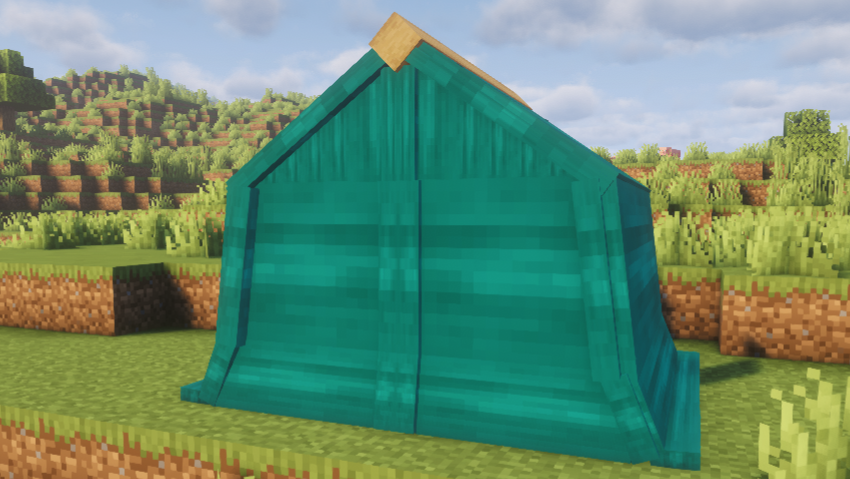
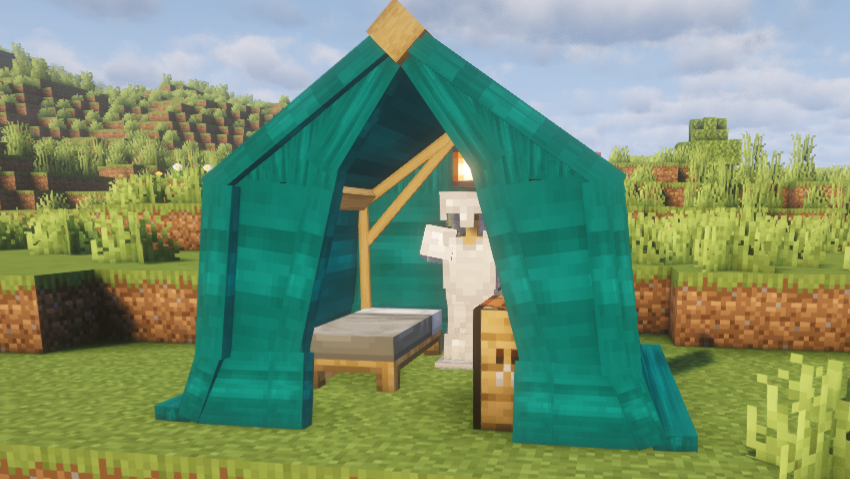
- Zip Tent: A fully enclosed tent with a toggleable door.
- Tipi: A brand-new cone-shaped tent variant with a tall, cozy interior.
- The Yurt: A massive, circular lattice-framed tent variant perfect for a permanent base or large campsite setup.
📐 Expanded Size Variants
Every single existing tent model now includes two larger size variants alongside its standard compact version, providing you with significantly more physical layout options and interior space for all your gear!
Models and textures are now resourcepack compatible and can be edited with a resource pack!
✨ Features & Customization
- Pack Up & Save Interior: Sneak + Right-click with an empty hand. Packs the tent into an item, saving all interior blocks (beds, chests, furnaces) and entities (armor stands) exactly as placed.
- Smart Spawn Management: No more lost homes! If you sleep in a tent and later pack it up, you can configure the game to automatically restore your spawn point to your last permanent "Home", lock it to your current "Campsite", or default to Vanilla behavior.
- Tent Ownership Security: Prevent campsite thieves! A configurable setting ensures that only the player who originally pitched the tent is allowed to pack it up.
- Pitch Tent: Place the item; it automatically faces you and checks if there is enough space before deploying.
- Dye Fabric: Right-click the fabric with any dye. Mix dyes together for infinite custom shades.
- 🎨 Armor Trim Customization: Want a completely personalized look? Put your tent fabric into a Smithing Table along with an Armor Trim to add unique, stylized patterns across the canvas!
- 🌟 Glow-in-the-Dark Patterns: Apply a Glow Ink Sac directly onto your trimmed tent to make its custom patterns vividly glow throughout the night!
- Change Frame: Right-click the poles with any vanilla log, stripped log, or plank to change the wood type.
- Weatherproof: Roofs physically block rain and weather mechanics, keeping your campfire lit and your bed dry.
- Dynamic Icons: Inventory items dynamically render their current fabric color, wood frame type, and display their contents in the tooltip.
- In-Game Config Commands: Server admins can tweak interior pickup rules, ownership restrictions, and spawn logic on the fly using the
/simplytentscommand—no server restart required!
🛠️ In-Game Commands
Server admins can tweak the mod's mechanics on the fly without ever touching a config file or restarting the server. All changes take effect immediately!
/simplytents interiorPickup <true|false>
- What it does: Toggles whether sneaking and clicking a tent packs up the interior blocks and entities. If set to
false, tents will drop as items but leave the interior blocks behind in the world.
/simplytents restrictPickup <true|false>
- What it does: Toggles campsite security. If
true, only the player who originally pitched the tent is allowed to pack it up. Iffalse, anyone can pack it up.
/simplytents spawnLogic <VANILLA | CAMP | HOME>
- What it does: Dictates what happens to a player's spawn point when a tent they slept in is packed up.
HOME(Default): Restores their spawn point to the last permanent (non-tent) bed they slept in.CAMP: Locks their spawn point to the exact coordinates where the packed-up tent was located.VANILLA: Standard Minecraft behavior. The bed is considered broken, and the spawn point is cleared.
🤝 Compatibility & Modpacks
- Partial support for Cold Sweat temperature mechanics.
- Available for Fabric/NeoForge (1.21.1, 1.21.11 and 26.1.2), Fabric and Forge (1.20.1) and Forge (1.18.2).
Fully allowed in all modpacks and public servers.
⚠️ LEGACY VERSION NOTE: THE LEGACY VERSION IS NOT GETTING UPDATES DUE TO IT BEING POORLY CODED AND THE LOSS OF PROJECT FILES.
⚠️ Dependencies & Upgrading
- Required Dependencies: GeckoLib (All Versions) and Cloth Config API (for some versions)
- Auto-Conversion: Old legacy tents automatically convert to new models on world load.
- Space Requirements: New models have strict physical boundaries. If the area is blocked, conversion will fail and the tent blocks will be deleted. Back up your world and empty old tents before updating.
Screenshots
Gallery
-
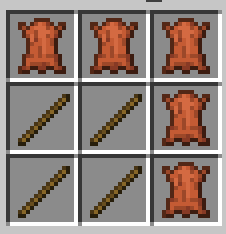
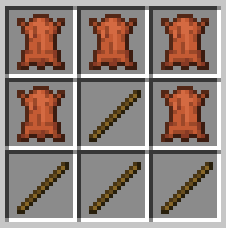 "tunnel" Tent recipe image_2026-02-25_100804358.png
 -
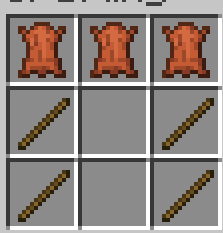
 "wall" tent recipe image_2026-02-25_100833448.png
 -
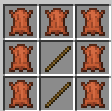
 "roof" tent recipe image_2026-02-25_100855571.png
 -
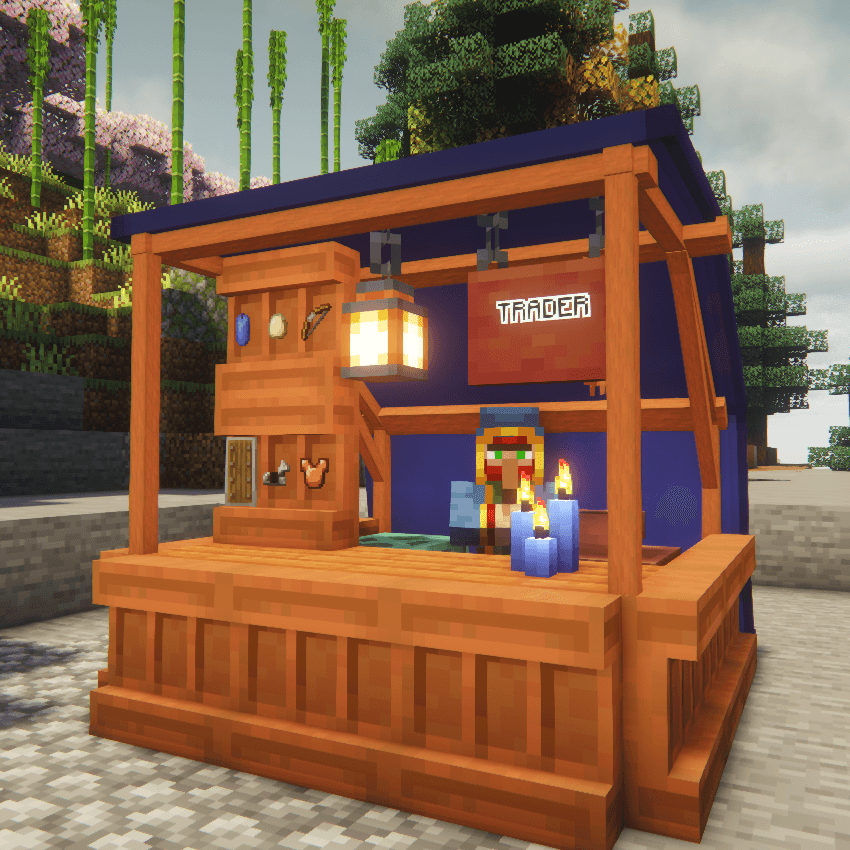
 "zip" tent recipe image_2026-02-27_032902677.png
 -
 2026-05-08_17.11.24.png 2026-05-08_17.11.24.png
 -
 2026-05-08_17.31.24.png 2026-05-08_17.31.24.png
 -
 2026-05-08_17.31.25.png 2026-05-08_17.31.25.png
 -
 2026-05-08_17.41.27_3.png 2026-05-08_17.41.27_3.png
 -
 2026-05-08_17.46.53.png 2026-05-08_17.46.53.png
 -
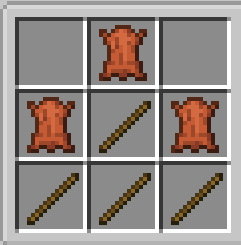 "small tipi" tent recipe "small tipi" tent recipe
Versions
Files
Relations
Project Relations
More like this
Similar Mods
Suggestions use data such as tags, dependencies, dependents, descriptions, titles, and more to rank how much they overlap with this mod.
On ModDex
Community snapshot
By the numbers
Statistics
Want to reach Minecraft players?
We're looking for a server hosting partner to feature here and other parts of the site. Interested? Send us a message!
Get in touchGet it on
Available Platforms
On ModDex
Community snapshot
By the numbers
Statistics
Resources