Community listing page, reviews may not be monitored by the author.
Skin Change in game


No reviews yet
A powerful mod for changing skins and capes on the fly.

Community voices
Reviews
No reviews yet. Be the first to review this project!
Get it on
Available Platforms
Compatibility
Supported Environments
Runs entirely on the client. Works on vanilla servers.
Required on the client. Installing it on the server adds functionality.
Varies by version.
About
Project Details
For authors
Embed Badge
If you're the author of this project, you can embed a live badge anywhere that supports HTML or Markdown. It updates automatically whenever ratings change.
Use HTML for any page that supports it, or Markdown for README files and Markdown-based descriptions.
Identifiers
Platform IDs
About
Description
🎭 Skin Shift
A powerful mod for changing skins and capes on the fly.
Skin Shift lets you override player skins and capes instantly, making it perfect for roleplay, skin testing, screenshots, and skin artistry.
✨ Features
Change skins and capes anytime
Override any player's skin or cape whenever you want.Quick access override screen
Open the overrides menu through Mod Menu or with the override keybind
(defaults toO).Per-player overrides
Configure, add, edit, or remove overrides for individual players with ease.Personal skin library
Store your favorite skins and capes in a built-in library so you can switch between them quickly.Shareable library overrides
Easily reuse saved looks and share them with other players.Server-side visibility support
If Skin Shift is installed on the server, library-based overrides are visible to everyone online — even players who do not have the mod installed.Change your own skin in-game
Update your own skin directly from the mod, and everyone online will see it when the mod is present server-side.Compatibility-friendly
Designed to stay compatible with other skin-related mods, including mods such as Ears and 3D Skin Layers.
🖼️ Why use it?
Whether you want to:
- roleplay with different looks,
- preview skins before using them,
- organize a personal skin collection,
- or create better screenshots and videos,
Skin Shift makes switching skins and capes fast and simple.
🌐 Multiplayer Support
When installed on the server, Skin Shift allows shared library overrides to be seen by everyone in the game.
That means:
- your custom override can be visible to other players,
- your updated skin can appear for everyone online,
- and even players without the mod can still see the changes.
❤️ Credits
Special thanks to MineSkin for its free skin signing service, which powers the sharing features used by the mod.
skin overrides
a powerful mod for changing skins and capes!
skin overrides is a mod that allows you to change your skin or cape on the fly: useful for anything from roleplay to skin artistry.
from the overrides screen, you can change any player's skin or cape to whatever your heart desires! this can be accessed from mod menu or by pressing the overrides key (defaults to I). from here, you can configure, add or remove overrides.
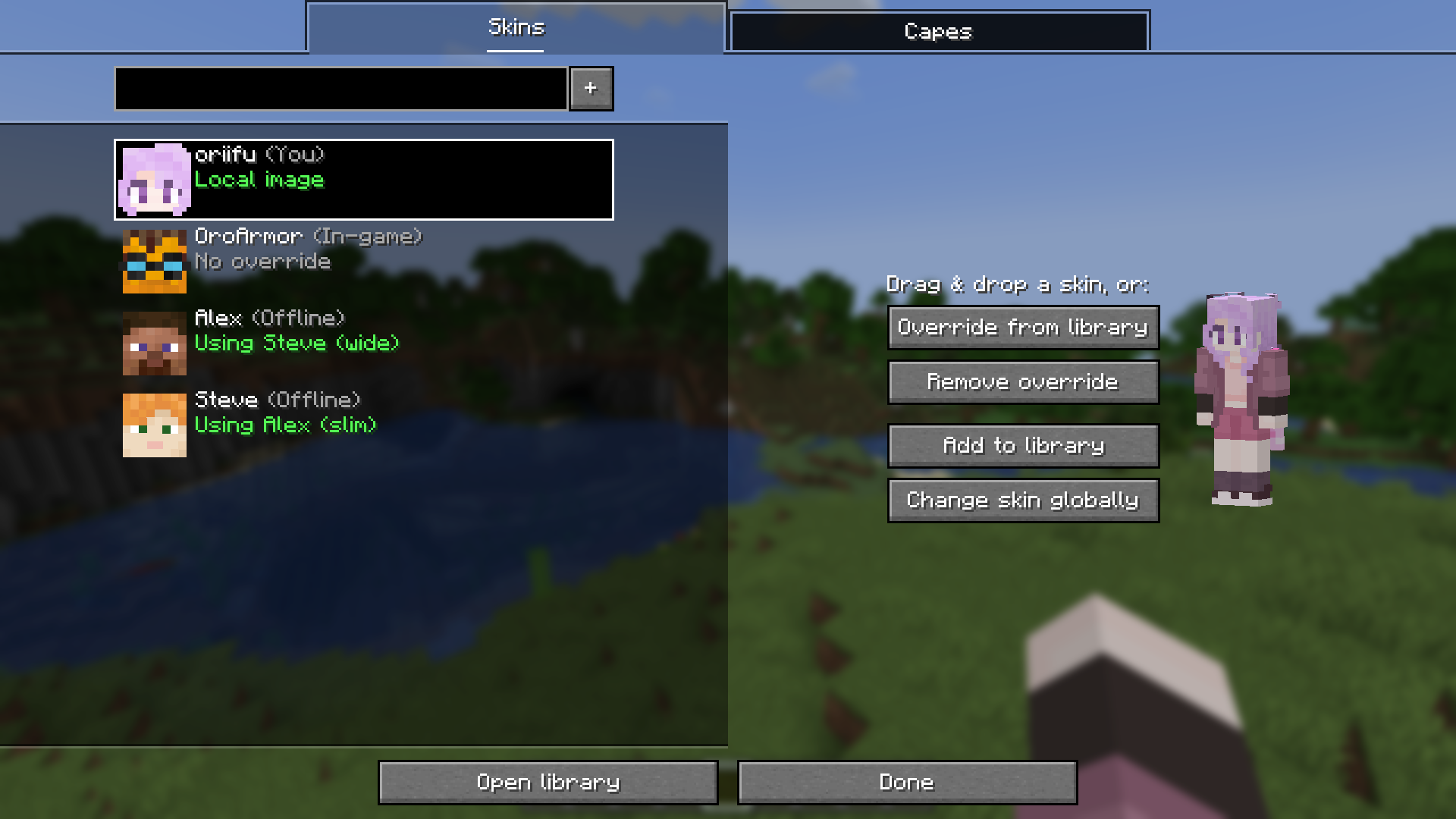
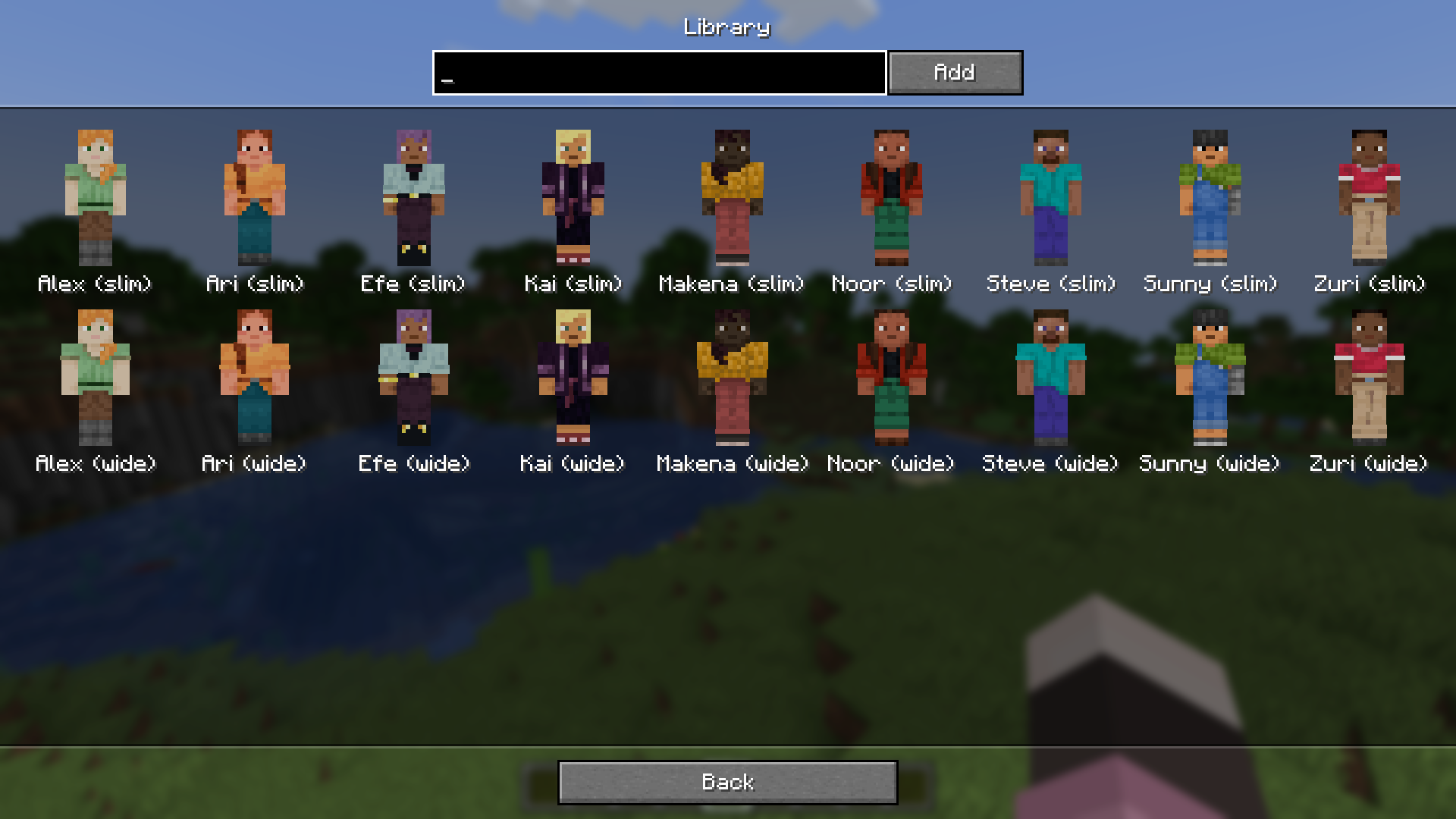
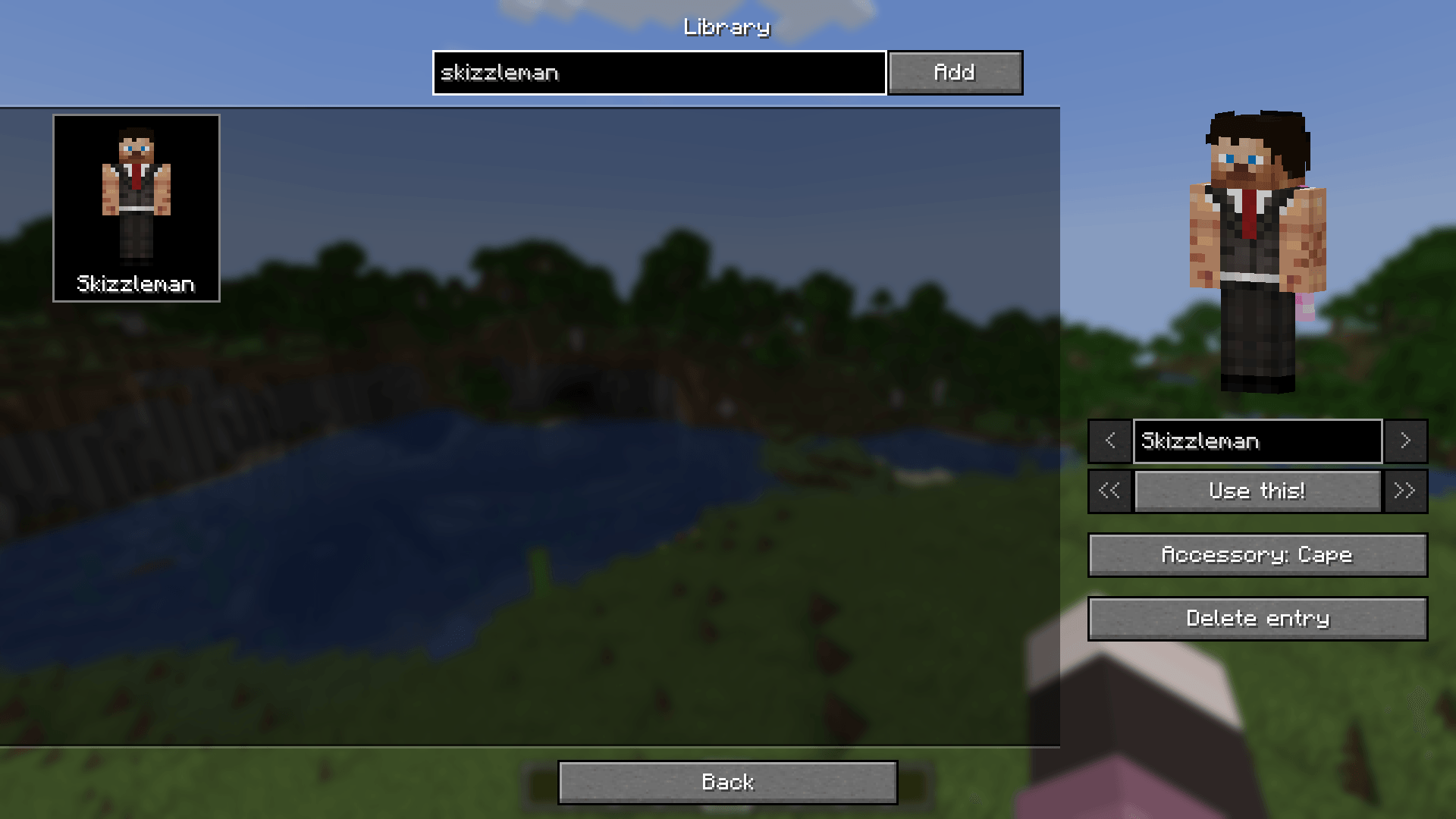
you can store a collection of skins and capes in your personal library. this allows you to easily switch between a few skins, and can also enable you to share your override with other online players!
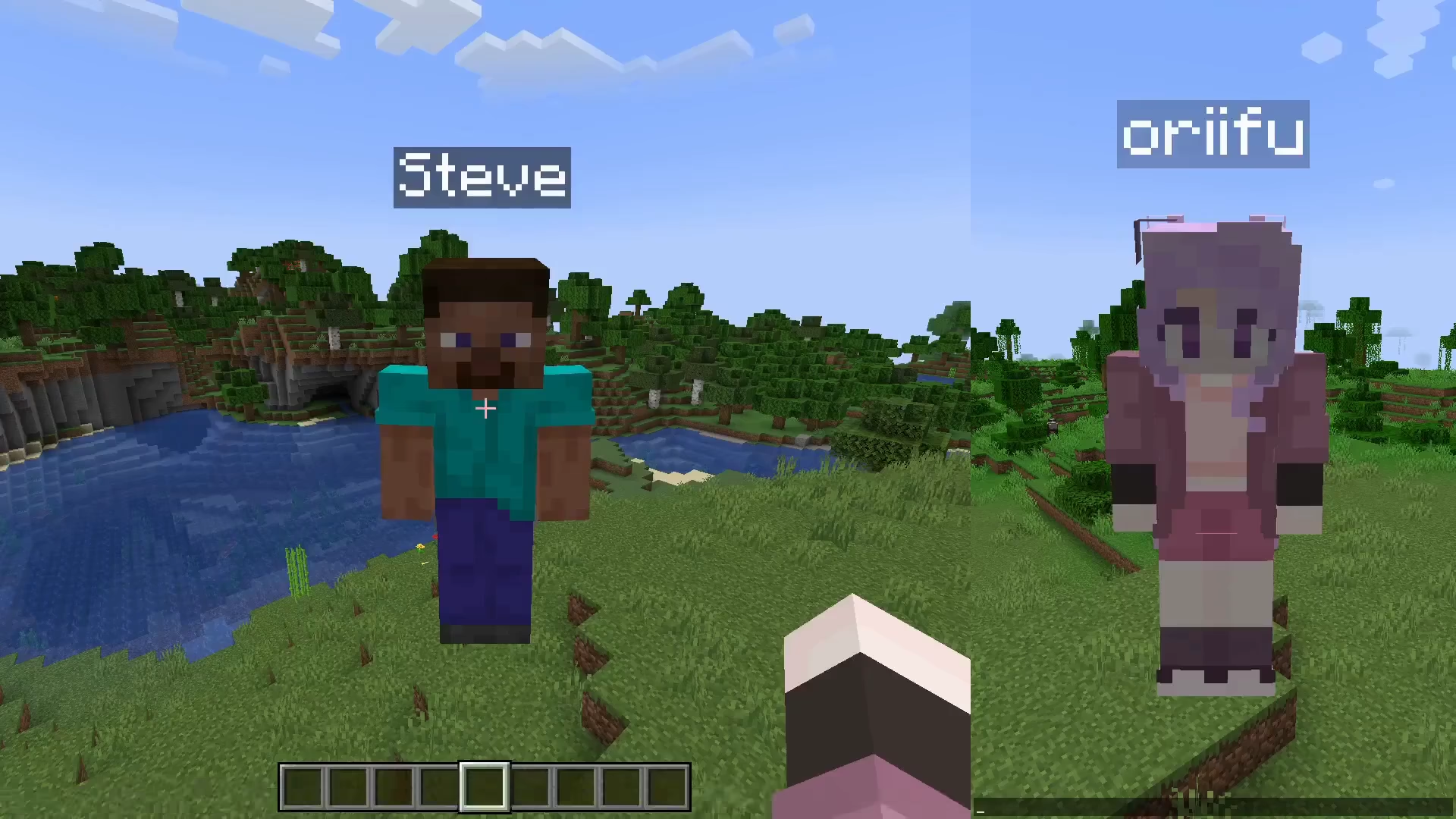
if skin overrides is installed on the server, when you use a library override, everyone will be able to see it, even if they don't have the mod!
similarly, you can change your skin from within the mod, which will update it for everyone online if installed on the server.
skin overrides also intends to keep compatibility with other skin related mods, such as ears and 3D skin layers. see the compatibility page for more info!
⚠️ versions prior to 2.7.0 used mineskin for skin signing. please refer to their terms of use and privacy policy for more information about their service.
Screenshots
Gallery
-
 cbdc26cf9f04d9a4ea37aeef6d174fd74d2ee364.png cbdc26cf9f04d9a4ea37aeef6d174fd74d2ee364.png
 -
 cadcc4dddff0e043d664fd88ca1c52547e309c66.png cadcc4dddff0e043d664fd88ca1c52547e309c66.png
 -
 a06130788009b563dd2ba3e753ac3225168fee3b.png a06130788009b563dd2ba3e753ac3225168fee3b.png
 -
 09607af5694d647382942084ecd2625d0f5b2642.webp 09607af5694d647382942084ecd2625d0f5b2642.webp
 -
 99c6a9673c99b224f06d5e2ef2561f4ef81dfed7.png 99c6a9673c99b224f06d5e2ef2561f4ef81dfed7.png
 -
 9f2a0a88ac918a69fce4acdce3940d28fd1c9b0b.png 9f2a0a88ac918a69fce4acdce3940d28fd1c9b0b.png
 -
 08d39bf386c840d90cc72730c27b4473580b887d.png 08d39bf386c840d90cc72730c27b4473580b887d.png
 -
 5b0c4e12943f36bfb0ac14fe57807beac434838d.webp 5b0c4e12943f36bfb0ac14fe57807beac434838d.webp
 -
 2fcd601463b14d52bad57bbfddeb69be716b49c5.png 2fcd601463b14d52bad57bbfddeb69be716b49c5.png
 -
 1b71d871cc7aadfb4e452f4e5d19bc1c751515d3.png 1b71d871cc7aadfb4e452f4e5d19bc1c751515d3.png
-
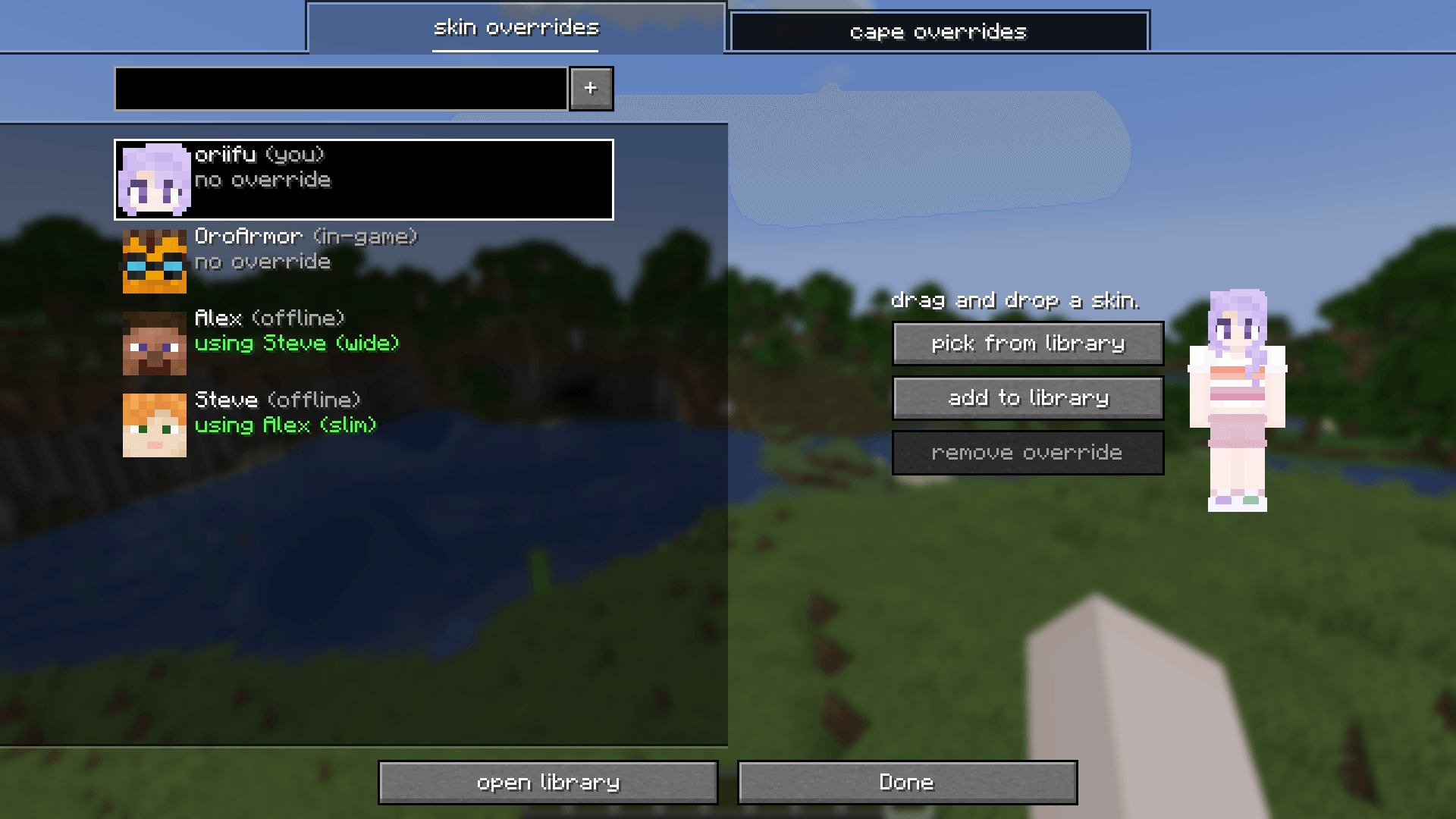
easily create overrides! the overrides list contains yourself and all the players online/you've overridden. the bar can search or add a new override!
-
 drag and drop! changing a skin or cape is as easy as grabbing a texture and dropping it into minecraft.
 -
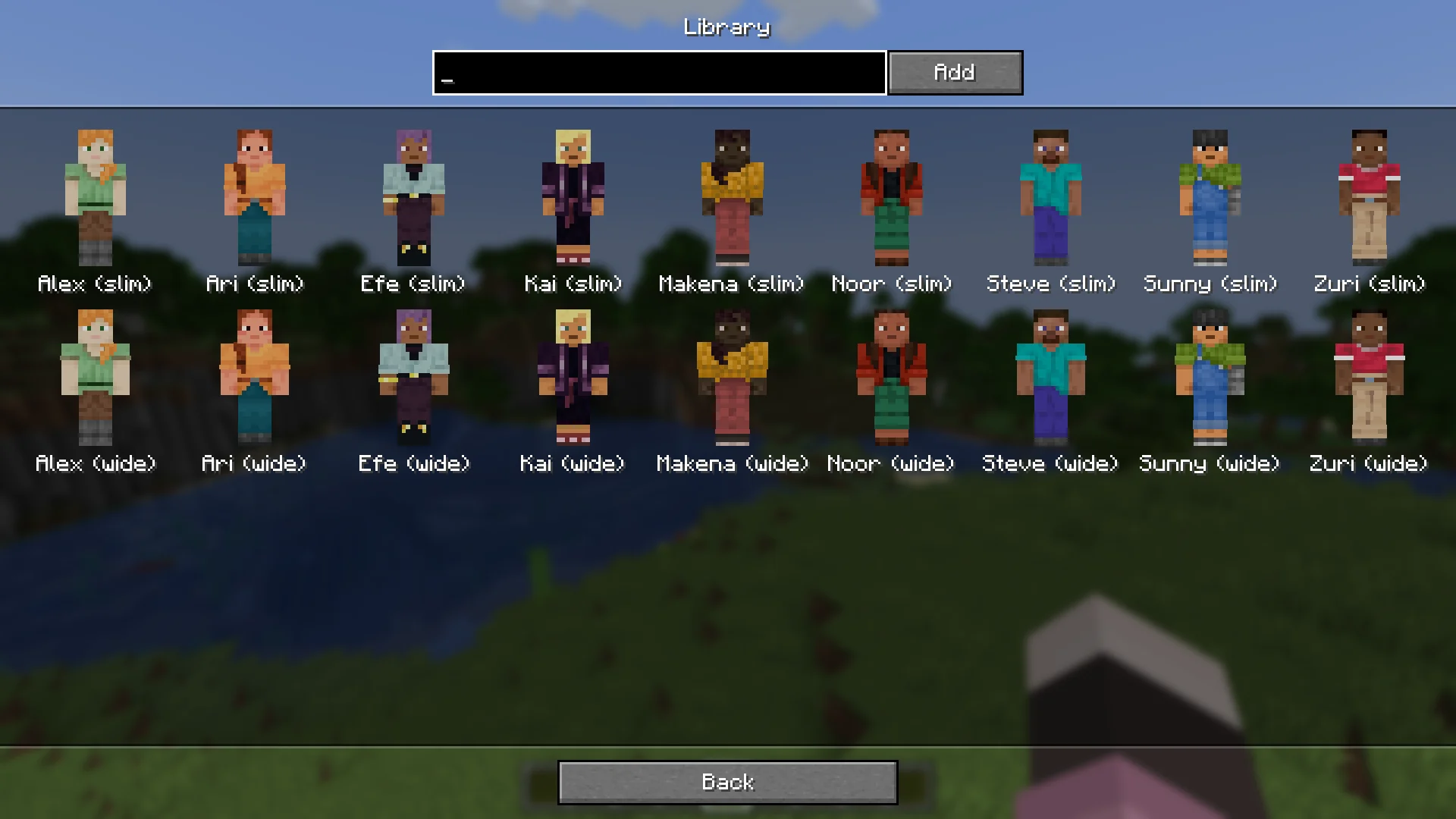
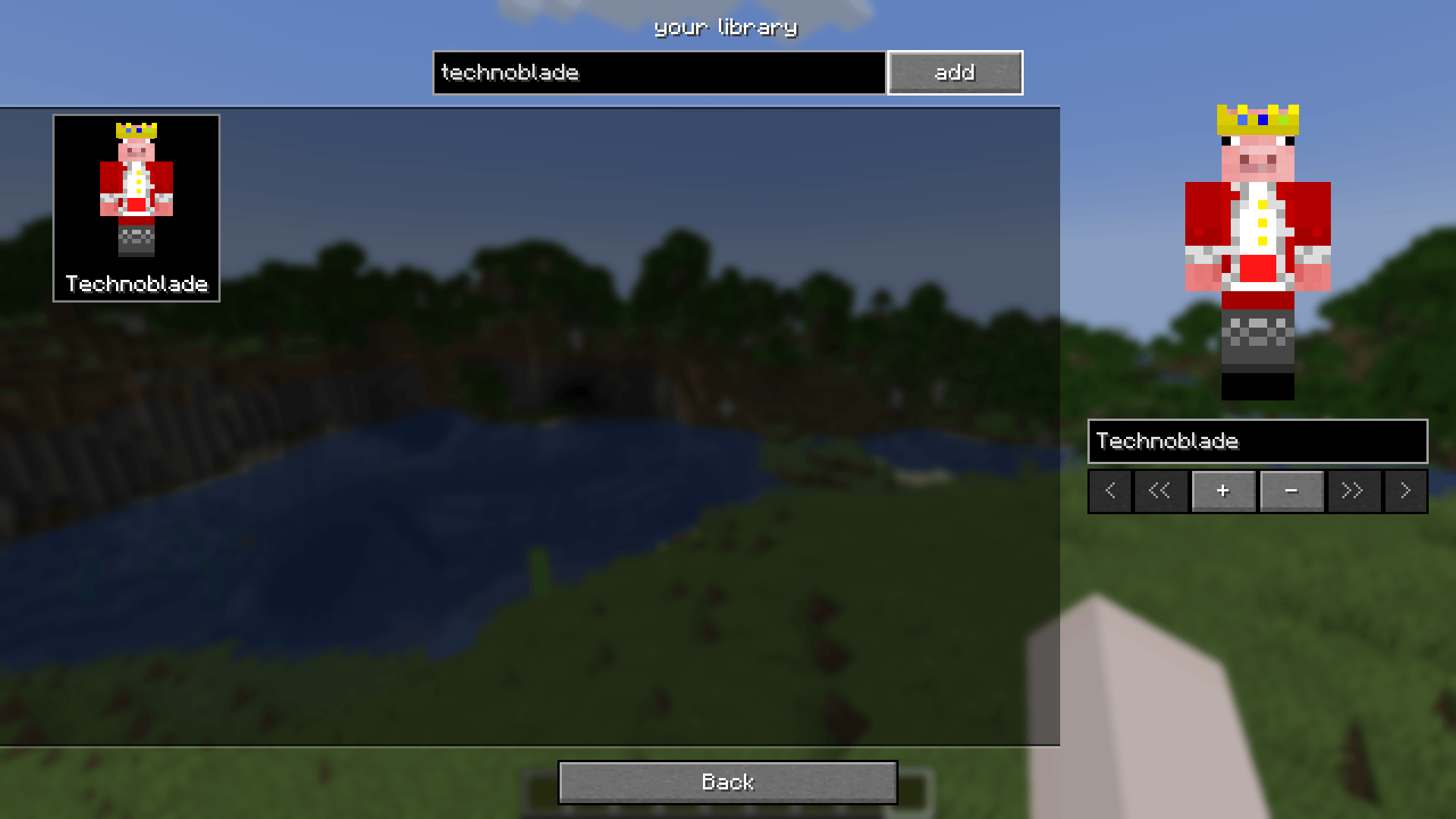
organise your collection! you can easily manage skins & capes using the library. by default, you get minecraft's 18 built-in skins.
-
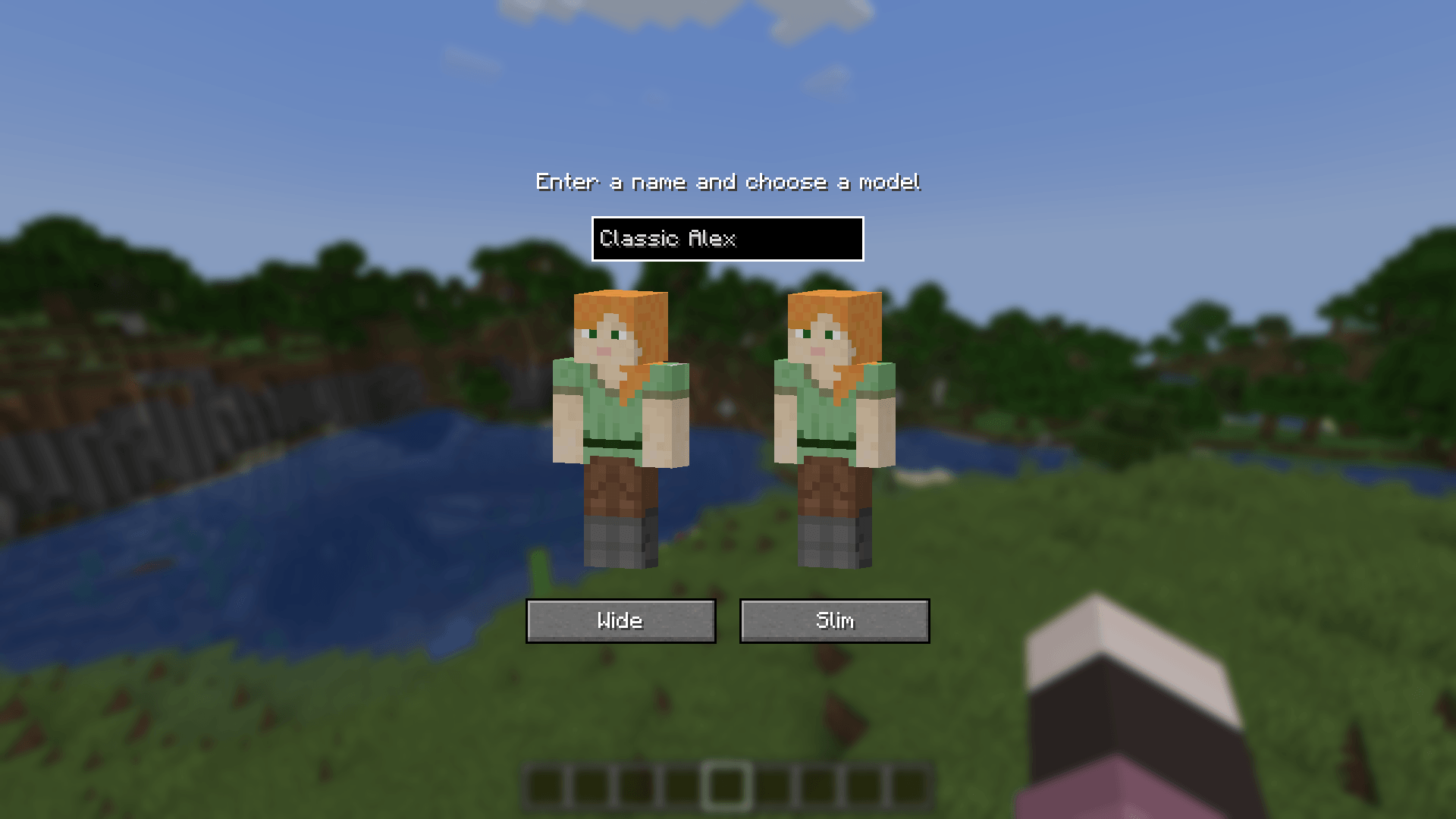
 add a player to your library! easily add new skins by entering a player's name and pressing add.
 -
 add files to your library! like the overrides screen, you can drag and drop skins into your library too.
 -
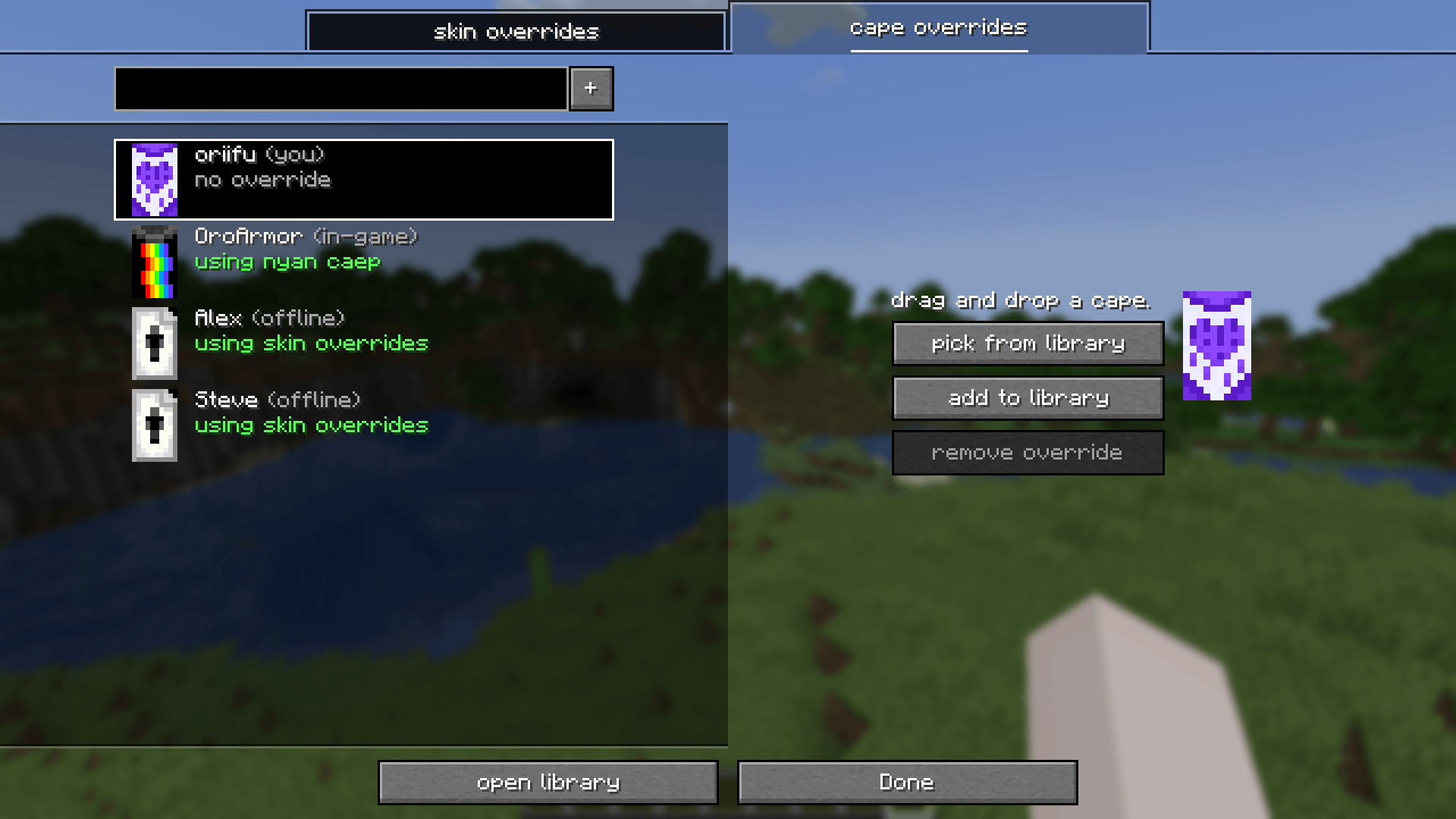
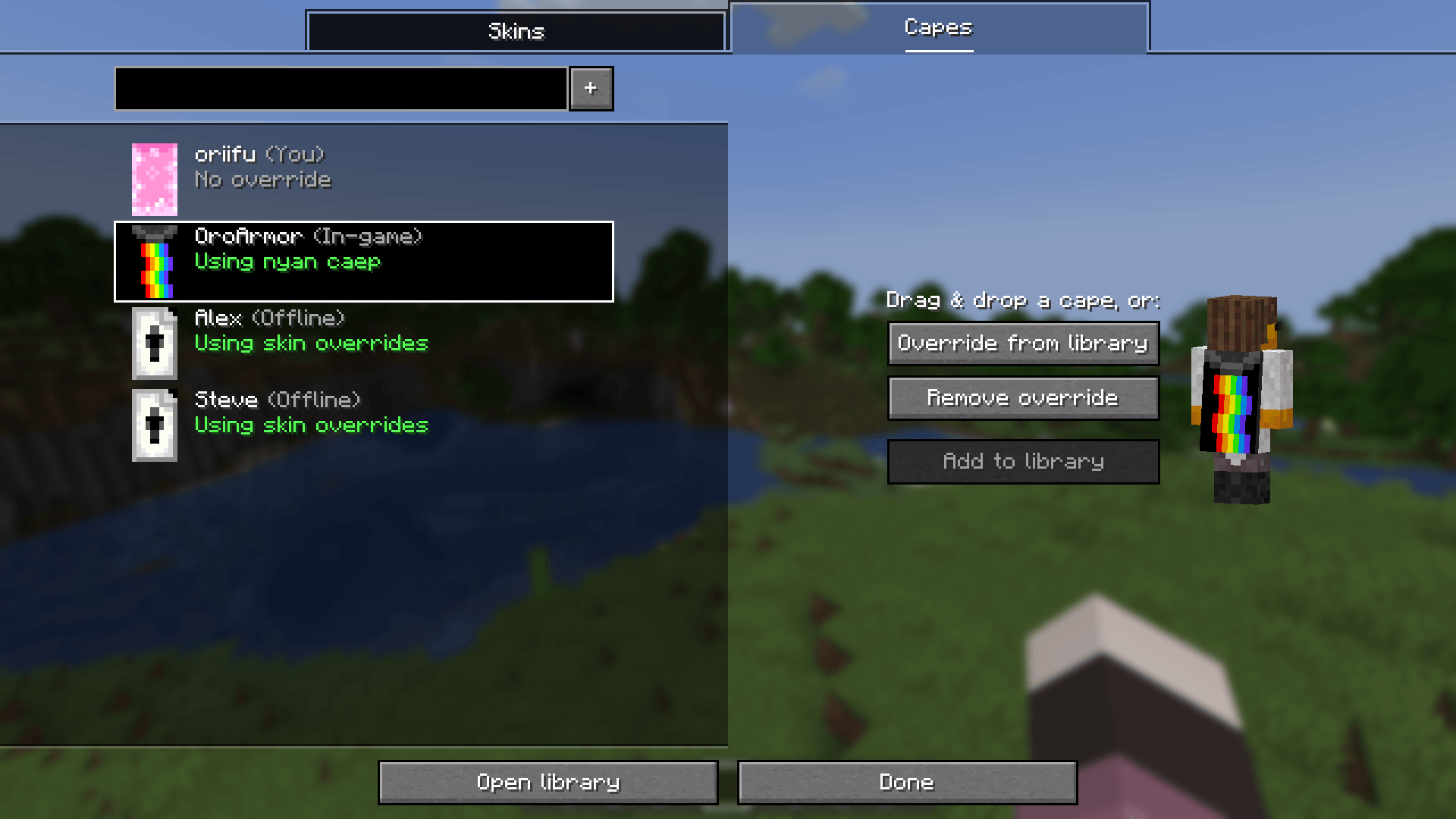
 cape overrides, too! skin overrides isn't just about skins - capes can have their own overrides too! the library comes with a skin overrides cape as a thank-you for downloading.
 -
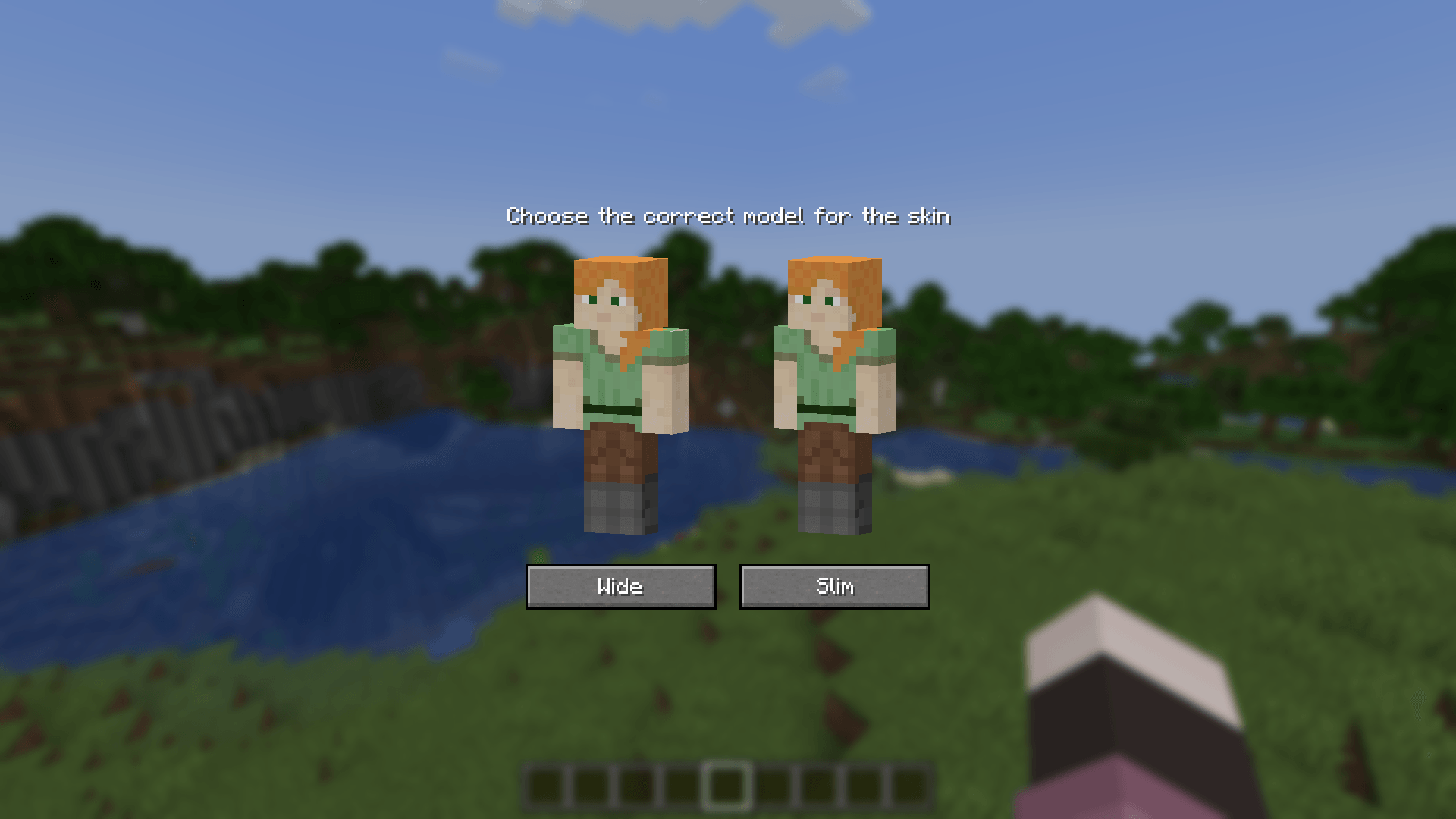
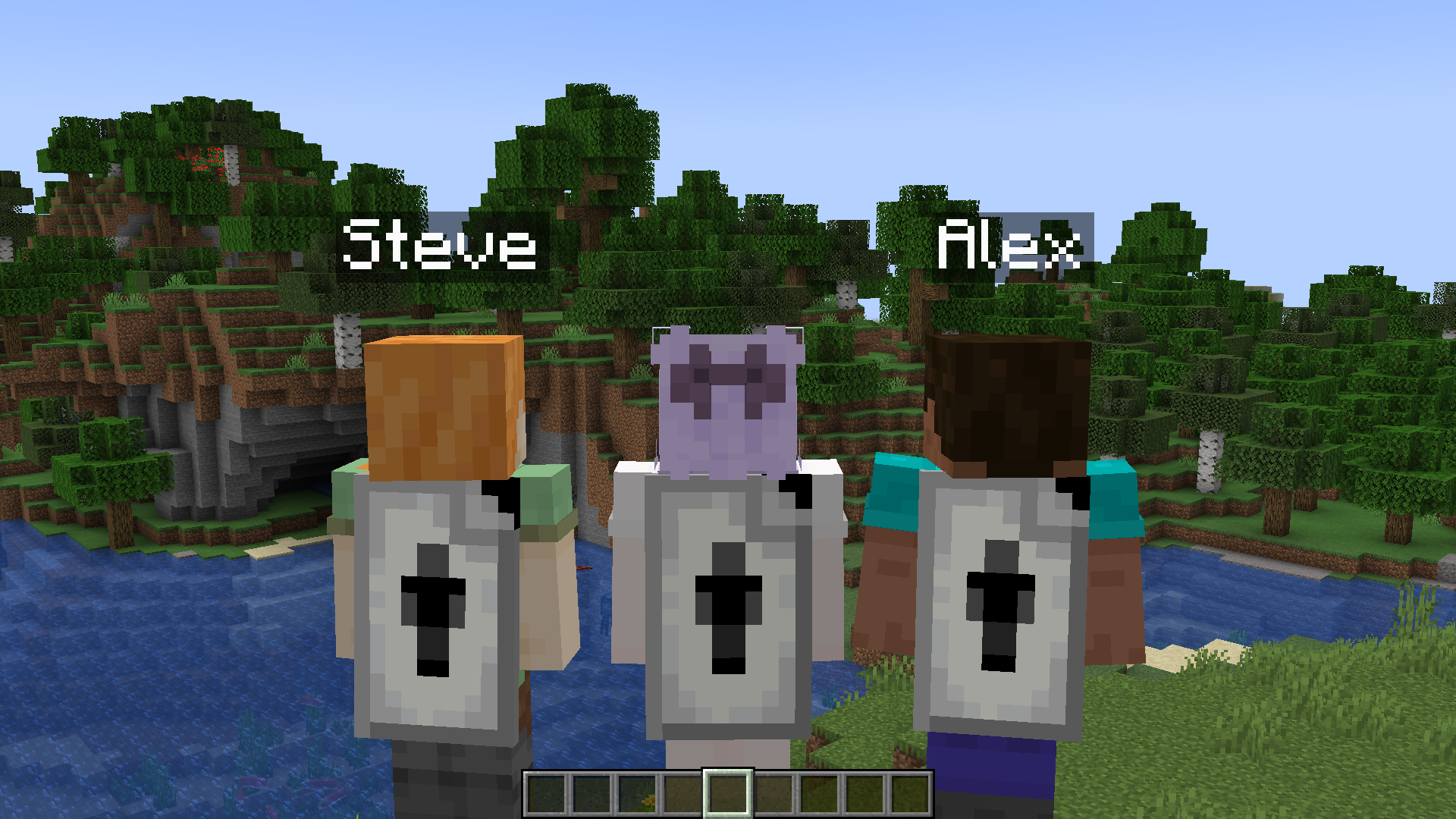 relish in your creations! express your desire to have alex steve and steve alex rep your mod with you!!!
 -
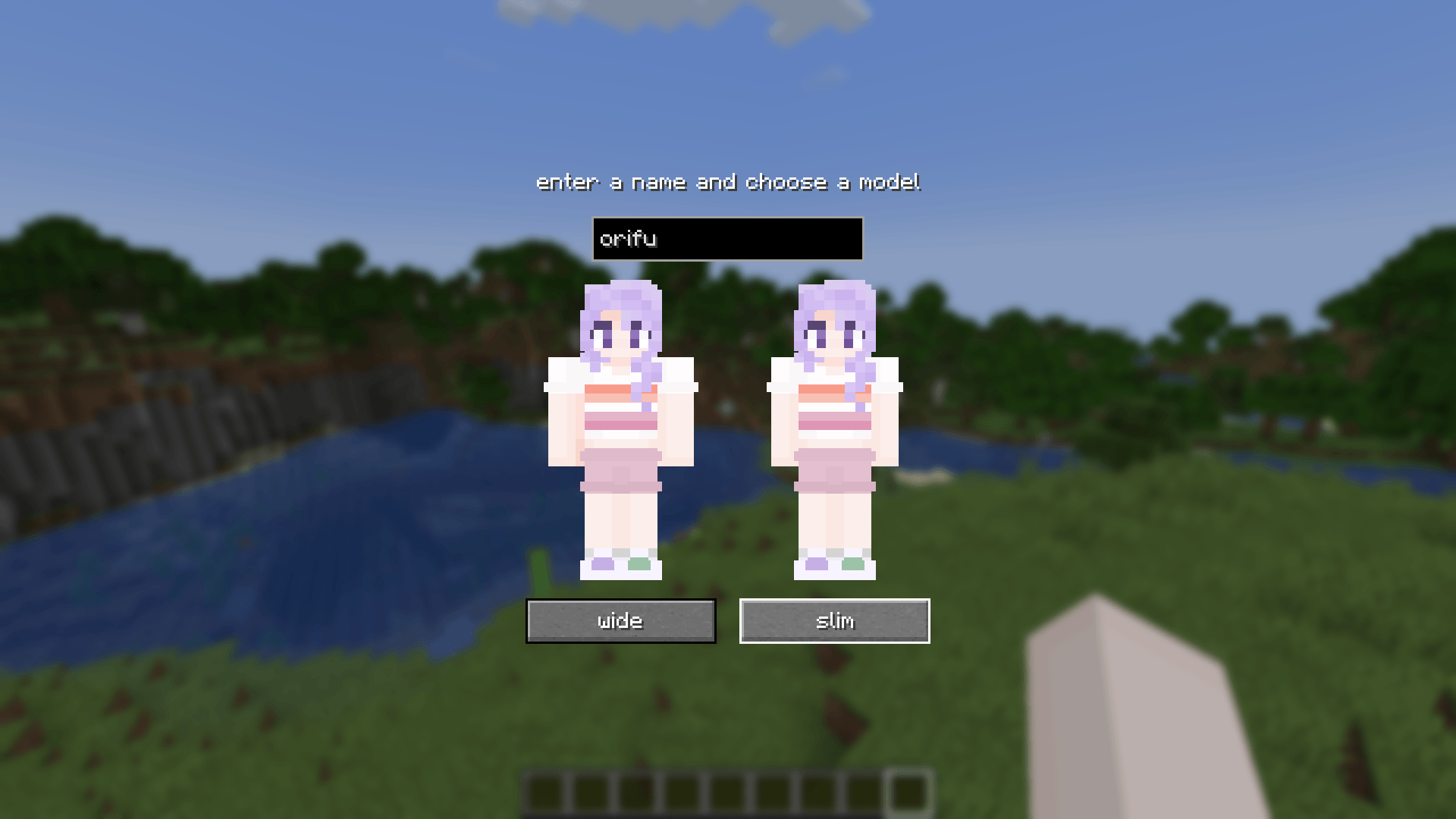
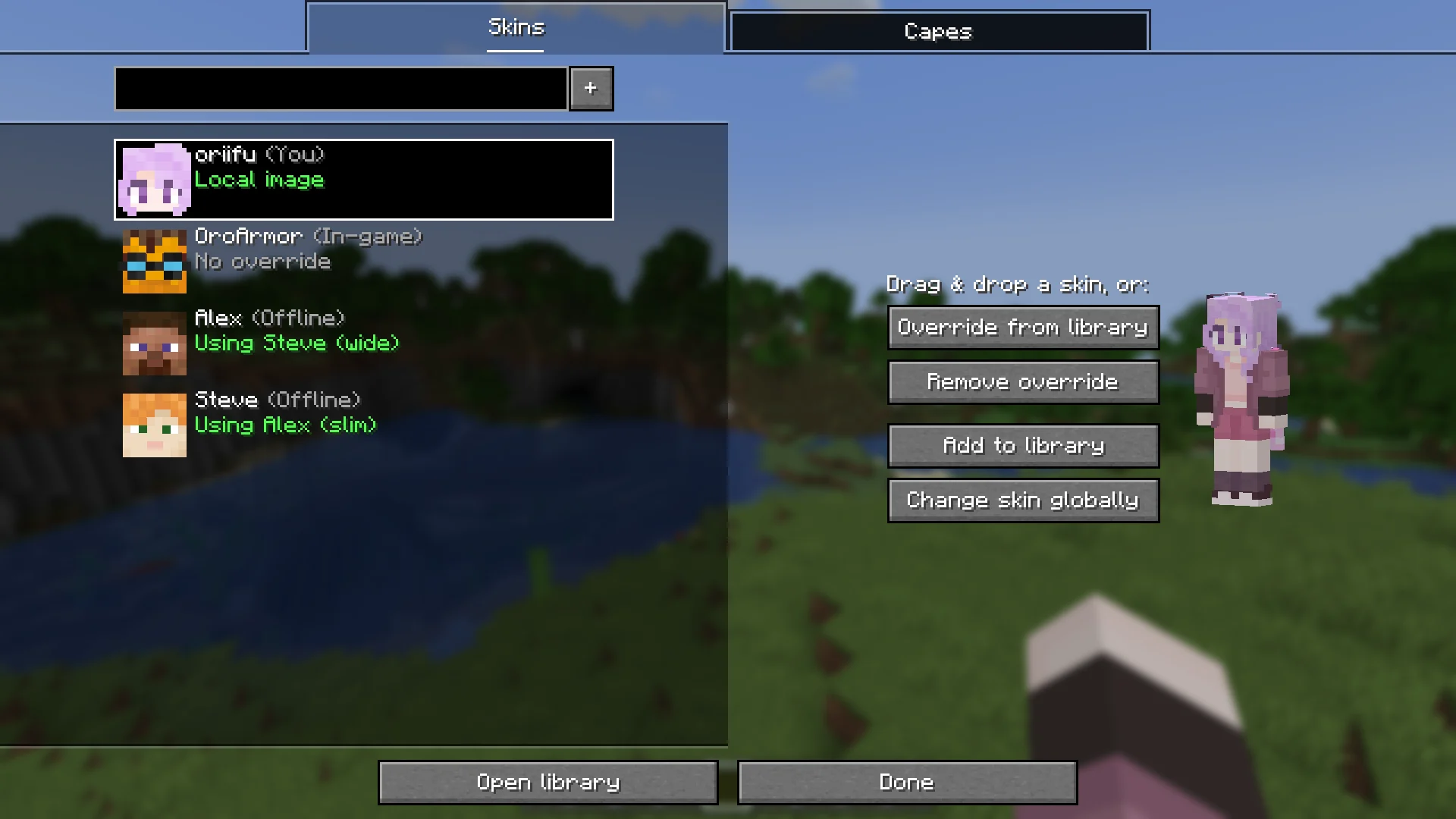
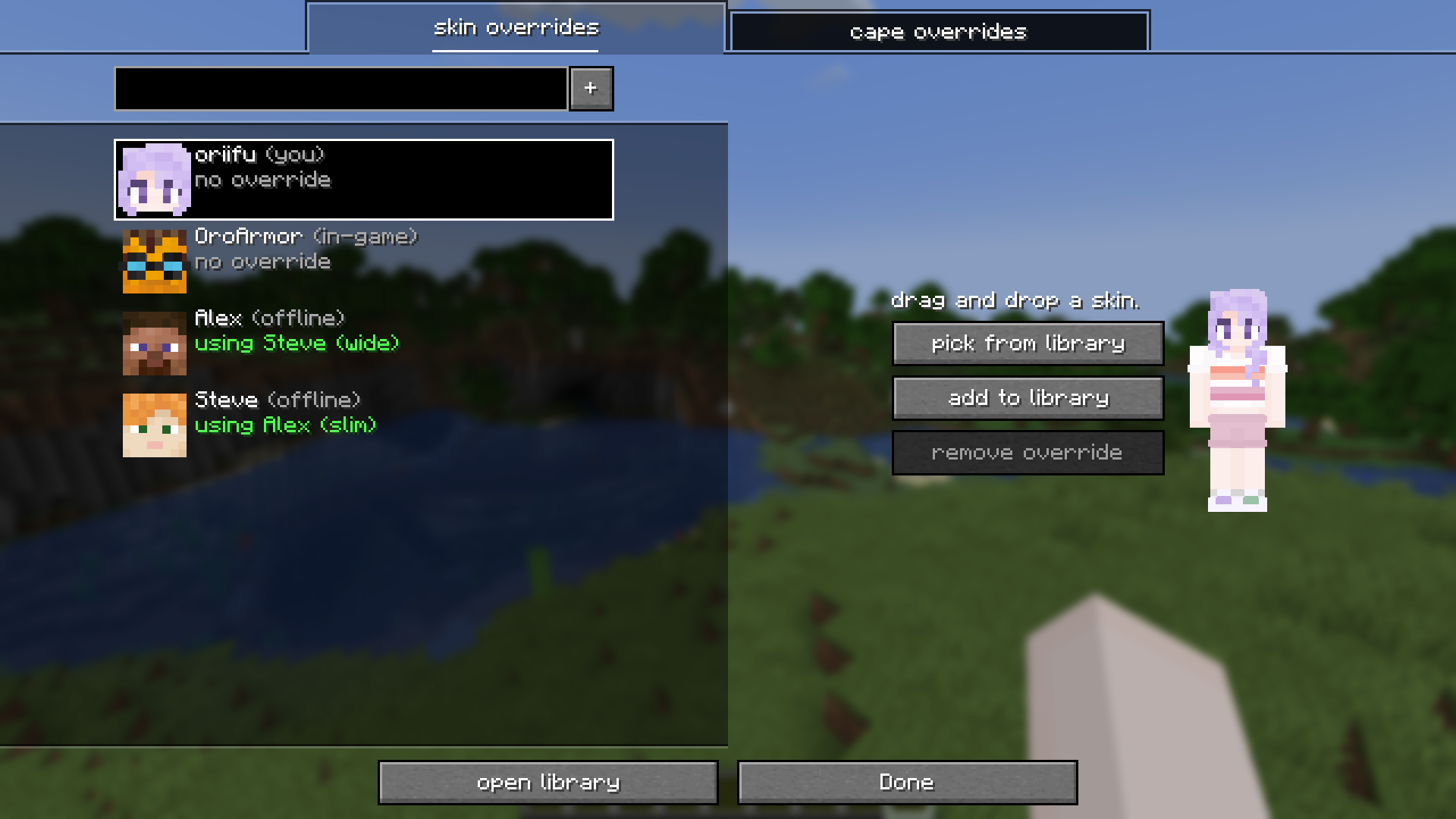 (2.1.0) easily create overrides! the overrides list contains yourself, online players, and offline players you've created an override for. use the + button to add a new override!
 -
 (2.1.0) organise your collection! you can easily manage skins & capes using the library. by default, you get minecraft's 18 built-in skins.
 -
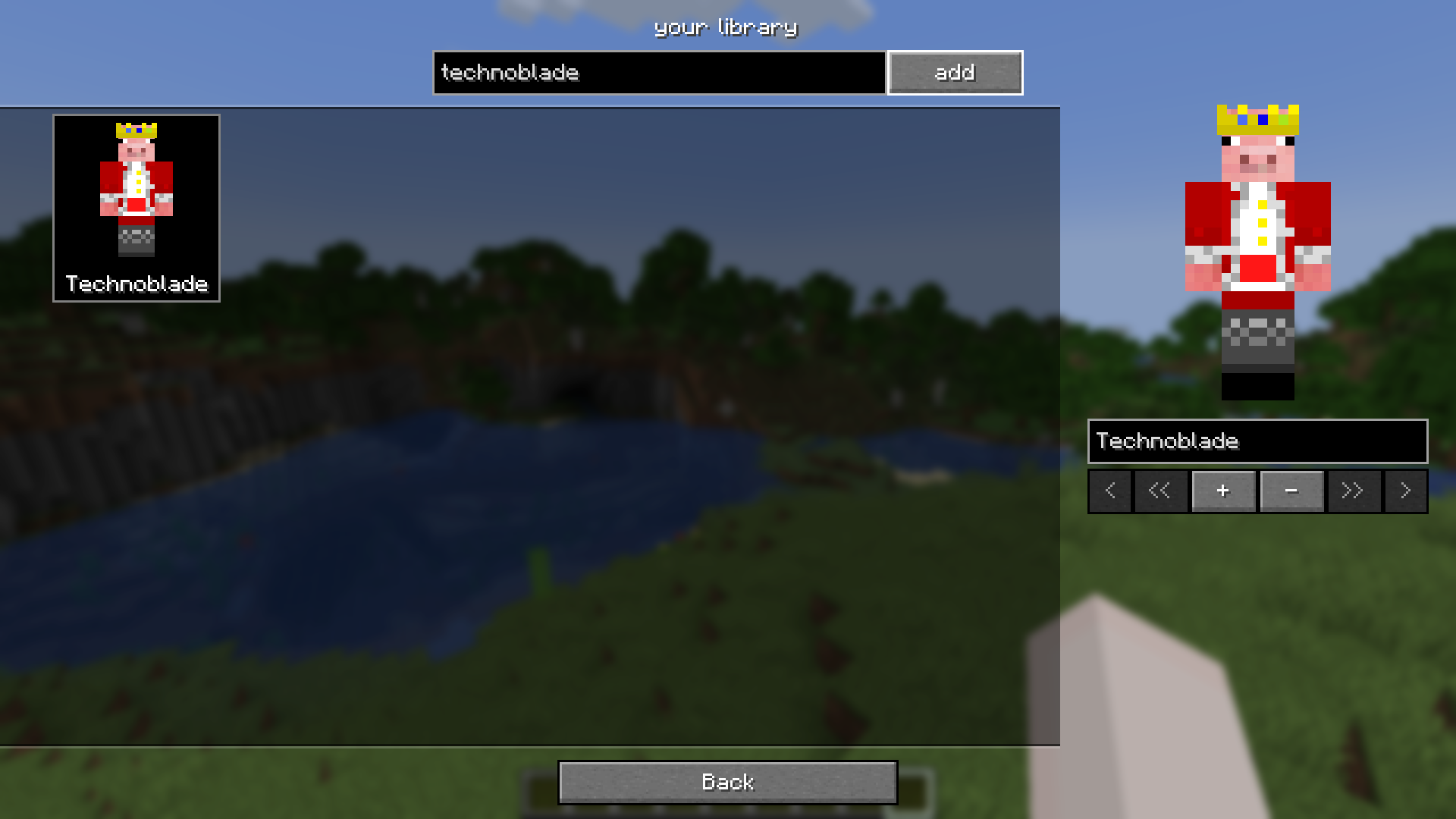 (2.1.0) add a player to your library! easily add new skins by entering a player's name or dragging and dropping.
 -
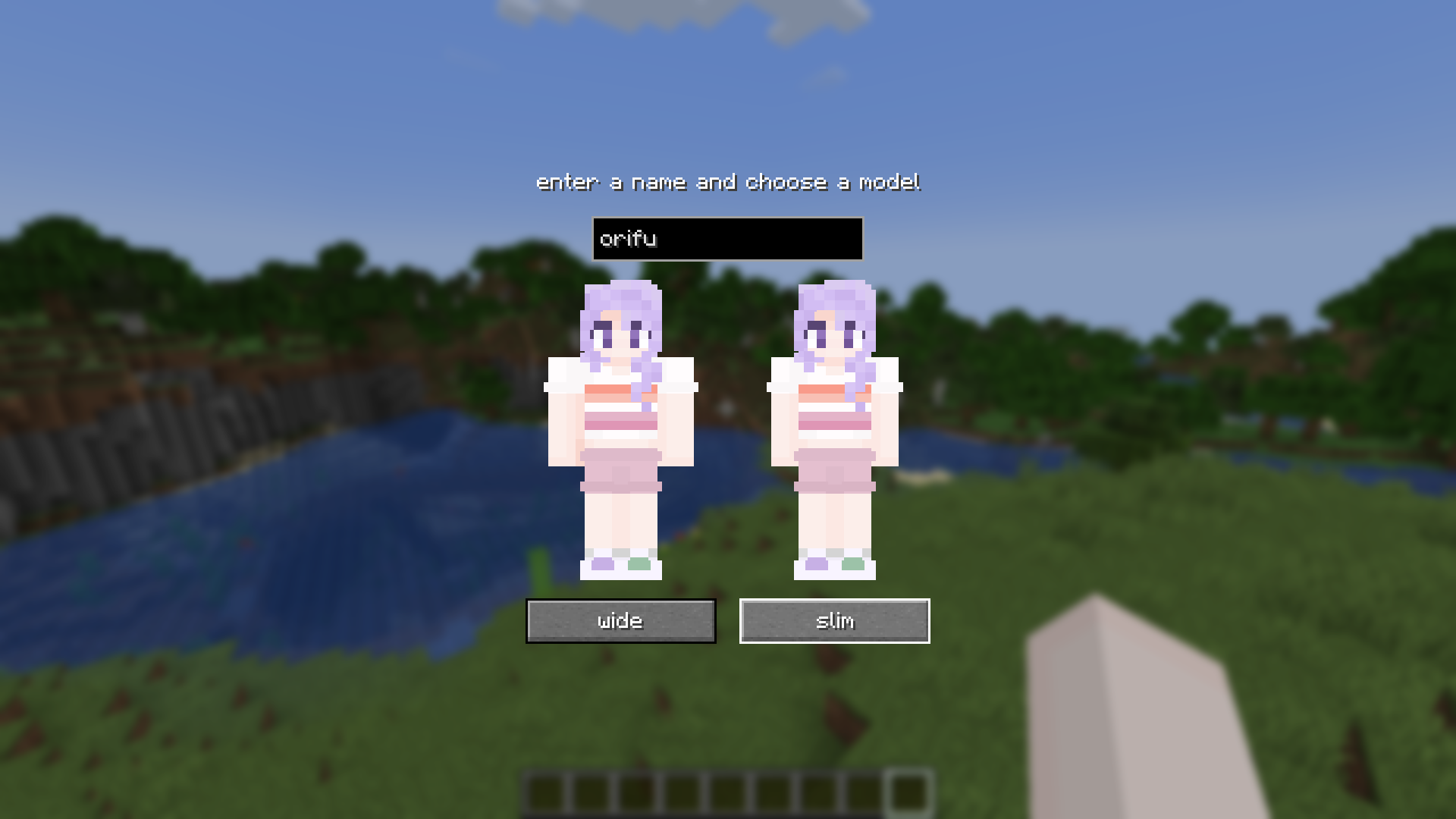 (2.1.0) add a local file! you can drag and drop images to add them as an override or to your library.
 -
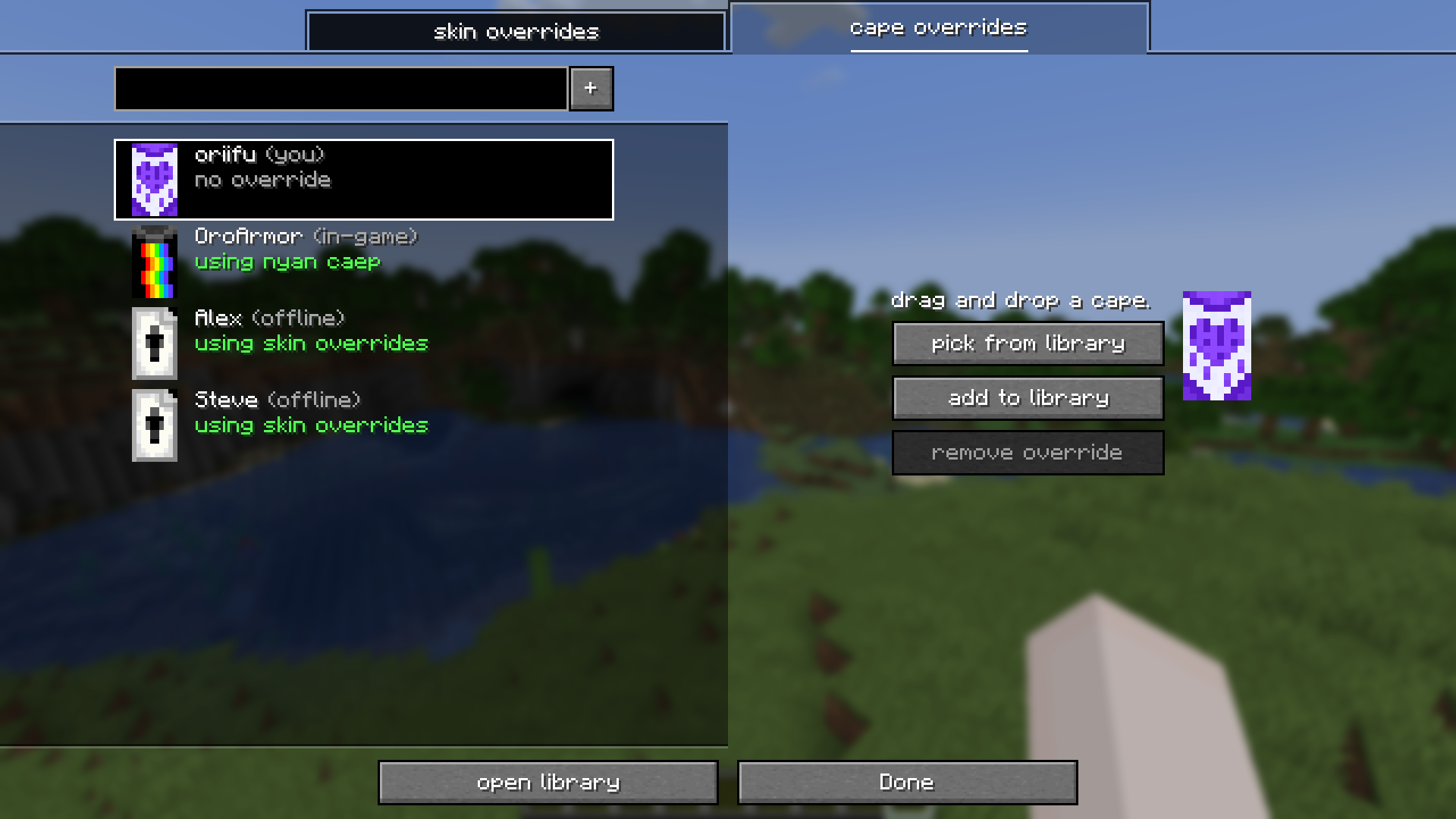 (2.1.0) cape overrides, too! easily override your cape/elytra with a dedicated cape library, which comes with a skin overrides cape as a thank-you.
Versions
Files
Relations
Project Relations
More like this
Similar Mods
Suggestions use data such as tags, dependencies, dependents, descriptions, titles, and more to rank how much they overlap with this mod.
On ModDex
Community snapshot
By the numbers
Statistics
 (opens in a new tab)
Get it on
Available Platforms
On ModDex
Community snapshot
By the numbers