Community listing page, reviews here may not be monitored by the author.
SkinCraft


No reviews yet
Skincraft lets you create, edit, and share custom Minecraft skins without ever leaving the game. Skincraft offers 2D/3D skin editor, community skins, and capes for Fabric.
Community voices
Reviews
No reviews yet. Be the first to review this project!
Get it on
Available Platforms
Compatibility
Supported Environments
Runs entirely on the client. Works on vanilla servers.
About
Project Details
For authors
Embed Badge
If you're the author of this project, you can embed a live badge anywhere that supports HTML or Markdown. It updates automatically whenever ratings change.
Use HTML for any page that supports it, or Markdown for README files and Markdown-based descriptions.
Identifiers
Platform IDs
Resources
External Links
About
Description
SkinCraft — In Game Minecraft Skin Editor for Fabric
Create, edit, and share custom Minecraft skins without ever leaving the game. SkinCraft is a client-side Fabric mod that brings a full skin editor directly into Minecraft: 2D pixel painting, 3D model preview, community skin browsing, and cape selection, all in one place. Press K to open.
No browser tabs. No file hunting. Just open and start creating.
✏️ In-Game Skin Editor
- Full 2D pixel editor for precise control over every pixel of your skin
- Interactive 3D model view: paint directly on your character and see changes live
- Tools include eyedropper (sample any color from your skin), AutoTone, and standard paint tools
- Undo / redo support while editing
- Save and apply your skin directly from the editor, no manual file moving
🌐 Community Skins
- Browse and preview community-uploaded Minecraft skins without leaving the game
- Search by name, filter by category, and page through results
- Apply a community skin instantly or Save it to your local skins folder
- Share your own skins to the community with a name, category, tags, and description
- Right-click drag to rotate the 3D preview of any community skin
- Works fully offline: local mode stays available even if the community service is unreachable
🧥 Cape Selection
- Many bundled capes included out of the box:
corrupted_grass,dull_creeper,golden_heart,nillionth - Select and wear a cape from the in-game menu, no extra websites or file setup
- Your cape choice is saved across restarts
- More capes added with each update
🗂️ Skin Management
- Import skin files directly from within the game UI
- Open your skins folder from inside the mod, no file explorer digging
- Manage all your custom skins from one screen
The honest reason to use it
Most Minecraft skin tools make you leave the game, open a browser or a separate app, edit your skin, export it, then re-upload through the Minecraft launcher. SkinCraft cuts all of that out. Everything lives inside Minecraft, making skin creation fast, visual, and actually fun.
Whether you're building a full custom character from scratch or just tweaking small details, SkinCraft is designed to fit how you already play.
Requirements
- Minecraft Java Edition (client-side only, no server install needed)
- Fabric Loader 0.19.2 or newer
- Fabric API matching your Minecraft version
Install
- Install Fabric for your Minecraft version
- Download Fabric API and drop it in your
modsfolder - Drop
skincraft-<version>.jarinto yourmodsfolder - Launch Minecraft and press K in-game
SkinCraft is in active development. New tools, cosmetics, and community features ship with each update. Bug reports and suggestions are welcome on the Modrinth project page (version comments) or reach out on Discord @darkshydow for quick questions 💙
SkinCraft - In Game Minecraft Skin Editor for Fabric
Create, edit, and share custom Minecraft skins without ever leaving the game. SkinCraft is a client-side Fabric mod that brings a full skin editor directly into Minecraft: 2D pixel painting, 3D model preview, community skin browsing, and cape selection, all in one place. Press K to open.
No browser tabs. No file hunting. Just open and start creating.
✏️ In-Game Skin Editor
- Full 2D pixel editor for precise control over every pixel of your skin
- Interactive 3D model view: paint directly on your character and see changes live
- Tools include eyedropper (sample any color from your skin), AutoTone, and standard paint tools
- Undo / redo support while editing
- Save and apply your skin directly from the editor, no manual file moving
🌐 Community Skins
- Browse and preview community-uploaded Minecraft skins without leaving the game
- Search by name, filter by category, and page through results
- Apply a community skin instantly or Save it to your local skins folder
- Share your own skins to the community with a name, category, tags, and description
- Right-click drag to rotate the 3D preview of any community skin
- Works fully offline: local mode stays available even if the community service is unreachable
🧥 Cape Selection
- Many bundled capes included out of the box:
corrupted_grass,dull_creeper,golden_heart,nillionth - Select and wear a cape from the in-game menu, no extra websites or file setup
- Your cape choice is saved across restarts
- More capes added with each update
🗂️ Skin Management
- Import skin files directly from within the game UI
- Open your skins folder from inside the mod, no file explorer digging
- Manage all your custom skins from one screen
The honest reason to use it
Most Minecraft skin tools make you leave the game, open a browser or a separate app, edit your skin, export it, then re-upload through the Minecraft launcher. SkinCraft cuts all of that out. Everything lives inside Minecraft, making skin creation fast, visual, and actually fun.
Whether you're building a full custom character from scratch or just tweaking small details, SkinCraft is designed to fit how you already play.
Requirements
- Minecraft Java Edition (client-side only, no server install needed)
- Fabric Loader 0.19.2 or newer
- Fabric API matching your Minecraft version
Install
- Install Fabric for your Minecraft version
- Download Fabric API and drop it in your
modsfolder - Drop
skincraft-<version>.jarinto yourmodsfolder - Launch Minecraft and press K in-game
SkinCraft is in active development. New tools, cosmetics, and community features ship with each update. Bug reports and suggestions are welcome on the Modrinth project page (version comments) or reach out on Discord @darkshydow for quick questions 💙
Disclosure
AI help has been used in some extent in project development & description.
Screenshots
Gallery
-
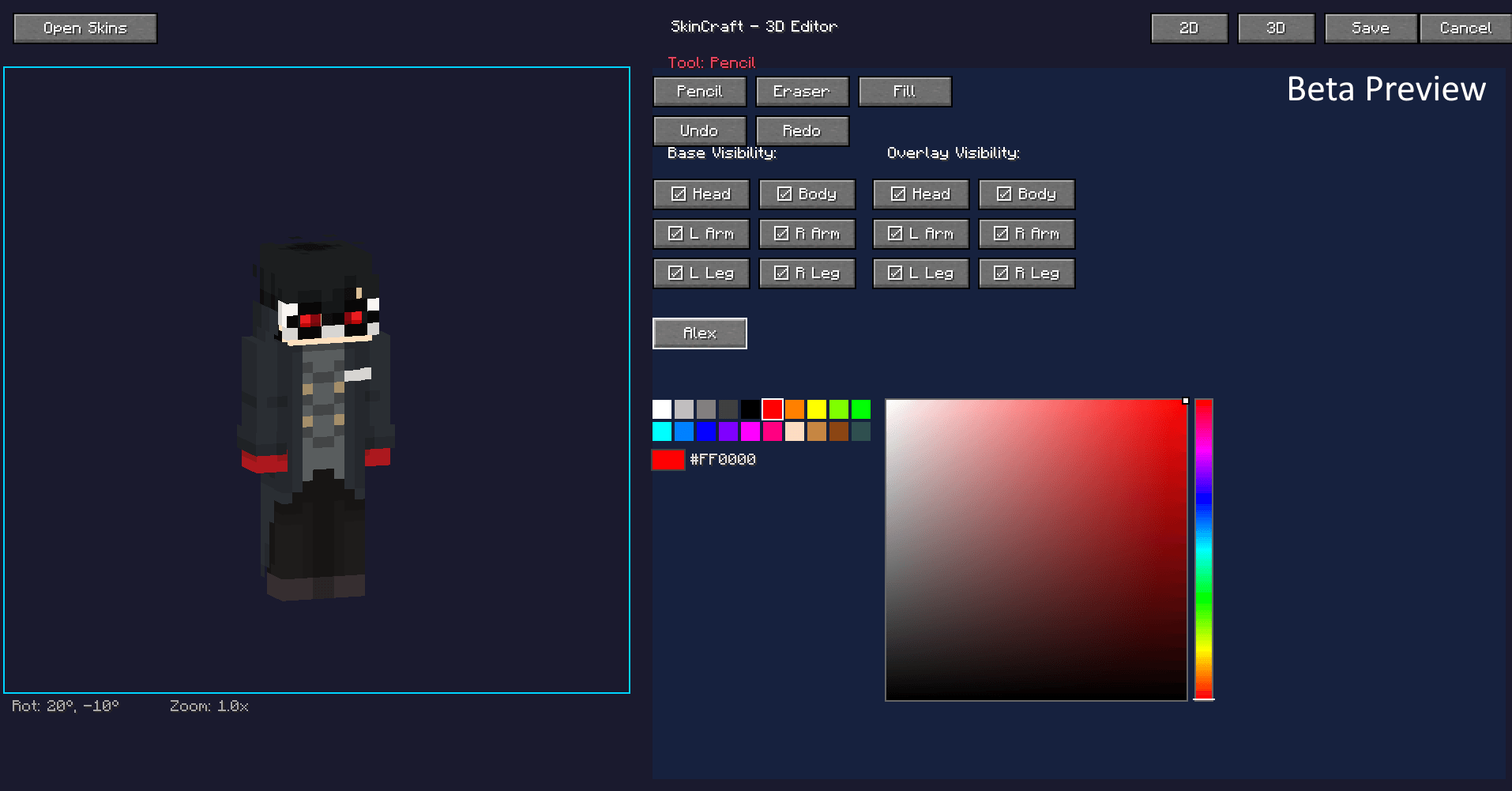 image_2026-04-13_091100725.png image_2026-04-13_091100725.png
 -
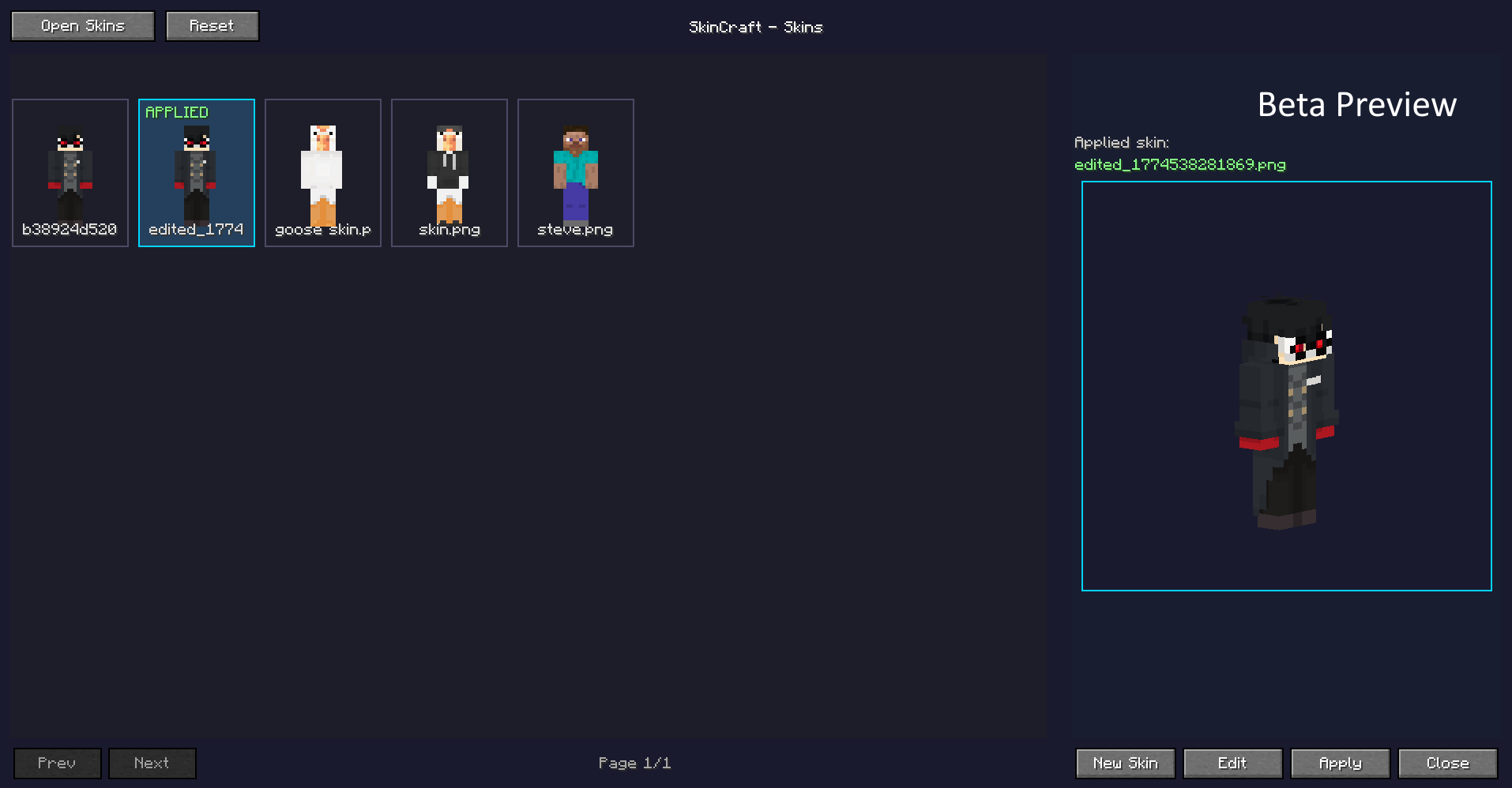 image_2026-04-13_091127092.png image_2026-04-13_091127092.png
 -
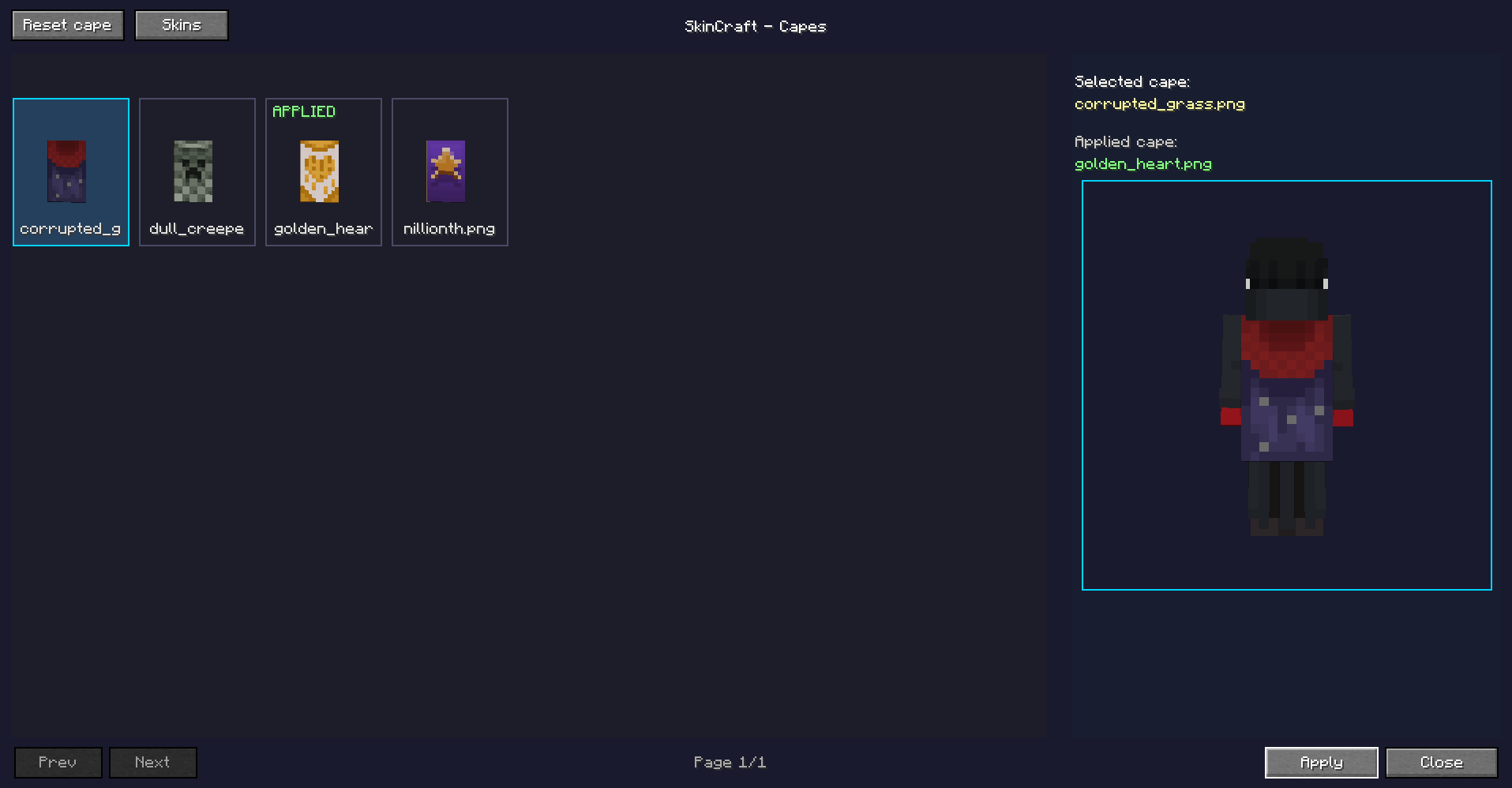 image_2026-04-13_091143329.png image_2026-04-13_091143329.png
-
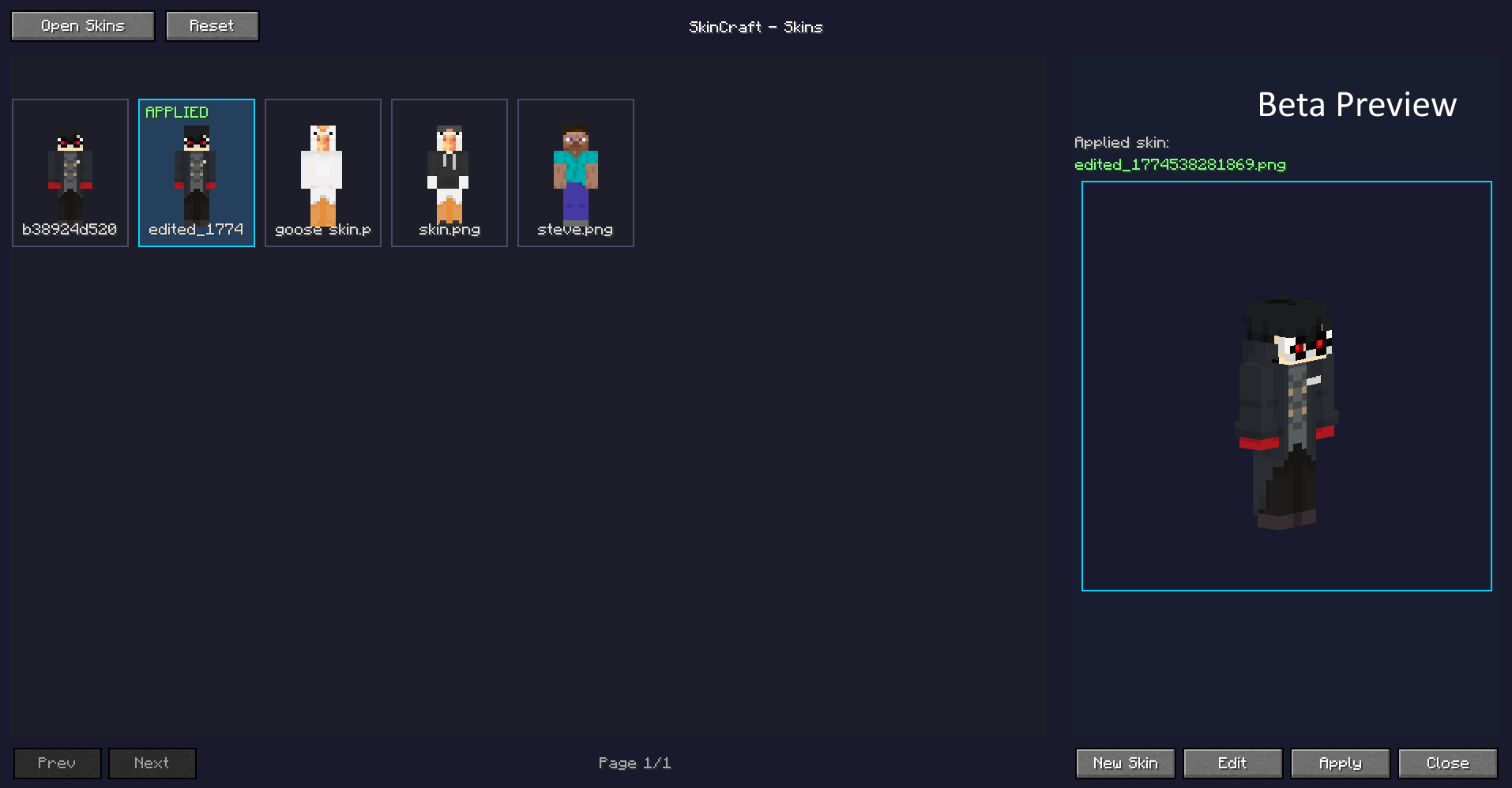 Skin Selection
 -
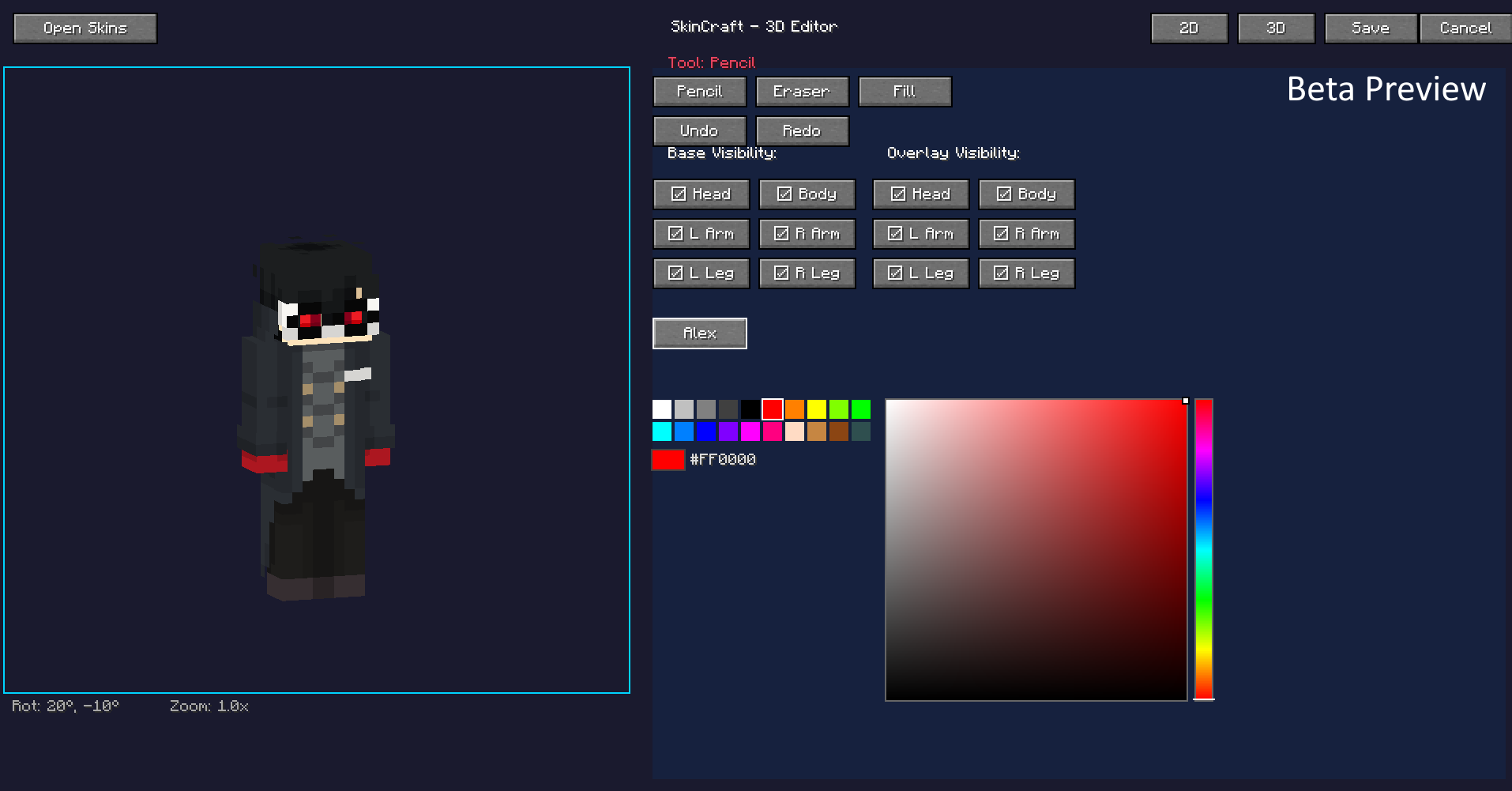 3D skin editor
 -
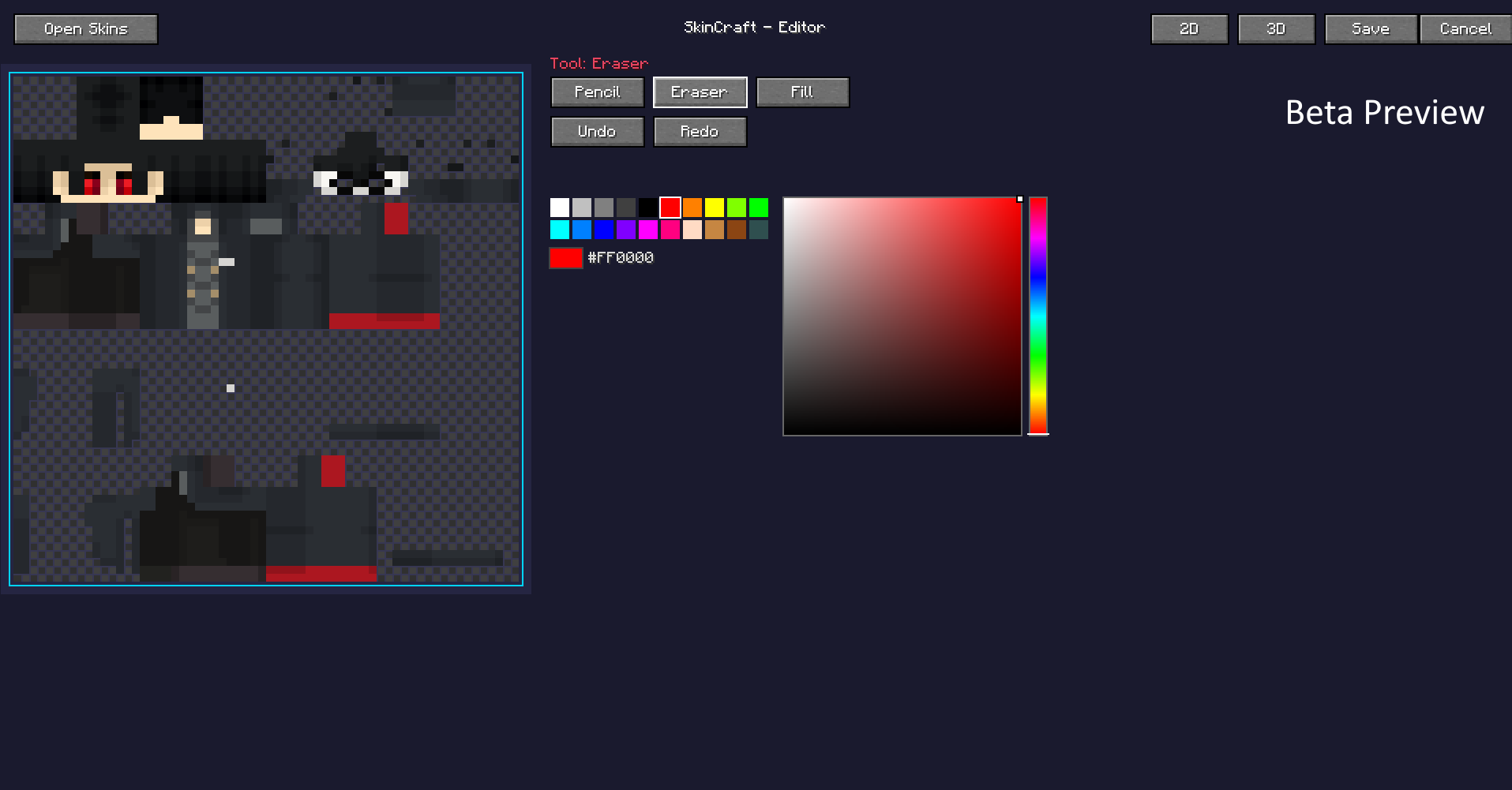 2D skin editor
 -
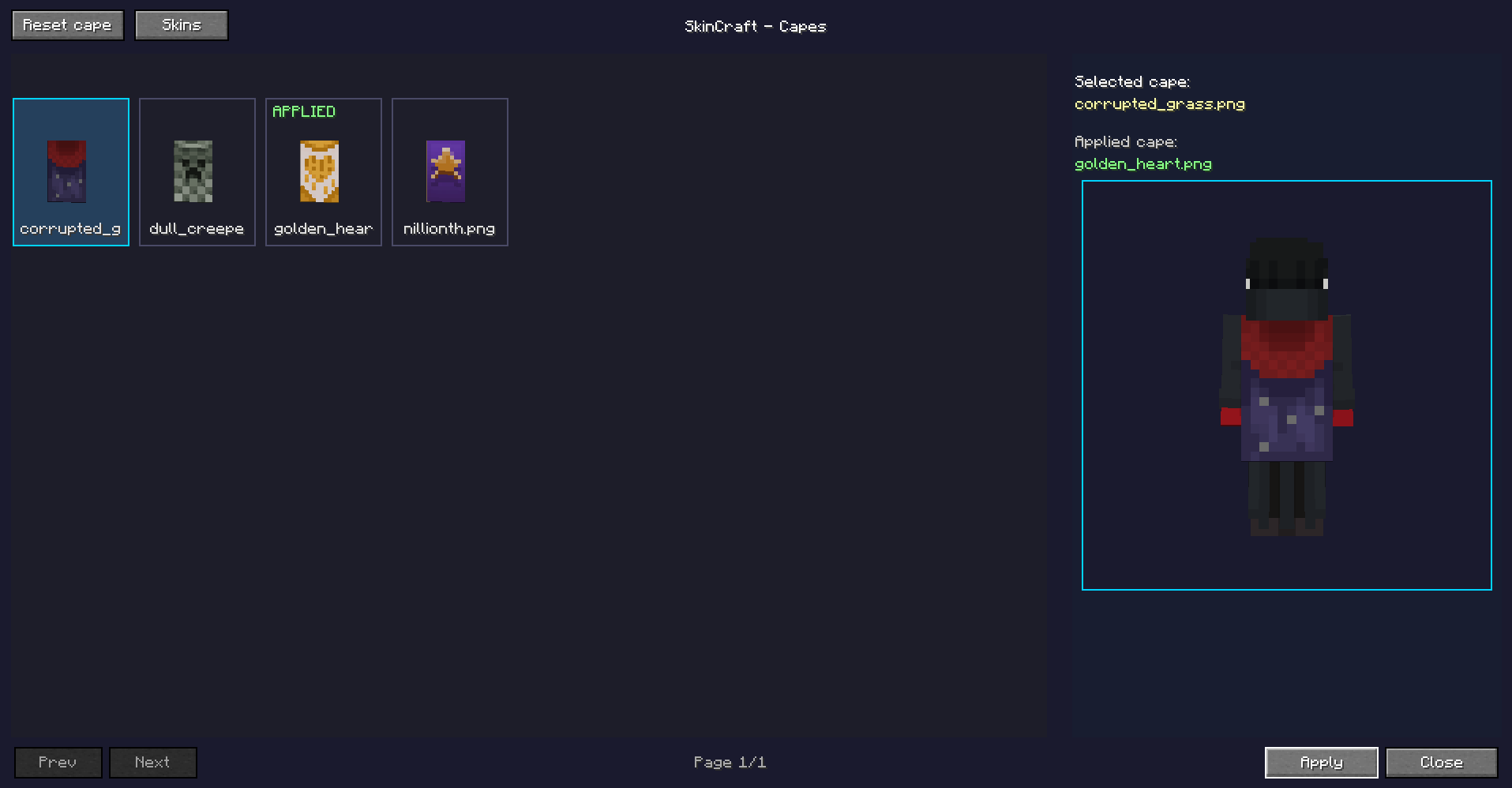 Cape Selection
Versions
Files
Relations
Project Relations
More like this
Similar Mods
Suggestions use data such as tags, dependencies, dependents, descriptions, titles, and more to rank how much they overlap with this mod.
On ModDex
Community snapshot
By the numbers
Statistics
Want to reach Minecraft players?
We're looking for a server hosting partner to feature here and other parts of the site. Interested? Send us a message!
Get in touchGet it on
Available Platforms
On ModDex
Community snapshot
By the numbers
Statistics
Resources