Community listing page, reviews here may not be monitored by the author.
Sleep Through The Night


No reviews yet
Immersive Sleeping with horror-like vibes. Wake up as if getting up in bed.
Community voices
Reviews
No reviews yet. Be the first to review this project!
Get it on
Available Platforms
Compatibility
Supported Environments
Runs entirely on the client. Works on vanilla servers.
About
Project Details
For authors
Embed Badge
If you're the author of this project, you can embed a live badge anywhere that supports HTML or Markdown. It updates automatically whenever ratings change.
Use HTML for any page that supports it, or Markdown for README files and Markdown-based descriptions.
Identifiers
Platform IDs
Resources
External Links
About
Description


Sleep Through The Night transforms the vanilla sleeping experience into something far more immersive. Instead of instantly skipping to day, the screen fades to black as your character drifts off — complete with a smooth camera tilt as if you're lying down. A soft cricket ambience plays in the background as the night passes.
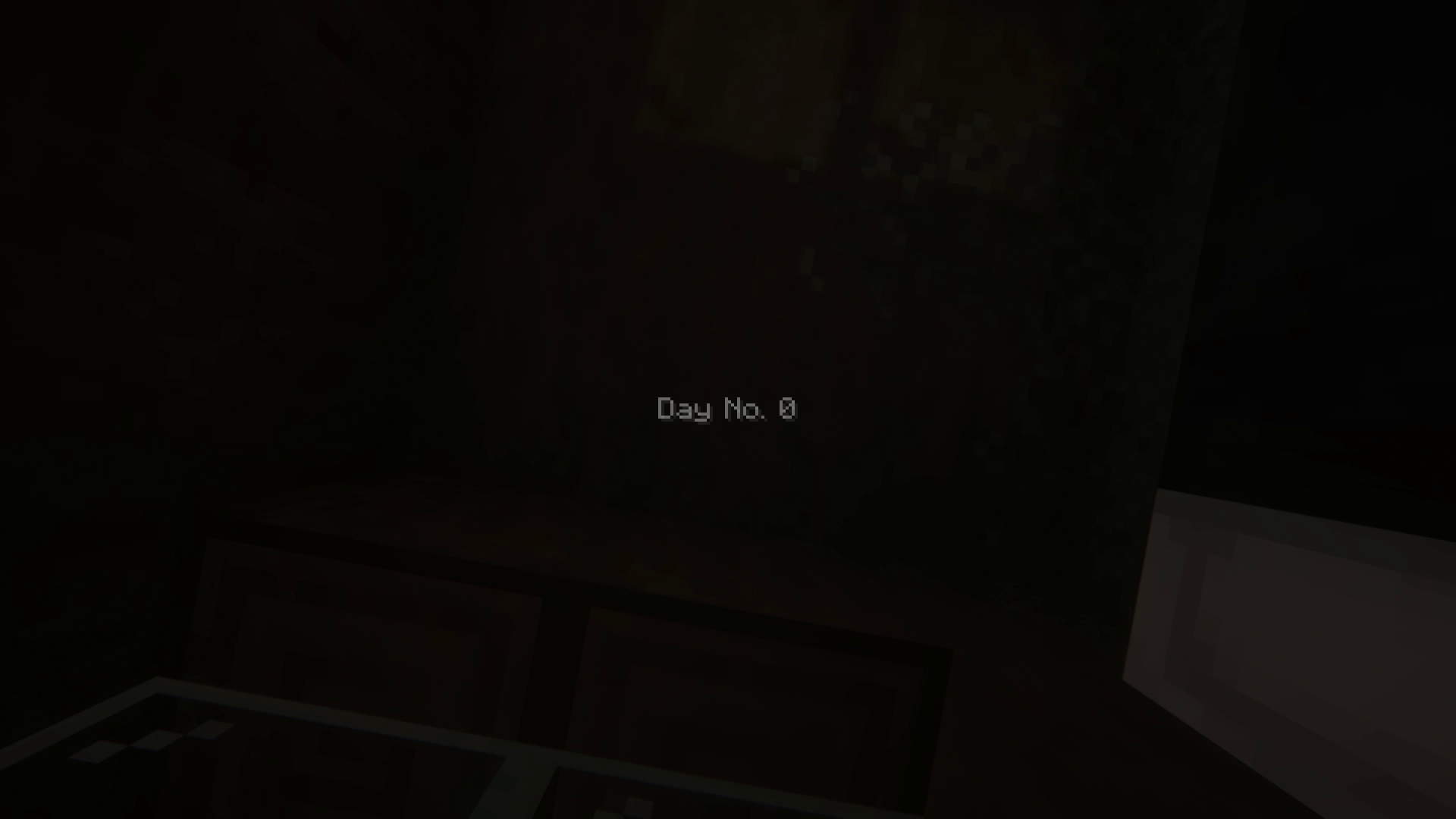
When morning arrives, the camera slowly tilts back upright as if you're sitting up from bed, the screen gently fades back in, and a day counter appears showing how many days you've survived.
Features
- 🌙 Smooth fade-to-black animation when going to sleep
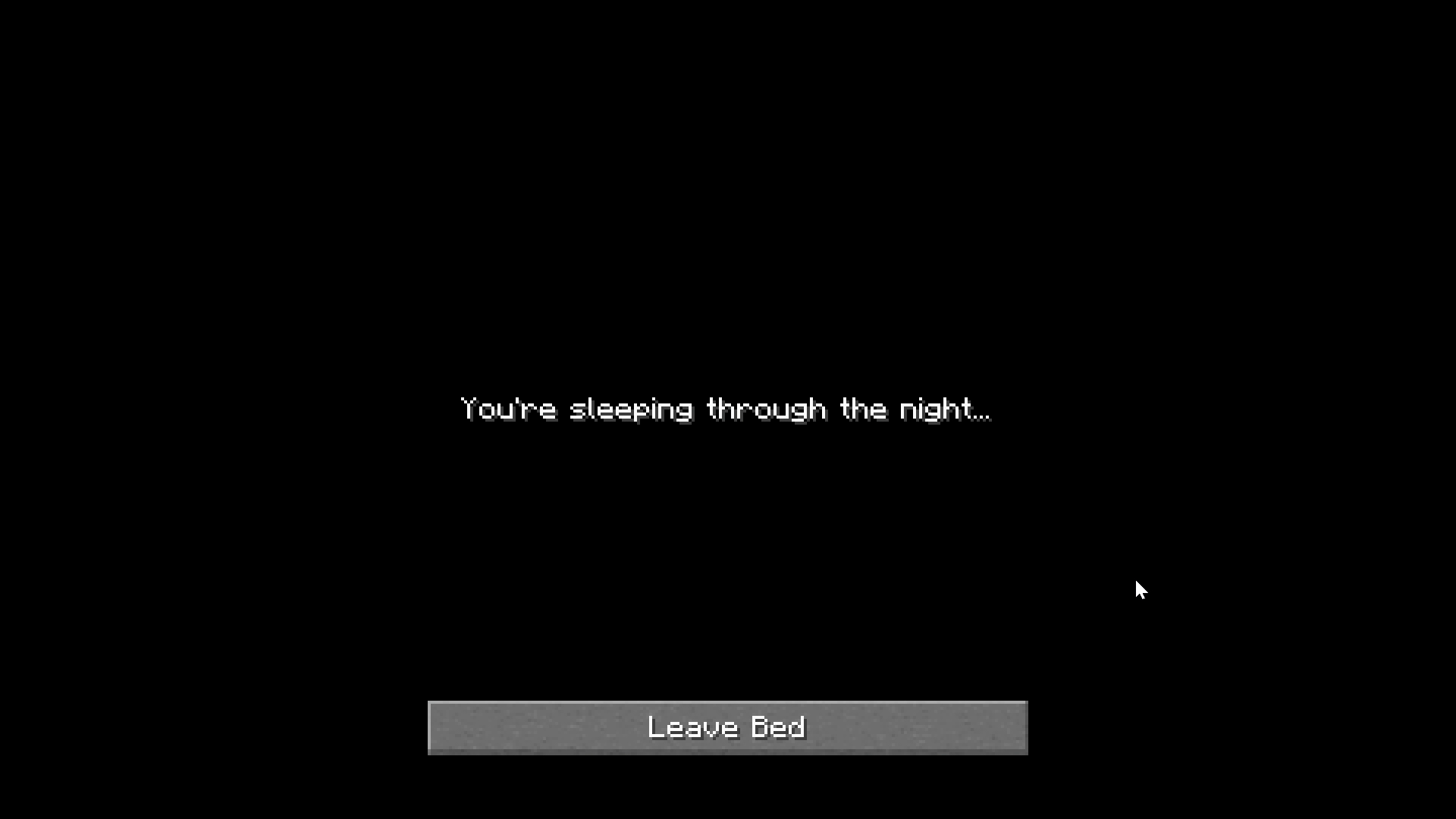
- 💤 "You're sleeping through the night..." message displayed while sleeping
- 🦗 Ambient cricket sounds play as the night passes
- ☀️ Wake-up animation — camera tilts from lying down to sitting upright
- 📅 Day counter shown on screen when waking up (e.g. Day No. 3)
- 🎛️ Fully configurable — timings, text, sound, and individual feature toggles
Requirements
- Configured mod (optional — required for in-game config screen)
⚙️ Configurable Options
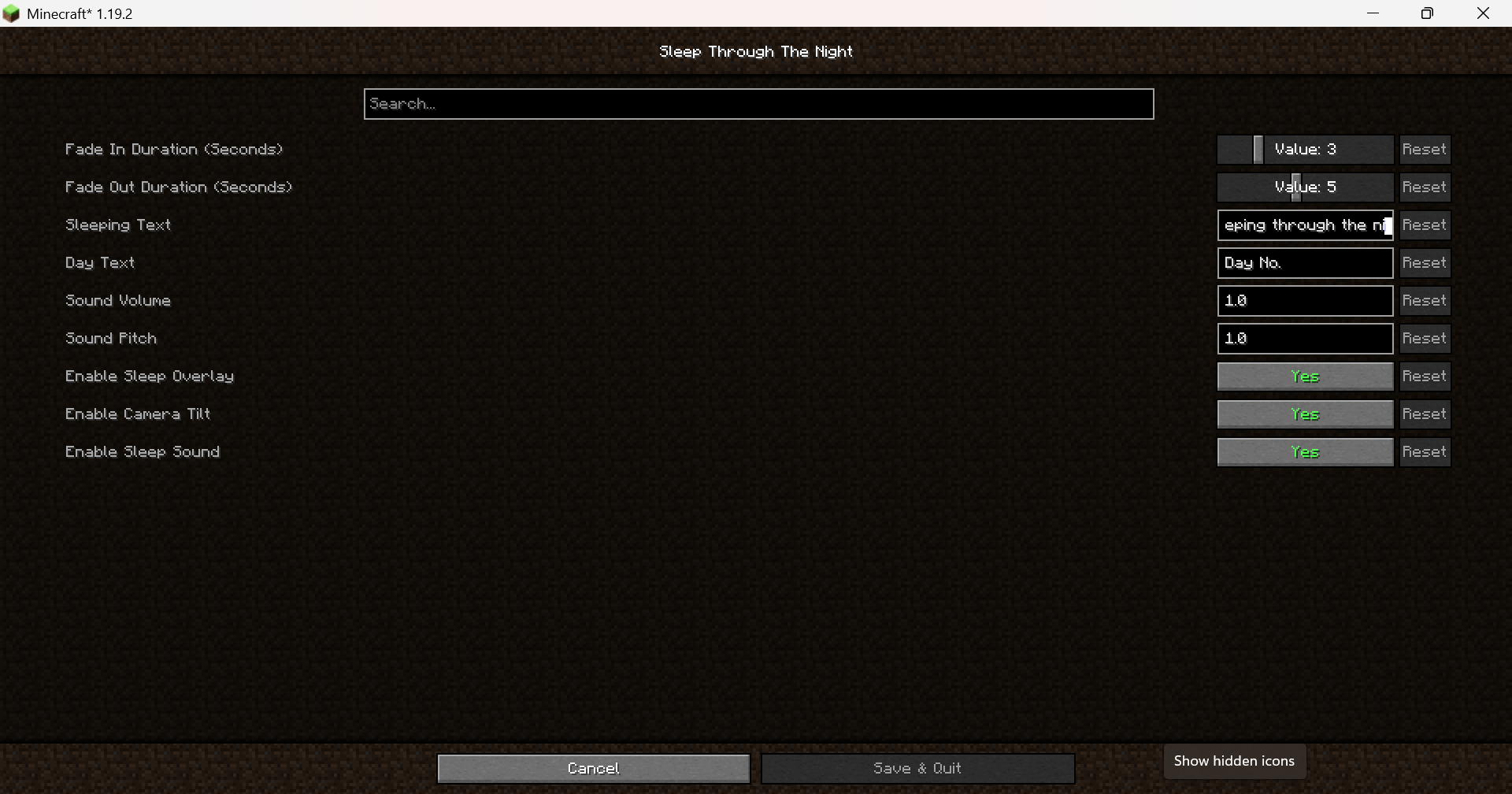
Sleep Through The Night comes with a built-in configuration file that lets you tailor the sleeping experience to your liking. Requires the Configured mod to edit in-game via Mods → Sleep Through The Night → Configure.
- Timing Control how long the fade animations last. Set the fade-in duration for when you fall asleep and the fade-out duration for when you wake up, each adjustable between 1 and 10 seconds.
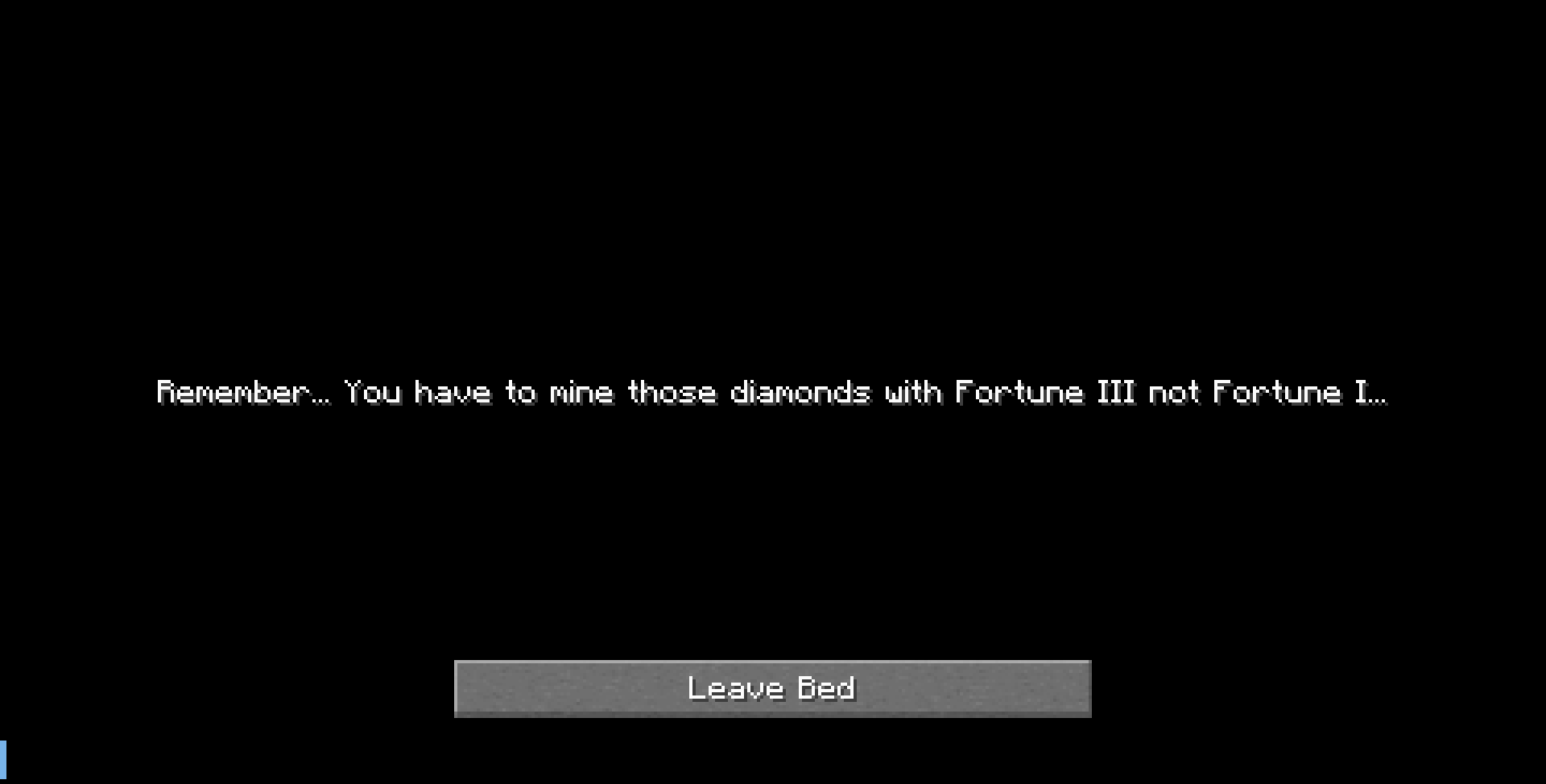
- Text Customize the messages displayed on screen. Change what it says while you're sleeping and the prefix shown on the day counter when you wake up.
- Sound Adjust the volume and pitch of the ambient sleep sound to fit your preferred atmosphere.
- Features Toggle individual features on or off entirely — disable the black screen overlay, the camera tilt effect, or the sleep ambience sound independently without needing to remove the mod.
FAQs
Q. I can't configure the mod, how do I fix it?
If you have the Configured mod but you can't configure the mod, that means the version you have doesn't have configuration available yet. So, how do you check if the mod has a configuration?
Answer: You have to use 1.1+ versions such as Forge 1.20.1-1.1.1 , I added configuration to this updates. If you are using 1.0.+, it will not work.
Q. My day counter is stuck at 0, what do I do?
Answer: The implementation was started with NeoFroge 1.21.8, when I did the backport, the day counter logic no longer worked with the older versions so I had to redo that. Here are the versions where the day counter works:
- NeoForge 1.21.8 - Version 1.0.0+
- NeoForge 1.21.1 - Version 1.1.1+
- Forge 1.20.1 - Version 1.1.1+
- Forge 1.19.2 - Version 1.1.1.+
- Fabric 1.19.2 - Version 1.1.0+
Note: Just make sure you have the up-to-date versions.
Sleep Through The Night transforms the vanilla sleeping experience into something far more immersive. Instead of instantly skipping to day, the screen fades to black as your character drifts off — complete with a smooth camera tilt as if you're lying down. A soft cricket ambience plays in the background as the night passes.
When morning arrives, the camera slowly tilts back upright as if you're sitting up from bed, the screen gently fades back in, and a day counter appears showing how many days you've survived.
Features
- 🌙 Smooth fade-to-black animation when going to sleep
- 💤 "You're sleeping through the night..." message displayed while sleeping
- 🦗 Ambient cricket sounds play as the night passes
- ☀️ Wake-up animation — camera tilts from lying down to sitting upright
- 📅 Day counter shown on screen when waking up (e.g. Day No. 3)
- 🎛️ Fully configurable — timings, text, sound, and individual feature toggles
Requirements
- Configured mod (Forge) (optional — required for in-game config screen)
- Cloth Config API (Fabric)
⚙️ Configurable Options
Sleep Through The Night comes with a built-in configuration file that lets you tailor the sleeping experience to your liking. Requires the Configured mod to edit in-game via Mods → Sleep Through The Night → Configure.
- Timing Control how long the fade animations last. Set the fade-in duration for when you fall asleep and the fade-out duration for when you wake up, each adjustable between 1 and 10 seconds.
- Text Customize the messages displayed on screen. Change what it says while you're sleeping and the prefix shown on the day counter when you wake up.
- Sound Adjust the volume and pitch of the ambient sleep sound to fit your preferred atmosphere.
- Features Toggle individual features on or off entirely — disable the black screen overlay, the camera tilt effect, or the sleep ambience sound independently without needing to remove the mod.
FAQs
Q. I can't configure the mod, how do I fix it?
If you have the Configured mod but you can't configure the mod, that means the version you have doesn't have configuration available yet. So, how do you check if the mod has a configuration?
Answer: You have to use 1.1+ versions such as Forge 1.20.1-1.1.1 , I added configuration to this updates. If you are using 1.0.+, it will not work. **
Q. My day counter is stuck at 0, what do I do?
Answer: The implementation was started with NeoFroge 1.21.8, when I did the backport, the day counter logic no longer worked with the older versions so I had to redo that. Here are the versions where the day counter works:
- NeoForge 1.21.8 - Version 1.0.0+
- NeoForge 1.21.1 - Version 1.1.1+
- Forge 1.20.1 - Version 1.1.1+
- Forge 1.19.2 - Version 1.1.1.+
- Fabric 1.19.2 - Version 1.1.0+
Note: Just make sure you have the up-to-date versions.
Screenshots
Gallery
-
 Sleeping.png vlcsnap-2026-05-01-18h35m12s149.png
 -
 Waking Up.png vlcsnap-2026-05-01-18h35m26s460.png
 -
 configured_text.png 2026-05-03_11.28.19.png
 -
 Screenshot 2026-05-05 172330.png Screenshot 2026-05-05 172330.png
-
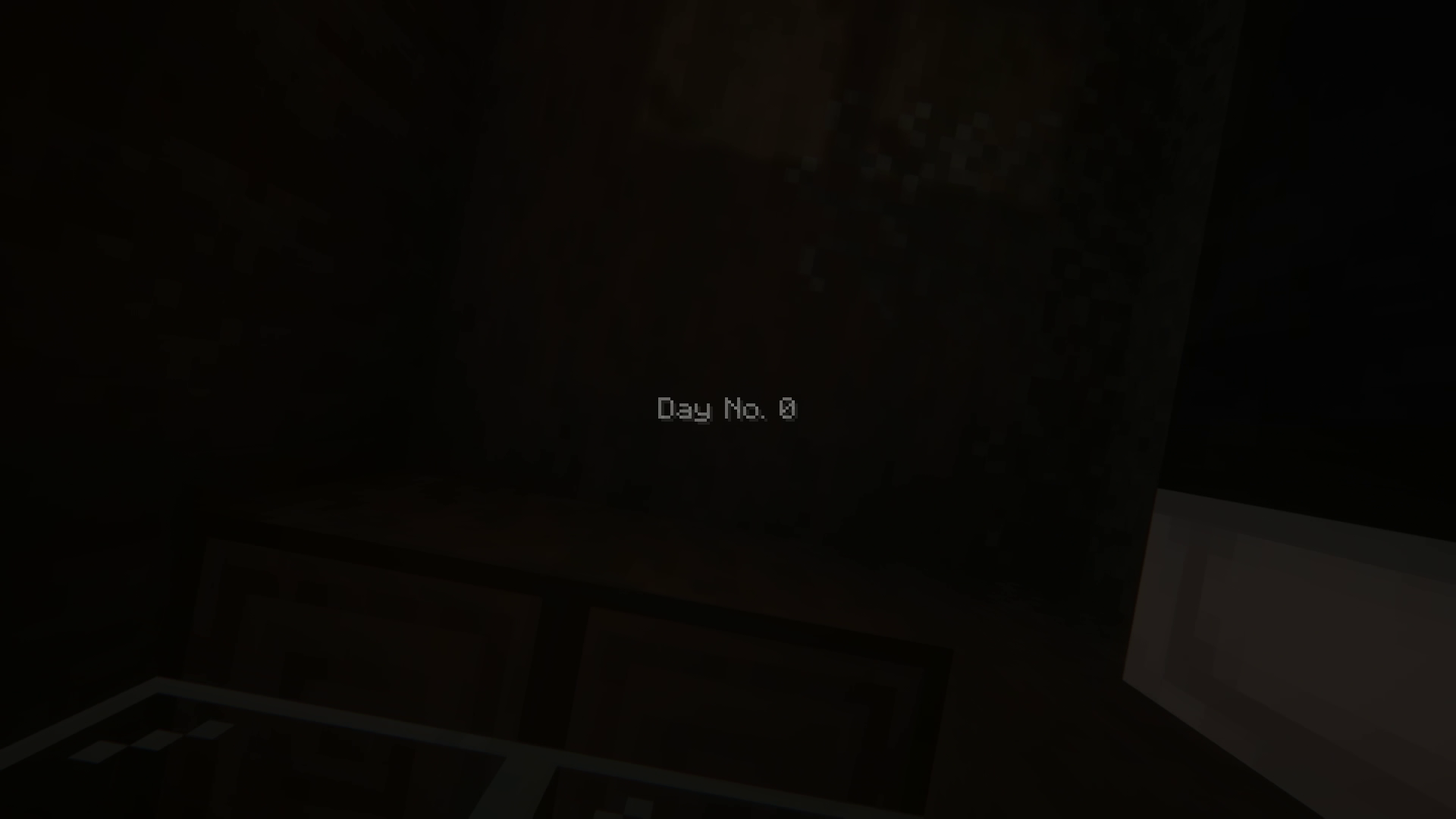 Waking Up Your camera rotates as if you were getting up from bed.
 -
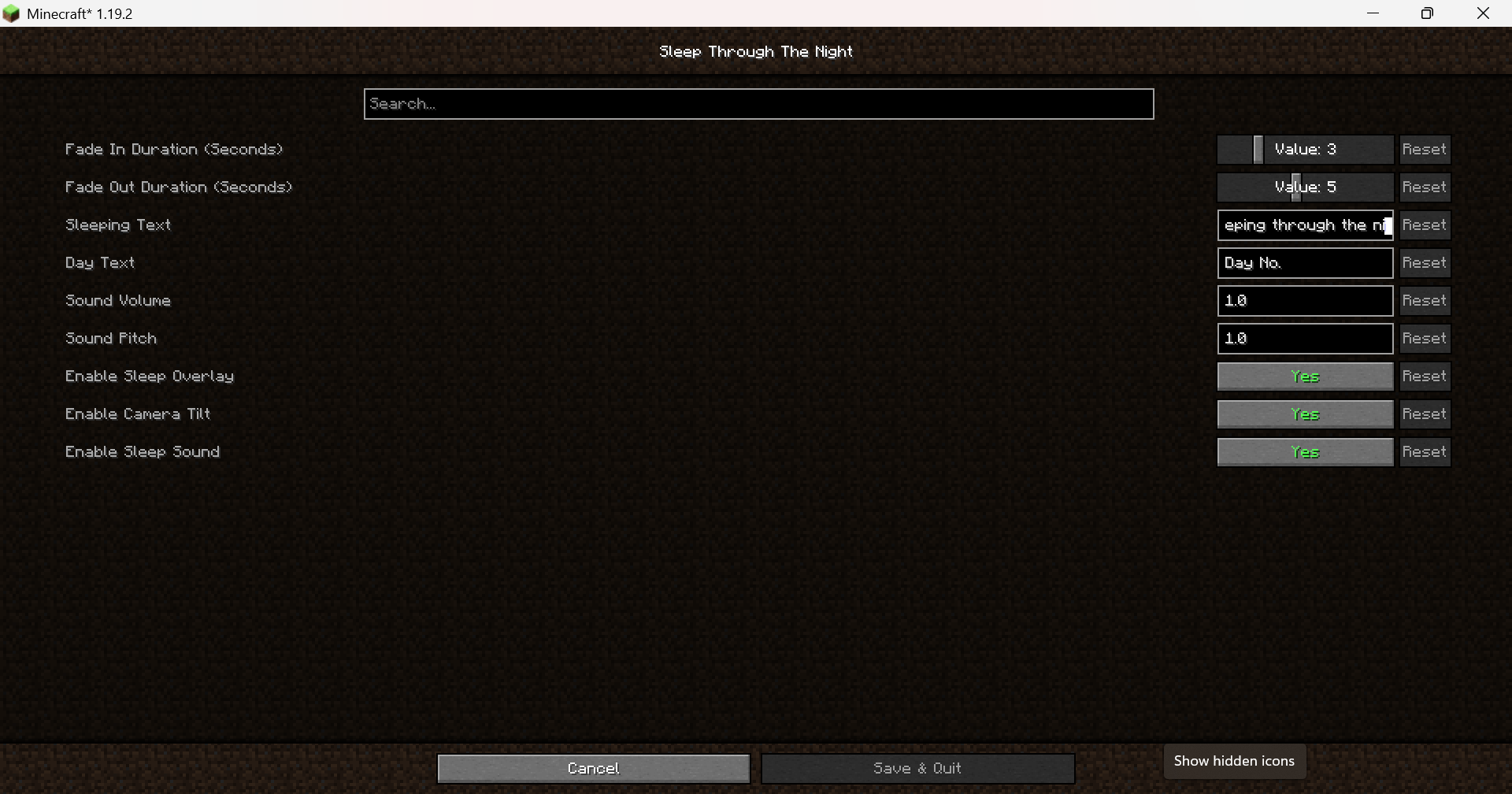 Fabric (Cloth Config)
 -
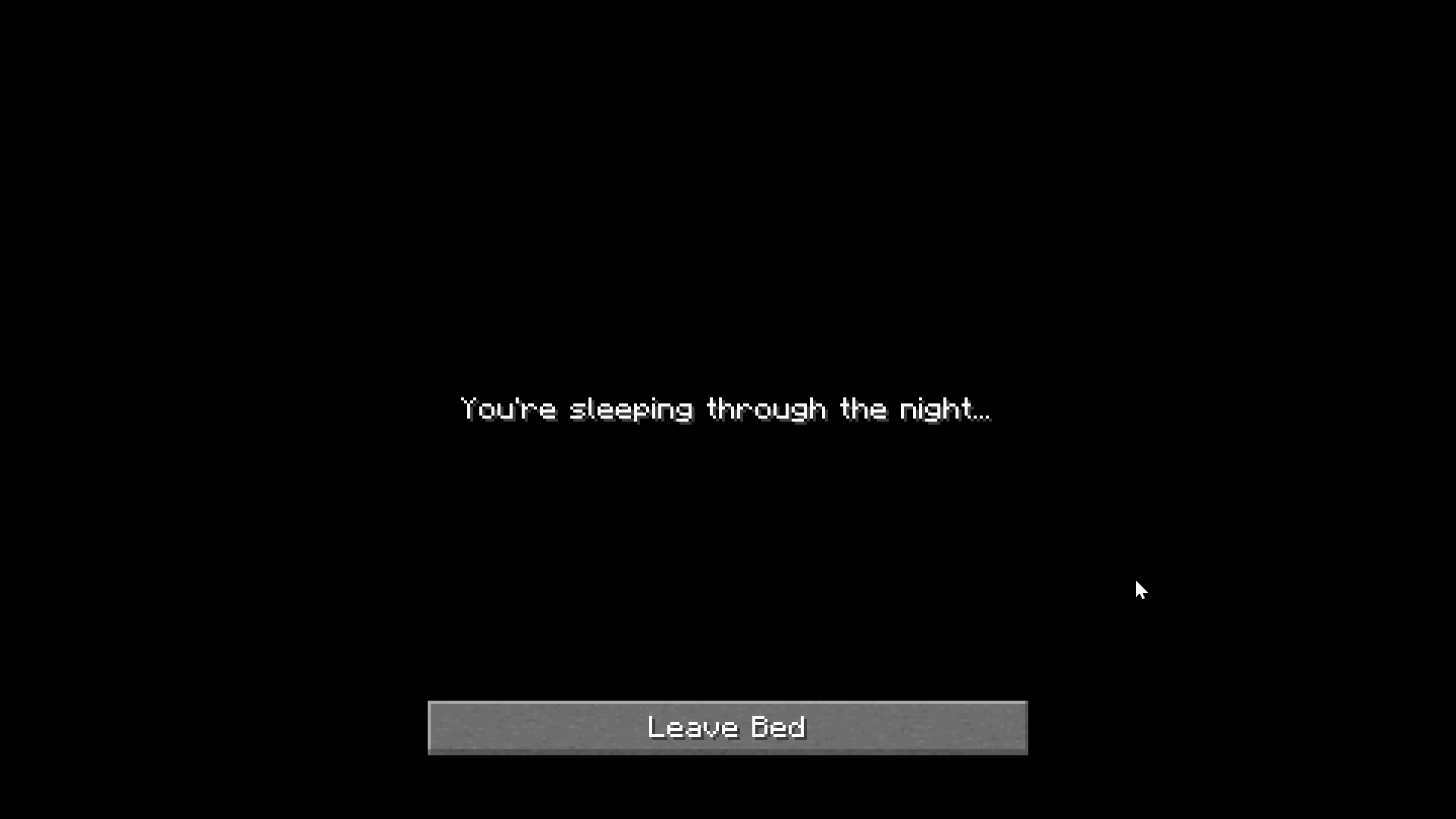 Sleeping Phase This is what you see when you are sleeping.
Versions
Files
Relations
Project Relations
More like this
Similar Mods
Suggestions use data such as tags, dependencies, dependents, descriptions, titles, and more to rank how much they overlap with this mod.
On ModDex
Community snapshot
By the numbers
Statistics
Want to reach Minecraft players?
We're looking for a server hosting partner to feature here and other parts of the site. Interested? Send us a message!
Get in touchGet it on
Available Platforms
On ModDex
Community snapshot
By the numbers
Statistics
Resources