
Community listing page, reviews here may not be monitored by the author.
Small Ships Heraldry


No reviews yet
Create, paint, and install custom sail patterns with an in-game heraldry editor for Small Ships.
Community voices
Reviews
No reviews yet. Be the first to review this project!
Get it on
Available Platforms
Compatibility
Supported Environments
Must be installed on both the client and the server.
About
Project Details
For authors
Embed Badge
If you're the author of this project, you can embed a live badge anywhere that supports HTML or Markdown. It updates automatically whenever ratings change.
Use HTML for any page that supports it, or Markdown for README files and Markdown-based descriptions.
Identifiers
Platform IDs
About
Description
Small Ships Heraldry
Small Ships Heraldry adds an in-game 3D sail editor for Small Ships. Patterns are painted directly on the ship model, so you can see how every pixel follows the sail geometry before using any paper. The editor supports the Cog, Brigg, Galley, and Drakkar, with separate drafts for each ship type and all five sail stages.
Designing a pattern
Craft and place a Heraldry Table to begin. Paint on the sails with freehand strokes, straight lines, fills, symmetry, and precise colour controls.
Individual sail parts can be selected, hidden, or isolated when working on larger ships. Pixel-aligned selections can be copied, cut, moved, and pasted between sail stages, while the preview can be rotated, panned, and zoomed at any time.
Saving and sharing
Drafts can be stored in the local pattern library and reused in any world or server. Patterns are saved as .sshpattern files and can be shared or imported by dragging them into the editor.
Printing and applying
Place paper in the Heraldry Table to print the finished design. Sneak-use the resulting pattern on a matching ship to install or replace its heraldry.
Replacing heraldry returns the previous pattern. Sneak-use shears to remove a pattern without recovering it.
To duplicate a printed pattern, place it in the centre of a crafting table and surround it with eight sheets of paper.
Small Ships Heraldry
Small Ships Heraldry adds an in-game 3D sail editor for Small Ships.
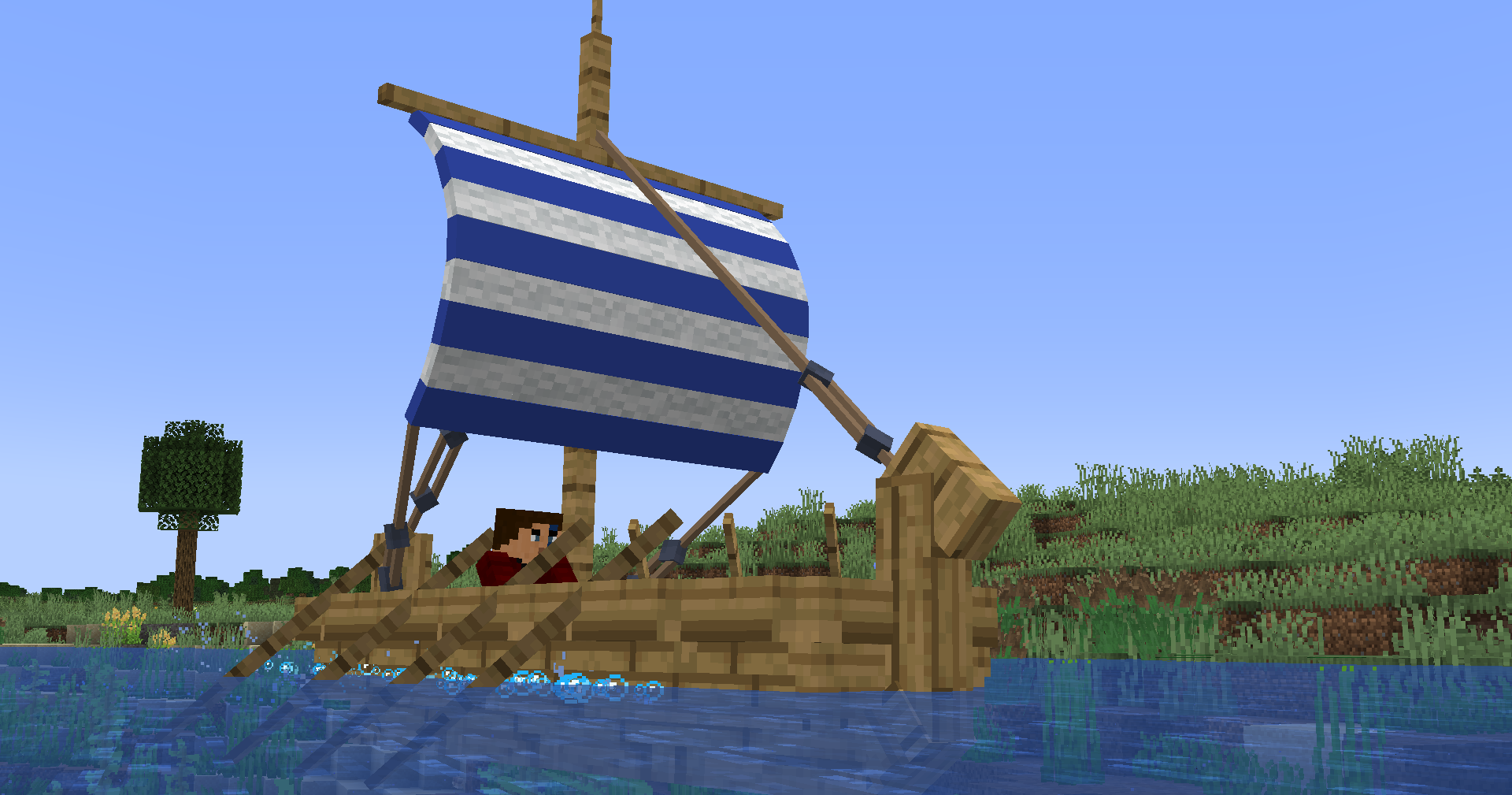 Patterns are painted directly on the ship model, so you can see how every pixel follows the sail geometry before using any paper. The editor supports the Cog, Brigg, Galley, and Drakkar, with separate drafts for each ship type and all five sail stages.
Designing a pattern
Craft and place a Heraldry Table to begin. Paint on the sails with freehand strokes, straight lines, fills, symmetry, and precise colour controls.
Individual sail parts can be selected, hidden, or isolated when working on larger ships. Pixel-aligned selections can be copied, cut, moved, and pasted between sail stages, while the preview can be rotated, panned, and zoomed at any time.
Saving and sharing
Drafts can be stored in the local pattern library and reused in any world or server. Patterns are saved as .sshpattern files and can be shared or imported by dragging them into the editor.
Printing and applying
Place paper in the Heraldry Table to print the finished design. Sneak-use the resulting pattern on a matching ship to install or replace its heraldry.
Replacing heraldry returns the previous pattern. Sneak-use shears to remove a pattern without recovering it.
To duplicate a printed pattern, place it in the centre of a crafting table and surround it with eight sheets of paper.
Screenshots
Gallery
-
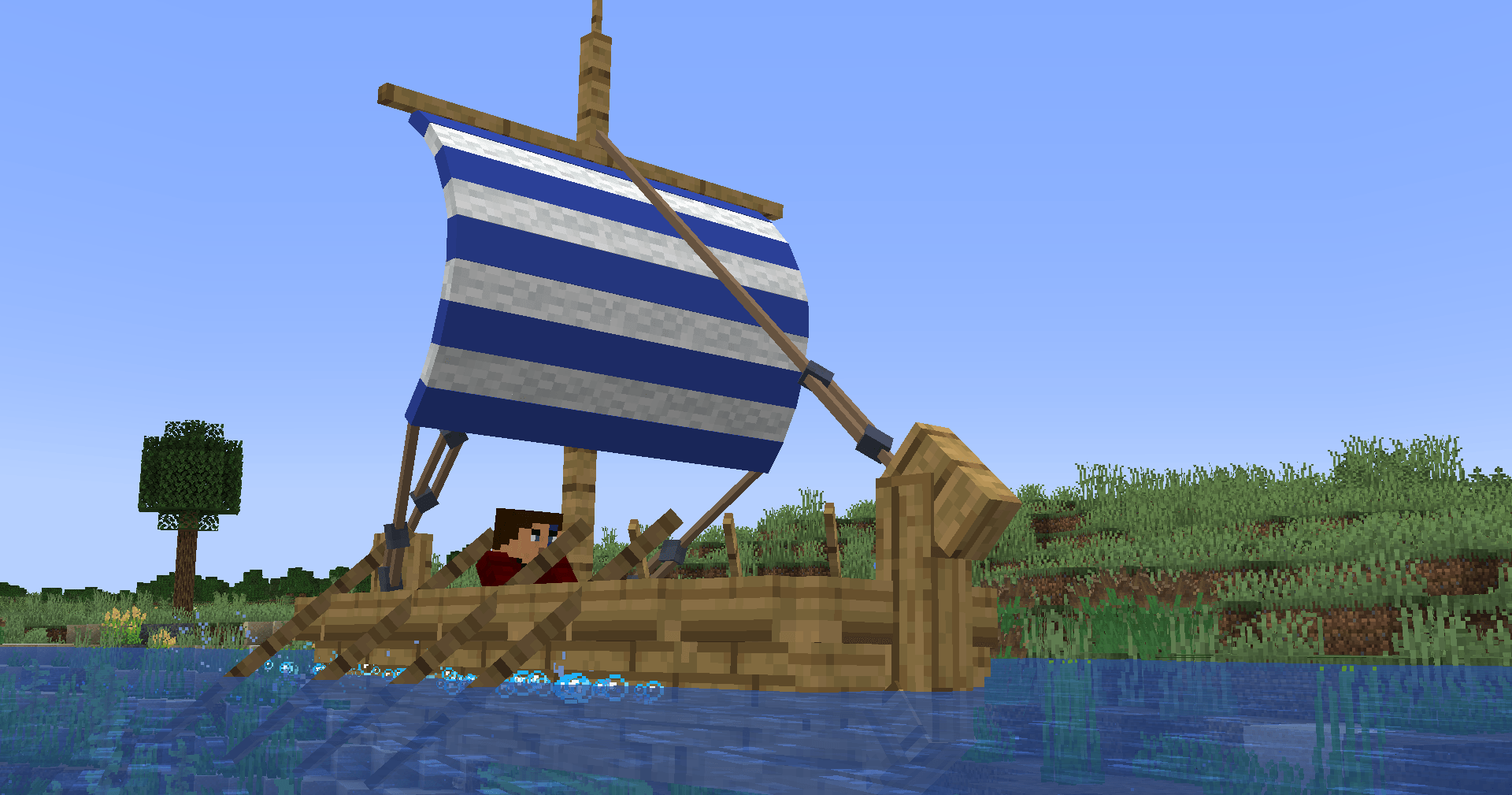 Heraldry design and screenshot by rayberttryjellio
 -
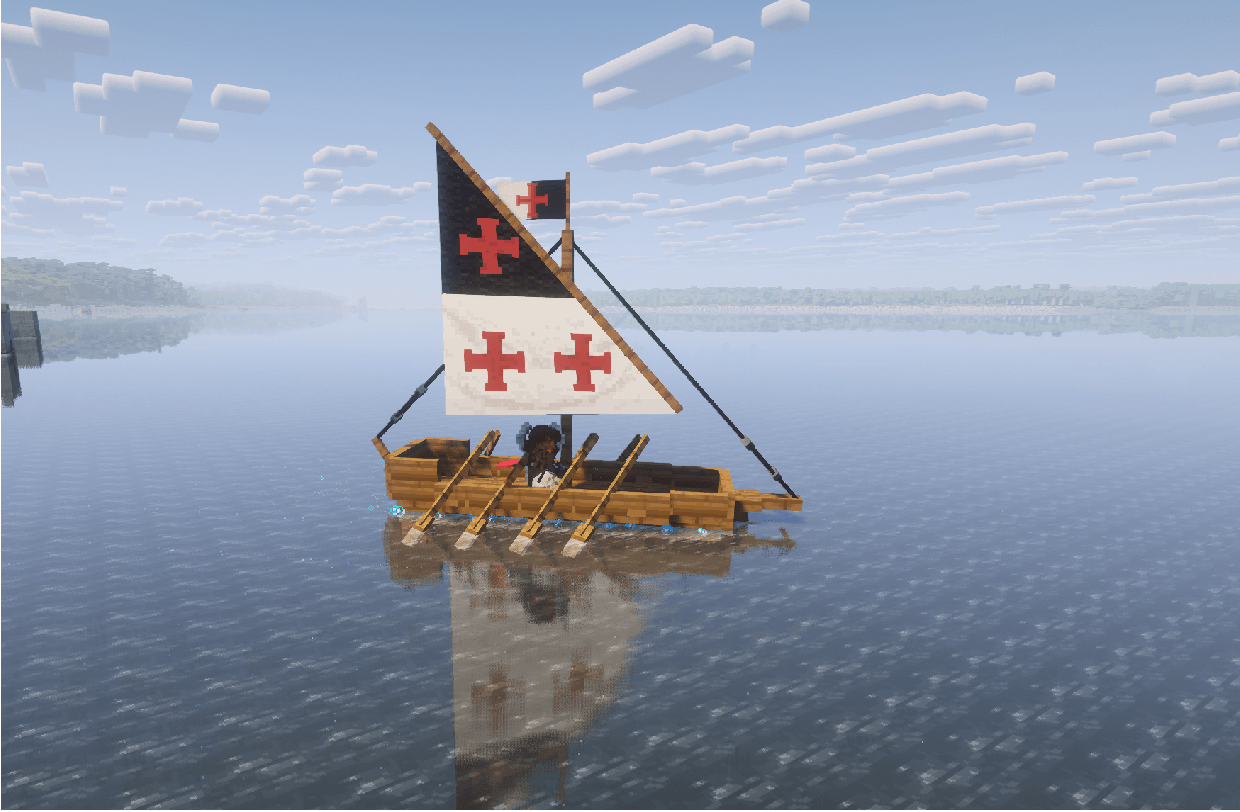 Heraldry design and screenshot by yoda11122
 -
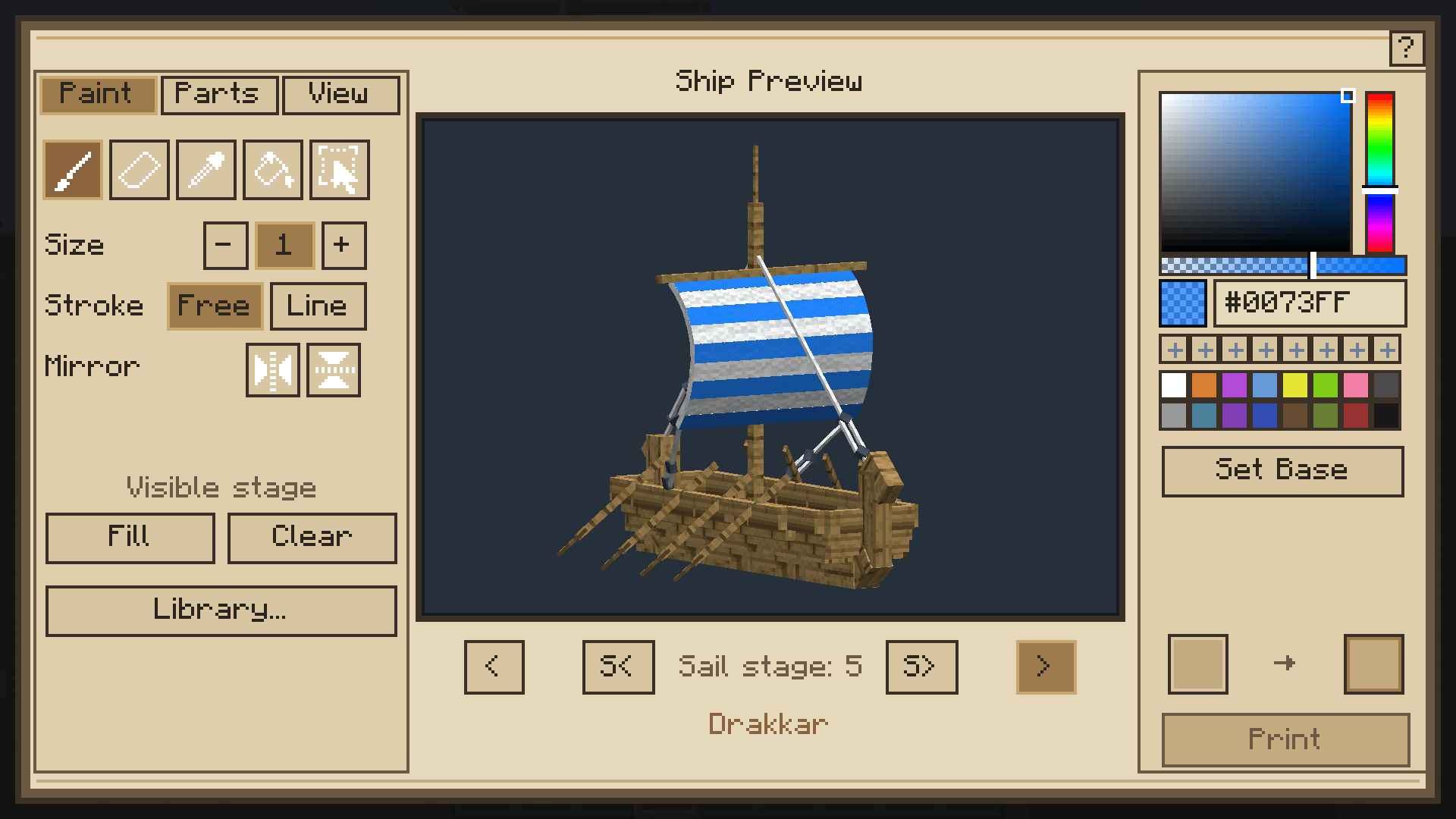 Heraldry Table editor
 -
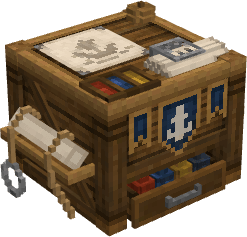 Heraldry Table
 -
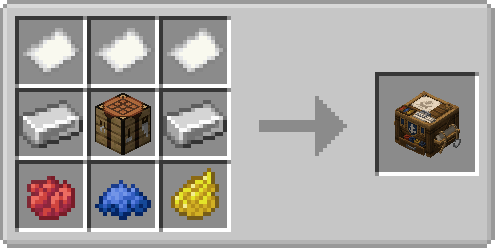 Crafting recipe for the Heraldry Table
-
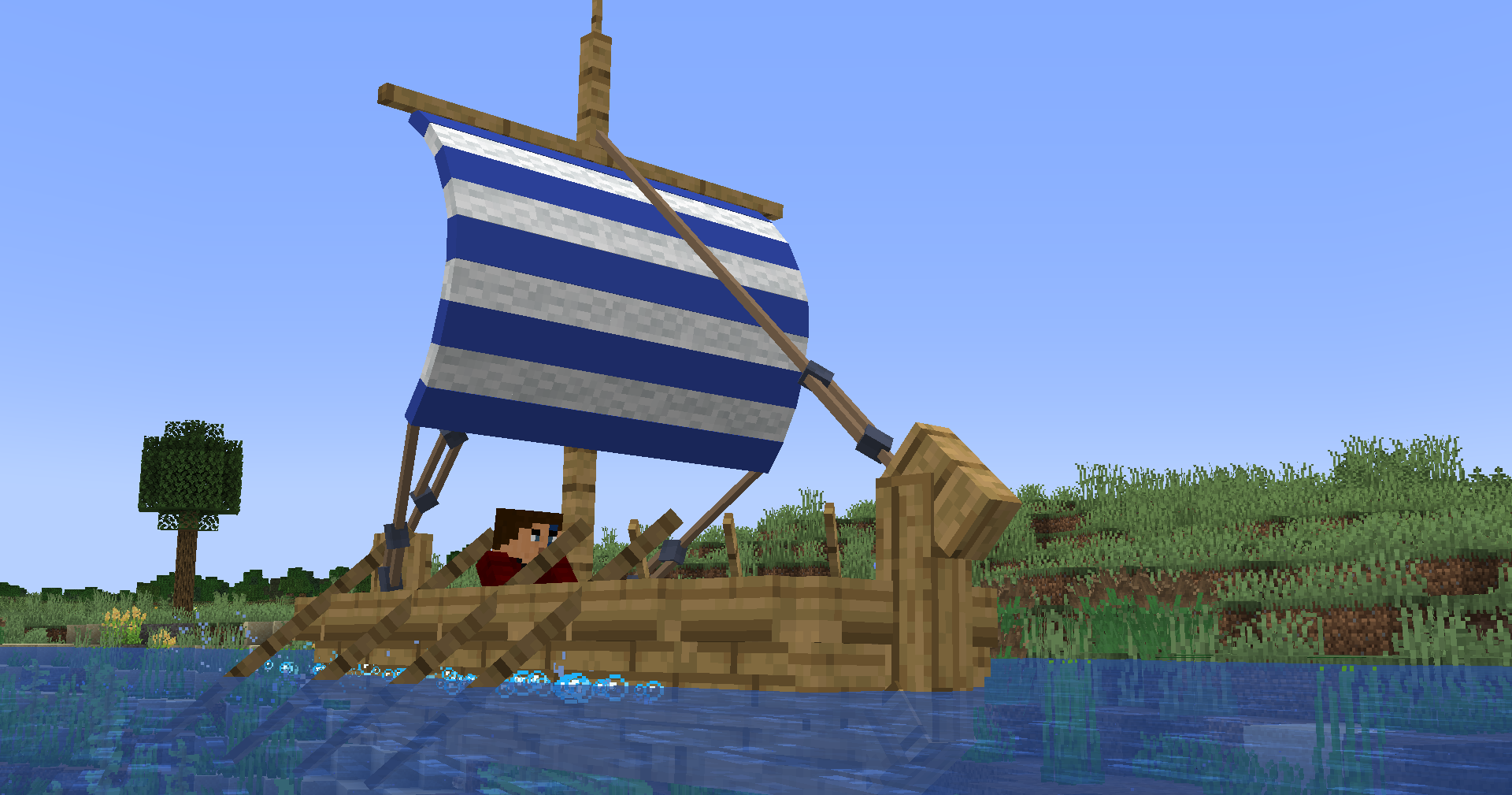 Heraldry design and screenshot by rayberttryjellio
 -
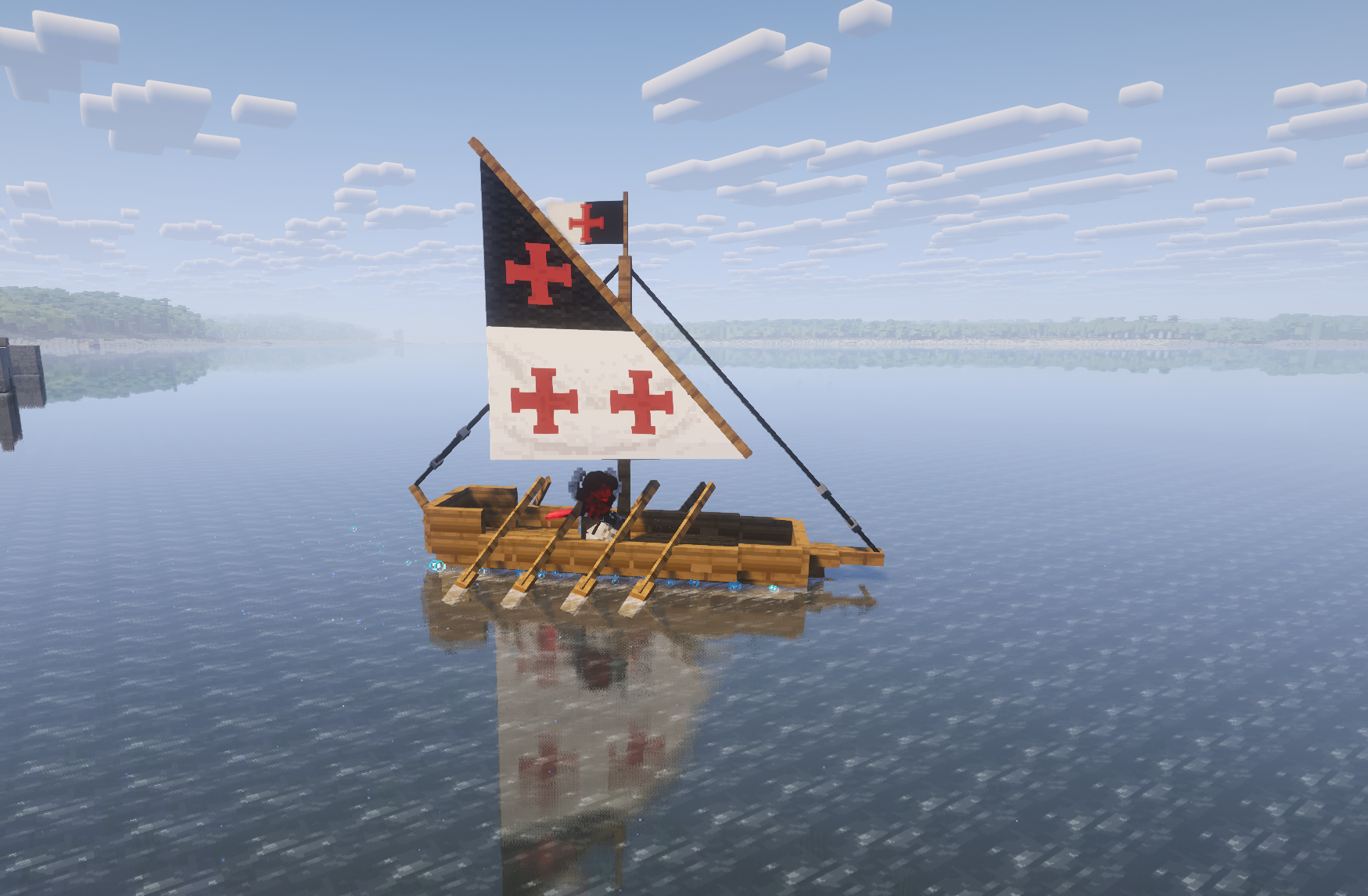 Heraldry design and screenshot by yoda11122
 -
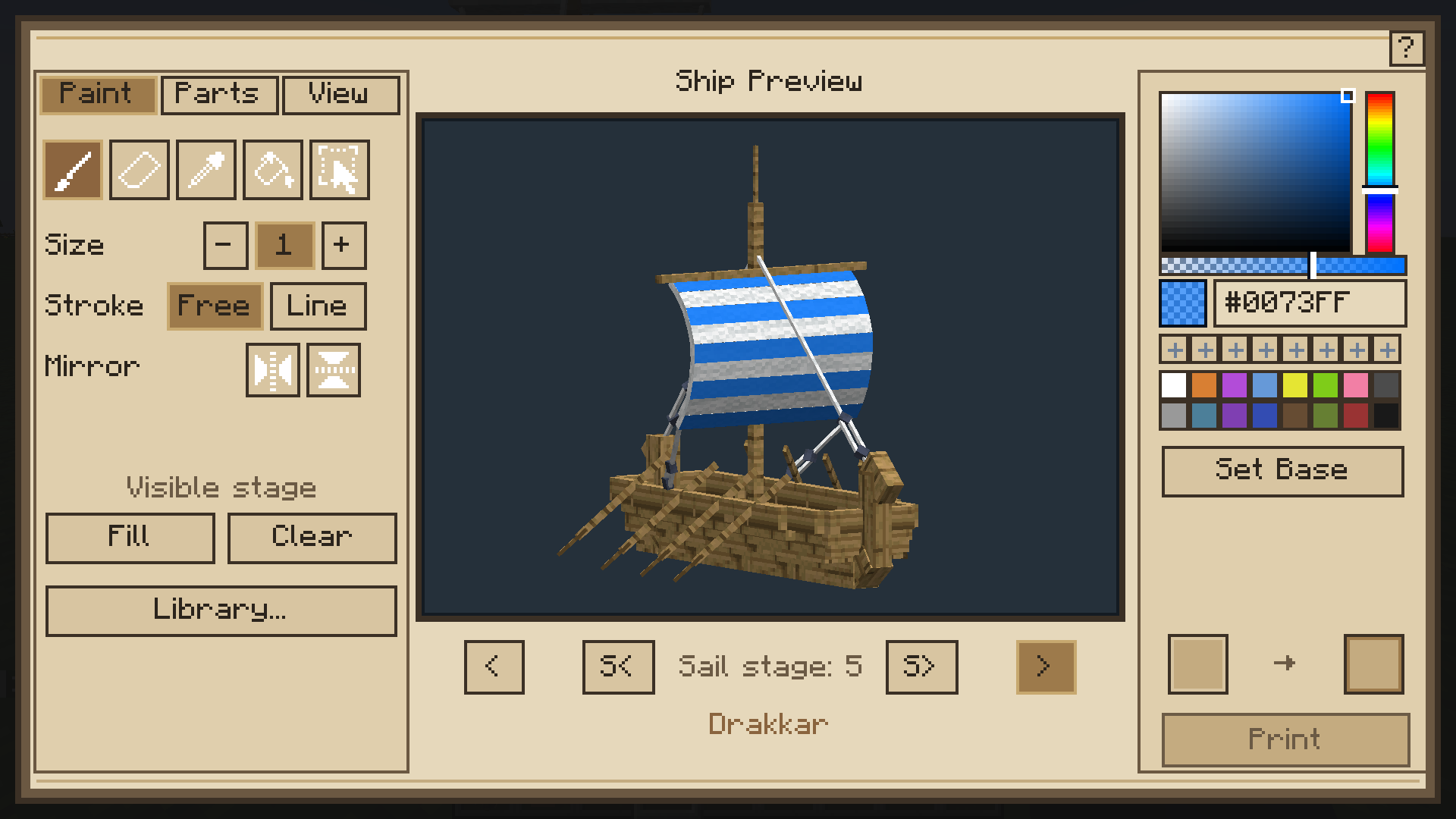 Heraldry Table editor
 -
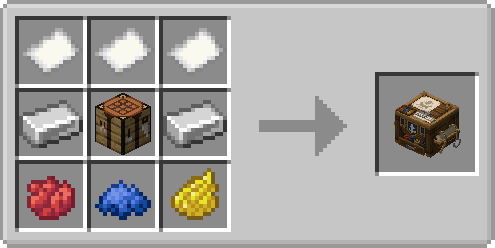 Crafting recipe for the Heraldry Table
 -
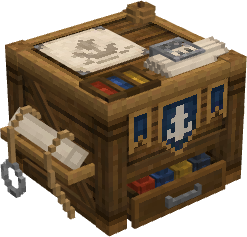 Heraldry Table
Versions
Files
Relations
Project Relations
More like this
Similar Mods
Suggestions use data such as tags, dependencies, dependents, descriptions, titles, and more to rank how much they overlap with this mod.
On ModDex
Community snapshot
By the numbers
Statistics
Want to reach Minecraft players?
We're looking for a server hosting partner to feature here and other parts of the site. Interested? Send us a message!
Get in touchGet it on
Available Platforms
On ModDex
Community snapshot
By the numbers