Community listing page, reviews may not be monitored by the author.
Smart Arrows

No reviews yet
Arrow mechanics ricochet and teleportation system

Community voices
Reviews
No reviews yet. Be the first to review this project!
Get it on
Available Platforms
 CurseForge
Modrinth
CurseForge
Modrinth
Compatibility
Supported Environments
Runs entirely on the server. Also works in singleplayer.
About
Project Details
For authors
Embed Badge
If you're the author of this project, you can embed a live badge anywhere that supports HTML or Markdown. It updates automatically whenever ratings change.
Use HTML for any page that supports it, or Markdown for README files and Markdown-based descriptions.
Identifiers
Platform IDs
Resources
External Links
About
Description


Smart Arrows - Enhanced Arrow Physics for Minecraft
Transform your archery experience with intelligent arrow mechanics!

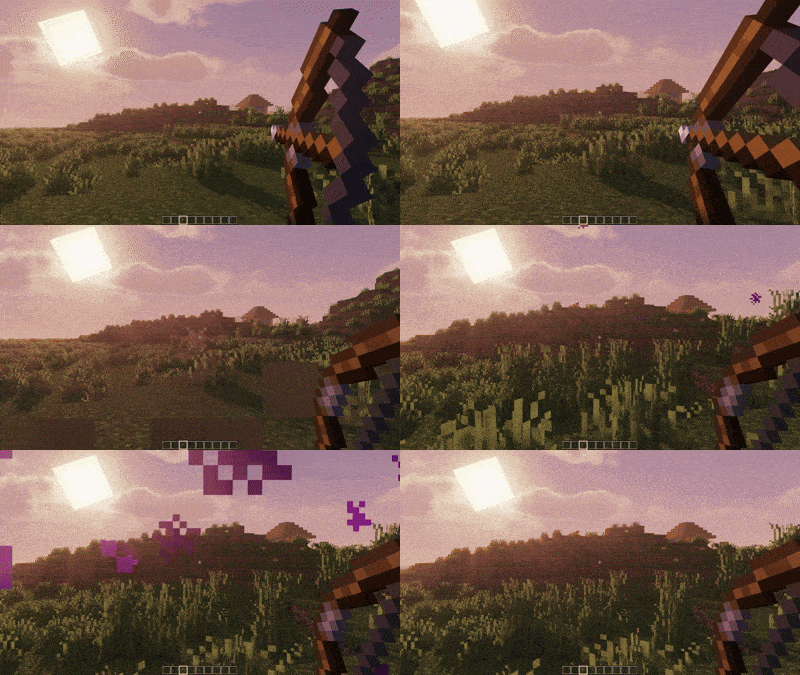
✨ Features
🎯 Ricochet System
- Smart Bouncing: Arrows ricochet off surfaces at shallow angles
- Configurable Angle Threshold: Adjust ricochet sensitivity (5-45 degrees)
- Multiple Bounces: Set maximum ricochet count (1-8 bounces)
- Realistic Physics: Energy loss with each bounce for authentic feel
🌟 Teleportation
- Crouch-to-Teleport: Hold crouch while shooting to mark arrows for teleportation
- Smart Positioning: Automatically finds safe teleport locations
- Instant Travel: Teleport to your arrow's landing spot instantly
- Safety Checks: Prevents teleporting into walls or dangerous areas(lava, water)
🎮 How to Use
Ricochet Arrows
Toggle G(press G) to open Menu
- Enable ricochet in the config menu (default: ON)
- Shoot arrows at walls at shallow angles
- Watch them bounce off surfaces realistically!
Teleport Arrows
- Hold Crouch while drawing your bow
- Shoot the arrow to your desired location
- You'll instantly teleport when the arrow lands!
Configuration
- Press
Gto open the configuration menu in-game - Adjust ricochet angles and maximum bounces
- Toggle features on/off as needed
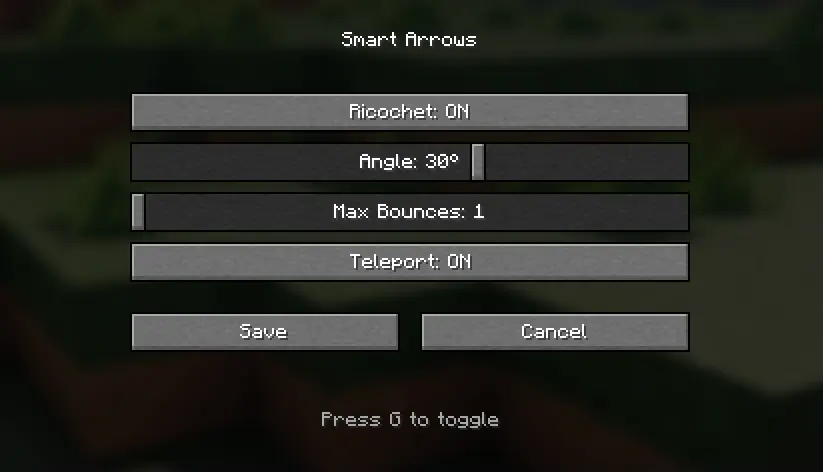
⚙️ Configuration Options
| Setting | Default | Description |
|---|---|---|
| Ricochet Enabled | true |
Enable/disable arrow ricocheting |
| Angle Threshold | 15° |
Minimum angle for ricochet (5-45°) |
| Max Ricochets | 3 |
Maximum number of bounces (1-8) |
| Teleport Enabled | true |
Enable/disable teleportation feature |
🔧 Technical Details
- Client-Side Configuration: Smooth GUI with real-time updates
- Server-Safe: Works on multiplayer servers
- Performance Optimized: Minimal impact on game performance
- Vanilla-Friendly: Preserves normal arrow physics when features are disabled
📋 Requirements
- Minecraft: 1.21.x
- Mod Loader: Fabric
- Fabric API: Latest version for 1.21.5 and >= 1.21.1
🚀 Installation
- Install Fabric Loader for Minecraft 1.21.x
- Download and install Fabric API
- Download Smart Arrows from Modrinth
- Place the mod file in your
modsfolder - Launch Minecraft and enjoy enhanced archery!



Smart Arrows - Enhanced Arrow Physics for Minecraft
Transform your archery experience with intelligent arrow mechanics!
✨ Features
🎯 Ricochet System
- Smart Bouncing: Arrows ricochet off surfaces at shallow angles
- Configurable Angle Threshold: Adjust ricochet sensitivity (5-45 degrees)
- Multiple Bounces: Set maximum ricochet count (1-8 bounces)
- Realistic Physics: Energy loss with each bounce for authentic feel
🌟 Teleportation
- Crouch-to-Teleport: Hold crouch while shooting to mark arrows for teleportation
- Smart Positioning: Automatically finds safe teleport locations
- Instant Travel: Teleport to your arrow's landing spot instantly
- Safety Checks: Prevents teleporting into walls or dangerous areas(lava, water)
🎮 How to Use
Ricochet Arrows
Toggle G(press G) to open Menu
- Enable ricochet in the config menu (default: ON)
- Shoot arrows at walls at shallow angles
- Watch them bounce off surfaces realistically!
Teleport Arrows
- Hold Crouch while drawing your bow
- Shoot the arrow to your desired location
- You'll instantly teleport when the arrow lands!
Configuration
- Press
Gto open the configuration menu in-game - Adjust ricochet angles and maximum bounces
- Toggle features on/off as needed
⚙️ Configuration Options
| Setting | Default | Description |
|---|---|---|
| Ricochet Enabled | true |
Enable/disable arrow ricocheting |
| Angle Threshold | 15° |
Minimum angle for ricochet (5-45°) |
| Max Ricochets | 3 |
Maximum number of bounces (1-8) |
| Teleport Enabled | true |
Enable/disable teleportation feature |
🔧 Technical Details
- Client-Side Configuration: Smooth GUI with real-time updates
- Server-Safe: Works on multiplayer servers
- Performance Optimized: Minimal impact on game performance
- Vanilla-Friendly: Preserves normal arrow physics when features are disabled
📋 Requirements
- Minecraft: 1.21.x
- Mod Loader: Fabric
- Fabric API: Latest version for 1.21.5 and >= 1.21.1
🚀 Installation
- Install Fabric Loader for Minecraft 1.21.x
- Download and install Fabric API
- Download Smart Arrows from Modrinth
- Place the mod file in your
modsfolder - Launch Minecraft and enjoy enhanced archery!
Screenshots
Gallery
-
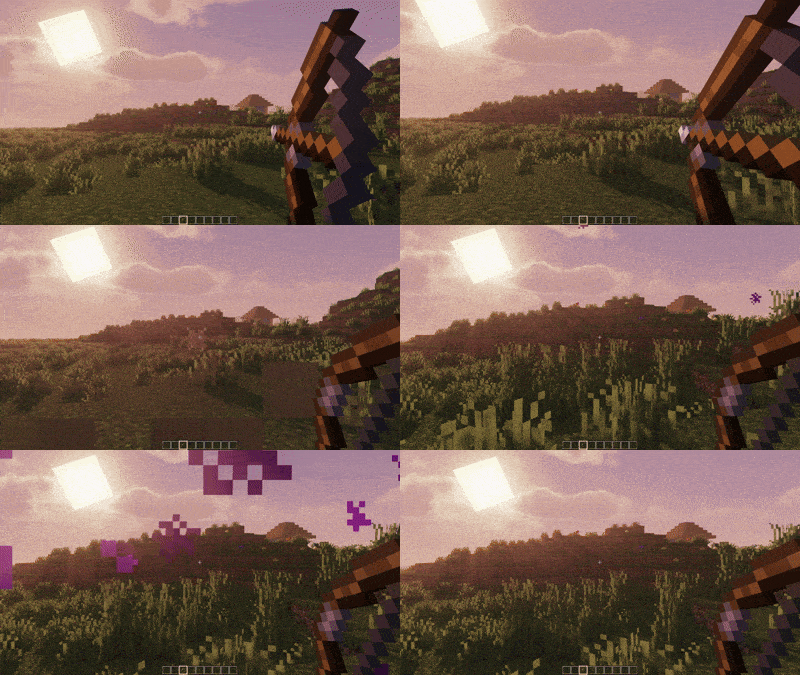 ezgif-49ae4378fc80d4.gif ezgif-49ae4378fc80d4.gif
 -
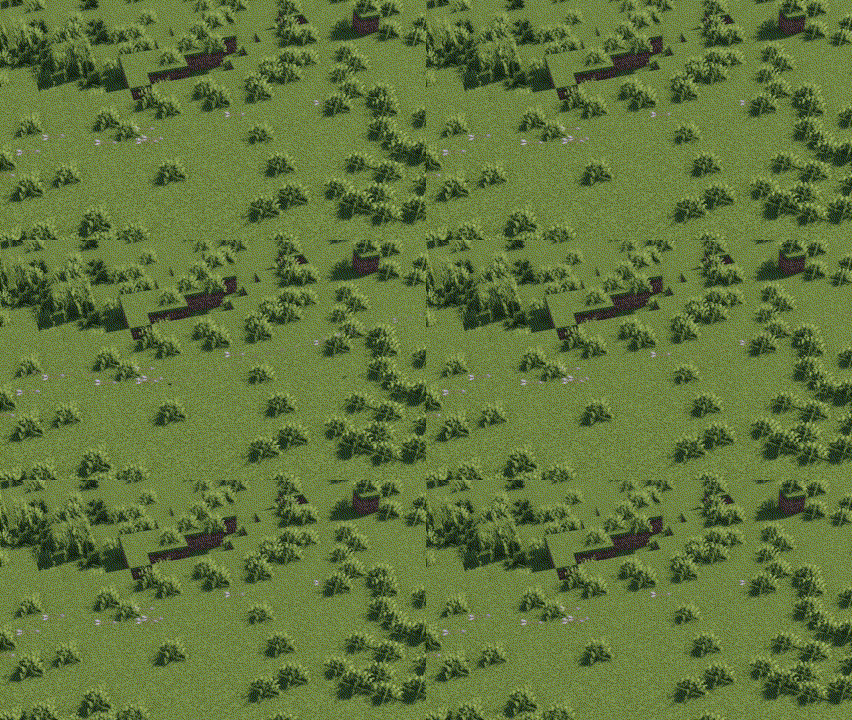 Pi7_GIF_CMP.gif Pi7_GIF_CMP.gif
-
ricochet mechanics ricochet mechanics
-
Arrow Teleportation Arrow Teleportation
Versions
Files
Relations
Project Relations
More like this
Similar Mods
Suggestions use data such as tags, dependencies, dependents, descriptions, titles, and more to rank how much they overlap with this mod.
On ModDex
Community snapshot
By the numbers
Statistics

Get it on
Available Platforms
CurseForge
Modrinth
On ModDex
Community snapshot
By the numbers
Statistics
Resources