Community listing page, reviews here may not be monitored by the author.
Smart Filter


No reviews yet
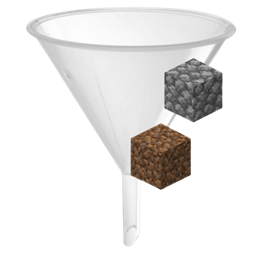
Take control of your inventory! Smart Filter lets you filter which items you want to pick up. Avoid inventory clutter by whitelisting ores or blacklisting junk like

Community voices
Reviews
No reviews yet. Be the first to review this project!
Get it on
Available Platforms
Compatibility
Supported Environments
Must be installed on both the client and the server.
About
Project Details
For authors
Embed Badge
If you're the author of this project, you can embed a live badge anywhere that supports HTML or Markdown. It updates automatically whenever ratings change.
Use HTML for any page that supports it, or Markdown for README files and Markdown-based descriptions.
Identifiers
Platform IDs
Resources
External Links
About
Description
📦 Smart Filter The ultimate inventory management utility for organized adventurers.

Tired of your inventory filling up with cobblestone, dirt, seeds, and junk while mining or farming? Smart Filter is a lightweight, high-performance utility mod for NeoForge 1.21.1 that gives you full control over what items you pick up.
With the Smart Filter item, you decide exactly what enters your inventory — no more manual cleanup.
✨ FEATURES
Visual GUI Interface Clean and intuitive Simple Chest–style interface with a 9-slot filter bar.
Ghost Slot System Configure your filter without consuming items. Click an item into the GUI and the filter remembers it — the item stays in your hand.
Whitelist & Blacklist Modes Instantly switch between: • Whitelist (Green): pick up ONLY selected items • Blacklist (Red): pick up EVERYTHING except selected items
High Performance & Lightweight Built using Minecraft 1.21 Data Components and NeoForge TriState logic. Zero lag, even in large modpacks.
Multiple Filters Support Carry multiple Smart Filters at once: • One for mining • One for farming • One for building All active simultaneously.
Duplicate Protection The filter automatically prevents duplicate entries and keeps everything organized.
🎮 HOW TO USE
Opening & Configuring:
- Hold the Smart Filter and Right-Click while standing.
- Add items: Click an item into one of the 9 slots.
- Remove items: Click the slot with an empty hand.
- Items are registered visually only — nothing is consumed.
Switching Modes:
- Hold the filter and Shift + Right-Click.
- Whitelist Mode: pick up ONLY listed items.
- Blacklist Mode: pick up everything EXCEPT listed items.
Automatic Filtering:
- Keep the Smart Filter anywhere in your inventory.
- Allowed items are picked up automatically.
- Blocked items stay on the ground.
💡 PRO TIP
You can quick-configure items directly in the world: Hold the filter and Shift + Right-Click on a block to add or remove it from the filter instantly — no GUI needed.
📦 Smart Filter
"The ultimate inventory management utility for organized adventurers."
Tired of your inventory filling up with cobblestone, dirt, and seeds while you are mining or farming? Smart Filter is a lightweight, high-performance utility mod for NeoForge 1.21.1 that introduces the "Smart Filter" item, allowing you to decide exactly what enters your pockets.
✨ Features
- 🖥️ Visual Interface (GUI): Now featuring a "Simple Chest" style interface. Manage your filtered items in a clean, organized 9-slot row.
- 👻 Ghost Slots: Configure your filter without losing your items. Simply click an item into the GUI slot; the filter registers the item type without consuming the actual item.
- ⚡ High Performance: Built using the latest Minecraft 1.21 Data Components and NeoForge TriState logic. Zero lag, even in heavy modpacks.
- 🔄 Toggleable Modes: Instantly switch between Whitelist (pick up ONLY specific items) and Blacklist (pick up everything EXCEPT specific items).
- 🎒 Multi-Filter Support: Carry multiple filters in your inventory to handle different tasks (one for ores, one for wood) simultaneously.
🎮 How to Use
1. Opening the Interface & Configuring
Hold the Smart Filter in your hand and Right-Click (while standing) to open the configuration GUI.
- Add Items: Click on any of the top 9 slots with an item in your cursor. The item will appear there visually, but the stack stays in your hand!
- Remove Items: Click with an empty hand on a configured item in the GUI to remove it from the filter.
- Duplicate Prevention: The system automatically organizes your list, ensuring the same item doesn't take up multiple slots.
2. Changing Modes
To quickly swap how the filter behaves without opening the GUI:
- Hold the filter and Shift + Right-Click.
- Whitelist (Green Mode): You will ONLY pick up items listed in the filter.
- Blacklist (Red Mode): You will pick up everything EXCEPT the items listed in the filter.
3. Automatic Filtering
Once configured, simply keep the filter anywhere in your inventory. As you walk over items on the ground, the mod automatically checks your rules. If an item is forbidden by your filter, it will remain on the ground!
Tip: You can also quick-configure the filter in the world by holding Shift + Right-Click on a block to add or remove it without opening the interface!
Screenshots
Gallery
Versions
Files
Relations
Project Relations
More like this
Similar Mods
Suggestions use data such as tags, dependencies, dependents, descriptions, titles, and more to rank how much they overlap with this mod.
On ModDex
Community snapshot
By the numbers
Statistics
 (opens in a new tab)
Get it on
Available Platforms
On ModDex
Community snapshot
By the numbers
Statistics
Resources