Community listing page, reviews here may not be monitored by the author.
SmartHUD

No reviews yet
A fully customizable HUD overlay with 40+ draggable widgets, 18 themes, and a built-in block inspector — everything you need on one screen.

Community voices
Reviews
No reviews yet. Be the first to review this project!
Get it on
Available Platforms
About
Project Details
For authors
Embed Badge
If you're the author of this project, you can embed a live badge anywhere that supports HTML or Markdown. It updates automatically whenever ratings change.
Use HTML for any page that supports it, or Markdown for README files and Markdown-based descriptions.
Identifiers
Platform IDs
Resources
External Links
About
Description
 > Smart HUD is a powerful Minecraft mod that transforms your in-game experience by adding a fully customizable heads-up display directly onto your screen. After installing the mod, essential information appears as elegant, draggable widgets — no more guessing your coordinates, health status, or nearby threats. The interface is clean and modern, allowing players to see everything they need at a glance without opening any menus or relying on the debug screen.
>
> The mod provides over 40 unique widgets covering every aspect of gameplay. You can monitor your coordinates, biome, light level, and ore zones in real time. A Jade-style Block Info overlay reveals the name, mod origin, hardness, and required tool of any block you look at. The built-in Mini Map renders a 64×64 overhead terrain view with your position marked at the center, while the Entity Radar scans a 32-block radius and reports hostile mobs, passive animals, and nearby players — complete with proximity warnings when danger is close.
>
> Beyond basic information, Smart HUD offers advanced combat and survival tools. The Combat Log tracks recent damage with fade-out animations, the Target Info widget displays health, armor, and distance of any entity under your crosshair, and the Durability Alert system flashes warnings when your gear drops below 15%. An Item Tracker monitors key resources like diamonds, iron, and emeralds across your inventory, while the Inventory Space widget warns you before your bags are full. The Nether Coordinate Projection automatically calculates the 1:8 ratio, showing your equivalent position in the other dimension at all times.
>
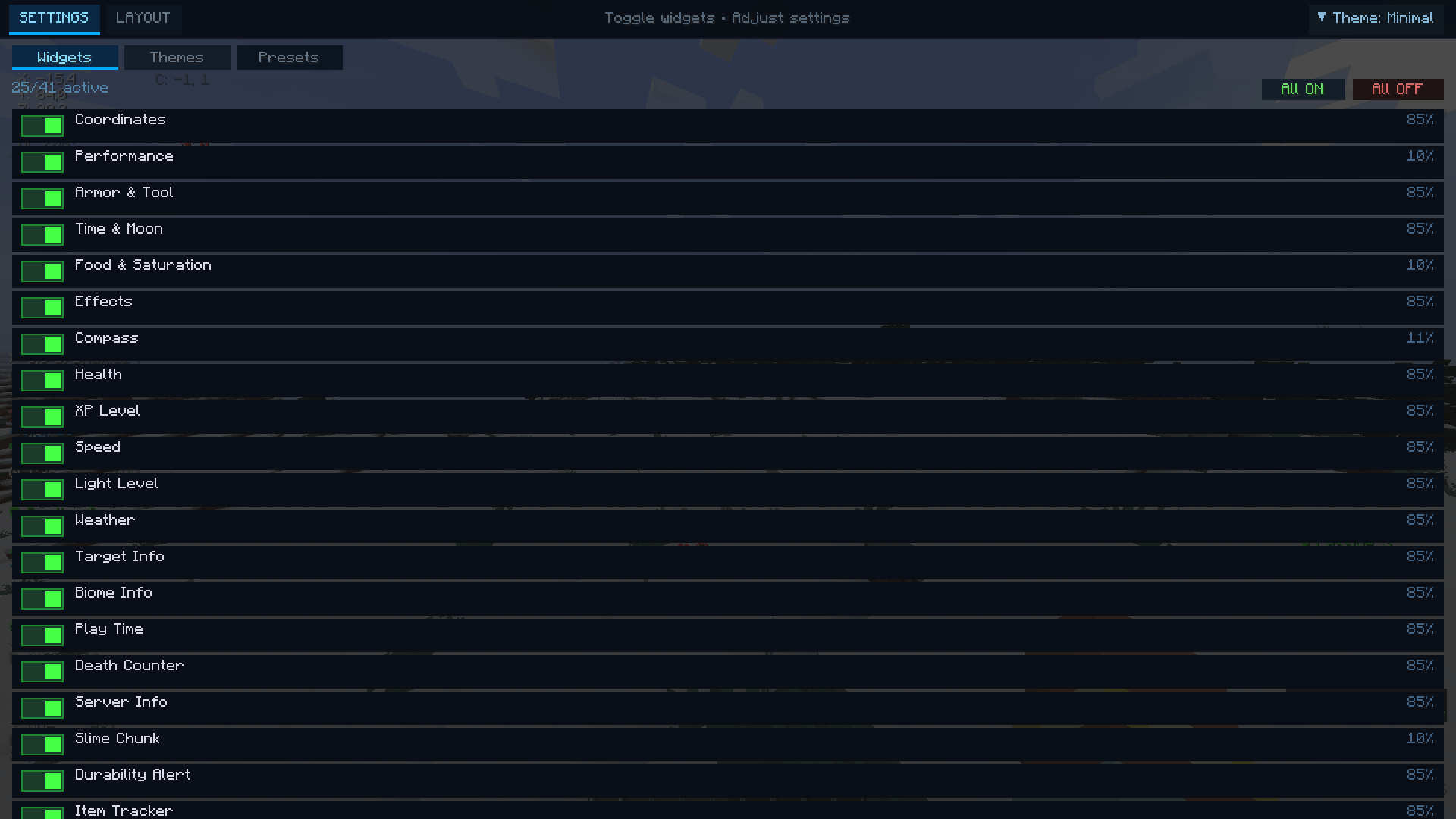
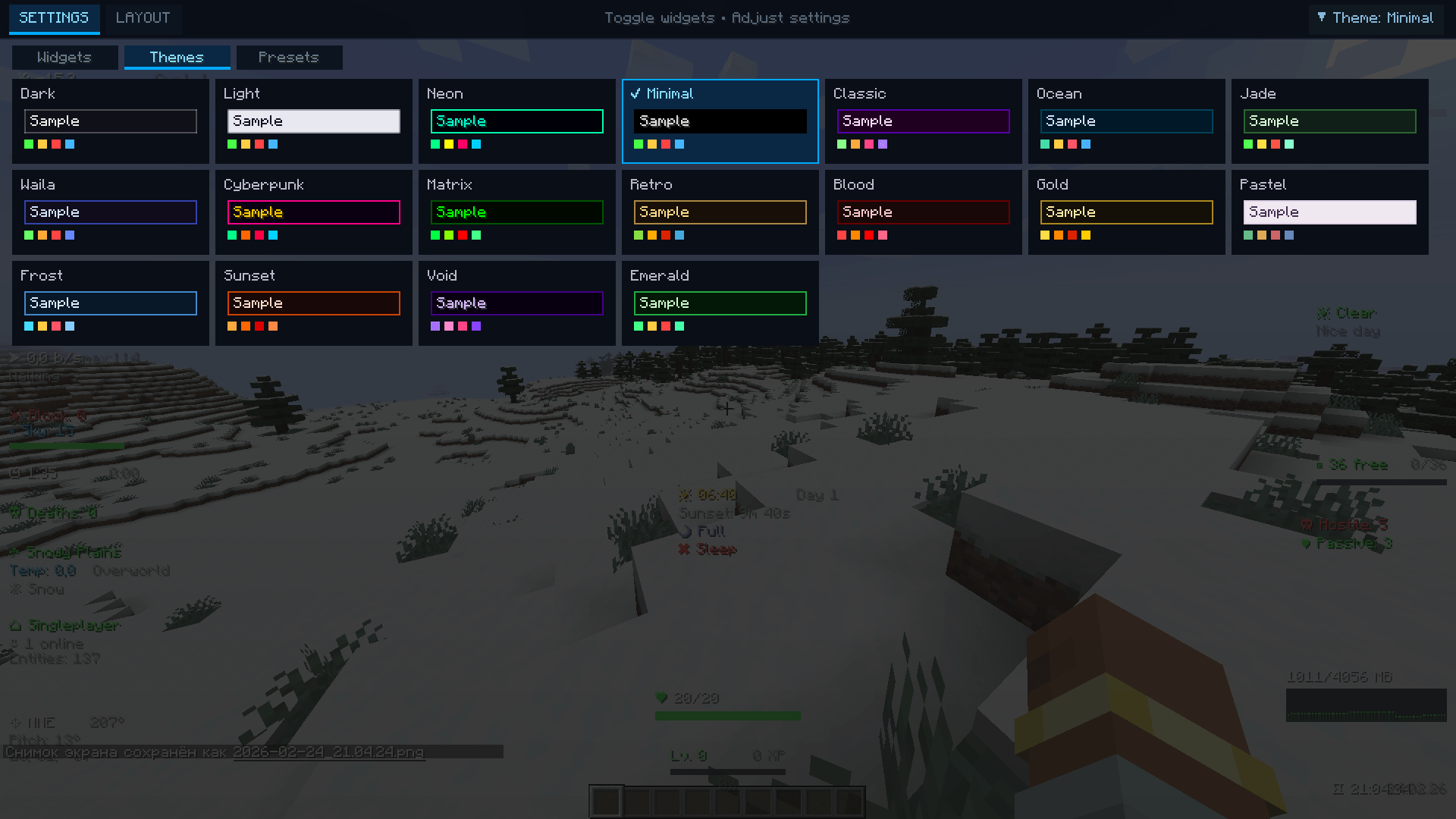
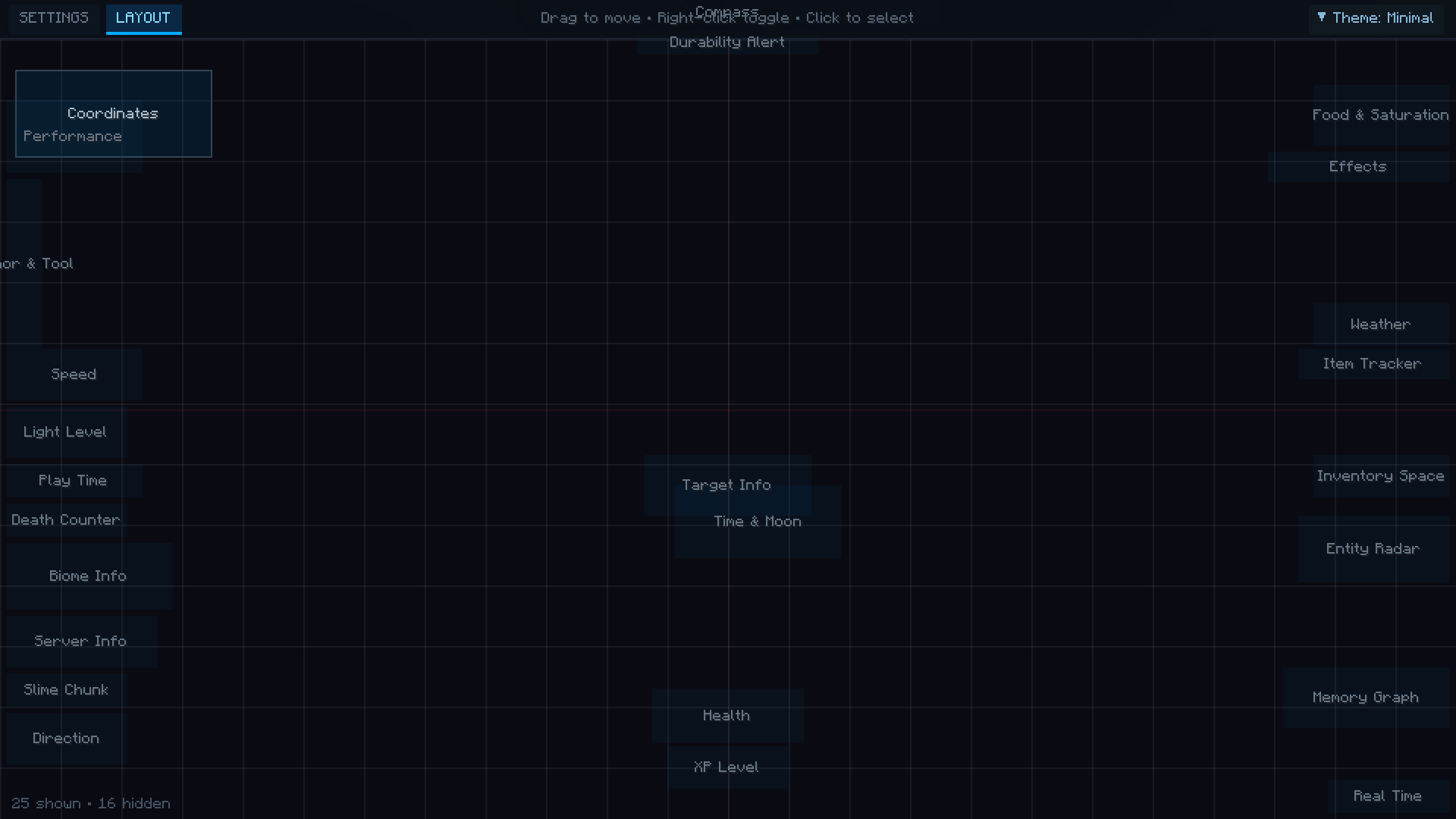
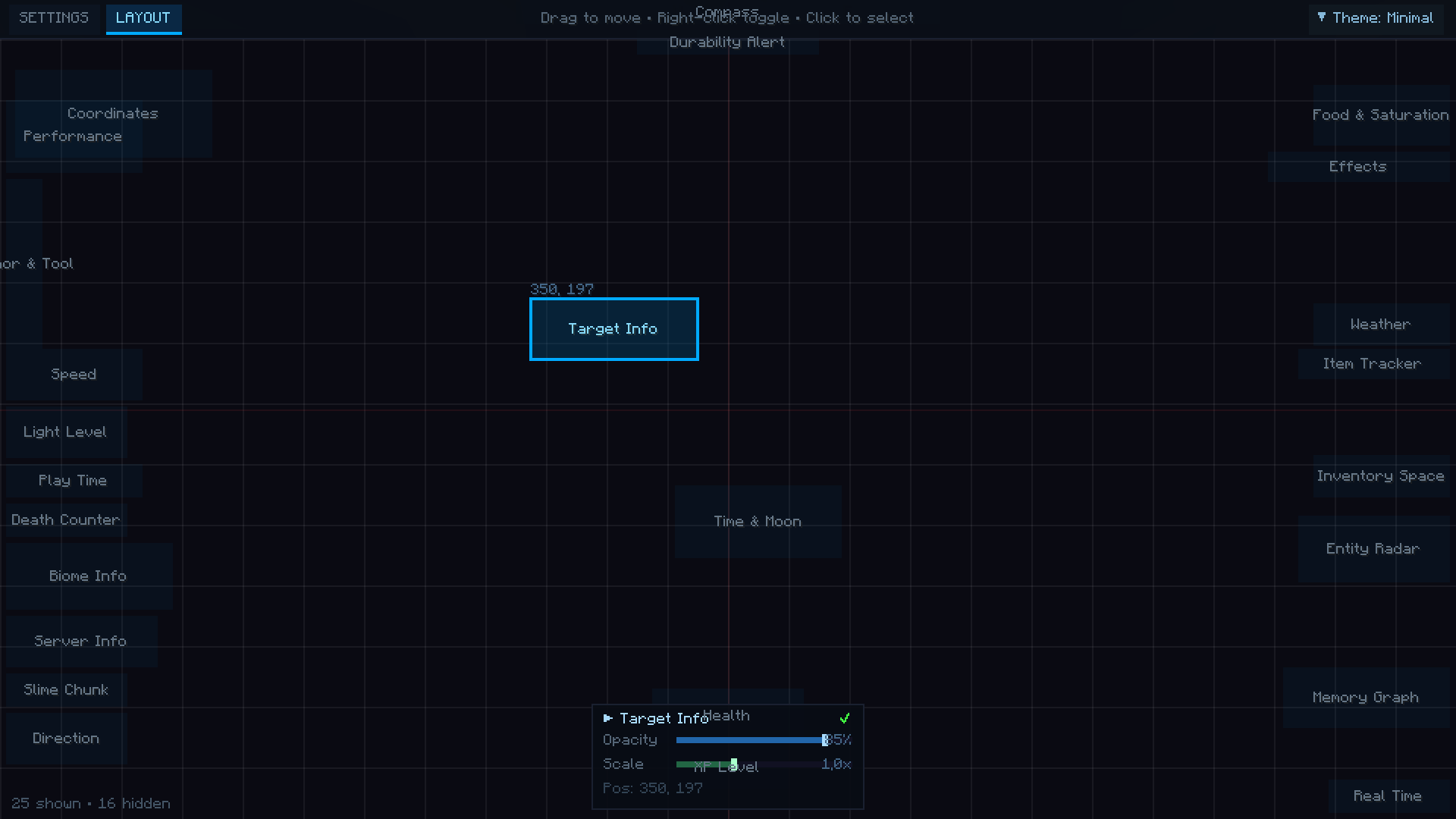
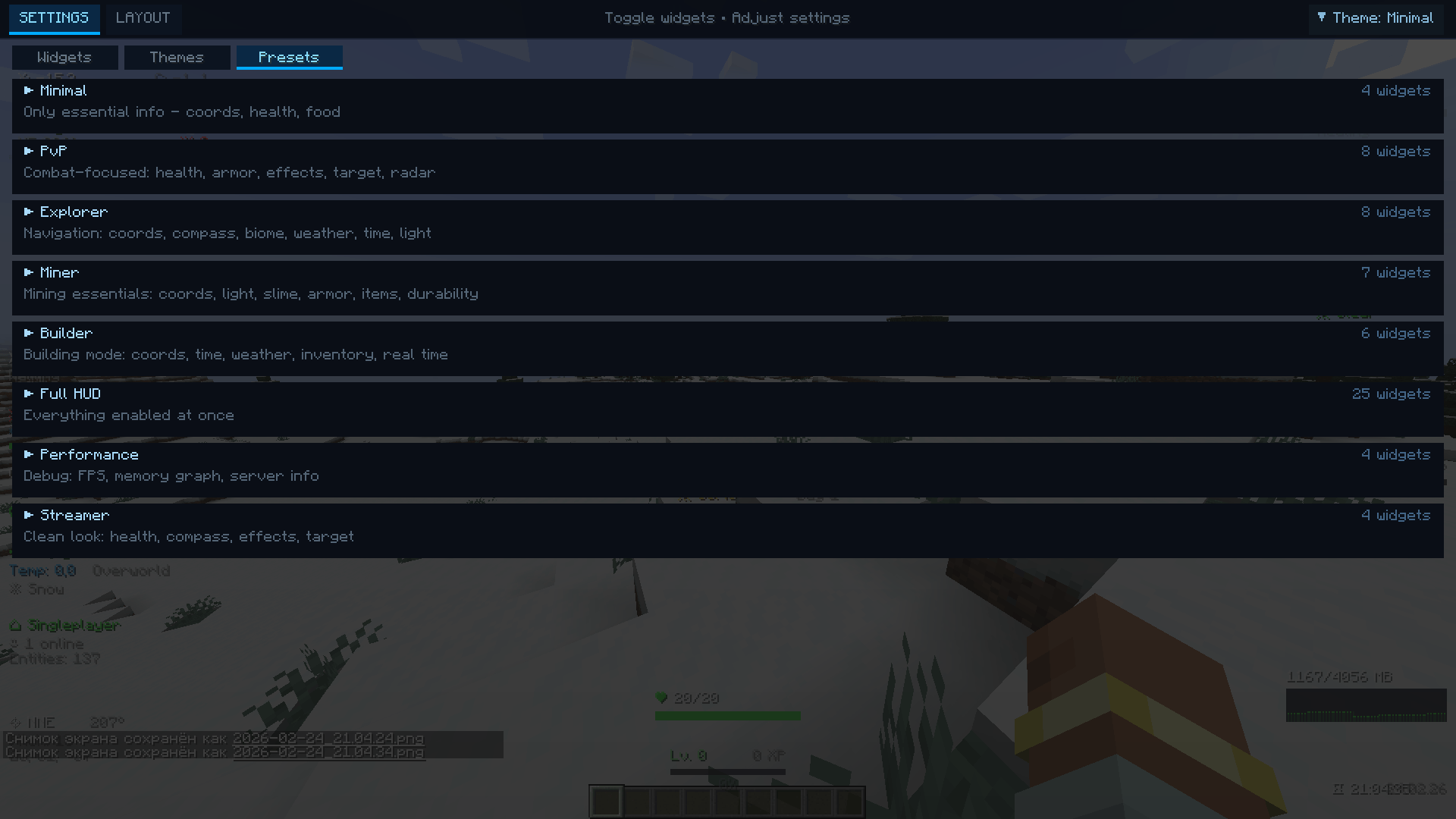
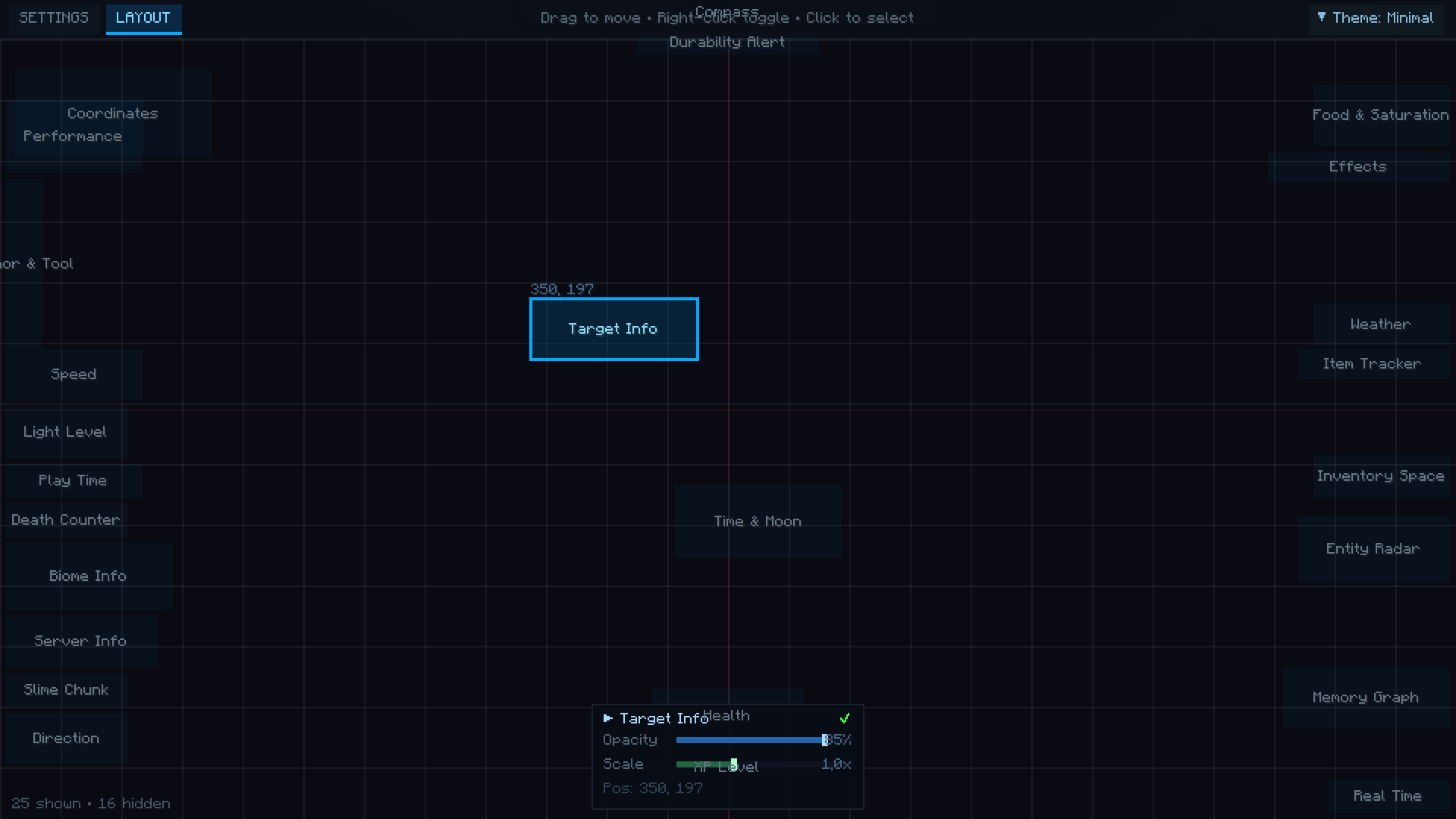
> Smart HUD also integrates a comprehensive customization system accessible by pressing H at any time. The editor features two distinct modes: a full-screen Settings view for toggling widgets, selecting from 18 built-in color themes, and applying layout presets — and a Layout view where you drag and drop widgets freely across your screen with grid snapping and alignment guides. Each widget supports individual opacity and scale adjustments, and all settings are saved automatically between sessions. With 8 ready-made presets for different playstyles — Minimal, PvP, Explorer, Miner, Builder, Streamer, Performance, and Full HUD — Smart HUD adapts to any situation, giving you complete control over your display without ever breaking your gameplay flow.
> Smart HUD is a powerful Minecraft mod that transforms your in-game experience by adding a fully customizable heads-up display directly onto your screen. After installing the mod, essential information appears as elegant, draggable widgets — no more guessing your coordinates, health status, or nearby threats. The interface is clean and modern, allowing players to see everything they need at a glance without opening any menus or relying on the debug screen.
>
> The mod provides over 40 unique widgets covering every aspect of gameplay. You can monitor your coordinates, biome, light level, and ore zones in real time. A Jade-style Block Info overlay reveals the name, mod origin, hardness, and required tool of any block you look at. The built-in Mini Map renders a 64×64 overhead terrain view with your position marked at the center, while the Entity Radar scans a 32-block radius and reports hostile mobs, passive animals, and nearby players — complete with proximity warnings when danger is close.
>
> Beyond basic information, Smart HUD offers advanced combat and survival tools. The Combat Log tracks recent damage with fade-out animations, the Target Info widget displays health, armor, and distance of any entity under your crosshair, and the Durability Alert system flashes warnings when your gear drops below 15%. An Item Tracker monitors key resources like diamonds, iron, and emeralds across your inventory, while the Inventory Space widget warns you before your bags are full. The Nether Coordinate Projection automatically calculates the 1:8 ratio, showing your equivalent position in the other dimension at all times.
>
> Smart HUD also integrates a comprehensive customization system accessible by pressing H at any time. The editor features two distinct modes: a full-screen Settings view for toggling widgets, selecting from 18 built-in color themes, and applying layout presets — and a Layout view where you drag and drop widgets freely across your screen with grid snapping and alignment guides. Each widget supports individual opacity and scale adjustments, and all settings are saved automatically between sessions. With 8 ready-made presets for different playstyles — Minimal, PvP, Explorer, Miner, Builder, Streamer, Performance, and Full HUD — Smart HUD adapts to any situation, giving you complete control over your display without ever breaking your gameplay flow.
Screenshots
Gallery
-
 2026-02-24_21.04.24.png 2026-02-24_21.04.24.png
 -
 2026-02-24_21.04.34.png 2026-02-24_21.04.34.png
 -
 2026-02-24_21.04.37.png 2026-02-24_21.04.37.png
 -
 2026-02-24_21.04.39.png 2026-02-24_21.04.39.png
 -
 2026-02-24_21.04.35.png 2026-02-24_21.04.35.png
 -
 2026-02-24_21.04.39.png 2026-02-24_21.04.39.png
 -
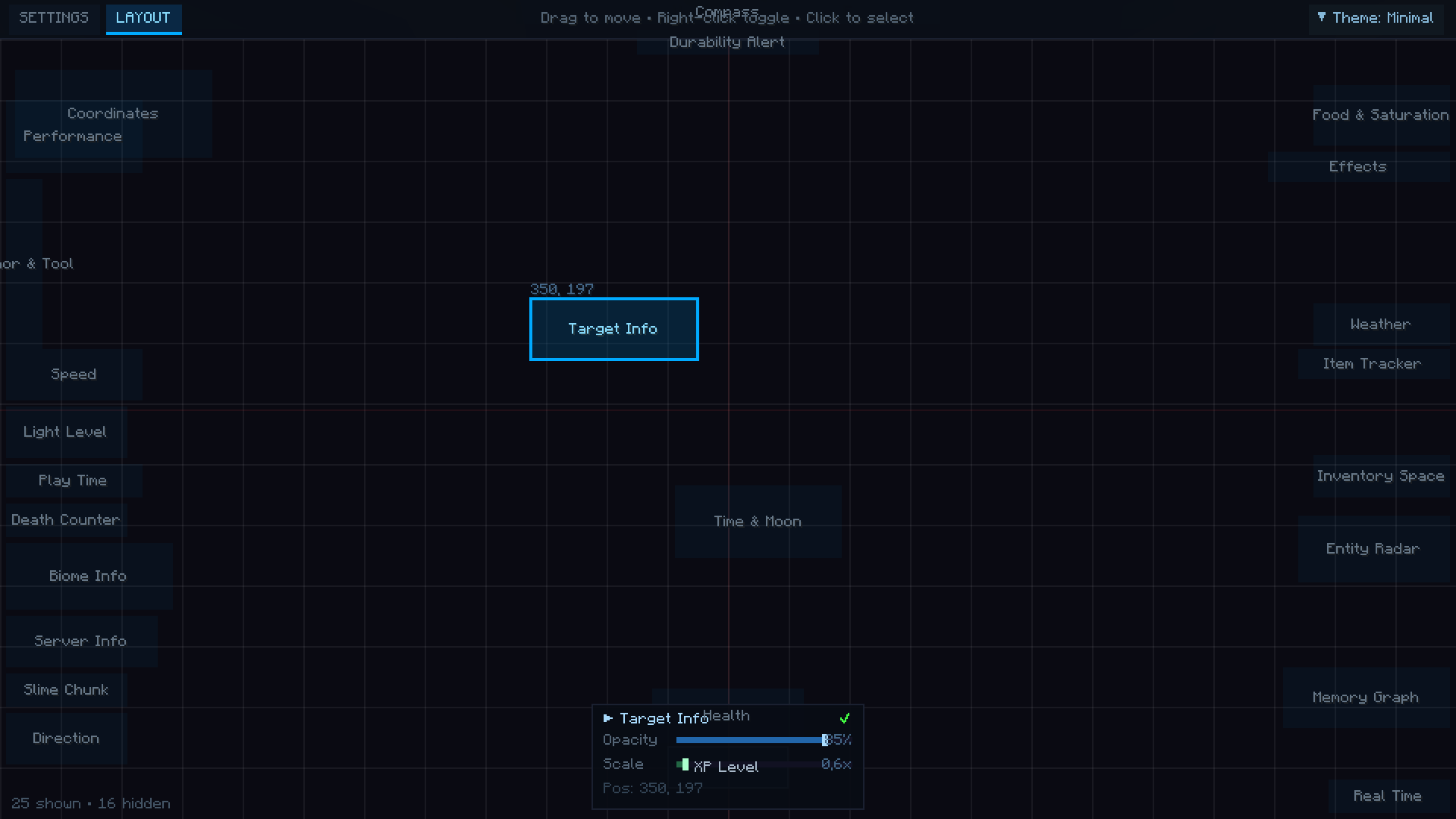 2026-02-24_21.04.42.png 2026-02-24_21.04.42.png
 -
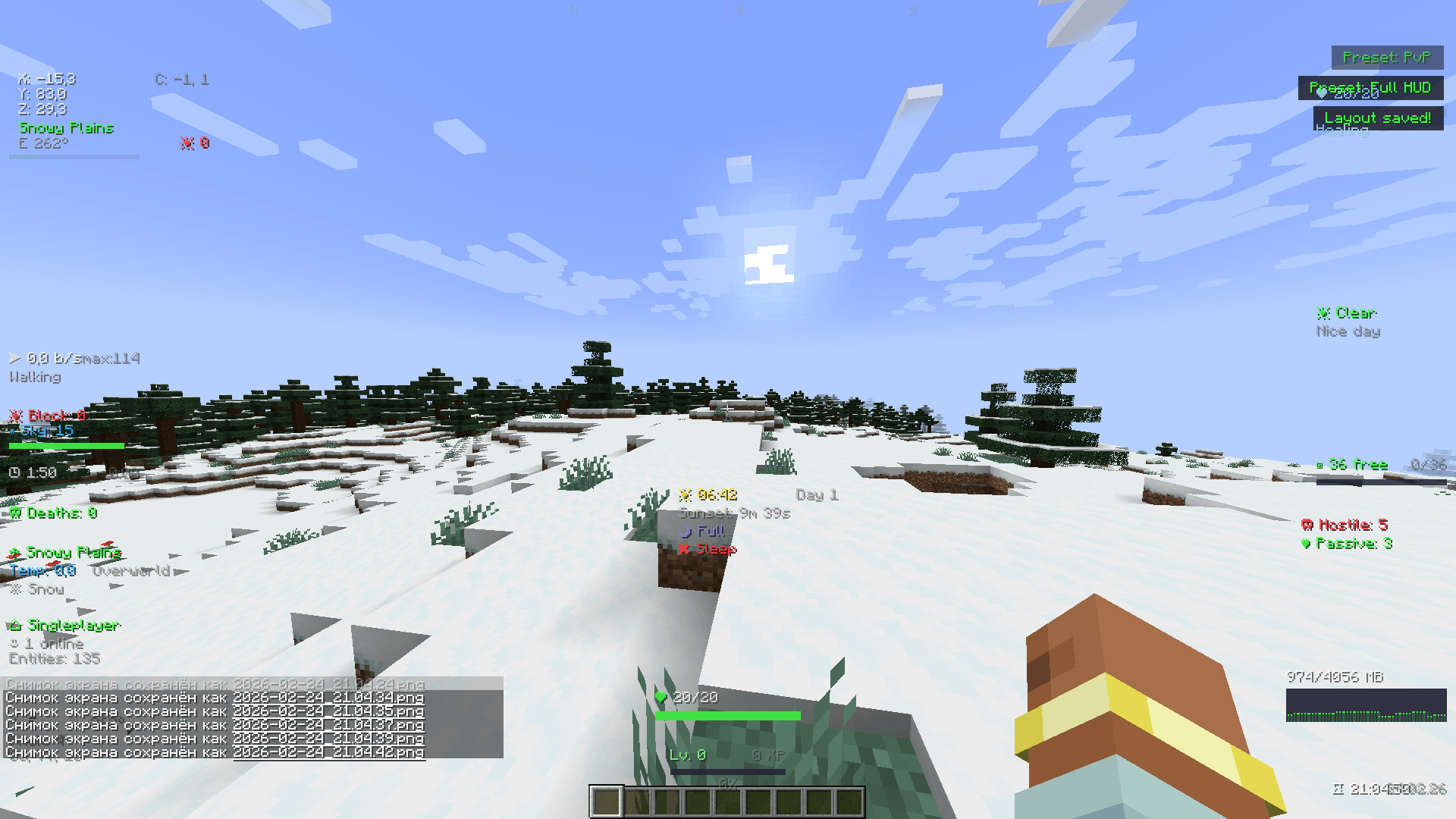 2026-02-24_21.04.50.png 2026-02-24_21.04.50.png
 -
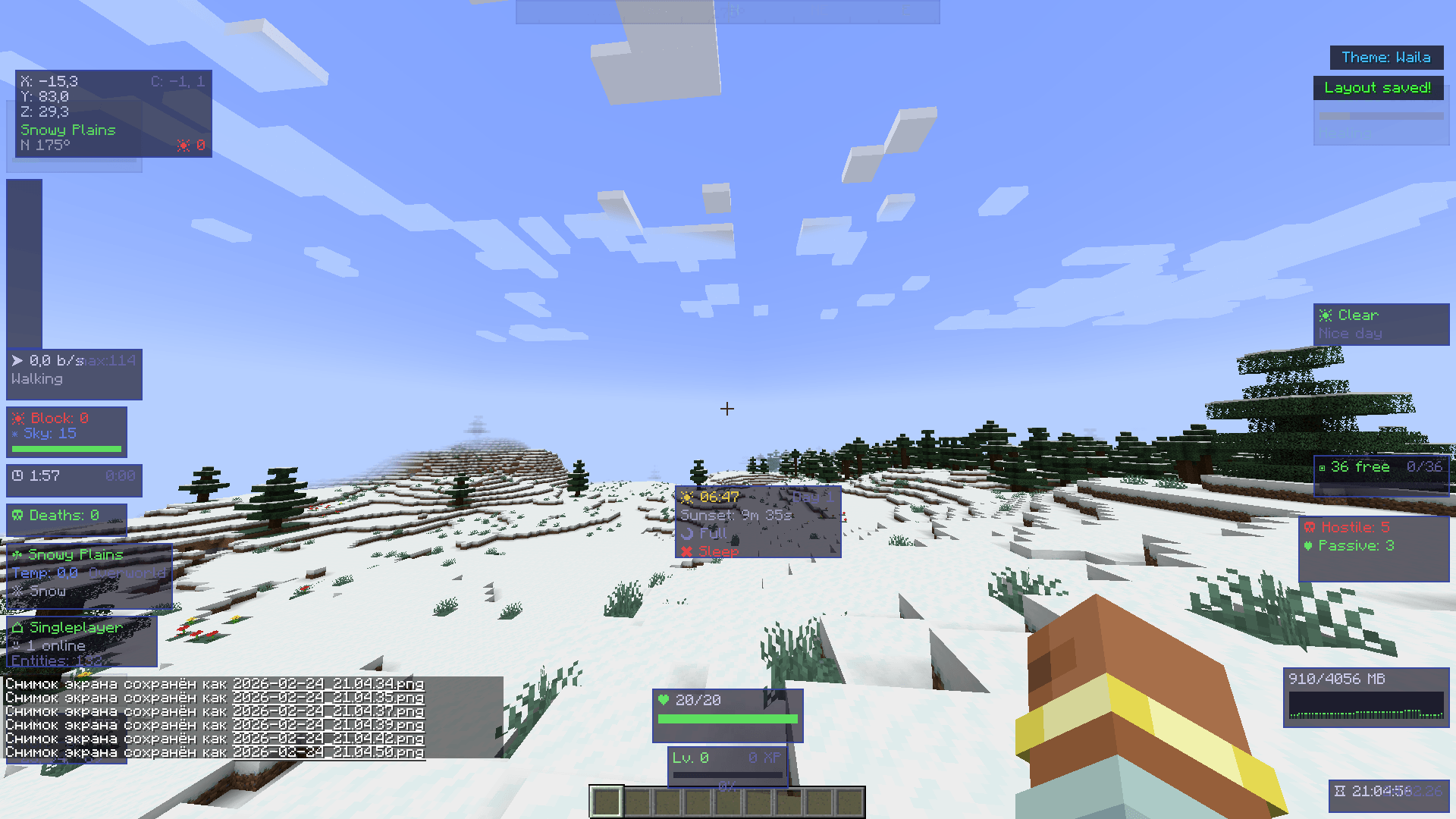 2026-02-24_21.04.56.png 2026-02-24_21.04.56.png
 -
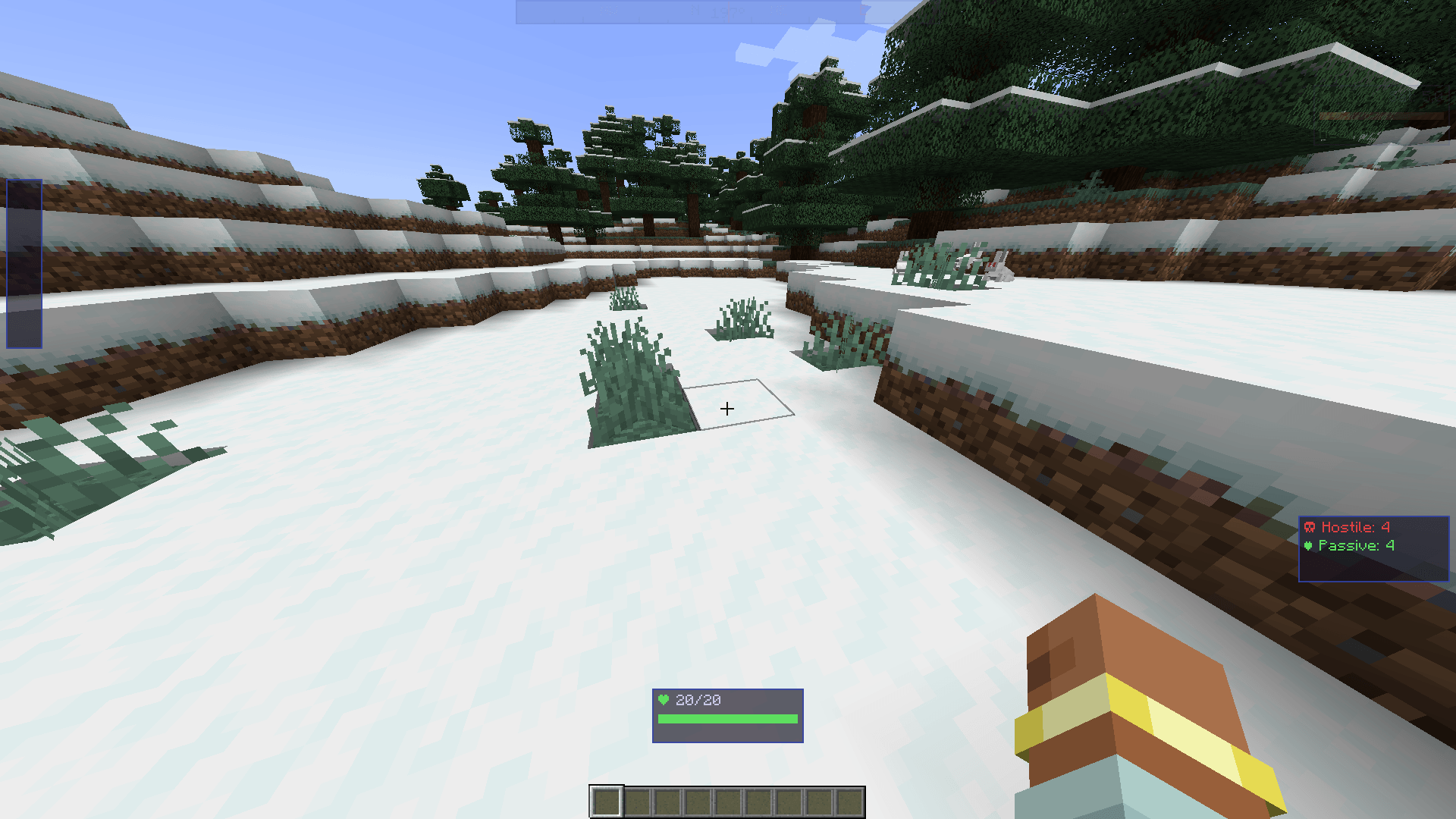 2026-02-24_21.05.09.png 2026-02-24_21.05.09.png
 -
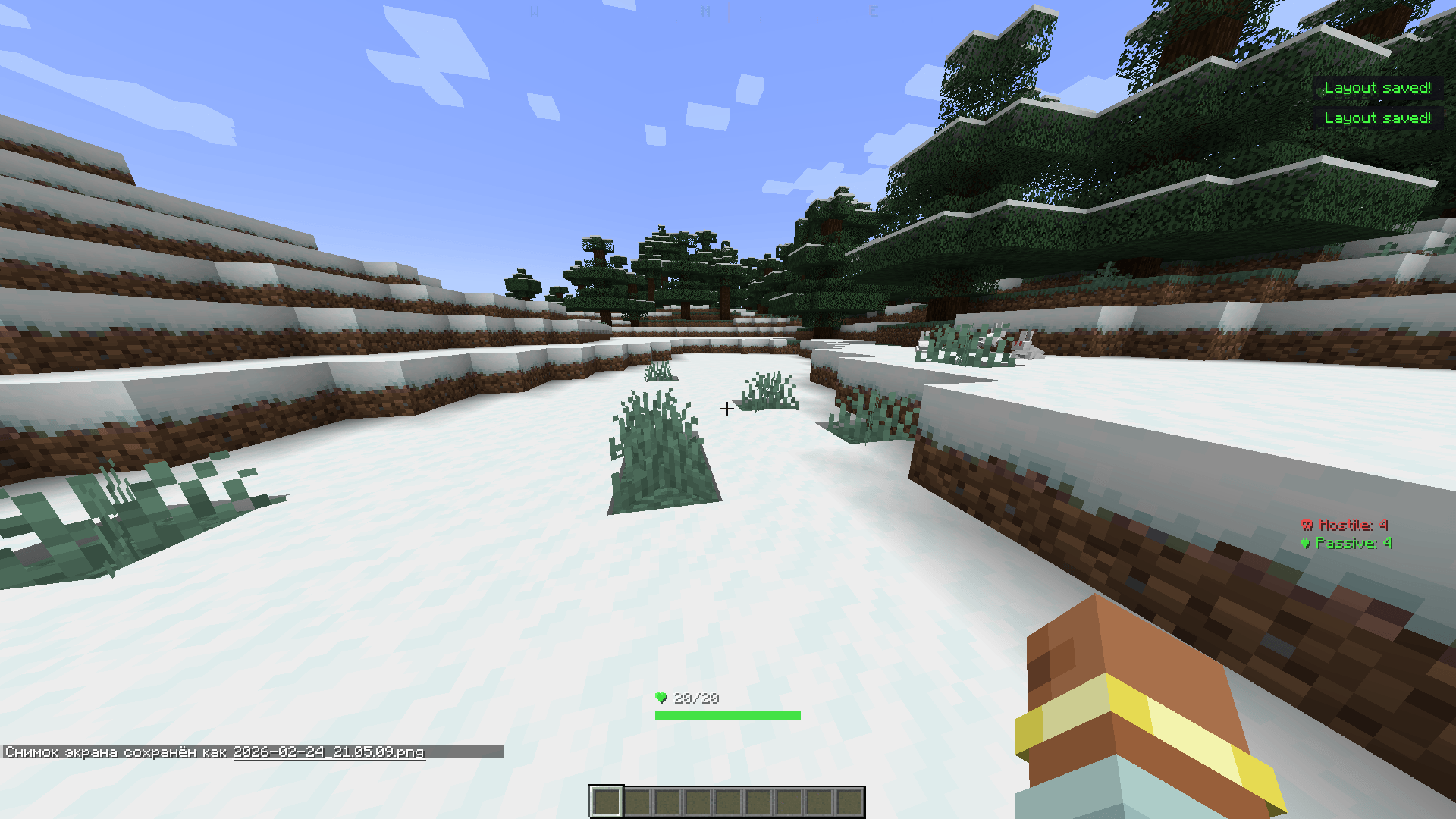 2026-02-24_21.05.15.png 2026-02-24_21.05.15.png
Versions
Files
Relations
Project Relations
More like this
Similar Mods
Suggestions use data such as tags, dependencies, dependents, descriptions, titles, and more to rank how much they overlap with this mod.
On ModDex
Community snapshot
By the numbers
Statistics
 (opens in a new tab)
Get it on
Available Platforms
On ModDex
Community snapshot
By the numbers
Statistics
Resources