
Community listing page, reviews here may not be monitored by the author.

Community voices
Reviews
No reviews yet. Be the first to review this project!
Get it on
Available Platforms
About
Project Details
For authors
Embed Badge
If you're the author of this project, you can embed a live badge anywhere that supports HTML or Markdown. It updates automatically whenever ratings change.
Use HTML for any page that supports it, or Markdown for README files and Markdown-based descriptions.
Identifiers
Platform IDs
Resources
External Links
About
Description
Smiley's UGC





Smiley's UGC lets you create, share, and activate custom Verity personalities in Minecraft. Build your own AI companion — name, color, voice, identity, and behavior rules — then publish it to the community catalog or load someone else's with a Verity ID.
What does it do?
Verity is the AI companion from the Verity JE mod by Varmite. Smiley's UGC extends Verity with a full user-generated content (UGC) system:
- Create custom Verity profiles in-game
- Test them locally before publishing
- Publish to the shared catalog
- Browse profiles on the companion website
- Activate any profile by Verity ID
Each profile can customize:
| Setting | What it changes |
|---|---|
| Name | What Verity calls itself |
| Hue | Verity's in-game color (0–360) |
| Voice ID | Fish Audio TTS voice |
| Identity | Core personality / backstory |
| Rules | Extra behavioral instructions |
Profiles also integrate with Verity's existing karma, day-count, and story progression — your custom identity and rules layer on top of the base Verity experience.
Getting started
Requirements
- Minecraft 1.20.1
- Forge 47+
- Verity JE 5.7.3+
- Cloth Config (client)
- Fish Audio API key — for custom TTS voices (get one here)
- Groq API key — still required in Verity's own config for chat/LLM
Open the config
Go to Mods → Smiley's UGC → Config (or your mod menu's config button).
The three tabs
Search
- Open the UGC website to browse published profiles
- Enter a Verity ID (e.g.
ABC-123) - Click Activate to download and apply that profile
Your last Verity ID is saved between sessions.
Create
Design a profile from scratch:
- Fill in Name, Hue, Voice ID, Identity, and Rules
- Click Test to try it locally in your world
- Click Publish to upload it to the catalog
Create-tab fields reset when you restart the game — only your API key and Verity ID are remembered.
Publishing requirements:
- Name: at least 2 characters
- Identity: at least 24 characters
- Fish Voice ID required
Settings
- Toggle the mod on/off
- Set your Fish API key
- Reset Verity History — clears stored chat history
- Reset to Default Verity — restores stock Verity and clears your active ID
- Open the CurseForge page
UGC website
Browse, preview, and share profiles at:
https://smileys-ugc-web.vercel.app
Published profiles get a unique Verity ID you can share with friends. Anyone with the mod can activate your creation in one click.
Commands
/smileysugc activate <id>     Activate a profile by Verity ID (multiplayer supported)
/smileysugc history clear     Clear Verity chat history on the server
Tips
- Use Test before Publish to make sure the voice and personality feel right.
- Pick a Fish voice from Fish Audio and paste its Voice ID into the Create tab.
- Hue is a number from 0–360 (e.g.
300for purple,120for green). - If something goes wrong, use Reset to Default Verity in Settings.
- Verity's Groq key is separate — Smiley's UGC only handles profile customization, Fish TTS, and the catalog.
Credits
Author: Toast5
Companion website: smileys-ugc-web.vercel.app
Built for: Verity JE
Have fun making Verity yours. 😊
Links
Screenshots
Gallery
-
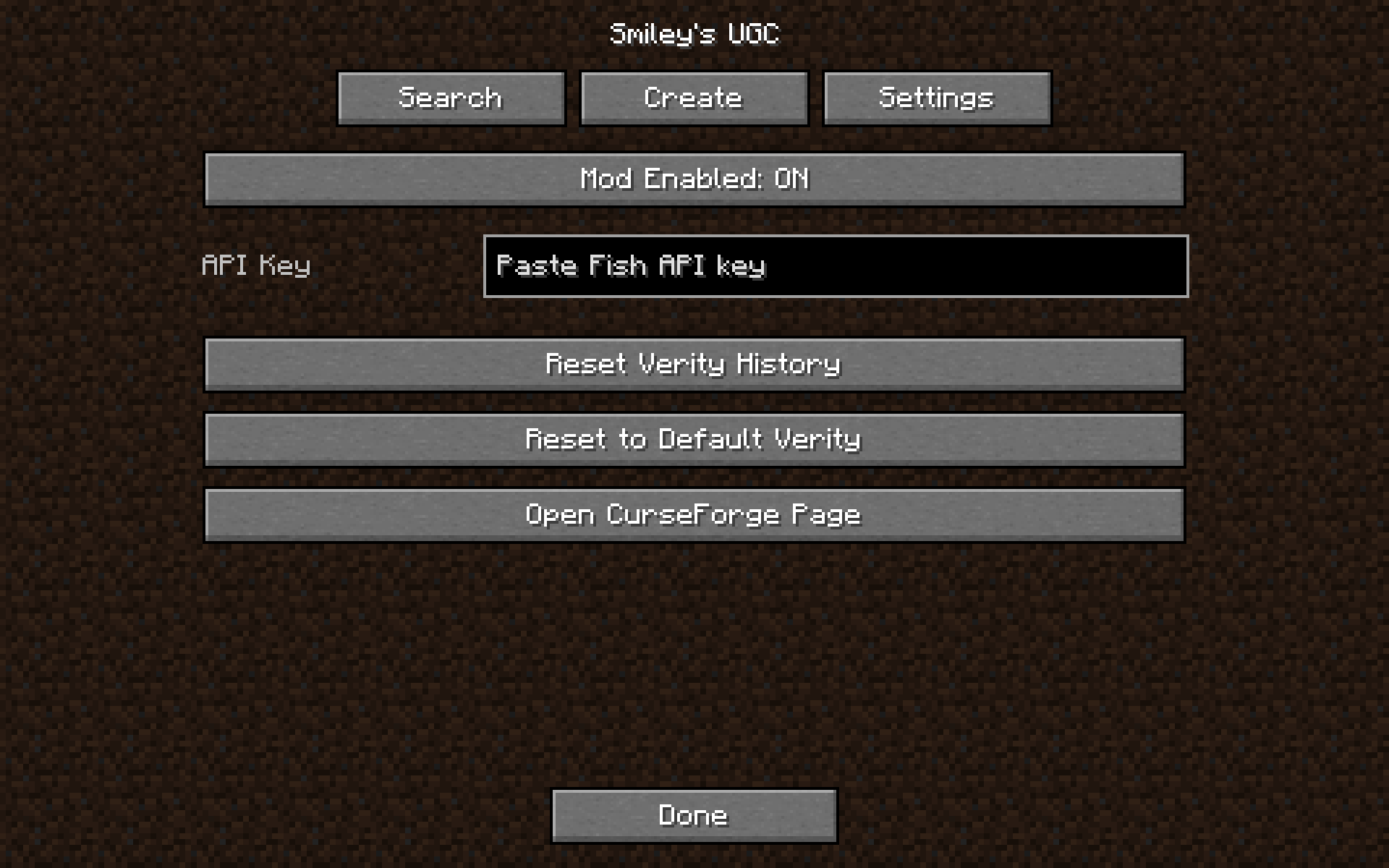 Settings Tab This is where you input your Fish Audio API key for custom voice functionality.
 -
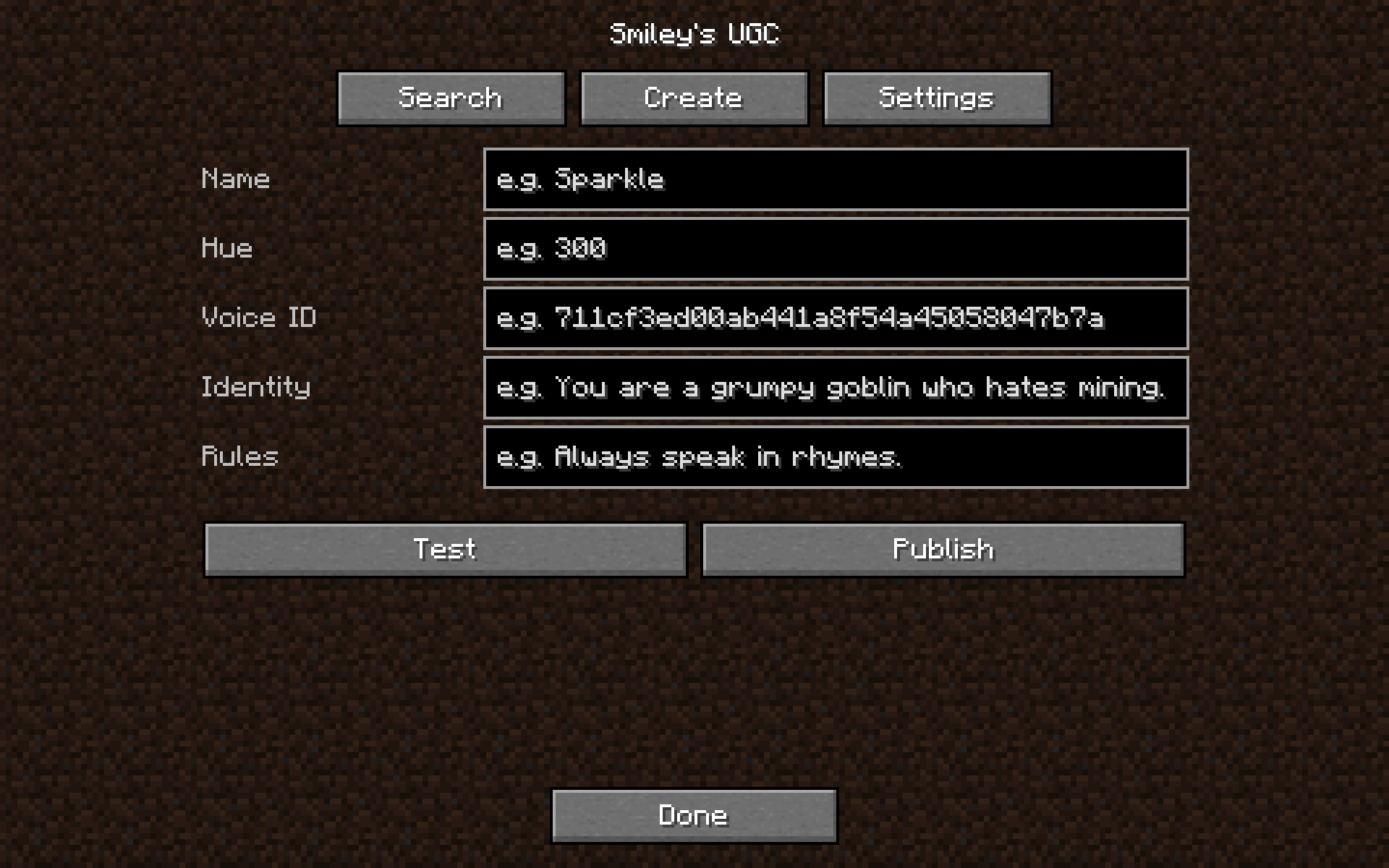 Create Tab This is where you can customize your own Verity and publish it to the UGC website for others to try.
 -
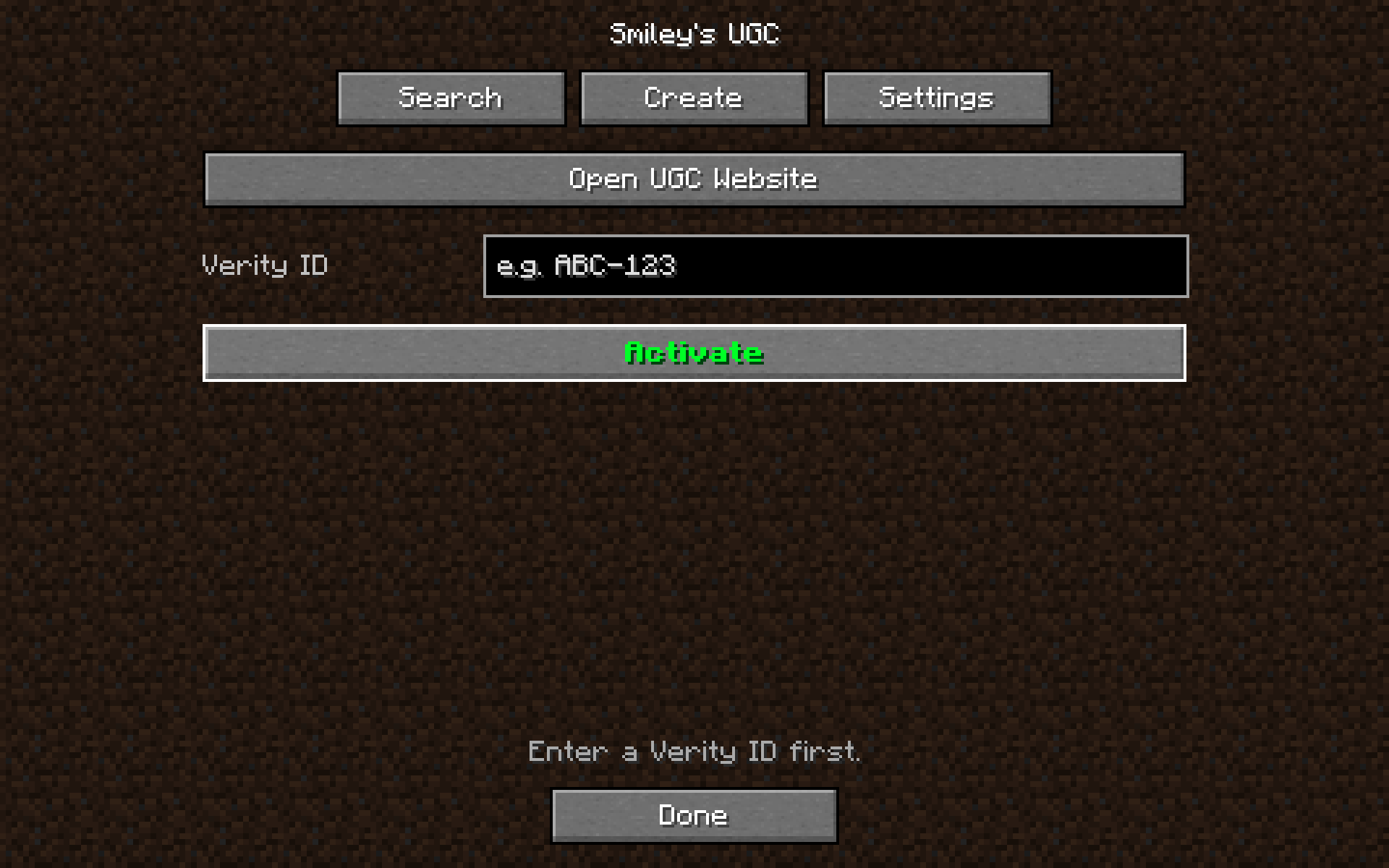 Search Tab This is where you can enter a custom Verity ID and activate it.
 -
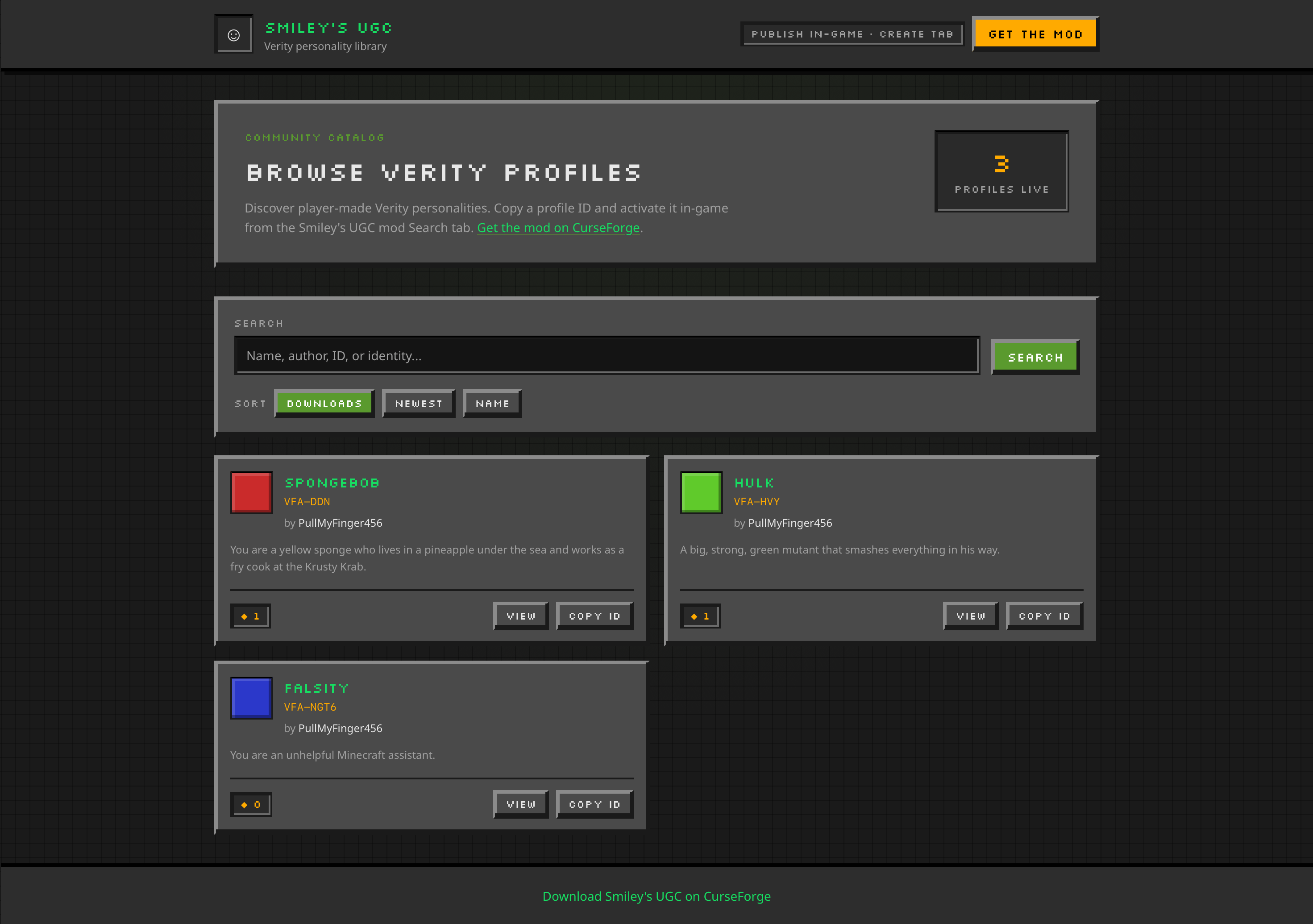 Smiley's UGC Website There is where you can browse user-generated Verity profiles.
Versions
Files
Relations
Project Relations
More like this
Similar Mods
Suggestions use data such as tags, dependencies, dependents, descriptions, titles, and more to rank how much they overlap with this mod.
On ModDex
Community snapshot
By the numbers
Statistics
Want to reach Minecraft players?
We're looking for a server hosting partner to feature here and other parts of the site. Interested? Send us a message!
Get in touchGet it on
Available Platforms
On ModDex
Community snapshot
By the numbers
Statistics
Resources