Community listing page, reviews here may not be monitored by the author.
Smooth FreeCam


No reviews yet
A smooth spectator-style freecam. Fly the camera freely while your player stays frozen, then glide back into gameplay with a smooth transition.
Community voices
Reviews
No reviews yet. Be the first to review this project!
Get it on
Available Platforms
Compatibility
Supported Environments
Runs entirely on the client. Works on vanilla servers.
About
Project Details
For authors
Embed Badge
If you're the author of this project, you can embed a live badge anywhere that supports HTML or Markdown. It updates automatically whenever ratings change.
Use HTML for any page that supports it, or Markdown for README files and Markdown-based descriptions.
Identifiers
Platform IDs
Resources
External Links
About
Description
Smooth Freecam
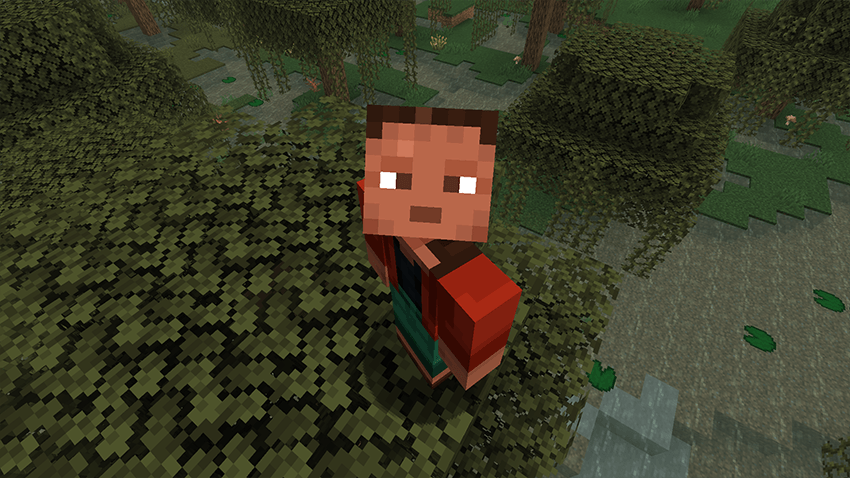
Detach your camera and fly freely around the world. while your player stays frozen in place. When you're done, the view smoothly glides back into your body instead of snapping instantly.
Perfect for cinematic shots, base tours, scouting terrain, or just exploring from a better angle.
Features
- Smooth freecam flight with acceleration and glide (spectator-like feel)
- Your player stays frozen at their original position while you fly the camera
- Smooth ease-in/out return when exiting freecam
- Adjustable speed with the mouse scroll wheel
- Sprint to boost freecam speed
- HUD is hidden while freecam is active
- Fully configurable movement feel via config
Controls
- Toggle Freecam — F6 (default, remappable in Controls)
- Move — WASD
- Up / Down — Jump / Sneak
- Look — Mouse
- Speed Boost — Sprint
- Change Speed — Mouse Scroll Wheel
- Press Number 1 while you are in freecam you can lock the cam and move the player
Update 1.1

Configuration
All options are available in the Forge config:
moveSpeed — Base freecam speed
sprintMultiplier — Speed boost while sprinting
acceleration — How quickly the camera reaches target speed
friction — How quickly the camera slows down when you stop
transitionTicks — Duration of the smooth return to gameplayNotes
Client-side freecam experience
Freecam cannot be toggled while dead, riding a vehicle, or with a GUI open
Smooth Freecam
Detach your camera and fly freely around the world. while your player stays frozen in place. When you're done, the view smoothly glides back into your body instead of snapping instantly.
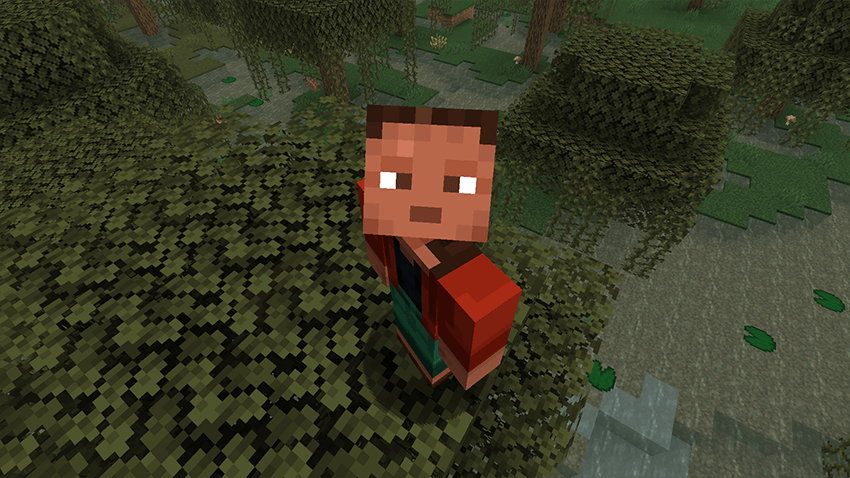
Perfect for cinematic shots, base tours, scouting terrain, or just exploring from a better angle.
Features
- Smooth freecam flight with acceleration and glide (spectator-like feel)
- Your player stays frozen at their original position while you fly the camera
- Smooth ease-in/out return when exiting freecam
- Adjustable speed with the mouse scroll wheel
- Sprint to boost freecam speed
- HUD is hidden while freecam is active
- Fully configurable movement feel via config
Controls
Toggle Freecam — F6 (default, remappable in Controls)
Move — WASD
Up / Down — Jump / Sneak
Look — Mouse
Speed Boost — Sprint
Change Speed — Mouse Scroll Wheel
Press Number 1 while you are in freecam you can lock the cam and move the player
Update 1.1
Configuration
All options are available in the Forge config:
- moveSpeed — Base freecam speed
- sprintMultiplier — Speed boost while sprinting
- acceleration — How quickly the camera reaches target speed
- friction — How quickly the camera slows down when you stop
- transitionTicks — Duration of the smooth return to gameplayNotes
Client-side freecam experience Freecam cannot be toggled while dead, riding a vehicle, or with a GUI open
Screenshots
Gallery
Versions
Files
Relations
Project Relations
More like this
Similar Mods
Suggestions use data such as tags, dependencies, dependents, descriptions, titles, and more to rank how much they overlap with this mod.
On ModDex
Community snapshot
By the numbers
Statistics
Want to reach Minecraft players?
We're looking for a server hosting partner to feature here and other parts of the site. Interested? Send us a message!
Get in touchGet it on
Available Platforms
On ModDex
Community snapshot
By the numbers
Statistics
Resources