
Community listing page, reviews here may not be monitored by the author.
SoraTiers

No reviews yet
The universal tier tagger for all tierlists!
Community voices
Reviews
No reviews yet. Be the first to review this project!
Get it on
Available Platforms
Compatibility
Supported Environments
Runs entirely on the client. Works on vanilla servers.
About
Project Details
For authors
Embed Badge
If you're the author of this project, you can embed a live badge anywhere that supports HTML or Markdown. It updates automatically whenever ratings change.
Use HTML for any page that supports it, or Markdown for README files and Markdown-based descriptions.
Identifiers
Platform IDs
About
Description
SoraTiers
SoraTiers overlays competitive PvP tier rankings onto players in-game — nametags, tab list, and (optionally) chat — pulled live from five tierlist networks at once: SoraTiers, MCTiers, SubTiers, PvPTiers, and GangTiers.
No more alt-tabbing to a tierlist site mid-fight to check who you're up against.
Features
Multi-Tierlist Support
- Queries SoraTiers, MCTiers, SubTiers, PvPTiers, and GangTiers simultaneously.
- Pick which network drives your nametag/tab-list tag, and toggle each source on or off independently.
- Each network's own logo is used as its badge — not a generic icon.
In-Game Nametags & Tab List
- Tier badge + gamemode icon rendered directly above player heads, with an adjustable scale (0.75x–2.5x) so it's actually legible.
- Same tag shown in the tab list, so you can tier-check a whole server without looking twice.
- Optional in-chat tag (off by default).
- Show Own Nametag — see your own tag in third person, same as Essentials/most PvP clients, no extra mod required.
- Authentic gamemode icons (vanilla, sword, axe, pot, UHC, mace, spear-mace, sumo, crystal, and more) pulled directly from each tierlist's own site assets — not placeholders.
- Server-defined team colors and nametag formatting are preserved; the tag never bleeds into or overrides them.
Commands
/soratier <player>— look up a player's tier across every enabled tierlist at once, gamemode by gamemode./tierlist <name>— open a full in-game leaderboard viewer for any supported tierlist, browsable by gamemode.
Configuration Menu (F9 or ModMenu)
- Choose Highest Tier (best tier across all tracked gamemodes) or Specific Gamemode.
- Toggle each tierlist source, each display surface (nametag/tab list/chat), own-nametag visibility, and nametag scale — all from one settings screen.
- Gamemode and tierlist data refresh automatically in the background.
Dependencies & Compatibility
- Fabric Loader and Fabric API — required.
- ModMenu — optional, recommended for the settings screen (also bound to F9 without it).
- Client-side only — plays fine alongside Sodium, Lithium, Essential, Iris, and other cosmetic/optimization mods.
Compliance
- Purely a visual/informational overlay — no combat mechanics, hitbox, or gameplay logic is altered.
- All tier data and icon assets are fetched directly from each tierlist's own public web API/site.
Screenshots
Gallery
-
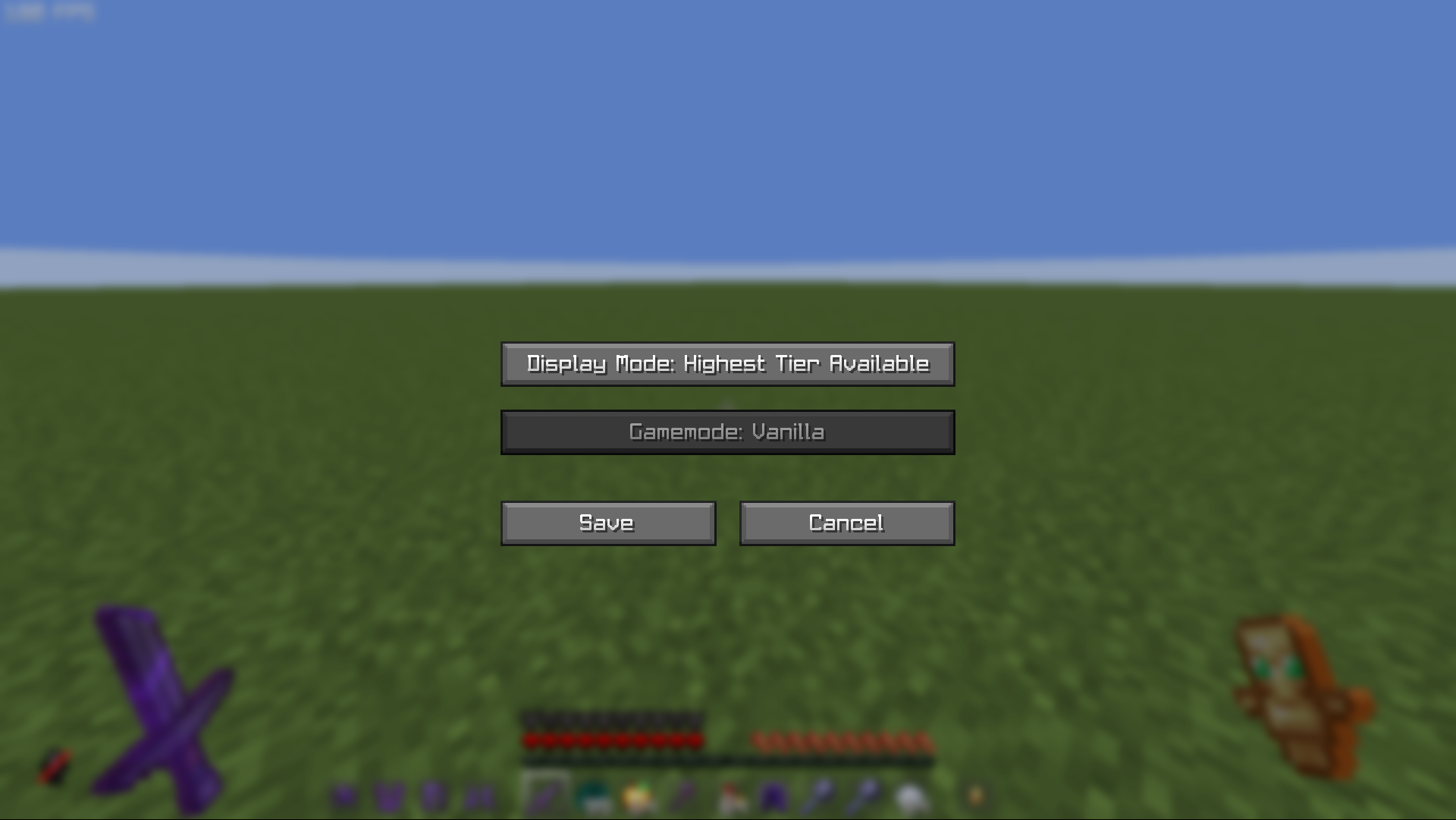 Mod Menu
 -
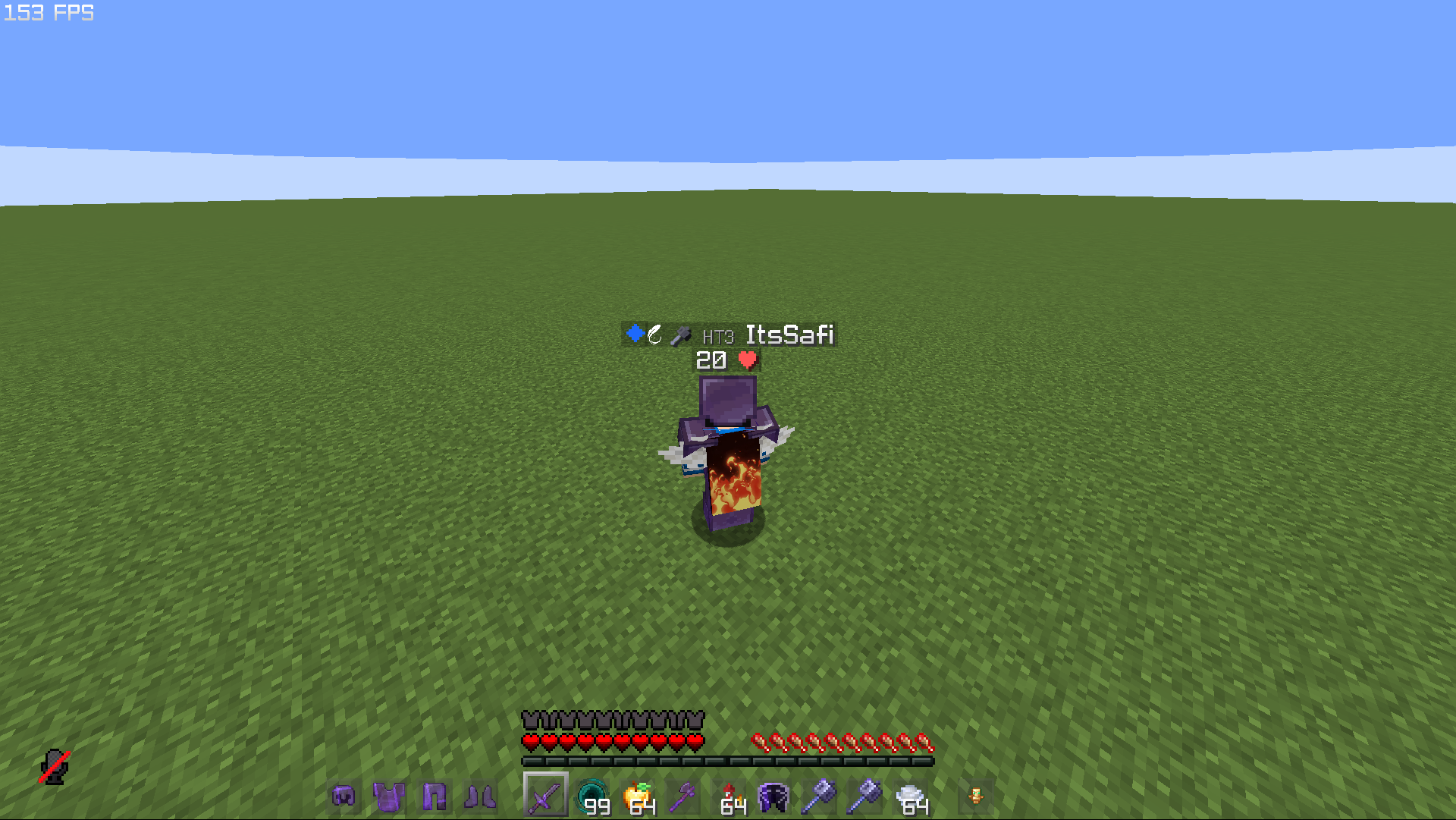 Nametag
 -
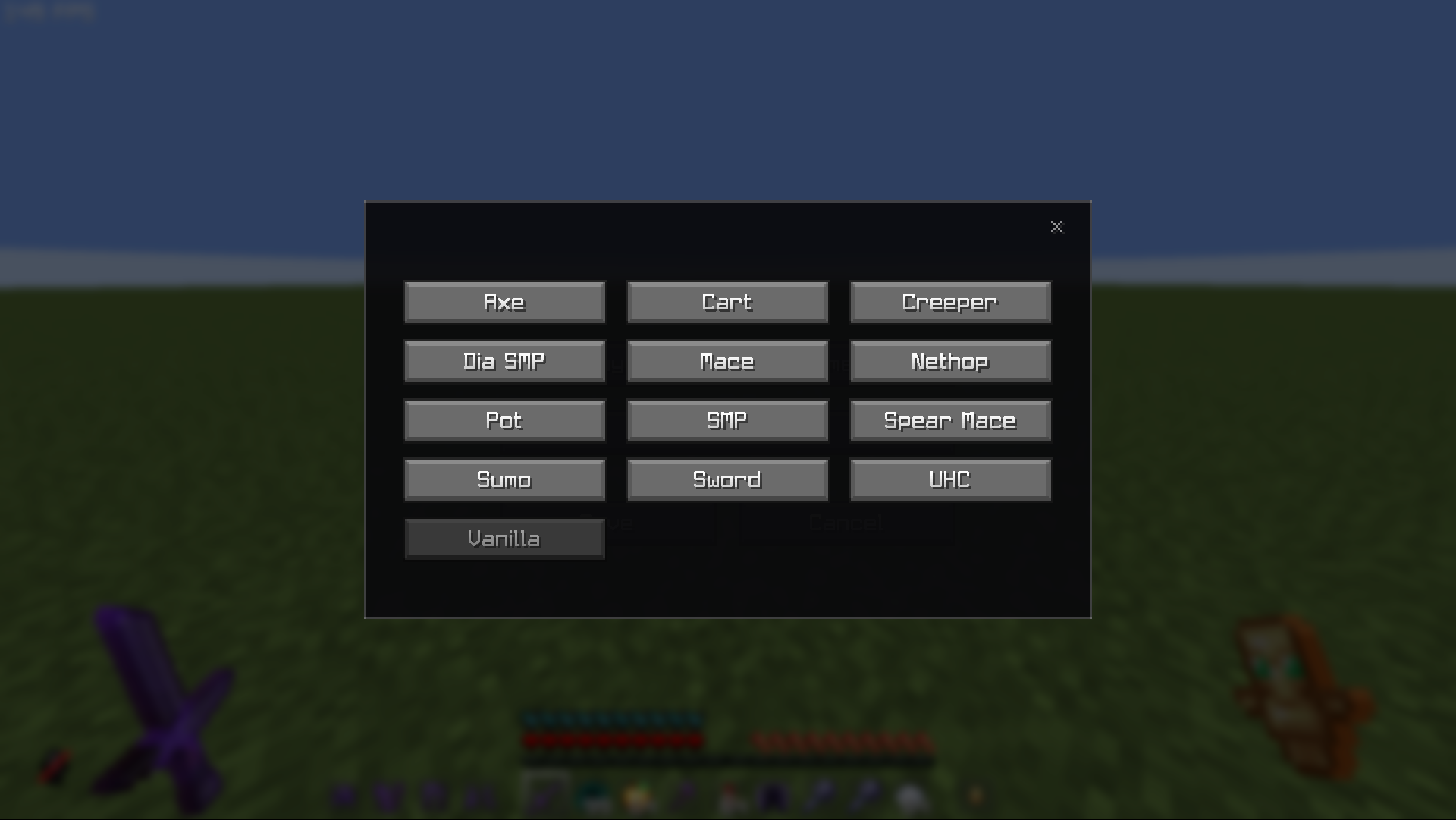 Mod Menu Gamemode Selection
Versions
Files
Relations
Project Relations
More like this
Similar Mods
Suggestions use data such as tags, dependencies, dependents, descriptions, titles, and more to rank how much they overlap with this mod.
On ModDex
Community snapshot
By the numbers
Statistics

Want to reach Minecraft players?
We're looking for a server hosting partner to feature here and other parts of the site. Interested? Send us a message!
Get in touchGet it on
Available Platforms
On ModDex
Community snapshot
By the numbers