
Community listing page, reviews here may not be monitored by the author.
Sorting Daemon


No reviews yet
Essential inventory tools for Minecraft.

Community voices
Reviews
No reviews yet. Be the first to review this project!
Get it on
Available Platforms
Compatibility
Supported Environments
Must be installed on both the client and the server.
About
Project Details
For authors
Embed Badge
If you're the author of this project, you can embed a live badge anywhere that supports HTML or Markdown. It updates automatically whenever ratings change.
Use HTML for any page that supports it, or Markdown for README files and Markdown-based descriptions.
Identifiers
Platform IDs
About
Description
Sorting Daemon
Essential inventory tools for Minecraft.

About
Sorting Daemon is a lightweight mod that focuses on making inventory management in Minecraft faster and more convenient, without changing the core vanilla experience. It provides simple, intuitive tools that save time and keep gameplay smooth, while staying compatible with other mods.
Features
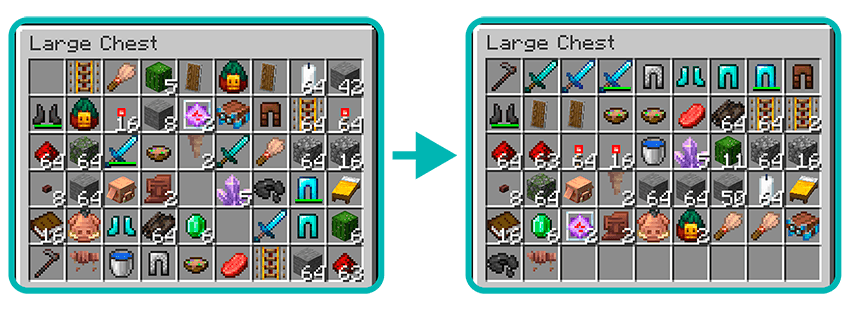
📦 Sort chests and inventory with a single button
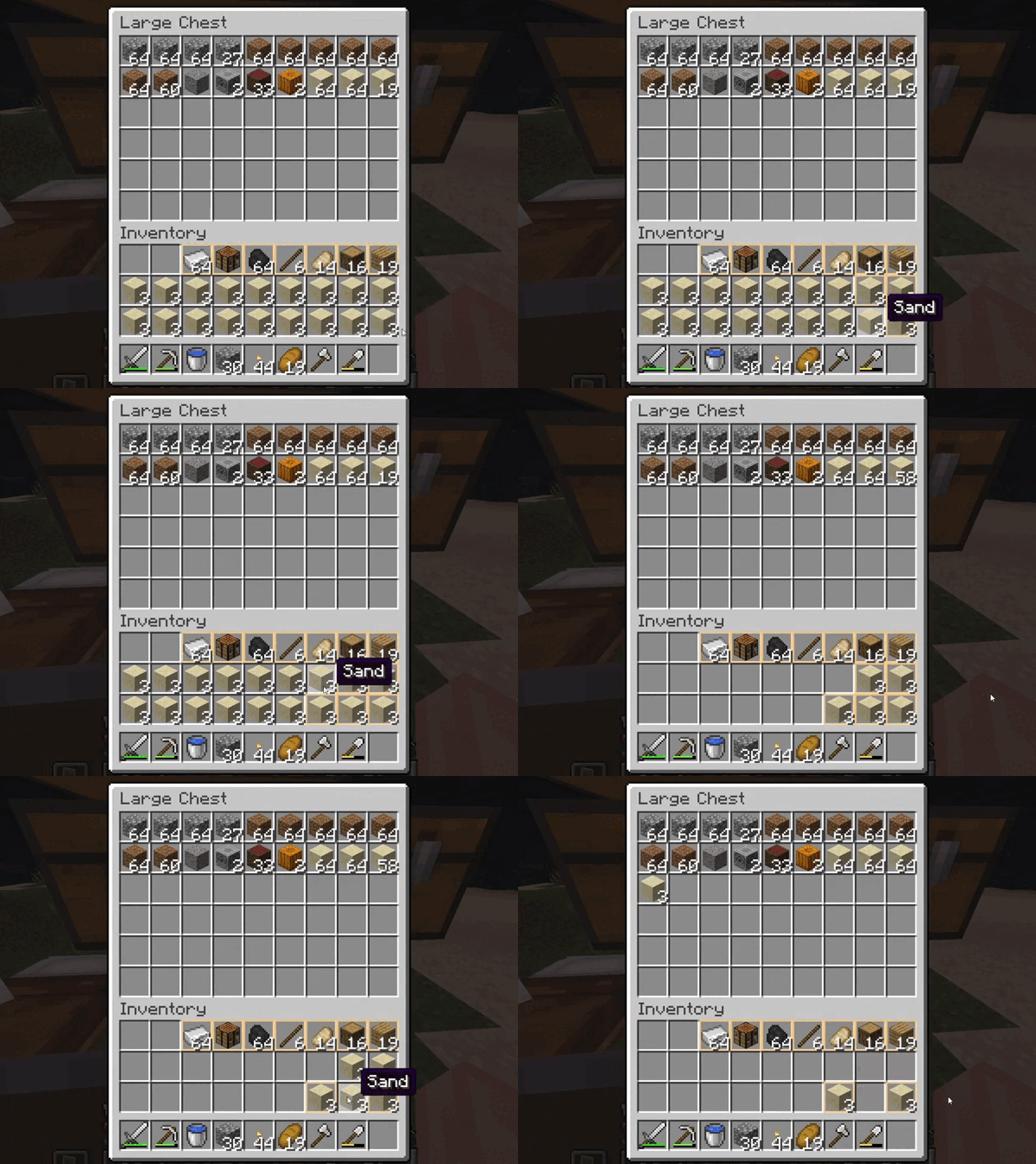
🖱️ Drag to drop — hold Shift + LMB and drag across slots → items are transferred just like with Shift + Click, but without spamming
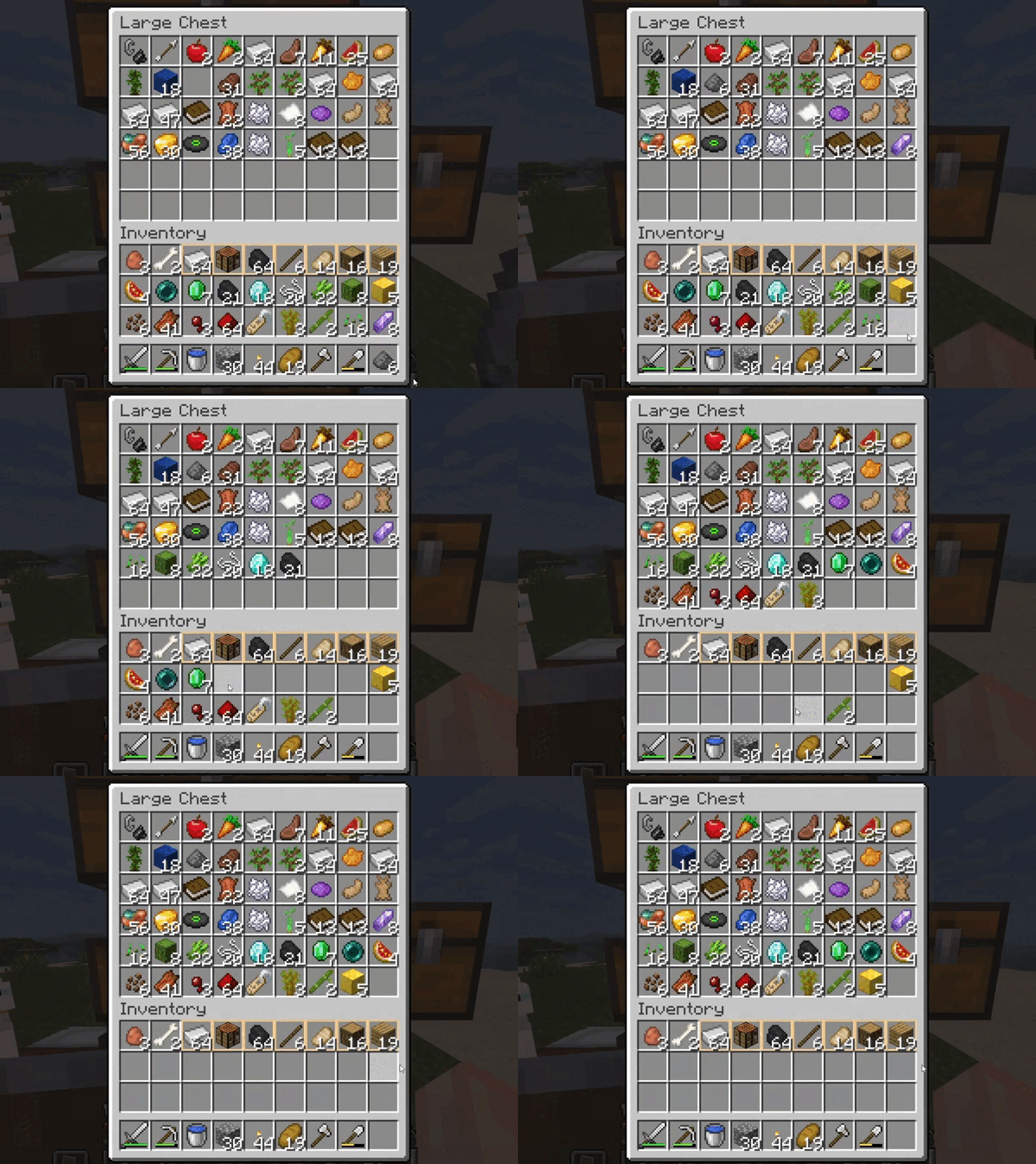
📥 Quick deposit — move matching items from your inventory into the opened container

⭐ Favorite slots — mark specific slots in your inventory as favorite so they won’t be sorted or quick-deposited, keeping your essentials safe
⌨️ Set up key binds for yourself
⚙️ Easy installation (just drop it into mods/)
Requirements
- Fabric Loader
- Fabric API:
How to use it
- Open any container (e.g. a chest) and press the sorting key to tidy it up.
- Drag to drop — hold down
Shift + LMBon the slots to quickly transfer items between containers. - Quick deposit — press assigned key while a container is open to move matching items into it.
- Favorite slots — hover over a slot and press
Ctrl + Zto mark/unmark it as favorite. Favorite slots will not be affected by sorting or quick deposit. - You can change keybinds in Options → Controls → Key Binds.
Keybinds
- Primary sort key —
MMB - Alt sort key —
G - Drag to drop —
Shift + LMB - Quick deposit —
K - Mark as favorite —
Ctrl + Z
Sorting Daemon
Essential inventory tools for Minecraft.



GitHub repository • GitHub issue tracker • CurseForge page
About
Sorting Daemon is a lightweight mod that focuses on making inventory management in Minecraft faster and more convenient, without changing the core vanilla experience. It provides simple, intuitive tools that save time and keep gameplay smooth, while staying compatible with other mods.
Features
- 📦 Sort chests and inventory with a single button

- 🖱️ Drag to drop — hold Shift + LMB and drag across slots → items are transferred just like with Shift + Click, but without spamming

- 📥 Quick deposit — move matching items from your inventory into the opened container

- ⭐ Favorite slots — mark specific slots in your inventory as favorite so they won’t be sorted or quick-deposited, keeping your essentials safe

- ⌨️ Set up key binds for yourself
- ⚙️ Easy installation (just drop it into
mods/)
Requirements
- Fabric Loader
- Fabric API:
How to use it
- Open any container (e.g. a chest) and press the sorting key to tidy it up.
- Drag to drop — hold down Shift + LMB on the slots to quickly transfer items between containers.
- Quick deposit — press assigned key while a container is open to move matching items into it.
- Favorite slots — hover over a slot and press Ctrl + Z to mark/unmark it as favorite. Favorite slots will not be affected by sorting or quick deposit.
- You can change keybinds in Options → Controls → Key Binds.
Keybinds
| Action | Default |
|---|---|
| Primary sort key | MMB |
| Alt sort key | G |
| Drag to drop | Shift + LMB |
| Quick deposit | K |
| Mark as favorite | Ctrl + Z |
Screenshots
Gallery
Versions
Files
Relations
Project Relations
More like this
Similar Mods
Suggestions use data such as tags, dependencies, dependents, descriptions, titles, and more to rank how much they overlap with this mod.
On ModDex
Community snapshot
By the numbers
Statistics
 (opens in a new tab)
Get it on
Available Platforms
On ModDex
Community snapshot
By the numbers