
Community listing page, reviews may not be monitored by the author.
Sound Subtitle Colors

No reviews yet
Vanilla subtitles are all white. This colors each line by sound type, using a palette chosen with color blindness in mind. No setup.

Community voices
Reviews
No reviews yet. Be the first to review this project!
Get it on
Available Platforms
About
Project Details
For authors
Embed Badge
If you're the author of this project, you can embed a live badge anywhere that supports HTML or Markdown. It updates automatically whenever ratings change.
Use HTML for any page that supports it, or Markdown for README files and Markdown-based descriptions.
Identifiers
Platform IDs
Resources
External Links
About
Description
Vanilla subtitles show every sound in the same white text. In a busy cave or a fight, you read the words before you know whether it was a zombie, a cow, a chest or the rain.
Sound Subtitle Colors changes the color of each subtitle line by what made the sound. Nothing else changes: no new overlay, no menu, no setting.
Where to look
Turn on subtitles (Options > Accessibility Settings > Closed Captions on 1.21.11). They appear at the bottom right as usual. Each line, and the arrow beside it, now has the color of its sound type:
- Hostile (zombie, skeleton, creeper): vermillion
- Neutral (cow, sheep, most passive mobs): yellow
- Players: sky blue
- Blocks (chests, doors, furnaces): orange
- Weather (rain, thunder): blue
- Ambient (cave noises): bluish green
- Voice (sounds the game puts in its "Voice" group; rare in normal play): reddish purple
Example: a zombie and a cow walking nearby both say "Footsteps", but one line is vermillion and the other is yellow. (Checked in game on Minecraft 1.21.11.)
What it does for you
- You can tell the kind of sound from the color first, and read the words only when you need to.
- The colors come from the Okabe-Ito palette, which is designed to be told apart by people with common forms of color blindness. The Weather blue is brightened for more contrast on the dark subtitle background. We checked by calculation that this brighter blue stays apart from the other six colors under normal vision, protanopia and deuteranopia. We have not tested the colors with players who have these conditions.
- Sounds that are not about "where did that come from" (master, music, records, UI) keep the normal white.
- It works with the normal subtitle display. Take the mod out and subtitles go back to white.
- Client-side only. Nothing to install on the server, no network connections.
What it does not do
- The colors are fixed. There is no config file or color picker. If you want to choose your own colors, use a subtitle mod that has a config.
- Villagers' sounds are usually shown as Neutral (yellow), not as Voice, because of how the game classifies them.
- We have not tested it together with other subtitle mods.
Versions
Minecraft 26.3: version 0.1.1 (needs Java 25). Minecraft 1.21.11: version 0.1.1. Both have the same seven colors.
Requirements
Fabric Loader 0.19.0+ and Fabric API. Pick the file for your Minecraft version.
Source: https://github.com/hullspark/fabric-mods
Disclosure: this mod was developed with AI assistance (Claude) and reviewed by the author. It does not reuse code or assets from other mods. It does not collect or transmit any data.
Screenshots
Gallery
-
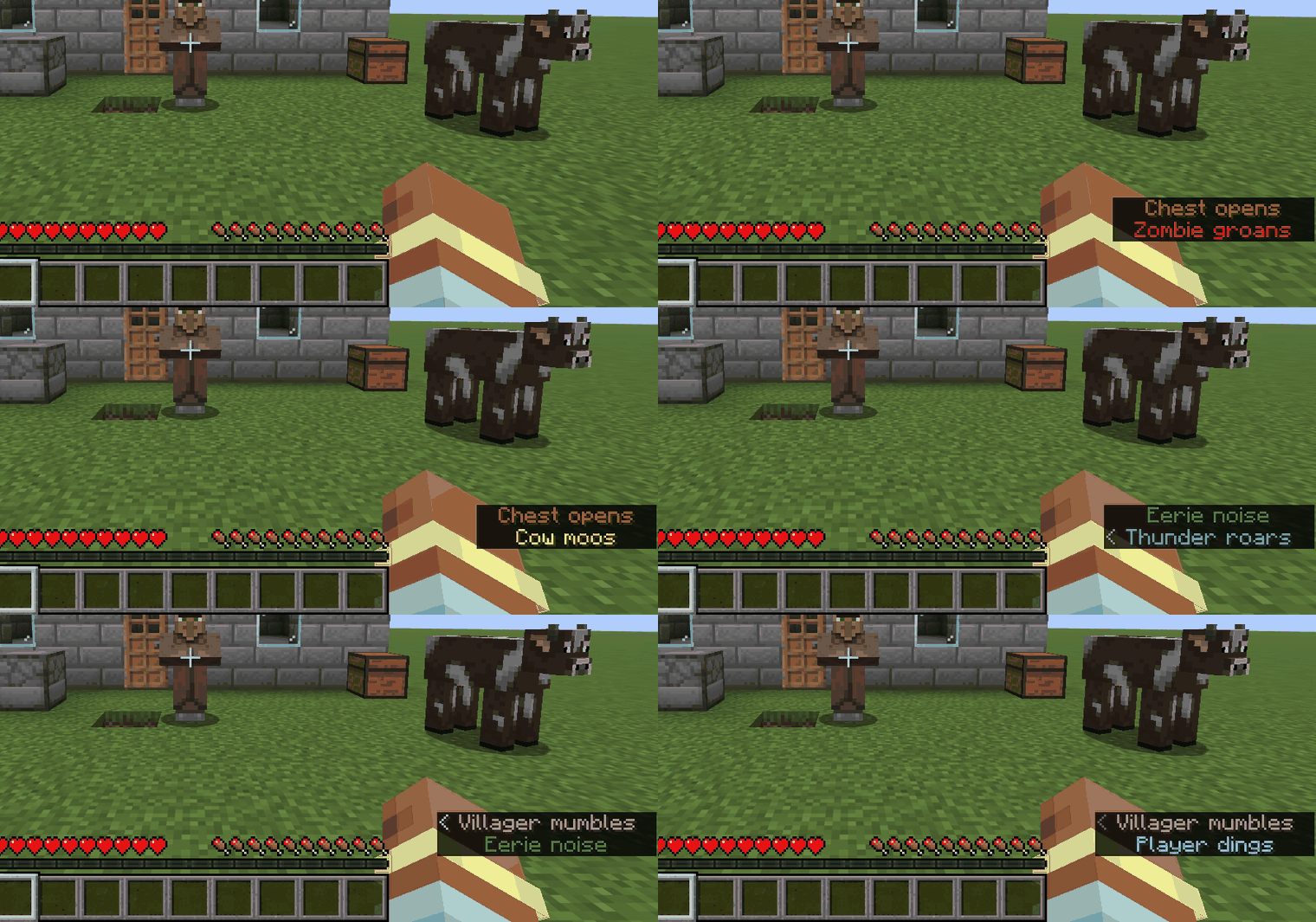 01-subtitles-by-sound-type.gif Each new sound gets a line in its own color: a zombie, a chest, a cow, thunder, a cave noise, a villager and a player.
 -
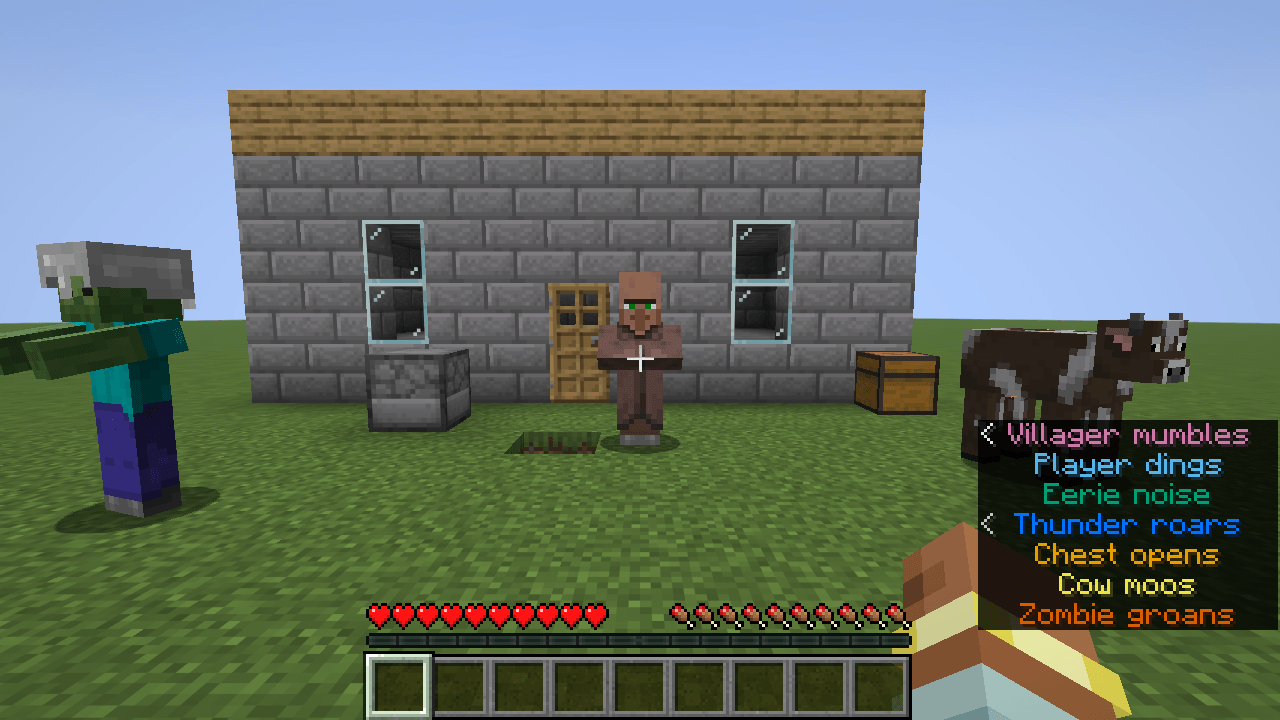 02-seven-sound-types.png Seven kinds of sound, seven colors: voice, player, ambient, thunder, chest, cow and zombie.
 -
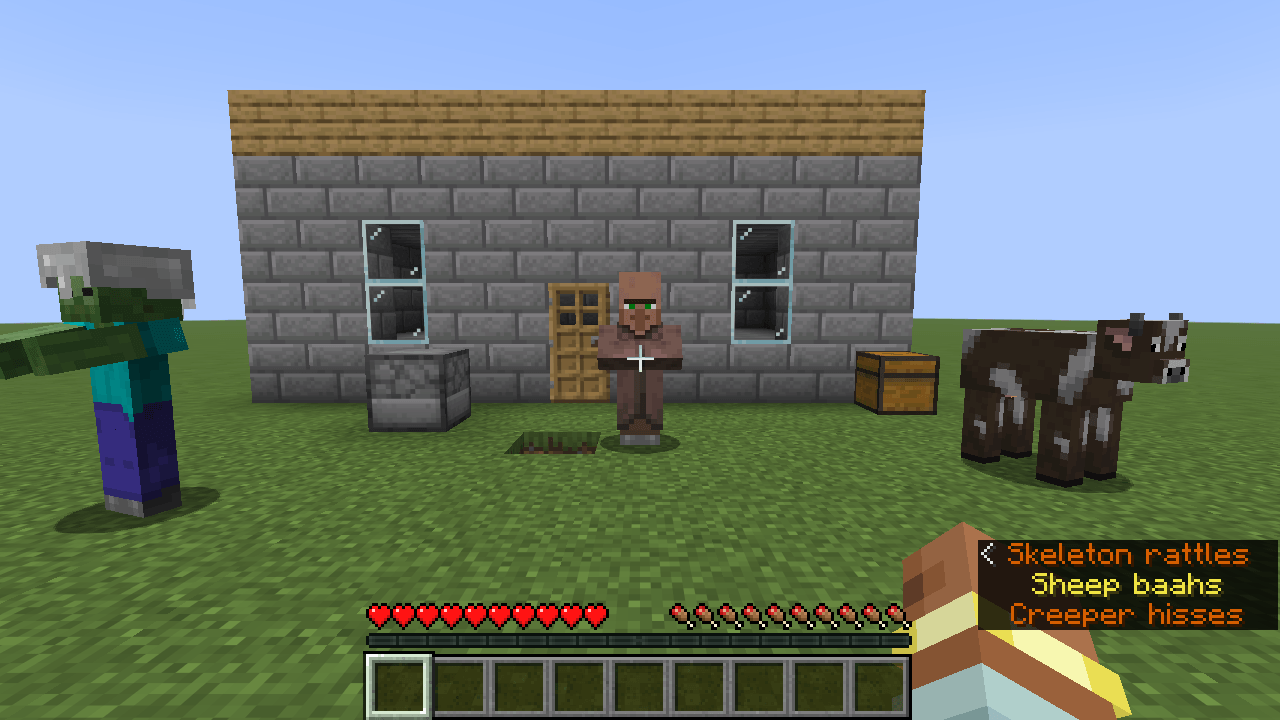 03-hostile-vs-neutral.png Skeleton and creeper sounds in vermillion, a sheep sound in yellow.
 -
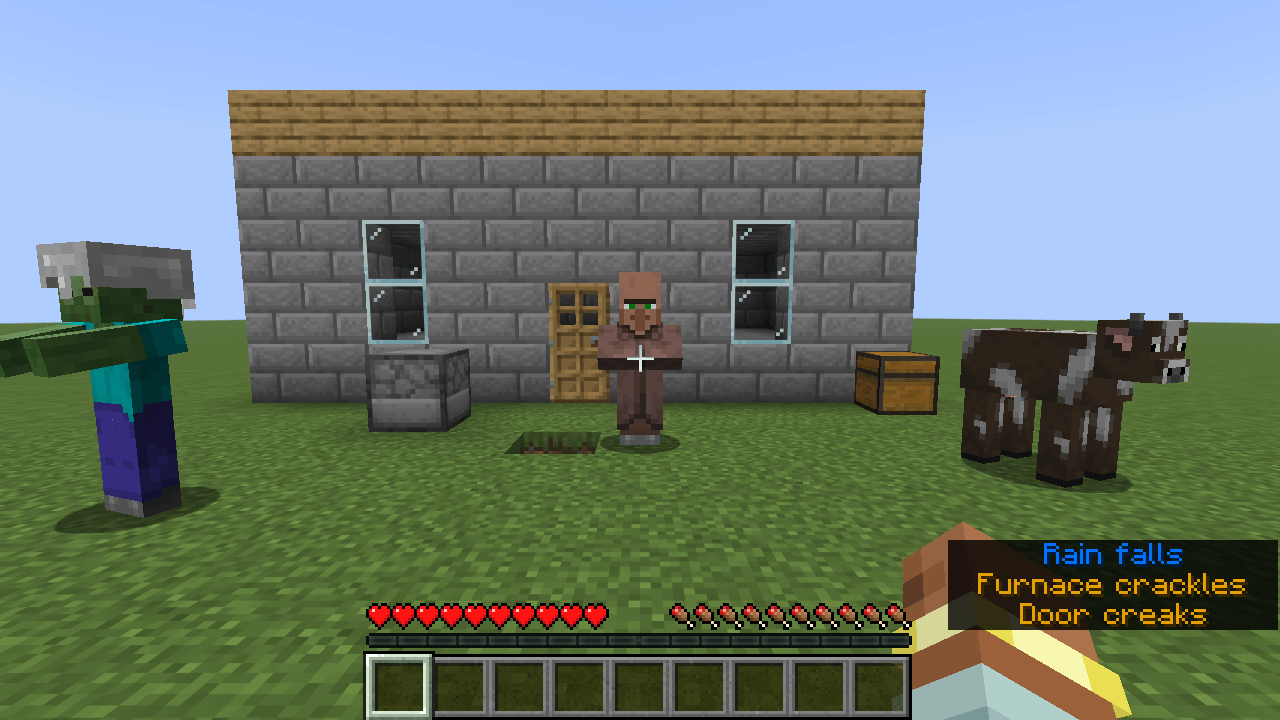 04-doors-furnace-rain.png Rain in blue, a furnace and a door in orange.
Versions
Files
Relations
Project Relations
More like this
Similar Mods
Suggestions use data such as tags, dependencies, dependents, descriptions, titles, and more to rank how much they overlap with this mod.
On ModDex
Community snapshot
By the numbers
Statistics

Get it on
Available Platforms
On ModDex
Community snapshot
By the numbers
Statistics
Resources