
Community listing page, reviews may not be monitored by the author.
Soundstage

No reviews yet
Build hi-fi speaker systems up to 5.1 surround, play music in sync on every speaker, stream YouTube and Twitch onto wall-sized screens, and share whatever your computer is playing with your friends.

Community voices
Reviews
No reviews yet. Be the first to review this project!
Get it on
Available Platforms
About
Project Details
For authors
Embed Badge
If you're the author of this project, you can embed a live badge anywhere that supports HTML or Markdown. It updates automatically whenever ratings change.
Use HTML for any page that supports it, or Markdown for README files and Markdown-based descriptions.
Identifiers
Platform IDs
About
Description
Soundstage
Speakers, an A/V receiver and wall-sized screens for Minecraft.
Hook up a few speakers, put something on, and the whole room hears it, from where the speakers actually are and in time with each other. Add a wall of screens and you've got a cinema.

Getting started
- Craft an A/V Receiver, a couple of speakers and a Speaker Linker. JEI or EMI will show you the recipes.
- Place the speakers where you want the sound to come from.
- With the Speaker Linker, click the receiver, then each speaker.
- Open the receiver, paste a link or a search like
ytsearch:your song, and hit play.
Just want music somewhere? The Party Box is a receiver and speaker in one block.

Speakers
There are five: the Speaker, the Satellite Speaker, the Center Speaker, the Subwoofer and the Party Box.
You can aim each one, set how far it carries and turn it up or down on its own. Give them channels and you can run anything from plain stereo to full 5.1 with a center, surrounds and a sub. However big the build gets, the speakers on a receiver play in step with each other, unless you give one a delay on purpose.
Cabinets can be any wood, concrete, terracotta or glass, and grilles come in every wool colour. Right-click a speaker with the block you want. In a glass cabinet you can watch the speaker working.


The cones move with the actual music, not a canned animation. The receiver's needles swing, its tubes glow, and parrots dance.

What it plays
Paste a link, or search with a prefix:
- YouTube: a video or playlist link, or
ytsearch:and what you're looking for, likeytsearch:lofi beats - YouTube Music:
ytmsearch:and a song - SoundCloud: a link, or
scsearch:and a search - Bandcamp: a link
- Vimeo: a video link
- Twitch: a channel link, live
- The server's media folder:
media:and a file name, or the Browse button - Direct links to audio and video files, if the server has turned them on
- Your own computer's audio, from the receiver's Settings tab. On Linux that's one button; on Windows you'll need a free virtual cable such as VB-CABLE.
Screens
Put Screen blocks side by side on a wall and they join into one display, up to 16 by 16 blocks. YouTube videos, Twitch streams and films play in sync with the sound, and films and YouTube videos can show subtitles: in your language, or whichever track you pick. Songs get a now-playing card instead, with the cover art, a live visualiser and the time.
Screens make good signs too. Videos without sound play, and a picture (PNG or JPEG) from the media folder, or from a link where the server allows direct links, stays up until it's skipped, or moves on after a few seconds when something is queued behind it. Queue a few pictures and loop them for a slideshow.

Tears of Steel, © Blender Foundation, CC BY 3.0.

A screen you're not looking at isn't sent its picture, so a big wall costs less while you face the other way. Its sound carries on.
Best with headphones
Every speaker plays from where it actually stands. Put on headphones and turn on Directional Audio (Options → Music & Sounds), and the left speaker is on your left and the surrounds are behind you.
Other sound mods worth a look
- Sound Physics Remastered gives sounds the echo and muffling of the rooms around you. It's available for every version Soundstage runs on.
- Sound Physics Perfected takes a similar approach, for 1.20.1, 1.21.1 and Fabric up to 26.2.
I've tried both with Soundstage on 1.21.1 NeoForge, and the speakers stay in sync with either. If something sounds off, let me know.
The receiver
Everything lives on the receiver's screen: what's playing, the queue, your displays, your speakers and their channels, and settings. Volume goes up to 200%, and the loudest moments are turned down rather than clipping. For films there's Levelling, which brings quiet dialogue up and keeps explosions down. Films and videos with more than one language, including YouTube's dubbed videos, can switch language from the Playing tab, and the receiver remembers your choice for what plays next. Lock it and nobody but you (and server operators) can touch your setup.
A Remote opens the receiver's screen from across the room. Sneak and use it on the receiver to link it; after that, using it anywhere within 96 blocks in the same dimension opens that receiver's screen. It matches the receiver's finish and lights up with it.


Versions
- Minecraft 1.20.1 on Forge and Fabric
- Minecraft 1.21.1, 1.21.11, 26.1, 26.2 and 26.3 on NeoForge and Fabric. NeoForge doesn't have a stable 26.3 release yet, so that one is built on the NeoForge beta.
- Fabric needs Fabric API. Nothing else to install.
- Shader packs work (Iris, or Oculus on Forge), and so do Sodium and Embeddium. None of them are required.
Install it on the server and on every player's game.
Running a server
The defaults are meant for servers with players you don't know. Players can't point your server at arbitrary web addresses or anything on your home network, and only 16 receivers can play at once. You can change all of it in config/soundstage.aon. Video only goes to players looking at a screen, and if the server can't keep up, the picture quality drops first so the sound keeps going.
Video pictures, still pictures, subtitles, 5.1 surround and language choice need ffmpeg on the server. Without it, music and the sound of videos still play, and some Twitch streams still show their picture. If you'd rather not install ffmpeg yourself, turn on downloadFfmpeg and Soundstage fetches a checked copy (Linux and Windows).
If YouTube starts blocking your server, an operator can run /soundstage oauth and sign in with a spare Google account.
Good to know
Soundstage plays whatever people put into it. I don't host or check any of that, and streaming goes through your server's connection, so those sites' rules apply to you. Soundstage isn't made by or connected to any of them.
Subtitles that are pictures (the kind on a lot of Blu-ray rips) don't show.
Soundstage is Apache 2.0. Put it in your modpack, fork it, change it however you like. Just keep the NOTICE file with it so I get the credit.
Screenshots
Gallery
-
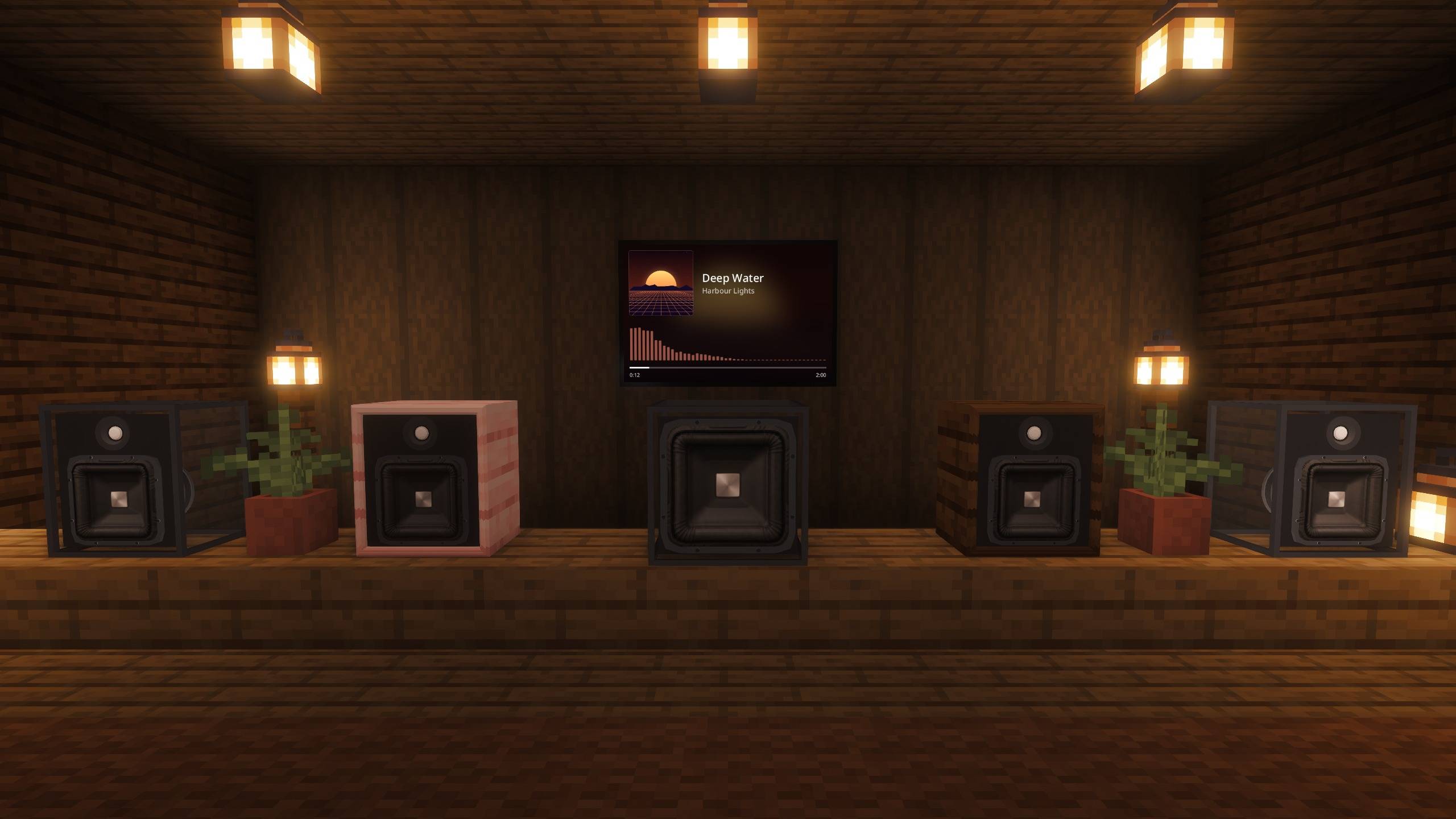 Woofer Den Grille-less speakers and a glass subwoofer in a lamp-lit den, the now-playing card's visualiser behind them.
 -
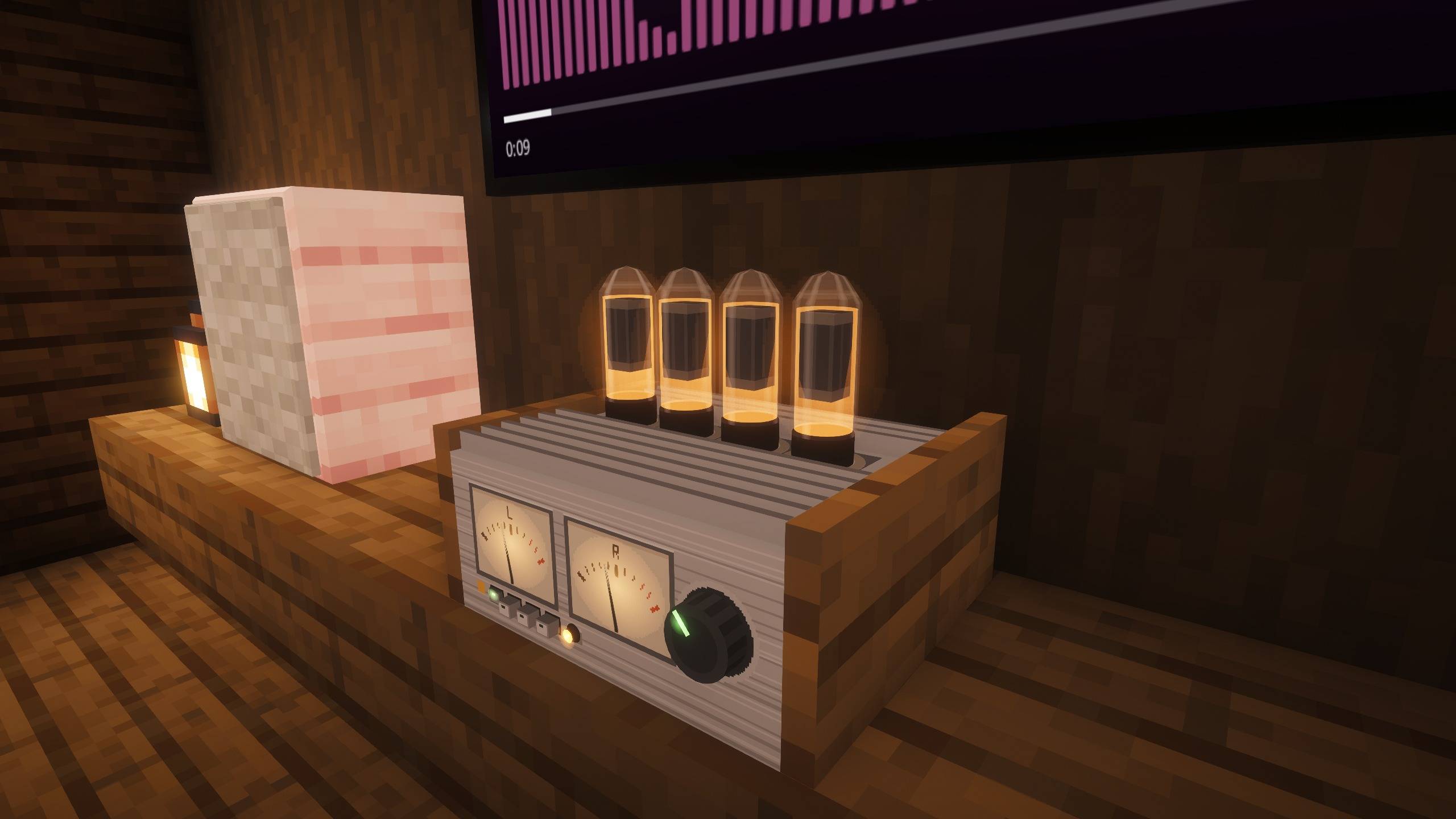 The Receiver Glowing valves and moving VU meters on the receiver
 -
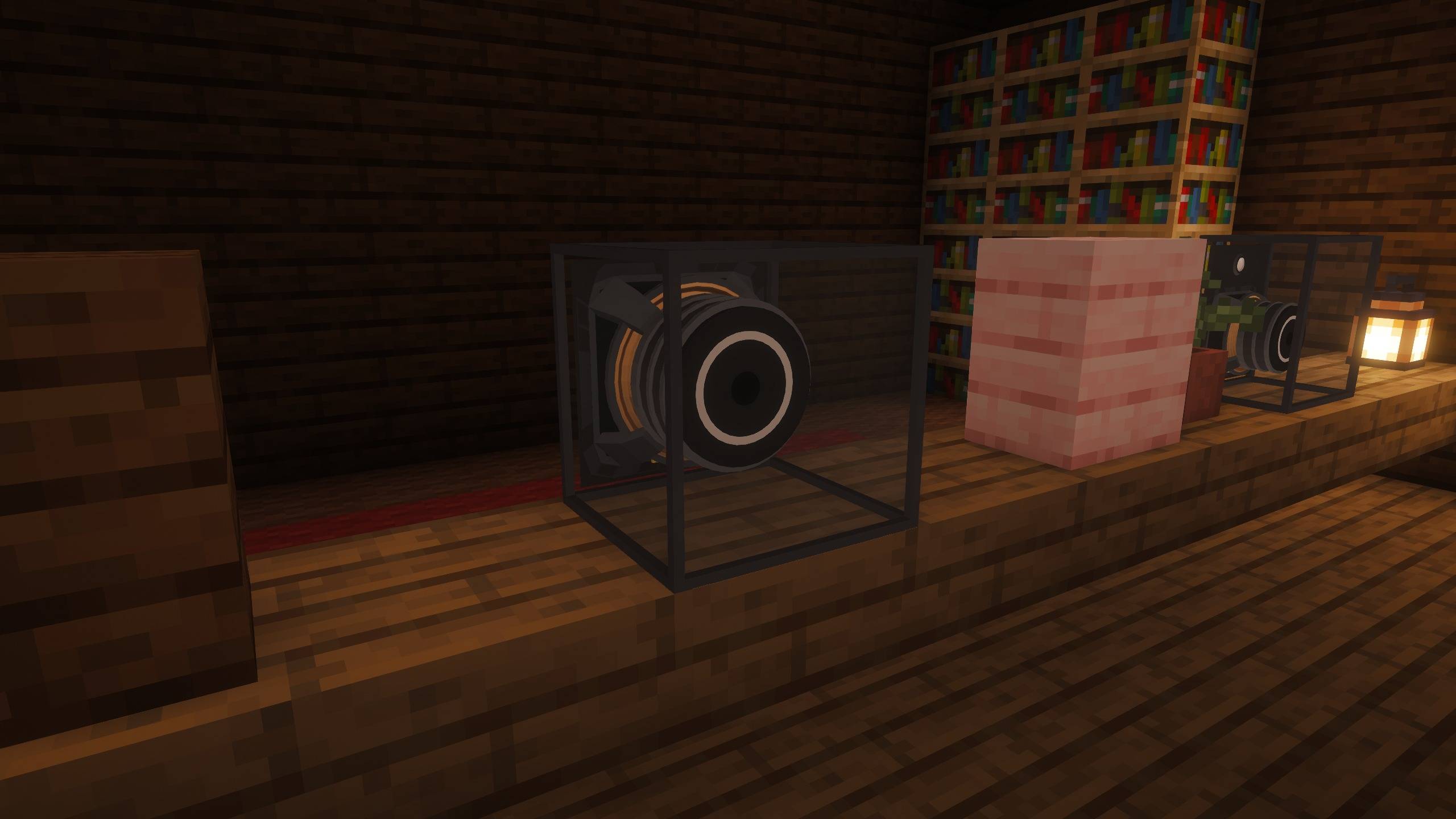 Inside a Woofer A glass casing shows the whole driver working: basket, motor and voice coil.
 -
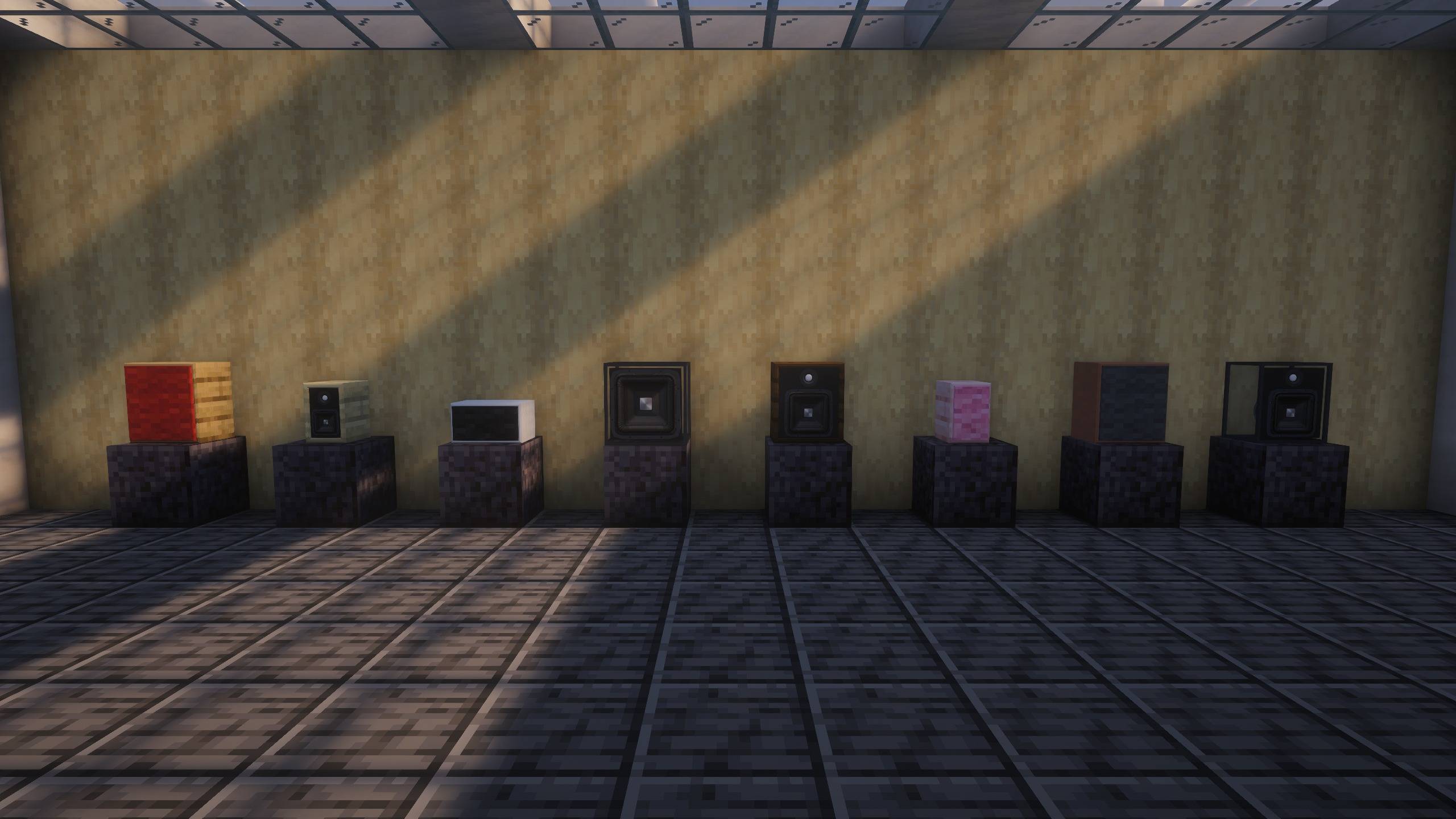 Your cabinet, your materials Cabinets in oak, birch, white concrete, glass, dark oak, cherry and terracotta, grilles on and off.
 -
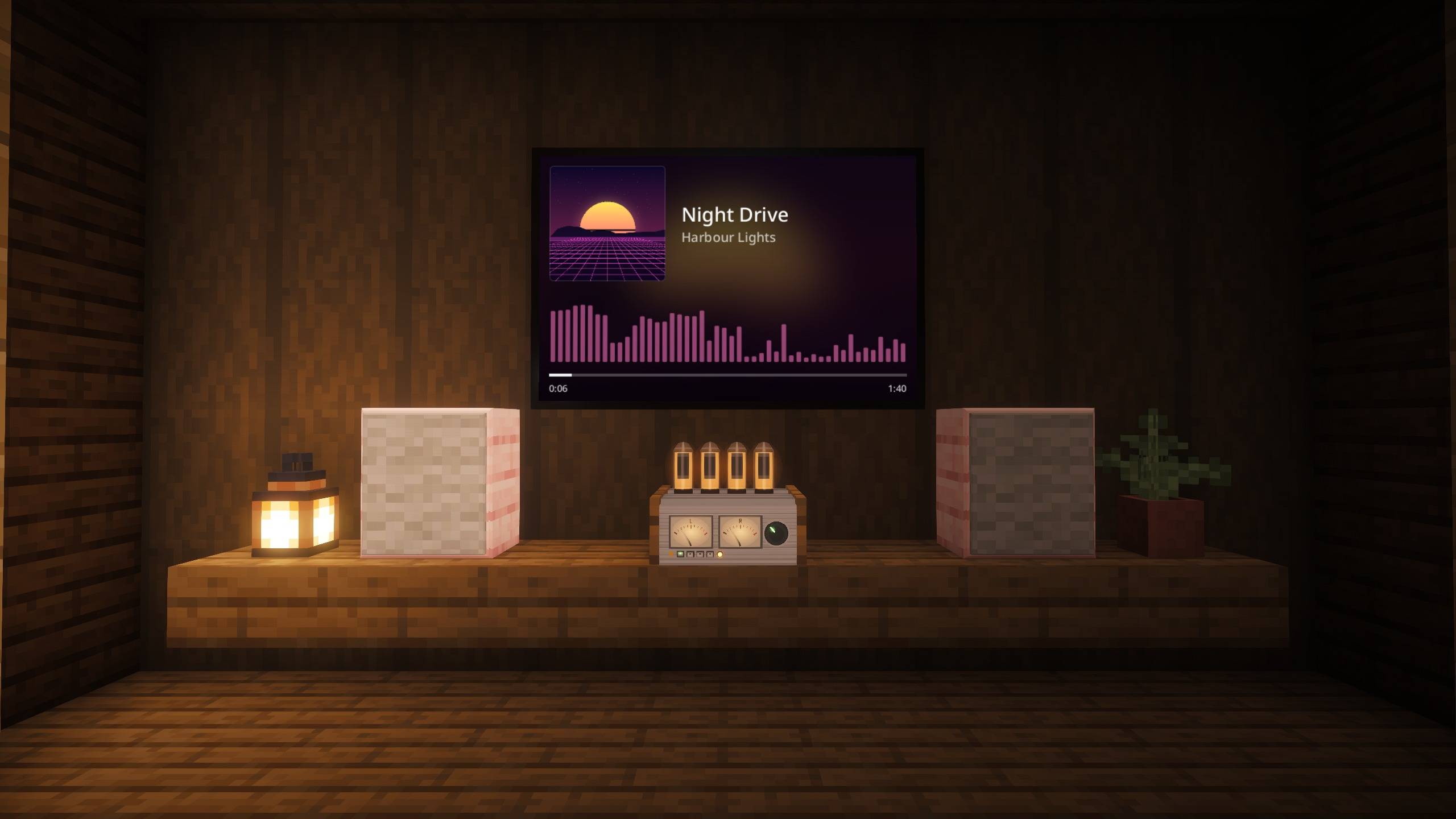 Now playing Music without a picture shows its artwork, title, a live spectrum and progress on any linked display.
 -
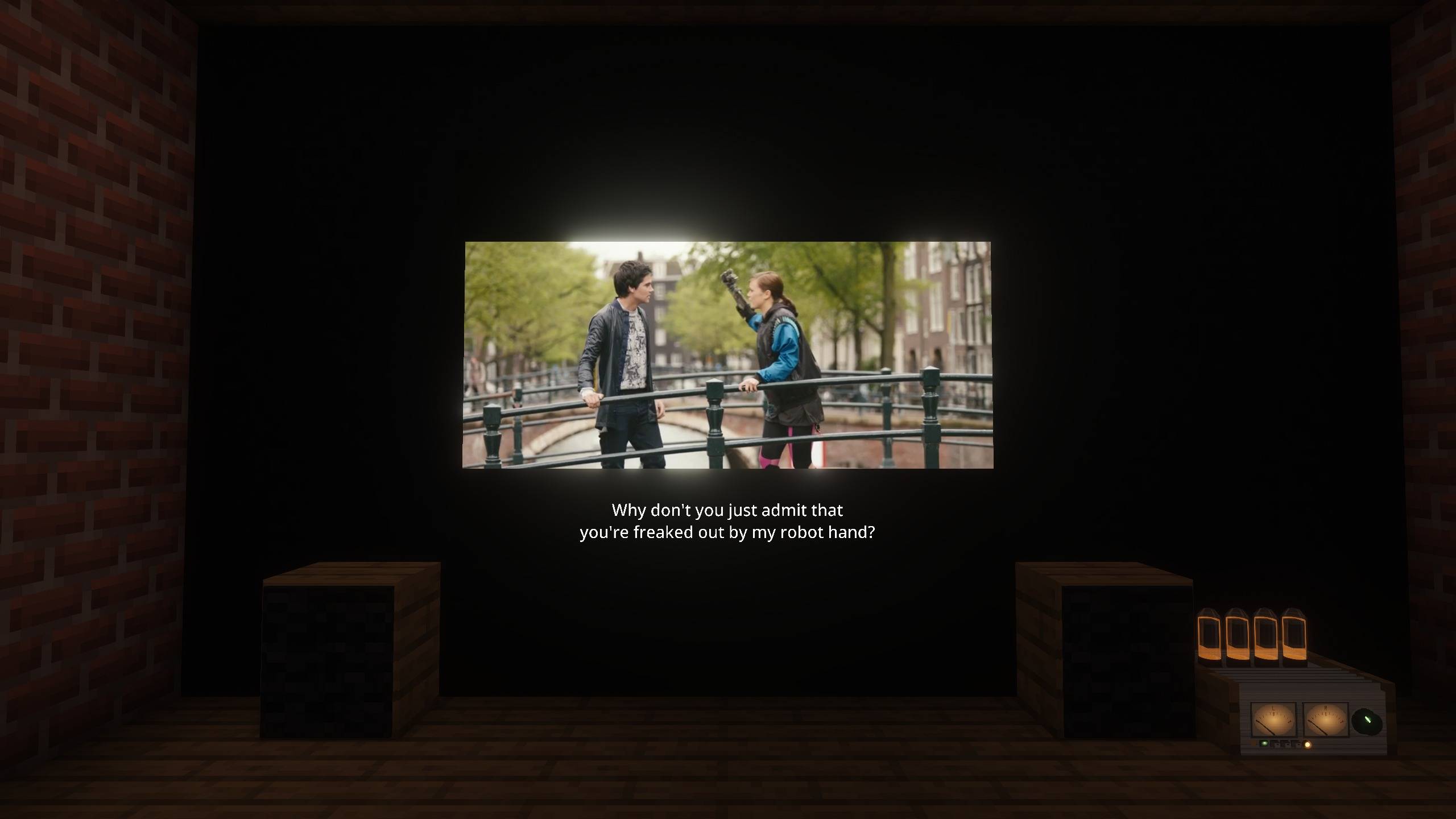 Films with subtitles A film's own subtitles are drawn beneath the picture on the display. Film: Tears of Steel, © Blender Foundation, CC BY 3.0.
 -
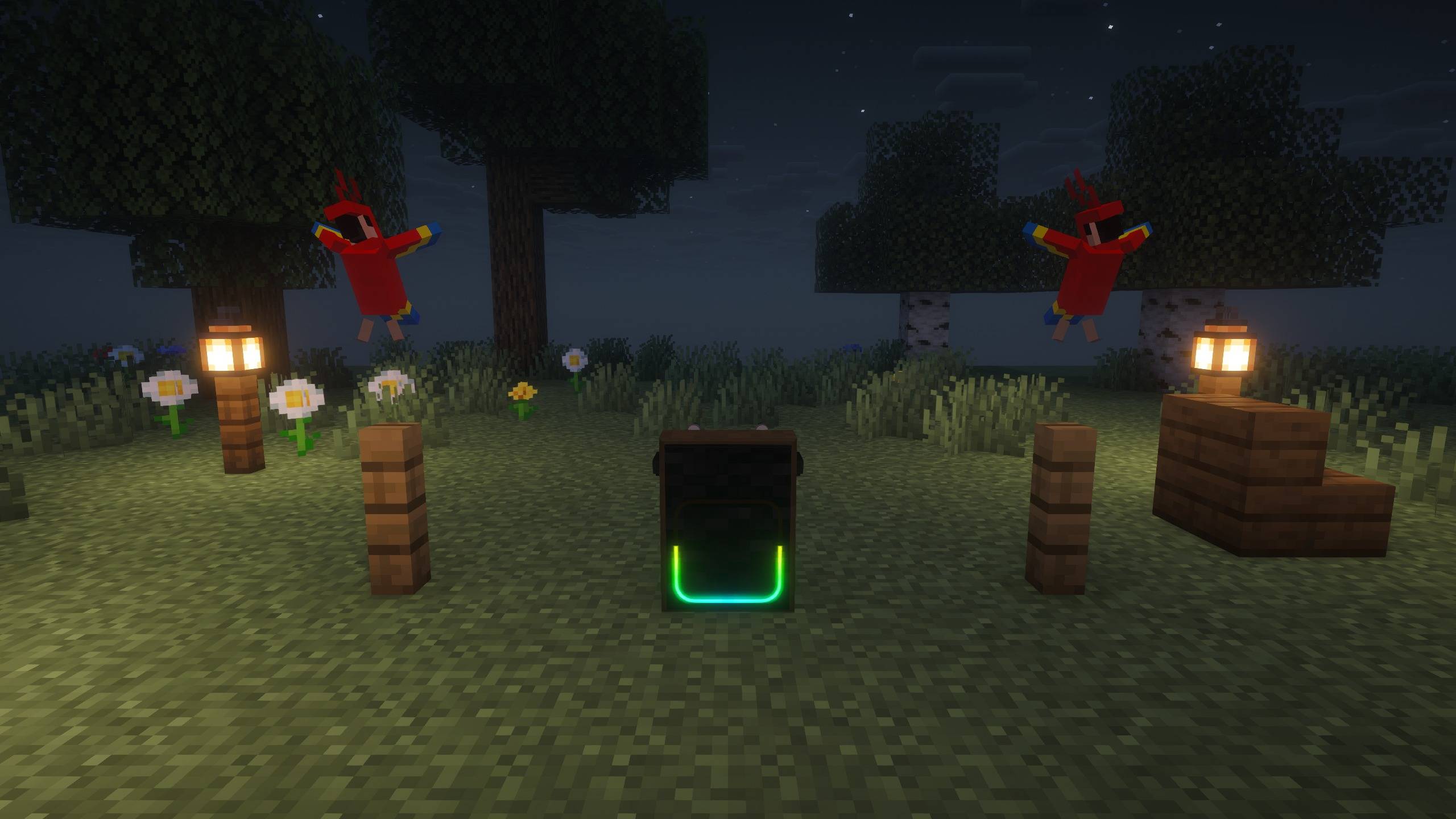 Party Box The Party Box plays in the garden at night, its light pipe lit and parrots dancing to it.
 -
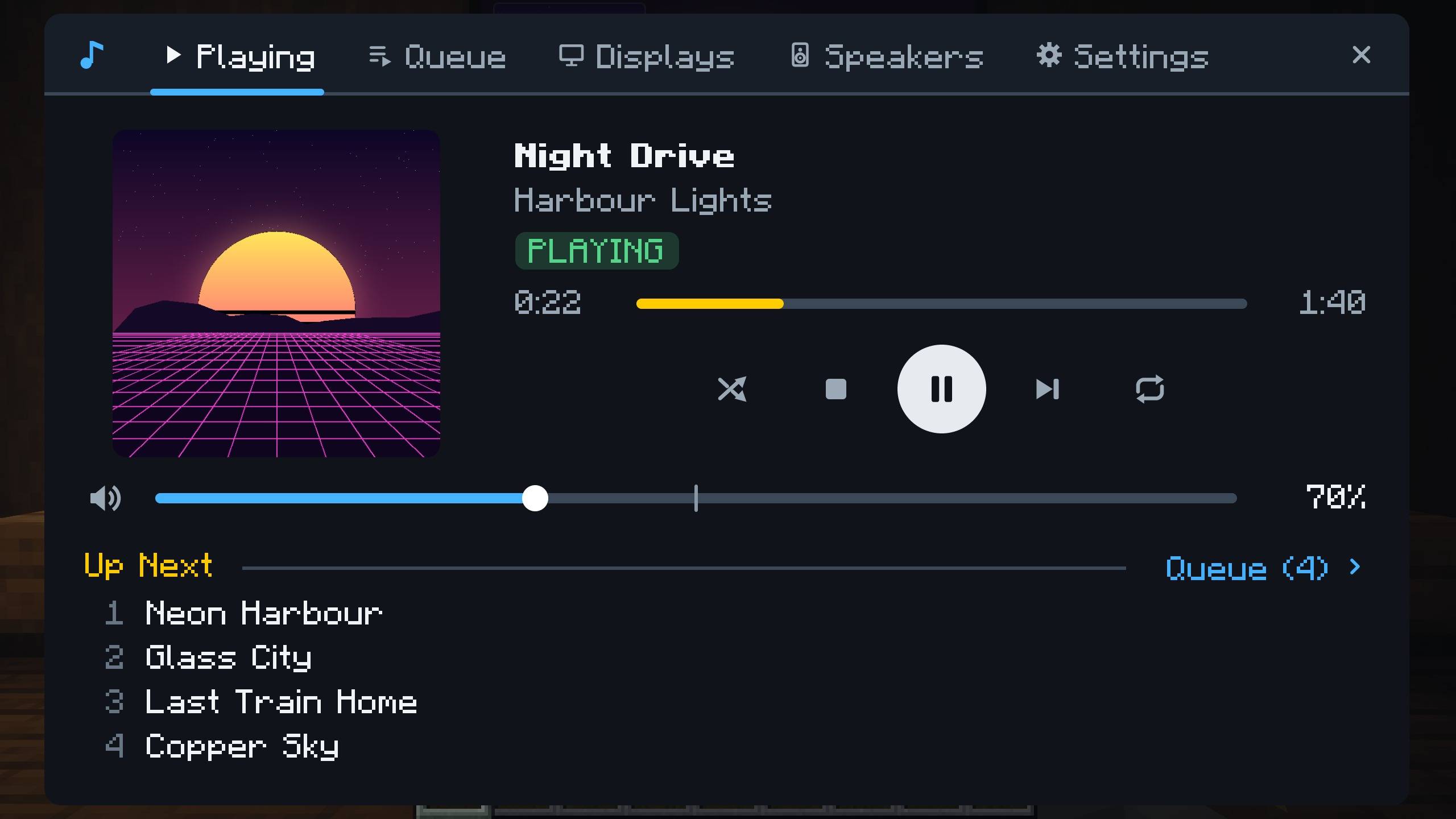 Receiver controls The receiver's Playing tab with artwork, transport, volume and what's up next.
 -
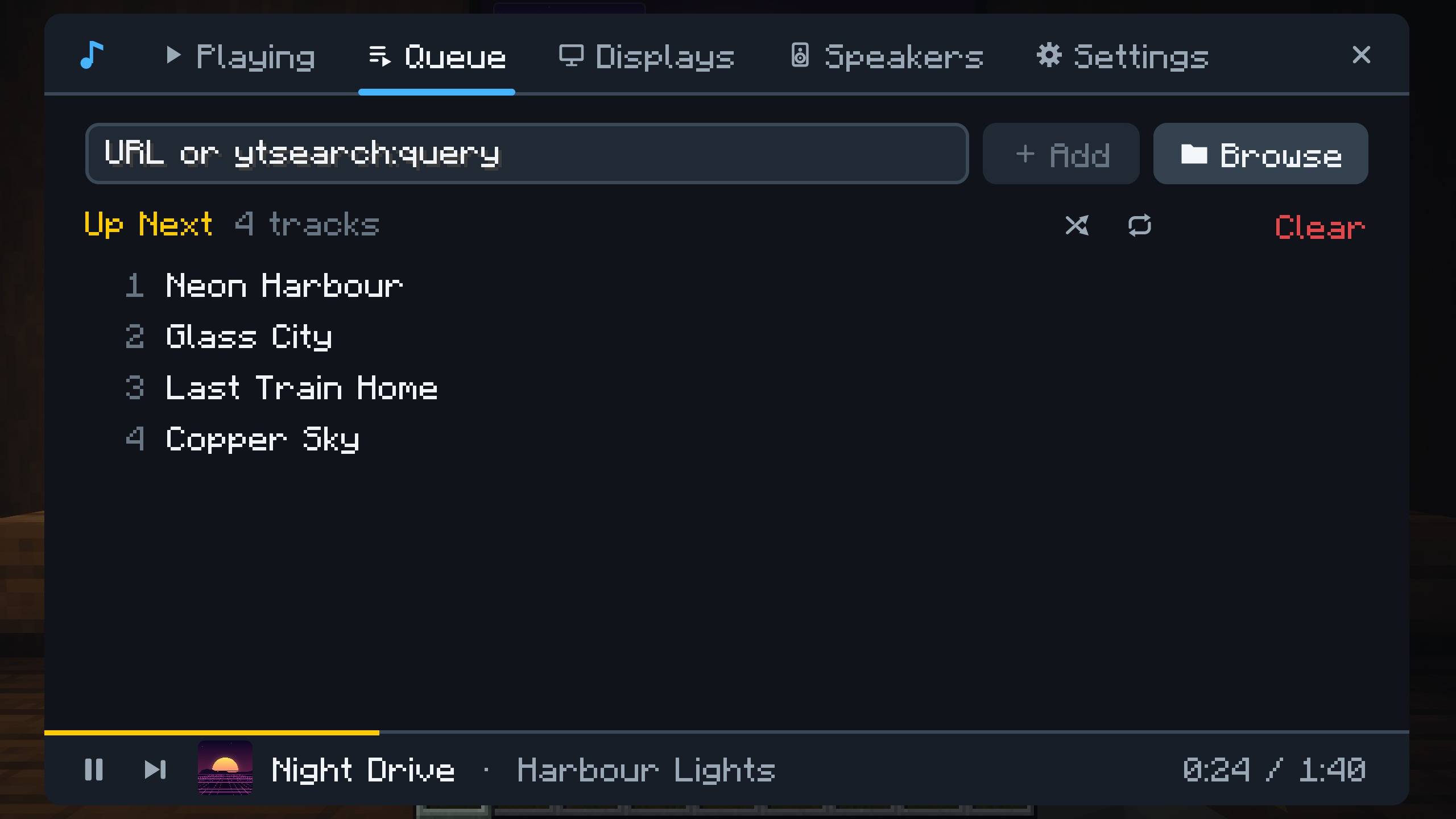 Queue Manage the queue, add links or browse the server's media folder.
 -
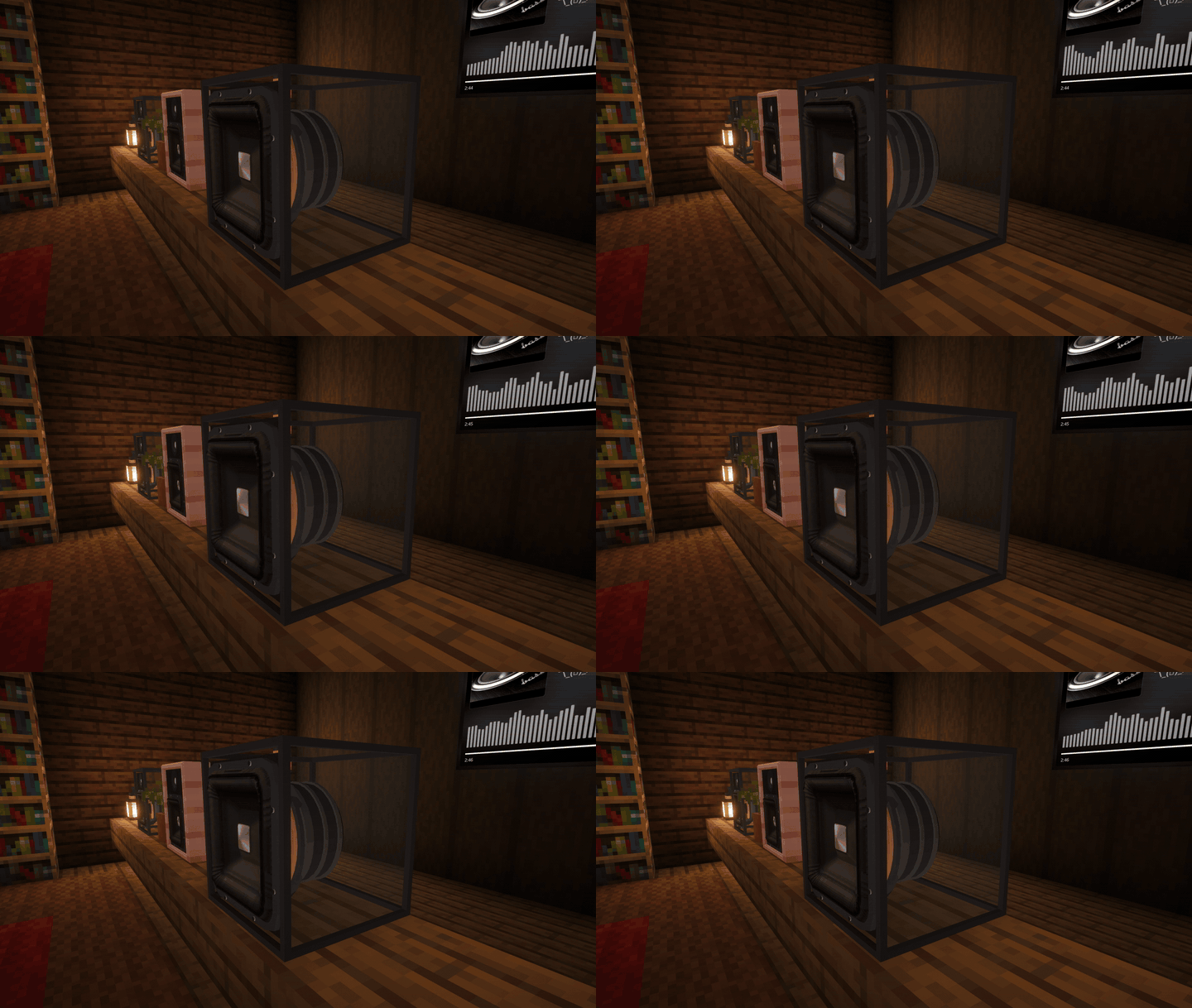 A bass hit in slow motion A glass subwoofer takes one deep bass sweep, slowed four times, its cone and suspension moving with the actual music.
Versions
Files
Relations
Project Relations
More like this
Similar Mods
Suggestions use data such as tags, dependencies, dependents, descriptions, titles, and more to rank how much they overlap with this mod.
On ModDex
Community snapshot
By the numbers
Statistics

Get it on
Available Platforms
On ModDex
Community snapshot
By the numbers