
Community listing page, reviews here may not be monitored by the author.
Source (In-Game Mods)


No reviews yet
An in-game mod browser and downloader. Search, install, and manage mods + dependencies directly from the main menu without leaving Minecraft.
Community voices
Reviews
No reviews yet. Be the first to review this project!
Get it on
Available Platforms
Compatibility
Supported Environments
Runs entirely on the client. Works on vanilla servers.
About
Project Details
For authors
Embed Badge
If you're the author of this project, you can embed a live badge anywhere that supports HTML or Markdown. It updates automatically whenever ratings change.
Use HTML for any page that supports it, or Markdown for README files and Markdown-based descriptions.
Identifiers
Platform IDs
Resources
External Links
About
Description
📦 Source: In-Game Mod Browser
Stop Alt-Tabbing to download mods! Source is a lightweight, vanilla-style mod browser that allows you to search and install mods directly from your Minecraft main menu.
✨ Features
- In-Game Search: Browse thousands of mods from the Modrinth database instantly.
- One-Click Install: Just click "GET", and the mod handles the rest.
- Auto-Dependencies: No more crashes! Source automatically detects and downloads required libraries (like Kotlin, Flywheel, Architectury).
- Update Checker: See which of your mods have updates available.
- Native UI: Designed to look and feel like a part of vanilla Minecraft.
🛠️ How it works
- Open the Source menu from the Title Screen.
- Type the name of a mod (e.g., "JEI", "Create").
- Click GET.
- Restart the game to apply changes.
Note: A game restart is required after installation because Minecraft Forge cannot load code dynamically at runtime. This tool streamlines the downloading process, saving you from navigating browser tabs and ads.
❓ FAQ
Q: Does it work with CurseForge modpacks? A: Yes! You can add this to any modpack to easily fetch extra mods.
Q: Where do the mods come from? A: This mod uses the open Modrinth API to fetch the latest and safest versions of mods.
Q: Is it compatible with shaders? A: Yes, it's just a UI tool, it doesn't touch rendering.
The missing link between Minecraft and Modrinth.
Stop closing your game to find new mods. Source integrates the full power of the Modrinth platform directly into your Main Menu. It serves as the single origin point for all your modding needs.
✨ Key Features
- Native Browser: A clean, modern interface to explore thousands of mods without leaving the game.
- Smart Search: Filter by categories (Tech, Magic, Adventure), sort by popularity, or find specific mods instantly.
- Dependency Solver: No more crashes! Source automatically detects and downloads all required libraries (APIs, Configs) recursively.
- One-Click Install: Just press "Get", and the mod is yours.
- Safety First: Downloads only versions strictly compatible with your current Minecraft & Forge instance.
🎮 How to use
- Open Minecraft.
- Click the "Modrinth Mods" button in the top-left corner of the Main Menu.
- Find a mod (e.g., "Sodium", "JEI").
- Click Get.
- Press Back and restart the game to apply changes. Done!
Screenshots
Gallery
-
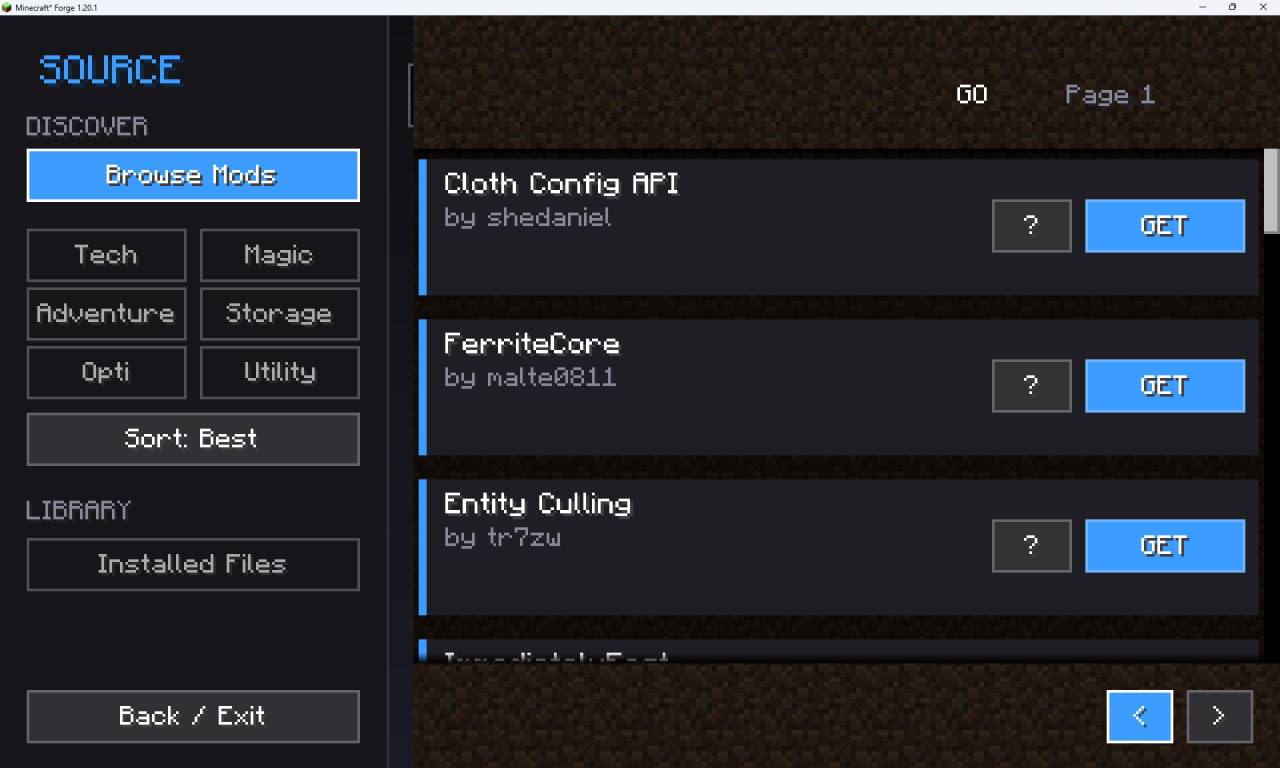 photo_5_2026-01-21_08-19-11.jpg photo_5_2026-01-21_08-19-11.jpg
 -
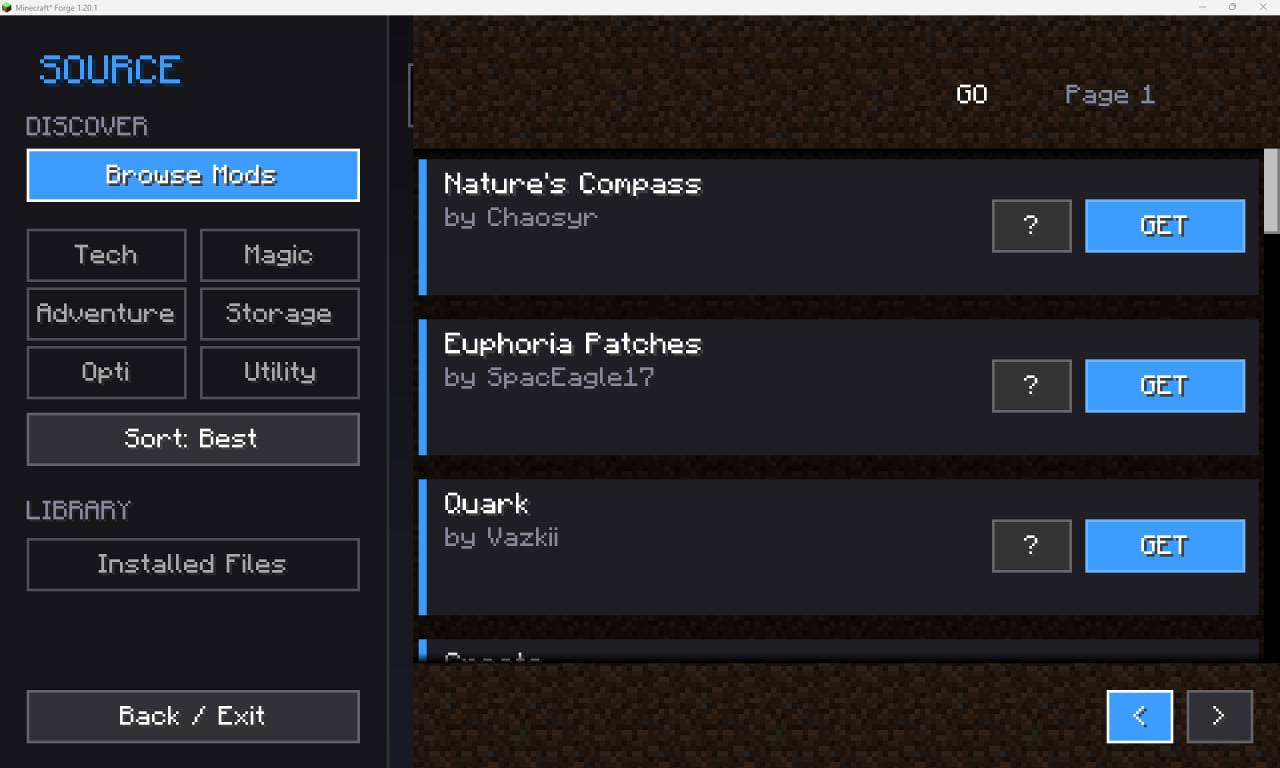 photo_4_2026-01-21_08-19-11.jpg photo_4_2026-01-21_08-19-11.jpg
 -
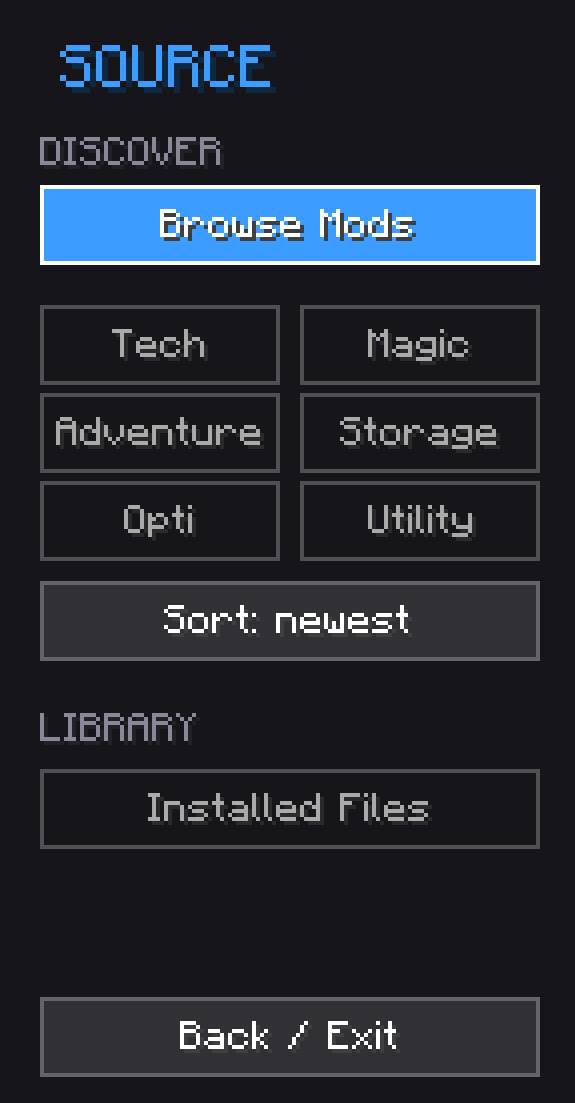 photo_3_2026-01-21_08-19-11.jpg photo_3_2026-01-21_08-19-11.jpg
-
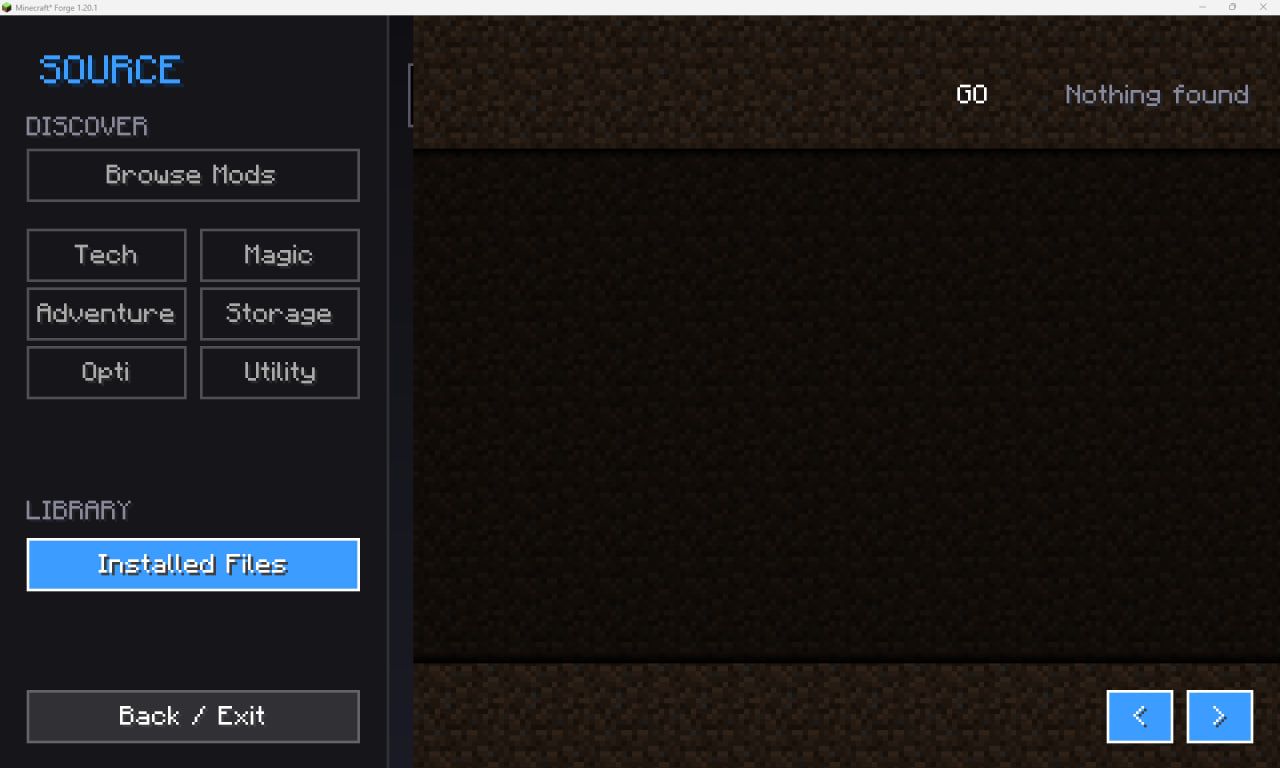 Your mods
 -
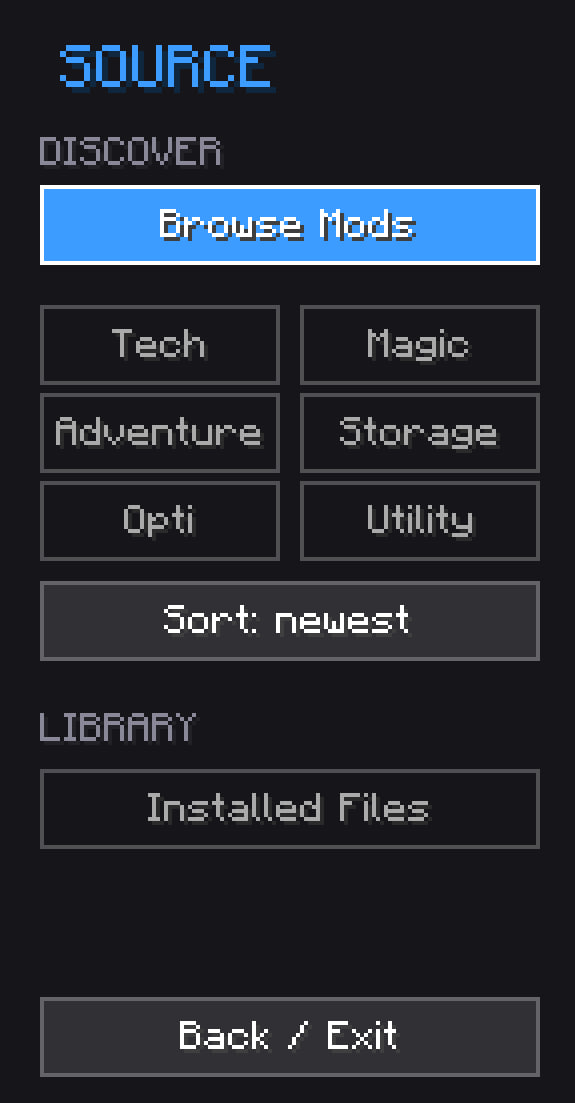 Left side of the interface
 -
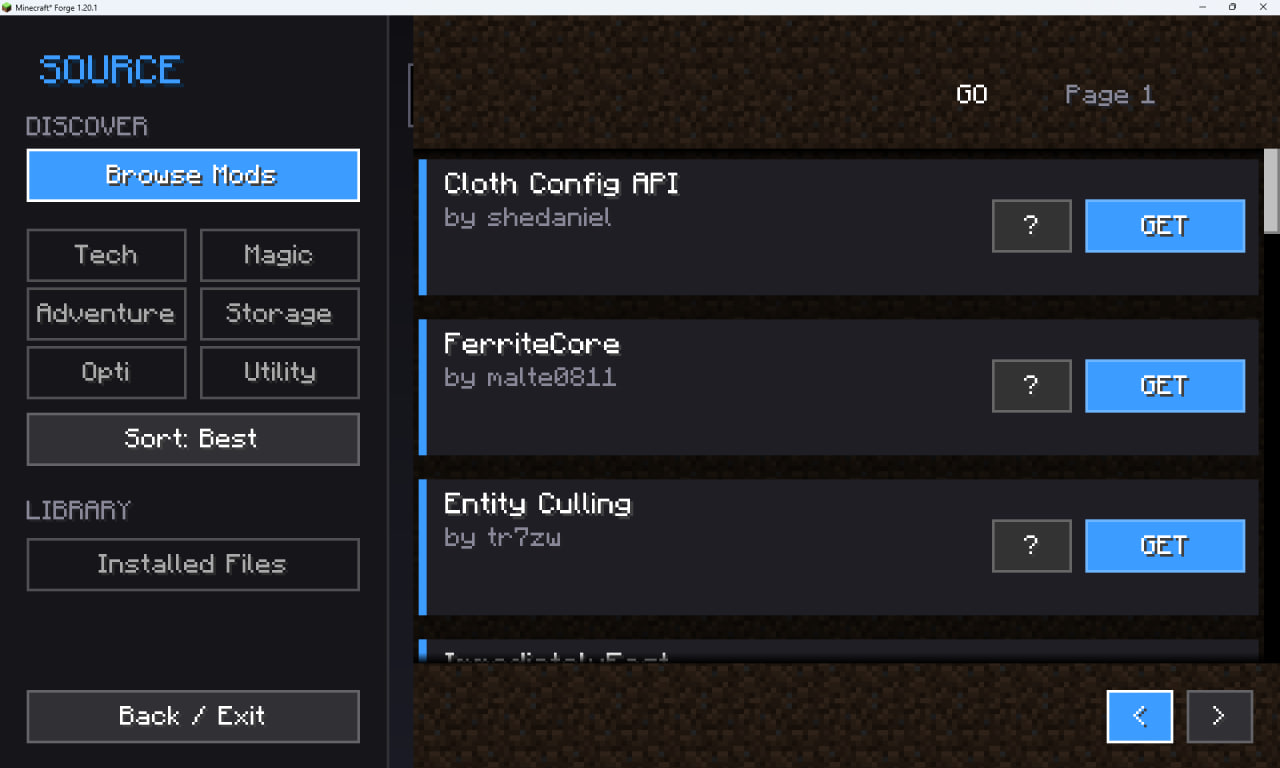 Search mods
Versions
Files
Relations
Project Relations
More like this
Similar Mods
Suggestions use data such as tags, dependencies, dependents, descriptions, titles, and more to rank how much they overlap with this mod.
On ModDex
Community snapshot
By the numbers
Statistics
Want to reach Minecraft players?
We're looking for a server hosting partner to feature here and other parts of the site. Interested? Send us a message!
Get in touchGet it on
Available Platforms
On ModDex
Community snapshot
By the numbers
Statistics
Resources