
Community listing page, reviews may not be monitored by the author.
Spatial Blueprint

No reviews yet
Capture, preview, and rebuild structures as blueprints — with rotation, material lists, six library tabs, and server-safe uploads for Forge 1.20.1.

Community voices
Reviews
No reviews yet. Be the first to review this project!
Get it on
Available Platforms
About
Project Details
For authors
Embed Badge
If you're the author of this project, you can embed a live badge anywhere that supports HTML or Markdown. It updates automatically whenever ratings change.
Use HTML for any page that supports it, or Markdown for README files and Markdown-based descriptions.
Identifiers
Platform IDs
Resources
External Links
About
Description
Build it once. Rebuild it anywhere.
Spatial Blueprint is a structure workflow for Minecraft 1.20.1 (Forge) that keeps the entire process inside the game: select a region, save it, browse it, preview it, and place it again.
What you can do
- Save a region of the world as a reusable blueprint.
- Keep a private library of builds instead of loose schematic files.
- Inspect a saved structure with thumbnails and a full-screen preview before placing it.
- Rebuild a structure somewhere else with rotation, offset, and placement animation controls.
- Check the materials required by a blueprint before you start building.
- Run capture-and-place operations on a multiplayer server, with server-owned limits and permissions.
A complete in-game workflow
- Select — open the region controls, set the start and end corners, and create the blueprint.
- Store — the blueprint is saved into your library and can be named, searched, and organized.
- Preview — switch between list and grid views, view a large preview, or enter a full-screen walkthrough of the saved build.
- Place — choose rotation and offset, review the material list, and place the structure; large builds report their block count and estimated completion time.
- Adjust — use
/sb undoto roll back the last placement while in creative mode.
A library, not a folder of files
The Blueprint Library has six tabs — Spatial, Engineering, Project Blueprints, Projection, Dimensional, and Templates — so different kinds of builds stay separated. Entries show the blueprint name, note, and capture time; grid cards add a rendered thumbnail. The grid view makes large libraries easy to scan, while the list view keeps a larger preview open beside the entries.
The full-screen preview lets you walk through a saved structure without changing the world, so you can check the result before committing materials.
Materials, projects, and multiplayer
- Blueprints include a material list, making it clear what a build will consume.
- Project blueprints and sub-projects support larger collaborative builds: activate a project, claim a sub-project, and work through the stages.
- Material space (
/sb space) gives each player a place to view stored materials. - Servers decide the rules: capture limits, preview distance, upload limits, and other options are configured in-game with
/sb configand reloaded with/sb reload. - Client-side preview controls (
/sbp preview,/sbp block,/sbp download) let players manage what they see and download from other players.
Safe uploads
Blueprints and supported structure files can be imported, but uploads are checked before use. The server validates size and NBT budgets and strips or rejects dangerous data such as command blocks, malicious click events, oversized item data, and malformed block entity contents. This matters on public servers where players share builds.
Compatibility
- Minecraft 1.20.1
- Forge
- Client and server
The core capture, library, preview, and placement features do not require other mods. Available limits and optional behavior depend on the server's configuration.
Screenshots
Gallery
-
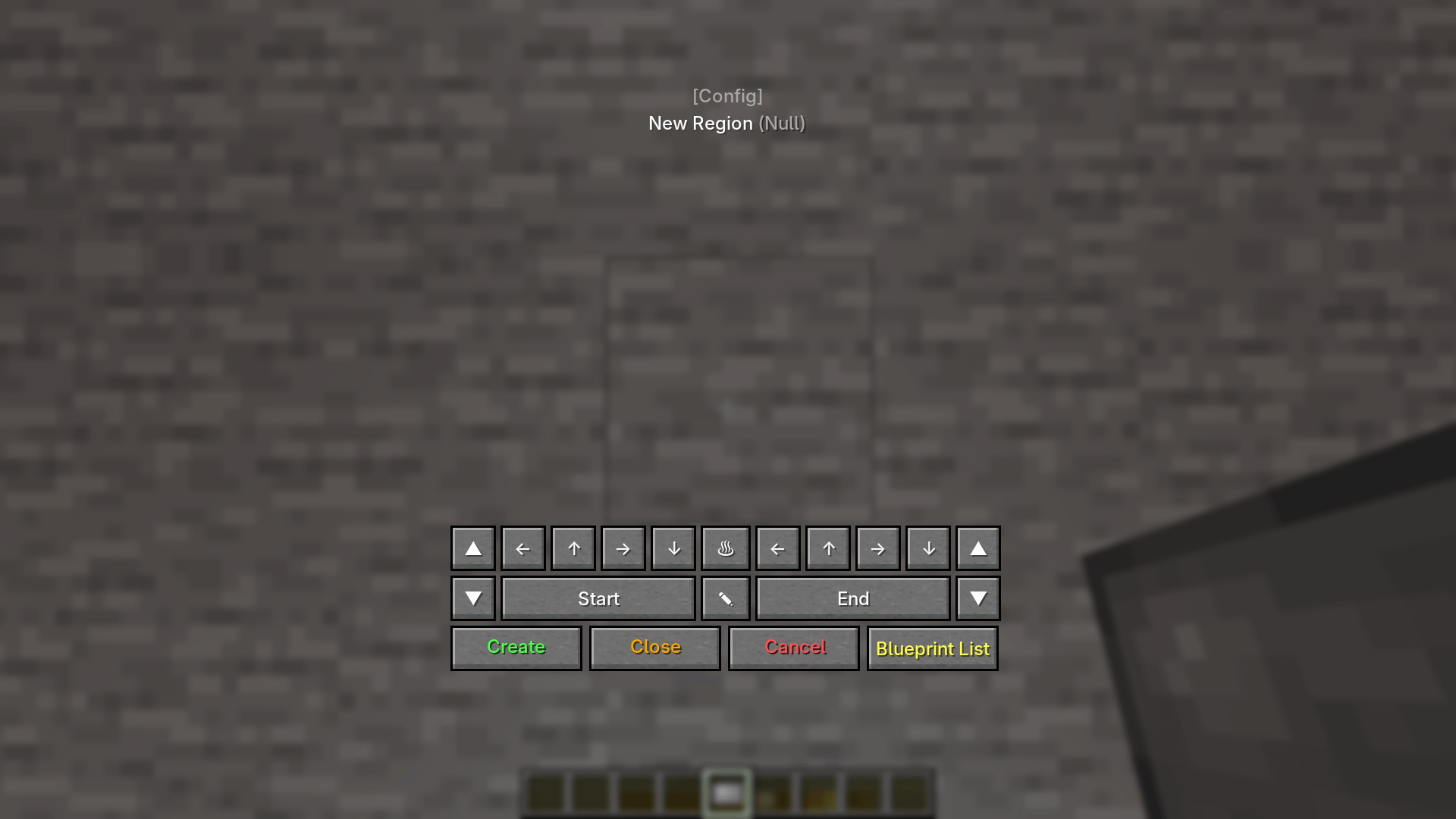 Region Selection and Capture Controls Choose the start and end corners of a region with the in-game controls, then create a spatial blueprint or open the blueprint list.
-
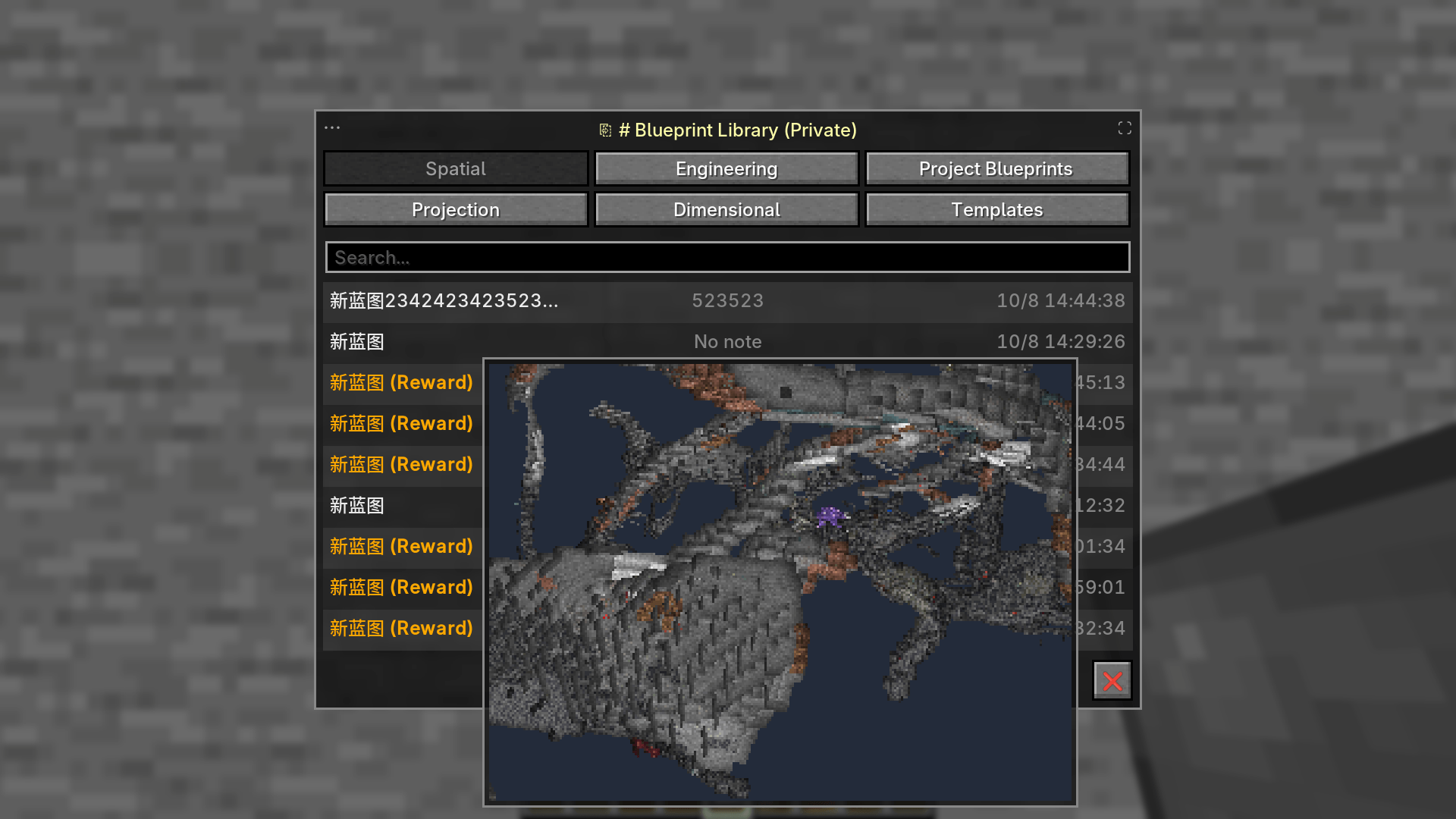 Blueprint Library with Live Preview The six-tab blueprint library lists saved builds and opens a larger preview of the selected blueprint without leaving the game.
-
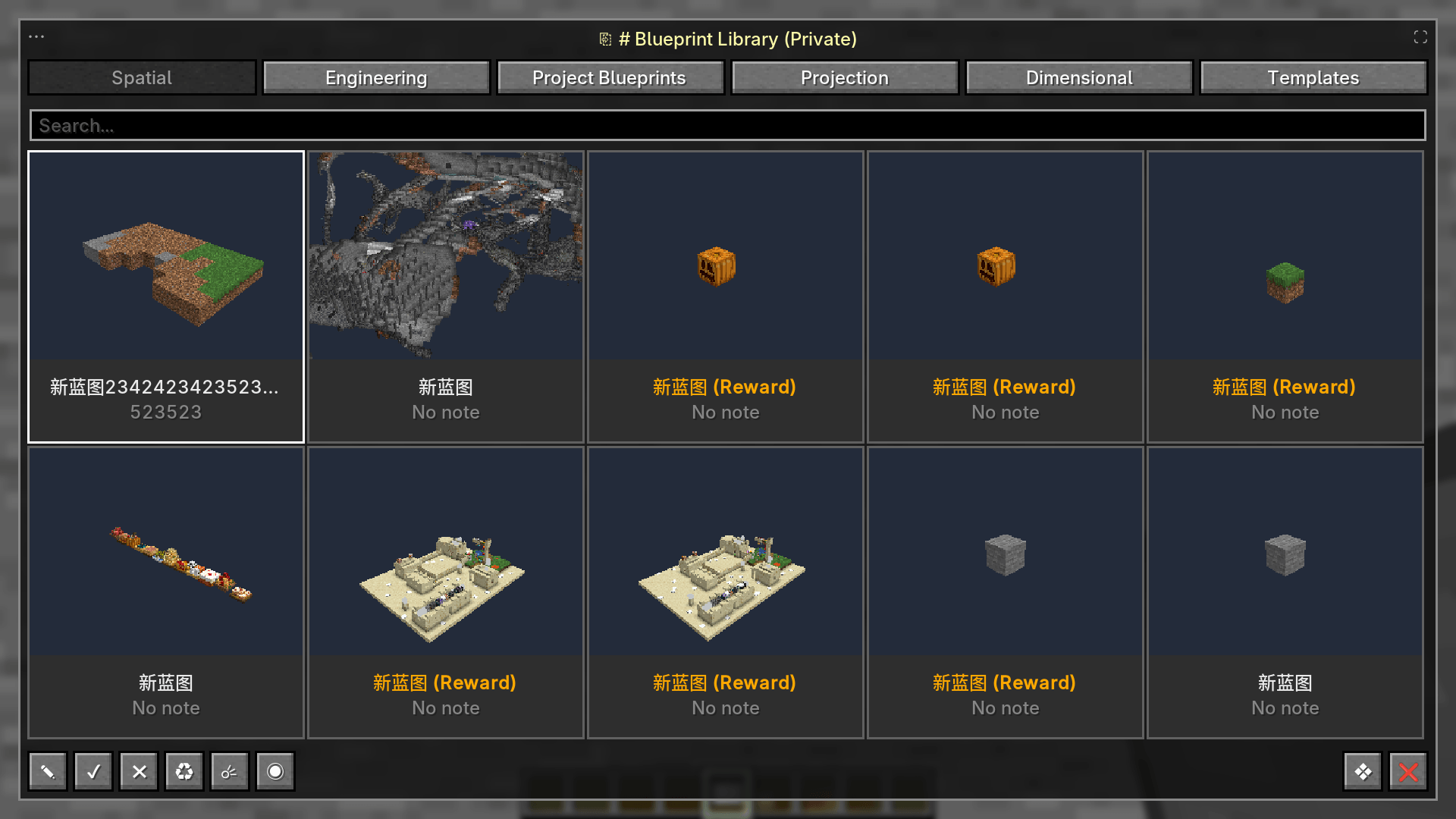 Blueprint Library Grid Switch the library to a thumbnail grid to browse Spatial, Engineering, Project Blueprints, Projection, Dimensional, and Templates at a glance.
-
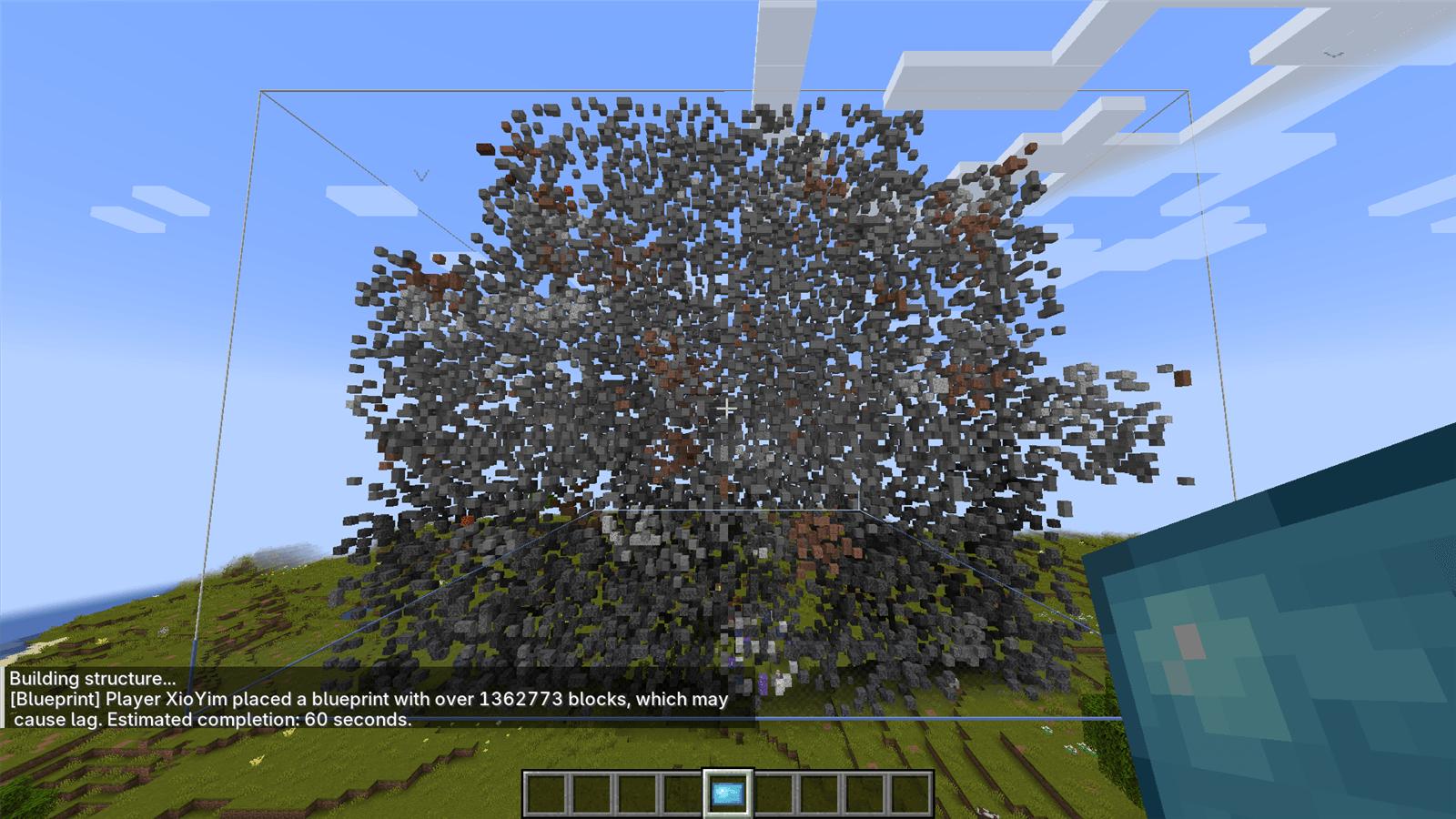 Large Blueprint Placement in Progress A captured structure is placed with its bounds visible; the chat reports over 1,362,773 blocks and an estimated completion time of 60 seconds.
Versions
Files
Relations
Project Relations
More like this
Similar Mods
Suggestions use data such as tags, dependencies, dependents, descriptions, titles, and more to rank how much they overlap with this mod.
On ModDex
Community snapshot
By the numbers
Statistics

Get it on
Available Platforms
On ModDex
Community snapshot
By the numbers
Statistics
Resources