Community listing page, reviews here may not be monitored by the author.
Spatial Crafting

No reviews yet
A mod that adds 3 dimensional crafting tables at varying sizes
Community voices
Reviews
No reviews yet. Be the first to review this project!
Get it on
Available Platforms
About
Project Details
For authors
Embed Badge
If you're the author of this project, you can embed a live badge anywhere that supports HTML or Markdown. It updates automatically whenever ratings change.
Use HTML for any page that supports it, or Markdown for README files and Markdown-based descriptions.
Identifiers
Platform IDs
About
Description
Spatial Crafting
Spatial Crafting is a Minecraft mod for Fabric that adds the most extreme form of crafting: 3 Dimensional Crafting.
- Construct fearsome multiblocks as sizeable as you want them to be, and watch as they expand to a huge array of holograms.
- Utilize the multiblock crafter structures to conjure powerful artifacts which may only be created with the combined power of dozens, or even hundreds, of items.
- Watch and behold as the items are beautifully assimilated from their respective positions and form the most powerful of blocks.
- Use the simple but powerful GUI to add custom recipes so that any item from any mod can be a part of the creation process. Alternatively, for advanced users, write JSON files to fine tune your recipes.
- Can't figure out how to craft a recipe? Use the in-built Just Enough Items integration to navigate your way through each item placement in any spatial recipe, or have it insert the necessary items immediately.
Downloading
Download the mod jar, Fabric Language Kotlin, and Fabric API and add them to your mods folder.
Usage
Get 4 Wood-Carved Crafters and put them in a 2x2 grid.
To craft an item, such as the Stone-Formed Crafter, put the correct items in the correct slots in the hologram by right clicking with an item in your hand, and left clicking to remove. Roughly Enough Items is heavily recommended for this. When done, right click any of the wooden crafter pieces to start the crafting process.
To add a recipe, go to creative mode, and while holding the Recipe Creator Key (grave by default, to the left of number 1), right click on any hologram to open up the recipe creator GUI. The items existing in the holograms will be interpreted as the input, and the currently held item will be interpreted as the output (note that the amount of the item you are holding will also be used as the output). To use tags in specific slots, modify the generated JSON files or create new ones of the same format. They behave exactly like vanilla recipes, but with multiple layers of input.
For bigger recipes, use the other Crafters.
Spatial Crafting comes with built-in recipes as examples, see them here.
Dependencies
Spatial Crafting 1.4 and up:
Fabric Language Kotlin (only this)
Heavily recommended and basically required: Roughly Enough Items
Come talk about Spatial Crafting On Discord
- Note: in 1.15 there's currently a Minecraft bug that makes stained glass-like blocks hide particles, which makes it seems like the crafting particle is not appearing. For this reason, all the default recipes are using the "itemMovement" crafting effect, and you should do the same.
Screenshots
Gallery
-
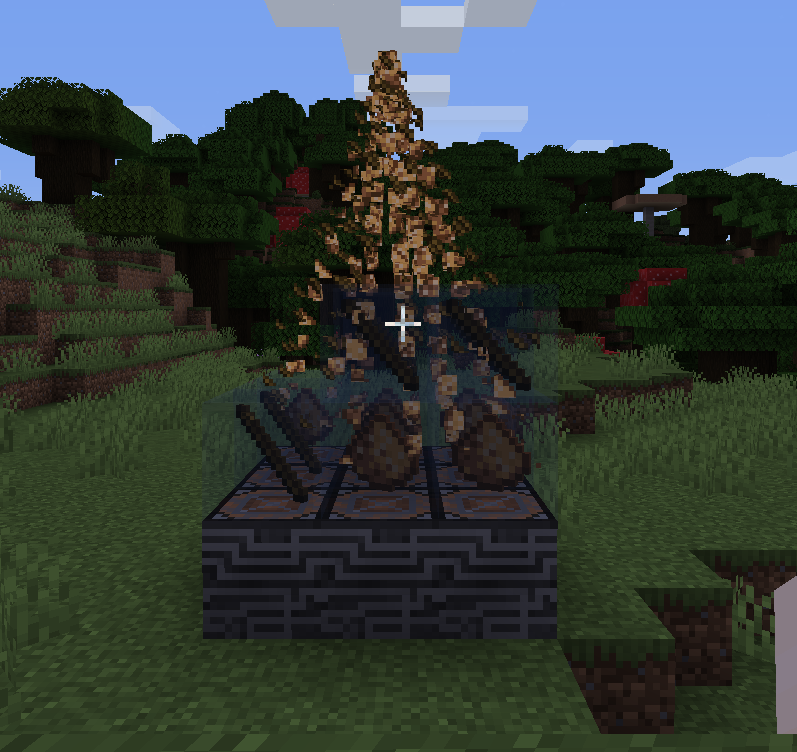 Crafting Crafting the Shapeless Sword
 -
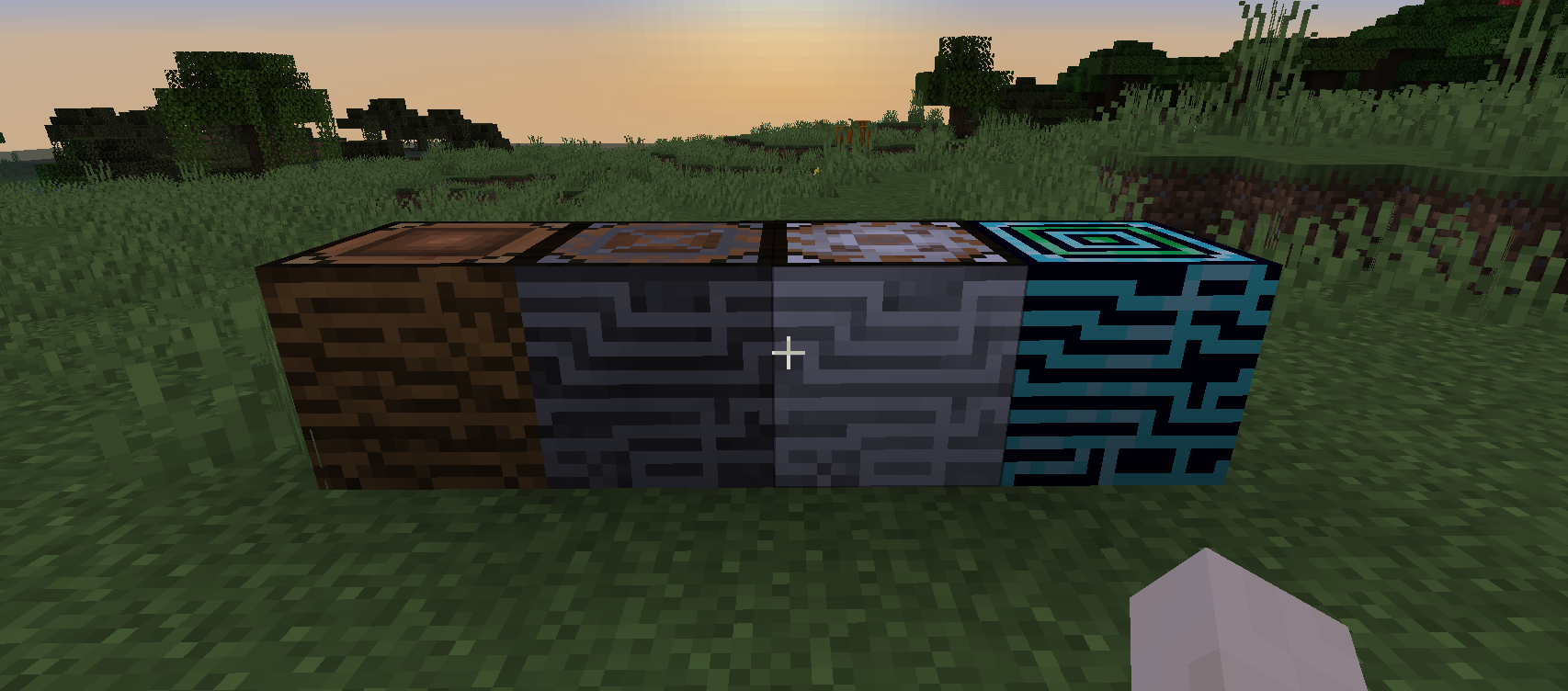 Blocks The crafter blocks
 -
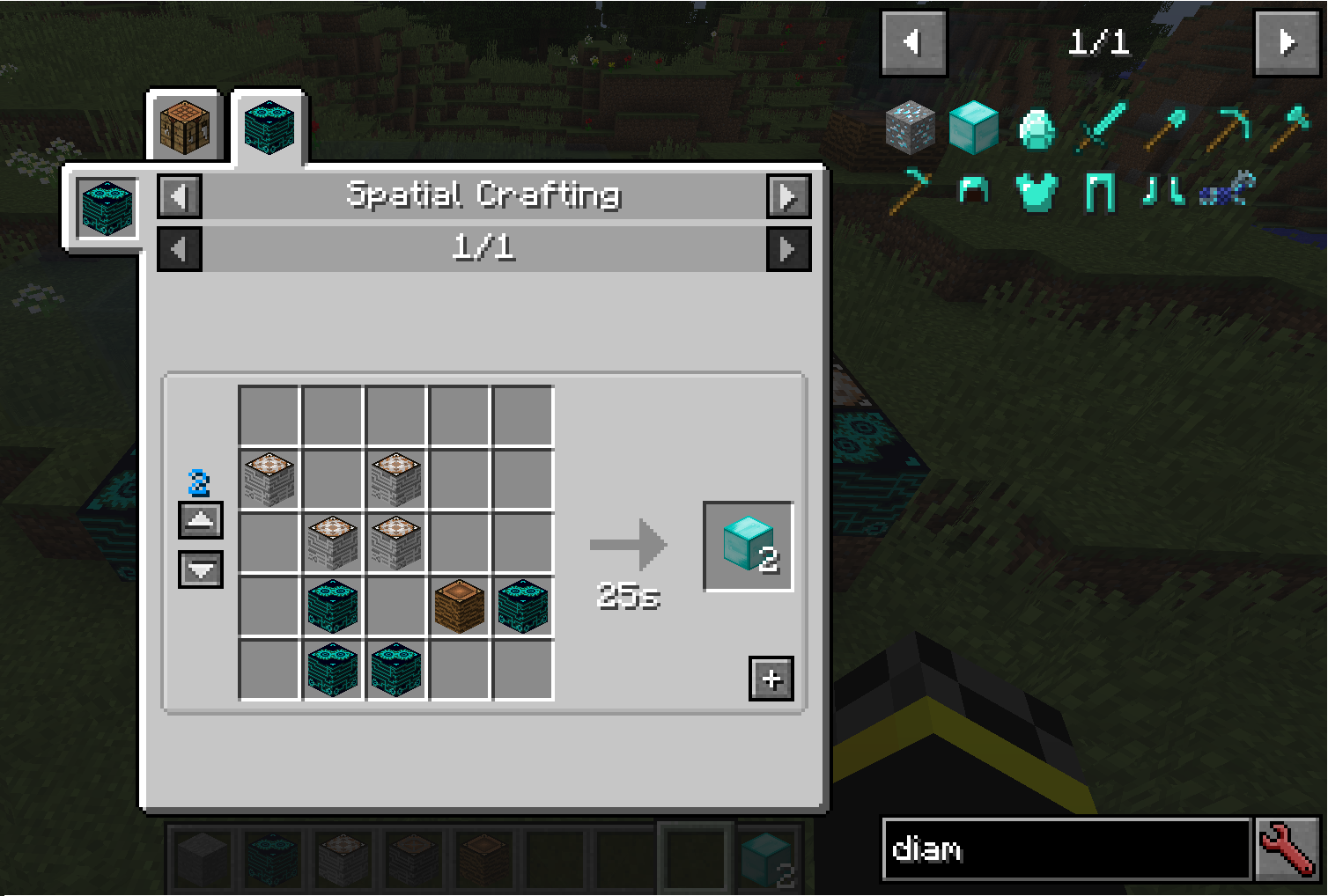 REI help REI proving helpful for complicated recipes
Versions
Files
Relations
Project Relations
More like this
Similar Mods
Suggestions use data such as tags, dependencies, dependents, descriptions, titles, and more to rank how much they overlap with this mod.
On ModDex
Community snapshot
By the numbers
Statistics
Want to reach Minecraft players?
We're looking for a server hosting partner to feature here and other parts of the site. Interested? Send us a message!
Get in touchGet it on
Available Platforms
On ModDex
Community snapshot
By the numbers