
Community listing page, reviews here may not be monitored by the author.
Stage Cam

No reviews yet
With Stage Cam you can setup your own Cameras in your world with a simple Command and switch inbetween these with a simple button click.
Community voices
Reviews
No reviews yet. Be the first to review this project!
Get it on
Available Platforms
Compatibility
Supported Environments
Runs entirely on the client. Works on vanilla servers.
About
Project Details
For authors
Embed Badge
If you're the author of this project, you can embed a live badge anywhere that supports HTML or Markdown. It updates automatically whenever ratings change.
Use HTML for any page that supports it, or Markdown for README files and Markdown-based descriptions.
Identifiers
Platform IDs
About
Description
Modrinth | Curseforge | GitHub | Wiki | Report Issues

StageCam is a client-side Fabric mod that adds a professional live camera system to Minecraft. Perfect for streaming, content creation, or just showing off your builds on platforms like OmeTV, Twitch, or YouTube.
A second window opens automatically when you load a world. Point OBS at it as a Virtual Camera and you're live with no extra software needed.
How it works
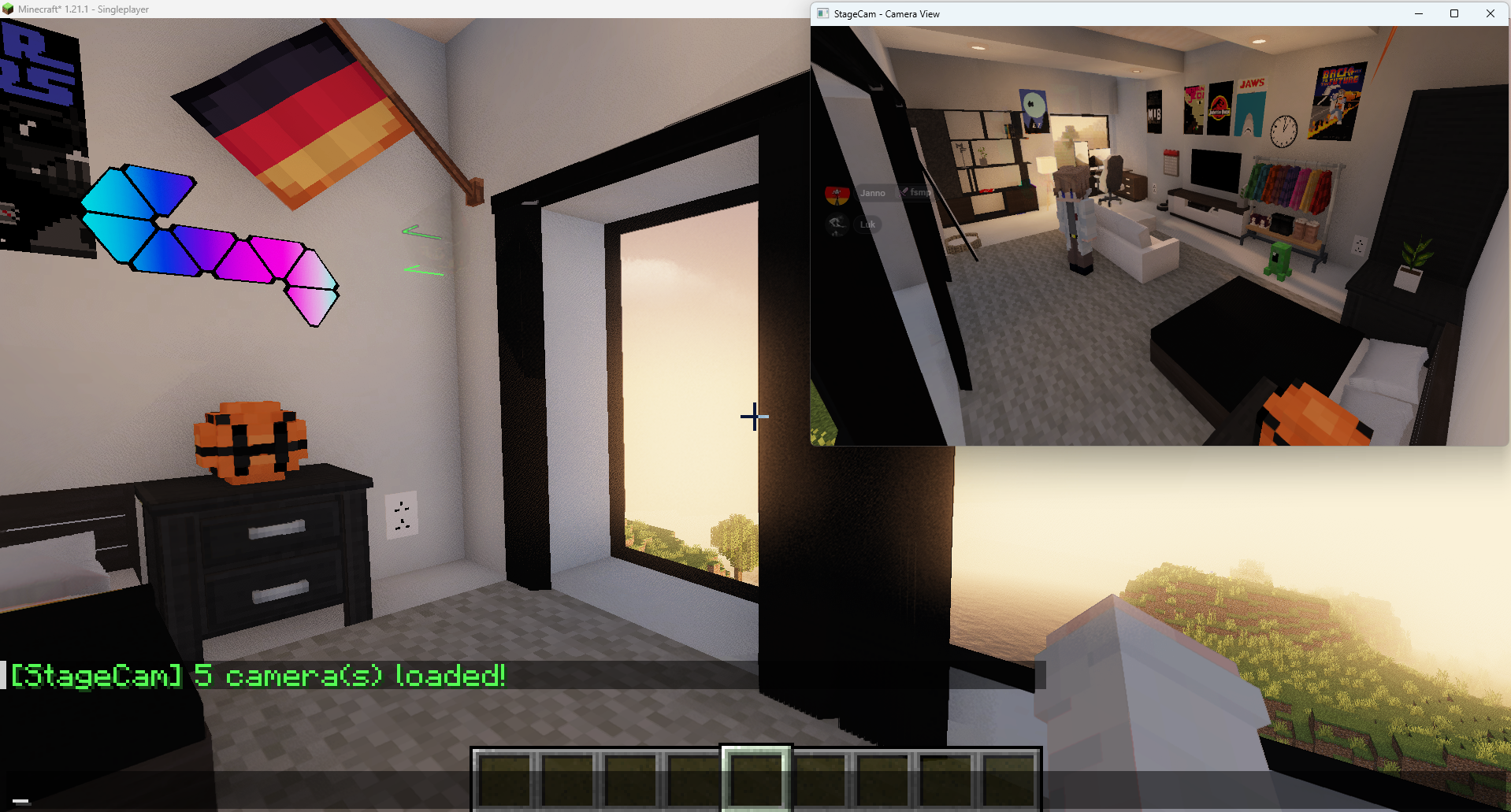
Place camera points anywhere in your world, then switch between them instantly using your Numpad. Your main window stays in first-person while the second window shows the camera feed. Clean, no HUD, no inventory, no distractions.
Features
📷 Fixed Cameras
- Place up to 9 camera points per set anywhere in the world with
/setcam <slot> <set> <name> - Switch instantly with Numpad 1-9
- Camera positions save automatically and persist between sessions
- Manage cameras with
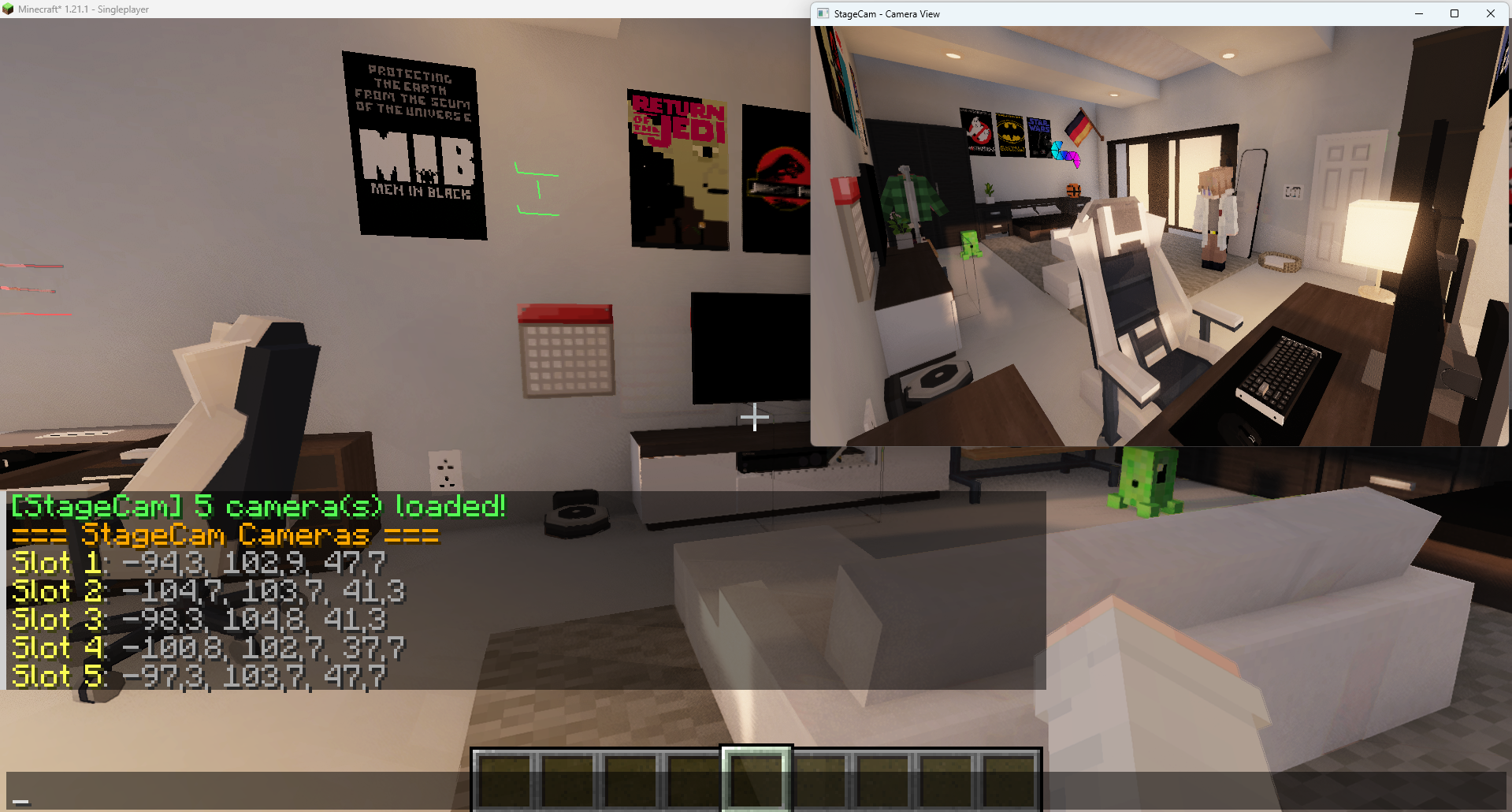
/listcams,/listcams-s <set>,/delcam <1-9>and/renamecam <1-9> <name>
📁 Camera Sets
- Organize your cameras into unlimited sets — one set per location, scene or build
- Each set has its own 9 slots
- Switch between sets with Page Up / Page Down
- Active set shown in the HUD indicator
🪟 Live Second Window
- A second window opens automatically and shows the camera feed live
- Designed to be captured by OBS Virtual Camera
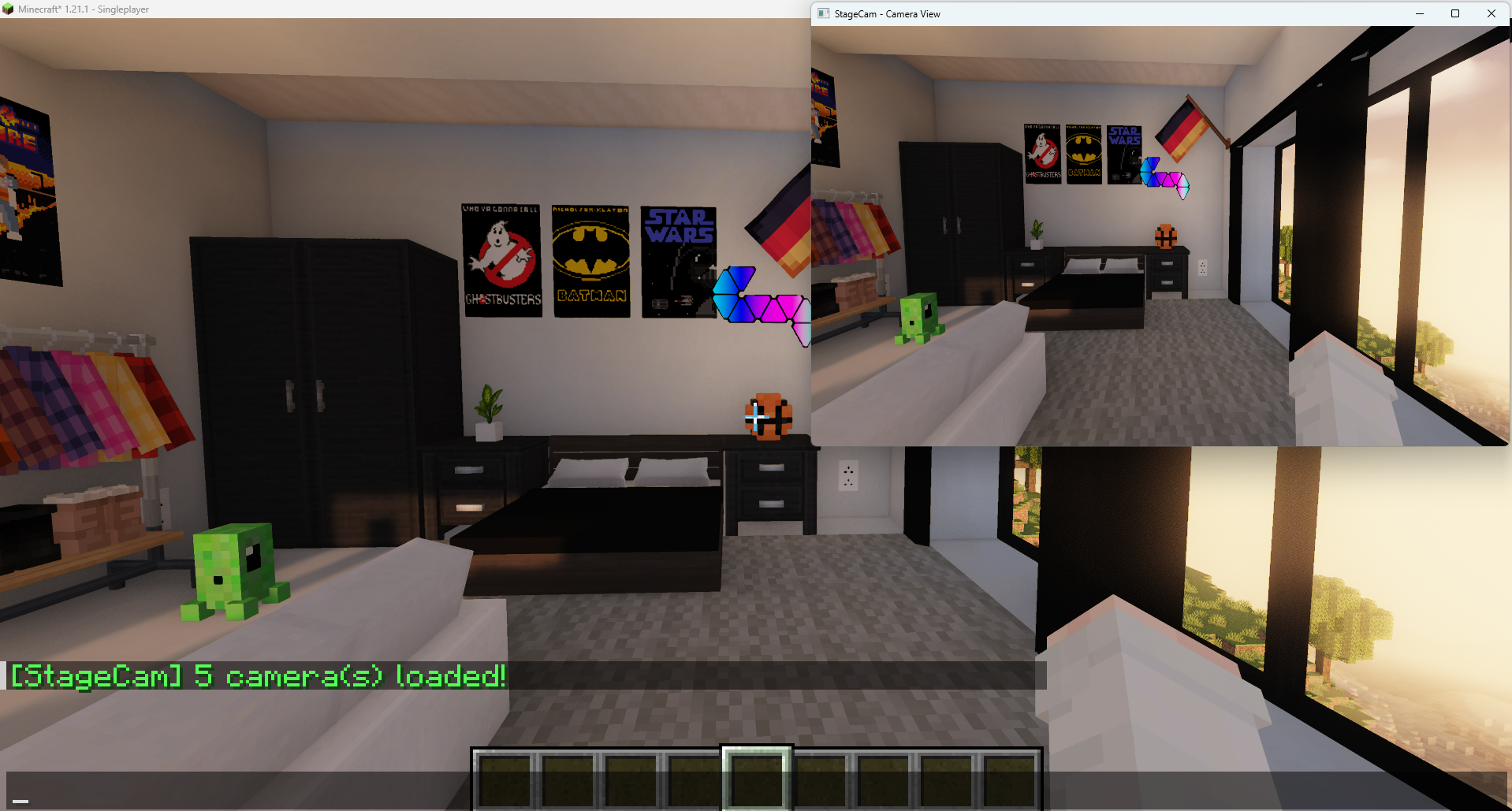
- Resizable window with native resolution support
- No HUD, hotbar, chat, inventory or block outline visible in the camera feed
- No sprint zoom, no view bobbing — clean stable footage
- Window title updates automatically to show the active camera e.g. "StageCam — S1 · bedroom"
🎥 Follow Modes
Toggle with Numpad , to cycle through:
- Handheld — camera floats 2 blocks in front of you, follows your exact look direction with smooth movement and subtle shake
- Ego — mirrors your exact first-person view without any HUD
- Press again to turn off
🔄 Follow Mode
- Activate with Numpad / while a fixed camera is active
- Camera stays in its saved position but smoothly rotates to always look at the player
- Smooth lerp rotation — no snapping or sudden jumps
- Works great combined with zoom
- HUD shows ⟳ symbol when active
🔍 Zoom
- Numpad + to zoom in, Numpad - to zoom out
- Smooth 2° FOV steps, range 10°–110°
- Works in all camera modes including Follow Mode
- Current FOV shown in the HUD indicator
- Resets when camera is turned off
🔵 Camera Markers
- Colored wireframe markers show exactly where your cameras are placed
- Visible through walls so you never lose track of them
- Only visible in your main window, not in the camera feed
🏷️ Custom Camera Names
- Name your cameras:
/setcam 1 1 bedroom - Rename anytime:
/renamecam 1 living room - Names show in the indicator,
/listcamsand action bar
📺 Camera Indicator
- Small HUD element in the top-right corner of your main window
- Shows active set, camera name or mode, follow mode status and current zoom level
- Color coded — blue for fixed cameras, green for handheld, red for ego
🔊 Camera Sound
- A subtle click sound plays when switching cameras, toggling modes or changing sets
Keybinds
| Key | Action |
|---|---|
| Numpad 1-9 | Switch to camera slot |
| Numpad 0 | Turn off active camera |
| Numpad , | Toggle Handheld → Ego → Off |
| Numpad / | Toggle Follow Mode |
| Numpad + | Zoom in |
| Numpad - | Zoom out |
| Page Up | Next camera set |
| Page Down | Previous camera set |
Commands
| Command | Description |
|---|---|
/setcam <1-9> <set> <name> |
Save current position as camera |
/renamecam <1-9> <name> |
Rename an existing camera |
/cam <1-9> |
Switch to camera (also done via Numpad) |
/delcam <1-9> |
Delete a camera |
/listcams |
List cameras in current set |
/listcams-s <set> |
List cameras in a specific set |
⚠️ Shader Compatibility
StageCam works with shader packs, but some effects may cause visual artifacts in the camera window:
- Bloom — may bleed around the player model
- TAA (Temporal Anti-Aliasing) — may cause ghosting due to the dual render pass
Fix: Disable Bloom and TAA in your shader settings for the best experience. StageCam will automatically warn you on world join if Iris is detected.
Requirements
- Minecraft 1.21.1 – 1.21.4
- Fabric Loader
- Fabric API (required)
Notes
- This is an Alpha release — some bugs may still be present
- Client-side only — works in singleplayer and on any server
- Designed and built for use with OBS Virtual Camera
- The scene is rendered twice per frame — performance may vary depending on system specs
Screenshots
Gallery
-
-
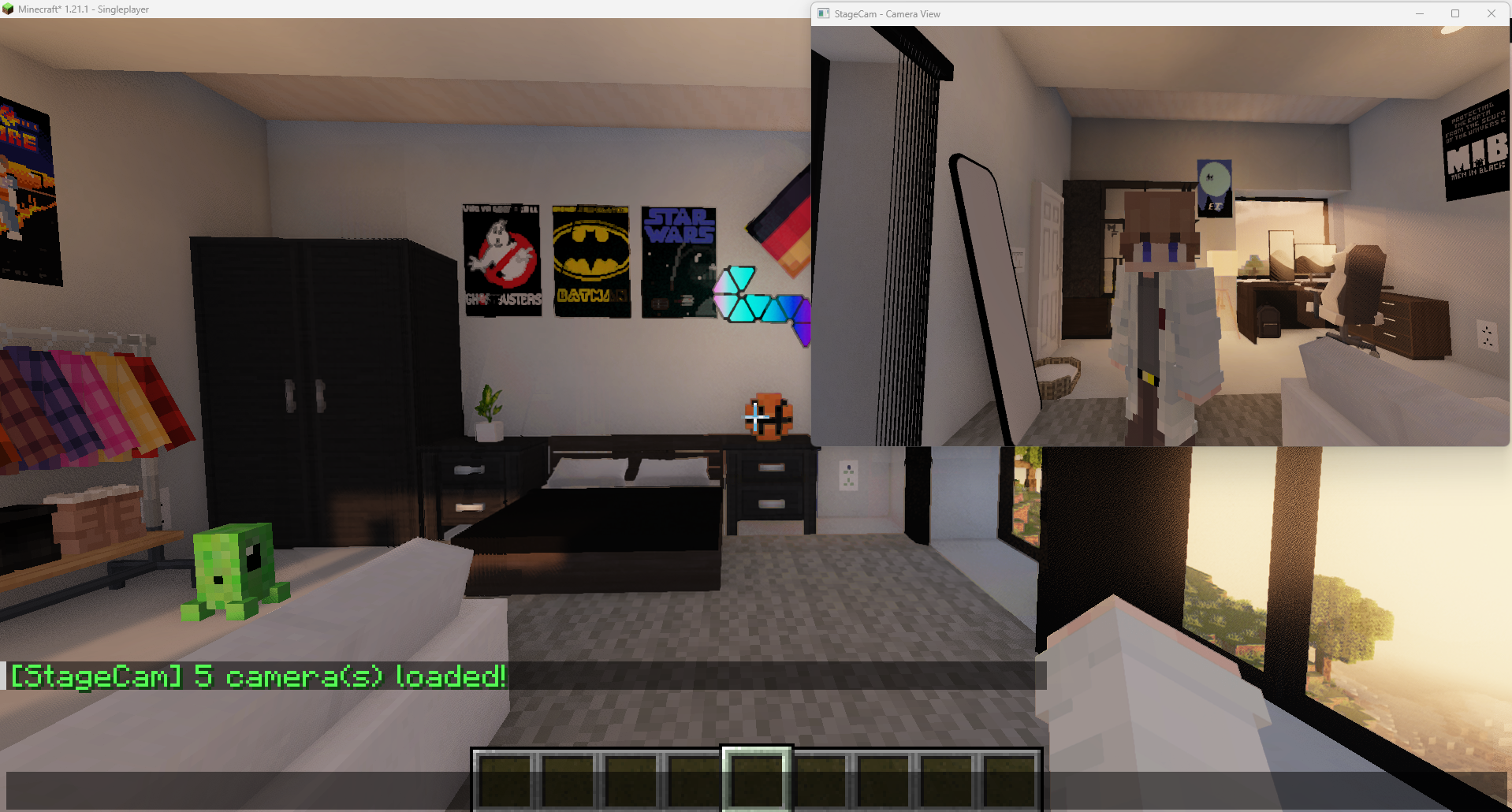 Camera infront Perspective
 -
-
-
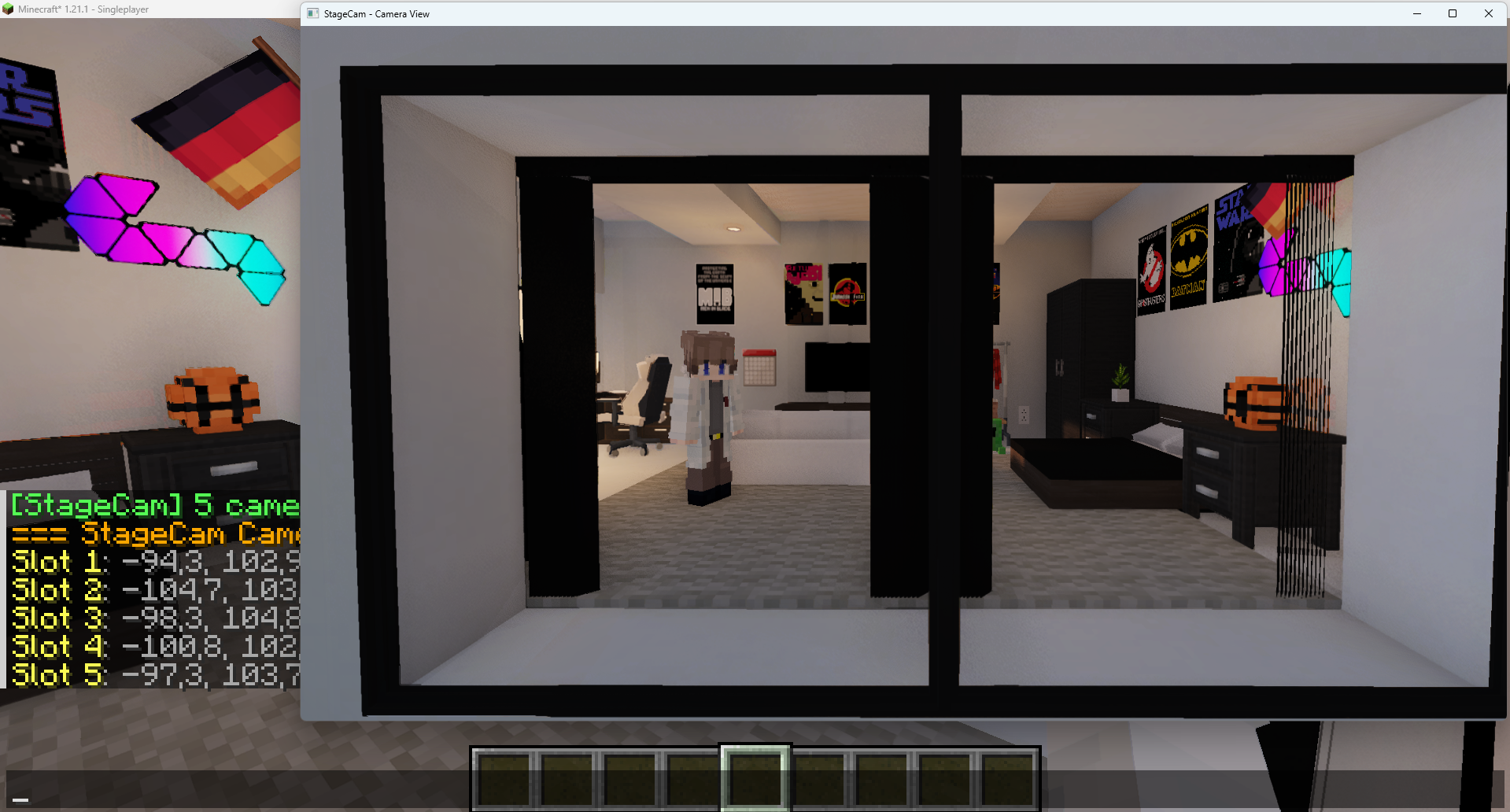 Rezisable Second Window
 -
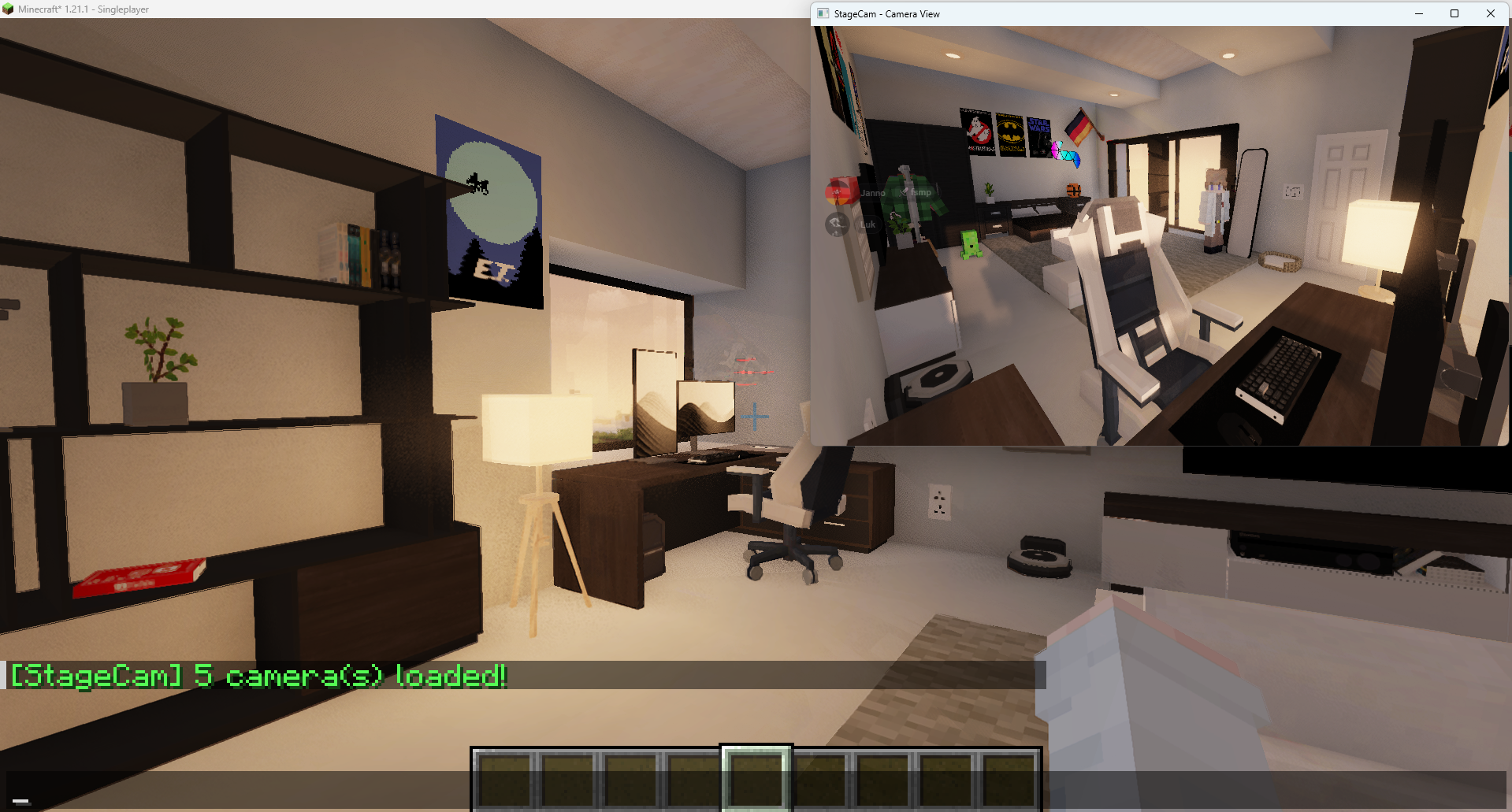 Load up to 9 Cameras
Versions
Files
Relations
Project Relations
More like this
Similar Mods
Suggestions use data such as tags, dependencies, dependents, descriptions, titles, and more to rank how much they overlap with this mod.
On ModDex
Community snapshot
By the numbers
Statistics

Want to reach Minecraft players?
We're looking for a server hosting partner to feature here and other parts of the site. Interested? Send us a message!
Get in touchGet it on
Available Platforms
On ModDex
Community snapshot
By the numbers