
Community listing page, reviews here may not be monitored by the author.
Steam Bridge


No reviews yet
Lightweight mod that routes Minecraft traffic through Steam (Spacewar) using Valve relays
Community voices
Reviews
No reviews yet. Be the first to review this project!
Get it on
Available Platforms
Compatibility
Supported Environments
Must be installed on both the client and the server.
About
Project Details
For authors
Embed Badge
If you're the author of this project, you can embed a live badge anywhere that supports HTML or Markdown. It updates automatically whenever ratings change.
Use HTML for any page that supports it, or Markdown for README files and Markdown-based descriptions.
Identifiers
Platform IDs
About
Description
Steam Bridge
Lightweight mod that routes Minecraft traffic through Steam using AppID 480 (Spacewar).
This lets the game use Valve's relay network for low latency connections.
No port forwarding, no public IP, no VPN, no separate server.
How to host
- Make sure Steam is running and you are signed in.
- Open a singleplayer world.
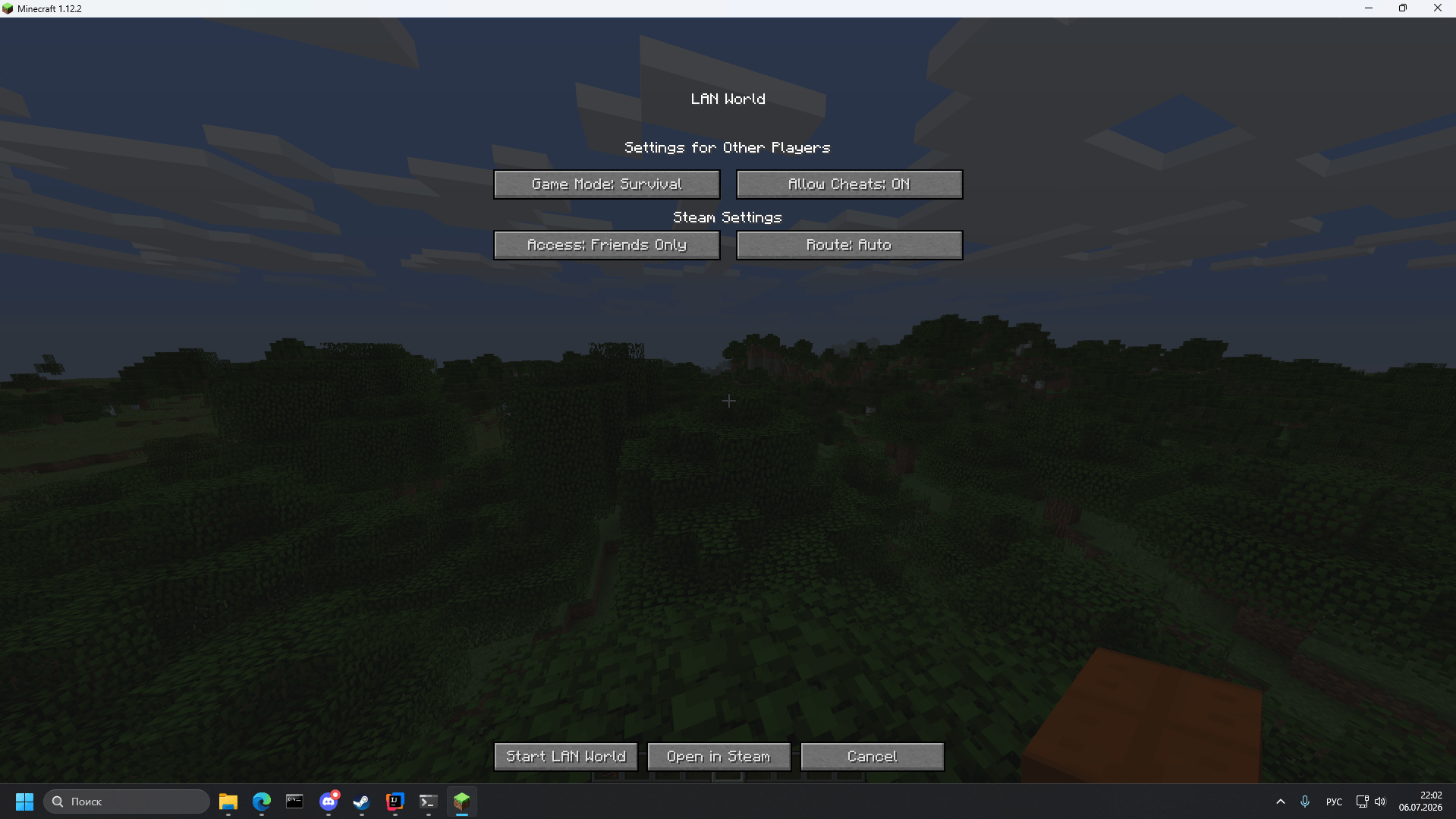
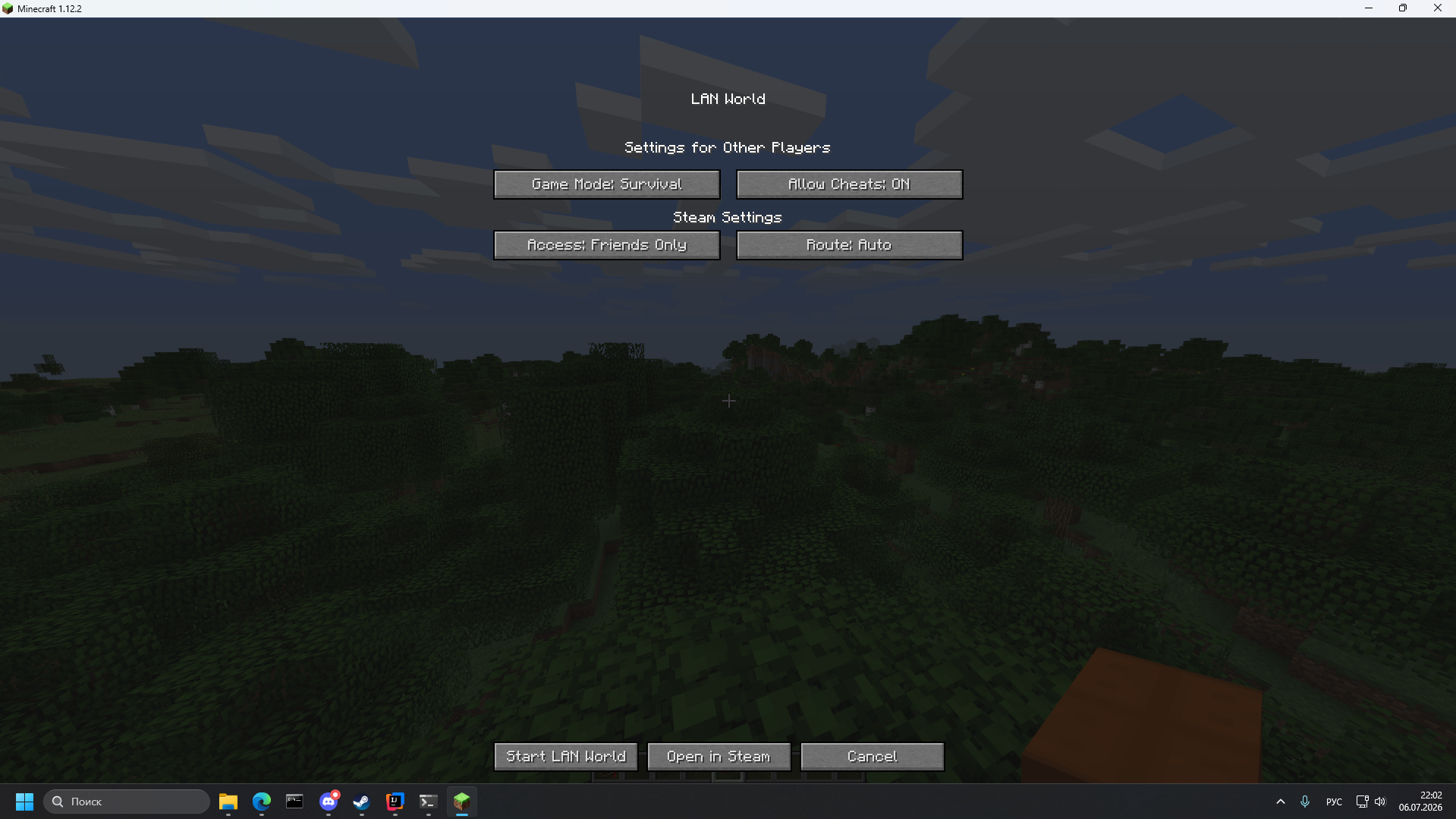
- Open the pause menu → Open to LAN.
- Press Open via Steam.
- Choose access mode (Friends Only / Everyone) and route (Auto / Direct P2P / Valve Relay) if you want.
- Share your Steam ID or let friends join from the friends list.
How to join
- Paste the host's Steam ID into the Direct Connection field, or
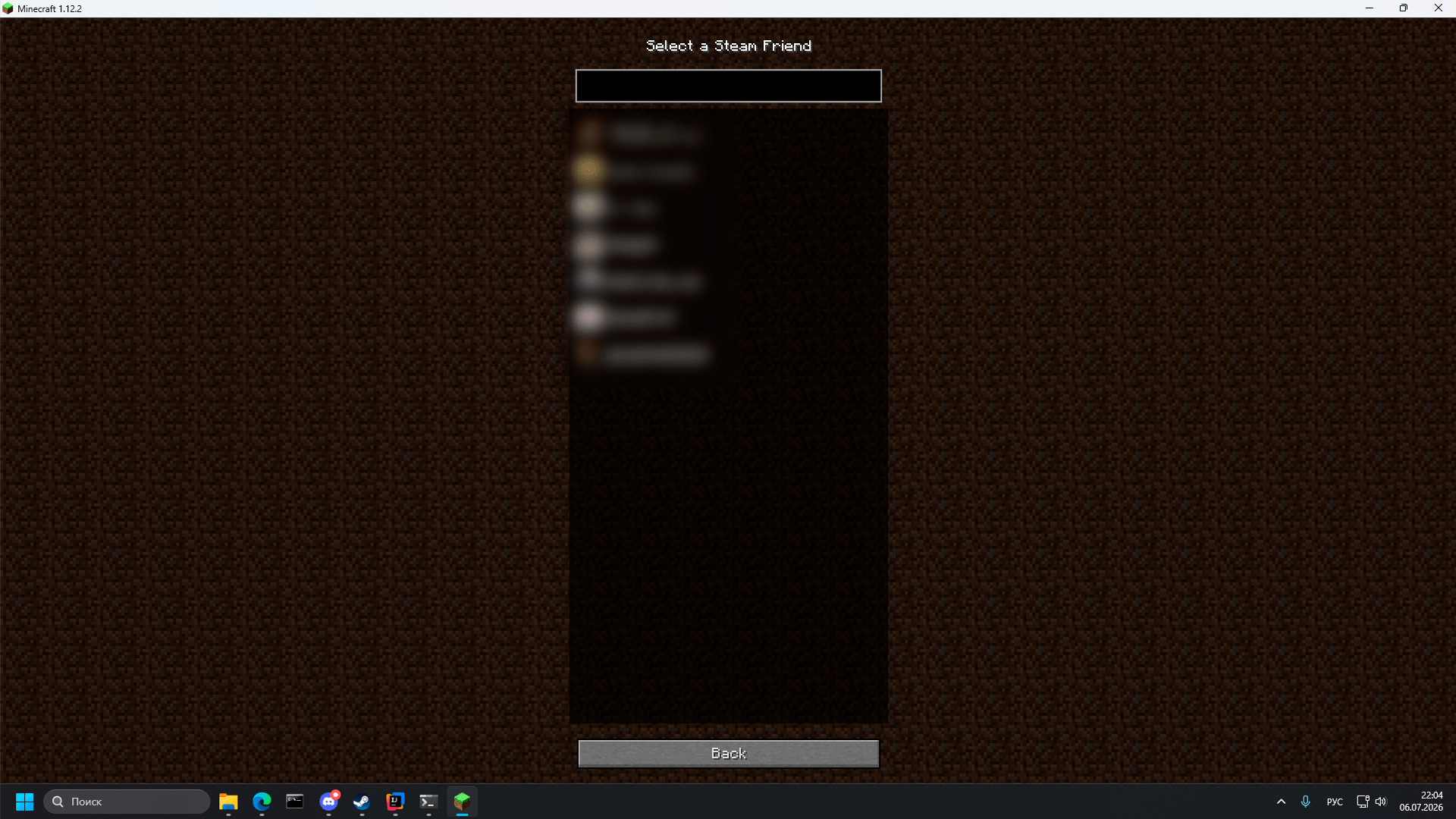
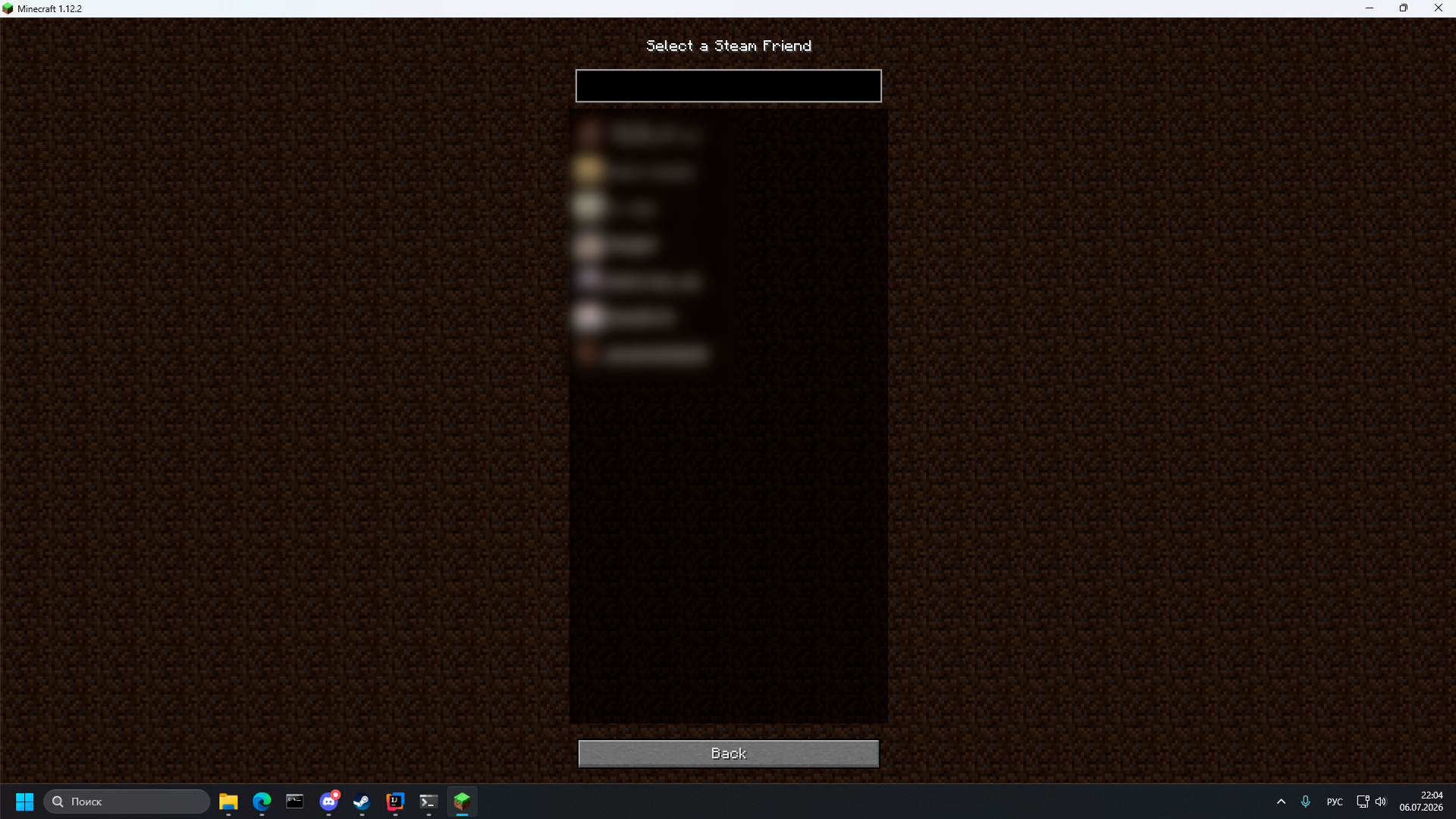
- Use the friends button (S) next to the address field and pick a friend, or
- Add the host's Steam ID through Add Server — it will appear in the multiplayer list like a normal server.
Features
- Steam servers show up in the regular multiplayer list
- Friends list integration
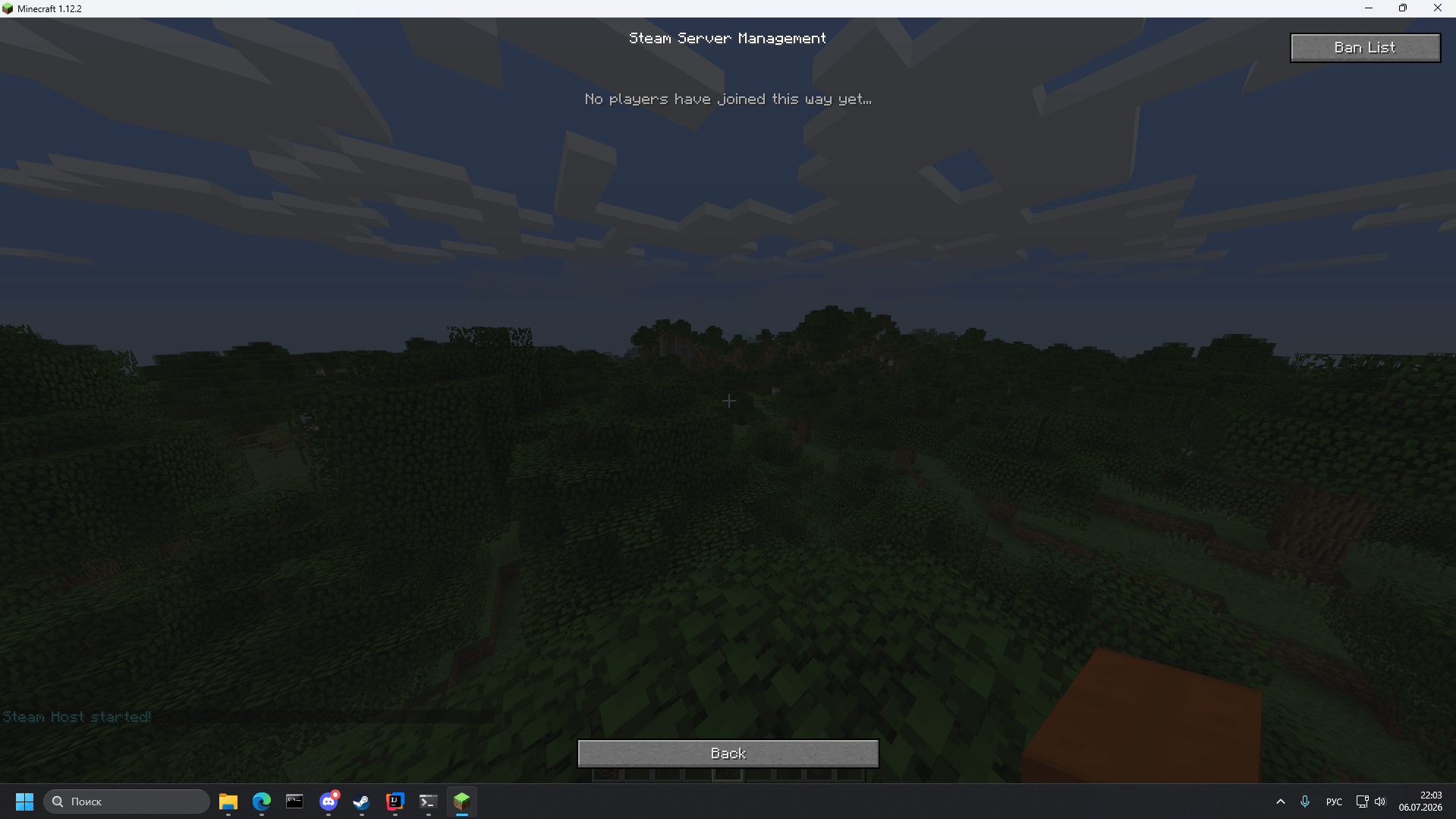
- Kick / Ban management while the session is active
- UDP forwarding through Steam (used by voice chat mods and any other mods that rely on UDP)
- Small size and direct Steam Networking Sockets usage
- Wide version support, including older Minecraft versions
Config options
allowWithoutAuth— allow connections without Steam ticket check (easier with some NATs, less strict)virtualPort— change only if it conflicts with another modinterceptUdp— enable UDP forwarding through Steam (on by default, applies at launch). May conflict with other mods that also intercept sockets — disable it if that happens.
Requirements
- Steam client running and signed in on both sides
- Windows x64 (Linux support in progress)
- Same mod version on host and client
Created April 2026. First public release on GitHub: 16 June 2026.
Discord: https://discord.gg/2xBnJ7awRC
Disclaimer
Steam Bridge is an independent open-source project and is not affiliated with, endorsed by, or authorized by Valve Corporation or Mojang Studios.
"Steam", "Steamworks", "Steam Datagram Relay", and "Spacewar" are trademarks of Valve Corporation.
"Minecraft" is a trademark of Mojang Studios.
The project redistributes the required Steamworks runtime under the Steamworks SDK license applicable to Steam developers.
Steam Bridge
Steam Bridge redirects Minecraft's network traffic through the Steam Datagram Relay (SDR) network. It allows players to host and join multiplayer worlds without port forwarding, public IP addresses, or third-party VPN software such as Hamachi or Radmin VPN.
The mod also supports compatible voice chat mods by tunneling UDP traffic through Steam Relay.
Discord Server: https://discord.gg/2xBnJ7awRC The main place for bug reports, development updates, and changelogs.
Technical Details
Steam Bridge communicates directly with Steam's internal ISteamNetworkingSockets API to establish relay-based connections through Steam Datagram Relay.
By default, the mod uses AppID 480 (Spacewar). This is Valve's official Steamworks testing application, allowing Steam users to establish SDR connections without requiring ownership of a commercial Steam game.
The AppID is intentionally hardcoded. Allowing arbitrary AppIDs could encourage the use of commercial Steam applications, potentially violating Steam's terms or triggering anti-cheat systems such as VAC or EAC.
Voice chat support works by optionally redirecting compatible UDP traffic through Steam Relay. This allows supported voice chat mods, such as Simple Voice Chat, to work without additional network configuration.
Configuration & Usage
- Virtual Port: Make sure no other application is using the configured virtual port before hosting. If necessary, change it in the configuration file.
- allowWithoutAuth: Controls Steam Session Ticket validation. Disabling this option requires every client to authenticate through Steam before the connection is accepted. This may reduce compatibility with certain NAT configurations.
- interceptUdp: Enables UDP tunneling for supported voice chat mods. Disable this option if another mod already replaces Java's socket implementation.
Requirements
- A supported Minecraft version and mod loader.
- Windows x64. Linux support is planned.
- The official Steam client must be running on both the host and client.
Disclaimer
Steam Bridge is an independent open-source project and is not affiliated with, endorsed by, or authorized by Valve Corporation or Mojang Studios.
"Steam", "Steamworks", "Steam Datagram Relay", and "Spacewar" are trademarks of Valve Corporation. "Minecraft" is a trademark of Mojang Studios.
The project redistributes the required Steamworks runtime (steam_api64.dll) under the Steamworks SDK license applicable to Steam developers.
Screenshots
Gallery
-
 Снимок ÑкÑана 2026-07-06 220221.png Снимок ÑкÑана 2026-07-06 220221.png
 -
 Снимок ÑкÑана 2026-07-06 220326.png Снимок ÑкÑана 2026-07-06 220326.png
 -
 prev1.png prev1.png
 -
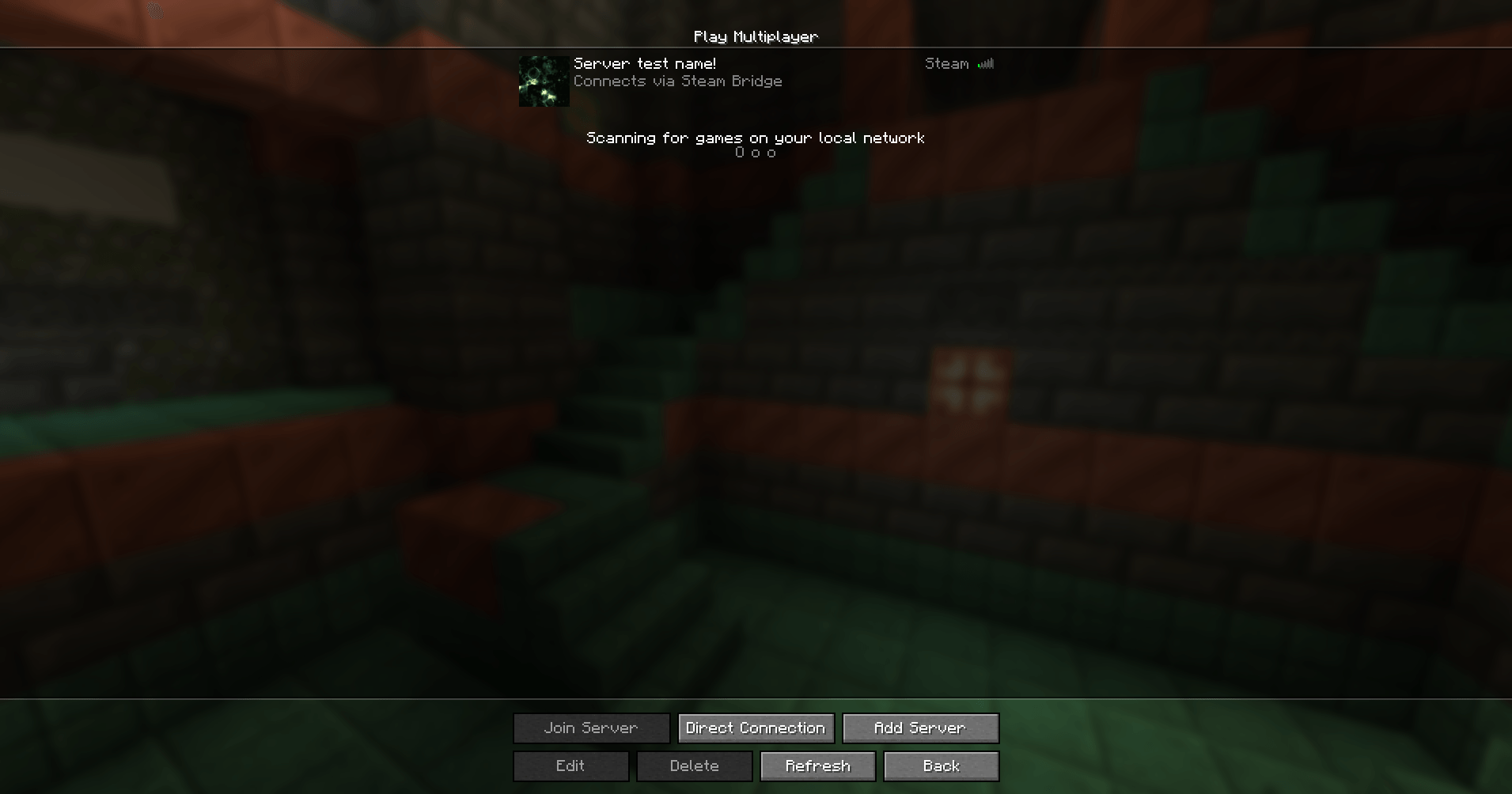 image.png image.png
Versions
Files
Relations
Project Relations
More like this
Similar Mods
Suggestions use data such as tags, dependencies, dependents, descriptions, titles, and more to rank how much they overlap with this mod.
On ModDex
Community snapshot
By the numbers
Statistics
Want to reach Minecraft players?
We're looking for a server hosting partner to feature here and other parts of the site. Interested? Send us a message!
Get in touchGet it on
Available Platforms
On ModDex
Community snapshot
By the numbers