

Steel Catwalks
Industrial metal catwalks that connect by themselves: railings on every open edge, stairs, caged ladders, support beams.
No ratings yet
Be the first to rate it.
Community listing page
Community listing page, reviews may not be monitored by the author.

Community voices
Reviews
No reviews yet. Be the first to review this project!
Get it on
Available Platforms
About
Project Details
For authors
Embed Badge
If you're the author of this project, you can embed a live badge anywhere that supports HTML or Markdown. It updates automatically whenever ratings change.
Use HTML for any page that supports it, or Markdown for README files and Markdown-based descriptions.
Identifiers
Platform IDs
About
Description
Steel Catwalks
Industrial metal catwalks that connect by themselves: railings on every open edge, stairs, caged ladders, support beams, five finishes.
Lay catwalks in a line and the railings sort themselves out: they stand on every free edge and go away where the walkway goes on. Add stairs, ladders that need no wall, caged ladders with a real 3D cage, and set any side by hand with the wrench. No energy, no redstone.
What it adds
- Catwalks. Place them in a line or a grid: railings stand on every free edge, on the ground as high up, and disappear only where the walkway really goes on: another catwalk, stairs, a ladder, a block to step onto or a wall. Floors are see-through gratings: light and the view pass, items and mobs stay on top. Mobs walk along catwalks and up their stairs; railings still stop them.
- Low or high. A catwalk placed against the side of a block sits half a block up: nobody walks or jumps over its railings. To build one level with the top of full blocks, click the underside of a block or go on from a high catwalk. There, and from the top step of catwalk stairs, a jump at the edge can clear the railing.
- Wrench. Use the Catwalk Wrench on a side, one click at a time: the railing is taken away, then forced (it stays whatever is beside it: between two catwalks, against a wall, next to stairs), then left to the neighbouring blocks again. A side with no railing yet goes straight to forced. It stays as you set it. Each click says above the hotbar which side it set and how ("North side: railing removed"). Any wrench from another mod works too. Sneaking with a wrench works; sneak-use with an empty hand or another item changes nothing.
- Catwalk stairs with sloped handrails, steel stringers and open treads; they join catwalks at the top and the bottom.
- Railings on their own, like fences, with a 1.5-block collision.
- Metal ladders that stand on their own: on the ground, on the ladder below, or hanging under a catwalk. No wall needed, no height limit. Placed next to a wall, a ladder puts its back against it.
- Caged ladders: a real 3D safety cage (hoops and straps, in each finish's colour) builds itself along the column, open at the foot and at the top, and open on the side where a catwalk or a floor lets you step off. Nobody falls out of a cage. The wrench on a rung takes that rung's whole cage away (it stays away whatever you build around it), a second click makes it automatic again; the line above the hotbar says which ("Rung: cage removed").
- Gratings (the floor without railings), support beams (I-beams, any axis) and a hazard panel (yellow and black stripes on any face).
- Five finishes: steel, white, rusty, safety yellow and dark. Craft steel from iron, then surround a dye with eight pieces of any finish: light gray (steel), white, brown (rusty), yellow, black (dark). The catwalk and the grating of one finish turn into each other in the stonecutter.
- Everything but the support beams (full blocks) can be waterlogged.
Settings
In the mod list's Config screen (server settings, per world):
- Automatic railings on or off (off: catwalks are placed open, you add railings with the wrench).
- Ladder cages on or off, and how many rungs stay open at the foot of a caged ladder (2 by default).
- Free-standing ladders on or off (off: every ladder needs a wall, like vanilla's).
Recipes
- 6 catwalks: iron ingot, iron bars, iron ingot.
- 4 catwalk stairs: 6 catwalks in a staircase.
- 6 railings: 3 iron ingots over 2 iron bars.
- 4 support beams: an I of 7 iron ingots.
- 4 metal ladders: 7 iron bars in a ladder shape.
- 1 caged ladder: iron bars, metal ladder, iron bars.
- 4 hazard panels: yellow and black dye over 2 iron ingots.
- 1 wrench: 4 iron ingots.
Modpacks
Feel free to include Steel Catwalks in any modpack, public or private. Recipes are data files under data/steelcatwalks/recipe, changeable or removable by datapack (or KubeJS / CraftTweaker); the item tags steelcatwalks:catwalks, steelcatwalks:railings... hold every finish, so a datapack can add pieces to the dye recipes. Settings are in the server config.
Details
- Minecraft 26.3 and 1.21.1, NeoForge. Install on both the client and the server.
- No other mod required. Pixel-art textures with labPBR maps for shader packs.
- On 1.21.1 a block from another mod cannot force or refuse a railing join (no NeoForge hook for it there); everything else is the same.
- English and French.
NOT AN OFFICIAL MINECRAFT PRODUCT. NOT APPROVED BY OR ASSOCIATED WITH MOJANG OR MICROSOFT.
Screenshots
Gallery
-
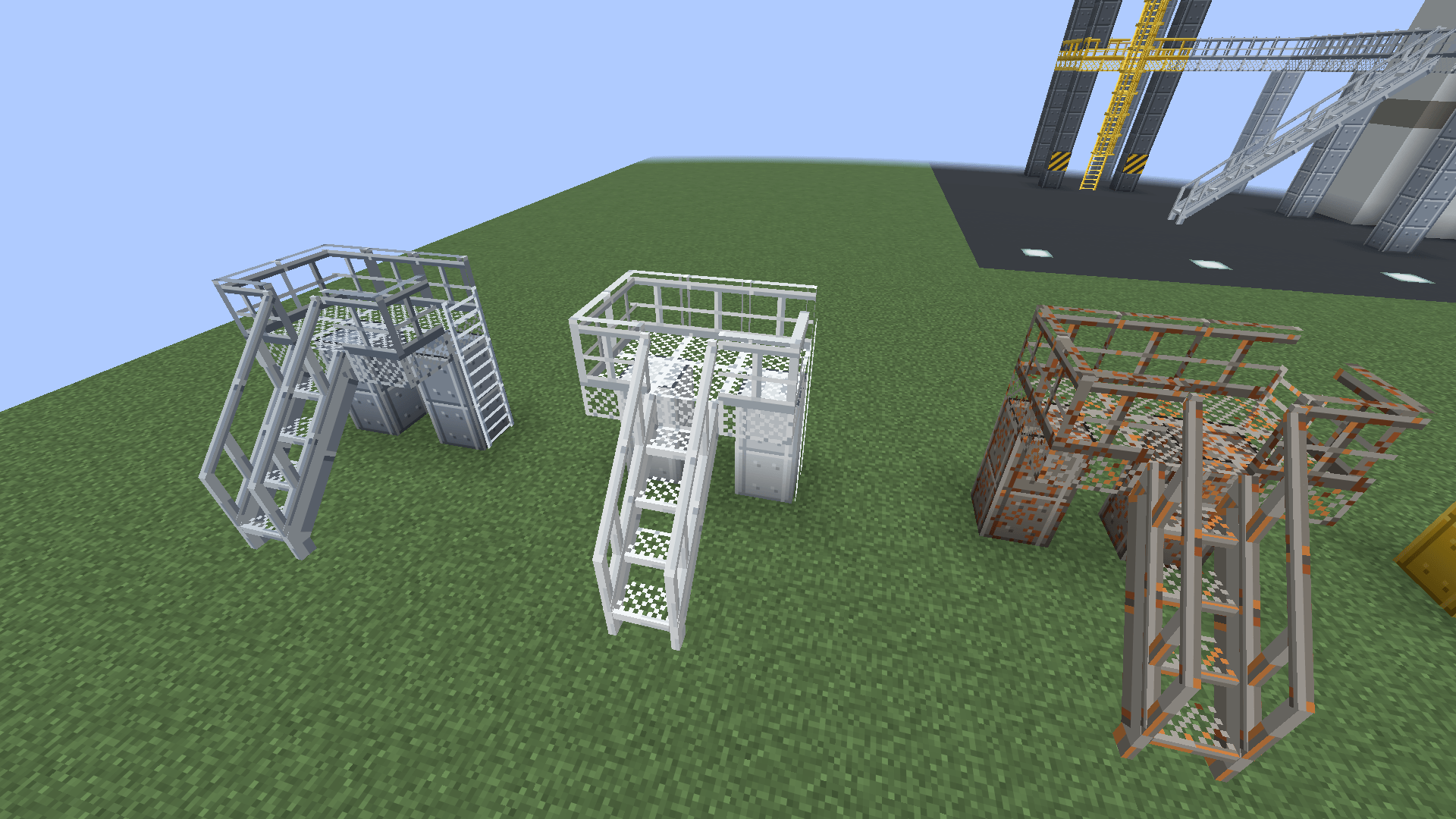 Finishes up close Steel, white and rusty catwalks with their stairs and ladders.
-
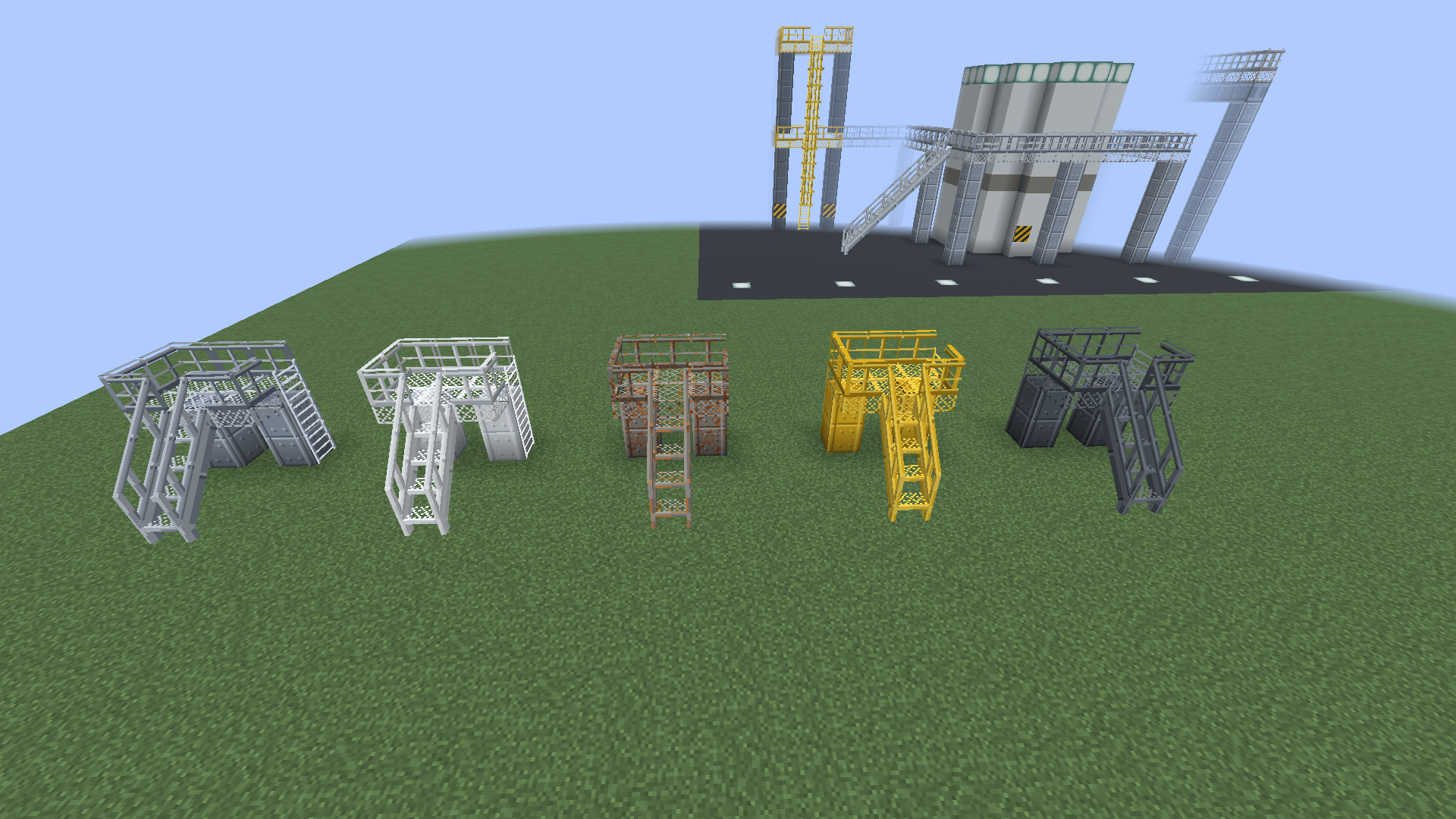 Five finishes Steel, white, rusty, safety yellow and dark: catwalk, stairs, support beams and ladder in each.
-
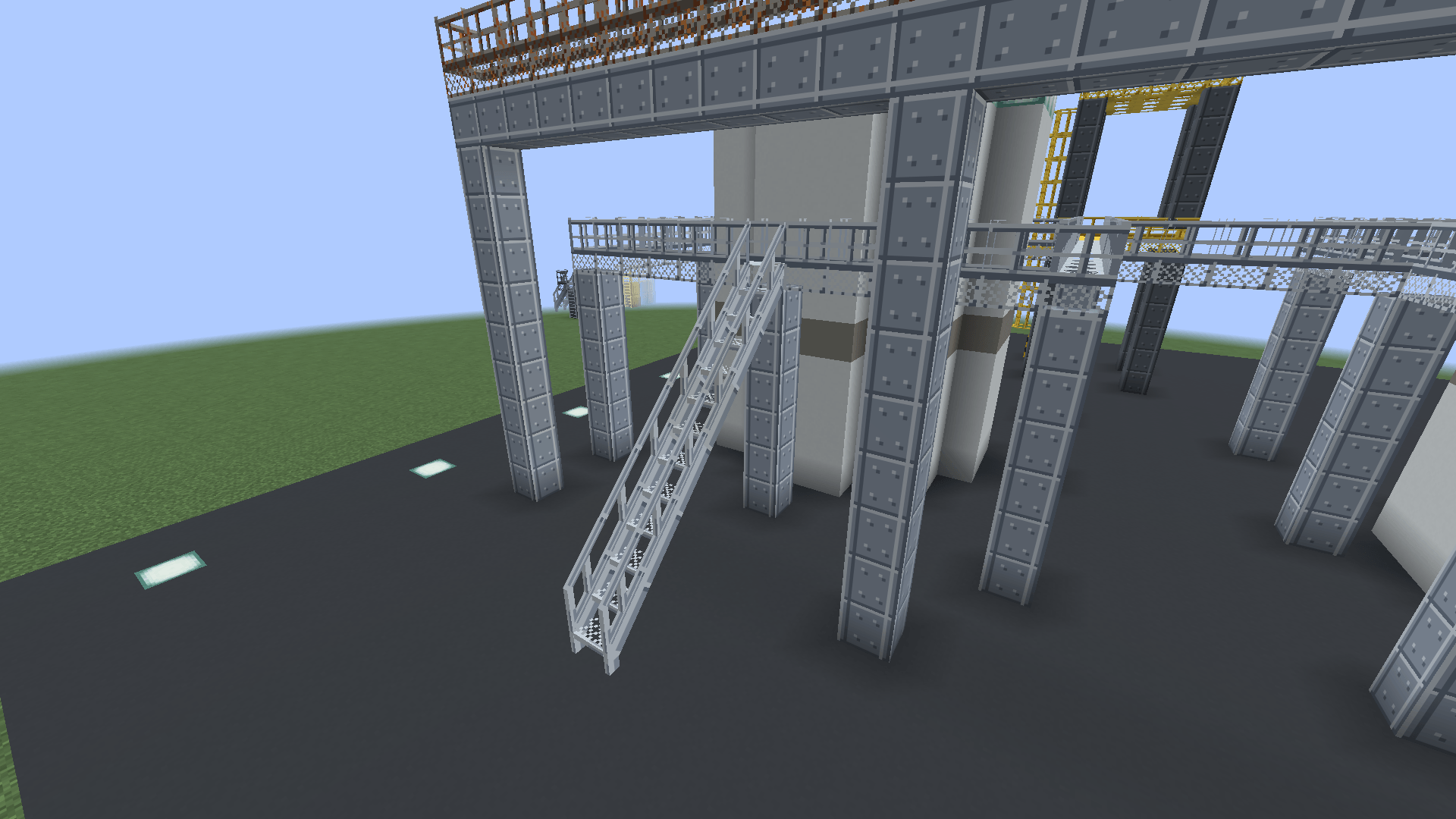 Catwalk stairs Sloped handrails, steel stringers and open treads, joined to the catwalk at the top.
-
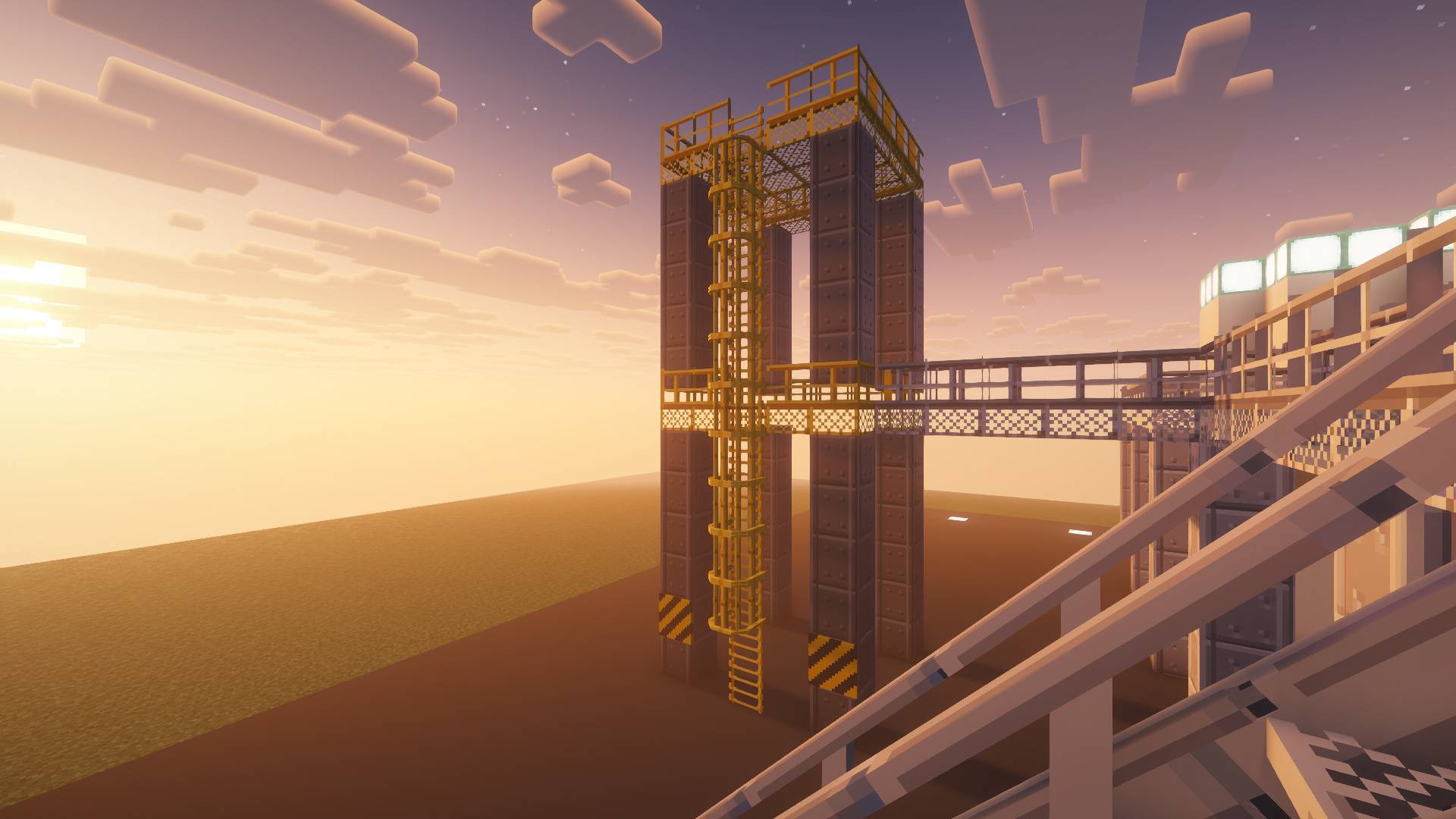 A real 3D cage Hoops and straps in 3D, in each finish's colour, open toward the decks. Shot with Complementary Reimagined (not included).
-
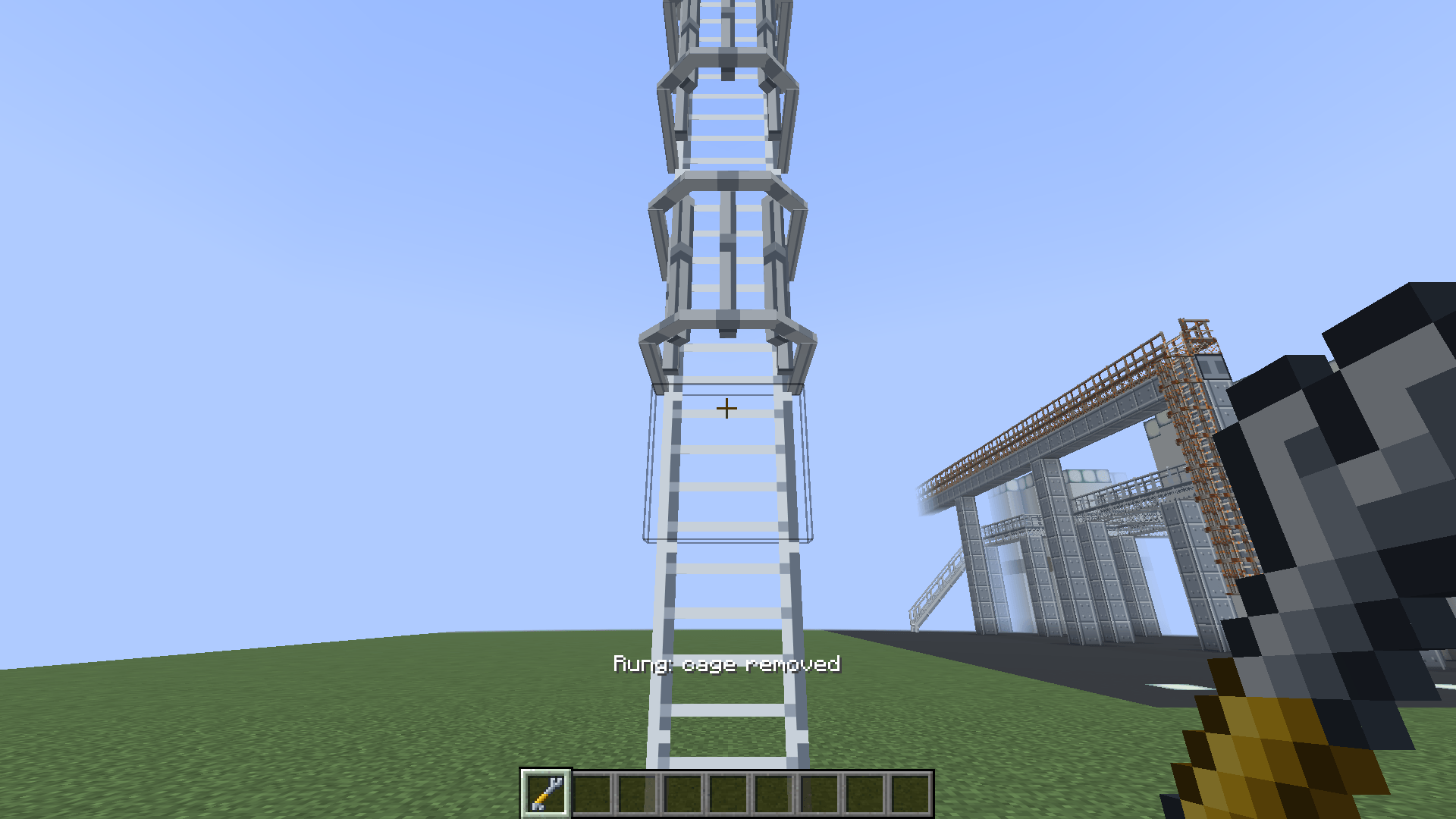 Cage removed The wrench on a rung removes its whole cage; a second click makes it automatic again.
-
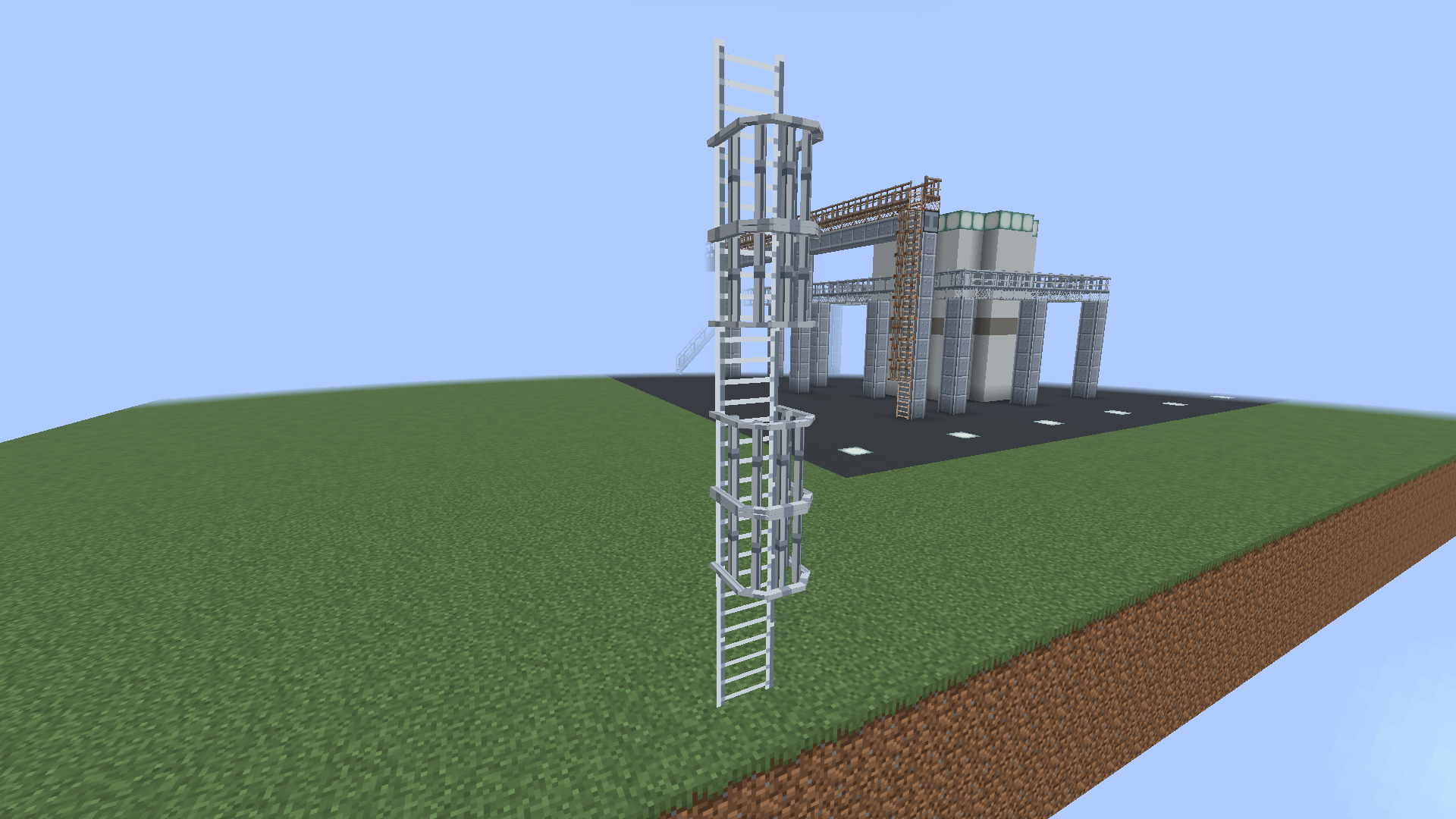 A cage per rung A caged ladder, open at its foot and top; one rung's cage taken away with the wrench.
-
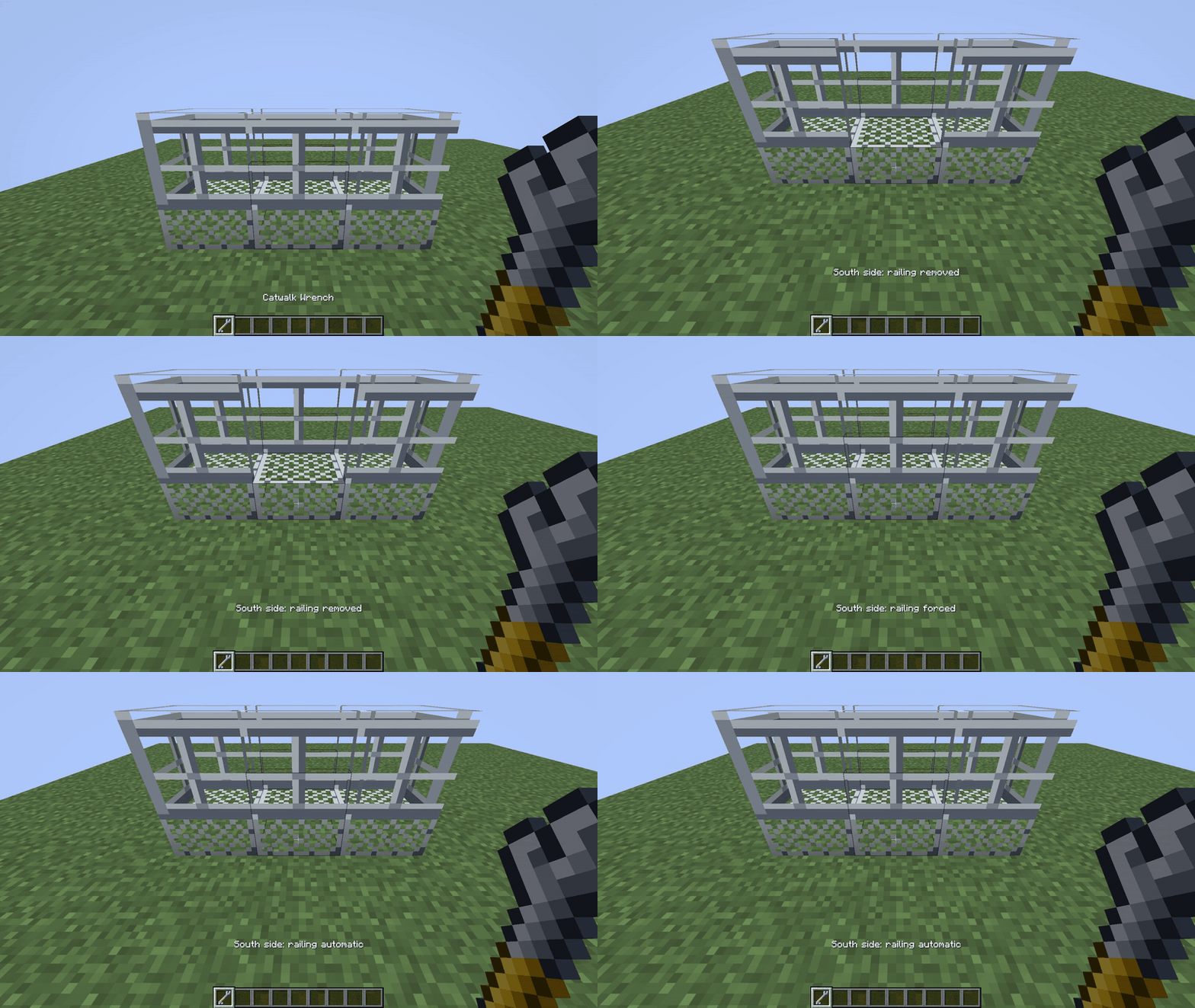 The wrench One side, three clicks: railing removed, forced, automatic. The line above the hotbar says which.
-
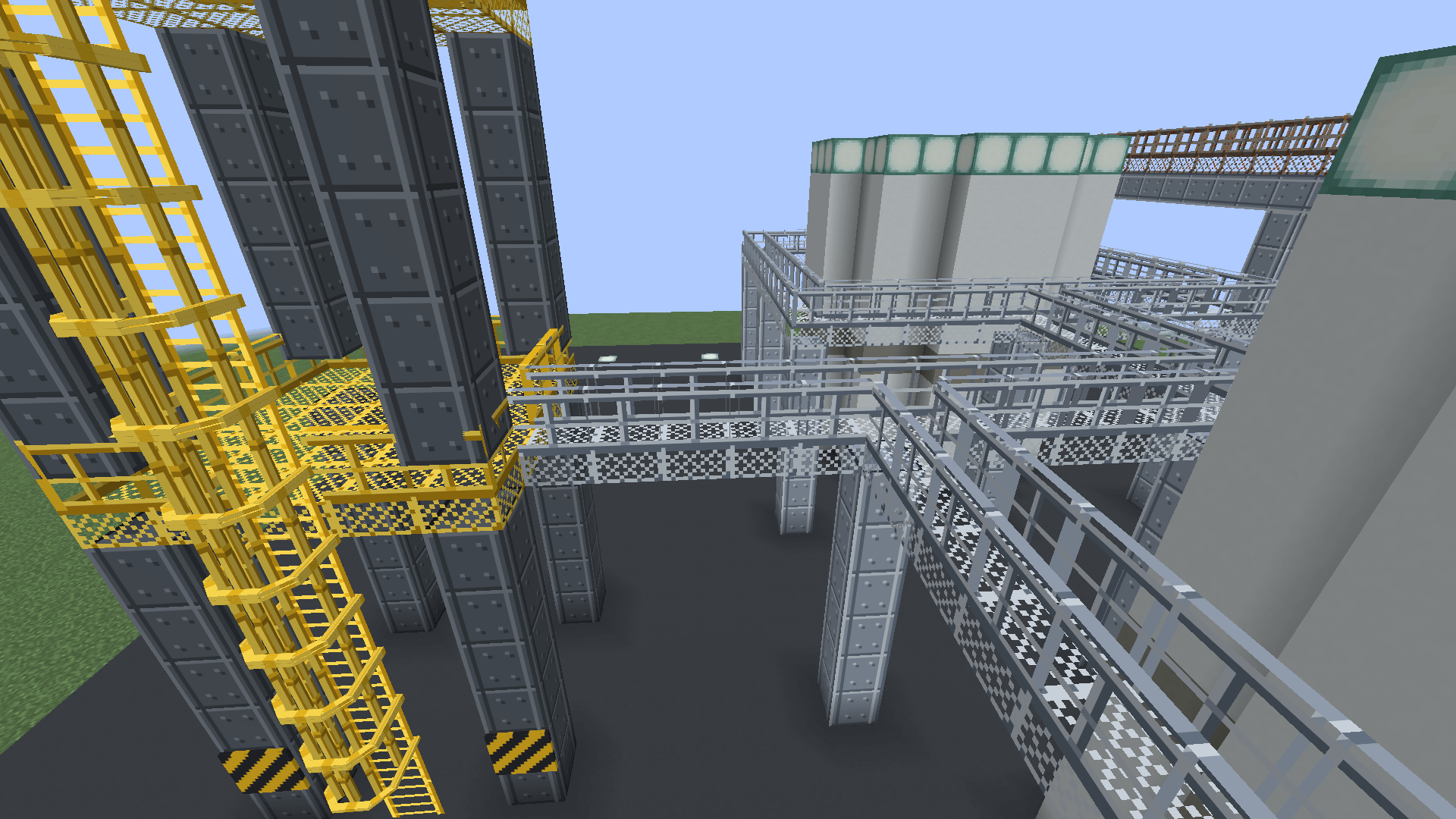 Railings by themselves Railings stand on every free edge and step aside where the walkway goes on: bridge, tower deck, ring and stairs.
-
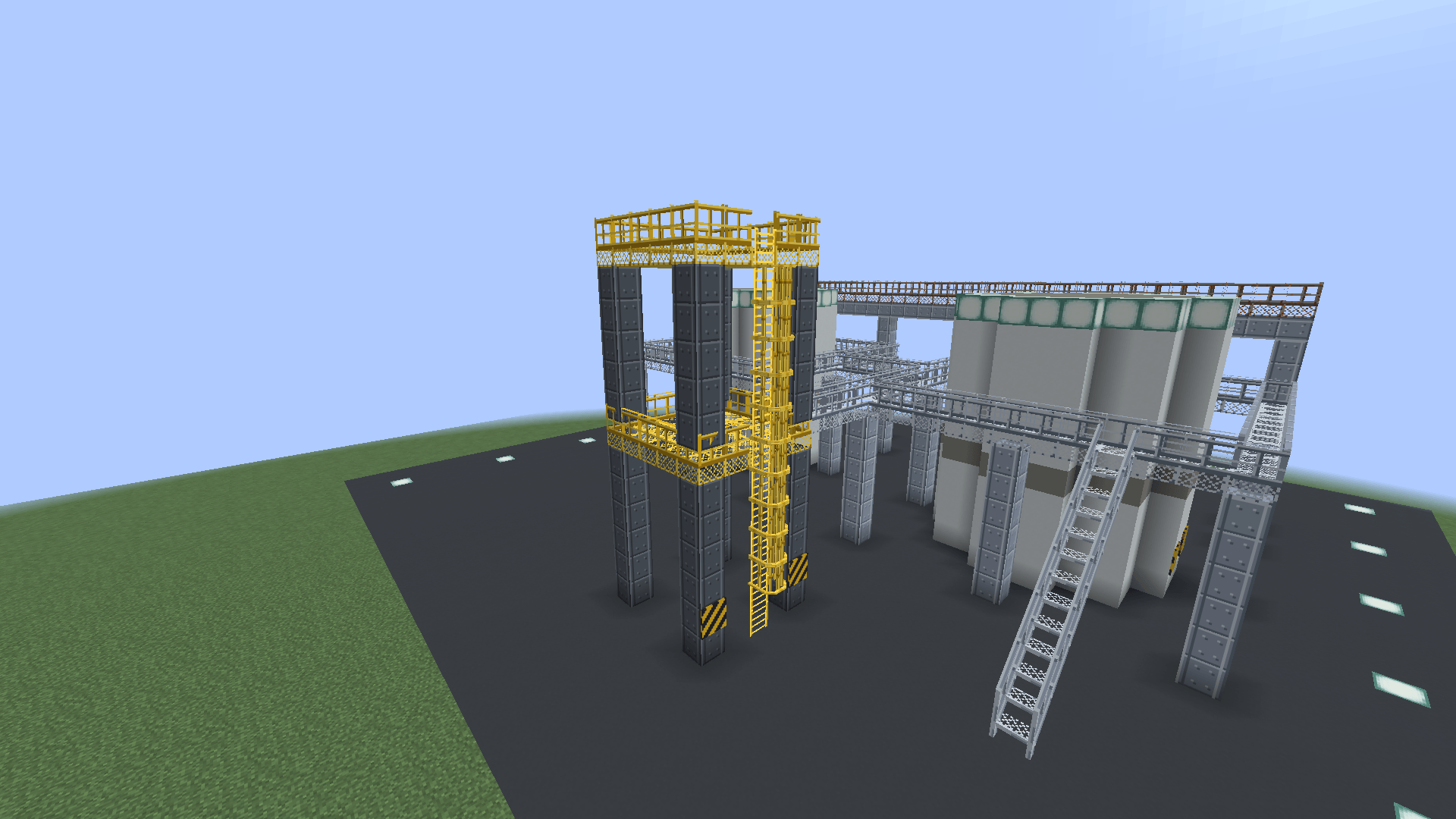 The yard by day Catwalk rings on support beams, a bridge, a dark steel tower with yellow decks and a caged ladder, stairs, a rusty walkway on a pipe rack.
-
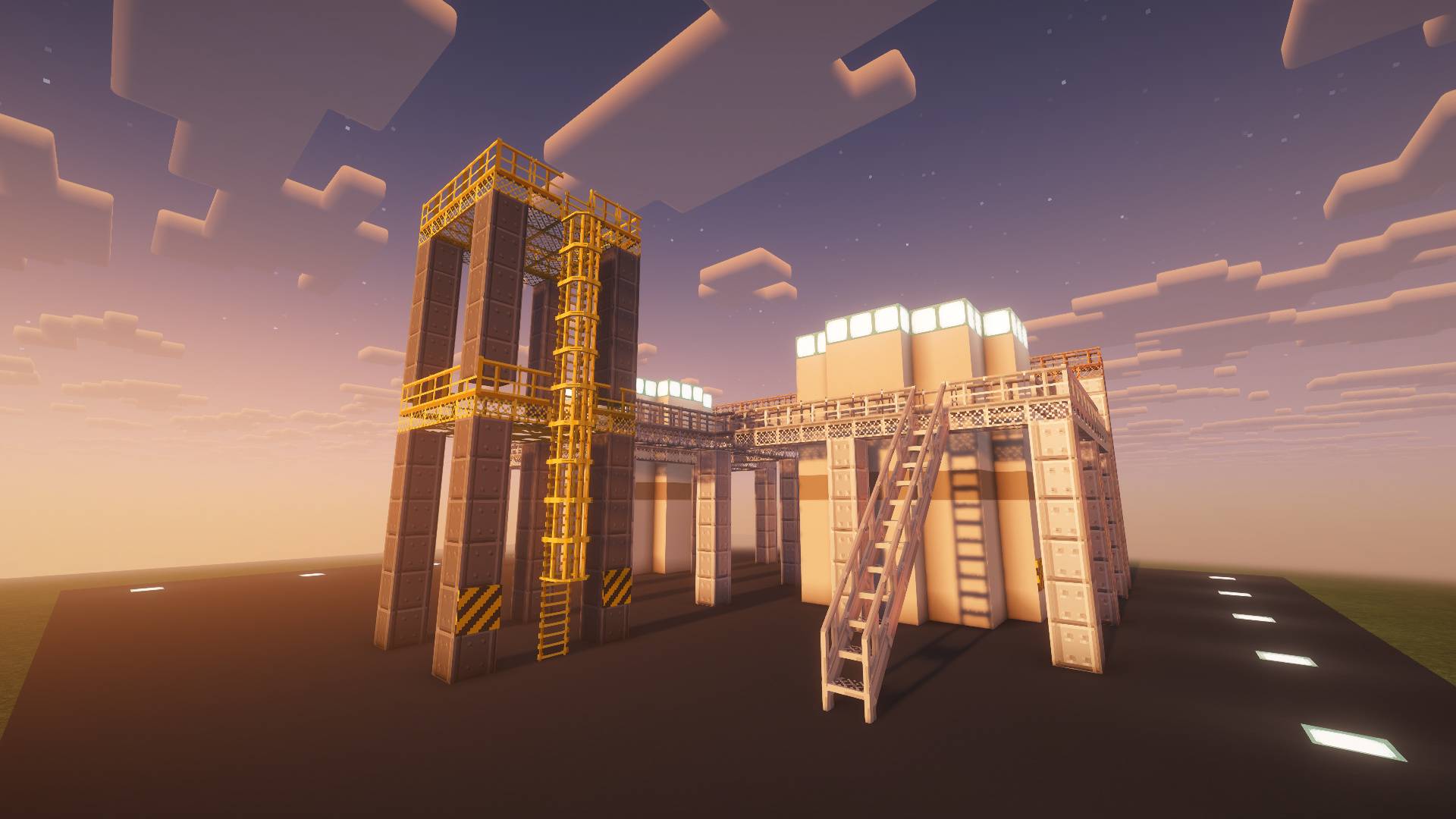 Steel Catwalks An industrial yard at dusk: a yellow tower with its caged ladder, a bridge to the catwalk ring round a tank, catwalk stairs. Shot with the Complementary Reimagined shader pack (by EminGT, not included).
Versions
Files
Relations
Project Relations
More like this
Similar Mods
Suggestions use data such as tags, dependencies, dependents, descriptions, titles, and more to rank how much they overlap with this mod.
Stats
- Downloads
- <1,000
- Used in
- 0 modpacks
- Followers
- 0
- In stacks
- 0
- Created
- Last synced
-
Nov 18, 2026 9:11 AM UTC
New file updates sync automatically.
When ModDex last fully re-synced this project from CurseForge or Modrinth. A new file release triggers a resync usually within minutes, and every project is also re-synced on a schedule. Edits that don't ship a file, such as a new description or screenshots, are checked every few hours and can appear before this date changes.
How syncing works
External Links

Stats
- Downloads
- <1,000
- Used in
- 0 modpacks
- Followers
- 0
- In stacks
- 0
- Created
- Last synced
-
Nov 18, 2026 9:11 AM UTC
New file updates sync automatically.
When ModDex last fully re-synced this project from CurseForge or Modrinth. A new file release triggers a resync usually within minutes, and every project is also re-synced on a schedule. Edits that don't ship a file, such as a new description or screenshots, are checked every few hours and can appear before this date changes.
How syncing works