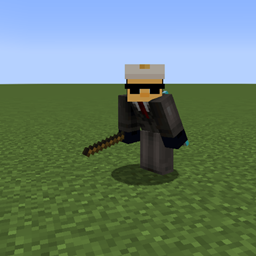
Community listing page, reviews here may not be monitored by the author.
StockHold Stick


No reviews yet
This mod let's you use a stick named StockHold Stick to click on a chest/shulkers/barrels to save all of the data on a file

Community voices
Reviews
No reviews yet. Be the first to review this project!
Get it on
Available Platforms
Compatibility
Supported Environments
Runs entirely on the client. Works on vanilla servers.
About
Project Details
For authors
Embed Badge
If you're the author of this project, you can embed a live badge anywhere that supports HTML or Markdown. It updates automatically whenever ratings change.
Use HTML for any page that supports it, or Markdown for README files and Markdown-based descriptions.
Identifiers
Platform IDs
Resources
External Links
About
Description

📦 StockHold Stick
The StockHold Stick is a special tool designed for players who manage warehouses, shops, or simply large amounts of resources in Minecraft.
With a simple stick renamed "StockHold Stick", you can automatically record and monitor the inventory of your containers (chests, barrels, and shulker boxes).
✨ Features
- Instant Recording – Right-click a container with the StockHold Stick to automatically save its contents.
- Multi-Container Support – Works with single/double chests, barrels, and shulker boxes.
- Smart Data Management – Each saved item stores:
- Item name and quantity
- Container coordinates
- Owner (if specified)
- Price (if set)
- Save date
- JSON Archive – All data is stored in a file (
stock/stock_data.json), easy to read and edit externally. - Visual Feedback – Registered containers are highlighted with glowing End Rod particles, making them easy to spot.
- Chat Confirmation – Every save shows a success message with the number of items recorded.
📋 Example File
[
  {
    "Item": "Oak Planks",
    "Stock": 16,
    "Price": "",
    "Cords": "-7 -60 -4",
    "Owner": "",
    "DateUpdated": "2025 09 16"
  },
  {
    "Item": "Raw Beef",
    "Stock": 10,
    "Price": "",
    "Cords": "-7 -60 -4",
    "Owner": "",
    "DateUpdated": "2025 09 16"
  },
  {
    "Item": "Cooked Cod",
    "Stock": 9,
    "Price": "",
    "Cords": "-7 -60 -4",
    "Owner": "",
    "DateUpdated": "2025 09 16"
  },
  {
    "Item": "Bone",
    "Stock": 103,
    "Price": "",
    "Cords": "-7 -60 -4",
    "Owner": "",
    "DateUpdated": "2025 09 16"
  },
  {
    "Item": "Diamond",
    "Stock": 12,
    "Price": "",
    "Cords": "-7 -60 -4",
    "Owner": "",
    "DateUpdated": "2025 09 16"
  }
]
Mod Made For a Commision

📦 StockHold Stick
The StockHold Stick is a special tool designed for players who manage warehouses, shops, or simply large amounts of resources in Minecraft.
With a simple stick renamed "StockHold Stick", you can automatically record and monitor the inventory of your containers (chests, barrels, and shulker boxes).
✨ Features
- Instant Recording – Right-click a container with the StockHold Stick to automatically save its contents.
- Multi-Container Support – Works with single/double chests, barrels, and shulker boxes.
- Smart Data Management – Each saved item stores:
- Item name and quantity
- Container coordinates
- Owner (if specified)
- Price (if set)
- Save date
- JSON Archive – All data is stored in a file (
stock/stock_data.json), easy to read and edit externally. - Visual Feedback – Registered containers are highlighted with glowing End Rod particles, making them easy to spot.
- Chat Confirmation – Every save shows a success message with the number of items recorded.
📋 Example File
[
  {
    "Item": "Oak Planks",
    "Stock": 16,
    "Price": "",
    "Cords": "-7 -60 -4",
    "Owner": "",
    "DateUpdated": "2025 09 16"
  },
  {
    "Item": "Raw Beef",
    "Stock": 10,
    "Price": "",
    "Cords": "-7 -60 -4",
    "Owner": "",
    "DateUpdated": "2025 09 16"
  },
  {
    "Item": "Cooked Cod",
    "Stock": 9,
    "Price": "",
    "Cords": "-7 -60 -4",
    "Owner": "",
    "DateUpdated": "2025 09 16"
  },
  {
    "Item": "Bone",
    "Stock": 103,
    "Price": "",
    "Cords": "-7 -60 -4",
    "Owner": "",
    "DateUpdated": "2025 09 16"
  },
  {
    "Item": "Diamond",
    "Stock": 12,
    "Price": "",
    "Cords": "-7 -60 -4",
    "Owner": "",
    "DateUpdated": "2025 09 16"
  }
]
Mod Made For a Commision

Screenshots
Gallery
Versions
Files
Relations
Project Relations
More like this
Similar Mods
Suggestions use data such as tags, dependencies, dependents, descriptions, titles, and more to rank how much they overlap with this mod.
On ModDex
Community snapshot
By the numbers
Statistics
 (opens in a new tab)
Get it on
Available Platforms
On ModDex
Community snapshot
By the numbers
Statistics
Resources