Community listing page, reviews here may not be monitored by the author.
Stop Off-Hand Torch Placement

No reviews yet
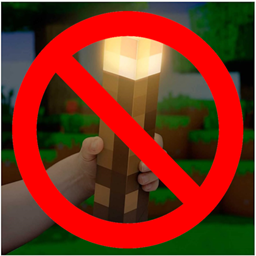
A mod that allows you to turn off placing of torches in your off-hand
Community voices
Reviews
No reviews yet. Be the first to review this project!
Get it on
Available Platforms
About
Project Details
For authors
Embed Badge
If you're the author of this project, you can embed a live badge anywhere that supports HTML or Markdown. It updates automatically whenever ratings change.
Use HTML for any page that supports it, or Markdown for README files and Markdown-based descriptions.
Identifiers
Platform IDs
Resources
External Links
About
Description
About: Have you ever had a torch in your off-hand while eating food or using a tool, and then accidentally place your torches all over the place? The "Stop Off-Hand Torch Placement" mod is a simple yet effective solution for Minecraft players who want more control over their torch placement mechanics. With this mod, you can prevent unintentional placement of torches when using your off-hand slot, ensuring a smoother and more intentional gameplay experience.
Use: Currently, the mod achieves this by toggling the game rule called "Off-hand Torch Toggle" to false. However, as Minecraft evolves, this functionality is anticipated to become standard behavior, with off-hand torch placement being disabled by default. When creating your world, just go to the "More" tab and under the "Player" section you can find the game rule:


Note: As this mod will continue development, there will be a convenient command to enable off-hand torch placement should you desire it.
Features:
- Prevents accidental placement of torches from the off-hand slot.
- Seamlessly integrates with your Minecraft experience.
- Future-proof solution for upcoming changes to off-hand torch placement mechanics.
- Game rule to enable/disable torch placement in your world on creation
Installation:
- Download and install Minecraft Forge (if not already installed).
- Download the latest version of "Stop Off-Hand Torch Placement" mod.
- Place the downloaded JAR file into the "mods" folder of your Minecraft installation.
- Launch Minecraft and enjoy the improved torch placement mechanics!
Note: This mod requires Minecraft Forge to be installed.
Feedback and Support: Your feedback is invaluable in improving this mod. If you encounter any issues or have suggestions for enhancements, please don't hesitate to reach out.
Screenshots
Gallery
Versions
Files
Relations
Project Relations
More like this
Similar Mods
Suggestions use data such as tags, dependencies, dependents, descriptions, titles, and more to rank how much they overlap with this mod.
On ModDex
Community snapshot
By the numbers
Statistics
Want to reach Minecraft players?
We're looking for a server hosting partner to feature here and other parts of the site. Interested? Send us a message!
Get in touchGet it on
Available Platforms
On ModDex
Community snapshot
By the numbers
Statistics
Resources