Community listing page, reviews here may not be monitored by the author.
Storage Peek


No reviews yet
Left-click chests, barrels, shulker boxes, and large chests to preview their contents without opening them.
Community voices
Reviews
No reviews yet. Be the first to review this project!
Get it on
Available Platforms
Compatibility
Supported Environments
Must be installed on both the client and the server.
About
Project Details
For authors
Embed Badge
If you're the author of this project, you can embed a live badge anywhere that supports HTML or Markdown. It updates automatically whenever ratings change.
Use HTML for any page that supports it, or Markdown for README files and Markdown-based descriptions.
Identifiers
Platform IDs
Resources
External Links
About
Description
Storage Peek+
Preview containers instantly with a simple left click.
Storage Peek+ is a lightweight quality-of-life Minecraft mod that lets you quickly preview the contents of storage blocks without opening them.
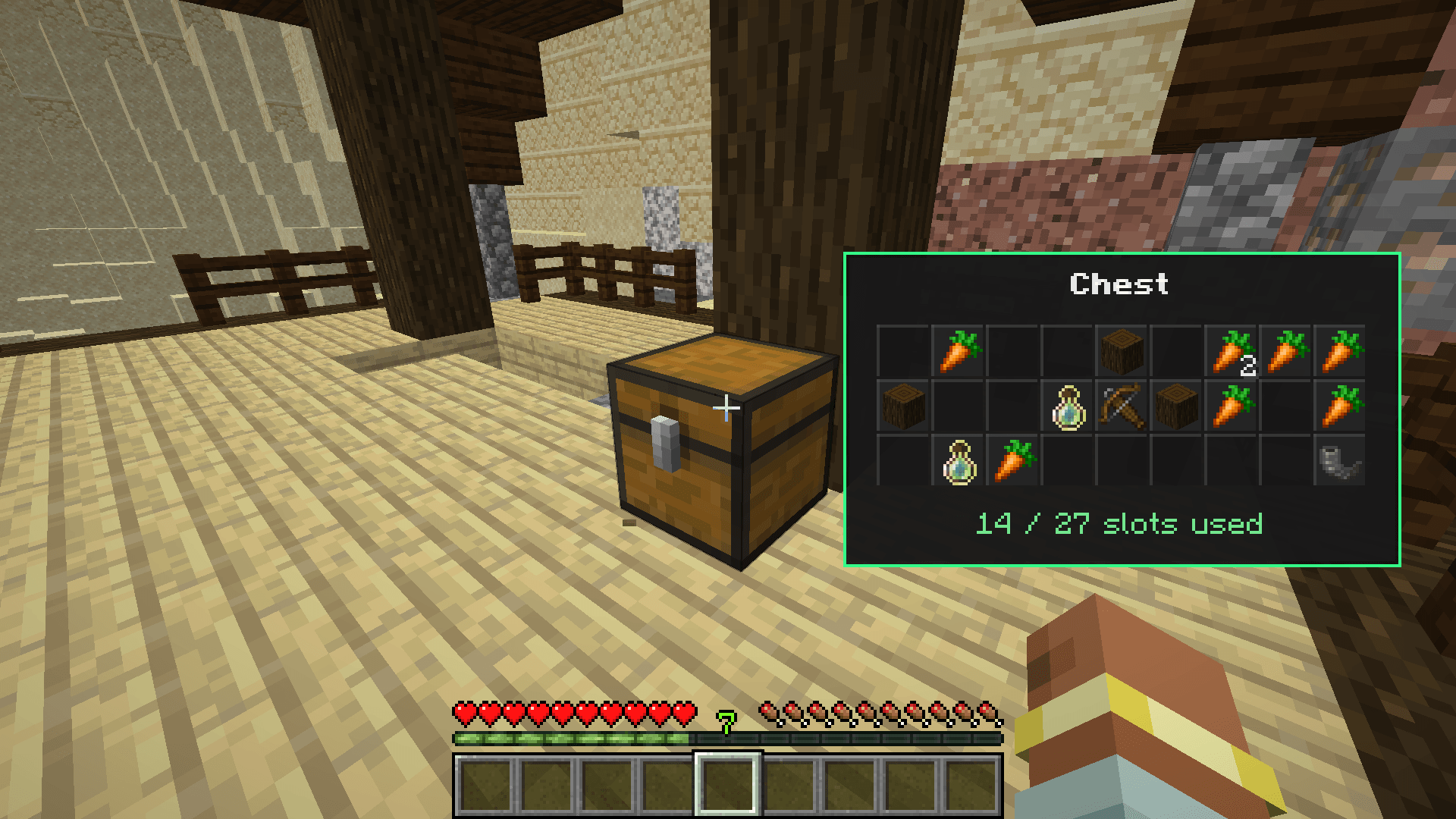
Simply left-click a supported container and a clean preview panel will appear on your screen, showing the items inside that container in a compact slot grid.
This is perfect for storage rooms, survival bases, villages, dungeons, fortresses, loot hunting, dangerous structures, and any situation where you want to quickly check what is inside a container without constantly opening and closing it.
HOW IT WORKS
Look at a supported storage block and press Left Click.
Instead of opening the container, Storage Peek+ shows a small preview panel on the side of your screen. The preview displays the container name, all item slots, item icons, stack counts, and how many slots are currently used.
The preview disappears automatically after a few seconds.
If you hold left click to break the block, the preview will not appear. If a preview is already open and you start breaking the block, the preview closes instantly.
If you right-click and open the container while the preview is visible, the preview also closes immediately so it does not stay behind the container screen. This keeps the mod clean, smooth, and non-annoying during normal gameplay.
MAIN FEATURES
Left-Click Container Preview
The main feature of Storage Peek+ is simple: left-click a container to preview its contents. No commands, no menus, no extra items, and no complicated controls.
No Need to Open Containers
You can quickly check what is inside a chest, barrel, shulker box, or large chest without opening the normal container screen. This saves time and makes storage management much smoother.
Clean Slot Grid Preview
The preview panel shows the container contents in a clean mini-grid. Items appear in their correct slots with their icons and stack counts. Empty slots are shown as dark grid cells, making the preview easy to read.
Correct Large Chest Support
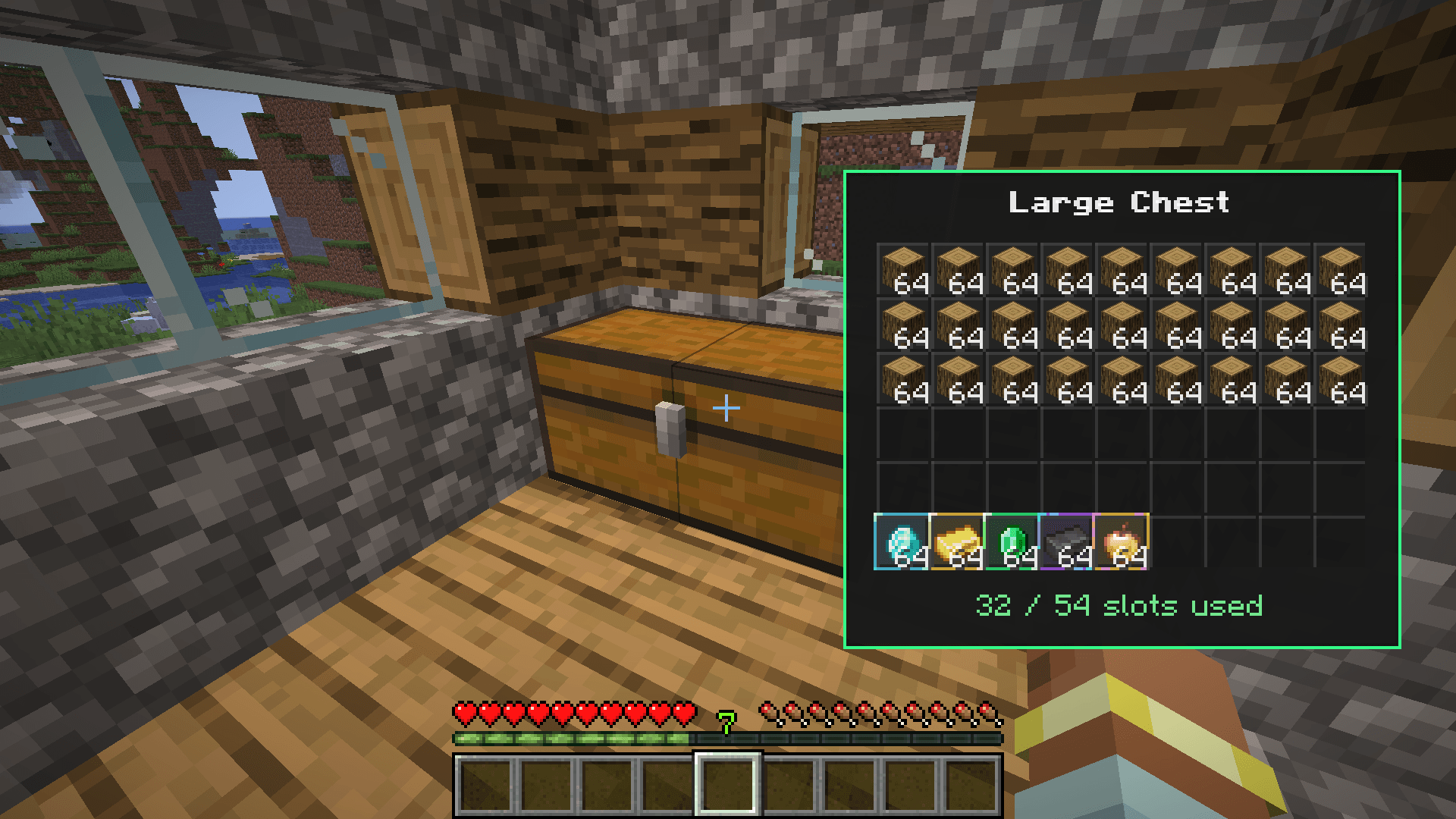
Storage Peek+ supports double chests properly. Large Chests and Large Trapped Chests show a full 54-slot preview with the correct vanilla slot order.
Smart Break Detection
The mod can tell the difference between a quick left click and holding left click to break a block. If you are breaking a container, the preview does not appear. If the preview is already visible and you start breaking, it closes immediately.
Auto-Close When Opening Containers
If the preview is visible and you right-click to open the container, Storage Peek+ automatically hides the preview. This prevents the preview panel from staying behind the inventory screen and keeps the UI clean.
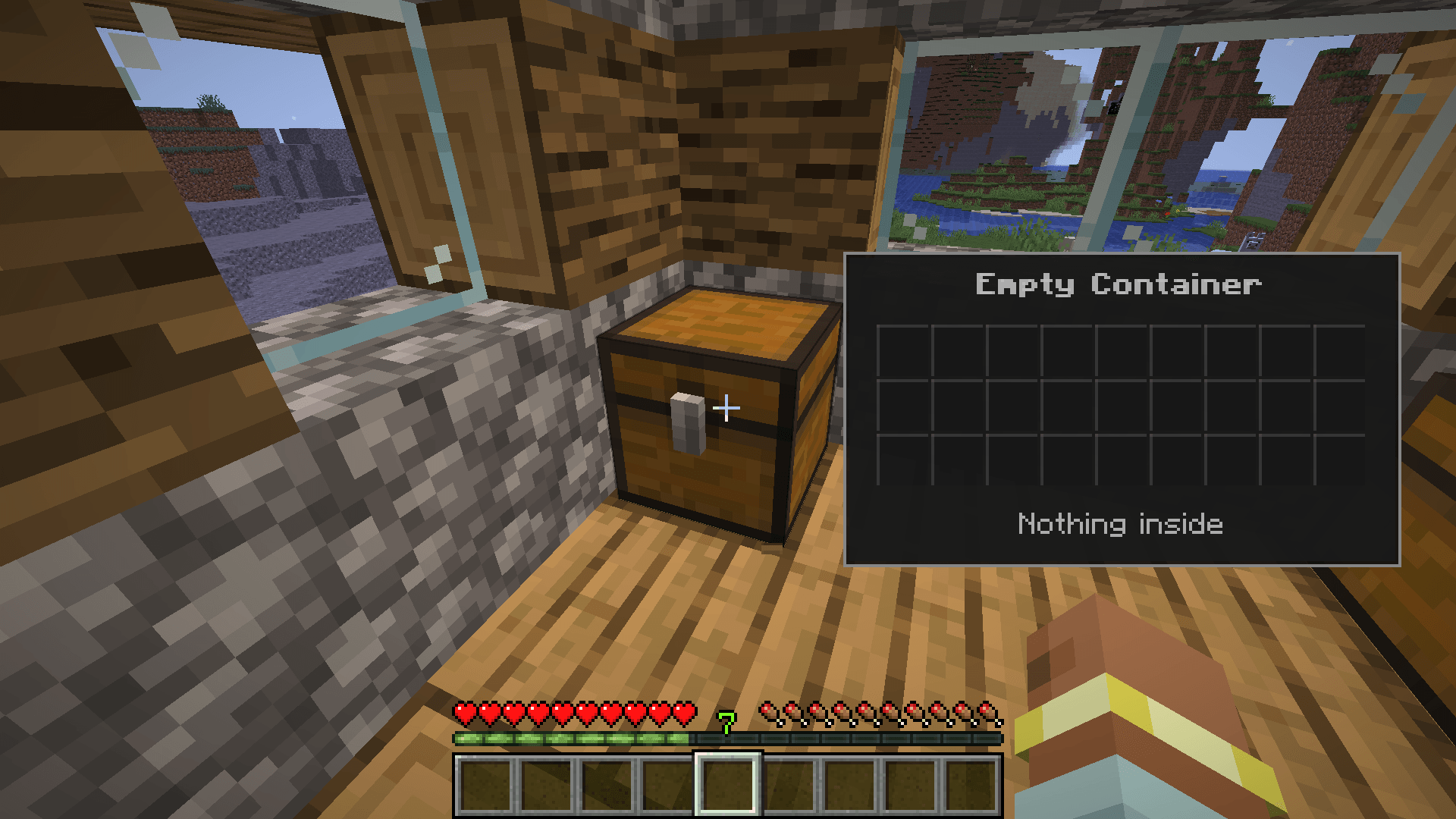
Empty Container Message
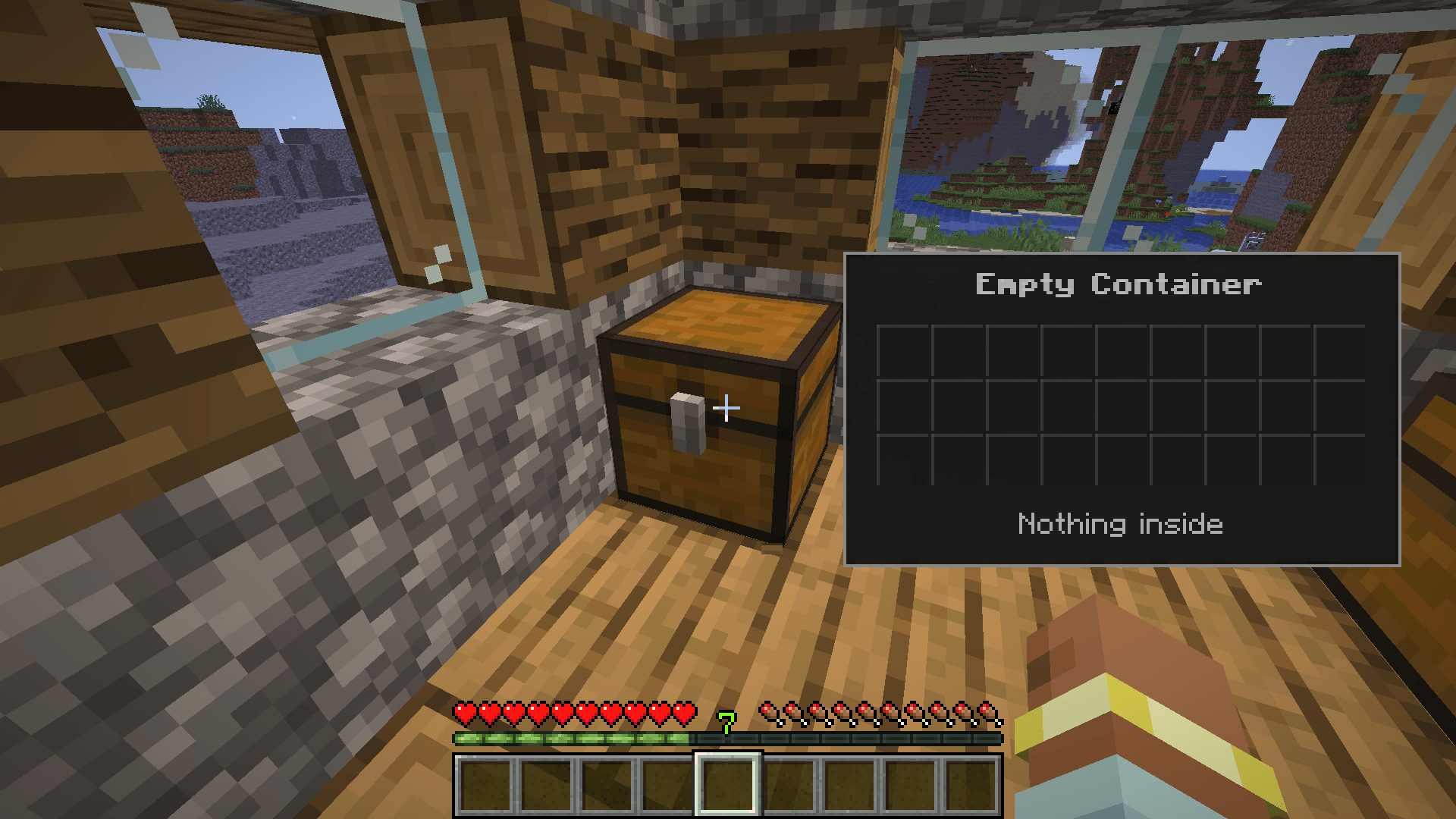
If a container is completely empty, the preview clearly shows: Empty Container and Nothing inside.
Used Slot Counter
The preview shows how many slots are currently used. For example: 8 / 27 slots used or 34 / 54 slots used.
TREASURE LOOT PREVIEW
Storage Peek+ is not only useful for storage rooms. It is also great for checking risky treasure chests in dangerous areas.
When you left-click a single chest, the mod can detect valuable loot inside it. This is especially useful in places like villages, dungeons, mineshafts, nether fortresses, bastions, ancient cities, and other dangerous structures.
You can quickly check whether a chest is worth risking your life for before opening it.
Single Chest Loot Detection
Treasure loot detection works on single chests and single trapped chests. When valuable loot is found, the preview displays a special loot message and plays visual and sound feedback.
This system is intentionally focused on single chests because Minecraft structure loot usually appears in single chests. Large chests, barrels, and shulker boxes are treated more like player storage and do not trigger treasure messages or loot sounds.
LOOT TIER SYSTEM
Storage Peek+ includes a small loot quality system for valuable items. When valuable loot appears inside a single chest, the mod shows the highest detected loot tier.
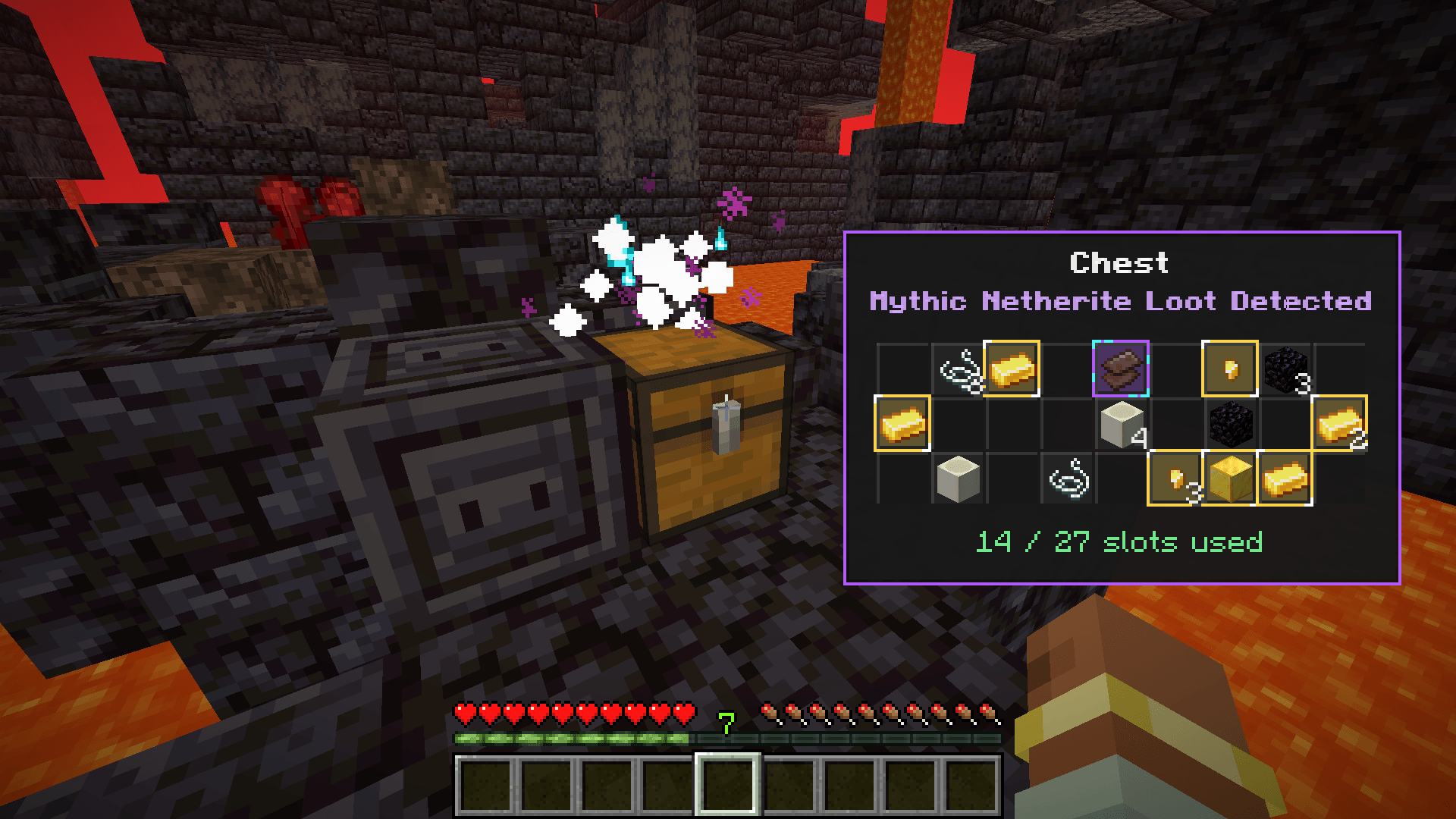
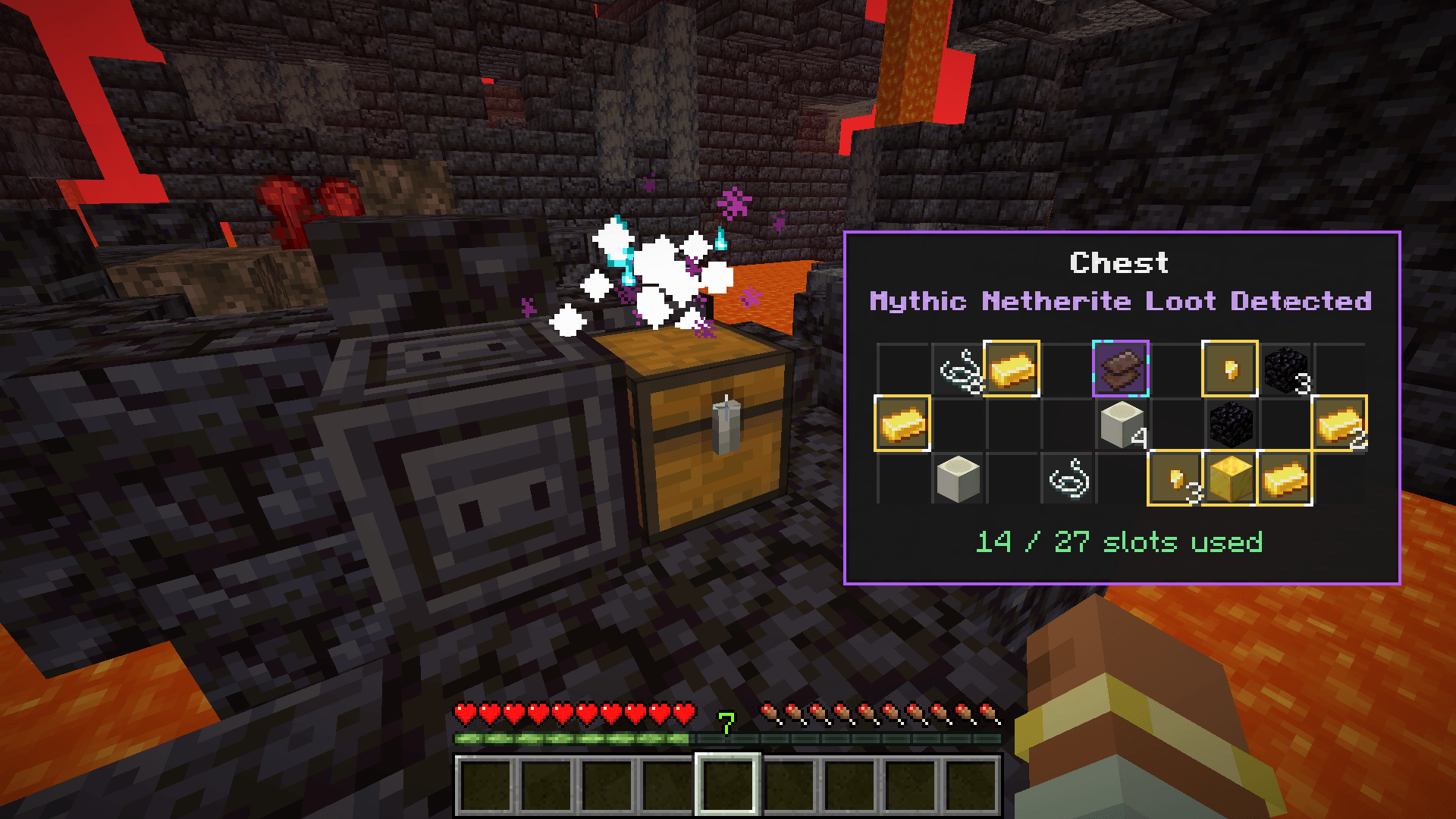
Mythic Netherite Loot
If the chest contains Netherite items, the preview shows: Mythic Netherite Loot Detected.
Netherite loot has a special purple/cyan glow style, stronger particles, and unique sound feedback.
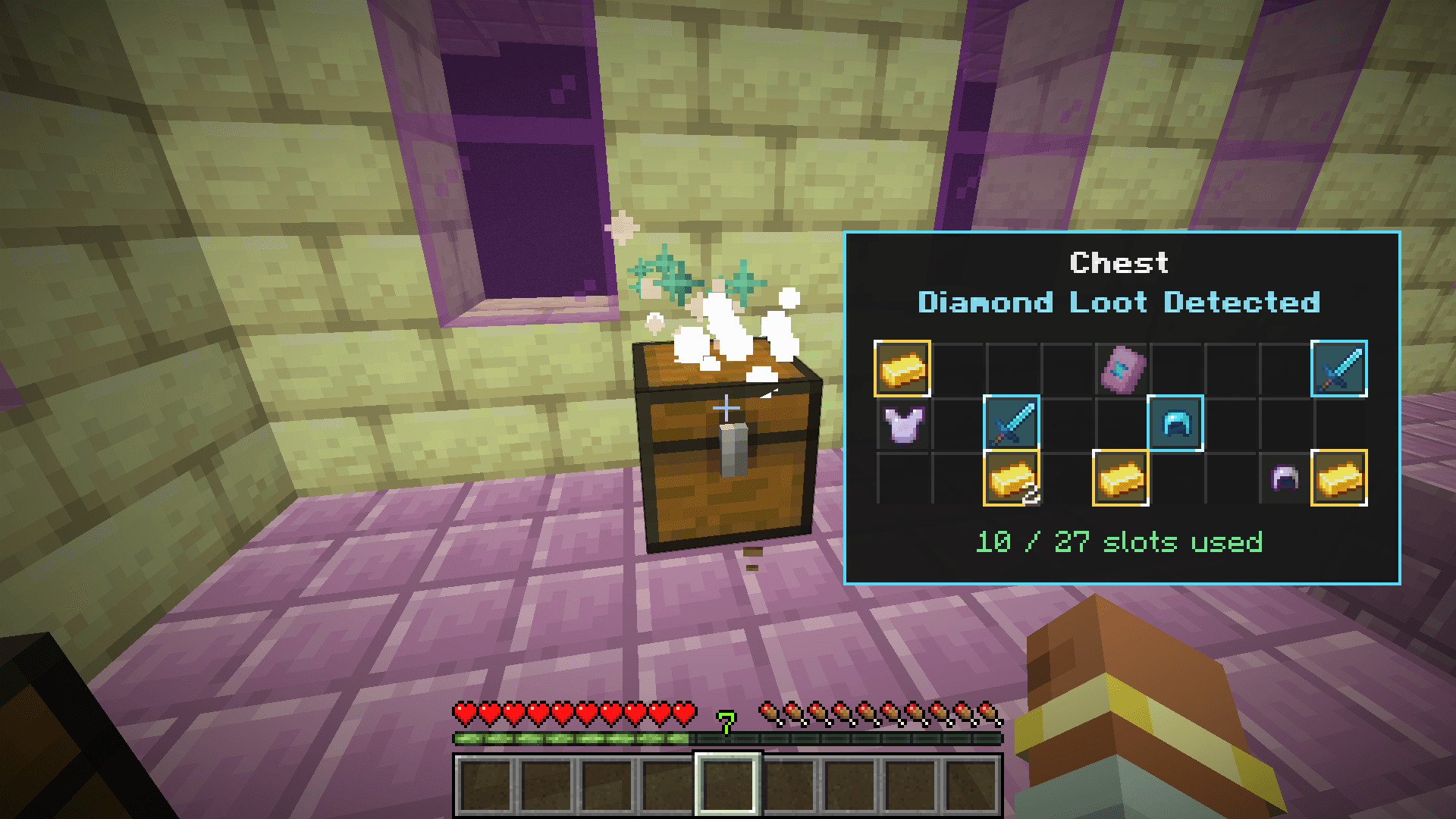
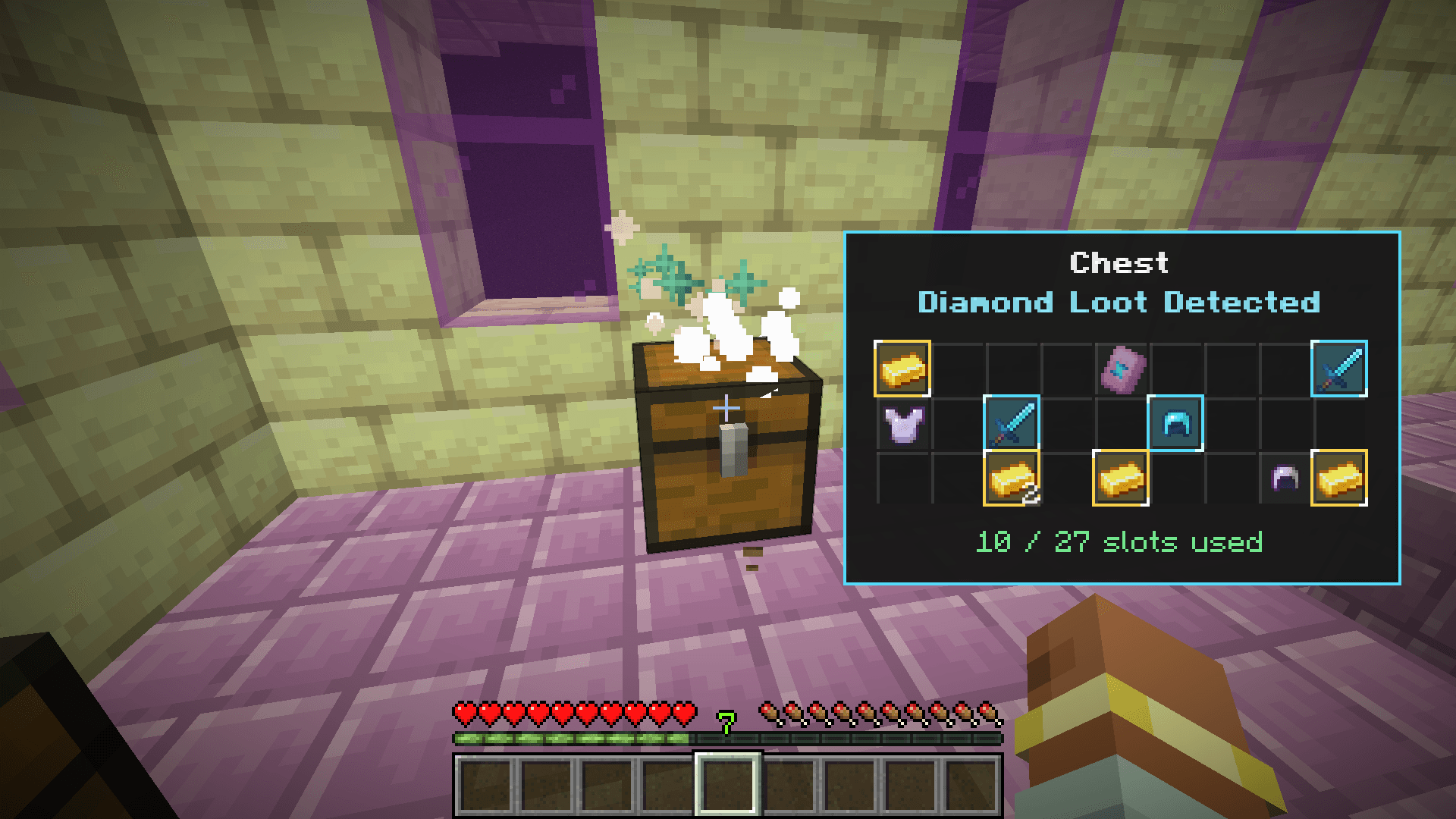
Diamond Loot
If the chest contains Diamond items, the preview shows: Diamond Loot Detected.
Diamond items glow with a bright blue/cyan slot effect.
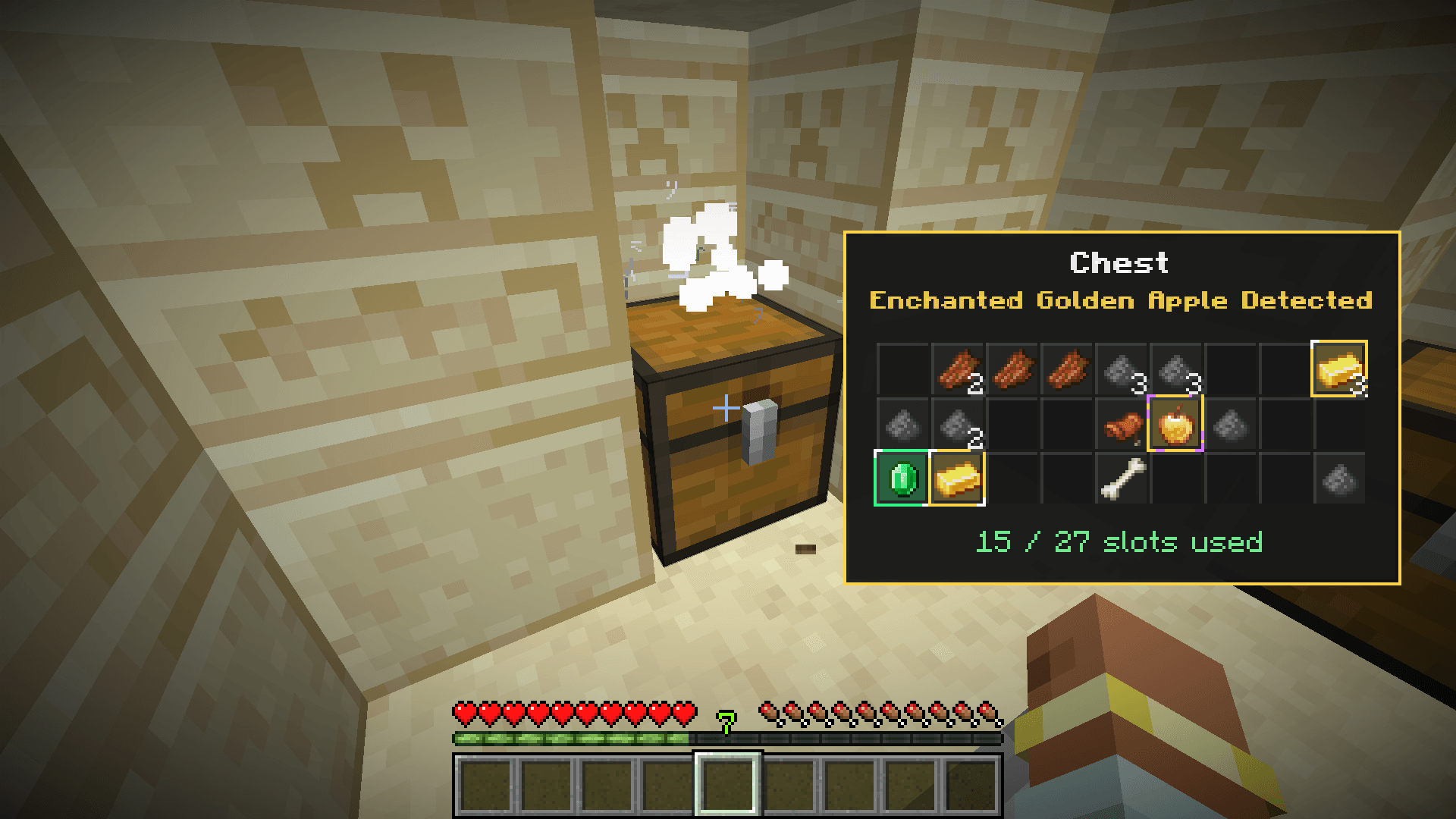
Enchanted Golden Apple Loot
If the chest contains an Enchanted Golden Apple, the preview shows: Enchanted Golden Apple Detected.
Enchanted Golden Apples use a golden glow with a magical purple accent.
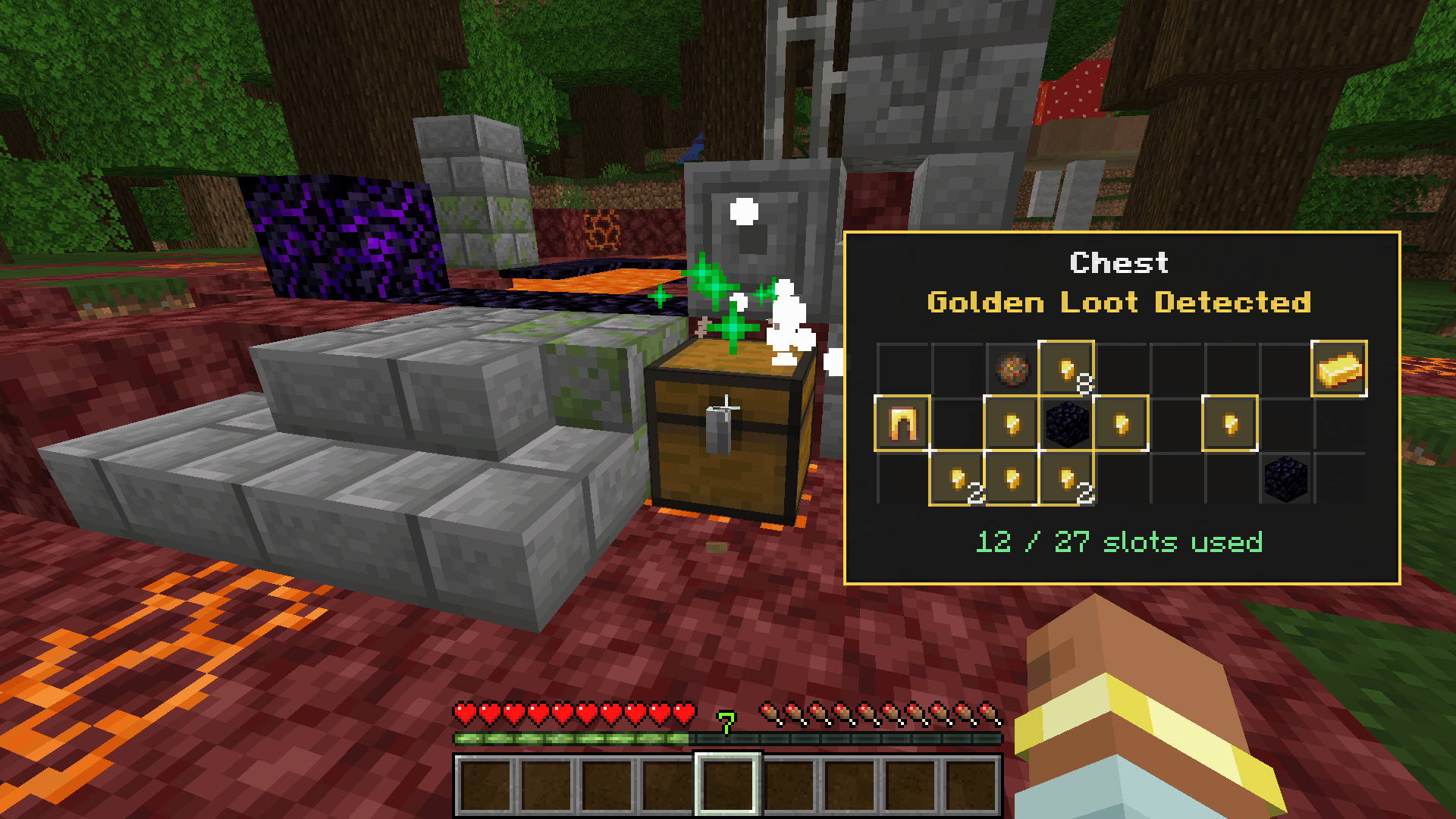
Golden Loot
Gold items and Golden Apples are detected as golden loot. The preview can show: Golden Loot Detected.
Golden loot uses a warm yellow glow effect.
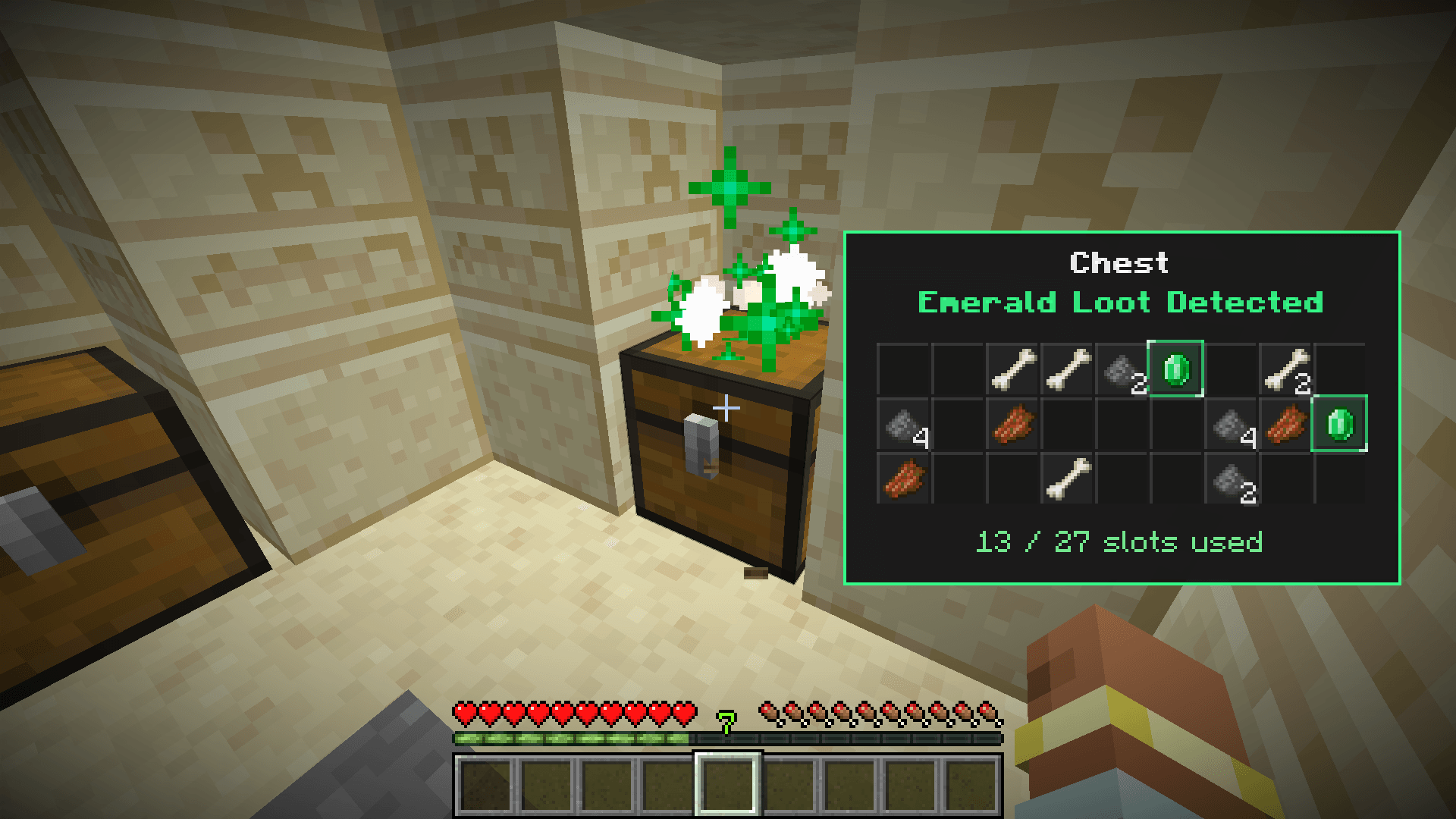
Emerald Loot
Emerald items are detected as emerald loot. The preview can show: Emerald Loot Detected.
Emerald loot uses a clean green glow effect.
VALUABLE ITEM SLOT GLOW
Valuable items are highlighted directly inside the preview grid. This makes it easy to see exactly which slot contains the important item.
- Emerald items glow green
- Gold items and Golden Apples glow yellow
- Enchanted Golden Apples glow yellow with a magical purple accent
- Diamond items glow blue/cyan
- Netherite items glow with a mythic purple/cyan style
Slot glow helps players quickly spot valuable items without carefully reading every slot.
Treasure messages, particles, and sounds are only used for single chests, but valuable item slot glow can still help identify important items inside supported storage previews.
SUPPORTED CONTAINERS
- Chest
- Trapped Chest
- Large Chest
- Large Trapped Chest
- Barrel
- Shulker Box
Single containers show a 27-slot preview. Large chests show a 54-slot preview.
VISUAL FEEDBACK
Storage Peek+ includes clean visual feedback to make the preview feel polished and easy to understand.
- Clean preview panel
- Container name display
- Item icons and stack counts
- Empty slot grid
- Used slot counter
- Empty container message
- Colored valuable item slot glow
- Special loot messages for single treasure chests
- Particle and sound feedback for valuable single chest loot
- Smooth automatic fade-out
- Instant close when breaking containers
- Instant close when opening containers
EXAMPLES
Example 1: Storage Room
You have many chests in your base. Instead of opening every chest one by one, simply left-click them to preview what is inside.
Example 2: Large Chest Preview
Left-click a double chest to view all 54 slots in a compact preview panel. The preview uses the correct slot order, so items appear where they should.
Example 3: Dangerous Loot Check
You find a chest in a dangerous structure. Left-click it from a safer position to quickly see if it contains valuable loot before deciding whether to risk opening it.
Example 4: Empty Container
If a barrel, chest, or shulker box is empty, the preview clearly tells you that nothing is inside.
Example 5: Valuable Item Highlight
If a supported container contains diamonds, emeralds, gold, enchanted golden apples, or netherite items, those valuable slots receive a colored glow so they are easy to spot.
Example 6: Clean UI Behavior
If you preview a chest and then open it normally, the preview panel closes instantly. It will not stay behind the container screen.
WHY USE STORAGE PEEK+?
Opening and closing containers repeatedly can become slow, especially in large survival bases, storage rooms, farms, mining areas, and loot-heavy structures.
Storage Peek+ solves this by letting you quickly check containers with one simple left click.
It keeps the gameplay vanilla-friendly while adding a smooth and useful preview system.
PERFECT FOR
- Survival players
- Storage room users
- Builders
- Explorers
- Loot hunters
- Village looting
- Dungeon exploration
- Nether fortress exploration
- Bastion exploration
- Ancient city exploration
- Shulker box organization
- Vanilla-style quality-of-life modpacks
FEATURE SUMMARY
- Left-click containers to preview contents
- No need to open containers manually
- Supports chests, trapped chests, barrels, shulker boxes, and large chests
- Correct 54-slot large chest preview
- Shows item icons and stack counts
- Shows empty slots in a clean grid
- Shows used slot count
- Shows empty container message
- Detects valuable loot in single chests
- Special treasure loot messages for single chests
- Colored slot glow for valuable items
- Different glow colors for emerald, gold, enchanted golden apple, diamond, and netherite
- Special particles and sounds for valuable single chest loot
- Does not interrupt block breaking
- Preview closes instantly when you start breaking a container
- Preview closes instantly when you open a container
- Lightweight and vanilla-friendly
SEARCH KEYWORDS
Storage Peek+ is useful for players searching for:
container preview, chest preview, storage preview, storage peek, chest peek, shulker preview, barrel preview, large chest preview, loot preview, treasure chest preview, Minecraft storage mod, Minecraft QoL mod, quality of life mod, inventory helper, storage helper, loot helper, chest contents preview, left click chest preview, vanilla style storage mod
SUPPORTED VERSION
- Minecraft 1.20.1 - Forge
Storage Peek+ is made for players who want faster storage checking, smoother container management, and a simple way to preview loot without breaking the vanilla feel of Minecraft.
Storage Peek+
Storage Peek+ is a lightweight quality-of-life mod that lets you quickly preview the contents of storage blocks without opening them.
Simply left-click a supported container and a clean preview panel will appear on your screen, showing the items inside in a compact slot grid. It is useful for storage rooms, survival bases, loot hunting, villages, dungeons, fortresses, and any situation where you want to check containers faster.
How it works
Look at a supported storage block and press Left Click.
Instead of opening the container, Storage Peek+ shows a small preview panel with the container name, item icons, stack counts, empty slots, and used slot count. The preview disappears automatically after a few seconds.
The mod also behaves cleanly during normal gameplay. If you hold left click to break a block, the preview will not appear. If you open the container normally, the preview closes instantly.
Features
- Left-click container preview – quickly check containers without opening them.
- Clean slot grid UI – shows item icons, stack counts, empty slots, and container name.
- Large chest support – double chests show a correct 54-slot preview.
- Smart break detection – preview does not interrupt block breaking.
- Auto-close behavior – preview closes when breaking or opening a container.
- Empty container message – clearly shows when a container has nothing inside.
- Used slot counter – displays how many slots are currently filled.
- Treasure loot detection – single chests can show special messages for valuable loot.
- Valuable item glow – highlights emerald, gold, enchanted golden apple, diamond, and netherite items.
- Particles and sounds – special feedback for valuable loot found in single chests.
- Lightweight and vanilla-friendly – improves storage checking without changing vanilla container mechanics.
Supported Containers
- Chest
- Trapped Chest
- Large Chest
- Large Trapped Chest
- Barrel
- Shulker Box
Single containers show a 27-slot preview. Large chests show a 54-slot preview.
Supported Version
- Minecraft 1.20.1 – Forge
Storage Peek+ is made for players who want faster storage checking, smoother container management, and a simple way to preview loot without breaking the vanilla feel of Minecraft.
Screenshots
Gallery
-
 2026-05-19_03.10.26.png 2026-05-19_03.10.26.png
 -
 2026-05-19_03.44.11.png 2026-05-19_03.44.11.png
 -
 2026-05-19_03.43.59.png 2026-05-19_03.43.59.png
 -
 2026-05-19_03.08.49.png 2026-05-19_03.08.49.png
 -
 2026-05-19_03.05.26.png 2026-05-19_03.05.26.png
 -
 2026-05-19_03.09.40.png 2026-05-19_03.09.40.png
 -
 2026-05-19_03.16.07.png 2026-05-19_03.16.07.png
 -
 2026-05-19_03.12.08.png 2026-05-19_03.12.08.png
-
 Empty Chest
 -
 Single Chest Work System 1
 -
 Single Chest Work System 2
 -
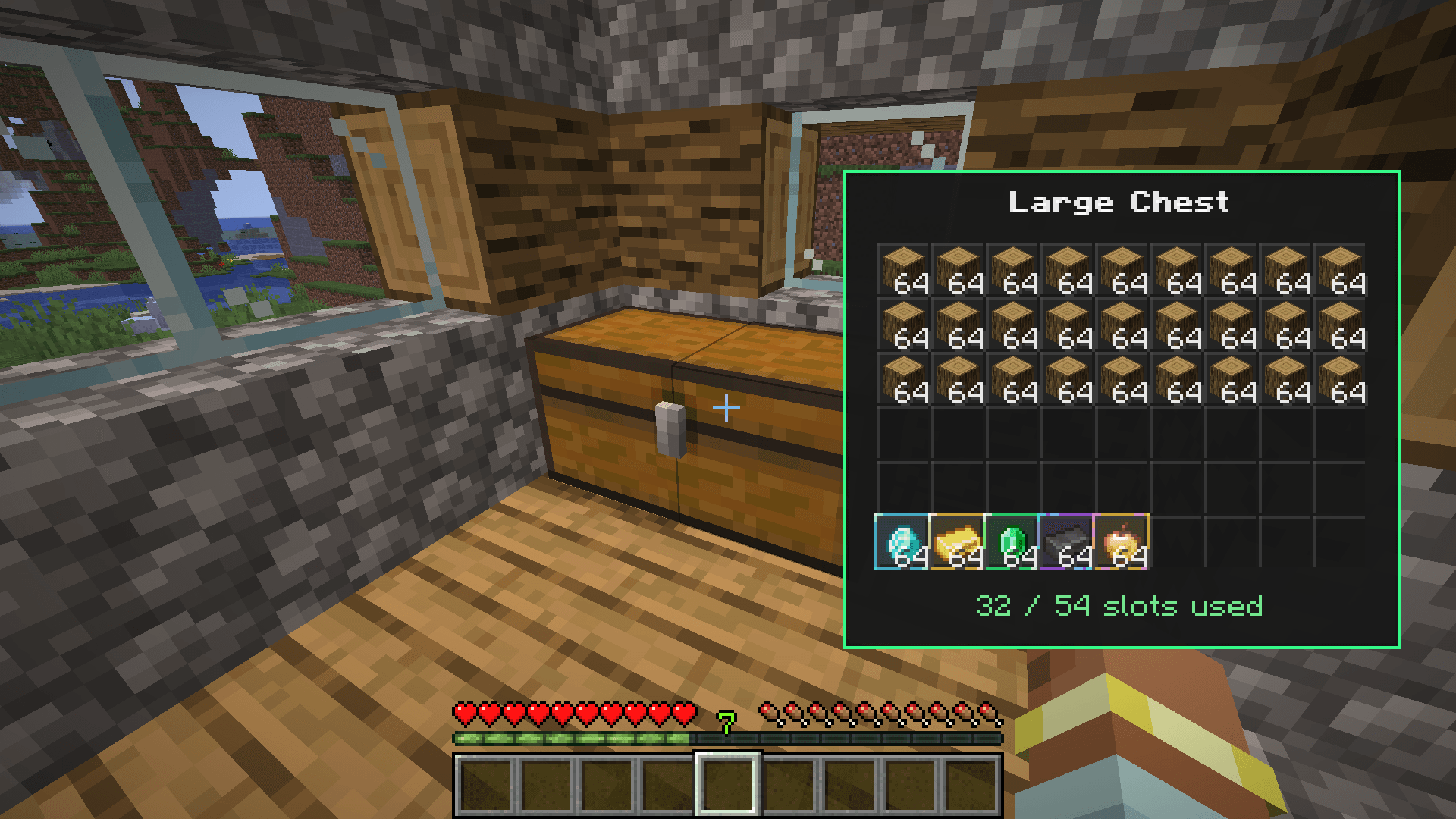 Large Chest
 -
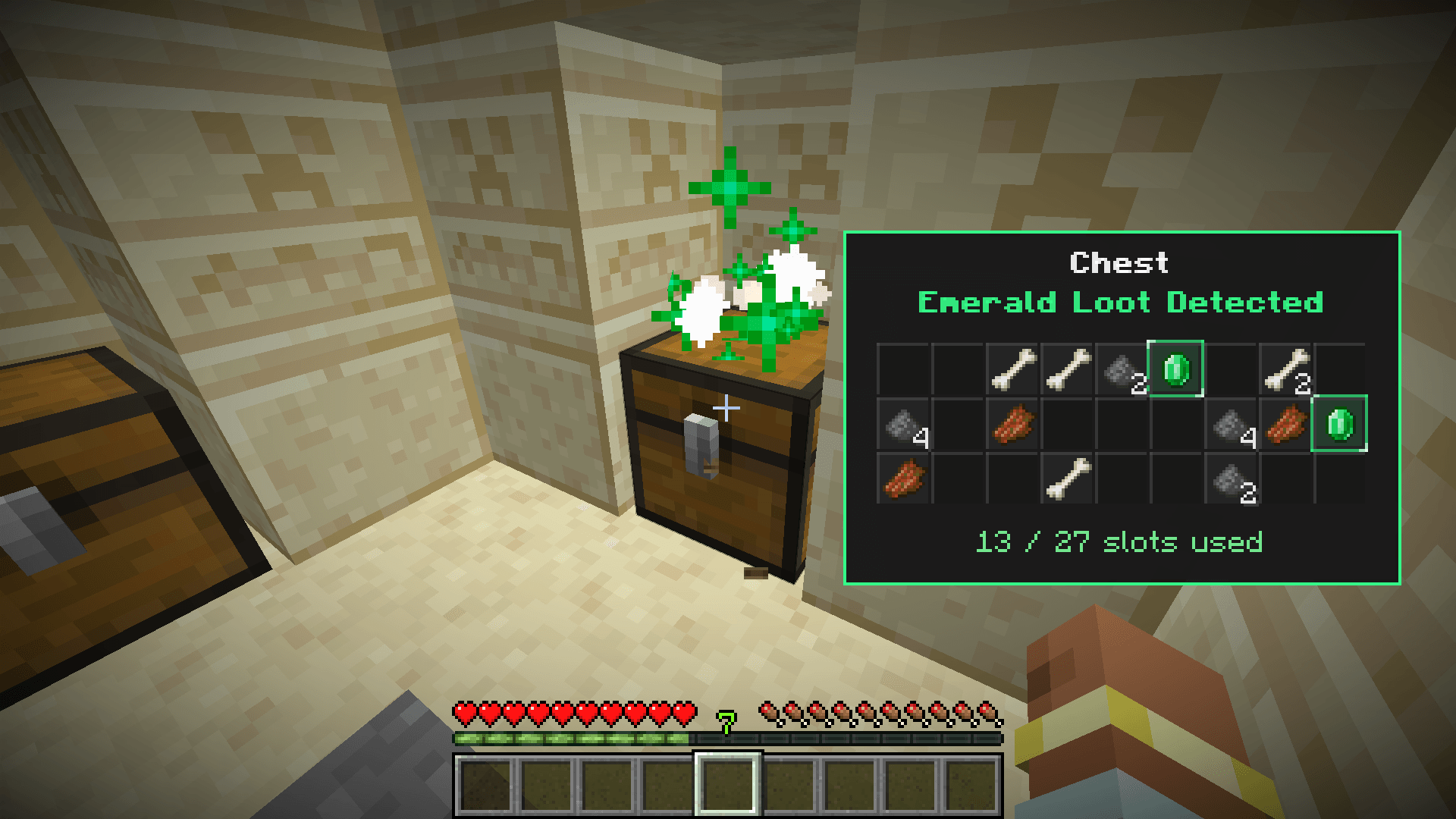 Single Chest Work System 3
Versions
Files
Relations
Project Relations
More like this
Similar Mods
Suggestions use data such as tags, dependencies, dependents, descriptions, titles, and more to rank how much they overlap with this mod.
On ModDex
Community snapshot
By the numbers
Statistics
Want to reach Minecraft players?
We're looking for a server hosting partner to feature here and other parts of the site. Interested? Send us a message!
Get in touchGet it on
Available Platforms
On ModDex
Community snapshot
By the numbers
Statistics
Resources