Community listing page, reviews may not be monitored by the author.
Streams Events

No reviews yet
If you're a content creator, you can now link your Twitch or TikTok account, or both! This allows your viewers to interact with the game

Community voices
Reviews
No reviews yet. Be the first to review this project!
Get it on
Available Platforms
About
Project Details
For authors
Embed Badge
If you're the author of this project, you can embed a live badge anywhere that supports HTML or Markdown. It updates automatically whenever ratings change.
Use HTML for any page that supports it, or Markdown for README files and Markdown-based descriptions.
Identifiers
Platform IDs
Resources
External Links
About
Description
If you are a content creator, you can now link your Twitch or TikTok account—or both! This allows your viewers to interact with the game world through channel rewards or gifts sent during your live streams.
You can trigger in-game events based on actions such as new followers (on either or both platforms), Bits, subscriptions, or channel reward redemptions on Twitch. If you prefer to link your TikTok account, you can trigger events based on follows, gifts, specific coin amounts, subscriptions, or like goals. Best of all, these events are fully configurable and customizable; the mod generates help files in the `config\streamevents\events` folder, available in both Spanish and English.
To set it up with Twitch, launch the game, create a world, and use the command `/stream link twitch`. This will display a message containing a link to connect your account.
To set it up with TikTok, use the command `/stream link tiktok @username`. This will provide a code that you can copy to your clipboard by clicking on it. Start a live stream using the account you specified, and then enter that code in the chat. For security reasons, the mod automatically verifies that the account entering the code is the same one you specified when running the `/stream link tiktok @username` command.
Once one or both accounts are linked, you can locate your events file in `config\streamevents\events` and configure each and every event you would like to trigger.
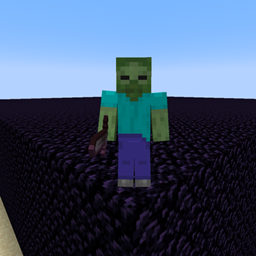
That’s right: if someone sends you 100 roses, 100 Bits, or a subscription, they could cause you to face zombies in-game or trigger a shower of TNT over your character! They could even trap you behind walls made of sand, glass, stone, or obsidian! Don't forget to read the AYUDA.txt files to learn about the variables, and the REGALOS-TIKTOK.txt file to see the names of all the available gifts. If the file hasn't been created yet, you can use the command "/stream gifts" within any world to generate it; it will contain the names and prices for each gift.
Example of the Follow event:
WHEN follow
SPAWN zombie NAME {user}
SAY &a{user} followed you!
Example of the 'follow' event in Spanish:
CUANDO follow
INVOCAR zombie NOMBRE {user}
DECIR &a{user} te siguió!
Supports both languages.
Screenshots
Gallery
Versions
Files
Relations
Project Relations
More like this
Similar Mods
Suggestions use data such as tags, dependencies, dependents, descriptions, titles, and more to rank how much they overlap with this mod.
On ModDex
Community snapshot
By the numbers
Statistics

Get it on
Available Platforms
On ModDex
Community snapshot
By the numbers
Statistics
Resources