Community listing page, reviews here may not be monitored by the author.
Structural Tools


No reviews yet
A utility mod for exporting Minecraft structures to JSON (including Modular Machinery format), featuring a powerful Blockbench plugin for structure optimization, merging, and visualization.
Community voices
Reviews
No reviews yet. Be the first to review this project!
Get it on
Available Platforms
Compatibility
Supported Environments
Must be installed on both the client and the server.
About
Project Details
For authors
Embed Badge
If you're the author of this project, you can embed a live badge anywhere that supports HTML or Markdown. It updates automatically whenever ratings change.
Use HTML for any page that supports it, or Markdown for README files and Markdown-based descriptions.
Identifiers
Platform IDs
Resources
External Links
About
Description
Export Structure
Use in-game commands to export structures; files are generated in `config/structural_tools_exports/`.
Import & Edit
Structural Tools is a utility mod designed for modpack creators and developers. It exports in-game structures into JSON files, essential for creating multiblock structures or custom machine models.
Key Features
- Structure Export: Export selected areas as standard JSON data.
- MMCE Support: Supports exporting to Modular Machinery Community Edition (MMCE) format for defining machine structures.
Blockbench Plugin
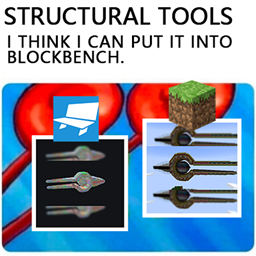
A powerful Blockbench plugin (structural_tools_importer.js) is included for visual editing and optimizing exported structures.
It can convert complex structures into low-poly models, significantly reducing block count via Smart Merging and Force Max modes, ideal for preview models or simplifying complex builds.
Plugin Highlights
- Smart Import: Automatically merges adjacent blocks to optimize polygon count.
- Force Max Mode: Offers extreme model simplification algorithms (like shell extraction, cavity filling) to generate ultra-low-poly previews.
- Utilities: Includes shell preservation, visible-face retention, and uniform scaling tools.
Quick Usage
Export Structure
Use in-game commands to export structures; files are generated in config/structural_tools_exports/.
- Standard Export**:
/structural_tools export <name> - MMCE Export**:
/structural_tools export_mmce <name>
Install Plugin
1. Open Blockbench, go to File -> Plugins -> Load Plugin from File.
2. Navigate to the mod directory and select:
tools/blockbench/structural_tools_importer/structural_tools_importer.js
Import & Edit
Load the generated JSON file in Blockbench via File -> Import -> Import Structural Tools Export for editing.
Structural Tools 是一个专为整合包开发者和模组制作者设计的辅助模组。它可以将游戏内的建筑结构导出为 JSON 文件,用于制作多方块结构或自定义机器模型。 Structural Tools 是一个为模组包创作者和开发者设计的工具模组。它将游戏内结构导出为JSON文件,这对于创建多方块结构或自定义机器模型至关重要。 主要功能 / 主要功能
结构导出 / Structure Export: 将选定的区域导出为标准 JSON 数据。 将选定区域导出为标准JSON数据。 MMCE 支持 / MMCE Support: 支持导出为 Modular Machinery Community Edition (MMCE) 格式,用于定义机器结构。 支持导出为模块化机械社区版(MMCE)格式以定义机器结构。 轻量级 / Lightweight: 仅在服务端或单人游戏需要,专注于结构数据处理。 仅限服务器端/单人游戏,专注于结构数据处理。 游戏内作 / 游戏内使用
结构魔杖 / 结构魔杖 使用 Structure Wand 物品进行选区和作。 选择和互动时使用结构魔杖物品。 选区作 / 选区作: 右键点击:设置选区点 2 (Set Pos 2) Shift + 右键:设置选区点 1(Set Pos 1) Alt + Scroll: 向视线方向扩展/收缩选区(向视线方向展开/收缩选区) 投影与自动建造 / 投影与自动建造 模组提供投影功能,可以将导出的结构投影回世界,并支持在创造模式下自动填充。 该模组提供投影功能,用于可视化导出的建筑物,创意模式中支持自动填充。 打开投影菜单 / 打开投影菜单:按 P 键 (默认 / 默认) 调整投影位置 / 调整投影: Ctrl + Scroll: 沿视线方向移动投影原点(沿视线方向移动投影原点) 自动建造 / 自动建造: 仅限 创造模式(仅限创造模式)。 在投影菜单中启用自动填充后,会自动将投影的方块放置到世界中(需手持 Structure Wand)。 在投影菜单中启用自动填充功能,自动将投影方块放入世界中(需要按住结构棒)。 Blockbench 插件 / Blockbench Plugin
随模组附带一个强大的 Blockbench 插件 (),用于可视化编辑和优化导出的结构。 内置一个强大的 Blockbench 插件(),用于视觉编辑和导出结构优化。structural_tools_importer.jsstructural_tools_importer.js
它能够将复杂的结构转换为低面数的模型,通过智能合并(Smart Mergeging)和Force Max模式大幅减少方块数量,适合用于预览模型或简化复杂的建筑。 它能将复杂结构转换为低多边形模型,通过智能合并和力度最大化模式大幅减少块数,非常适合预览模型或简化复杂构建。
插件亮点 / 插件亮点
智能导入 / Smart Import: 自动合并相邻方块,优化模型面数。 自动合并相邻方块以优化多边形数量。 Force Max 模式 / Force Max 模式: 提供极端的模型简化算法(如外壳提取、空腔填充),生成用于预览的超低模。 提供极端的模型简化算法(如壳体提取、空腔填充)以生成超低多边形预览。 辅助工具 / Utilities: 包含外壳保护、可见面保留和等比缩放工具。 包括贝壳保存、可见面保持和均匀缩放工具。 快速使用 / 快速使用
导出结构 / 导出结构 在游戏内使用指令导出结构,文件将生成于 。 使用游戏内命令导出建筑物;文件生成于。config/structural_tools_exports/config/structural_tools_exports/ 标准导出 / 标准导出:/structural_tools export MMCE 导出 / MMCE 导出:/structural_tools export_mmce 安装插件 / 安装插件
打开 Blockbench,进入 文件 -> 插件 -> 从文件加载插件。 打开 Blockbench,进入文件 -> 插件 -> 从文件加载插件。
浏览到模组目录并选择: 进入模组目录,选择:tools/blockbench/structural_tools_importer/structural_tools_importer.js
导入与编辑 / 导入 & 编辑 在 Blockbench 中通过 文件 -> 导入 -> Import Structural Tools 导出加载生成的 JSON 文件进行编辑。 通过文件 -> 导入 -> 导入结构工具导出编辑,加载生成的 JSON 文件。
Screenshots
Gallery
Versions
Files
Relations
Project Relations
More like this
Similar Mods
Suggestions use data such as tags, dependencies, dependents, descriptions, titles, and more to rank how much they overlap with this mod.
On ModDex
Community snapshot
By the numbers
Statistics
Want to reach Minecraft players?
We're looking for a server hosting partner to feature here and other parts of the site. Interested? Send us a message!
Get in touchGet it on
Available Platforms
On ModDex
Community snapshot
By the numbers
Statistics
Resources