
Community listing page, reviews may not be monitored by the author.
Studious Keybinds

No reviews yet
A Keybind Mod That Displays Your Keyboard And Allows You To Make Changes Directly!

Community voices
Reviews
No reviews yet. Be the first to review this project!
Get it on
Available Platforms
About
Project Details
For authors
Embed Badge
If you're the author of this project, you can embed a live badge anywhere that supports HTML or Markdown. It updates automatically whenever ratings change.
Use HTML for any page that supports it, or Markdown for README files and Markdown-based descriptions.
Identifiers
Platform IDs
Resources
External Links
About
Description
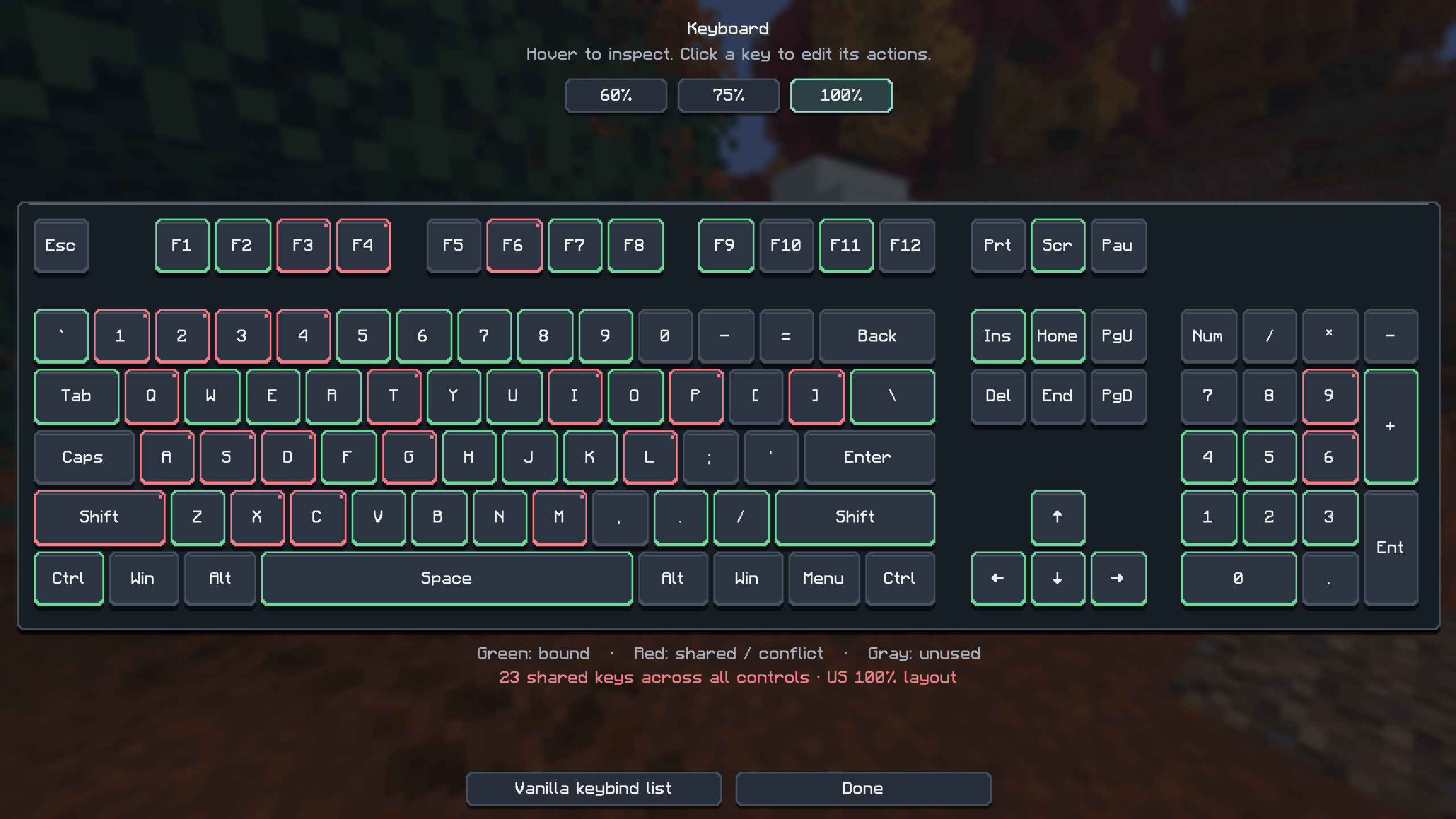
Studious Keybinds adds an interactive keyboard to Minecraft’s Controls menu, making it easy to see your bindings and customize them with a click. Choose a 60%, 75%, or 100% keyboard layout, hover over any key to see its assigned actions, and click to edit them. Your preferred layout is remembered between sessions.
- Color-coded outlines: Green for a single binding, red for shared bindings that may conflict, and gray for unused keys.
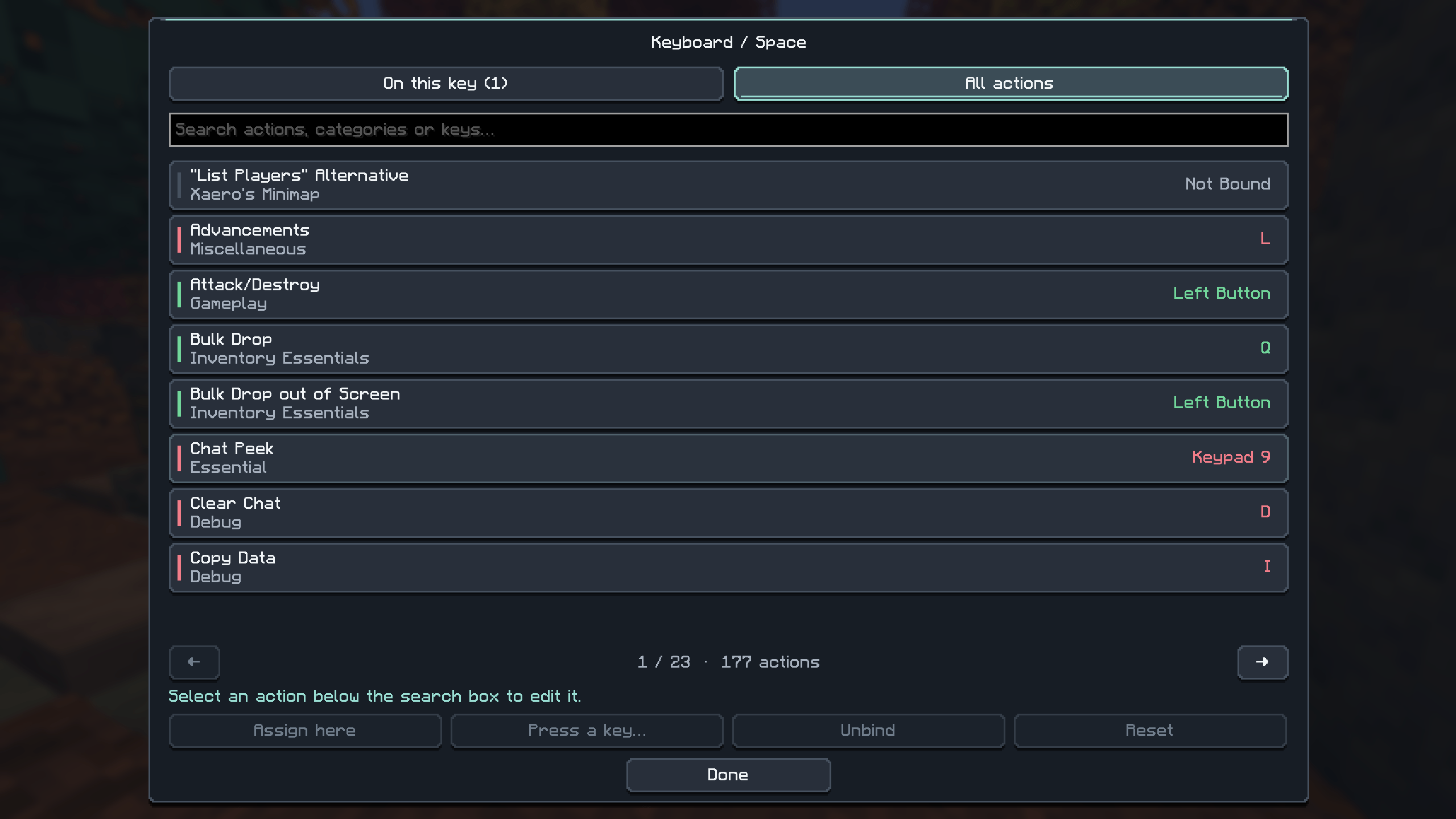
- Easy rebinding: Assign actions to a selected key or press a new keyboard key or mouse button.
- Searchable actions: Find bindings by action, category, or assigned key—including other mods’ controls registered with Minecraft.
- Flexible controls: Keep multiple actions on one key, unbind individual actions, or restore their defaults.
- Modern interface: Solid graphite keycaps, rounded buttons, and smooth animations alongside Minecraft’s familiar font and backgrounds. Open Options → Controls → Keyboard to get started.
Screenshots
Gallery
-
 Screenshot 2026-10-07 051517.png Screenshot 2026-10-07 051517.png
 -
 Screenshot 2026-10-07 051535.png Screenshot 2026-10-07 051535.png
Versions
Files
Relations
Project Relations
More like this
Similar Mods
Suggestions use data such as tags, dependencies, dependents, descriptions, titles, and more to rank how much they overlap with this mod.
On ModDex
Community snapshot
By the numbers
Statistics

Get it on
Available Platforms
On ModDex
Community snapshot
By the numbers
Statistics
Resources